Qotom Q51551UT Internal Hardware Overview
Although Qotom’s Q51551UT has limited user-serviceable hardware, accessing the system is surprisingly easy. Forget any screws or latches. The system’s top and bottom covers are purely magnetic, meaning that they can be pulled off with little effort.
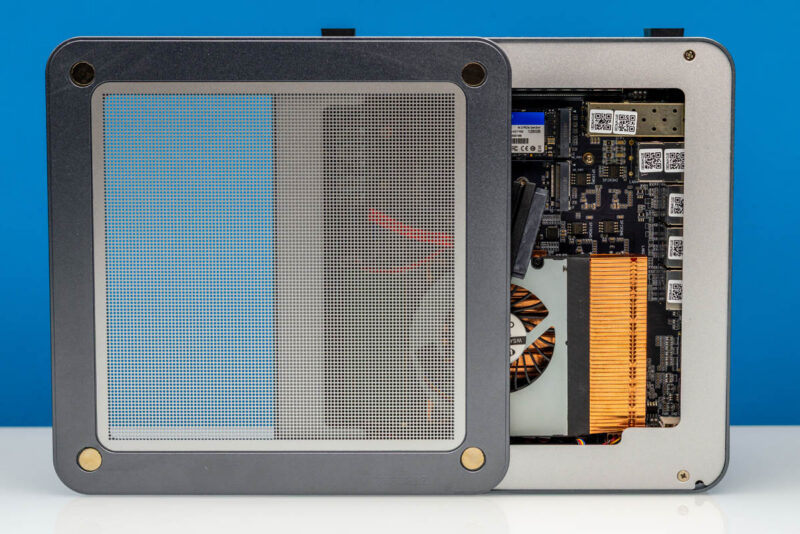
Removing the magnetic top gives us access to most internal components, including the SO-DIMM slots and M.2 drive slots.
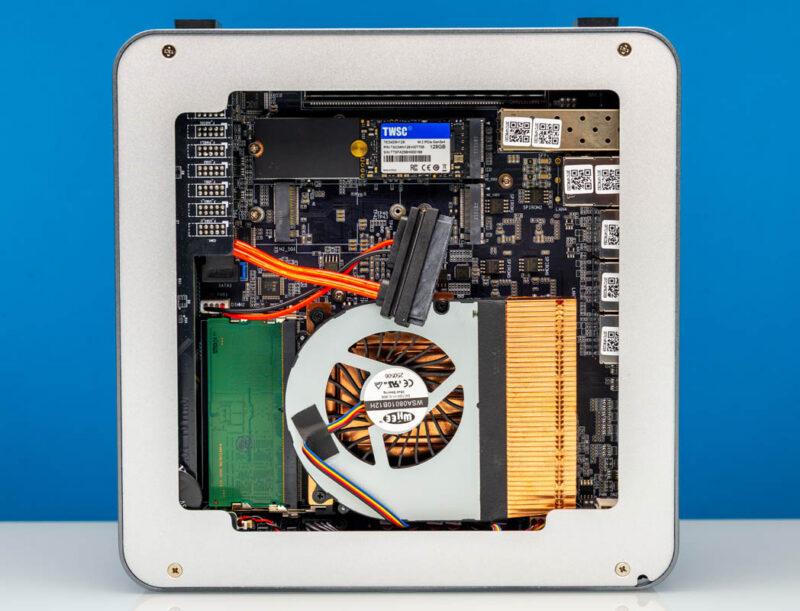
To reach every nook and cranny, we also need to unscrew the top of the frame.
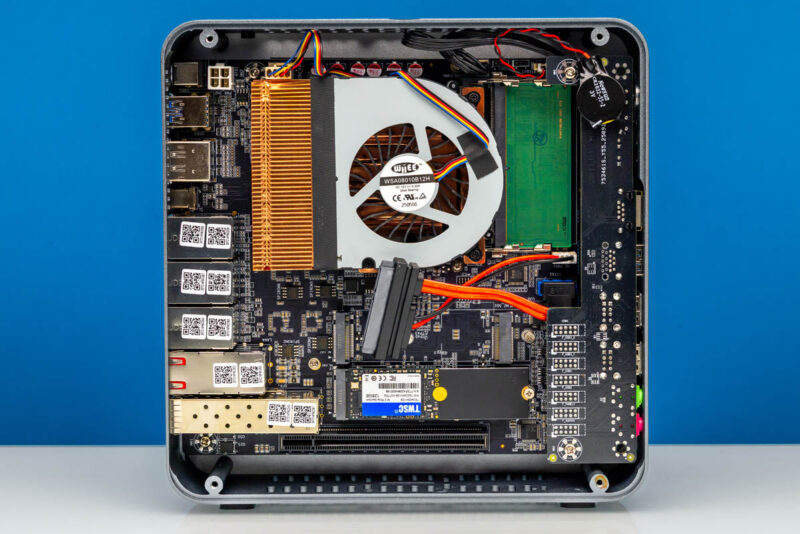
Front and center, we find the system’s sole source of cooling, a low-profile laptop-style blower. The 4W ball-bearing fan is embedded into a small heatsink that covers the Intel Core Ultra 5 125H (Meteor Lake) SoC at the heart of the system. The blower is aligned toward the rear of the system, but it does not sit high enough to aim straight at the rear vent holes in the chassis, so various I/O ports partially block its path.
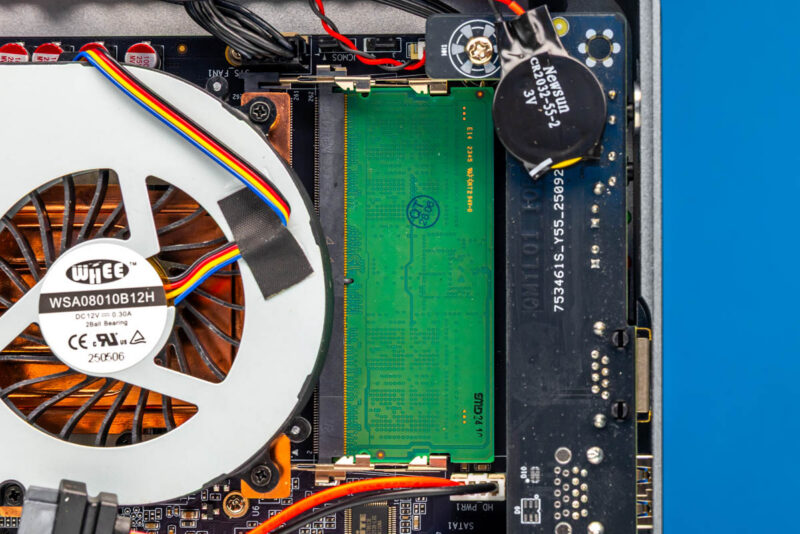
Next to the blower, we have the system’s two SO-DIMM slots. As this is a Meteor Lake system, the Q51551UT supports up to 96GB of DDR5-5600 memory, which we validated as working in this system.
Elsewhere, near the far corner of the system, there are a few storage options. The most unexpected of which is a SATA drive plug.
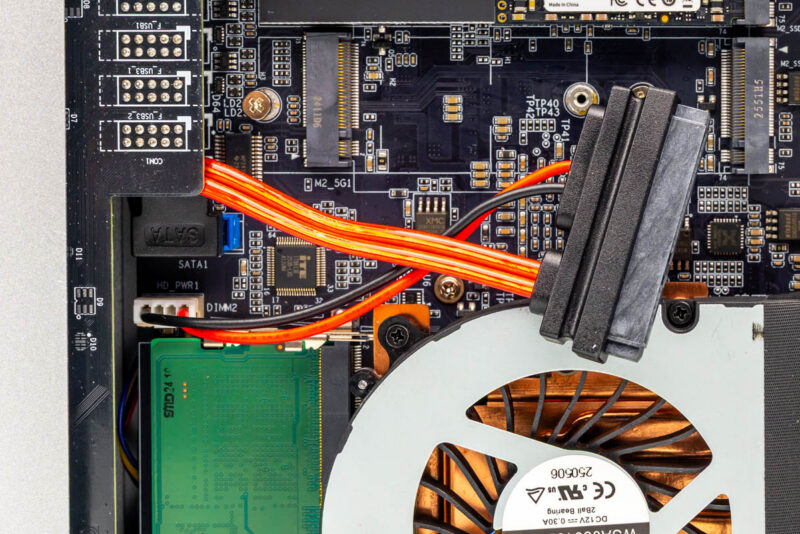
The integrated power+data connector is attached to the motherboard and provides only a 5V line and a ground line for power. Notably, there is no place to properly secure a SATA device, so while you can use one, it is certainly a bit hacky.
For faster, more secure storage, the Q51551UT also offers two M.2 2280 slots on the motherboard. The primary (top) slot is a PCIe Gen4 x4 slot, providing full bandwidth for a PCIe Gen4 SSD. Meanwhile, the bottom slot is wired as a PCIe Gen4 x1 slot, allowing you to install a second M.2 SSD, but without access to most of its peak bandwidth.
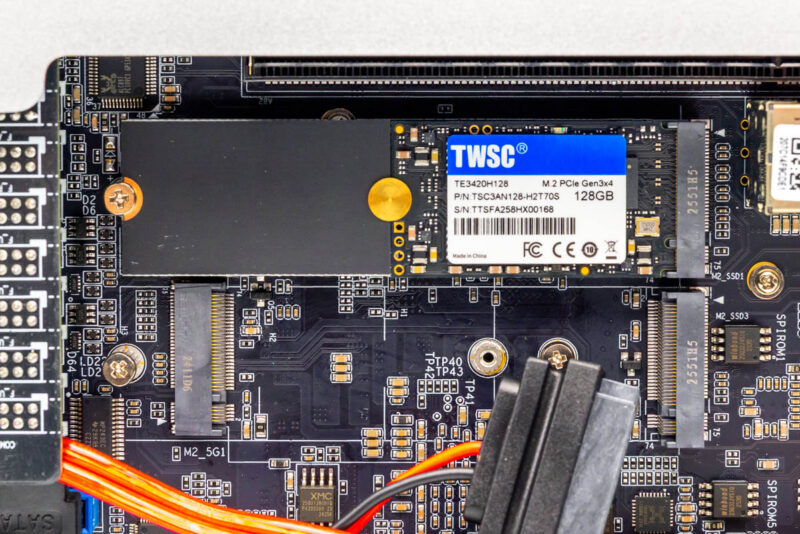
Our review unit came with a basic PCIe Gen3 x4 SSD from TWSC, offering 128GB of capacity. Given the limited capacity, this is unsurprisingly an M.2 2242 form-factor SSD, which is why it is mounted to an adapter to secure it in the 2280 slot.
Meanwhile, the bottom slot is actually a stacked slot with multiple M.2 connectors. The bottom slot is a B-key M.2 3042/3052 slot, primarily intended for cellular modems. The Q51551UT does not include antennas, so mounting a modem means you’ll need to bring your own antennas. Meanwhile, the second M.2 2280 slot for storage devices sits on top of that.
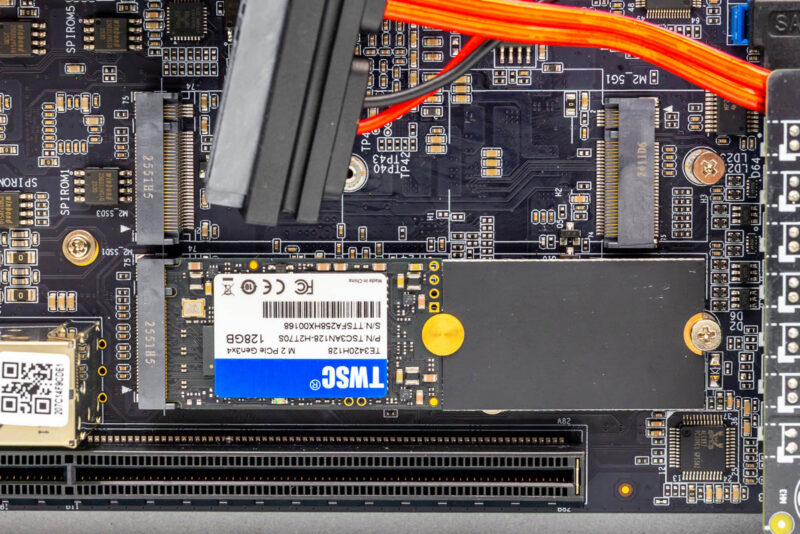
Finally, towards the bottom of the system, we have an even more curious find: a PCIe x16 slot.
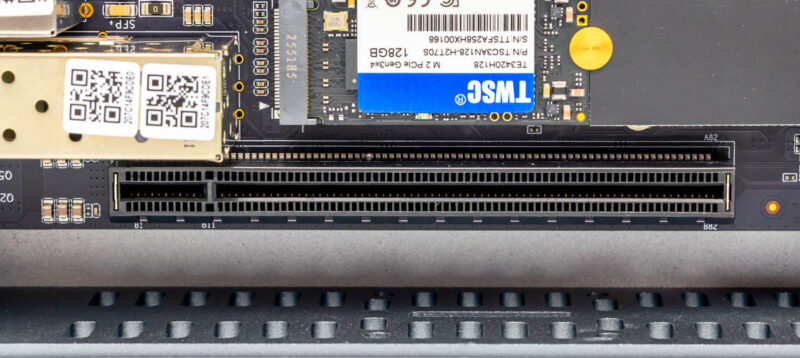
This slot is wired as a PCIe Gen5 x8 slot, essentially where a discrete GPU would go if the Intel mobile CPU were in a laptop. There are no cutouts for I/O brackets, so the slot is meant to be used with a PCIe extender cable or riser. It is an unusual sight, to say the least, but it gives the system a unique, very high-bandwidth expansion option if you have the means to attach more hardware.
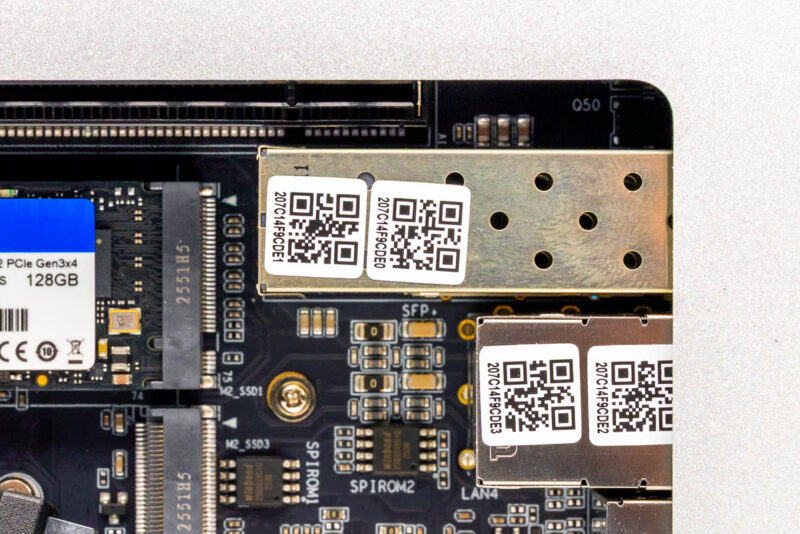
Otherwise, the rest of the open space within the system is primarily taken up by the casings for the various Ethernet ports. The SFP+ ports, in particular, take up a decent amount of space in the mini-PC because they need to accommodate removable modules.
Now that we have completed our hardware tour, let us take a look at the performance of the Meteor Lake-powered system.