

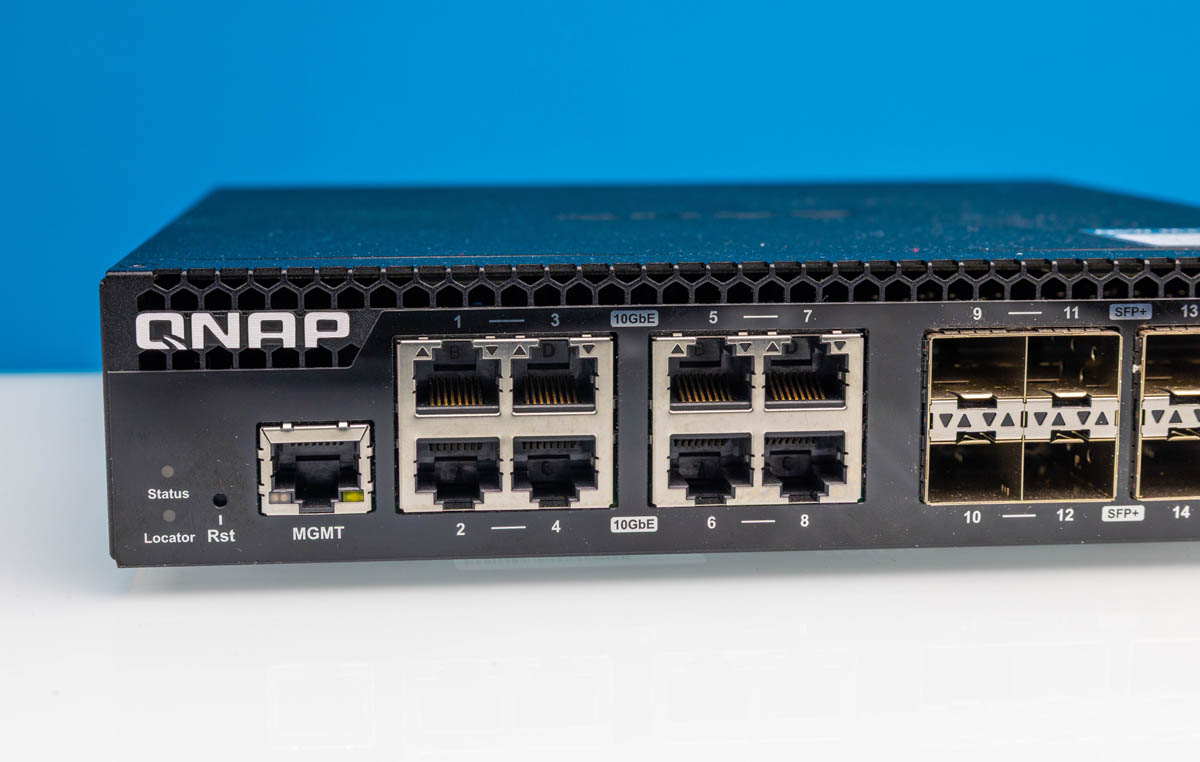
The QNAP QSW-M3216R-8S8T is a surprisingly good switch. With eight 10Gbase-T ports that also do multi-gig speed, and eight SFP+ ports, the connectivity is very useful. Beyond the ports, there is also a L2 management feature, partially due to the switch chip used, that makes this switch even more useful. In our review, we are going to go into this, but then also discuss why we think this is the best option between this switch and the QNAP QSW-3216R-8S8T-US and the QSW-M3212R-8S4T-US, even though that may be a controversial take.
If you want to check current pricing, here is the QNAP QSW-M3216R-8S8T we are reviewing (Amazon Affiliate), then the QNAP QSW-3216R-8S8T-US (Amazon Affiliate) and the QSW-M3212R-8S4T-US (Amazon Affiliate) that we will discuss, but our sense is folks are going to gravitate strongly to the QSW-M3216R-8S8T. There is also an industrial version, the QSW-IM3216-8S8T, with dual DC inputs but at a higher price (Amazon Affiliate.)
QNAP QSW-M3216R-8S8T Hardware Overview
On the front of the switch, we get sixteen ports for data, plus a management port and a console port. The unmanaged QNAP QSW-3216R-8S8T-US lacks the management and console ports. The QSW-M3212R-8S4T-US lacks four of the 10Gbase-T ports.
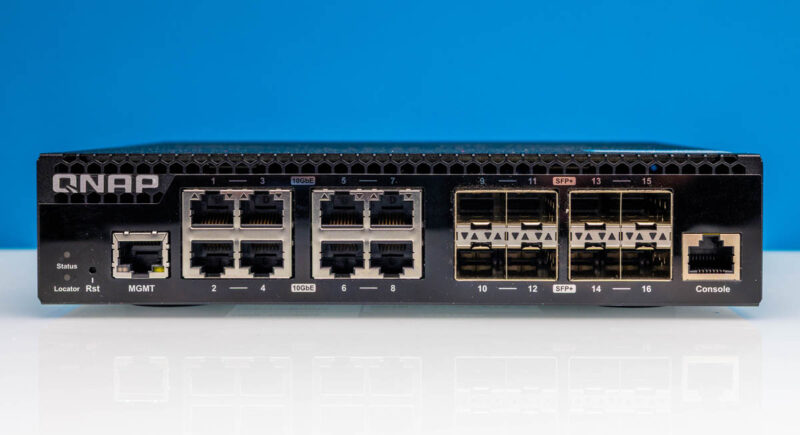
On the left side, we get the LED status indicator, reset button, management port and four 10Gbase-T ports. The 10Gbase-T ports are actually Nbase-T ports that support speeds like 5GbE and 2.5GbE as well.
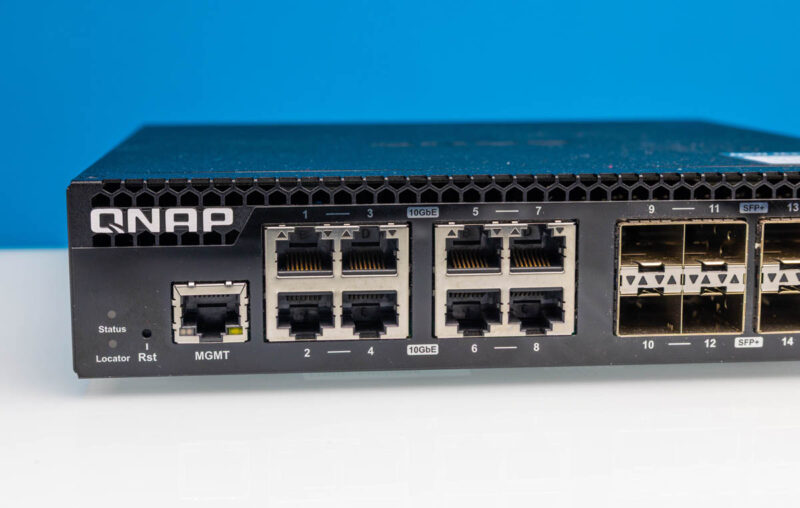
On the right, we get eight SFP+ cages for 10G connectivity and a console port.
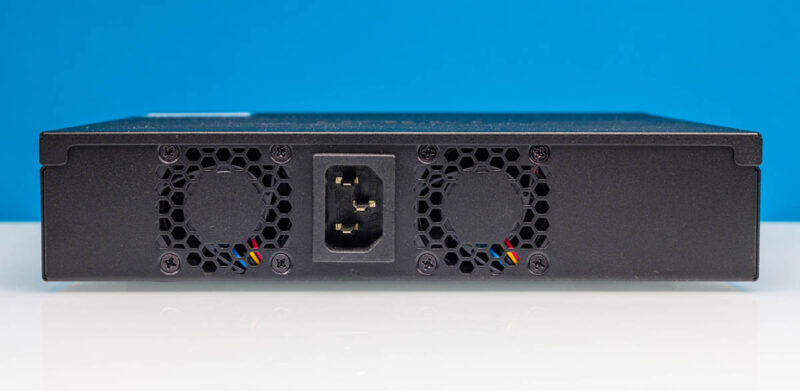
The rear has a pair of fans and an AC input.
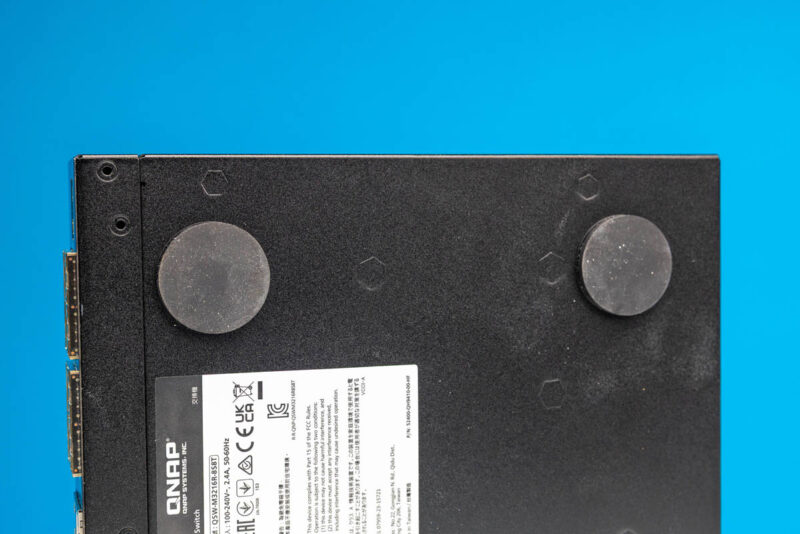
We did not take pictures with this, but on the sides we get sheet metal with holes for mounting the rackmount brackets. QNAP also sells an option for mounting two of these side-by-side in a rack. Alternatively, since it is quiet you can put it on the desk and apply the giant rubber feet to the bottom. They might be excessive, but as far as rubber feet go, these are great.
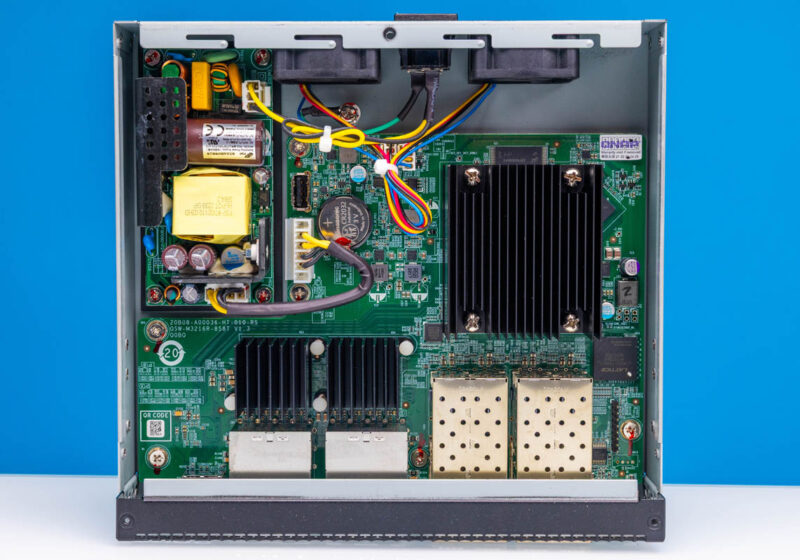
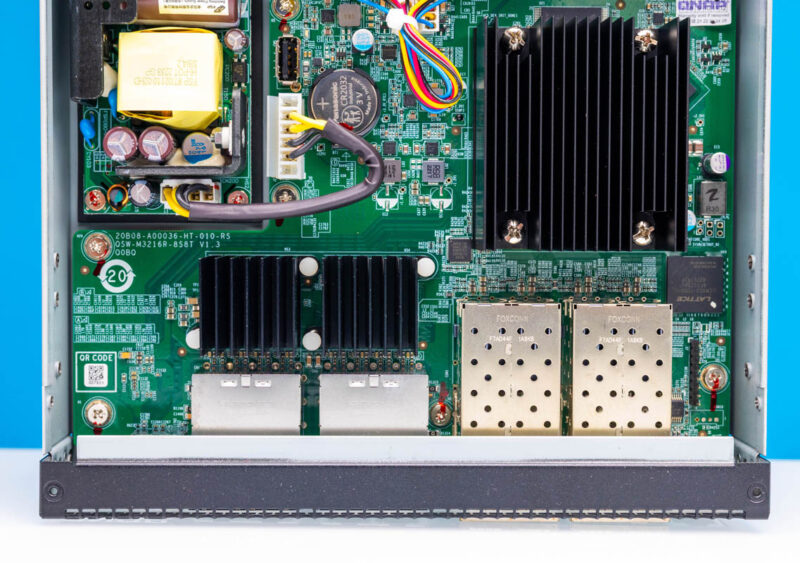
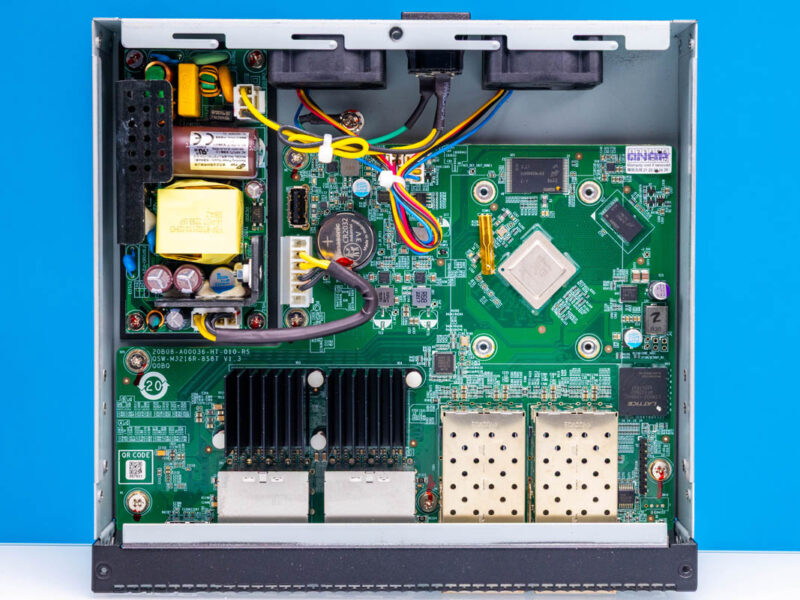
Inside the switch, we get a nicely tuned layout. It may seem like a small feature, but one many switches miss, is airflow. All of the heatsinks are front to back and the chassis does not have side vents, only venting at the two rear fan ports. Many low-cost and low-power switches have airflow as an afterthought, but QNAP clearly thought about this here.
Inside the switch we get a power supply. This is a FSP FSP080-P24-A12 80W power supply. Again, that might seem like a small feature, but FSP is a well-known power supply vendor.
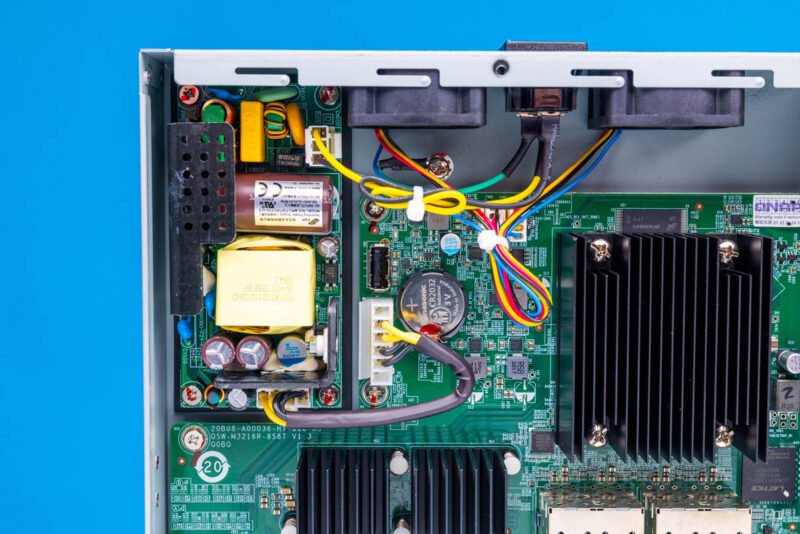
Internally, we also get a USB port that we did not use. There are also two 1U 40mm fans that are on 4-pin fan headers.
There are also 10Gbase-T PHYs under heatsinks and the SFP cages at the bottom. There is a Lattice chip that is usually there for blinking light functions.
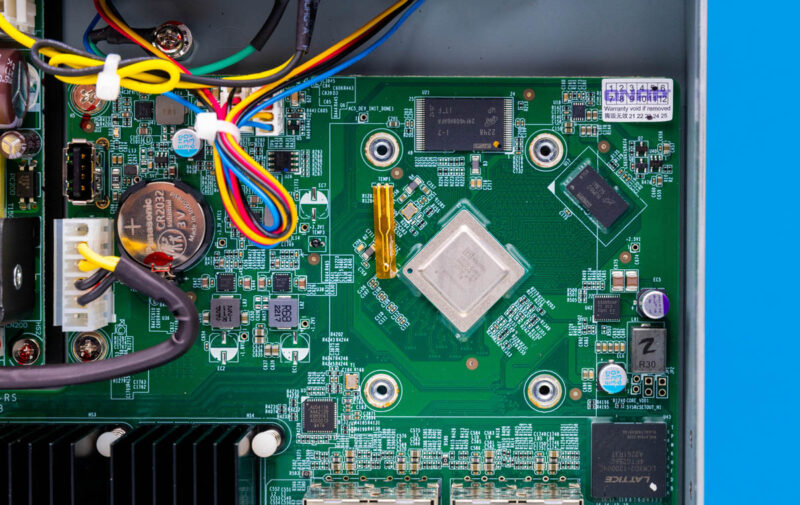
Removing the big heatsink, we can see the management complex.
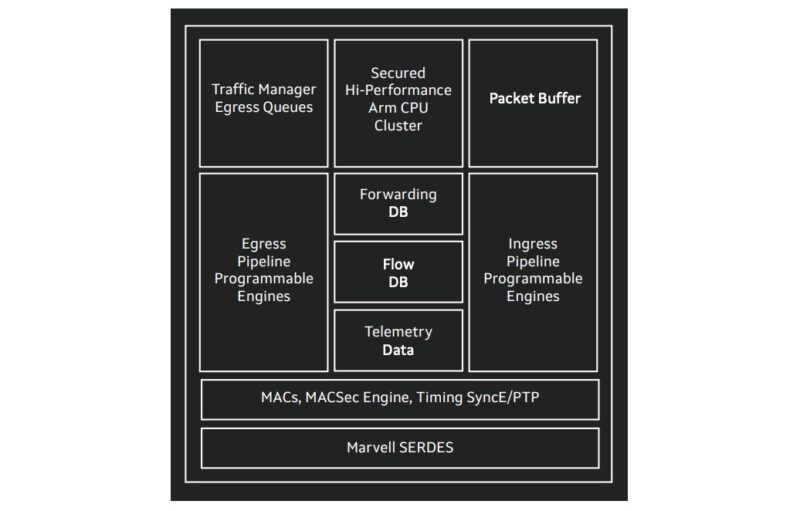
Here we can see the Marvell Prestera switch chip, and then the NAND and DRAM packages that are supplied by Micron in the unit we purchased.
The switch chip is certainly a Marvell Prestera. This is the Marvell Prestera 98DX3550 / 98DX3550A1. Something that is a bit amazing is to see just how small a switch chip that can do 160Gbps of traffic is these days. Perhaps that makes sense in an era where 200GbE NIC chips are not much bigger. It is hard to fathom that cards like the NVIDIA ConnectX-7 Quad Port 50GbE SFP56 Adapter or NVIDIA ConnectX-7 400GbE Adapter are network cards that can do significantly more troughput than this entire switch.
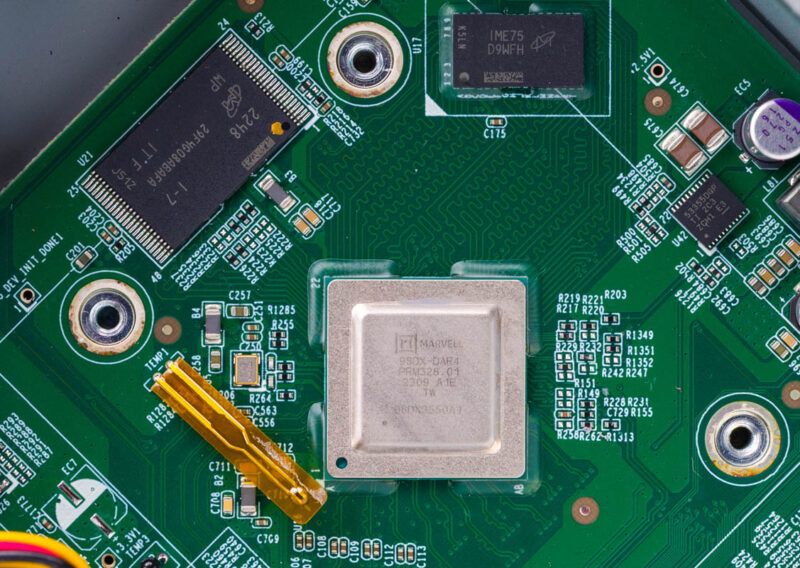
That Prestera has another feature. It has Arm cores built-in for management.
Next, let us get to the management.




For those who care about fanless/silent and the same spec (at least when it comes to ports/speed, unsure about chipset), the QSW-IM3216-8S8T (https://www.qnap.com/en-us/product/qsw-im3216-8s8t) is pretty great.
Though not necessary, if you really want to make a QNAP switch quieter, just replace the 40mm fans with Noctuas. Makes mine virtually silent.
If this is anything like the reasonably recent QSW-M2106R-2S2T, then its 10G SPF+ ports can’t negotiate to handle 25G NICs (Connect X-4) at 10G. Mostly likely something around FEC negotiation, but if you bounced the port enough times it would finally sync and be good. Reboots were ugly. Of course every OTHER managed 10G switch seems just fine(Zyzel, Microtik, etc).
I think its fine that you review switches at this pricepoint as well.
And if you find some with say 8/16 GbE ports & 8/4x 25gb will also be interesting.
Re Fans ,
i have replaced my fans ( standard Sunon 40 x40 x 20) with NoiseBlocker fan’s
from 8.9 CFm with 26.5 dB to 17.7 dB with 5.4 Cfm. temp increased with about 2 dreg C.
Re POE
Why d’not they add PEO to the Rj45 port, so you can get rid of the old 1Gb poe switches.
is the extra cost for 10Gb POE ports so high ? or are they affraid of the heatload ?
I have this switch and it’s excellent, at an acceptable noise level when it’s in the rack. But I had a similar issue as Joel – I had issues with auto negotiating 10Gbps on a 10/25 GbE Broadcom BCM57414 adapter — the link wouldn’t come up if the NIC was attempting to auto negotiate — and had to manually set the link speed to 10Gbps on the NIC side.
These switches are solid and I used them for a small density portable rack that allowed me to combine 2 of these 1/2 rack switches together to fill 1U. I used this switch along with a QSW-M2106PR-2S2T which offers (8) 2.5G copper POE+++ ports as well as (2) 10g POE+++. The combination of these two switches gave me great versatility in speeds and feeds. But the downside is that the M2106’s firmware is severely behind that of the M3216. Like version #1.2 vs 4.2. The biggest issue is that the M2106 doesn’t allow you to set the mgmt VLAN to anything other than 1. it’s hardcoded. so if you don’t use VLAN 1 you have to get creative. It’s sad that a company can produce decent hardware designs and then fail so miserably in software, but that’s always been QNAPs skill. No need to change now….
Does it acctualy work under load? And for more than a couple months ?
Would be perfect with 12 copper (POE+/++) and 4 SPF+ cages.
Did anyone try to replace the firmware with Sonic? I would be very interested in knowing if this would work, as the marvell chipset should support this…
Sonic is an OS used on datacenter switches, and can be automated for cloud deployments (Openstack). I am looking for something like this for my lab setup