

Power Consumption and Noise
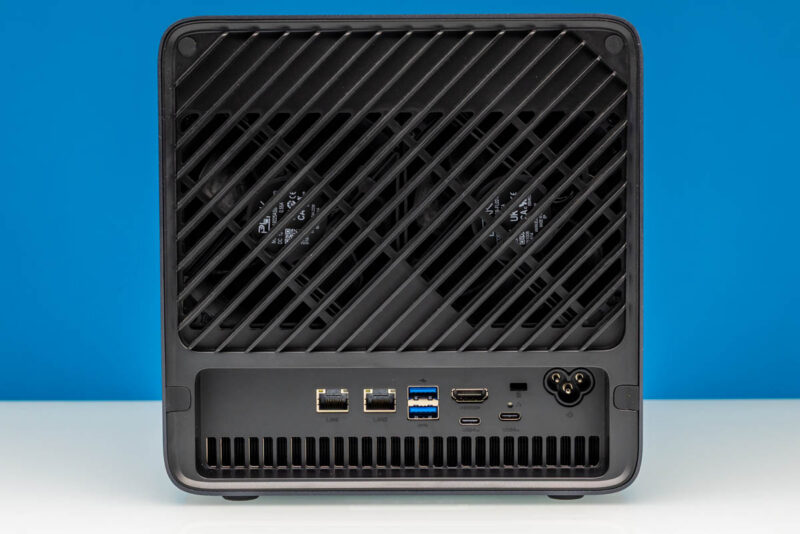
The built-in 250W power supply is a defining change for the N5 Max. Its rear panel carries a three-prong AC power inlet that feeds the PSU directly, so the machine takes mains power without the separate supply that its predecessor relied on.
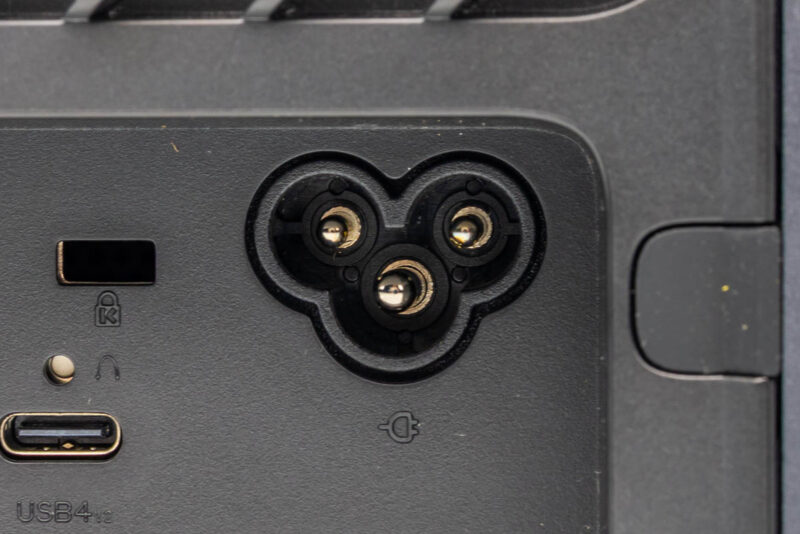
In our 34dBA studio, the system idled around 36-38dBA without hard drives and rose to 40-43dBA under load, which is reasonable for a box built around the Ryzen AI Max+ 395. Installed spinning drives were the more noticeable sound source. Once drives went in, those are what we noticed over the system noise. Wall power scaled with the drives as well. With storage spun down, idle sat in the 30-35W range, while spinning drives at idle pushed draw to 42-45W, and active drive access reached roughly 50-60W. Without drives installed, AI inference drew around 90W, and a heavier CPU load hit 110-120W, with a 165W peak noted during testing. That leaves a comfortable buffer under the 250W supply rating for added drives or more demanding workloads.
Key Lessons Learned
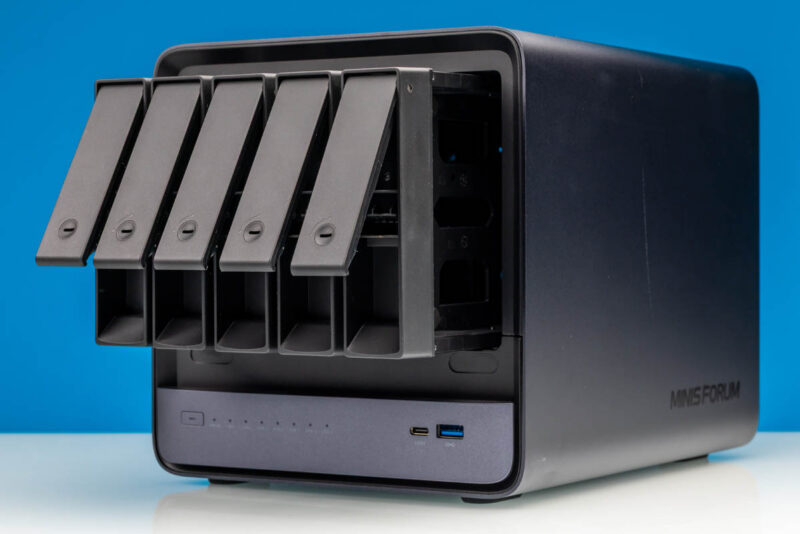
The central takeaway from the Minisforum N5 Max is that combining the Ryzen AI Max+ 395 into a five-bay NAS chassis creates a genuinely new category of appliance. Storage, 10GbE networking, the Radeon 8060S integrated GPU, and local AI inference all live in one box, so a ZFS array and the models that query it no longer need separate machines.
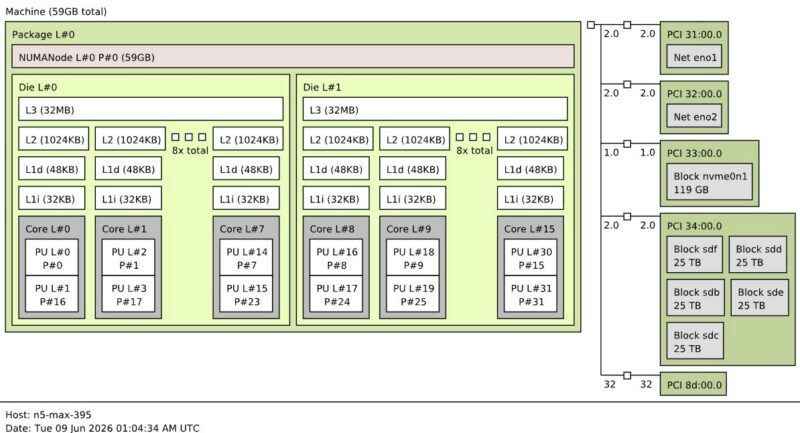
Capacity planning needs care. The chassis has five 3.5-inch drive bays and five M.2 slots, but only one of the M.2 slots runs PCIe 4.0 x4, while the other four run PCIe 4.0 x1. Getting five hard drives and five SSDs these days is not cheap, making this system with its 64GB of memory a much costlier proposition than it was a year ago. If you already have a NAS, you are probably better off just using what you have and building an AI box for AI work.
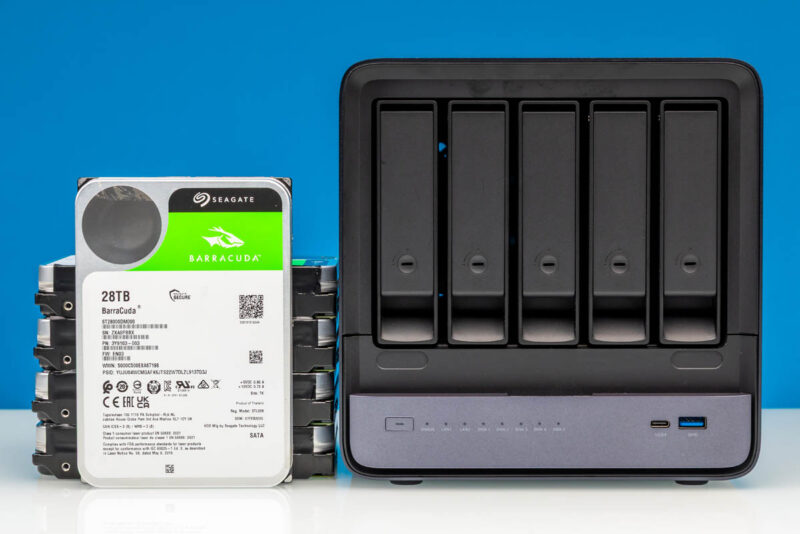
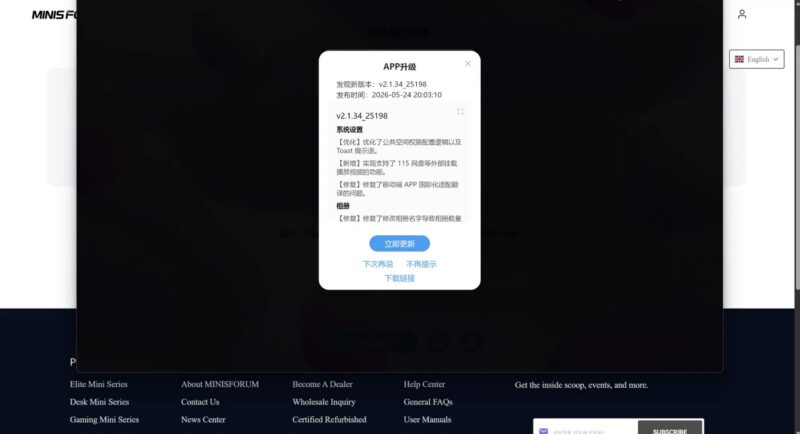
Software matters as much as hardware for NAS units. MiniCloud handles ZFS RAIDZ2, SMB and NFS shares, Docker, and local AI stacks well once running. Still, the Windows setup client tripped Microsoft Defender. Installing Ubuntu or Proxmox directly sidesteps that, so we would just skip MinisCloud. If anything, MinisCloud should be something you install on a base Ubuntu or Proxmox VE system as an option, instead of an app-based interface to the NAS. Better yet, Minisforum should license something like TrueNAS if it wants a NAS OS.
Finally, here is one that folks will be polarized over. I am not sure if I love the idea of combining a NAS and an AI box. Having one machine that you can play games on, host game servers, manage ten drives of storage in, run AI models, and so forth is really neat. The other side is that ZFS uses memory to help performance on disk arrays. That same memory is something the AI side uses for the GPU to get the value of using Strix Halo. DDR4 is fine for L2ARC and ZFS, so it seems like using LPDDR5X for ZFS storage cache is the wrong model. That is similar to how you can use this system for gaming because Strix Halo has a solid GPU, but it may not be worth it solely for that purpose.
Maybe the key lesson learned is that you can do almost anything with this box, but that does not mean you should or would in practice.
Final Words
The Minisforum N5 Max is the boldest Ryzen AI Max+ 395 machine we have reviewed because it builds the platform into a storage appliance instead of a desktop tower. Folding a 16-core, 32-thread Strix Halo processor, dual 10GbE networking, 64GB of LPDDR5X memory, and the Radeon 8060S GPU into a five-bay NAS creates a do-everything machine. The vision is that it hosts your array and runs local AI models that interrogate that data without shipping it over the network. That combination is the reason to consider this instead of a traditional NAS, and it is one that the larger AI players are starting to build at much larger scales.
The MinisCloud software is still not something we can recommend, just given that it is not something we would use over Ubuntu (what we ultimately used) or Proxmox VE. Of course, in 5 minutes, you can have a new OS installed, and this is a really nice hardware package.
Realistically, I think this would be a killer product at 128GB. You could run either a larger model or several models simultaneously while still having more memory for apps and storage cache. The problem Minisforum likely ran into is that, between when they had the idea for the product and when it came to market, memory prices made 128GB too expensive, limiting the market. We wanted a solution to use Strix Halo and LPDDR5X for AI, and then use DDR4 for ZFS to free up LPDDR5X for AI. So that brings us to thinking we want more than one machine. Maybe the best way to sum it up is that we liked the hardware, did not like the software, and after about two months, are still gyrating over the overall concept.
Where to Buy
You can check pricing and purchase these at our Amazon affiliate link.

This will still make a killer lab server regardless of the AI shortfalls
A fascinating review of the Minisforum N5 Max. It’s impressive to see how much performance can be packed into a compact system, especially with the Ryzen AI Max 395. The combination of CPU performance, AI capabilities, and small-form-factor design makes this an interesting option for power users and homelab enthusiasts.
Strix Halo is made to run large AI models and if anything these require a large storagepool so having one right out of the box is not a bad idea.
35W idle and with disks spun down? Isn’t that a bit too much?
I take a different view to the previous speakers. I think this device is too specialized and will therefore probably not find many buyers.
There are many reasons for this; let’s just take the noise level, for example. Who would want a device with lots of built-in hard drives sitting on their desk? As far as I’m concerned, a noisy NAS belongs in a separate room.
Furthermore, there are already many companies in the NAS sector that handle this area much better and have more to offer in terms of both hardware and software. This includes, among other things, more RAID levels, iSCSI, and a wide range of services.