

Minisforum MS-02 Ultra Power Consumption and Noise
Ahead of testing the MS-02 Ultra, the power and noise prospects for the system were an interesting dilemma. On the one hand, Minisforum has built a system necessitating a 350 Watt power supply. On the other hand, they built a rather large system, with 4.8L affording quite a bit of room for larger, quieter fans. So this is not a system that is geared to land at either end of the spectrum. This is either a tiny howler or a silent giant. Instead, it is intended to land somewhere in the middle.
At idle, we measured power consumption in the range of 19 Watts, with some fluctuations as high as 21 Watts while Windows was spinning up and down various worker threads. And while the 285HX SoC and associated platform is reasonably power efficient (it is still based on desktop hardware, after all), the 25GbE NIC is another matter. That E810 controller can easily draw several more Watts on its own, and more, of course, once transceivers are plugged in and need power as well. That is also largely why we were not able to hit idle power levels near or below the 10W mark – something the rest of the system should be capable of reaching.
Meanwhile, under a full load with CPU-Z’s stress test, we saw power consumption peak at around 190 Watts before dropping to a steady-state around 145 Watts. Being that the MS-02 is based on mobile hardware, it has a pretty distinct turbo period where it can maintain its peak for 30 seconds or so before being reined back in and capped at its long-term limits. Otherwise, as this is a system without a video card installed, we are not actually taxing the system’s power supply all that hard, which is to say that overall system power consumption would be much higher if a video card were installed.
As for acoustics, the MS-02 fares pretty well here. At idle we measured it at 35dBA, just a single decibel above our studio noise floor. Conversely, load noise peaked at just 41dBA, before settling down at nearly 39dBA once the system’s turbo window ended and its performance and power consumption hit their steady-state value. 39dBA is not going to be silent by any means, but it is pretty quiet – especially for a system packing room for three PCIe cards. In fact, that overall volume seems to be doing Minisforum a pretty big favor here, as it allows for larger, higher CFM fans than what could normally be put in a mini-PC.
Key Lessons Learned
Distilling the MS-02 Ultra down to its essential components, we found a lot to like about the system.
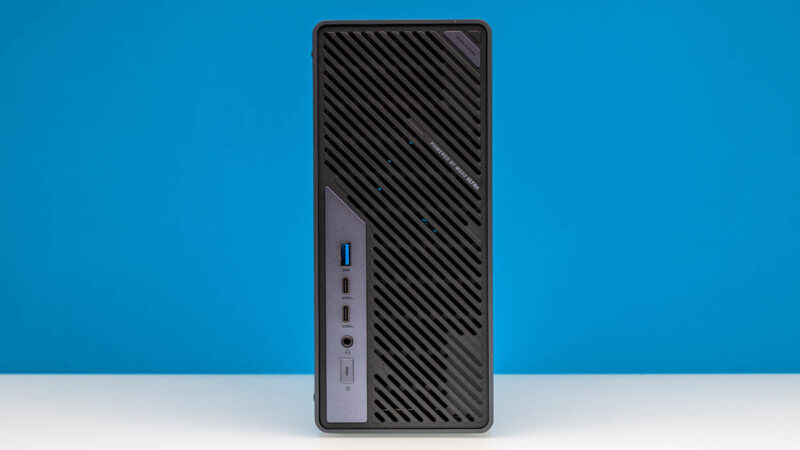
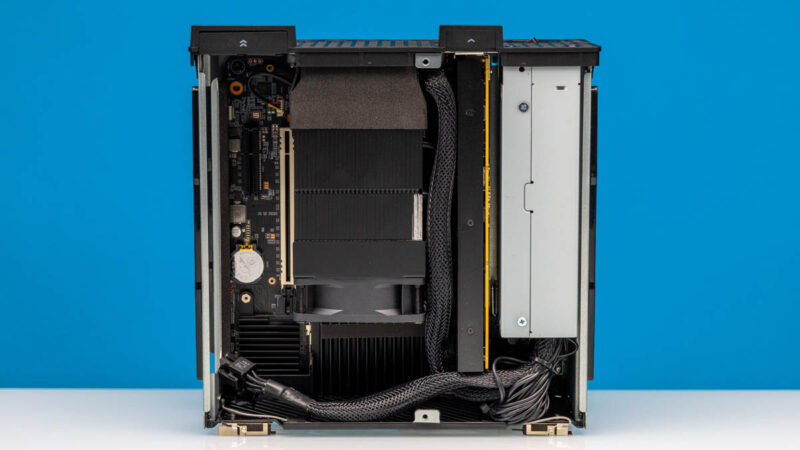
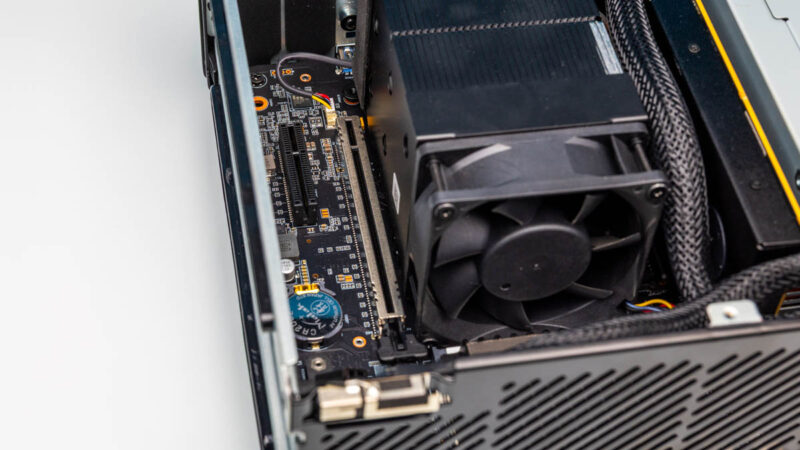
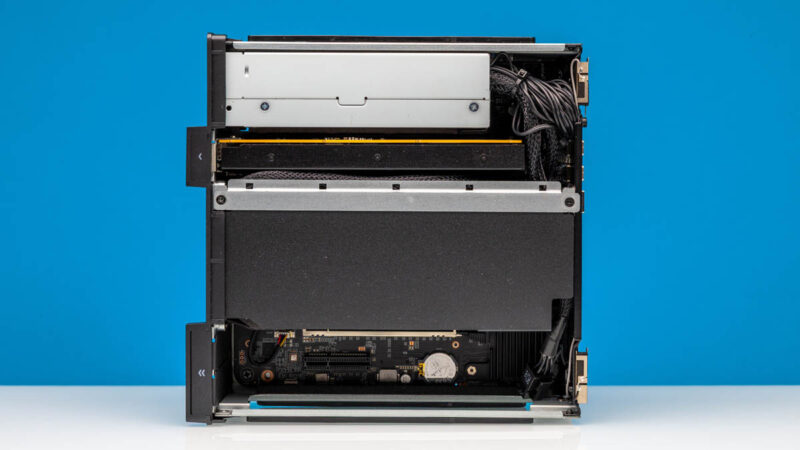
The big thing (pun intended) is its size. While still a small form factor system, the larger-than-usual 4.8L size affords some unique opportunities with the system. Three half-length, half-height PCIe card slots are practically unheard of in this space and offer a lot of expandability options. This leaves room for more M.2 slots than most other systems, and even room for a second set of SO-DIMM slots to run a larger amount of memory (or extra sticks of cheap memory) in a 2DPC configuration.
That kind of expandability also feeds into Minisforum’s ability to offer dual 25GbE via a PCIe card. Though it is not a ridiculous amount of bandwidth by modern standards, it is still quite fast. It is fast enough to offer the equivalent of a PCIe Gen4 x4 SSD’s worth of bandwidth. Which ultimately opens the door to using external storage over a network and achieving transfer rates rivaling those of a local SSD.
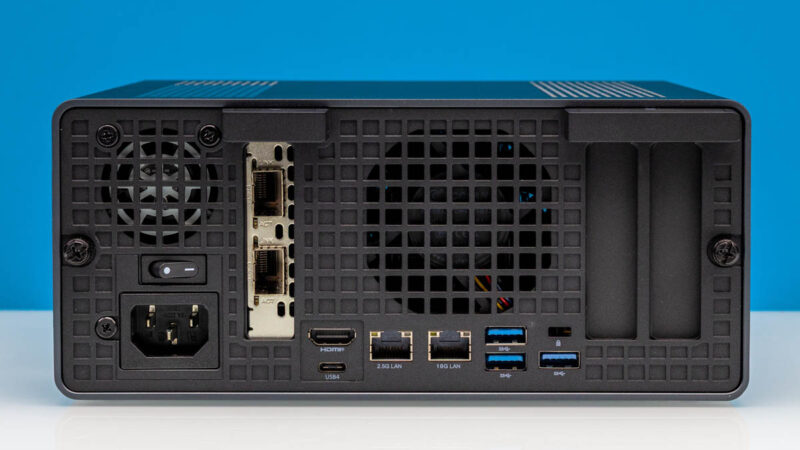
The one catch to all of this, though, is that by going with a relatively large chassis, Minisforum is giving up most of the size advantage of being a SFF PC. For the end user, this is fine, but from a competitive standpoint, this means that the MS-02 Ultra is starting to run into the same space as traditional mini-towers, which is a far more saturated market and can make it harder for the MS-02 and other sizeable SFF PCs to stand out.
Final Words
The rise in interest in small form factor systems for AI development has opened up a new market for mini-PC vendors like Minisforum. At the same time, it has required them to rework some of their designs to better fit the needs of the market, because although the small size of these systems is a nice perk, it is not the primary factor drawing in AI developers. Rather, that is system performance. And the tiniest of tiny systems just do not have the space to cool a high-end APU or install a current-generation video card, meaning that these otherwise small systems need to be made a bit bigger to accommodate that hardware.
The end result is systems like Minisforum’s MS-02 Ultra. At 4.8L it is still a rather small system – particularly in comparison to any kind of traditional tower – but it is far from their smallest. With an Intel Core 9 Ultra 285HX CPU and room for a double-wide video card like an RTX 4000 Blackwell SFF, it is stronger than ever – but the chassis has undergone a growth spurt as well.
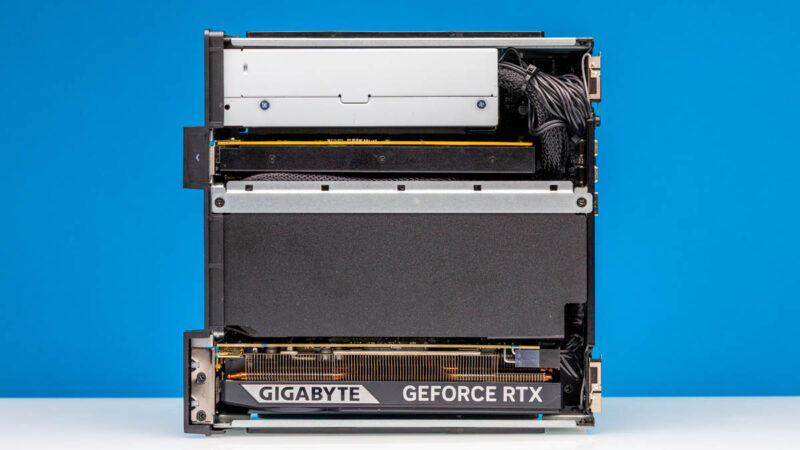
If you are in that niche that needs an SFF PC with a reasonably high-end video card in it, or a system that includes 25GbE networking out of the box, or better still, both at once, then the MS-02 Ultra is a system that was built for you. With a copious amount of I/O bandwidth for peripherals and a spacious double-wide PCIe bay for expansion cards, it is a system that is well-designed to deliver both high compute performance and high bandwidth to send those compute results wherever they need to go.
Where To Buy
If you wanted to find the Minisforum MS-02 Ultra online, here is an Amazon Affiliate link. Here is an Amazon Affiliate Link to the Gigabyte NVIDIA GeForce RTX 5060 LP card we installed as well.


I wish they’d have managed to make this fit into 2U so you could fit 2 of them side-by-side in a rack (via a presumably-optional bracket). As it is, it’s about 8mm too tall.
The MS-01 has a similar problem, where it’s ~3.5mm too tall for 1U.
These are slick. Wish I had a use case for one.
I would love to see a comparison between native Intel ECC memory support and the software based ECC capabilities offered on some of the mini platforms. I have soft ecc enabled via bios on 4x alderlake mini boxes and they have been stable for 1 yr+.
I wonder when MCIO pinout and cable finally landed in SFF or normal desktop mainboard? So many benefits come from it.
The article says that the 2 M.2 slots on the PCIe board are limited to PCIe3. The Minisforum site says that it is limited to PCIe3 for 8TB, and PCIe4 for <4TB. Was a less that 4TB SSD tested to see if it runs at PCIe4?
The lack of a TB5 name on the front most likely means some part of the data path is make by someone other than Intel. While they released TB to be an “open standard”, they still own the name and are the only ones that can grant its use. It’s been a good thing, allowing USB4 and now USB4v2 to be compatible. It’s dumb of them, really; in the couple of years nobody is going to bother paying Intel for the name at all, and as a result it will become worthless.
15W power delivery is nowhere near the TB5. Please turn you bs knob down a little bit.
That slot for the 25 Gbit NIC I see as a long term curse: you can’t use it for a 16x device even though it’d physically fit. There are several reasons for it. The first is that there are two sources of PCIe lanes going to it which only a few devices actively support in this fashion. The second is that it is 12 lanes in total. Leveraging 12 lanes in a 16x physical spot is permitted under the PCIe spec but few 16x devices support. Furthermore, those 12 lanes I believe are arranged in a nonstandard fashion for those devices that do support 12x. Thus the best fit for that slot would be a device that inherently needs bifurcation but users have to realize that one of the middle devices is not going to work as it doesn’t have PCIe lane going to it. For example, a quad M.2 carrier card would not have the second M.2 slot functional while the first, third and forth work fine.
I’d almost advocate for having all the lanes from that PCIe slot come from the PCH but it’d be bandwidth constrained due to the DMI link. I’d have implemented the slot as a 4x physical slot and then leverage an 8 lane MCIO connector to a proprietary card to get the additional two M.2 slots off of it. The 8 lane MCIO could find other uses, though the system would likely be physically space constrained for other cards.
Dual 10 Gbit NIC on the motherboard would have been nice to see.
I do hope that Nova Lake adds more PCIe lanes to the desktop platform. The oddities here are all examples of lane shortages forcing compromises into the design.
Why would anyone prefer this crap over Minisforum’s won BG-795SE MoBo with extra 25GbE NIC ?
Or mini-ITX MoBo with 9950X and NIC as needed ?
Why are you hyping those included NICs so hard ?
Hi Tinkering Ted – Just as a FYI as I have a system with the X3D version of that motherboard next to me, and we have another one with the non-X3D motherboard as well. The MS-02 has better I/O like the USB4 ports, it can also take an internal RTX 5060 LP while it has the 25GbE and 10GbE/2.5GbE ports, and more SSD. That AMD board is great, but this has way more expansion potential.
@Andrew
I based that section off of their user guide, which has the most comprehensive details on the matter.
To quote said guide: “For compatibility, the E810 expansion card’s NVME slots are set to PCIe 3.0 x4 by default. You can change them to PCIe 4.0 in BIOS, but after switching it is recommended to run a storage benchmark. If you see anomalies, revert the slot to PCIe 3.0.”
At least there, Minisforum isn’t guaranteeing anything. It can run at PCIe Gen4 speeds, but they clearly aren’t 100% confident about it. Which is why it defaults to Gen3 speeds (and why you’d need to go out of your way to enable Gen4).
Still, I’ve tweaked the language in the article a bit to make it clearer that Gen3 is the out-of-box setting rather than a hard technical limitation.
@Patrick Kennedy:
Who cares bout USB4 on such box.
Also BD-795SE has way faster PCIe5 lanes, that can be split with a simple splitter and use port bifurcation.
PCIE5x4 is enough for 100GbE. One could use 8 lanes with PCIe4 and be still left with 8 PCIe5 lanes for GPU.
Not to mention there are mini-ITX boards with AM5 that have 2x M.2 PCIe5 directly on CPU + PCIe5x16 for GPU etc.
@Illrigger . Read the block diagram. The USB4v2 80Gbps ports are supported with an Intel JHL9580 which is TB5 certified. Minis Forum just chose not to call it TB5.
@Tinkering Ted i care.
@spuwho: Without Intel (paid) certification for the whole device they can’t call it TB5.
When you say adding the Sparkle Arc A310 was a mistake, do you mean compared to the 5060 or were there problems more broadly?
Have one currently running transcoding/encoding duties on a plex server and was potentially planning to build an MS-02 with the A310 as a replacement. Bad idea?
Billy Baroo – I think the biggest reason was that the A310 is not a huge upgrade over integrated graphics if you just want basic GPU/ transcoding capabilities. It also does not offer the bigger gaming and small local AI model jump that you get with the RTX 5060. Better said, it is not a bad card. It just left us feeling like it was not a big enough jump to warrant adding that GPU to this system. Here is an example https://browser.geekbench.com/v6/compute/compare/5697728?baseline=5349589
I go KVM for more flexibility and have been running Debian KVM and Proxmox, so VM license is no longer my challenge.
The 350W power supply makes this system a non starter for anything AI-optimized: there is no way it can accommodate one of the nice 2-slot blower style GPUs (~800w), not counting the CPU, RAM, 4xNVME and NICs. Once again, Minisforum snatches defeat from the jaws of victory.
does the pcie x16 slot bifurcate into x4x4x4x4?