

HPE ProLiant DL145 Gen11 Topology
We could not find the HPE ProLiant DL145 Gen11 block diagram. Instead, we have the topology.
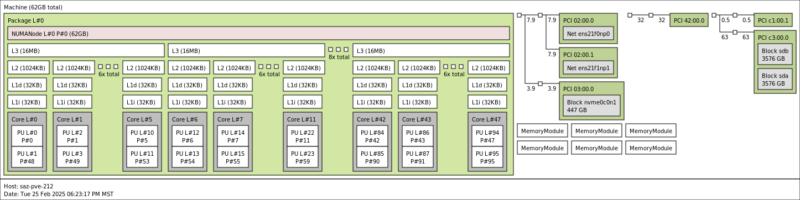
Luckily, this is a single-socket system, so the entire system is attached to the AMD EPYC 8004 “Siena” CPU. We can see our Zen 4c cores along with the SSDs, NICs, and the NVIDIA L4 GPU.
HPE iLO 6 Management
Most folks in the HPE ecosystem are familiar with HPE iLO 6. Since this is a Gen11 server we get iLO 6 not iLO 7 that we are seeing on Gen12 machines.
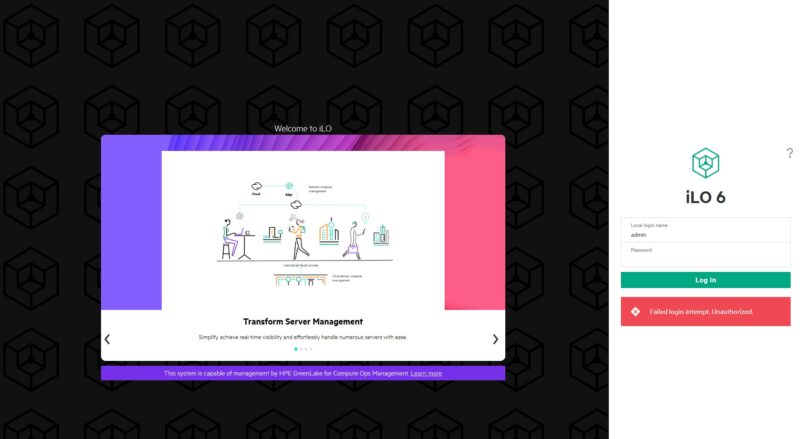
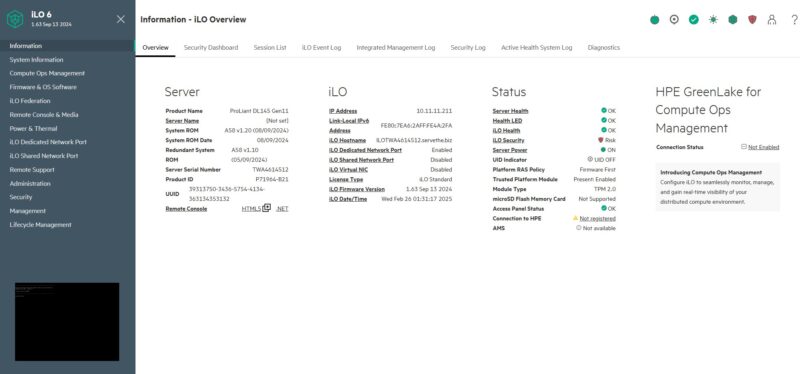
HPE has a great dashboard.
There are features available beyond just the basics based on the license level. Our system came with the HTML5 iKVM enabled, which is always great.
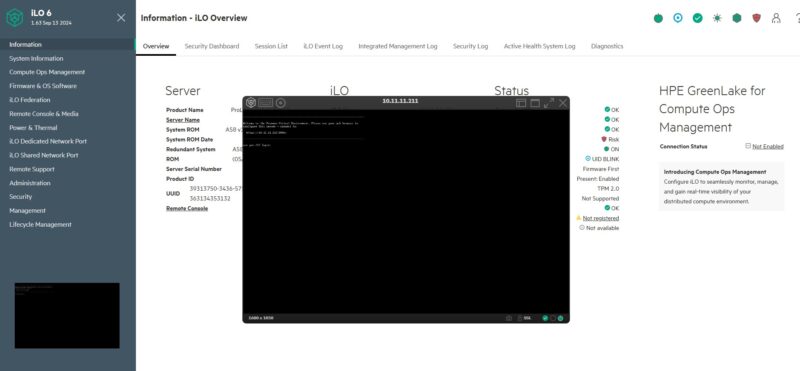
HPE also has features like remote support integrated with iLO. These are the kind of features that are a step beyond what many other vendors are doing. Perhaps that is the big value add of iLO for organizations that want those higher-level features.
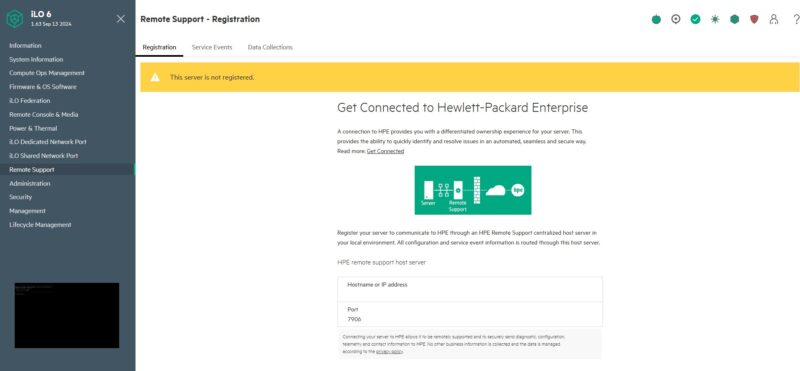
Overall, iLO has a robust ecosystem, and lots of documentation, so we are not going to go into it in-depth here. Still, if you have not seen it for many generations, it is getting nice upgrades.
HPE ProLiant DL145 Gen11 Performance
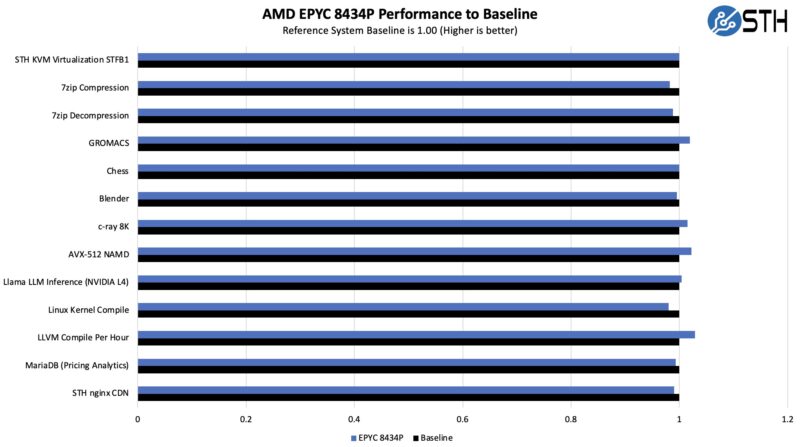
In terms of performance, we have done many AMD EPYC 8004 platform reviews at this point.
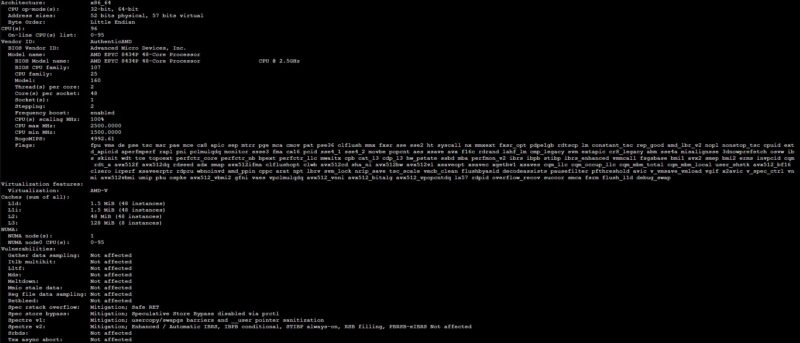
Performance was exactly what we would expect from the low-power AMD Zen 4c processor.
We also wanted to see if the NVIDIA L4 was performing at a clip similar to what we see in high-performance full-depth 2U servers.
The NVIDIA L4 is a 72W GPU that does not require additional power connections. Really, it is NVIDIA’s answer for those who want to put a 24GB GPU in just about any server. In the HPE ProLiant DL145 Gen11, we had plenty of cooling. Just as a quick aside, we also used two NVIDAI T4’s in this system and we did not have issues with cooling those either. This might be a perfect application for the NVIDIA L4.
Next, let us get to the power consumption.



When is the 8005 line due?
I’m not so sure I like this better than Lenovo’s or Supermicro’s other than b’cuz it’s an EPYC 8004.
At least HPE’s finally got wise after disaster earnings and started having STH review its servers. I can’t wait to see more.
I have a DL380 Gen 7 running Proxmox. How can I run ILO do I need a windows instance or can i use Wine in a linux with x11 GUI up? Or does ILO need the hypervisor to be windows here?
The iLO in a Proliant G7 is a kind of separate computer in your server monitoring the server. This is alway’s on and can be configured at boot. Just press the Function key it shows at the iLO3 text. It can be configured on the dedicated iLO port or share the server’s LAN ports. After configuration it can be accessed on the configured IP by a browser … due the old certificates in the iLO you probably only can access this with IE and ignore all security warnings.
If you’re reading this later on, we’ve purchased a small 5 system cluster just for a PoC before we’d deploy more widely for our locations in retail early next year.
There are channel quick ship models that are reasonably priced with LCC Siena.
I’d say the weakness so far is the storage, but they’re working as we’d expect
Is it bad we’re buying these with the 8024p just to run two Nvidia L4 and a cx7 in each? It’s one of the cheapest and easiest ways to do that if you’re using HPE and we’re deploying more front io now
Our sales rep never talked about these trying to push us more standard dl360s and the only way we knew they were out was this review
You’ve touched on our experiences.
We bought these after reading this review since we’re buying well into 8 digits of HPE and there’s no chance we’d buy a one-off Supermicro. We’ve bought them and are running a web app cluster with each with 128GB and 8124p’s. What started as a purchase to familiarize the team with them turned into production when a LOB app needed a home.
I’d hope that they’d better manage their front panel design in the future. A card with a management iLO and front ports, then free up room for another OCP.
I’d also like to see HPE expand its storage. We’ve got an application where we’d also need to put a shared storage chassis into the rack because we don’t have WAN BW for backups. We’d deploy these there if we had the same front service storage chassis so we didn’t have to use a deeper and rear service aisle rack. If either it was this with more storage maybe 8 ssds or an expansion with a card an a cable, either would work since we’ve got U but we don’t have depth and rear aisle access
I’d just want to stop and thank you for the review. We installed these in all of our physical locations last year based on your review. We printed this review out and handed it to our IT procurement team.