

HPE ProLiant DL145 Gen11 Internal Overview
Inside the server, we have a compact motherboard and a straightforward layout.
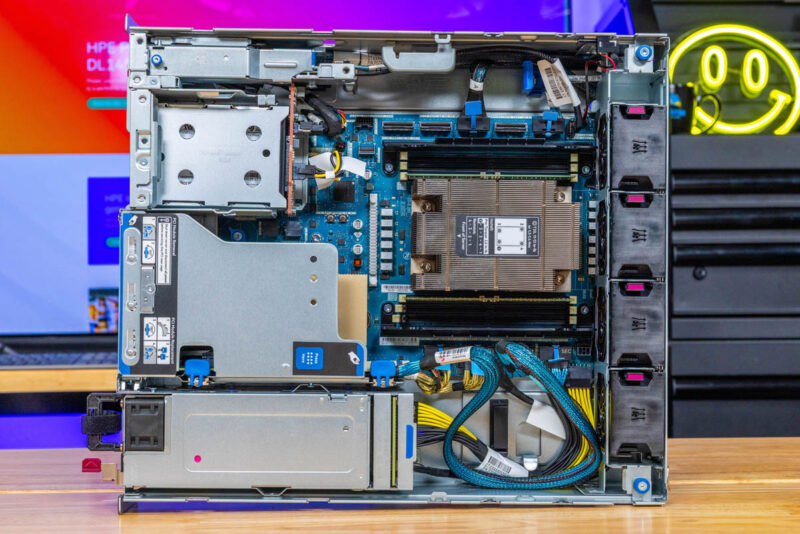
By far, the big feature is the AMD EPYC 8004 “Siena” processor. The CPU is a socketed part (SP6) and is neat because you can get up to 64 cores and 128 threads in the AMD EPYC 8534P at only 200W. In today’s era of 500W TDP per socket CPUs, this is a more reasonable edge platform.
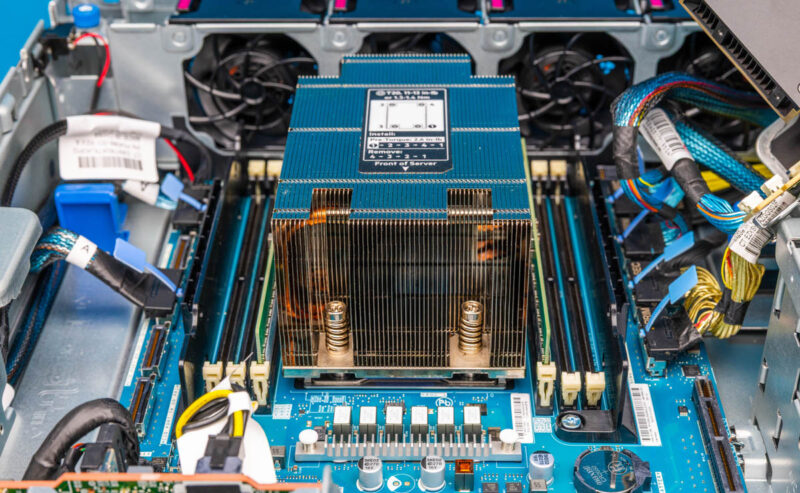
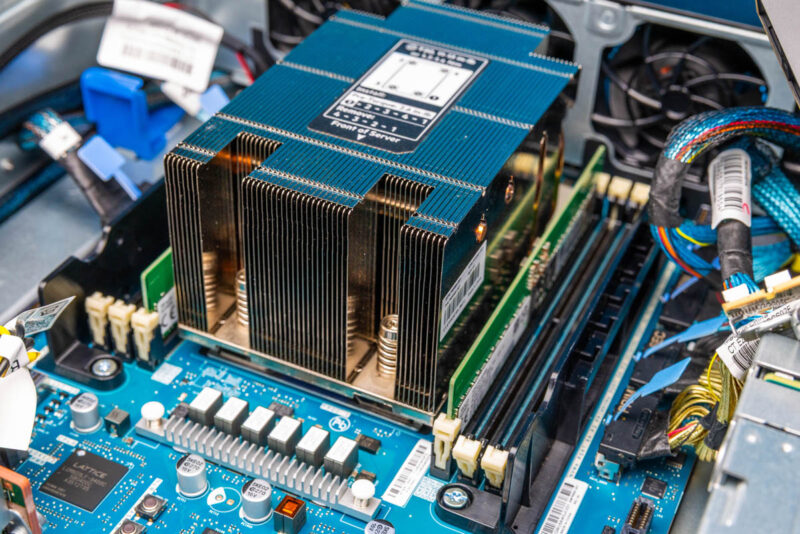
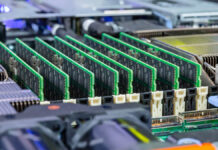
The Zen 4c-based Siena supports six DDR5 memory channels that are in the ProLiant DL145 Gen11. HPE sent the system with two RDIMMs, but we replaced the memory to expand capacity for testing.
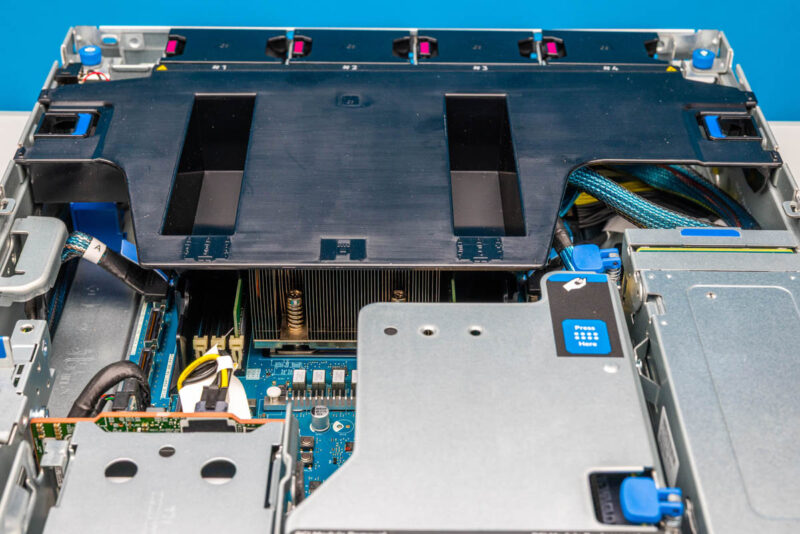
HPE also has a nice hard plastic airflow guide. Some of these 2U edge systems have flimsy airflow guides that are hard to seat, but HPE has a nice one that is easy to install and remove.
In the front corner, we have the internal infrastructure supporting our storage bays.
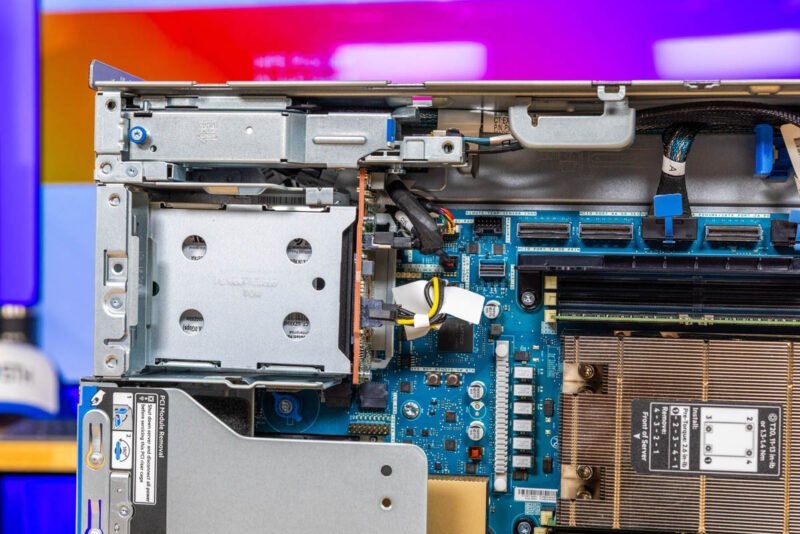
HPE is not just making simple M.2 adapters, instead, the company has a fairly elaborate setup to support these swappable front M.2 SSDs.
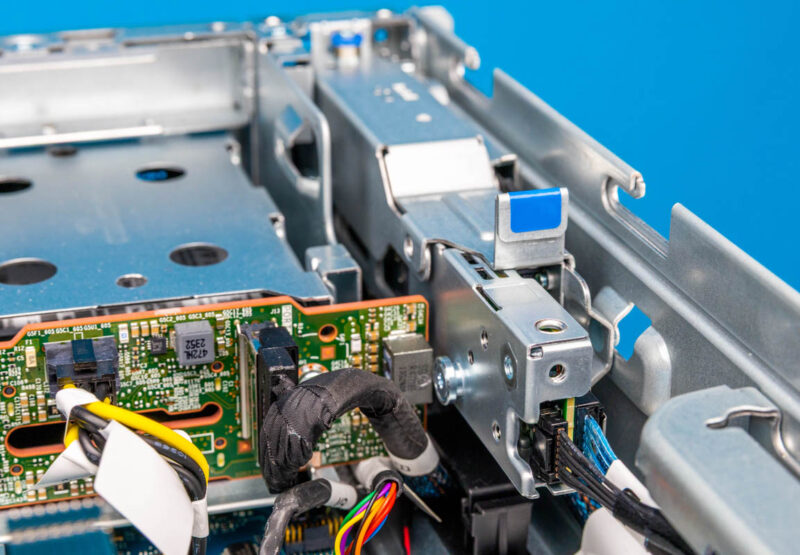
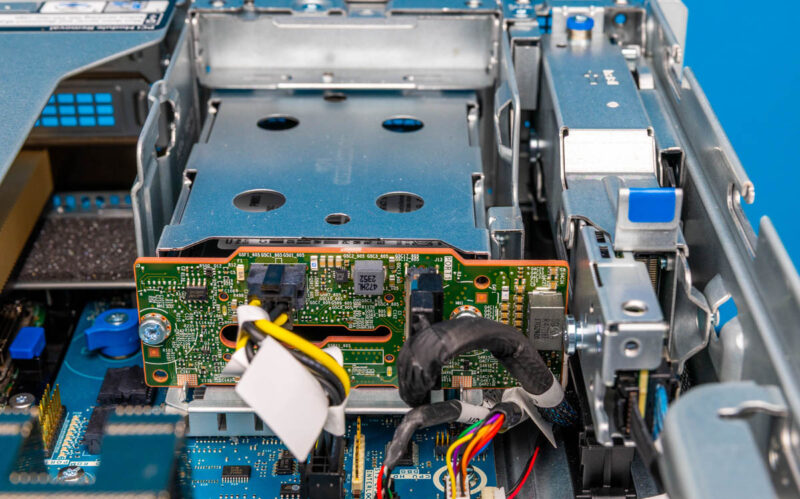
Our system had the two 2.5″ SATA bay option. The setup supporting that is a backplane with power and data connections. You can also see there is a lot of space blanked off with this configuration.
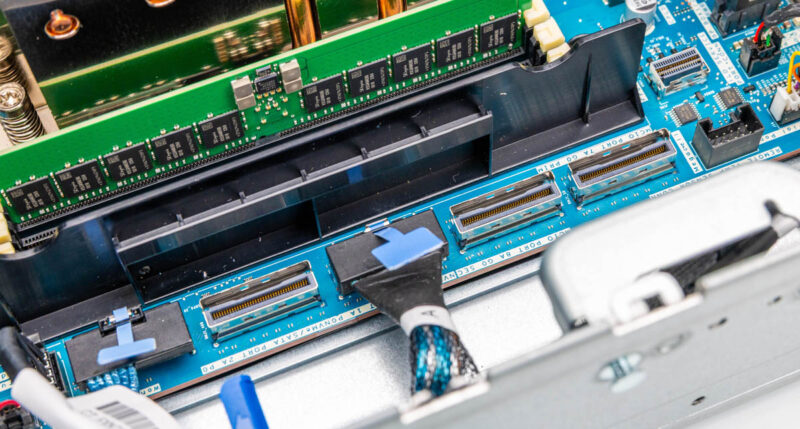
Most of the connectivity comes from MCIO connectors flanking the CPU socket. Something interesting is that HPE puts these MCIO connectors outside of the DDR5 DIMM slots on the motherboard.
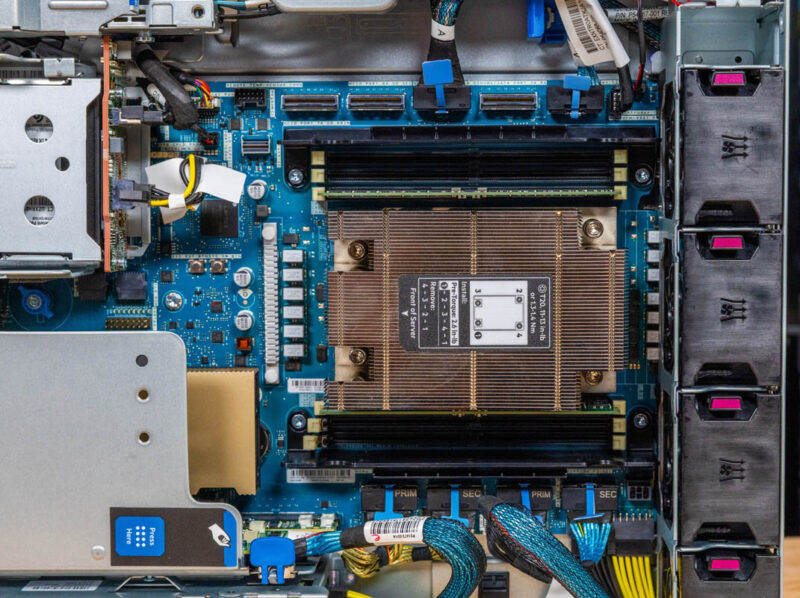
Since we do not have the 6x NVMe storage configuration, there are three of these MCIO connectors unpopulated. That is 24 PCIe lanes that are not being used in our system.
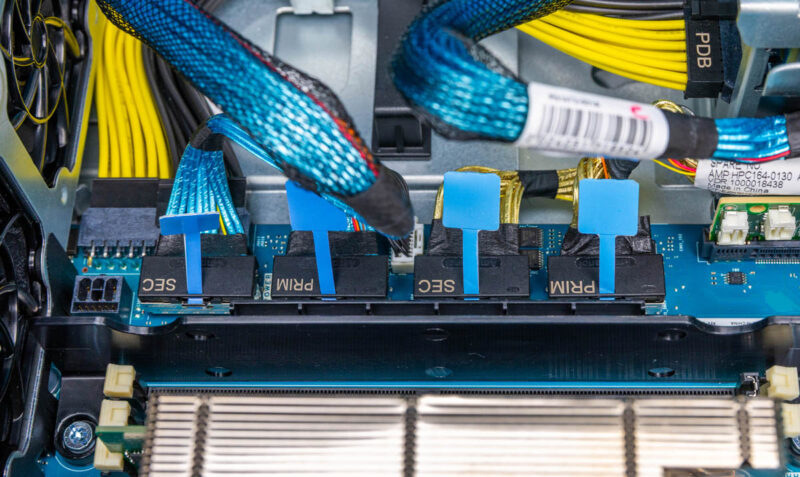
A small, but neat touch is that the MCIO cables providing connectivity to the PCIe riser slots are labeled primary and secondary. That may seem like a small feature, but it helps as the cable count rises so it is great that HPE innovates and does something like that.
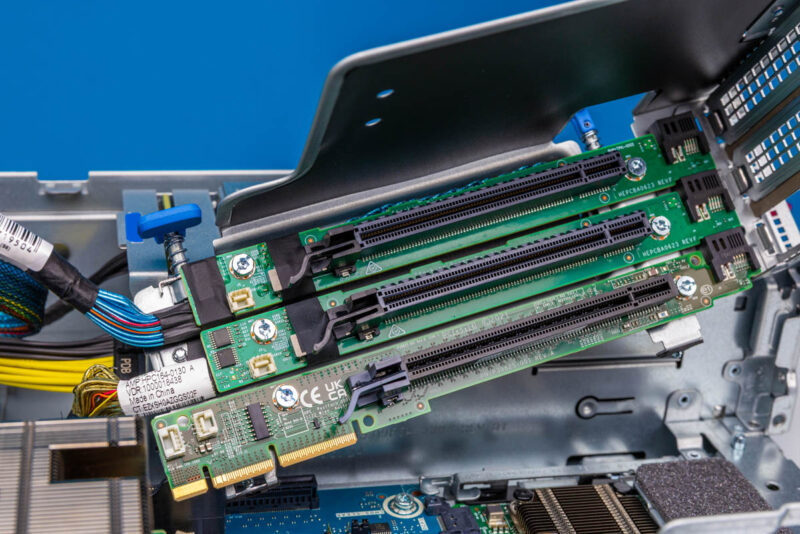
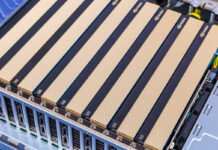
On the subject of risers, HPE is doing something very different, but also fascinating. Our system has three PCIe Gen5 x16 slits on the center riser that you can see below.
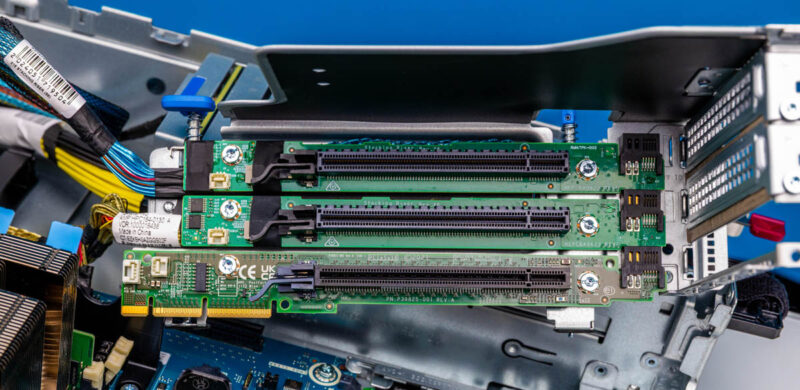
Here is the same from a different angle with the NVIDIA L4 GPU installed in the bottom slot.
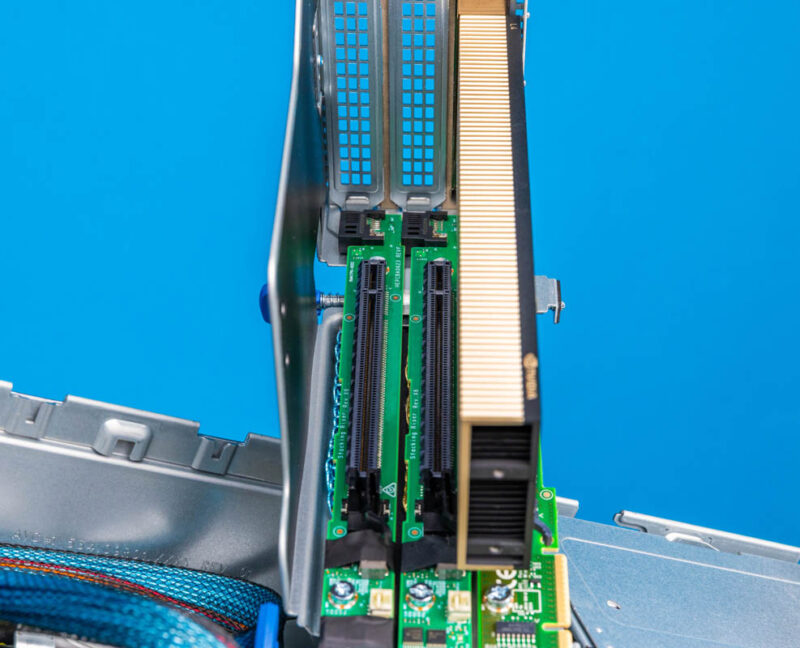
Most companies will just make a simple three slot riser. HPE is doing something different here by making a stackable riser.
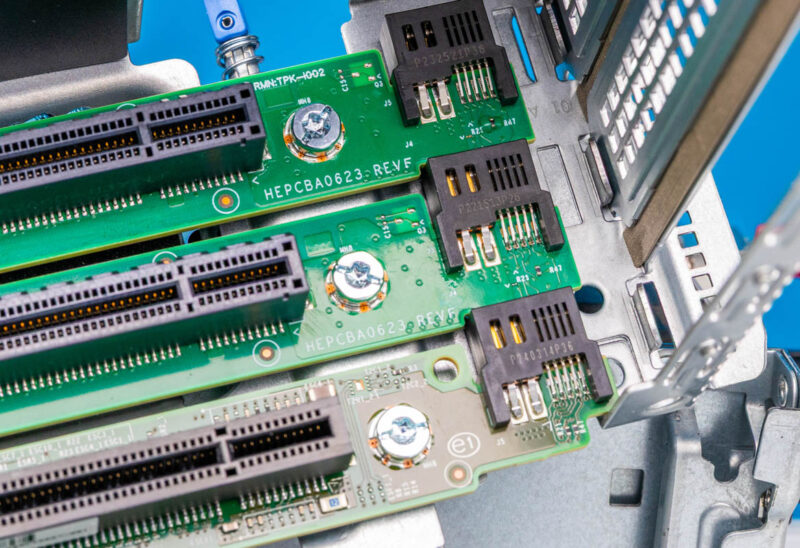
The bottom slot plugs into the motherboard for data and power. The top two get their data feeds from the MCIO connectors we showed earlier. The advantage of HPE’s design is that it cuts down on cables. The disadvantage is that it makes additional PCIe slots an option and turns a simple riser into something more complex. This is one of those neat ideas, but also one that feels like it went a bit far on optimization.
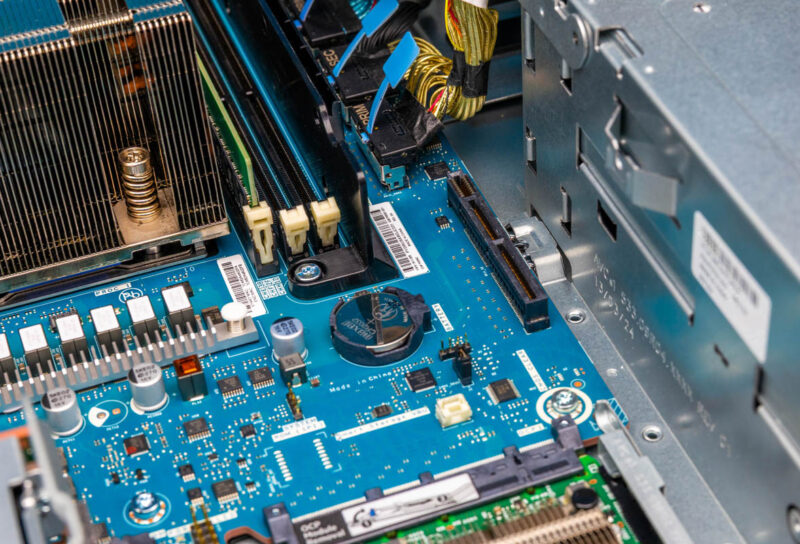
Here is a quick shot at the riser slot on the motherboard.
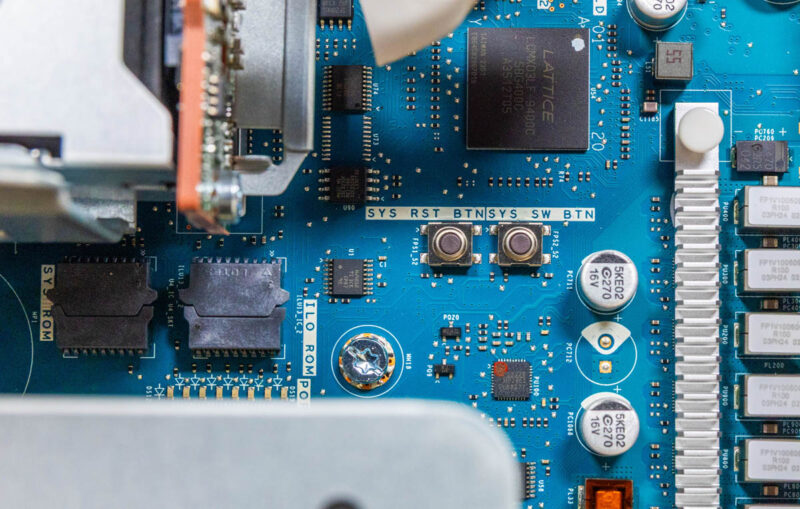
Another small feature we found, is that like many consumer motherboards, ours had a system reset and power button on the motherboard itself. That might be because we have an early unit but it was neat to find.
Next, let us get to the topology, management, and performance.

When is the 8005 line due?
I’m not so sure I like this better than Lenovo’s or Supermicro’s other than b’cuz it’s an EPYC 8004.
At least HPE’s finally got wise after disaster earnings and started having STH review its servers. I can’t wait to see more.
I have a DL380 Gen 7 running Proxmox. How can I run ILO do I need a windows instance or can i use Wine in a linux with x11 GUI up? Or does ILO need the hypervisor to be windows here?
The iLO in a Proliant G7 is a kind of separate computer in your server monitoring the server. This is alway’s on and can be configured at boot. Just press the Function key it shows at the iLO3 text. It can be configured on the dedicated iLO port or share the server’s LAN ports. After configuration it can be accessed on the configured IP by a browser … due the old certificates in the iLO you probably only can access this with IE and ignore all security warnings.
If you’re reading this later on, we’ve purchased a small 5 system cluster just for a PoC before we’d deploy more widely for our locations in retail early next year.
There are channel quick ship models that are reasonably priced with LCC Siena.
I’d say the weakness so far is the storage, but they’re working as we’d expect
Is it bad we’re buying these with the 8024p just to run two Nvidia L4 and a cx7 in each? It’s one of the cheapest and easiest ways to do that if you’re using HPE and we’re deploying more front io now
Our sales rep never talked about these trying to push us more standard dl360s and the only way we knew they were out was this review
You’ve touched on our experiences.
We bought these after reading this review since we’re buying well into 8 digits of HPE and there’s no chance we’d buy a one-off Supermicro. We’ve bought them and are running a web app cluster with each with 128GB and 8124p’s. What started as a purchase to familiarize the team with them turned into production when a LOB app needed a home.
I’d hope that they’d better manage their front panel design in the future. A card with a management iLO and front ports, then free up room for another OCP.
I’d also like to see HPE expand its storage. We’ve got an application where we’d also need to put a shared storage chassis into the rack because we don’t have WAN BW for backups. We’d deploy these there if we had the same front service storage chassis so we didn’t have to use a deeper and rear service aisle rack. If either it was this with more storage maybe 8 ssds or an expansion with a card an a cable, either would work since we’ve got U but we don’t have depth and rear aisle access
I’d just want to stop and thank you for the review. We installed these in all of our physical locations last year based on your review. We printed this review out and handed it to our IT procurement team.