

Dell Pro Max 18 Plus Internal Hardware Overview
Getting inside was actually easy. It looks a bit daunting at first, but it was relatively easy to get inside and service moth items.
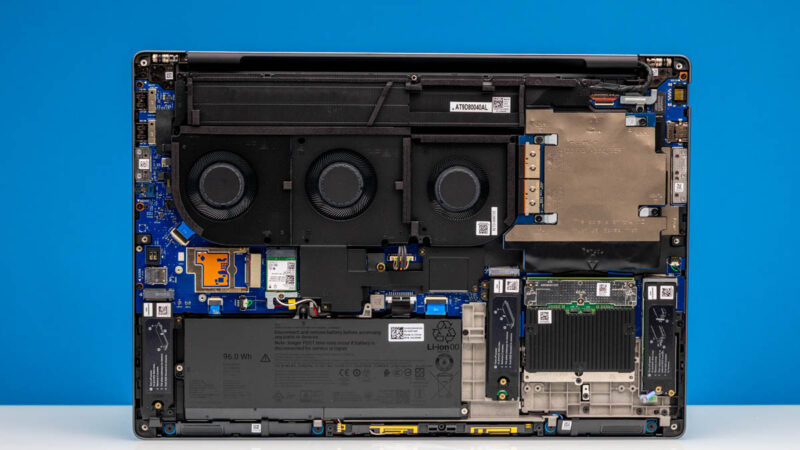
One of the bigger components is the 96Wh battery.
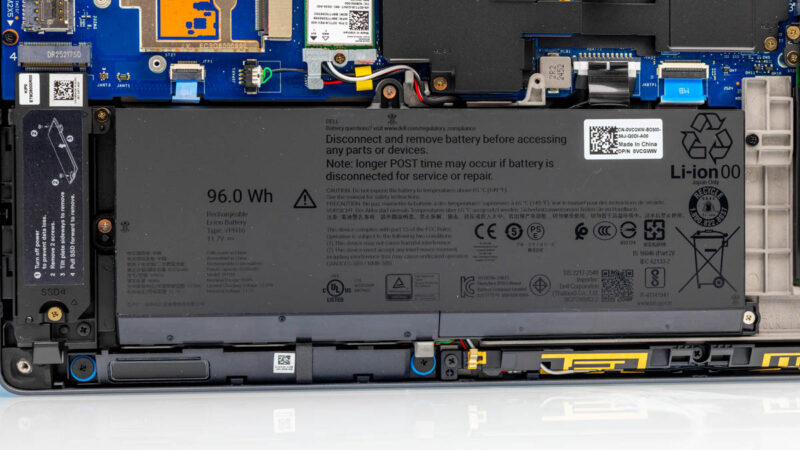
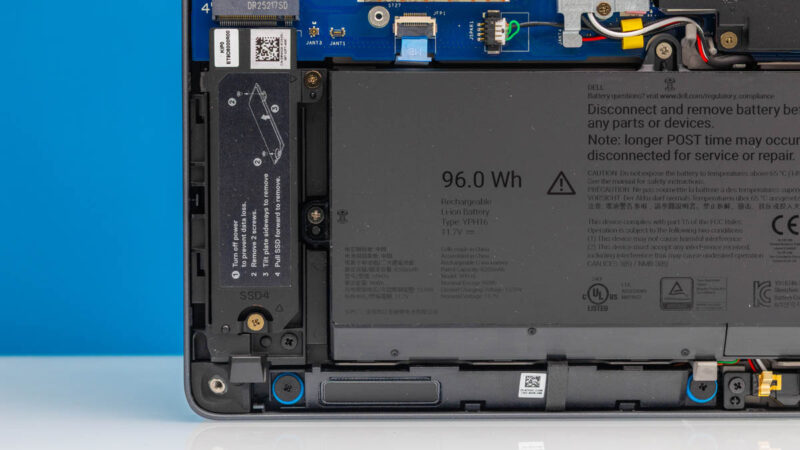
Just taking a pause here for a moment, you can see “SSD4” labeled. Despite this being a notebook, you can put up to four SSDs in here.
Inside, components like RAM and more SSDs are seemingly everywhere.
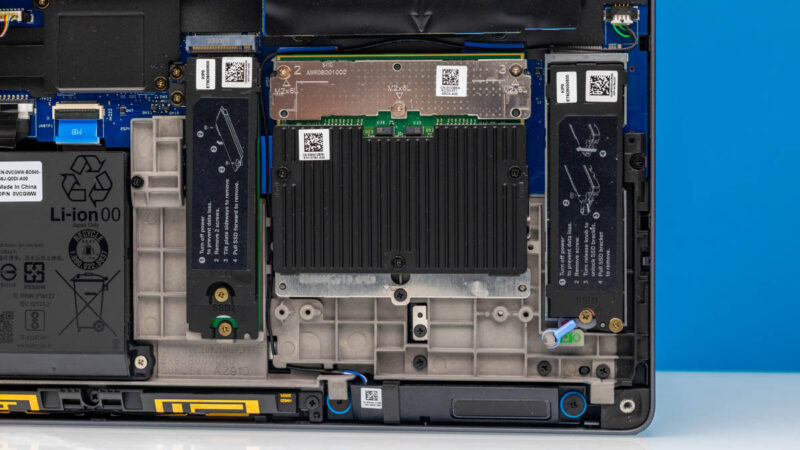
We are not going to take this fully apart, but the Pro Max 18 Plus can support either CSoDIMMs or CAMM modules, depending on the system.
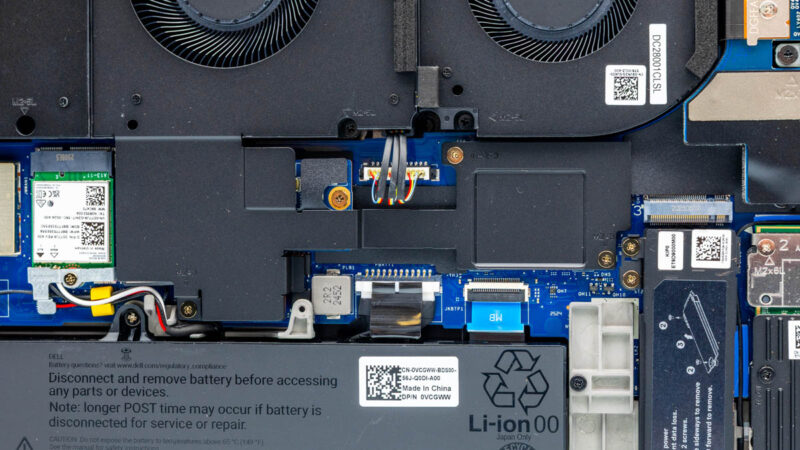
Dell has WiFi 7 as standard, but there are options for 5G WWAN as well.
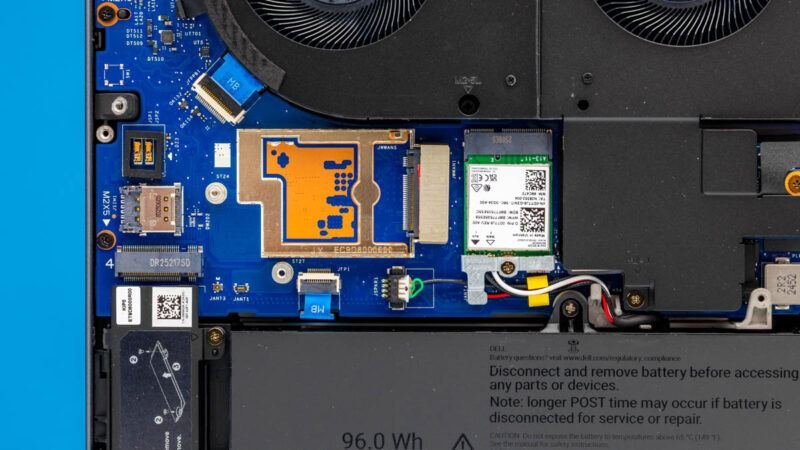
Underneath the giant coolers are the big components, mainly, in our configuration an Intel Core Ultra 9 285HX CPU and a NVIDIA RTX Pro 5000 Blackwell 24GB GPU. We have 128GB of RAM, 24 CPU cores, both an iGPU and a NPU, as well as a 24GB Blackwell generation GPU, and up to four M.2 SSDs. There is a reason people love these large laptops.
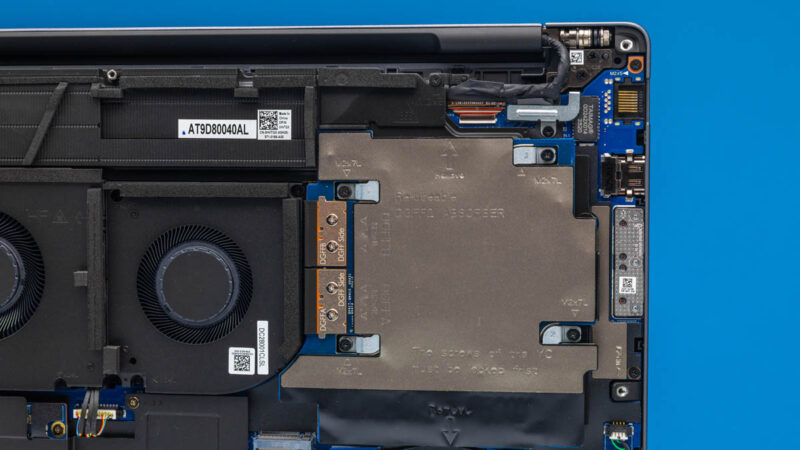
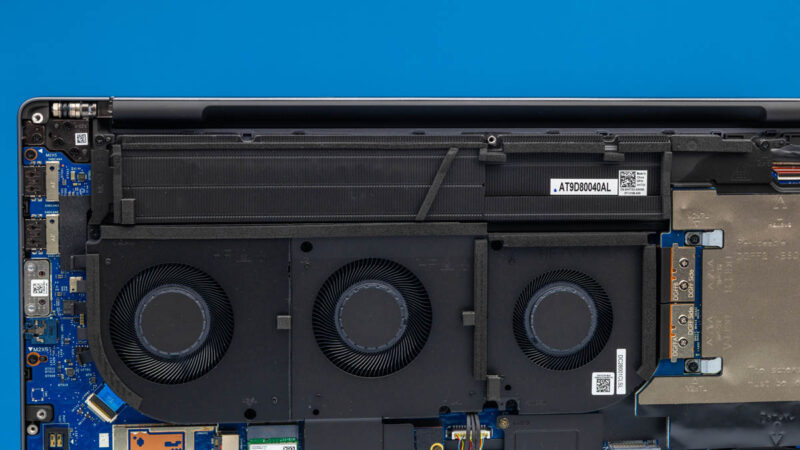
Dell also has three huge fans in the middle and ample heatsinks. To be fair, our configuration is one of the highest you can get, so it takes a lot of cooling.
Next, let get to the performance.



It’s a nice machine, but it somehow feels a bit half-baked. That fingerprint reader seems to be the same thing they used on the E7270, back in 2016 and I can’t fathom what made them decide to use an internal SIM slot instead of a tray. It looks as if the whole thing was designed a decade ago, which may be the case because they simply don’t expect to sell large enough quantities of this to warrant designing a “proper” chassis for it, but if the MSRP is this close to the 5-digit territory, I would expect them to do better than this.
They were using that style fingerprint reader in the Precision M6600 (Sandy Bridge, 2011) mobile workstation era. Considering the Dell Pro Max Premium 16 (MA16250) sibling has a reader properly integrated into the power button on the keyboard, one has to wonder what they’re doing on this model.
So–they found room for a numpad but they couldn’t be bothered to include a proper tnav layout for the arrow keys? WTH Dell? Nor pgup/pgdn/home/end keys? It’s not like you don’t have room on that massive deck.
A $9k laptop, maybe not ruined, but with significantly impacted usability for the sake of a $17 part that can’t be changed out by the user later.
” It’s over 9000! ”
/ faints
Why do they need numeric keyboards?
I’d be more than happy with extra keys as long as the alphanumeric part is centered with screen and trackpad.
This is quite a refreshing break from all the race to the thin and light on the other side of the spectrum. Yes, it’s definitely not for everyone (not for me either), but it’s good to see it’s being made for those who need it.
Does anyone make something similar with an AMD CPU?
Some of the specs are impressive, like having more m.2 SSDs than most full-size ATX motherboards. Yet, the choice to go with RAID0 with two 1 TB SSDs is a bit unexpected. Wouldn’t it in most cases be better to get a single 2 TB PCIe 5.0 SSD instead? But maybe they want to find a way to use those four slots…
I have briefly tested this model and returned it. The screen is atrocious. Not just low resolution, especially considering 18″, but also bad contrast and ghosting. Max spec CPU and GPU were really fast though, and it was a less noisy at both idle or load compared to other fast laptops. Would have loved it with a better screen.
I’d love to know what the screen resolution is, but I can’t be bothered to look up what WQHDXYZ+ means in useful units. Would be nice if future reviews avoided those god awful acronyms.
I’d also be curious to know how the Linux support is, since Dell seems to be doing worse and worse on that front.