

Dell Precision 3240 Compact Performance
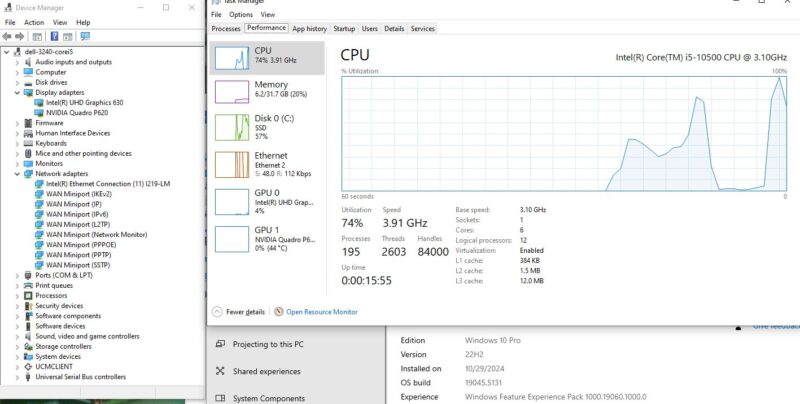
We purchased these systems with two different CPUs. One had the Intel Core i5-10500 with the NVIDIA Quadro P620 GPU option.
The other had the Intel Xeon W-1250 and the NIC which is the one we have been showing in our hardware overview.
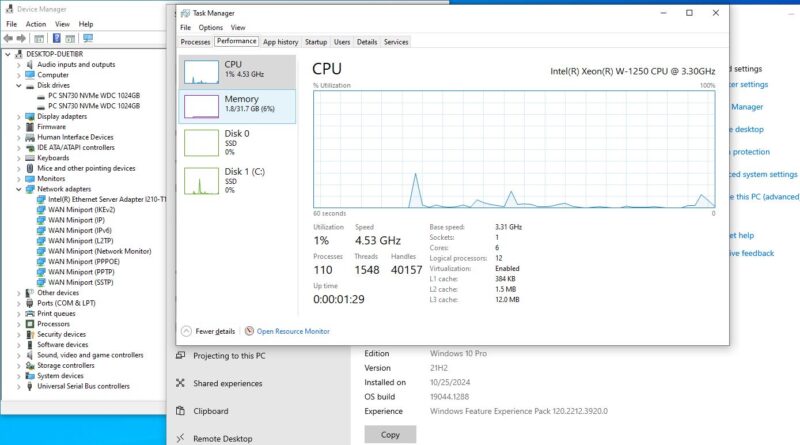
Both systems we got for $299-349 and we ended up with two because, well, what is better a Xeon W with a NIC or a Core with a Quadro? At first we thought we wanted to make a super system with a Quadro and a Xeon W, then we got to the performance. Since these are older systems, let us take a quick look at why, just using Geekbench to keep things simple.
Dell Precision 3240 Geekbench Performance
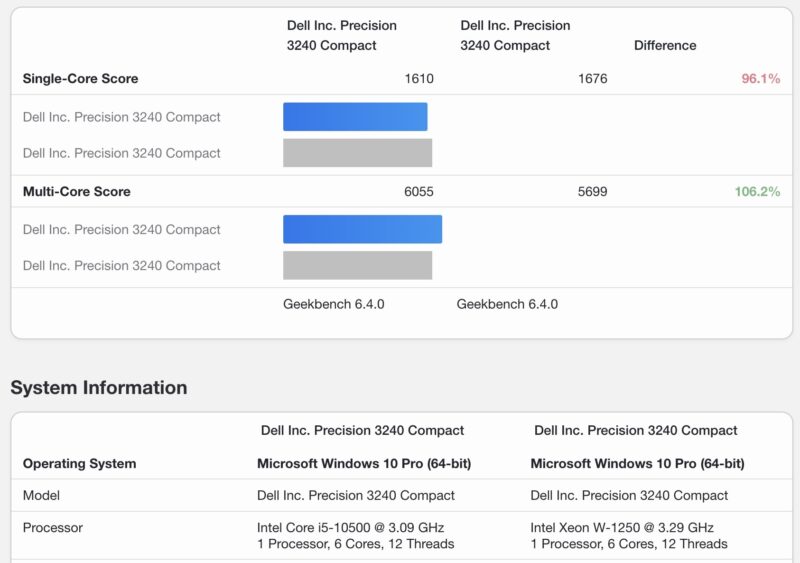
Starting with Geekbench 6, the multi-core performance actually favored the Intel Core i5-10500 which is something we were not expecting.
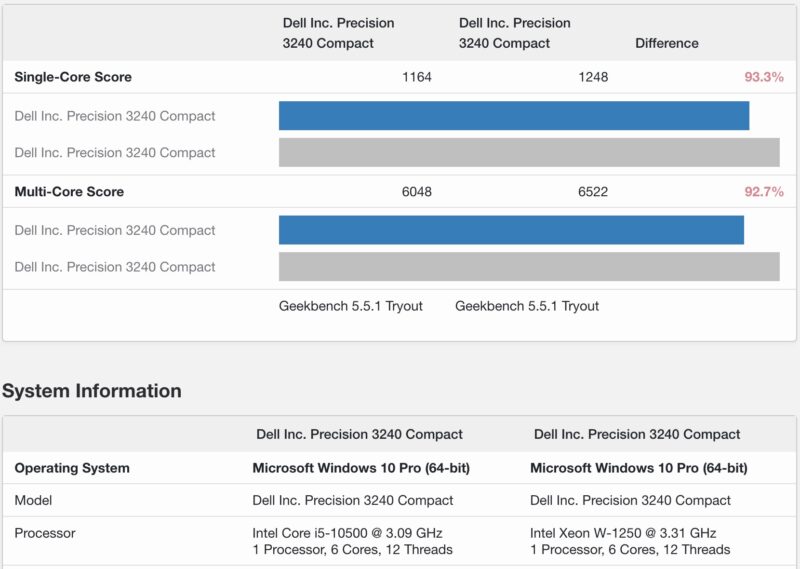
Geekbench 5, was the opposite where the Intel Xeon W-1250 came out ahead. Overall the Xeon W-1250 is the better chip but Geekbench 6 is sometimes strange.
Then there is the GPU side. Instead of looking at the built-in Intel UHD graphics P630 to the NVIDIA Quadro P620 we had in the Core i5 version, we are instead using a Lenovo AMD Ryzen Pro 8700GE 1L PC as a baseline.
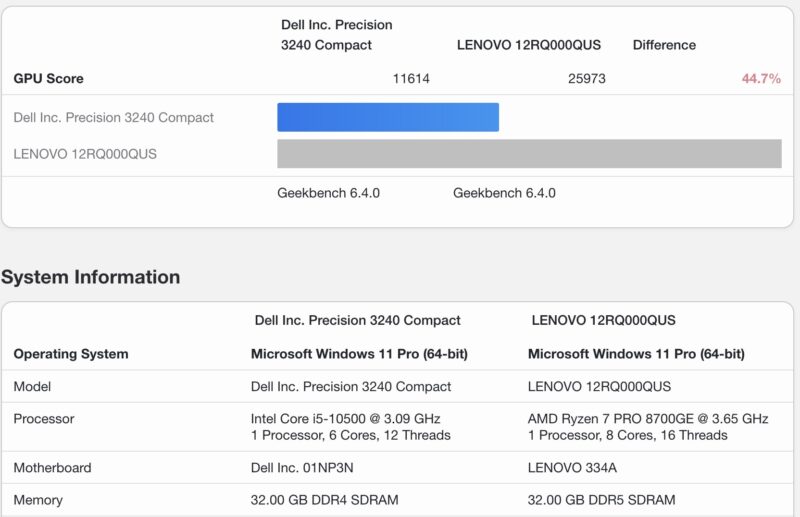
This is really the most interesting result. The AMD Radeon 780M graphics that is built into AMD’s APU is certainly not as fast as the 890M in the AMD Ryzen AI 370 or the 8060S in the AMD Ryzen AI Max+ 395. At the same time, I think many folks will look at the NVIDIA Quadro P620 and think gaming, or high-end video transcoding codecs. The NVIDIA Quadro P620 is a Pascal generation GPU which is so old at this point that if you want gaming performance, I think the answer is to look elsewhere. With 2GB of memory, and without most of the AI acceleration functions that are standard on newer GPUs, it would be hard to recommend over the integrated AMD GPUs that are a generation old. Plus, the new CPUs are much faster even though it may seem like 6 cores to 8 cores is only a 33% jump, the actual performance of the CPUs is much higher (note the baseline here is the Dell Precision 3240 Compact.)
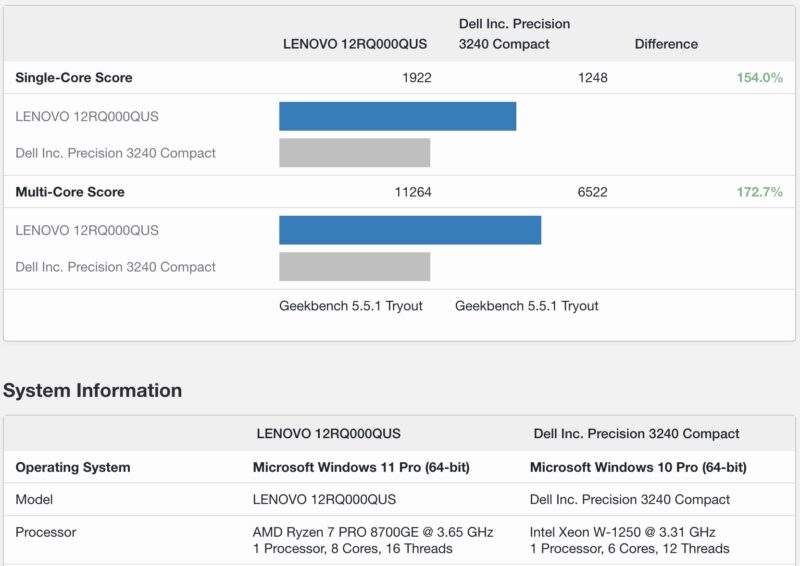
That feels very strange, but until you get above the NVIDIA Quadro P2000 or perhaps the T400 in older cards, you are going to get better performance and newer features in integrated APUs both on the GPU as well as the CPU side.
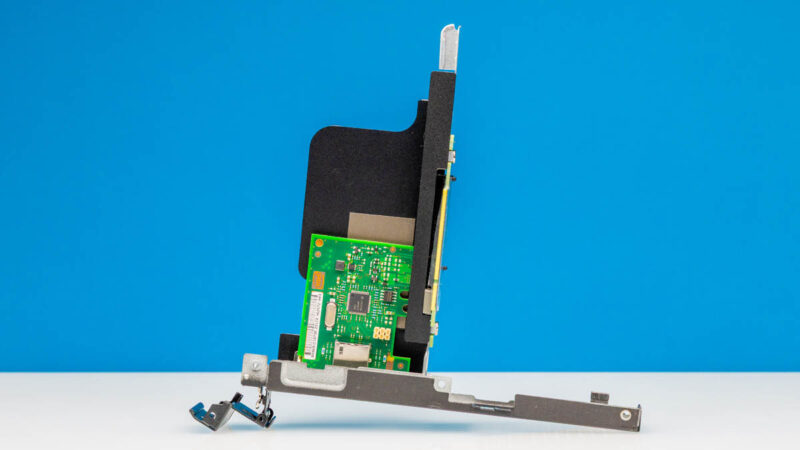
This does have a significant bearing on our system configuration. In most cases, our readers are going to be better off thinking of the PCIe slot as one for either storage or networking instead of getting a Quadro option in the slot. We purchased the Quadro P620 thinking it might be a good option, but after testing it, the answer is to use that slot for something else.
Next, let us get to the power consumption and noise.


Great review, I’ve been slowing researching lower cost “home lab” nodes that I can use for more compute heavy applications but will not require a full rack space setup. I appreciate the depth of research here!
I think the best graphics card “officially” supported is a Dell-branded RTX 3000. It’s a double slot low-profile card but the PCIe bracket is actually a single slot, so that it can fit into the 3240. I happen to have one and am sure it works.
You know, for articles like this it would be nice if you included a bit more information about the system in the opening blurb for those of us who don’t want to google it. Saying that it’s an “older generation system” with “Intel Xeon” isn’t very useful. Just including the year of release would be much better.
I also went searching for the CPU model used.
Just got a couple of these. One thing to note: I don’t think the x8 PCIe slot supports bifurcation. I tried a 2 NVMe adapter and it only saw one drive.