

Dell PowerEdge R6715 Internal Hardware Overview
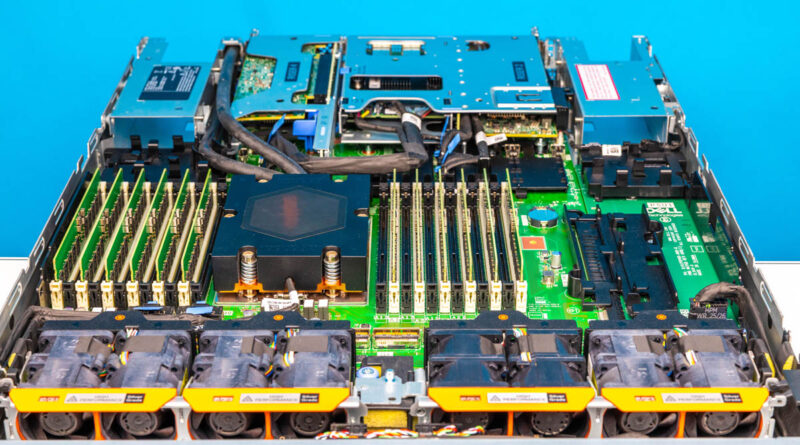
Let us now move from the front to the rear of the interior of the chassis.
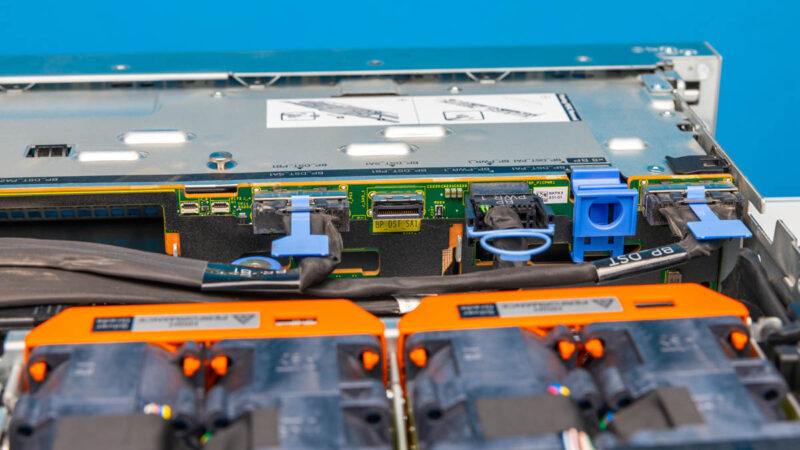
Here are the front storage backplane with the MCIO connections to the front drives.
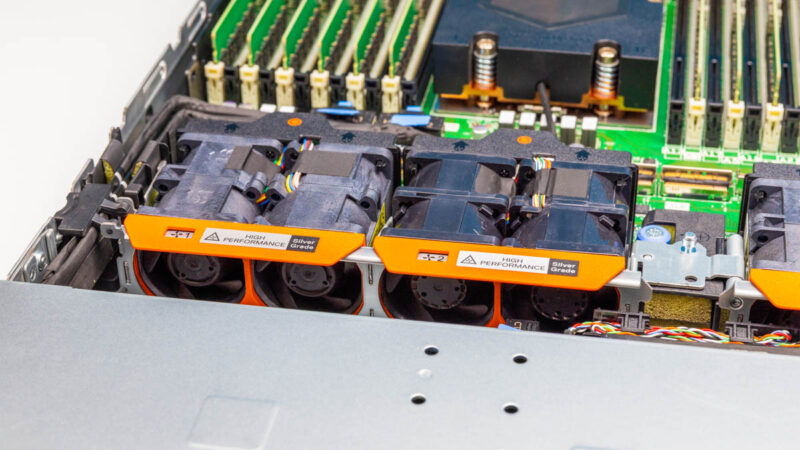
Behind the storage backplanes there are 1U fan modules.
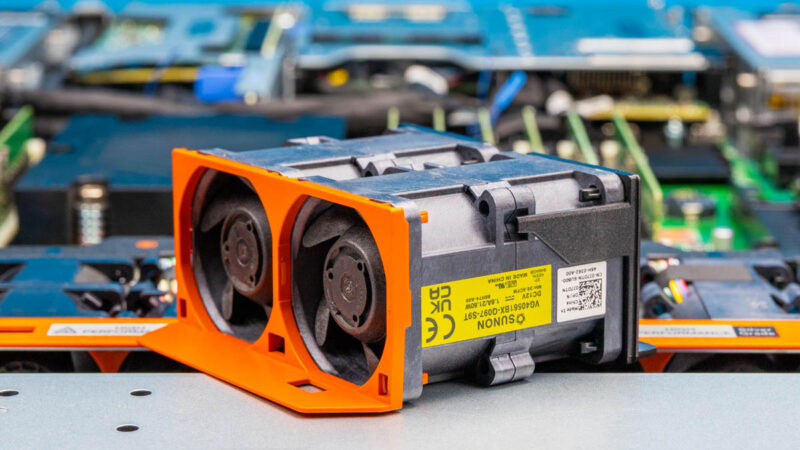
The fan modules Dell uses are a big step up from many whitebox servers since they are easy to swap. This is small but nice feature.
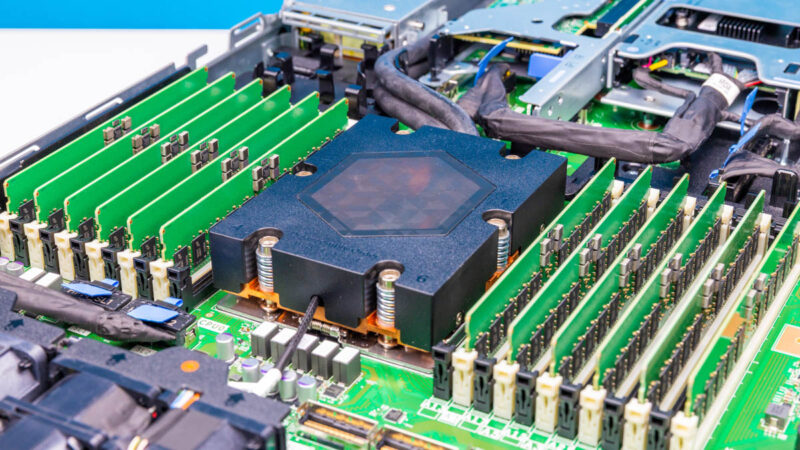
At the heart of the system is a single AMD Socket SP5. That is for a single AMD EPYC 9004/ 9005 series processor, and Dell supports up to 160 cores in the server. Something else neat with this platform is that there are 24 DDR5 RDIMM slots which is 12 channels and 2 DIMMs per channel (2DPC.) That is a lot of cores and memory for a single socket server.
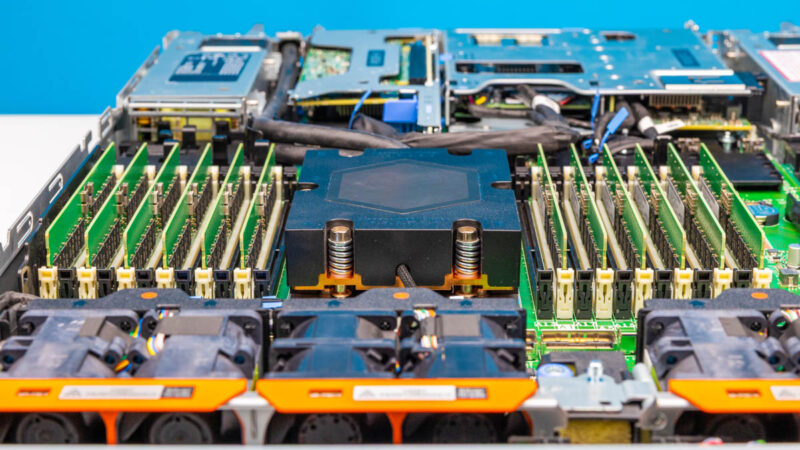
The big difference with this platform is that the CPU is liquid cooled. While there are still fans in the system, those fans are for the other components. The CPU is cooled via this liquid cooling block.
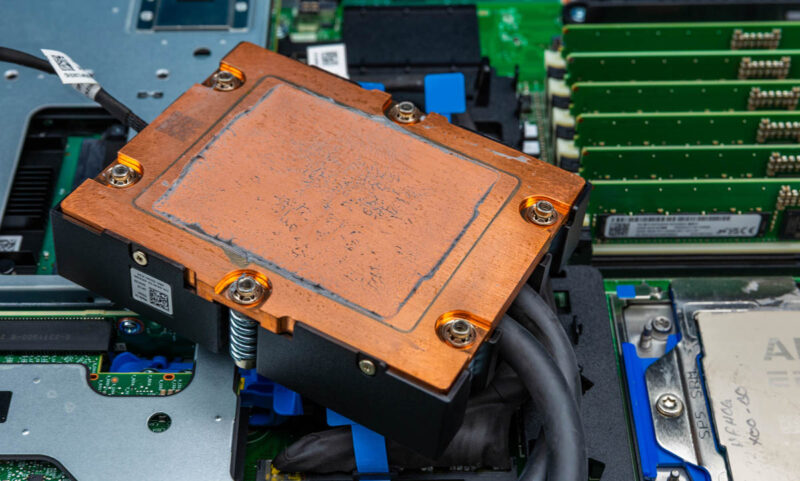
Here is a quick look at the bottom of the cooling block.
As a quick aside, with the AMD Socket SP5 and 24x DDR5 RDIMMs there is not enough room in a 19″ rack chassis for a second CPU next to the first one.
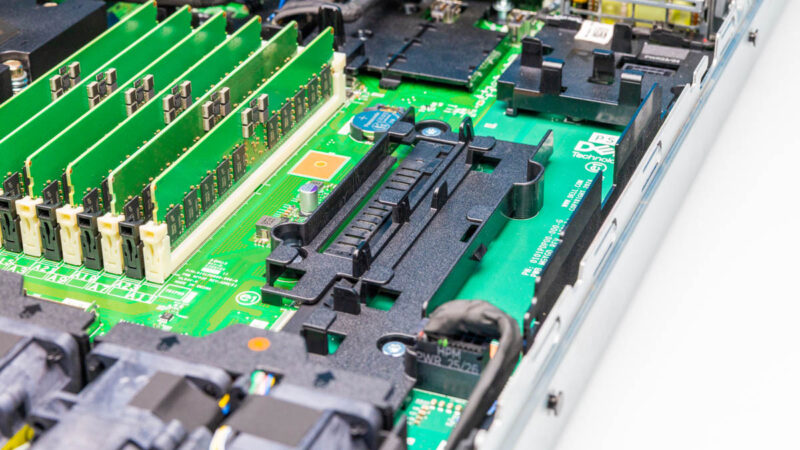
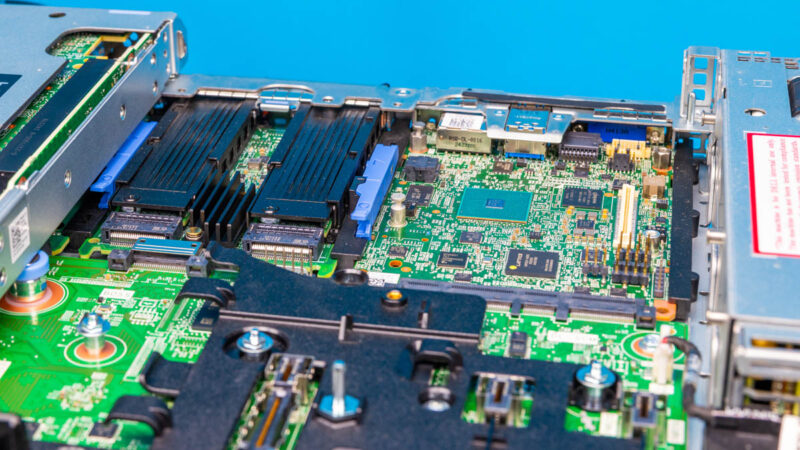
Providing connectivity is an array of MCIO connectors onboard.
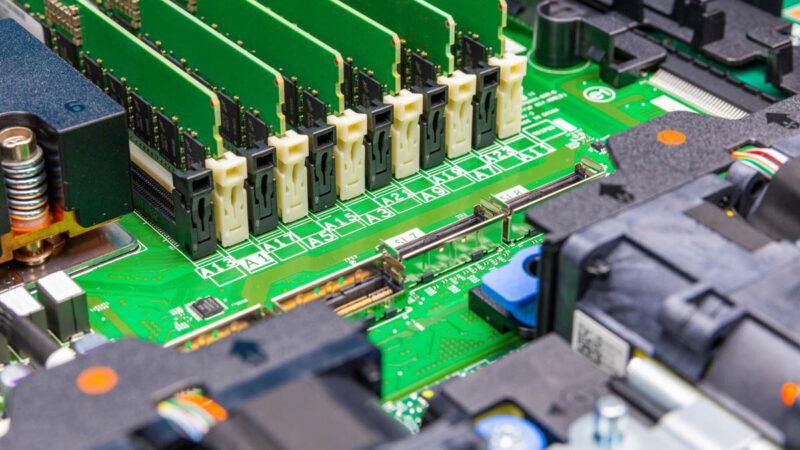
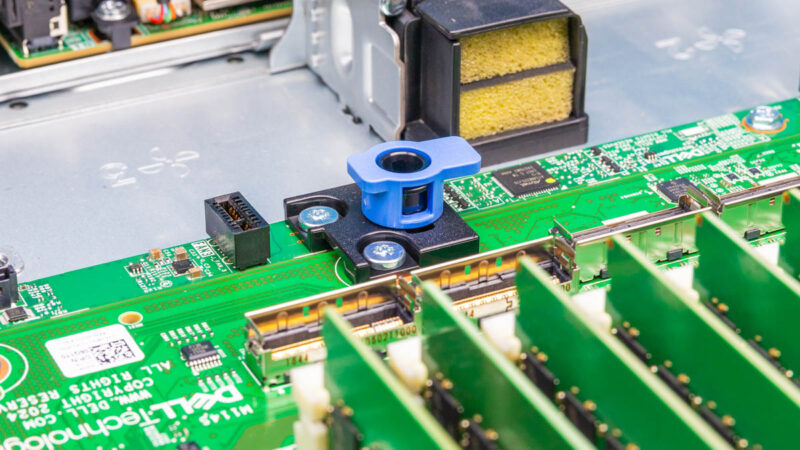
Another small but nice feature are the quick release latches on the motherboard.
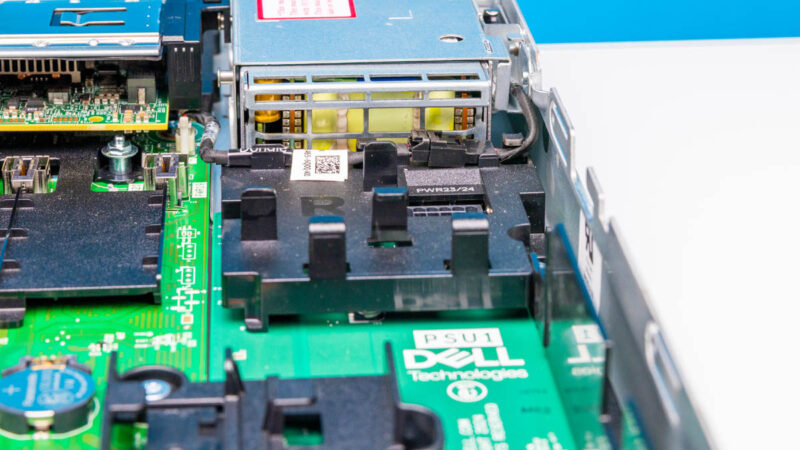
Here is the other side of the power supply connecting into the server.
Here is the motherboard’s onboard OCP NIC 3.0 slot.
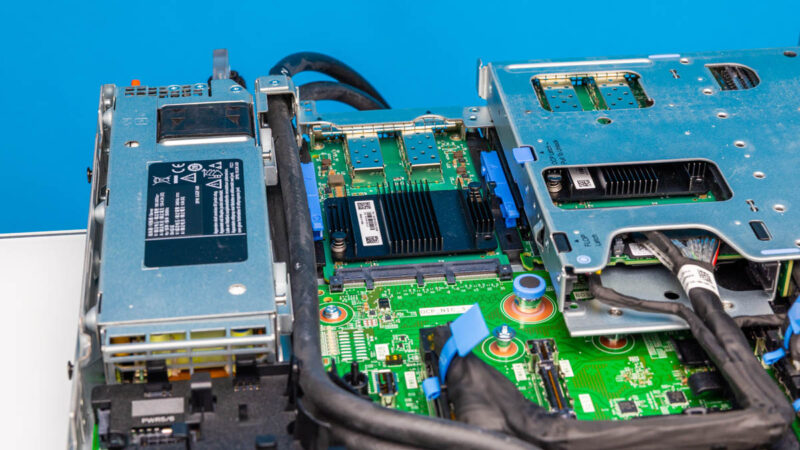
Here is another look at the center below that large riser complex. We can see the two boot SSDs and the iDRAC card here.
Next, let us get the system up and running.

I think I saw the reference in this post, but it might have been somewhere else. I don’t understand why people still test Linux with Ubuntu or Debian – or VMs with Promox – and not Fedora. Fedora is the cutting edge of mainstream operating systems, using the latest kernel, adding new tech asap, retiring obsolete tech asap. Fedora server is dead easy to use. Its package system IMO is superior to everything else. I can setup one of these MinisForum minipcs from box to customised server in less than an hour. From what I understand, getting Ubuntu or Proxmox to work with the latest kernel one needs to perform the operating system equipment of a root canal. What’s the point of having the latest and greatest hardware if the operating system doesn’t exploit the technology. Even with Fedora, there is a few months wait unless one wants to play with rawhide.
One more thing… Fedora is developed by IBM. What did they used to say about using IBM?
@Mike: Because Ubuntu and Debian have well tested stable versions, and most people running servers want reliability above all else (hence the redundant power supplies, redundant Ethernet, etc.) If you want bleeding edge hardware support and you can tolerate the occasional kernel crash that’s when you go with something that keeps packages more up to date, although Fedora is a bit of an odd choice for that as it still lags behind other distros like Arch or Gentoo that are typically only a day or so behind upstream kernel releases.
But I do question why you need the latest kernel on a server since they usually don’t get new hardware added to them very often, they typically come with slightly older well tested hardware that already has good driver support, and most server admins don’t like using their machines as guinea pigs either, especially when a kernel bug could easily take the machine out and prevent it from booting at all. It sounds more like something relevant to a workstation or gaming PC where you’re regularly upgrading parts, and you don’t need redundant PSUs etc. because uptime isn’t a primary concern.
Ubuntu is the most popular Linux distribution for servers. Usually, Red Hat and Ubuntu are the two pre-installed Linux distributions that almost every server OEM has options for. If you want to do NVIDIA AI, then you’re using Ubuntu for the best support. RHEL is maybe second.
If you’ve got to pick a distribution, you’d either have to go RHEL or Ubuntu-Debian. I don’t see others as even relevant, other than for lab environments.
If STH were a RHEL shop, I’d understand, as that’s a valid option. Ubuntu is the big distribution that’s out there, so that’s the right option. They just happened to use Ubuntu since before it was the biggest. I’d say a long time ago when they started using Ubuntu it was valid to ask Ubuntu or CentOS, but they’ve made the right choice in hindsight even though at the time I thought they were dumb for not using CentOS. CentOS is gone so that’s how that turned out.
fantastic !! The AMD Risen a proposition better than Intel pricewise it may surpass the Intel performance in the long run ..
you never mentioned how you cooled this server…. it has hoses…. to hook to what?
In the Dell R6715 technical guide, they publish memory speeds at 5200MT/s even though the server (air cooled) uses 6400 MT/s DIMM’s. Does the liquid cooled version of the R6715 also down shift the memory speed?
The memory speed is not a liquid v. air. It is a challenge with the additional trace lengths of moving from 12 DIMM to 24 DIMM configurations placed on the motherboard.
Patrick, I understand that the second bank always creates a reduced memory bandwidth. What I don’t understand is why is the R6715 documentation indicating a 5200 MT/s for the memory bandwidth when running 6400 MT/s DIMM’s. The HPE DL325 has the same published numbers in their documentation. Why aren’t these servers achieving full bandwidth on 6400 MT/s DIMM’s when running a single, fully populated bank?