

ASUS RT-BE58 Go Performance
For those who have not seen, we have changed our testing methodology to utilize Keysight CyPerf. This is a tool that generates stateful L4/7 flows which also makes it more complex than a simple iperf3 test like we would have used in the past. The key difference is that this looks like real traffic to these gateway devices, not just simple uniform packets. Our test system’s hardware alone is well over $100,000 at this point, not including the CyPerf license. While we can generate over 1.6Tbps of traffic, we also invested in the capability to test lower-speed networking gear like this router. What we cannot do (well) still is test over WiFi, so we are focused on the wired performance.
First, we are passing simple HTTP traffic to see how much throughput we can get. The idea here is to pass bi-directional traffic.
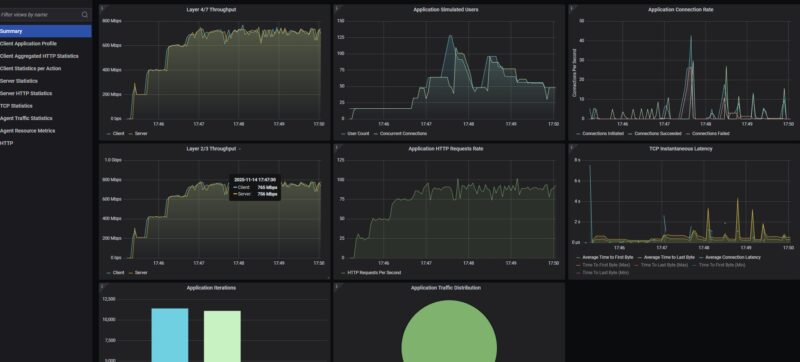
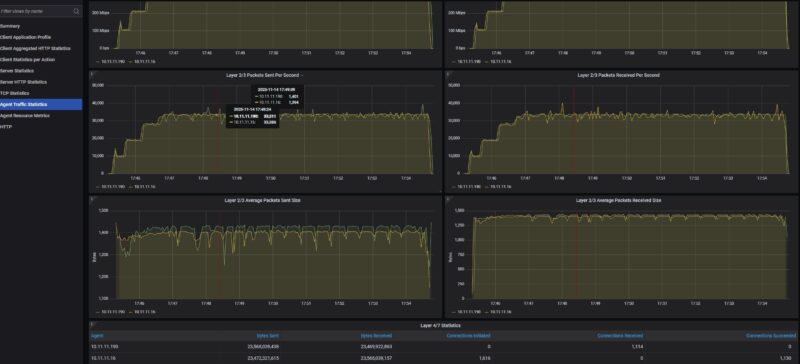
What we saw was traffic getting capped at under 800Mbps in each direction. We also only were getting about 33,500pps in each direction.
At this point, we logged into the management interface to ensure that the AiProtection and Firewall features were set to “Off” and we saw somethng notable.
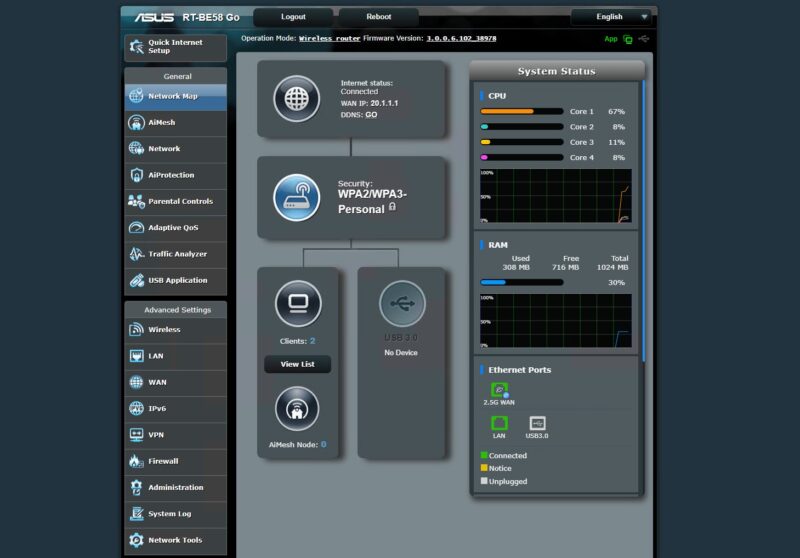
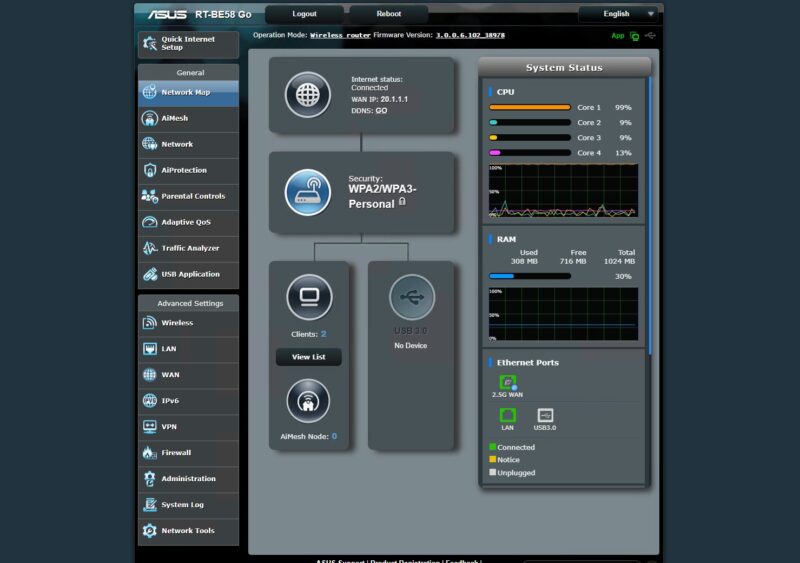
When we were firing traffic, at 400Mbps we were at around 67% CPU utilization on Core 1. When we were hitting that approximately 750Mbps limit, we were running Core 1 at its maximum speed. The other three cores were sitting around 10% utilization, so there was headroom available on the CPU.
We then tried our standard low-end STH gateway device review 11 app mix of ChatGPT, Google Drive, Google Sheets, LinkedIn, Netflix, Office365 Outlook and Calendar, Reddit, X.com, and YouTube:
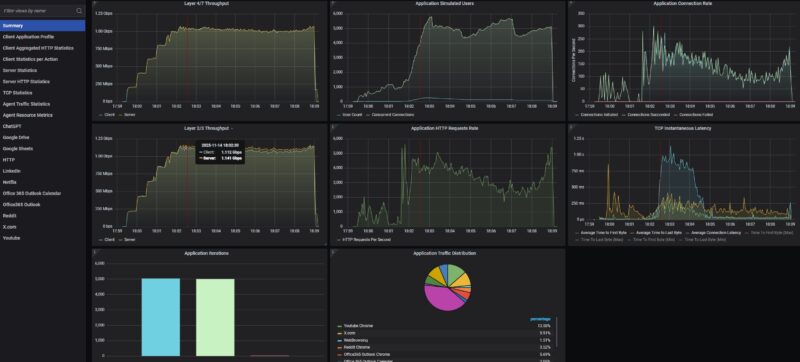
Here, we did not get massive dropped connections, but the throughput roughly 1Gbps.
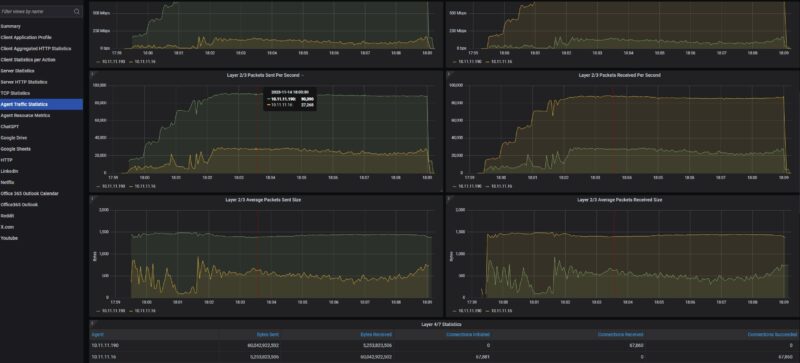
Using the more realistic application mix, we pushed to around 120K packets per second. Please remember that since we have a different application mix, the packet sizes are different. Also, this is more of a clients on the LAN side communicating to services on the WAN, rather than just trying to do a bi-directional saturation test (which we showed at 800Gbps using the machine in our 400GbE MikroTik CRS812-8DS-2DQ-2DDQ-RM Review.
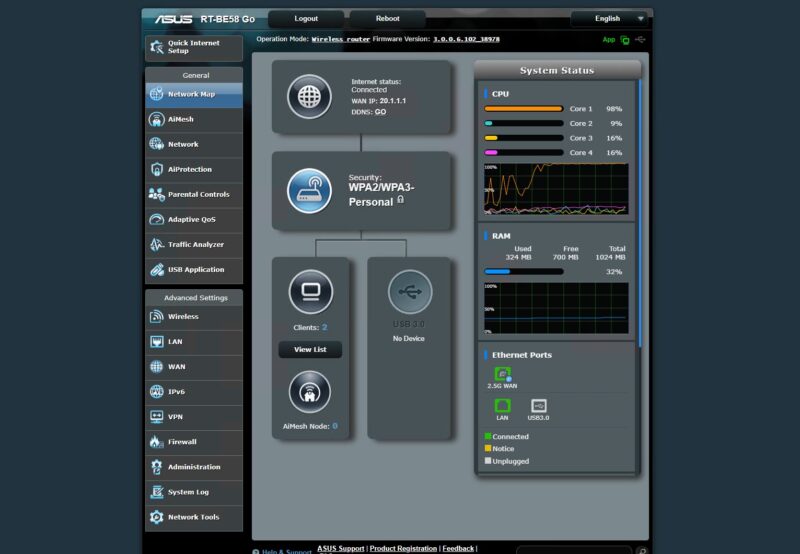
Here we saw the same single core being utilized with three others in a low state of utilization.
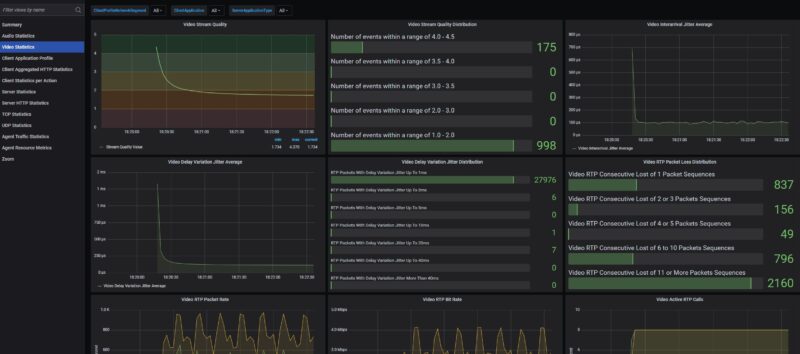
Moving to the Zoom all hands, we first profiled then introduced this with the UDP network quality metrics on a higher-end device where a 500 user all hands call with 5 presenters and 495 attendees was not an issue. What we have since learned is that on these low-cost devices handling a 10 user video call is not easy. but with eight users the audio side was doing fine.
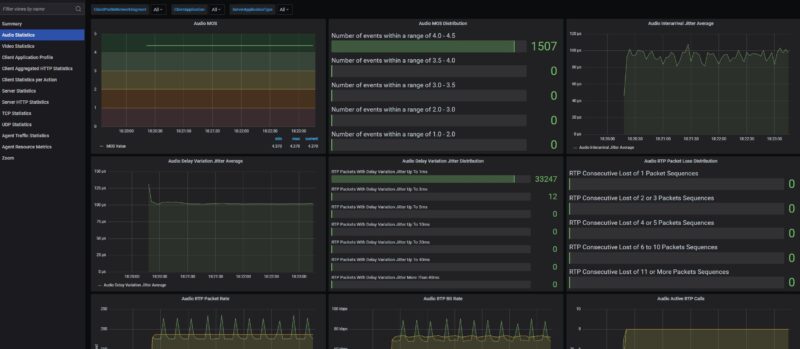
We have been doing more profiling, but we might need to go to 2-5 users. A challenge is that 2 users seems too few for an all-hands call.
ASUS RT-BE58 Go Power Consumption and Noise
In terms of power consumption, this sipped power as one would want. Even though it came with a 2A 12V power adapter, we saw power consumption in the 3-6W range. It was also silent in our testing.
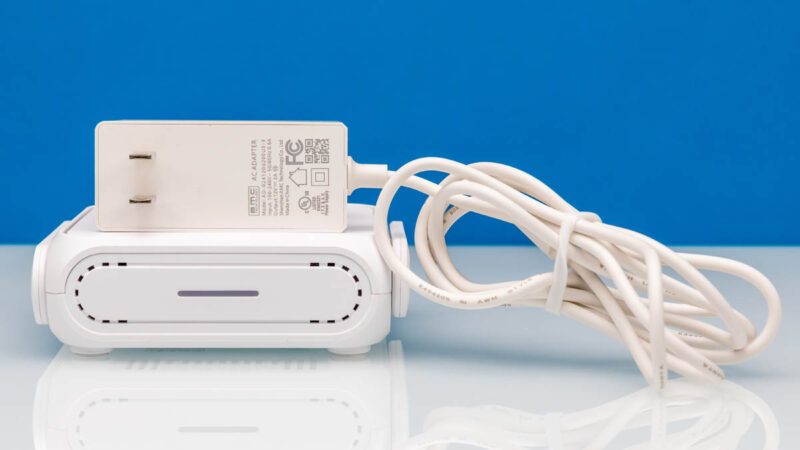
With the Type-C power input, it is clear that ASUS thought about powering this via a portable battery.
Final Words
This is our third portable WiFi 7 router that we have tested in this class. ASUS makes a lot of routers, so hopefully the bi-directional traffic eventually can get offloaded across more cores to hit a higher throughput number of 1Gbps bi-directionally. Better yet, this device with dual 2.5GbE ports and the ability to move that traffic would be great. That was a feature we liked on the GL.iNet GL-BE3600 Slate 7. To be fair, TP-Link BE3600 Wi-Fi 7 Portable Travel Router TL-WR3602BE has a similar 2.5GbE WAN and 1GbE LAN setup, but that was able to get its wired throughput to almost a full 1Gbps bi-directional speeds. Our sense is that might be a firmware update that could be out by the time this gets published.
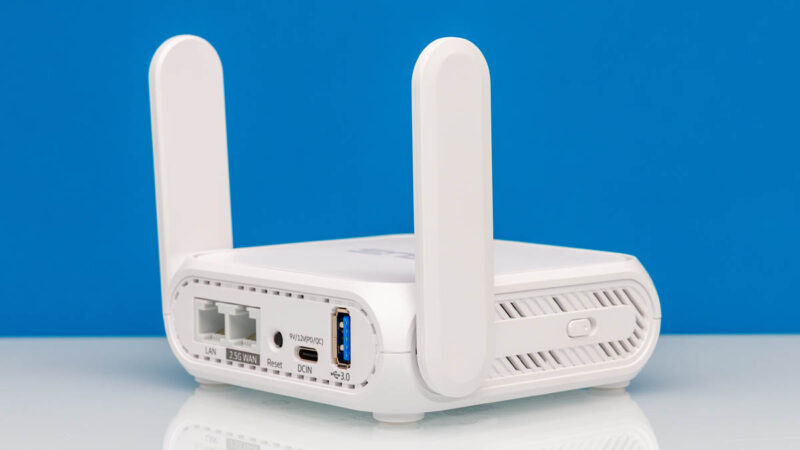
Then again, ASUS sells a lot of WiFi routers so this will end up being a popular model. From a feature perspective ASUS has a lot packed into the RT-BE58 Go BE3600. Just the ability to easily make different networks for IoT, VPN, kids, and more was a great feature that shows feedback getting incorporated into menu options to make common tasks easy.
Where to Buy
If you just want to check current pricing or buy a unit, here is an Amazon affiliate link.




this review is pretty basic, no mention of how to use it as, you know, an actual travel router (what i assume in the settings is “wisp” mode) since most people might take one of these and use it at a hotel or something
Can we get info on the insides? Looks like these devices might all be based on the same hardware.
The UI is the same that ASUS uses with their high end routers too and seems to have the same rich feature set. Their router OS is regarded as being very stable. As is OpenWRT which the Gl.iNet is based on.
No reviewer has published the SOC but it has 1GB of DRAM and 256MB of flash.
Send it to Mikrotik guys as a reference.
mAP devices need a refresh !