


Earlier this year, Intel launched its Xeon 600 workstation processors, marking the transition of its workstation platform to the newest Granite Rapids architecture. The release of the new CPUs was also accompanied by an update to the rest of Intel’s supporting hardware, including a new socket (LGA 4710) and the new W890 chipset, which in turn brought a new generation of workstation motherboards to support the new platforms.
Today we are looking at one of the new high-end motherboards for the new Xeon 600 platform, ASUS’s Pro WS W890E SAGE SE. One of two motherboards ASUS launched using the new socket, the SAGE SE is their premium offering, offering additional features and a flat-out larger motherboard for a premium price tag. The Xeon 600-generation motherboard is the direct successor to ASUS’s previous-generation Pro WS W790E-SAGE SE, which, for its time, was one of the better-received Sapphire Rapids workstation motherboards.
| ASUS Pro WS W890E-SAGE SE Key Specs | |
| Processor Family | Xeon 600 (Granite Rapids) |
| Socket | LGA4710-2 |
| Chipset | W890 |
| Memory | 8x DDR5 RDIMM Slots (1DPC) |
| PCIe Slots | 6x PCIe x16 (Gen5 x16 Electrical) 1x PCIe x16 (Gen5 x8 Electrical) |
| Storage | 2x M.2 22110 (Gen5 x4) 2x M.2 2280 (Gen5 x4) 1x MCIO x8 (Gen5 x4/x4) 2x SlimSAS (Gen4 x4) 4x SATA 6Gbps |
| Ethernet | 2x 10GbE (Intel E610-XAT2) |
| Rear USB | 2x 40Gbps USB-C 6x 10Gbps USB-A |
| Front USB | 1x 20Gbps USB-C 2x 5Gbps USB-A 2x 480Mbps USB-A |
| Audio | Realtek ALC1220P |
| BMC | ASPEED AST2600 |
| Form Factor | EEB (E-ATX) |
Meanwhile, for DIY workstation builders in particular, the W890E-SAGE lineup is effectively the default option for equipping a new system. ASUS’s boards are the only Xeon 600 motherboards readily available in the North American market, and, as the boards the company sampled for the launch of the Xeon 600 processors, they are the de facto retail motherboard for Intel’s new workstation platform. This puts ASUS in the enviable position of controlling that market segment, but it also means the overall success of the Xeon 600 in the DIY market rests heavily on ASUS’s shoulders.
If you wanted to find the ASUS Pro WS W890E-SAGE SE online, here is an Amazon Affiliate link.
ASUS Pro WS W890E-SAGE SE Hardware Overview
As ASUS’s premium W890 motherboard, the Pro WS is looking to scratch every itch of the retail/DIY workstation market. On the one hand, it is a high-end motherboard that exposes the full functionality of the Xeon 600 chips and the W890 chipset, offering support for a full 8-channel memory configuration, copious I/O bandwidth, and even a BMC for business use. On the other hand, ASUS is leaning into the overclockable nature of the X-series SKUs by adding a fairly robust set of features specifically for the overclocking market. The end result is a board that offers something for almost everyone and, in the process, earns its status as a high-end workstation motherboard.

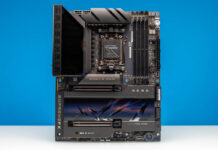
The significant feature set means the W890E-SAGE SE is a sizable motherboard. ASUS has gone with the full 12-inch by 13-inch EEB (E-ATX) form factor, taking up almost every last square inch of space on the board to lay down a slot or socket of some sort.

A good chunk of that space is dominated by the CPU socket and RDIMM slots, and for obvious reasons. The LGA4710-2 socket is massive on its own thanks to the large number of I/O and power pins it contains, and then all of those pins have to run somewhere. ASUS’s high-end W890 board goes for the full 8-channel memory treatment, surrounding the CPU socket with 4 RDIMM slots above and below it to route what is effectively a 512-bit memory data bus back to the CPU.

Flanking the socket and memory in turn is a rather significant VRM/MOSFET arrangement, with ASUS running 16 phases for the CPU alone. While the highest Xeon 600 SKU is rated for a toasty maximum turbo power of 420 Watts, the overclocker-friendly design of the board means that ASUS has gone above what a stock chip would require for a power delivery system. Which means the SAGE SE can deliver plenty of power, but it occupies a decent amount of board real estate to do so.

Between those VRMs and the RDIMM slots, ASUS is packing a lot of high-power, high-heat components very close together. As a result, in addition to placing a rather sizable heatsink on top of the VRMs, ASUS also includes multiple fans to help keep the VRMs and RDIMM slots cool. Baked into the left side of the board (nearest the rear I/O ports) is a fan to keep the bulk of the system’s VRMs cool.

And on the other side of the CPU socket, ASUS offers an optional cooling fan assembly, which the company calls their AngleBoost. Sitting atop the heatsink that covers the rest of the VRMs, the AngleBoost fan kit is a pair of small fans designed to be mounted at an angle, thus living up to its name. This provides extra airflow for the heatsink itself and directs airflow to all 8 RDIMM slots.

The other big I/O pin expenditure from a board design perspective is the SAGE SE’s 7 PCIe x16 slots.

When paired with a high-end Xeon 600 processor (more than 16 CPU cores), all of these slots are available, and all but one are full PCIe Gen5 x16 slots, both physically and electrically. The one outlier is slot #6 (second from left), which is an x16 slot that electrically runs at Gen5 x8 speeds. All of these are armored slots for additional rigidity, or as ASUS refers to them, Safeslots.
The board also offers limited CXL 2.0 support. Specifically, PCIe slots 1, 3, 5, and 7 all support the expansion standard, reflecting the I/O quirks of the Granite Rapids CPU itself.
From this view, we can also catch a glimpse of a black heatsink that is the board’s network controller.
Meanwhile, the SAGE SE also offers an extensive collection of storage options. Not counting the PCIe slots or any kind of external storage, there are four different types of storage interfaces on ASUS’s motherboard, three of which are PCIe-based.

A good deal of the board’s remaining floor space is allocated to M.2 SSD sockets. ASUS has equipped the SAGE SE with four such sockets, each offering PCIe Gen5 x4 host connections. Two of the sockets support 2242/2260/2280-size SSDs, while the other two sockets go one size larger and support extra-long 22110 M.2 SSDs.

ASUS provides heatsinks for all of these M.2 sockets. A single L-shaped bracket covers three of the sockets on the lower portion of the board, and there are thermal pads both on the motherboard and on the heatsink to ensure that both single- and double-sided SSDs can be cooled.

The final M.2 slot near the top of its board features its own heatsink and mounting mechanism, which ASUS calls its Q-Release Slim heatsink. This mechanism is entirely toolless, allowing it to be removed from the board entirely to more easily install an M.2 SSD inside it.

Meanwhile, for larger storage devices such as U.2 or E3-form-factor SSDs, ASUS has included a single MCIO connector. This connector is attached directly to the CPU and provides a pair of PCIe Gen5 x4 connections, allowing two additional SSDs to be installed in this fashion.

For slightly older SSDs, there are also a pair of SlimSAS ports. These hang off of the W890 chipset, and each provides a PCIe Gen4 x4 connection.

Finally, a quartet of SATA 6Gbps ports is also found on the SAGE SE, allowing for SATA SSDs, HDDs, and optical drives to be used with the motherboard as well. Altogether, this means that the SAGE SE can connect to 12 internal storage devices before relying on using multiplexors or the PCIe slots.
The power requirements of all of this hardware, in turn, are quite significant. And to that end, there are several power sockets of note on the SAGE SE.

On the long side of the board are a standard 24-pin ATX power socket and a pair of PCIe 8-pin power sockets. The latter sockets are to help power the PCIe slots, particularly when multiple high-powered cards are installed.

Meanwhile, along the top side of the board are no fewer than four more power sockets for the CPU, which come in two different varieties. The white sockets are traditional 12V CPU power connectors, while the gray sockets are PCIe 8-pin connectors that provide additional 12V power to the CPU. Even when not overclocking, all of these 12V connectors need to be wired up in order to adequately power the system
And if you are overclocking, the SAGE SE also has special provisions to support a second PSU. In that case, the left-side power connectors are all attached to the first PSU, while the top power connectors are attached to a second PSU.

Moving on, taking a look at the rear I/O panel of the SAGE SE, we find a collection of ports consistent with a high-end motherboard with BMC support.

Front and center, the motherboard sports a pair of 40Gbps USB-C ports for high-speed I/O.
Notably, while the motherboard supports USB4’s fastest speed grade, it is not Thunderbolt 4-certified. Surprisingly, for all of the other Intel hardware on the board, ASUS went with ASMedia’s ASM4242 controller here rather than one of Intel’s Thunderbolt controllers.

Since the Xeon 600 platform does not have integrated graphics, ASUS has included a pair of miniDP ports for DisplayPort In connectivity so that the USB-C ports can carry DP video.

Six more 10Gbps USB-A ports are located along the bottom edge of the rear I/O panel, including one specifically earmarked for BIOS recovery.

Elsewhere, near the top of the motherboard, there is a trio of RJ45 ports for Ethernet connectivity. For general Ethernet networking, ASUS has installed Intel’s dual-port E610-XAT2 controller on the motherboard, which in turn drives the board’s dual 10GbE connections. Finally, the left-most Ethernet port is a 1GbE connection that hangs off of the board’s ASPEED AST2600 BMC.

For that matter, so is the VGA port on the far left. Certainly quaint for 2026, this is the sole video output option for the BMC.

Finally, in another nod to its enthusiast/overclocking functionality, ASUS has placed CMOS and BIOS buttons on the rear I/O panel as well. One button clears the CMOS, while the other one triggers a BIOS flashback to recover the BIOS if it has become corrupted.
Next, let us get to the block diagram.

“Non angeli, sed angli”, as Pope Gregory the Great didn’t say.
(In other words, a couple of times you call them Angelboost fans, not Angleboost.)
Unfortunately, there are virtually no Xeon 600s available for month. The motherboards are sitting on the shelves at german distributors like a lump of lead.
@James
Whoops! Thank you for pointing that out. It has been fixed.
Xeon processors across the board are just so expensive, at least until you get all the way down to Cascade Lake. The only thing expensive on the AMD side is DDR5 gen threadrippers. I’m not sure why this is the way it is but it’s been like that forever, even though AMD been dominating ever since EPYC Rome and the 3990X. Are there any server or workstation Xeons that are really worth it if your interest is a CPU-based workload performance?
Great review for anyone considering a serious workstation build. The detailed look at the motherboard’s expansion and platform capabilities makes it much easier to understand who this board is really designed for.
Workstation Xeon 658x would be of really worth to check