

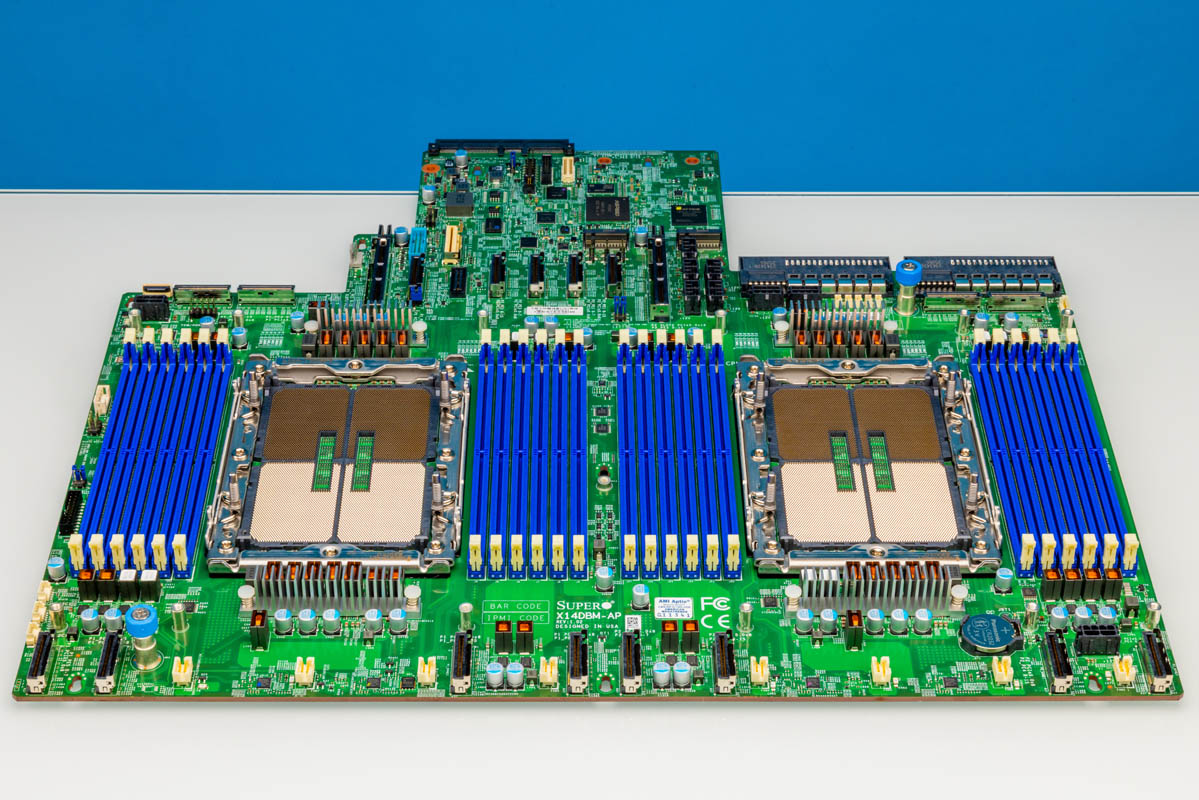
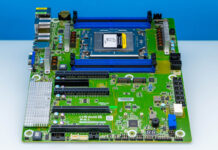
We recently got hold of a Supermicro X14DBM-AP motherboard, which is very different. Instead of a standard ATX, EATX, or other form factor, this is a proprietary form factor that is designed for Supermicro’s Hyper line of servers. Since we had the motherboard, I thought it would be worth just showing folks what a more modern motherboard looks like and going over some of the main reasons why server motherboards usually do not look like their older ATX/EATX predecessors.
Here is the backstory. I damaged the 12V power connector on a board, and so we ordered a replacement. When it arrived, I realized we had this idea for an article sitting in the “ideas” bucket for over two years. It was a great opportunity to take a look at a more modern motherboard in a context that we normally do not get to: sitting outside of a system. Just given how connected this motherboard is to almost every MCIO cable, DIMM slot, and more, there is probably a bit of a reason to procrastinate behind doing this one with Sam.
Supermicro X14DBM-AP Motherboard Overview
One of the reasons that we review fewer server motherboards than we did a decade ago is that it is now common for the majority of servers to use custom form factor motherbaord layouts. These look nothing like traditional ATX/ EATX counterparts.
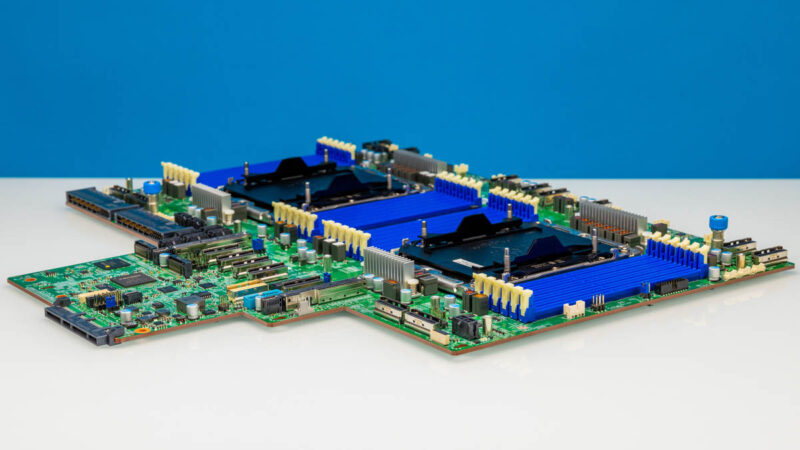
One of the major changes is really around the CPU and memory sockets.
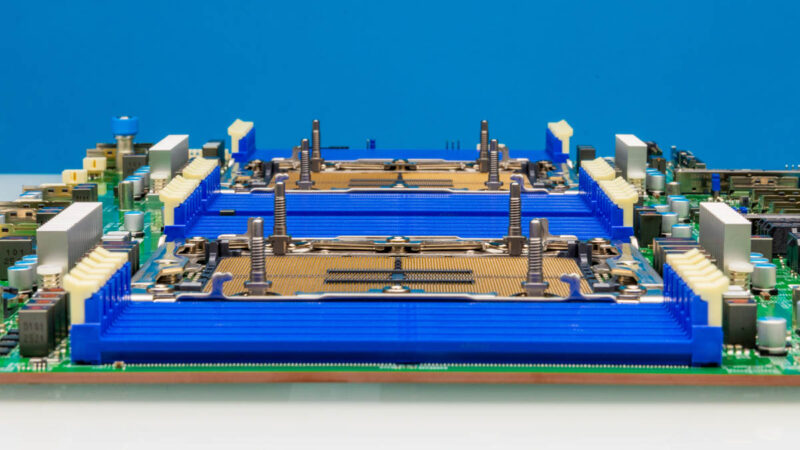
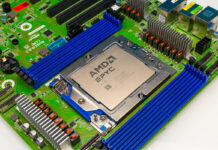
Today’s 12-channel DDR5 memory server CPUs are interesting because they actually have a lot of room for cable routing between the front and the back of a server. In both 2DPC 8-channel platforms, and the 16-channel platforms that we will see later in 2026, the DDR5 DIMM slots run edge-to-edge in a 19″ rack motherboard.
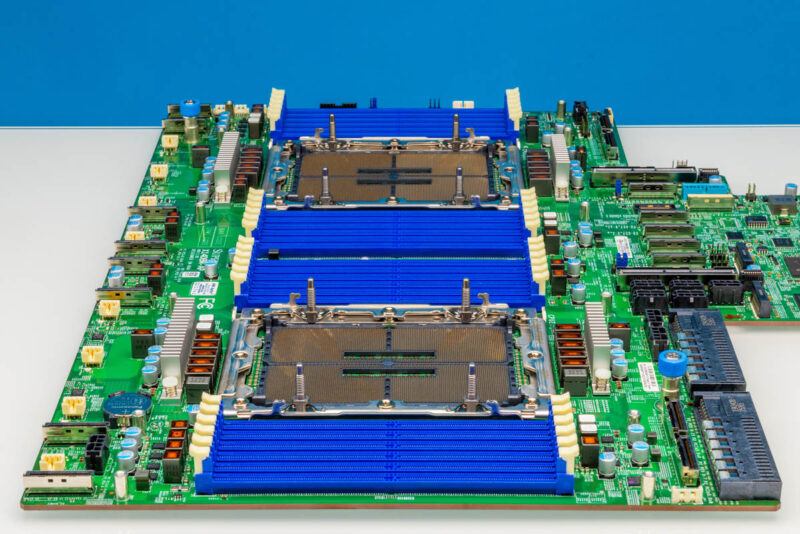
Something also important is just the size of the CPU sockets. I picked up both an LGA2011 and LGA1366 CPU a few days ago, and they look like tiny toys comapred to the chip packages that we have today.
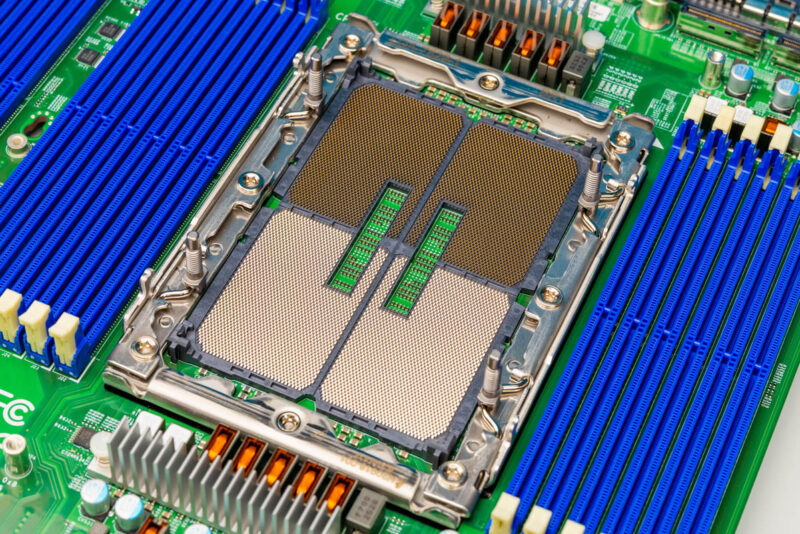
Aside from the CPUs and memory, the motherboard has changed quite a bit.
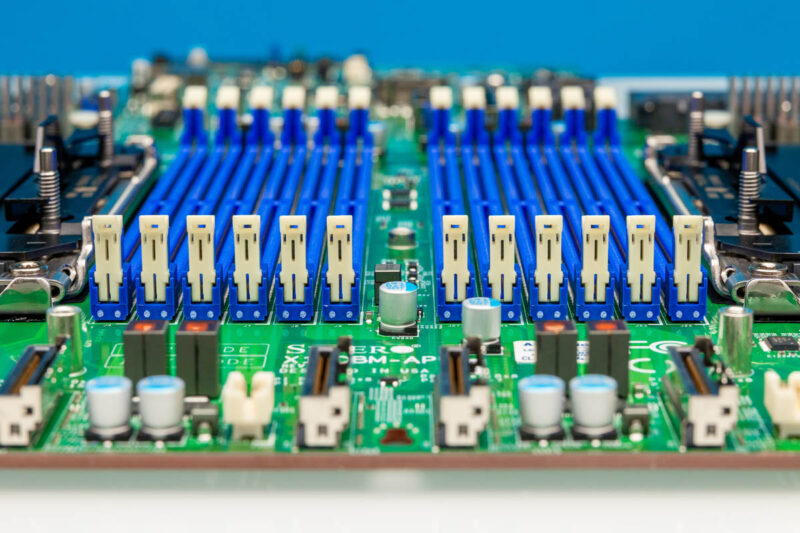
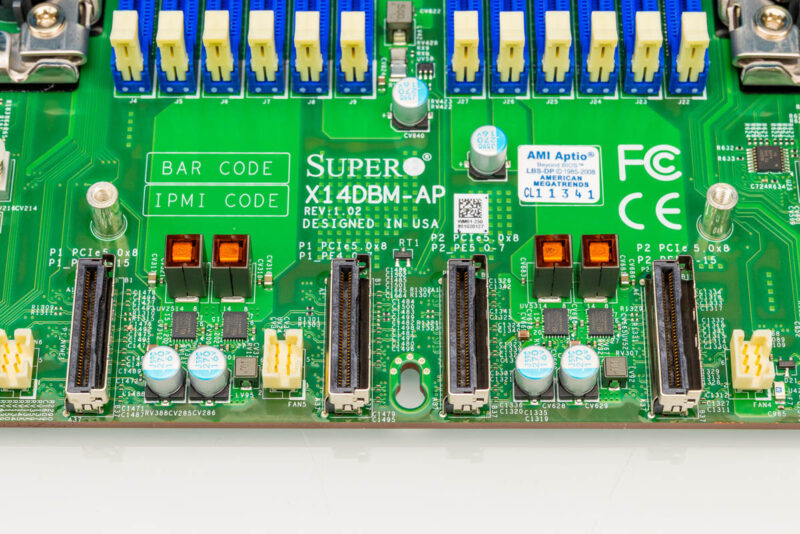
Since we now have more PCIe connectivity, the front of modern server motherboards usually has a large set of MCIO connections. This Supermicro is a good example with the leading edge having both MCIO x8 connectors as well as the fan power connectors.
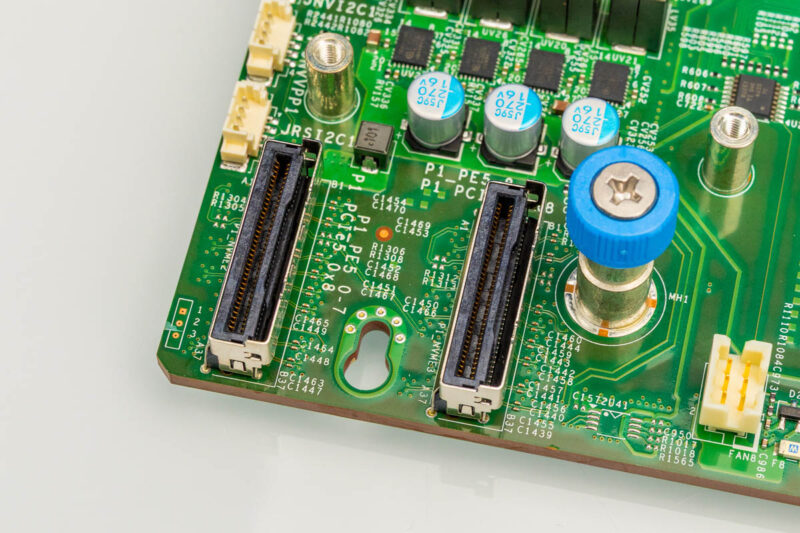
Something else you may have noticed is that modern motherboards are not screwed in at multiple points. Instead, usually there are one, two, or sometimes a few more thumbscrews, but the motherboard rests in pegs that slot into place all over the board and then the entire thing is locked in those grooves by the few thumbscrews. Having just replaced this motherboard, all I can say is thank goodness since I did not want to do extra screws during the process.
Another big difference between this and standard ATX/ EATX motherboards is that the power supplies slot directly into the motherboard. In older designs, there would be redundant power supplies and then a power distribution board. Those power distribution boards were notorious as relatively high failure rate parts.
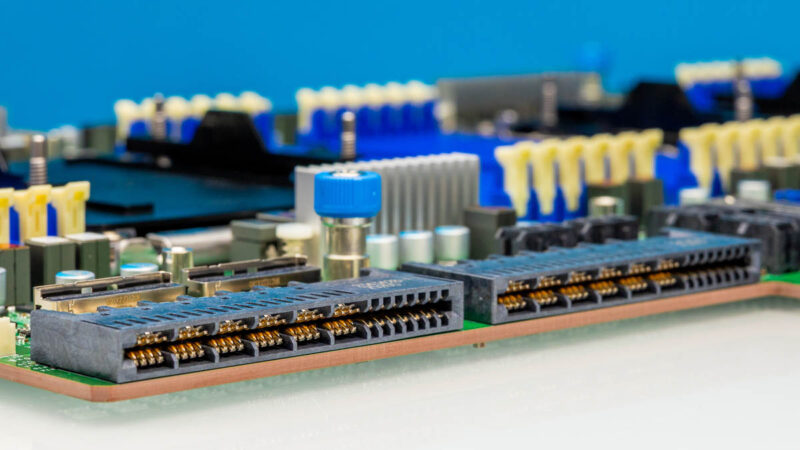
Another big change is in terms of the rear risers. We do not get traditional x16 or x8 slots like you see on consumer motherboards. Instead, we perhaps get a GenZ connector and a bunch of MCIO connectors. We also often see M.2 slots still. One change is that, without the traditional slots, power now has to get to the risers and cards that are installed, so we often see a bunch of power connectors.
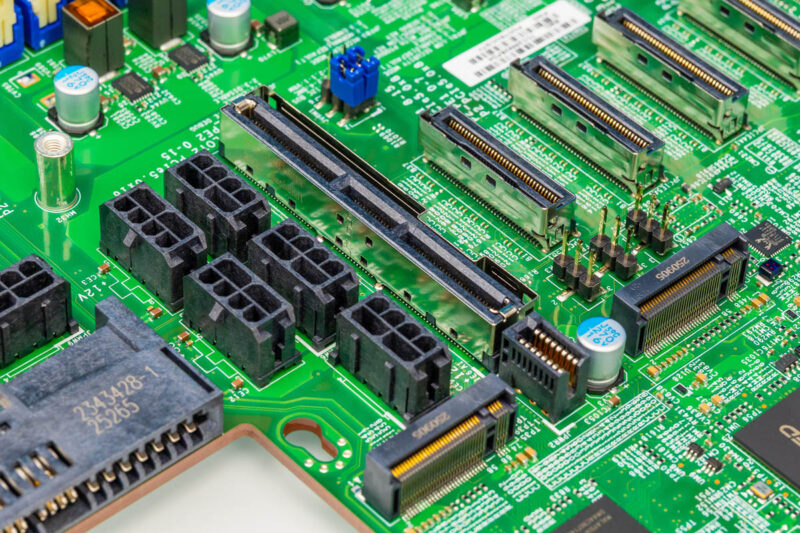
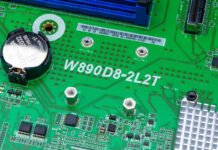
There are a few other interesting bits here, like the front panel connector the is at the bottom right of the below image.
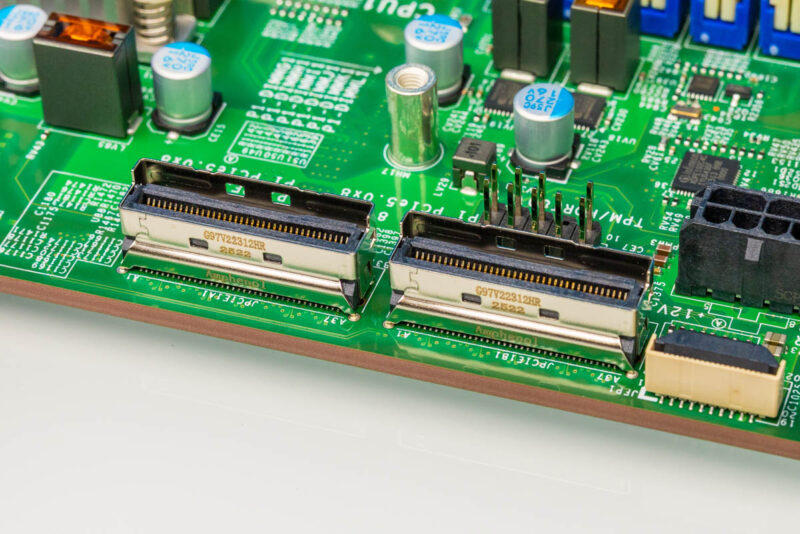
These days, the rear of servers look like a lot of MCIO cables crossing the case. Cables are easier to maintain signal integrity through. Also, they make things very flexible. For example, when we needed an additional x16 connection for our NVIDIA ConnectX-8 C8240 800G Dual 400G NICs we sourced some of those lanes from the front MCIO connectors usually used for NVMe SSD connectivity. We sourced others by pulling lanes from the rear MCIO connectors.
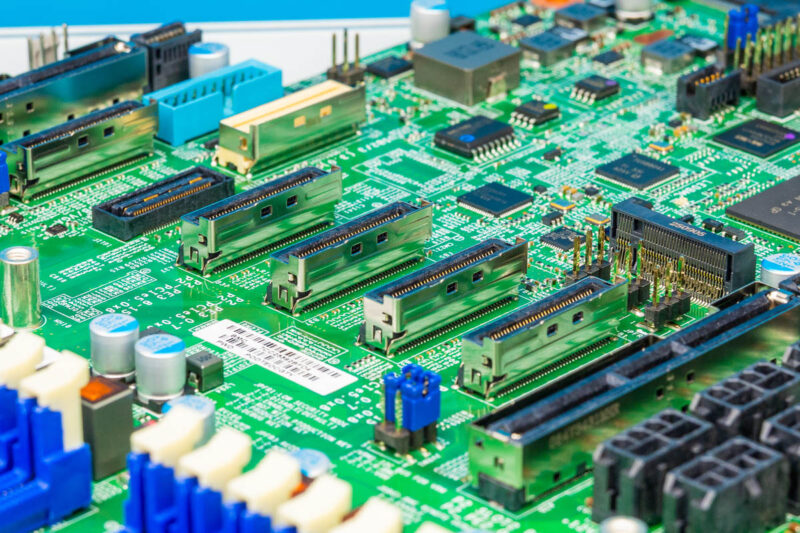
Another difference is the OCP NIC 3.0 (or Supermicro AIOM) slot, which is found on many motherboards. Supermicro does something a bit different here, and if you want a second OCP NIC 3.0/ AIOM slot, you can get a kit to add it just above the first one in the chassis. We added one to the Supermicro Hyper SuperServer SYS-222HA-TN server that this goes into.
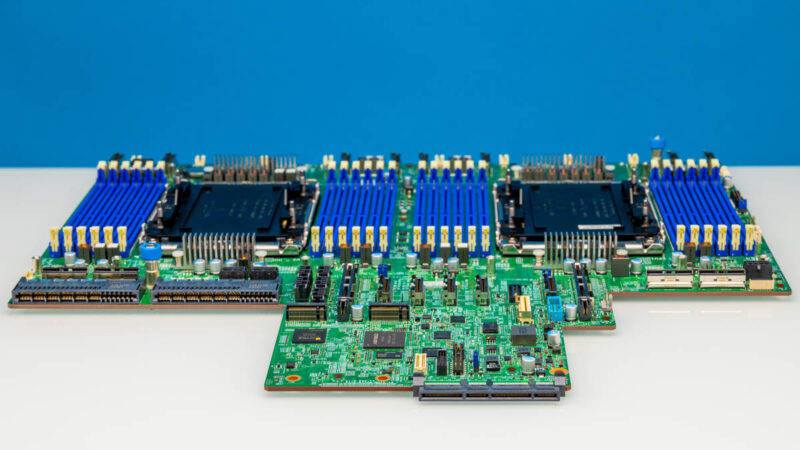
This Supermicro X14DBM-AP has a single OCP NIC 3.0 connector, and the BMC is built into the motherboard, but it is becoming more common to see two OCP NIC 3.0 connectors and then a DC-SCM module with the ASPEED BMC.
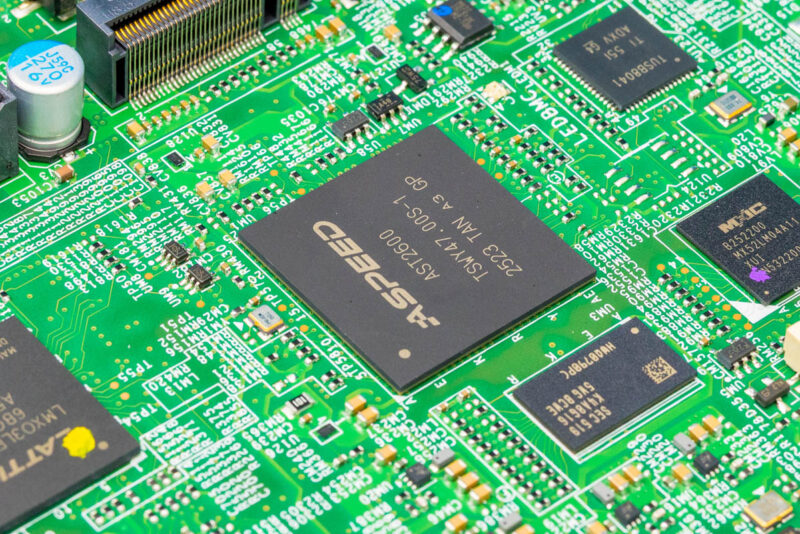
Also fun, we often still get a USB 3.0 header, like you can see below.
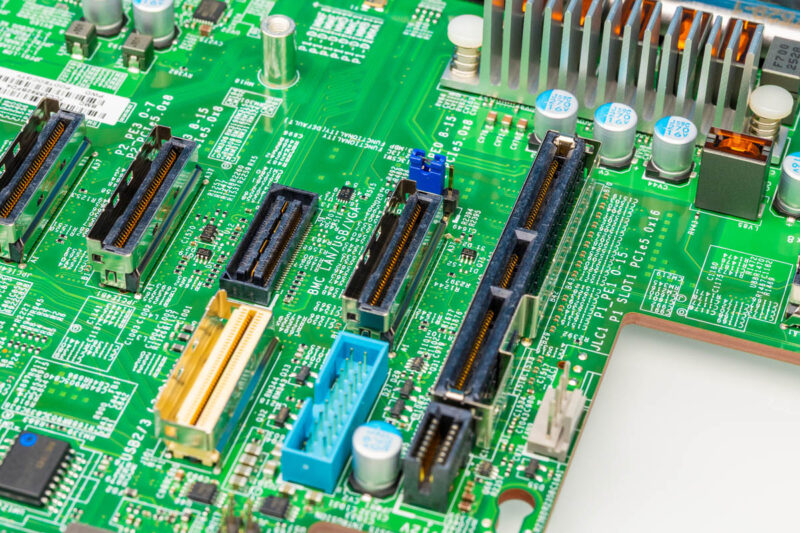
In case you are wondering, the bottom black connector between the blue USB header and the fan headers is the 12V power connector I damaged by improperly inserting a riser.
Final Words
Hopefully, this goes over some of the key differences. Modern server motherboards need to be wide enough to fit in 19″ racks and just the CPU sockets and DDR5 slots. Pushing functions like onboard networking to OCP NIC 3.0 modules (or Supermicro AIOM variants) helps drive unit volumes for motherboards improving quality since there are fewer base motherboard SKUs. Connecting I/O with PCIe Gen5 cables is now standard in the industry. We should also note that some other vendors have transitioned to OCP standardized form factors which further reduce the motherboard footprint pushing more functionality to cards.
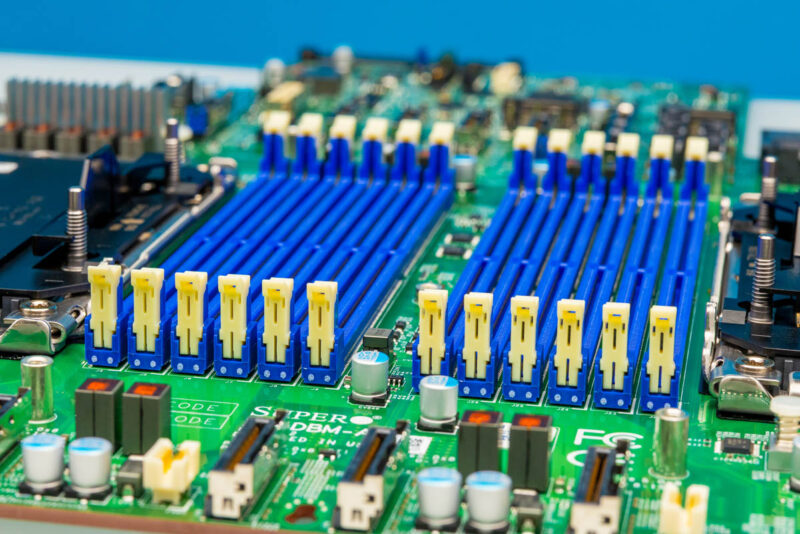
It is quite interesting at STH to see on the consumer side a march toward higher levels of integration in motherboards, while on the server side, everything is becoming more modular in nature.

It won’t be long before MCIO replaces that standard 16x PCIe standard for expansion slot connectivity.
I wouldn’t be surprised is manufacturers like SuperMicro start to leverage MCIO for processor-to-processor interconnects for scale up systems. Use a simple based socket + memory board with cables going to other socket + memory boards and a single IO board. Makes moving from single -> dual -> quad socket straight forward. This also makes two DIMM per channel configurations feasible for higher socket counts where as physical space is a constraint with a single board design.
I hope someone create standard for 19inch width server motherboard specification for consumers sake.
It is beneficial for user choice of the pc case and improves availability of replacement part such as power supply, PCIe riser cage, storage expander module…
Server motherboards are not made for consumer crowd , diff requirements , diff products , but at the same time the alt-build crowd is also still quite alive , but we have our own ways to source exotic datacenter parts. One thing to understand with 19″ rack format is they are designed for airflow , because of the density , if you don’t plan for 48u worth of servers you don’t have the need for 19″ form factor , I actually run my little personal datacenter in open frame because of airflow management ( 48x Radeon MI50)
Server motherboards for 19″ racks already have a standard. It’s called SSI EEB (Server System Infrastructure – Enterprise Electronics Bay), and is effectively E-ATX.
There’s just nothing requiring manufacturers to utilize this standard.
@yamamoto A 19″ wide consumer motherboard would have a hard time justifying its existence in the consumer realm. Traditionally, the different consumer sizes were all based upon how many expansion slots there were ATX ->7, mATX -> 4, ITX -> 1 etc.
It is possible to go higher as there was a time for ATX-XL boards way back in the Nehalem/Sandy Bridge era a decade ago where the spots for the top few slots were used for PCIe bridge chips and other supplemental IO on the motherboard. The number of IO slots on these boards topped out at 8 which would permit 4 way GPU setups. These didn’t reach 19″ in width back then.
Given that the main thing consumers use for an expansion slot is graphics, there is little need for more. I would agree that more PCIe lanes is a great nice-to-have feature for things like additional M.2 storage or 10 Gbit networking, these are not leveraged by the majority that often. Consumer systems have found themselves in a ‘good enough rut’ and with all pricing being stupidly high right now, I cannot fathom larger more expandible form factors taking off in that market segment. For those that need it, server hardware still exists and the likes of HP or Dell will be happy to repackage that into a professional workstation if you genuinely need that level of performance at a cost.
The amount of spend and density requirements to remain a leader in digital infrastructure is simply insane today — the thought of standard ATX feel’s entirely inadequate to me. I say that as a homelabber and believe this past year was probably the best I’ll ever be in terms of performance parity to institutional power and development pacing.
At this point, in 5 years we’re either all gonna be painters and musicians singing kumbaya while the robots cook, or we’ll all be dead.