Amid the many trends and stories shaping the hardware world in 2026, the final quarter shows a confluence of several influences. AI continues to loom over everything this year, both client and server, and 2026 picks up where 2025 left off, with an even heavier emphasis on inference. Meanwhile, Microsoft’s latest efforts to bootstrap its Windows-on-Arm ecosystem are making good progress, thanks to another generation of improvements to its x86-on-Arm Prism emulator. And finally, amid all this, the client hardware market is trying to make sense (and cents) of a run-up in DRAM and NAND prices.
As we enter the fall, these trends conveniently converge in a single device: Microsoft’s Surface Laptop Ultra. The company’s latest-generation flagship Surface laptop, the Ultra, is unlike anything that came before it, with Microsoft going above and beyond to develop a high-end laptop that, well, can go above and beyond itself. All the while, they are staking the fate of their new flagship laptop on the Arm architecture, which is still finding its footing in the Windows world.
As a result, the Surface Laptop Ultra is a culmination of several firsts for Microsoft. As a complete product, it is the company’s most direct take on (or competitor to) Apple’s MacBook Pro lineup yet, making a direct play on the high-end market that Apple has captured so much of over the last several years. Meanwhile, this is one of the first-generation Windows laptops to ship with NVIDIA’s RTX Spark SoC, the consumer branding for their high-performance GB10 SoC that we have seen in numerous developer-focused mini-PCs over the last year. Finally, it is one of Microsoft’s biggest hardware releases for the developer market in at least the last several years, as Microsoft seeks to further bootstrap developers with all the tools they need to make the next generation of Windows applications.
| Microsoft Surface Laptop Ultra Key Specs (As Configured) | |
| Processor | NVIDIA RTX Spark N1X 20-core |
| Operating System | Windows 11 Pro |
| Memory | 128GB LPDDR5X |
| Storage | 1TB SSD (M.2 2280, PCIe Gen5) |
| GPU Options | NVIDIA Integrated Blackwell RTX 5120 GPU core |
| Display | 15-Inch PixelSense, 3270×2180 120Hz, 2000nits Max Brightness, 100% DCI, Touchscreen |
| Battery | 92Wh |
| Form Factor | Laptop |
| Dimensions | 328.8 x 238.7 x 19.16 mm (12.95 x 9.40 x 0.75 in) |
| Weight | 2.0 kg (4.41 lbs) |
| Wireless | Wi-Fi 7 + Bluetooth 5.4 |
| Colors | Platinum (Gray) Nightfall (Black) |
| Ports | Left: 1x HDMI 2.1b, 2x USB-C 40Gbps, 3.5mm Combo Audio Jack Right: 1x USB-C 40Gbps (Magnetic Connect), 1x USB-A 10Gbps, SD Card Reader |
As a result, although this is far from Microsoft’s first Surface device, first Arm-on-Windows device, or even their first productivity laptop, the Surface Laptop Ultra is potentially the most important device launch from them in years. If it succeeds, it will shape the Surface ecosystem for years to come. If it does not, it will end up in the footnote pile next to 2012’s Surface RT (which we used at STH). The Surface Laptop Ultra is not meant to (nor will it) be a game changer for the broader laptop market, but it is still a significant launch for Microsoft’s hardware division.
Meanwhile, for partner/supplier NVIDIA, although this is far from the first GB10 device on the market, the Ultra is one of a wave of laptops that marks the first time the chip has made it out of a mini-PC and into a laptop. NVIDIA has wanted to break into the market as a CPU/SoC supplier for years. This is their first chance in several years to do that. But how well will the N1X sibling to the GB10 translate into powering a Windows laptop? That is one of the questions we will have to answer today.
Quick note: You may notice Ryan Smith wrote the first half of this review, and Patrick wrote the second half. Again, we had a week, and we were at OCP 2026 all week covering that show. So without any further ado, let us jump right in.
Microsoft Surface Laptop Ultra External Hardware Overview
When it comes to the Surface Laptop Ultra’s design, there is no dancing around the fact that this is meant to be Microsoft’s answer to the MacBook Pro. So we can only address it head-on. Microsoft wants to compete with Apple’s flagship laptops, and this is what they think a Windows equivalent should look and behave like.
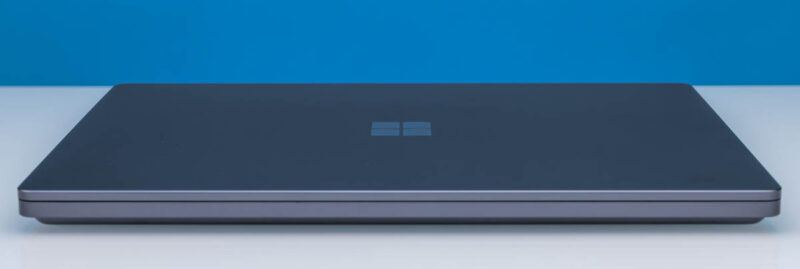
Microsoft is no stranger to designing laptops, of course. Their mainstream Surface laptops are already up to their 8th generation, and the Surface Pro 2-in-1s are too. But the company needs to step up its game with the Ultra. They are building a premium laptop, packing a more powerful SoC, and charging a higher price than ever.
The 15-inch laptop is meant to straddle the line between being a productivity laptop and a portable laptop. It is a bit too small to be a desktop replacement-class laptop, which means it is reasonably portable. But it is not a thin and light ultraportable like the smaller mainstream Surface Laptops. Instead, at 19mm thick and weighing 2kg on the dot, this laptop fits the developer-on-the-go mindset.
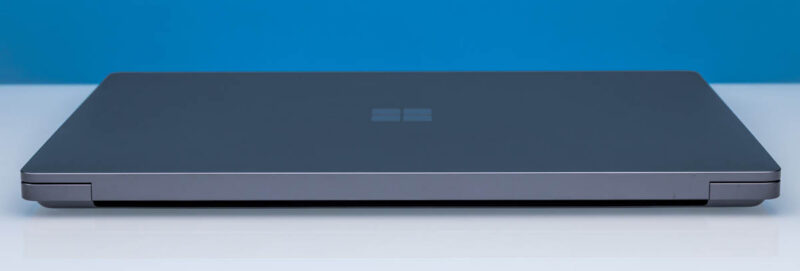
Microsoft is offering a few different configurations of the Surface Laptop Ultra. Most notably, a choice between 18- and 20-core versions of NVIDIA’s RTX Spark N1X processor. Regardless of configuration, there is only one body and one size available. This is not a laptop lineup bifurcated by size, at least not yet.
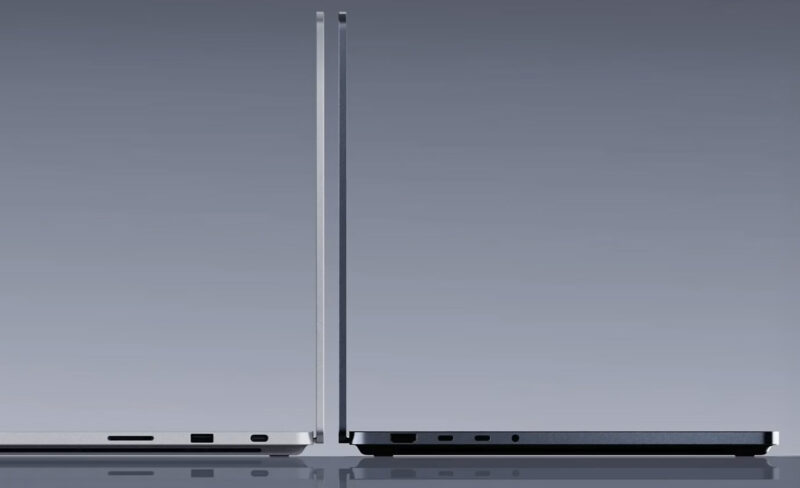
The body itself is made from aluminum, which is pretty standard fare these days for premium laptops. Microsoft offers it in either a “Platinum” (grey) finish, as seen with our review sample, or a “Nightfall” (black) finish. Many configurations are available in both colors, but on Microsoft’s pre-order website, Nightfall seems to be treated as the more premium option, since you cannot currently order a laptop with more than 32GB of RAM in the Platinum finish.
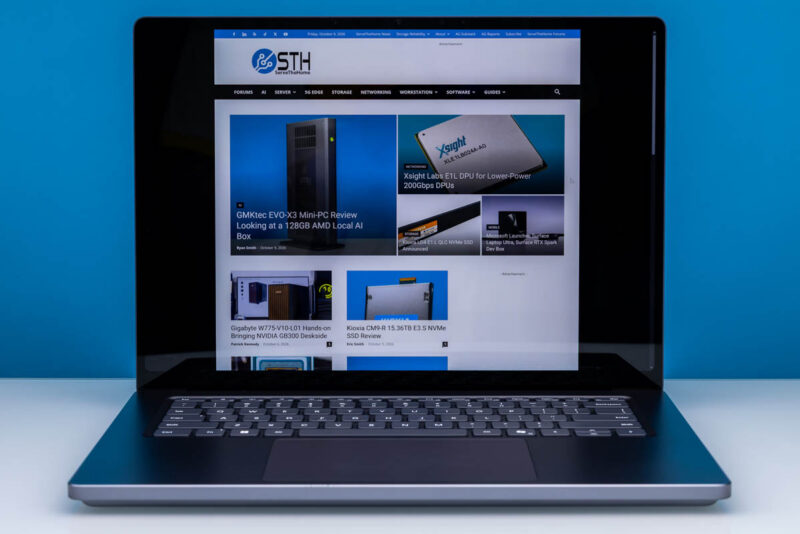
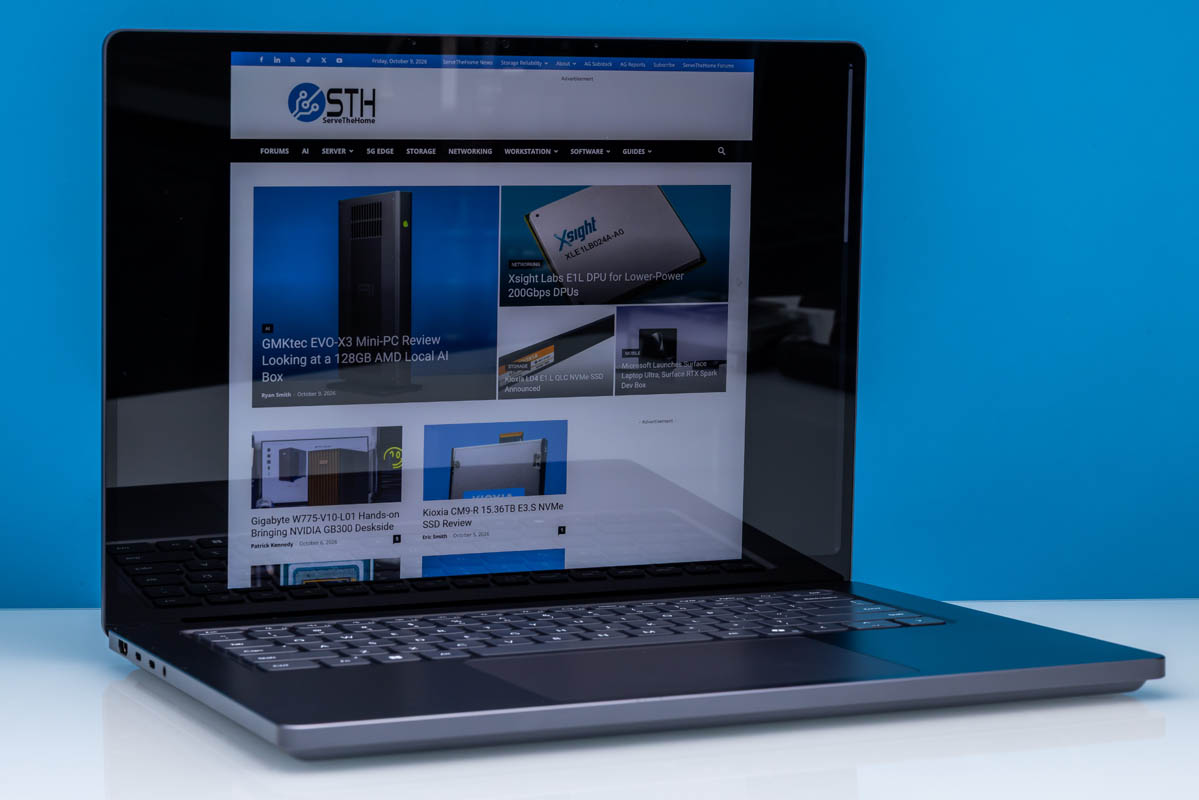
All Surface Laptop Ultras ship with the same display. This is a 15-inch high-DPI 3270×2180 “PixelSense” touchscreen LCD display. According to Microsoft, the HDR-capable display can reach an eye-searing max brightness of 2000 nits and cover the full DCI-P3 color space. For developers who need a bit more fluidity (or want to sneak in some gaming), the display also supports variable refresh rates up to 120Hz. Since this is a premium laptop, Microsoft color-calibrates the panels individually. It is not an OLED, but our STH studio team members who usually use MacBook Pros all thought the display looked sharp. If you really want an OLED for those deep blacks, other manufacturers are making RTX Spark laptops with other screens. Still, this is a touchscreen, which can be useful for many.
On the bottom deck of the laptop, we have Microsoft’s keyboard and haptic trackpad. As is typical for anything above budget laptops these days, this is a fully backlit keyboard. Microsoft is not duplicating Apple’s fingerprint sensor functionality here (relying instead on Windows Hello), so it is a keyboard that is just a keyboard. Meanwhile, according to Microsoft, the Ultra’s touchpad is their largest to date, larger than what is on the mainstream 15-inch Surface Laptop.
And while you can just barely spot it due to the very thin bezel around the LCD panel, Microsoft has embedded a full camera suite along the top edge of the display. At the center is a 1080p “Surface Studio” camera. Meanwhile, IR cameras flank it on either side to support Windows Hello.
For audio, Microsoft built in four downward-firing “OmniSonic” speakers, with two on the left front and two on the right front. Microsoft supports Dolby Atmos here. For users who need more enclosed audio, Microsoft explicitly confirms the laptop supports Bluetooth LE Audio, a feature that is still pretty rare on Windows laptops. Meanwhile, for audio input, there are a pair of microphones built into the body to allow for voice focusing.
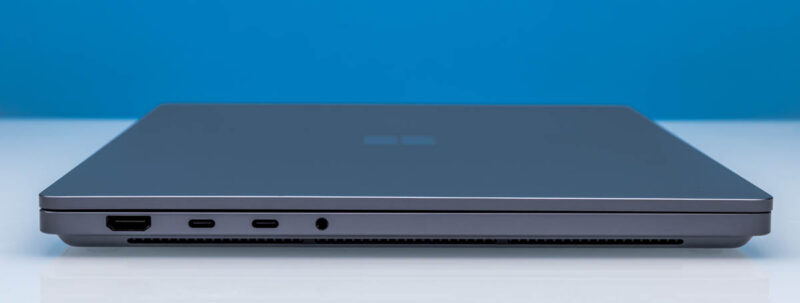
Meanwhile, when it comes time to plug something into the Surface Laptop Ultra, Microsoft has taken a somewhat restrained approach to the number of available ports. On the left side of the laptop, you will find an HDMI 2.1b port, two 40Gbps USB-C ports, and a 3.5mm combo audio jack. Surprisingly, Microsoft has not opted to secure Thunderbolt 4 certification despite the laptop’s premium focus. Still, at 40Gbps with full DP Alt Mode and 140W charging, these are highly capable USB-C ports. At present, we are still trying to suss out who is providing the controller driving them, as the RTX Spark SoC itself does not support 40Gbps USB speeds.
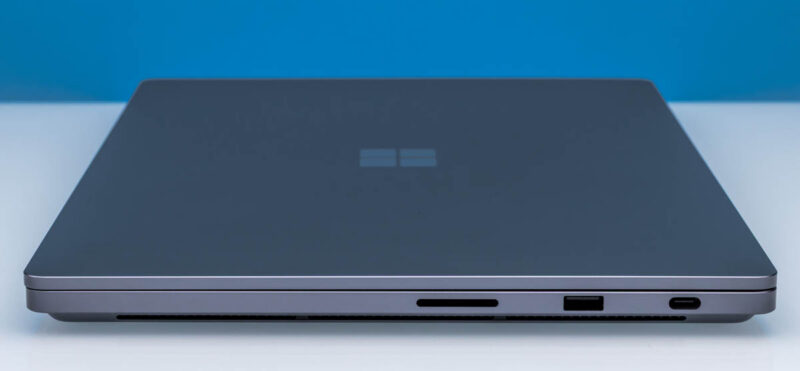
As for the right side of the laptop, things get a bit more interesting. On this side we find 3 ports: a full-size SD card reader, a 10Gbps USB-A port, and a special 40Gbps USB-C port that Microsoft calls its Magnetic Connect port.
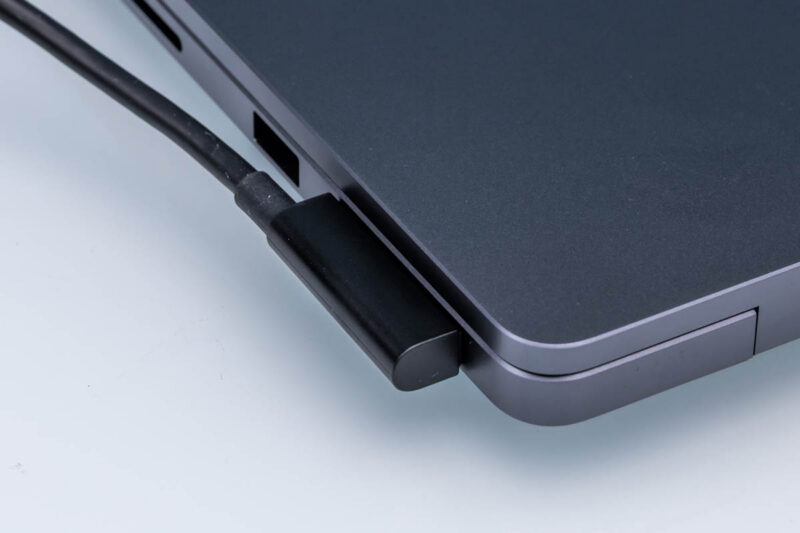
Replacing Microsoft’s proprietary Surface Connect port from past designs, the company has developed a magnetic USB-C port; Microsoft’s take on Apple’s MagSafe. Whereas MagSafe is only a charging port, the Magnetic Connect port is an upgraded USB-C port, meaning that it can be used for data as well and is otherwise a fully capable USB-C port. The magnetic aspect of the port is technically not the connector itself, but rather it is magnets that Microsoft has placed on either side of the port to help keep the charging cable firmly attached.
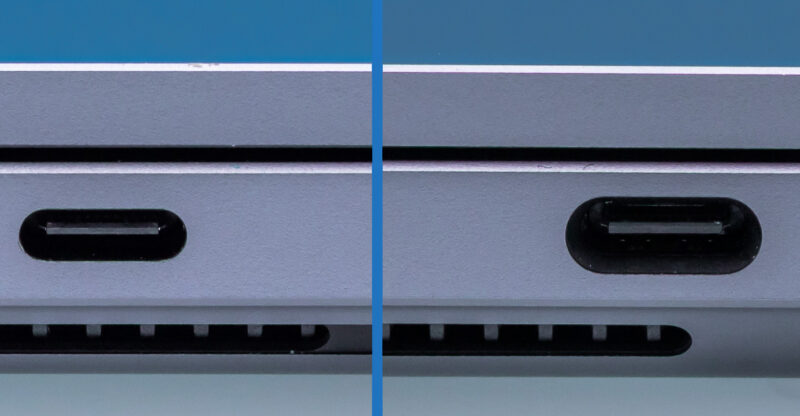
To further reinforce the port (or rather, to reduce the chance of breakage), the actual port is larger than a standard USB-C port. The connector inside is still USB-C through and through, but the body is larger to allow it to break away more safely from the intricate 24-pin USB-C connector. While the Ultra can accept a charge on any of its USB-C ports, you would need a standard USB-C cable to plug in to the USB-C ports on the left side.
That is all you will find for I/O ports on the Surface Laptop Ultra. It is less altruistic than some PC OEMs’ workstation laptops, but if we are sticking with the MacBook Pro comparisons, it is almost identical to Apple’s port collection.
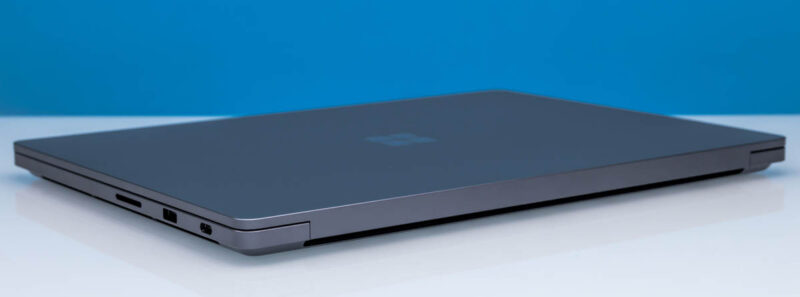
Rounding out our laptop look, here is a quick rear view. As we will see in greater detail in our internal teardown, Microsoft is using a pretty standard blower setup, with fans pushing hot air out of the system below the display hinge.
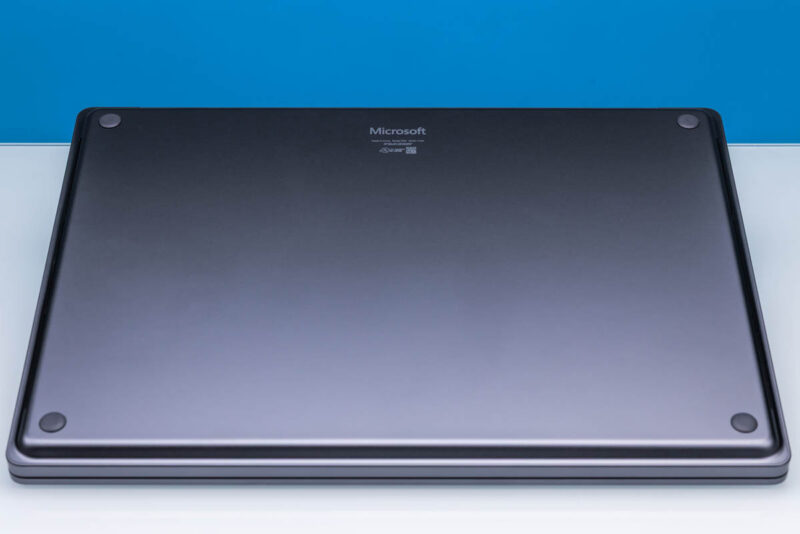
Finally, here is a shot of the bottom side of the laptop. We will get more into this in a moment, but the bottom of the laptop is exceptionally clean. You will not find any stickers here. Or vents or screw holes, for that matter. Just the Microsoft logo, a model number, and some simple regulatory information printed on to the aluminum plate.
With our tour of the assembled laptop complete, let us crack it open and take a look inside.