

Ubiquiti Flex 10 GbE USW-Flex-XG Internal Hardware Overview
Disassembling this switch to get to the switch chip took us something like 20 screws, removing rubber pads, and pulling off double-sided tape and thermal pads. We tested the unit before taking it apart just to ensure it did not impact our performance testing.
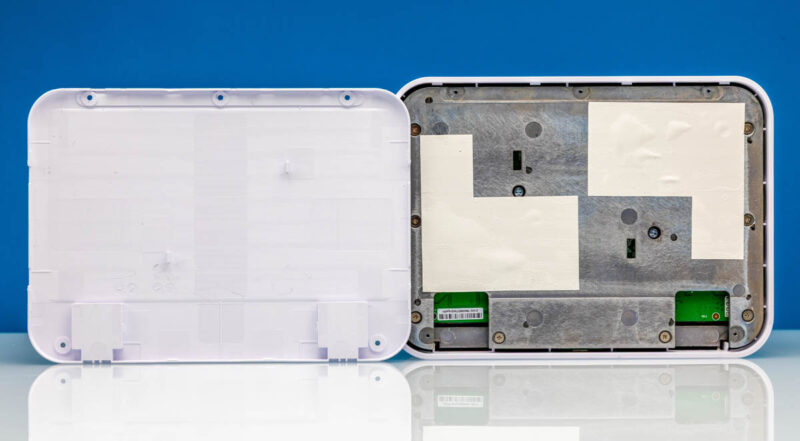
Something interesting about the chassis is that Ubiquiti has a PCB that sits between two big metal pieces to help with the heat. That is encased in plastic which feels like it would not be ideal for thermal management.
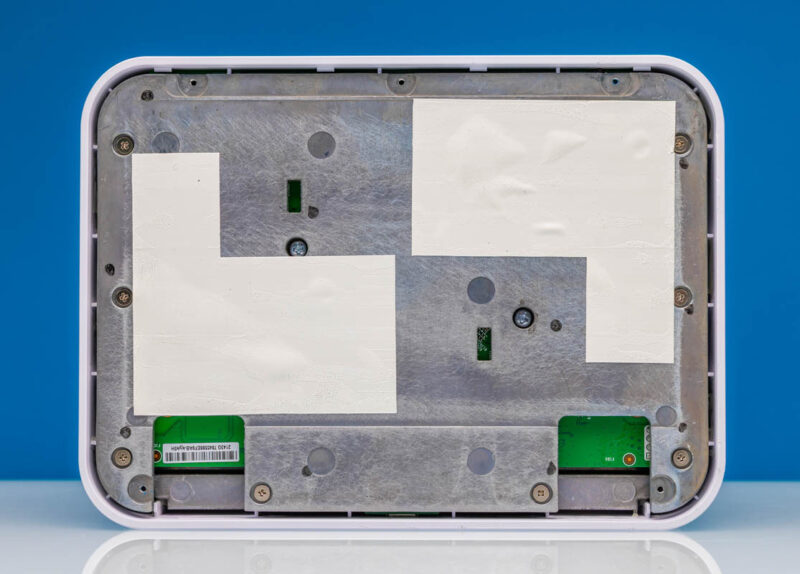
Several screws later, and we got the top plate off. There is a giant thermal pad on the bottom side of the switch PCB to interface with the bottom metal plate.
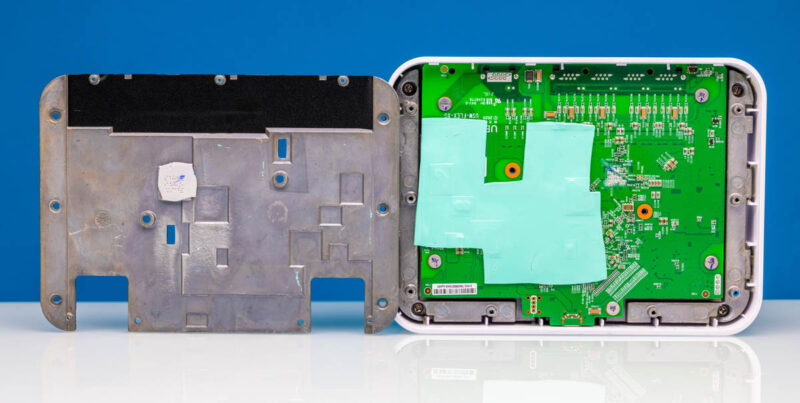
More screws came out, and we could pull the switch board from the top casing.
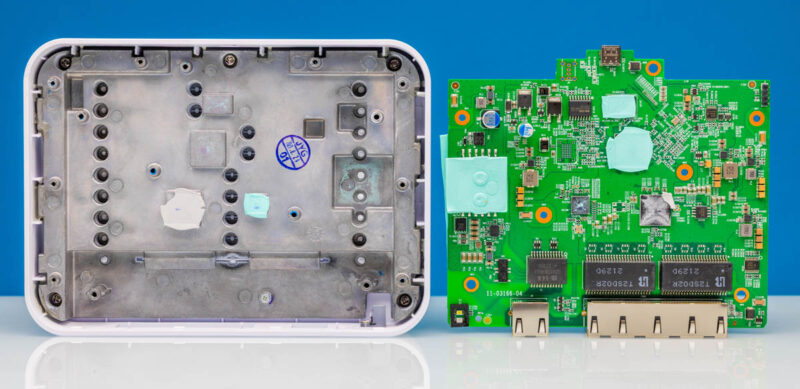
We pulled the pads off and flipped the board around, and we found a surprise.
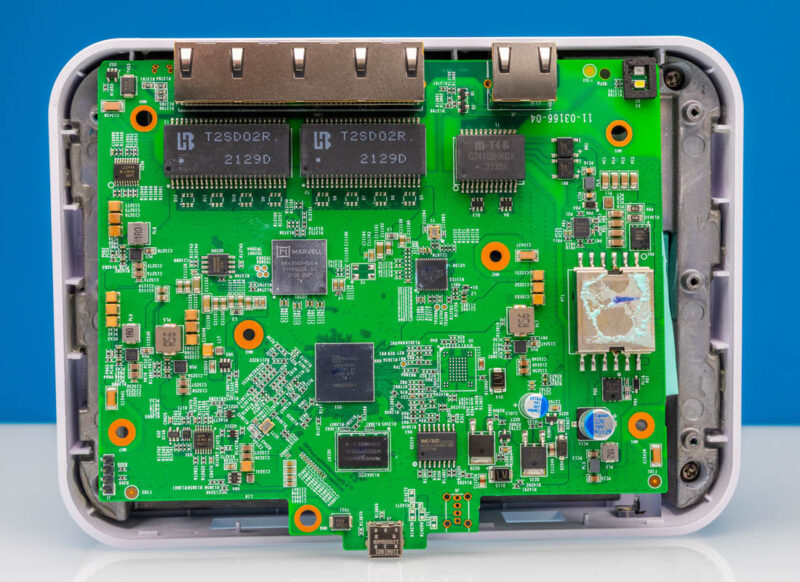
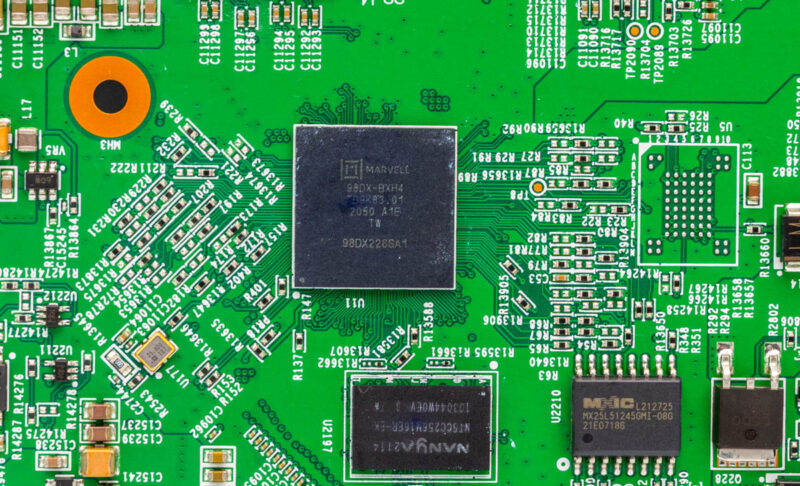
The main switch chip is a Marvell Prestera 98DX226S. MikroTik uses this in the MikroTik CRS310-8G+2S+IN but not the CRS304-4XG-IN. The 98DX25xx in the CRS304 is an update to the 98DX22xx.
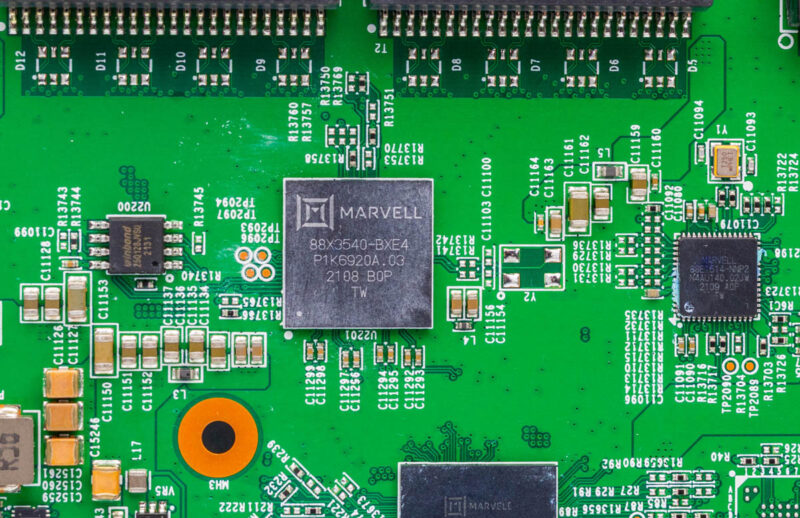
We found the same PHY as the MikroTik CRS304, however, as there is a Marvell 88X3540-BXE4.
At this point, there was a bit of a question whether that difference matters.
Next, let us get to the management.
Ubiquiti Flex 10 GbE USW-Flex-XG Management
The USW-Flex-XG is managed, but in a bit of a different way from many of the switches that we review. Instead of local management, it is managed by a LAN or cloud UniFi controller. Once the switch is adopted, it is updated, and then is available in the management interface.
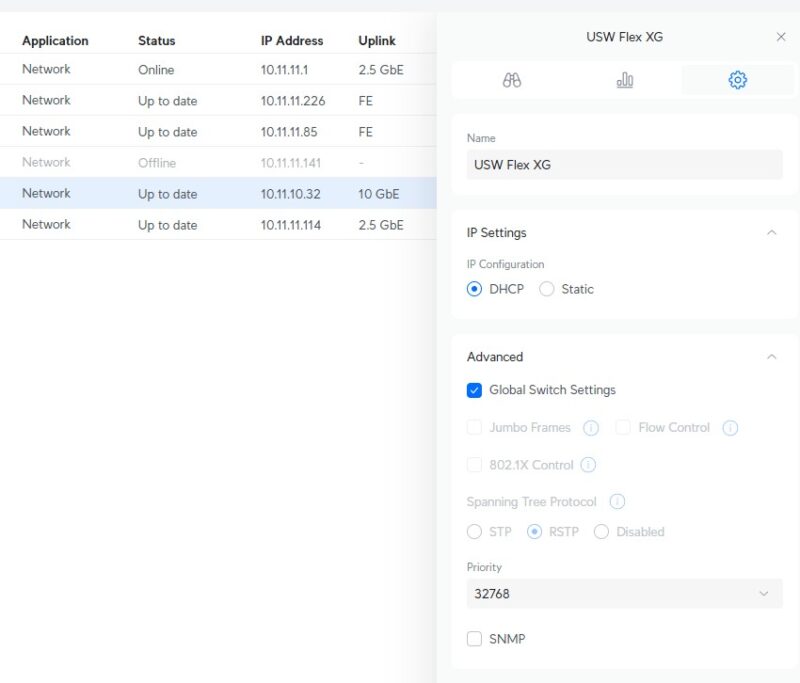
For those with expansive UniFi setups, this is great since there is a single pane to manage the switch from. You can go into ports directly, see usage statistics and more.
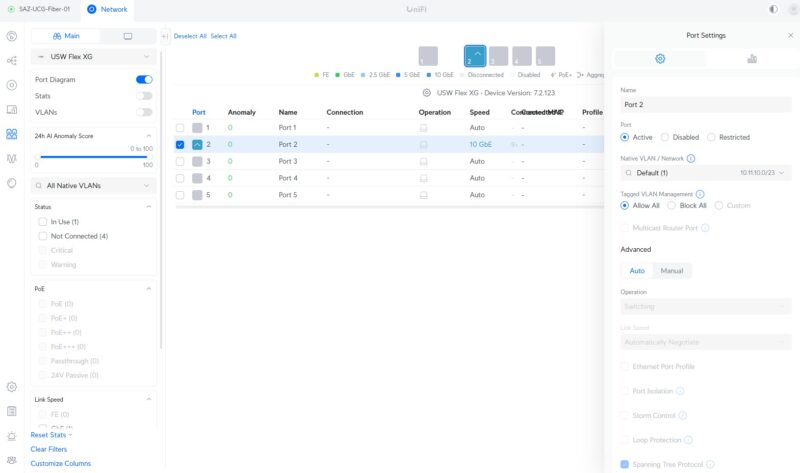
Still, feature-wise, MikroTik has more features in its local management. Also, local management means that the device is managed as a standalone switch, whereas you need to have a UniFi controller connected for the USW-Flex-XG. It is just completely different management philosophies between the two solutions.
Next, let us get to the performance.

I don’t care if it’s sponsored. If you’re showing us how it works and doing real performance testing instead of all of the AI slop the “influencers” push, I hope Ubiquiti drives a cement truck full of cash and dumps it on you. This is the Lord’s Work – and finally – a balanced review. I don’t need someone just spraying it’s great graffiti out there. STH is the best.
That testing and chip difference is something I’ve never seen before. I’m reading it and wonder if it’s because of the chip or the NOS on each switch. Can you put RouterOS on the Flex XG and test that?
It would have been perfect for my use case, connecting my summer house to the main house with 10G, except for the 1G bottleneck on the PoE in port (the place where the Cat6 lands in that annex does not have a conveniently placed power jack). I ended up using two cheap £30 10GBaseT to SFP+ media converters from AliExpress so I can use my existing Ubiquiti switches with SFP+ ports. Another option is to use the much more capable XG 8 switch, but it’s double the price.
I have a bunch of Flex XG in production. They are pretty good overall, although I have seen a few stop relaying data on a few occasions (my guess is that it overheated but can’t prove that).
The one thing I hate about them, though, is that the time to reboot and come back online is VERY long. Absurdly long in my opinion. It takes more planning on firmware updates than I would like because it is soooo long to reboot.
I ended up using two cheap £30 10GBaseT to SFP+ media converters from AliExpress so I can use my existing Ubiquiti switches with SFP+ ports. Another option is to use the much more capable XG 8 switch, but it’s double the price.
$299 is anything but “low cost,” especially for a 5-port switch. 10G networking is ancient at this point, yet it’s still being sold at absurdly inflated prices. The fact that you can get 25G network cards for nearly the same cost should say something.
Can I just mention that showing two Google AI answers isn’t something I come to any site I trust for. If an author can source and verify what chip is used for something (here, the author found a Reddit post was the actual source for the first answer), or a performance comparison between two models that the reviewer has on hand, it should be research they make to save readers’ time, not asking a low tier LLM and showing its answer (.
I wouldn’t normally be so critical, so apologies for the harsh pushback, but this really stood out as the equivalent of, ‘Here’s what ChatGPT had to say about this product’. The internet is now filled with this already.
LLMs have their place but reviews where the entire value from a reader’s point of view is seeking first-hand/verified facts and benchmarks isn’t where they should be, certainly not as low effort as showing what a Google search AI widget had to say which any user can ask themselves.