

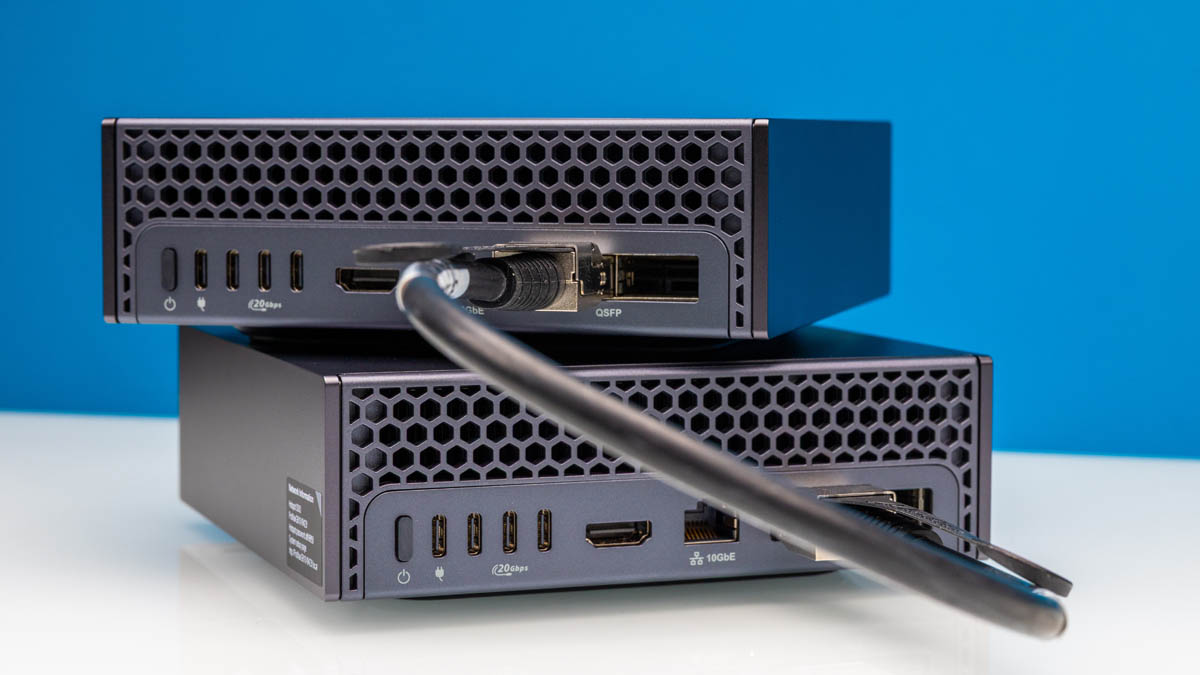
Perhaps the biggest feature of the NVIDIA DGX Spark and other GB10 platforms is the NVIDIA ConnectX-7 networking. We put this in the original NVIDIA DGX Spark Review, but how NVIDIA connected the GB10 networking is a topic worthy of a deep-dive. This is one to share with anyone who is looking at scale-out GB10.
They Connected it HOW?
When you see the rear QSFP ports on the NVIDIA GB10 platforms, and read it is a 200Gbps ConnectX-7 part, you might think that it is straightforward connectivity. When we first saw the systems, we thought NVIDIA had a PCIe Gen5 x8 or Gen4 x16 link to the GB10 SoC, with the Gen5 x8 perhaps being more likely to minimize the I/O pins required. Generally, this is how a large number of folks talk about the NVIDIA GB10 ConnectX-7 connectivity:
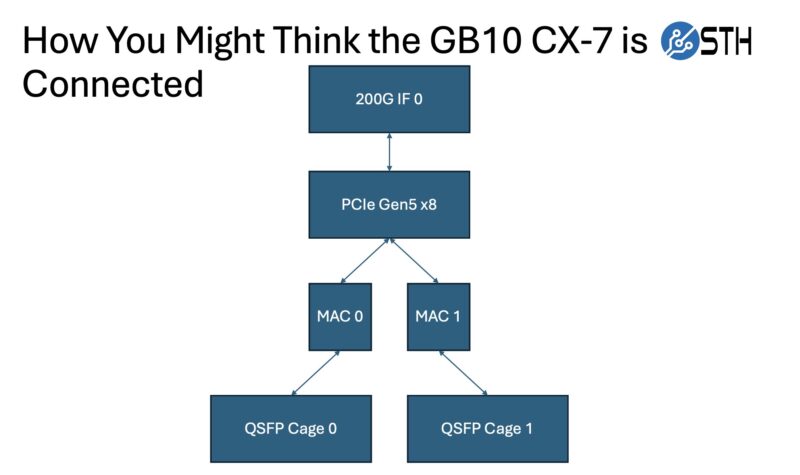
All great thoughts, but instead of that simple design, NVIDIA instead went wild.
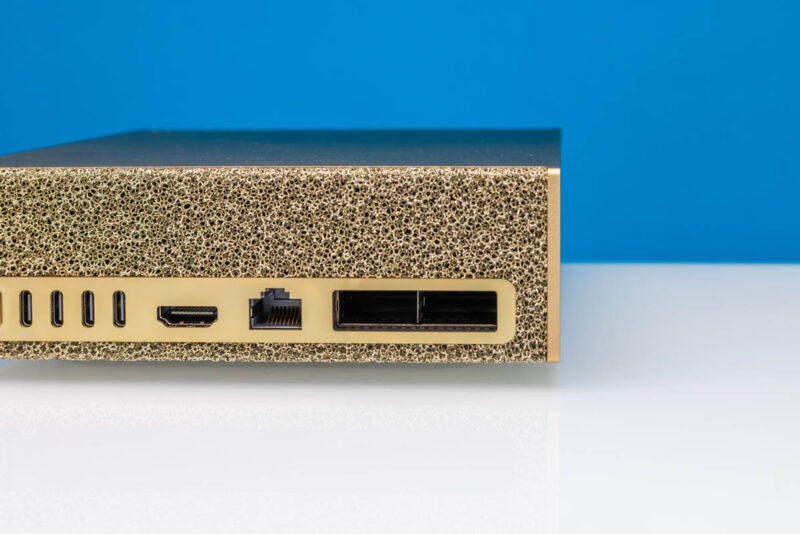
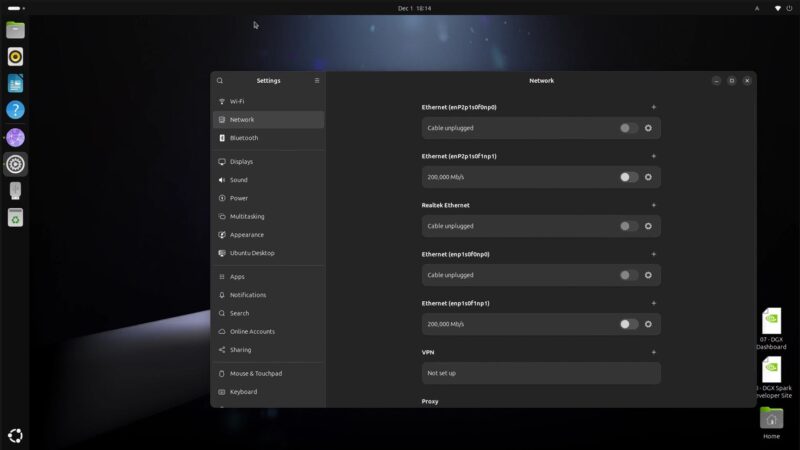
Let us take a step back. When you log into a GB10 system (we have tried the NVIDIA DGX Spark, the Dell Pro Max with GB10, and ASUS Ascent GX10 at this point) you will see four network interfaces.
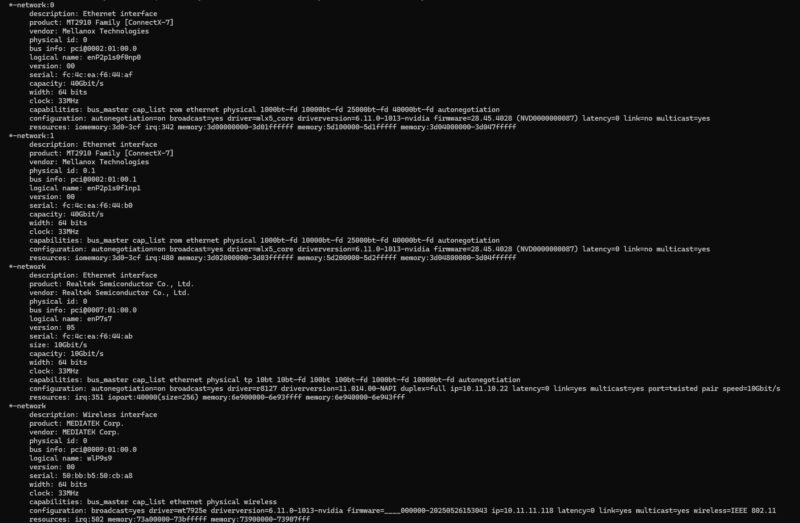
Diving into the topology, we can see the four interfaces and both 0000:01:00.0 / 0000:01:00.1 and 0002:01:00.0 / 0002:01:00.1 as the PCIe addresses.
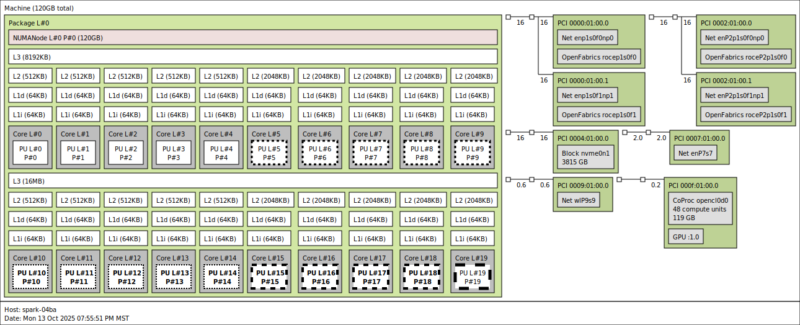
Armed with that information, we can go into the PCIe view, and see that we have two 32GT/s PCIe Gen5 x4 links. That matters because a PCIe Gen5 x4 link is roughly 100Gbps. That is also why we need a PCIe Gen5 x16 link to service 400GbE NICs at full speeds on higher-end AI servers.
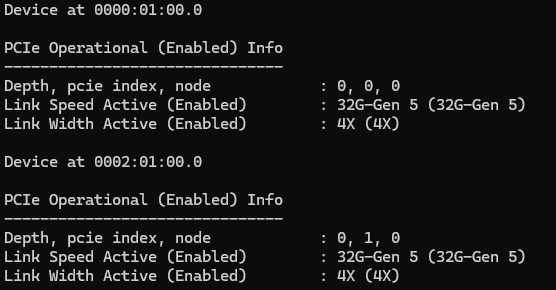
With four interfaces in the OS, two ports on the rear faceplate, and two PCIe Gen5 x4 links to the NIC, the next question is would we easily get access to a full 200Gbps of networking? Better said, would the dual x4 links be as transparent as if they were a single x8?
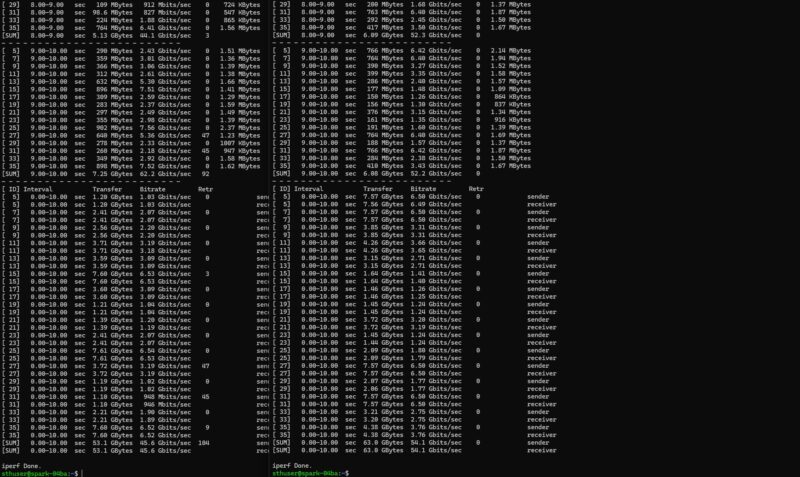
That was a hard no. We took the two GB10’s, and loaded up iperf3 and just blasted traffic across.
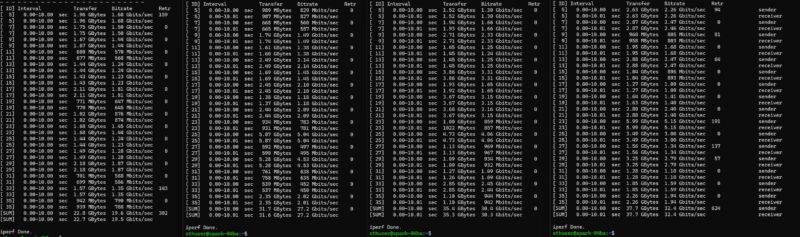
We scripted this and eventually got to around 160-198Gbps out of two ports, depending on the direction of traffic, using jumbo frames and 60-64 parallel streams.
Here is what is really going on from an internal connectivity and networking side:
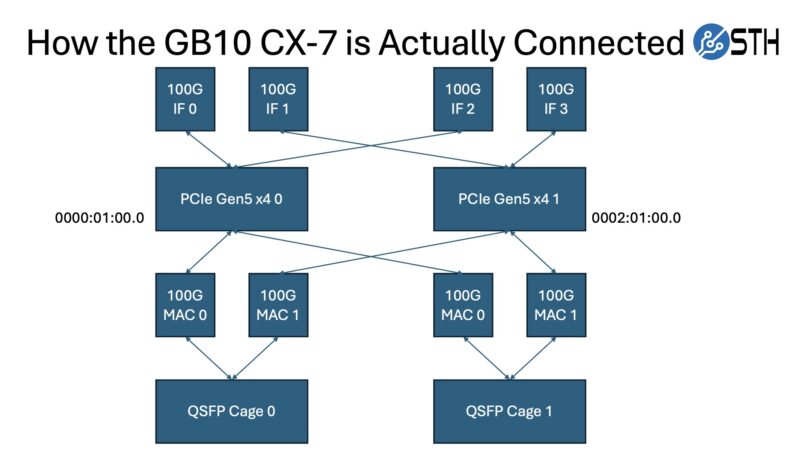
What is happening is that we have four network interfaces being presented to the OS. Those OS interfaces each go from the host CPU to a pair of PCIe Gen5 x4 interfaces on the hardware side to the ConnectX-7. That ConnectX-7 then has two 100G MACs per physical port on the system. Those two 100G MACs are aligned to different PCIe Gen5 x4 ports.
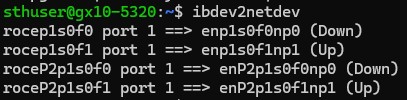
Getting 185-190Gbps required using RoCE and the NVIDIA Perftest tool, setting static IP addresses for the interfaces aligned to the 100G MACs on one of the QSFP cages, carefully ensuring we are obeying the topology of the system. If you mess this up on either the sending or receiving GB10, then you end up running two links through one PCIe Gen5 x4 link and get ~92-95Gbps. Generally, the RDMA_Write BW Test should give you ~0.176-0.188Mpps and 92-98Gbps. We are not sure why, but there was often a 4-6Gbps difference between the ports. We observed this regardless of the GB10 system vendor (NVIDIA, Dell, and ASUS.) Perhaps we have to do better core pinning or something, but at roughly 190Gbps combined, we are thoroughly in 200Gbps territory.
The Strange Implication for Scale-Out
Here is where things get a little bit strange: how do you effectively scale this out? If you have a switch that can support 200G ports or breakouts, then that is likely the right path forward. This is also similar to doing a two-node setup with one cable (look for Mellanox/ NVIDIA HDR cables). For many, I wonder if they are instead going to just hook the QSFP cages up to QSFP28 ports on 100GbE switches that support features like PFC so you can do RoCE over them and have 100GbE links. Remember, 100GbE is roughly a PCIe Gen3 x16 link’s worth of bandwidth, so it is a decent speed.
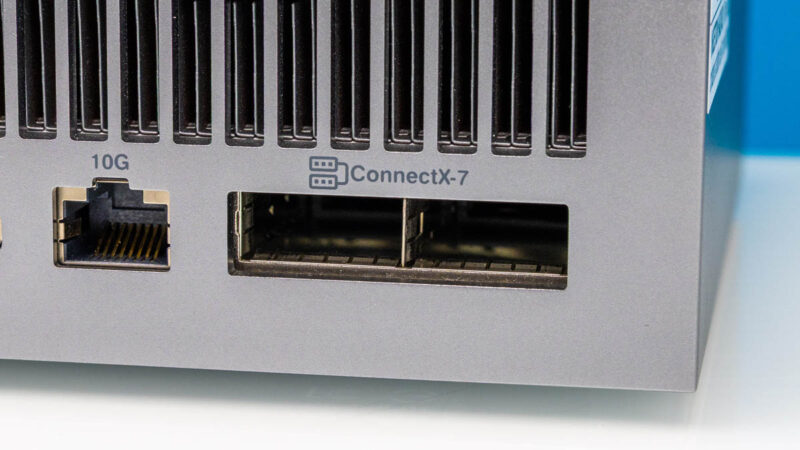
What became very challenging was managing the interfaces. When you have five GB10’s, each with four ConnectX-7 interfaces, that is a lot. For a given cable, only one of the possible combinations will provide you with 200Gbps of throughput. The number of times we have gotten results in the 80-100Gbps range instead of 180-200Gbps has been a lot.
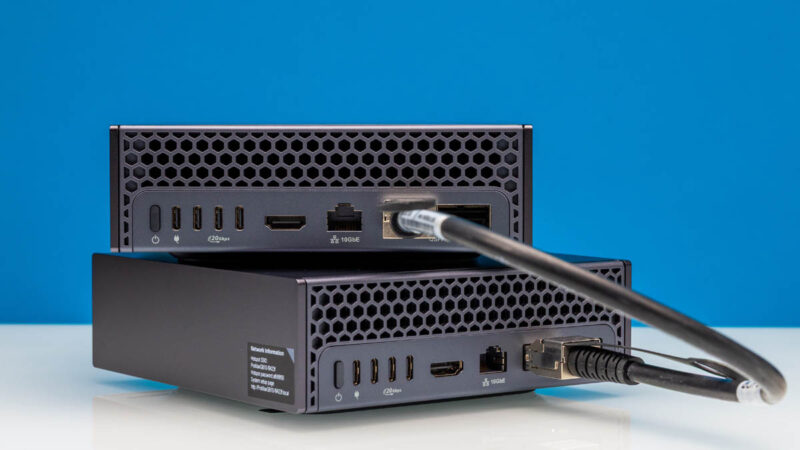
The key is that if you use two ports, our advice would be to think of them as 2x 100G links instead of 2x 200G links. If possible, we suggest opting for using a single 200G link even if there are two physical ports. If you are a networking guru, feel free to disregard that advice, but for most folks that mental model will save a lot of frustration.
Final Words
I guess the big question is whether NVIDIA actually has 200Gbps networking. The answer is yes. On the other hand, it is much less straightforward than it could have been if the GB10 had a PCIe Gen5 x8 connection to the ConnectX-7 instead of two PCIe Gen5 x4 links. Perhaps put it another way, if this were just an x8 link to the CX-7, we would not even have to do this post. Recall that the GB10 was designed as a consumer part by NVIDIA. If you think about it from that perspective, and you have a solid Arm CPU and a solid NVIDIA GPU in one package, which would make adding a PCIe GPU less attractive. In a consumer system, you might want to connect some SSDs, maybe a 10GbE NIC or two, and some USB. This might sound strange, but it almost feels like a GB10 limitation that is forcing this dual x4 connection instead of a single x8. If it is not a chip PCIe root limitation, then I am hard-pressed to understand why you might design it this way.
If nothing else, folks will read this and, with the mental model on how these are configured, will have a better sense of how to extract performance from these parts. The key is that you really can only load a PCIe Gen5 x4 link to around 100Gbps, and you need to load both x4 links to extract 200Gbps from the NIC. It is neat that we can achieve this level of performance, but it also takes some work.
We sense that this will be a piece we revisit as we learn more. Still, it feels like a lot of folks go into the GB10 platforms without the fundamental understanding of the peculiarities of the ConnectX-7 implementation in the platform. Since the GB10 units we have seen share a motherboard, this should apply to all of the currently available GB10 units. Our hope is that we can turn this into a reference piece for folks.
If you want to find some of our other NVIDIA GB10 content:
- NVIDIA DGX Spark Review The GB10 Machine is so Freaking Cool
- Dell Pro Max with GB10 Unboxing An Awesome NVIDIA GB10 AI Workstation
- NVIDIA DGX Spark and Partner GB10 Firmware




NVIDIA Comment on the ConnectX-7 implementation in the platform:
This is the expected behaviour due to a limitation in the GB10 chip. The SoC can’t provide more than x4-wide PCIe per device, so, in order to achieve the 200gbps speed, we had to use the Cx7’s multi-host mode, aggregating 2 separate x4-wide PCIe links, which combined can deliver the 200gbps speed. As a consequence, the interfaces show 4 times, because each root port has to access both interface ports through a x4 link. For maximum speed, you can aggregate all ports, or for a single cable, aggregate enp1s0f0np0 with enP2p1s0f0np0 for instance, using balance-XOR (mode2).
Hi Raphael – we had that dual PCIe Gen5 x4 bit in our mid-October DGX Spark review. I think the big add here is just showing a diagram with how this all works since not everyone can go through text and get that level of understanding.
I ordered the Dell variant of this box, and have an expected delivery date of December 12th.
I also looked at other partner systems and the Nvidia box as well.
I just noticed a big notice, and I am providing it as a public service announcement:
Buying the ASUS variant of this device is quite risky, and I cannot see it as a viable option:
https://shop.asus.com/us/90ms0371-m000a0-asus-ascent-gx10.html?vtime=1764634329765
—
ASUS Ascent GX10 Personal AI Supercomputer
Due to specialized design of GX10, all sales are final.
GX10 is shipped with a customized Linux-based OS optimized for AI workloads and is not designed for general-purpose consumer OS.
No returns will be accepted once the order is processed.
Defective units under warranty may be returned for repair or replacement, subject to inspection and approval.
—
This is a really unfortunate result of them doing a fast cut-n-paste job on SoC design. The GB10 is clearly nVidia’s answer to the question “what is the quickest and lowest-effort way we can build a small AI SoC that will be good enough for a terribly underserved market?” rather than “how can we build a great SoC for all our small AI customers?”.
Honestly I’m really surprised by this. This is a very pre-2020 Intel way of doing things. I’m not sure I’d go so far as to say it shows contempt for their customers but it’s at least part of the way there.
I’m bookmarking this for the diagram. I just ordered the Dell one now that we have budget this month.
It would be interesting to see how the DGX Spark networking compares to AGX Thor.
Thanks for this, I’ve been on the hunt recently for a PCIE Connecx-7, to connect my 2 Sparks to my 5090, a ‘Spoke’ I believe it’s called but doing so would cripple the performance after reading this.
I’ll grab some popcorn till the dust settles,
THis article has to be most convoluted way of saying GB10 is overpriced shit without actually saying it directly.
It’s hard to say it’s overpriced now with memory prices. If you’re paying $1200-1500 for 128GB of DDR5 at today’s prices, then its $1500-1800 for the CPU, GPU, 1TB, 10G, WiFi, and CX-7 all in a tiny box. That’s quite fair pricing.
@RealTime3392 Thor only has 100Gb total so it probably sits on a single x4 link. Apparently it is a bit odd as it can be configured as 4x10Gb or 4x25Gb but you have to reboot and reconfigure.
It is AI developement/prototyping/learning box. Stacking 2 (or even 3) of them without 100/200Gbps switch is already good enough.
Overcoming SoC limititations by levereging CX family “Multi-host” capability shows flexibility of technical stack.
NVidia does not advertise this box as 400Gbps. Initially it was even hard to understand if it is 2x100Gbps or 2x200Gbps Phy, because it was advertised as 200Gbps box (which it is). 2x100Gbps or 1x200Gbps – is flexibility, not limitation.
This no way directed to ServeTheHome. You are great guys, thanks a lot for your posts and all insights. It amazes me how a lot of people simply does not understand GB10 concept and purpose – developement/prototyping/learning box.
To those who bought one for their business what are the use cases and how does this affect scaling plans?