

MiTAC G8825Z5 AMD Instinct MI325X UBB Tray
In comparison, the UBB tray uses much more power, but is also much easier to track what is going on.
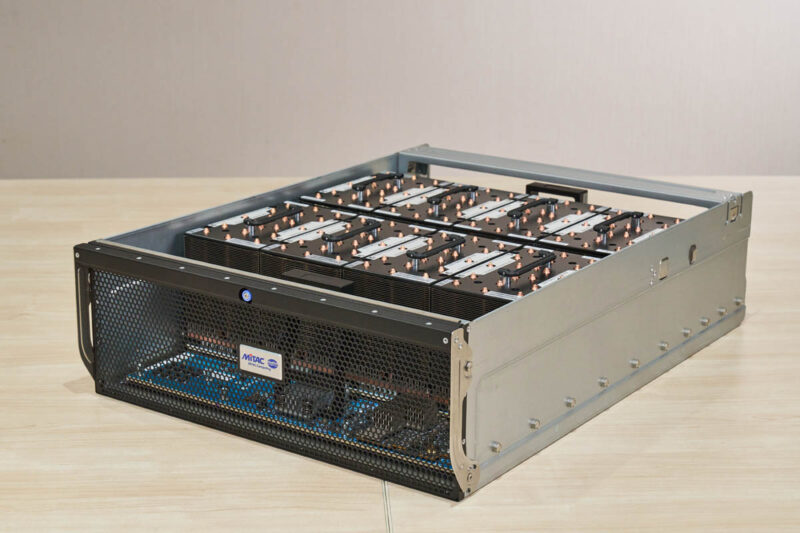
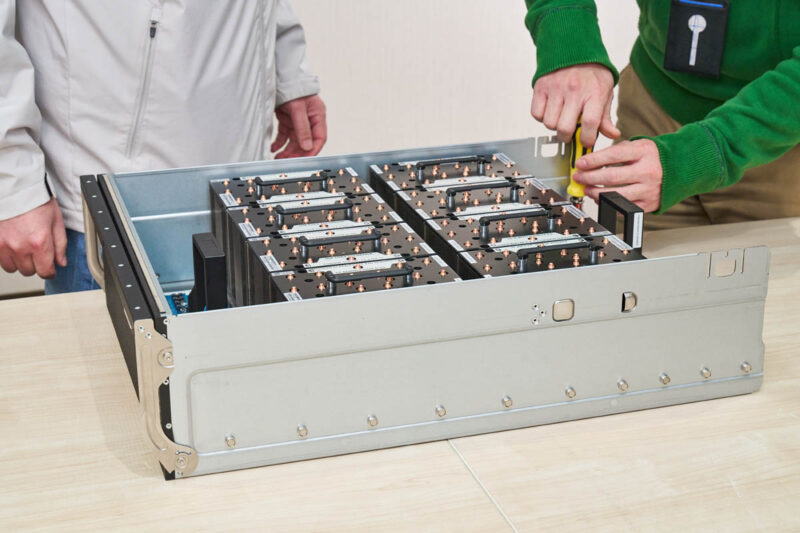
The big feature is the array of eight OAM modules. Each is an AMD Instinct MI325X with 256GB of HBM3E memory onboard. Something AMD touts with these accelerators is the memory capacity because that means 2TB of HBM in the system. In turn, that means larger models can fit in a system without needing to go over the network to another system.
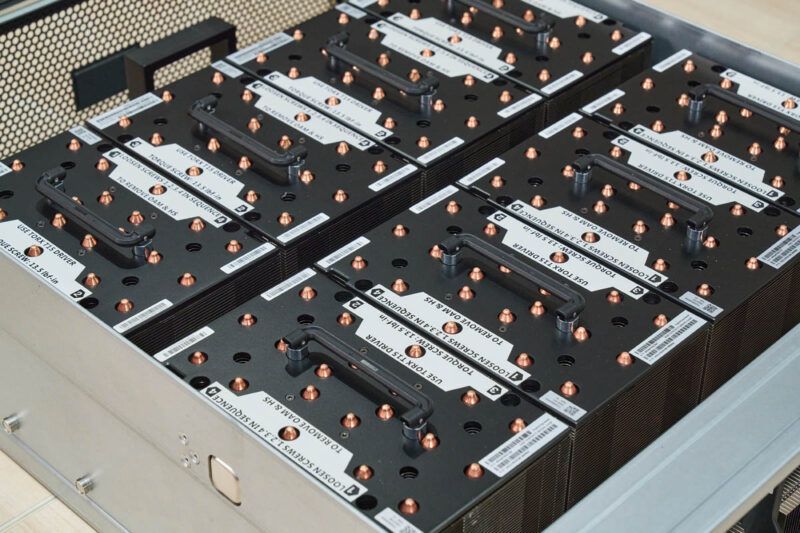
On the other side, we get the UBB connectors and a wall of heatsinks.
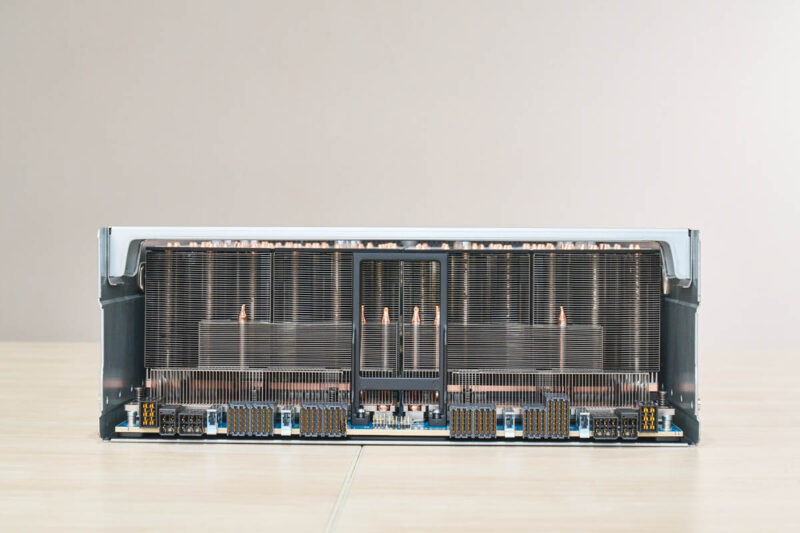
The big heatsinks in the rear are for the GPUs. Since each GPU is rated for up to 1kW of TDP, we need larger heatsinks in the air-cooled server.
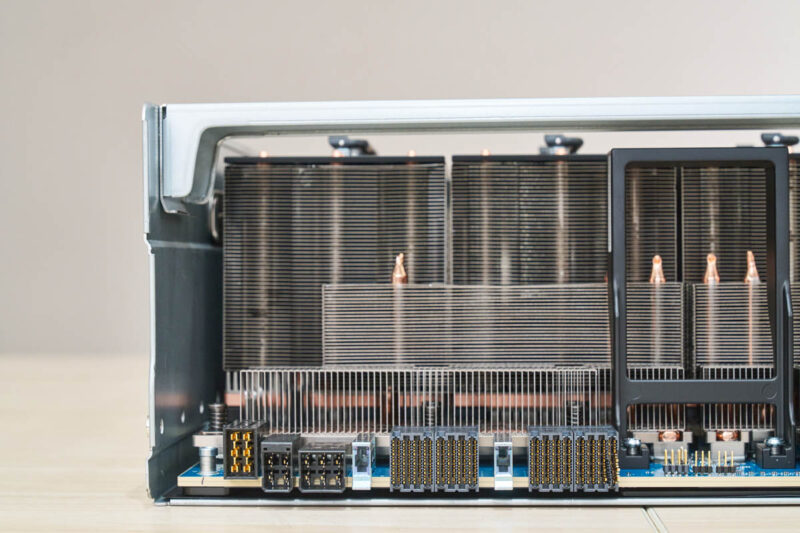
We also have standard UBB connectors on the baseboard.
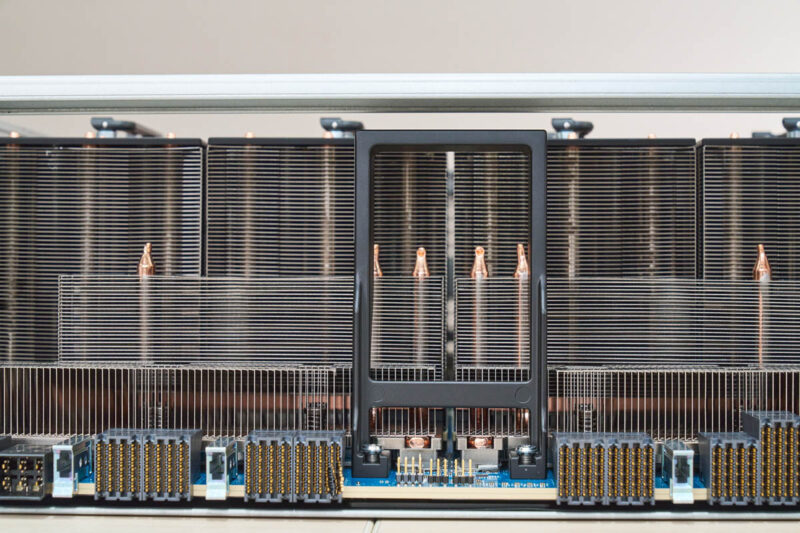
In the front, AMD uses a control module for the baseboard.
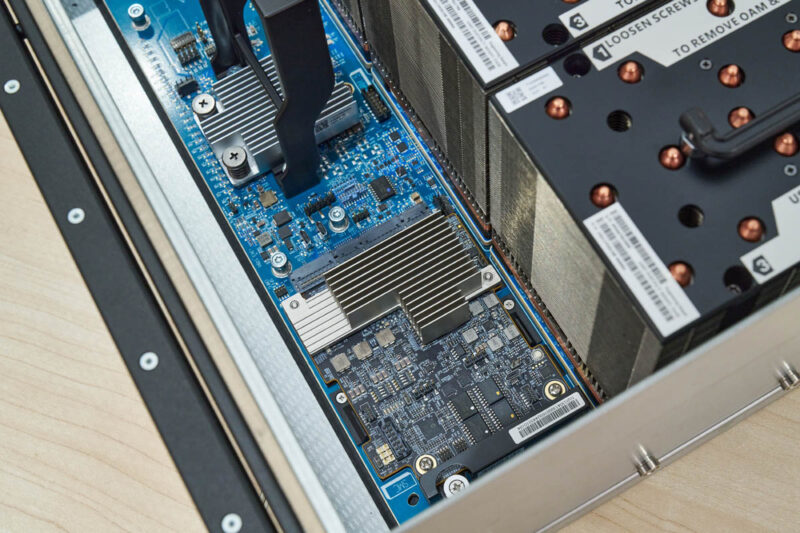
There are also heatsinks for the PCIe retimers on the board that help with signal integrity between the board and the PCIe switches.
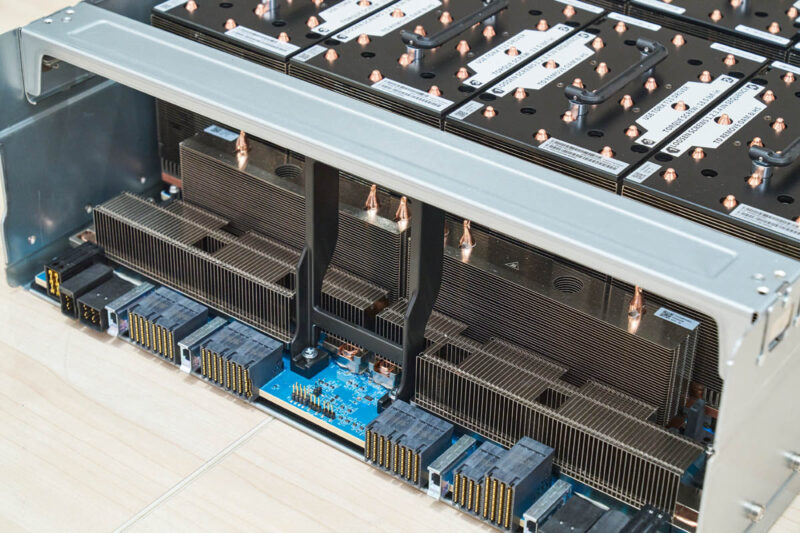
In case you were wondering, those large black bars are actually handles. Here is what one looks like when it is being moved into position via handles.
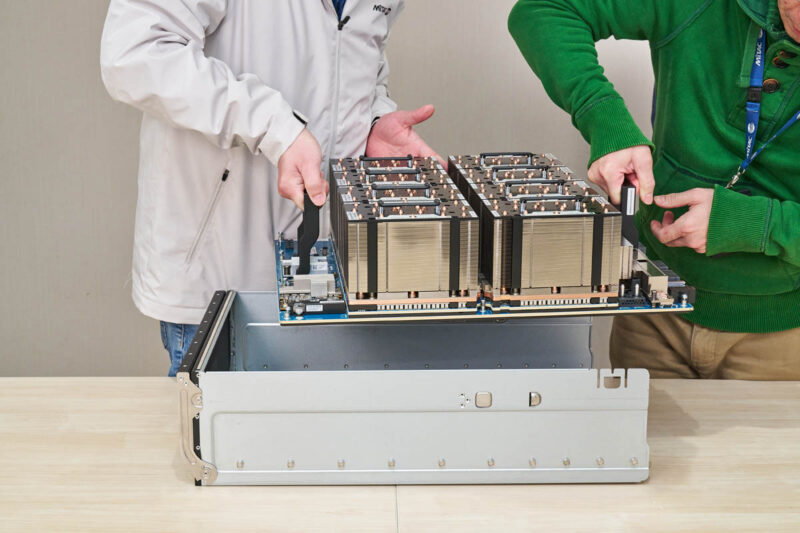
Remember how we said earlier that the UBB connectors are fragile? We found that one on this system had seen some damage so we had to replace it to take photos. Between the extra motherboard, PCIe switch board, and swapping in the extra MI325X UBB, it was a good thing we were at MiTAC HQ for this.
Next, let us get to the block diagram and topology.
MiTAC G8825Z5 Block Diagram and Topology
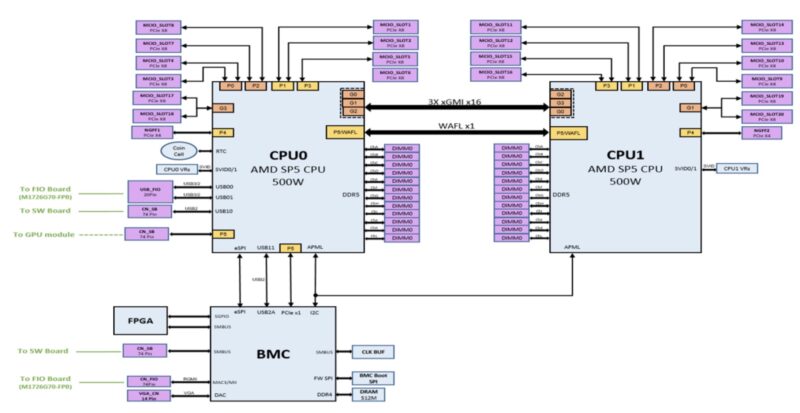
We could not find a system block diagram other than the motherboard diagram. This at least tells us we have three xGMI links between the AMD SP5 sockets. In these AMD Instinct MI325X systems, the three xGMI setup seems to be much more popular than a four xGMI setup because the GPUs are designed to scale out through NICs dedicated to each GPU instead of crossing the socket-to-socket link.
As a quick one, here is the topology of the system:
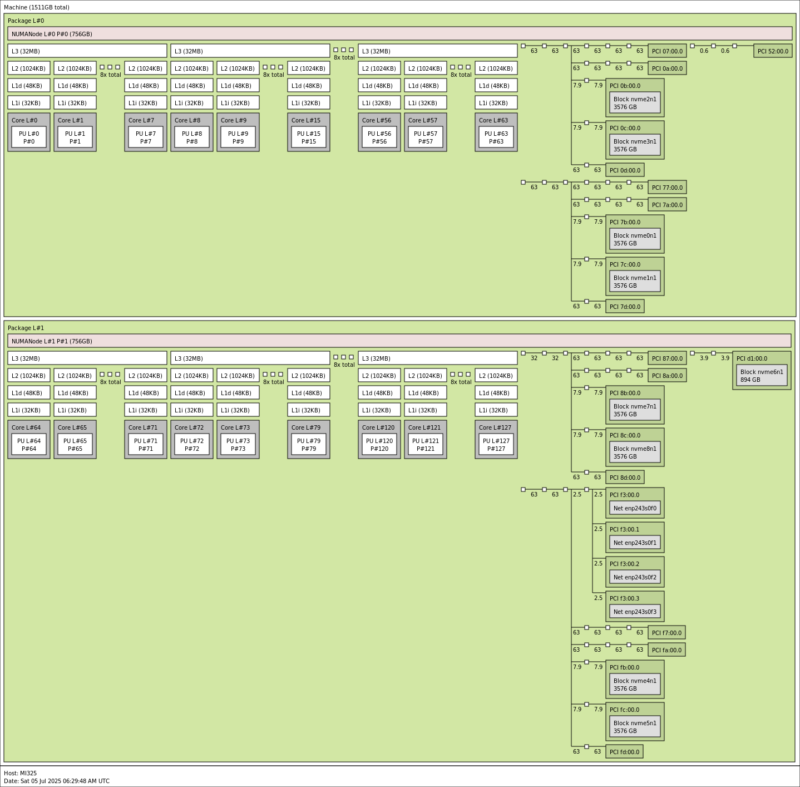
As you can see, this system is hugein terms of the number of devices that are attached. We will also quickly note that we have a single node test configuration so there would likely be some changes to the storage and NICs for a scale-out system.
MiTAC G8825Z5 Performance
In terms of performance, we had dual AMD EPYC 9575F CPUs. These are ultra popular 64-core models in this space because they also maintain a high frequency. There are often a few schools of thought regarding CPUs for these systems. Some go with the highest core counts. Others go for lower core count but higher frequency parts. This is the second school of thought being implemented.
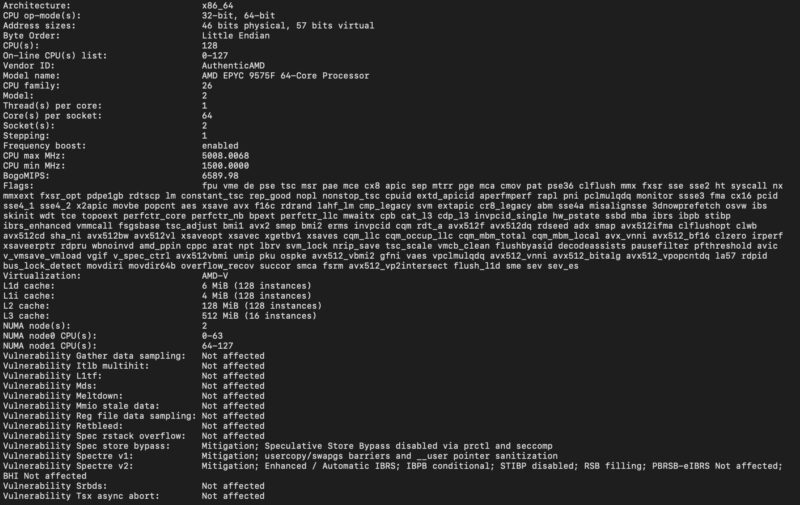
Still, we wanted to validate that we were getting the performance we would expect from the CPUs so we compared the performance to our reference 2U server:
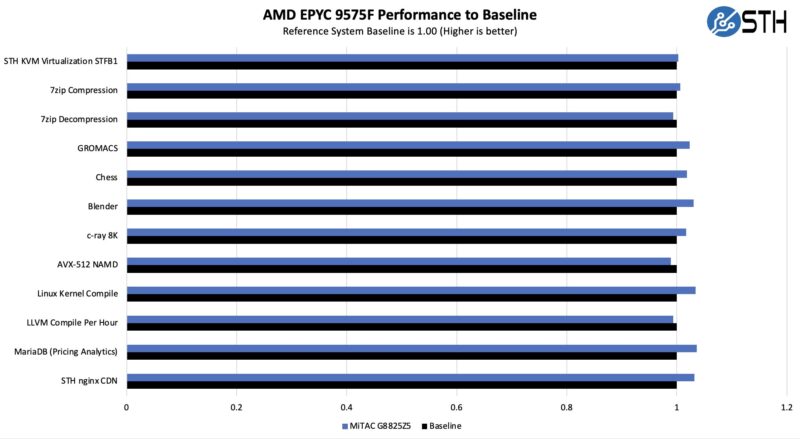
One of the big challenges in these big AI servers is keeping the CPUs cool. MiTAC is doing a great job in this area.
On the GPU side, we have been testing a number of these systems. We used vllm for Llama 3.1 and sglang for Deepseek-R1. On the LLama 3.1 side we used 128 input tokens and 2048 output tokens since that tends to be a sweet spot we found. We also used a batch size of 8 for our latency comparisons. On the Deepseek-R1 we were using the same 128/2048 and at a concurrency of 64 with the mean inter-token latency as our latency comparison point. Performance was on par with other systems. It is crazy to see 5000 tokens/ s on some of these huge and high-quality models.
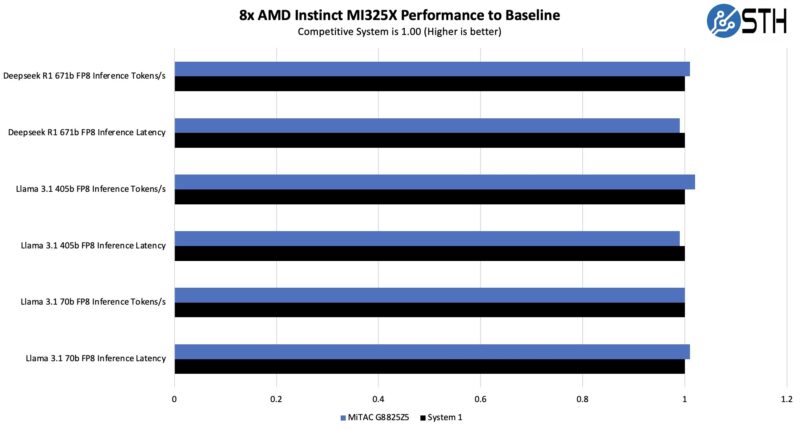
Here the MiTAC platform is doing exceptionally well. We have a screenshot in the power consumption section, but MiTAC’s design is doing a great job at cooling the GPUs.
Next, let us get to the power consumption.




Great deep dive into the MiTAC G8825Z5. The tray-based serviceability and redundant PSU setup are impressive, especially for dense GPU workloads. It is fascinating how designs like this balance airflow and expansion. Thanks for the detailed breakdown.
Roughly, how much would this beast cost?
(I know, I know, if you have to ask…)
@TurboFEM: I’ve been debating about buying a house in La Jolla, CA, or just keeping my apartment in Akron, OH . . . in the end, it’s really not a difficult choice, as I don’t need to move ;)
All well and good, but will it run Crysis?
That last photo is great, a Patrack.
Also great is when the manufacturer has their webpages up for this and it’s brother.
They also have a DOCs page (with PDFs) and a cool YouTube video of an exploded view fly-through:
https://www.mitaccomputing.com/en/products/8U_Rackmount_Server
https://www.mitaccomputing.com/en/documents/Barebones/G8825Z5_G8825Z5U2BC-325X-575#dc
https://www.youtube.com/watch?v=TQBd3mHhtZo
Thanks for bringing this to us, even if we can’t afford it. @TurboFEM 8*30K + Memory+ 2 processors, SSDs and network cards. So, north of 1/2M.
“Laurence ‘GreenReaper’ Parry September 1, 2025 At 10:05 pm
All well and good, but will it run Crysis?”
*How many 4K instances of Crysis can this run?
Nice write-up Patrick!
BTW, what tool do you use to display the PCIe topology like that?
Reach out to ussales@mitaccomputing.com for more information for G8825Z5
@Ash
That is the lstopo command
default output is graphical, but there is also an ASCII output.