

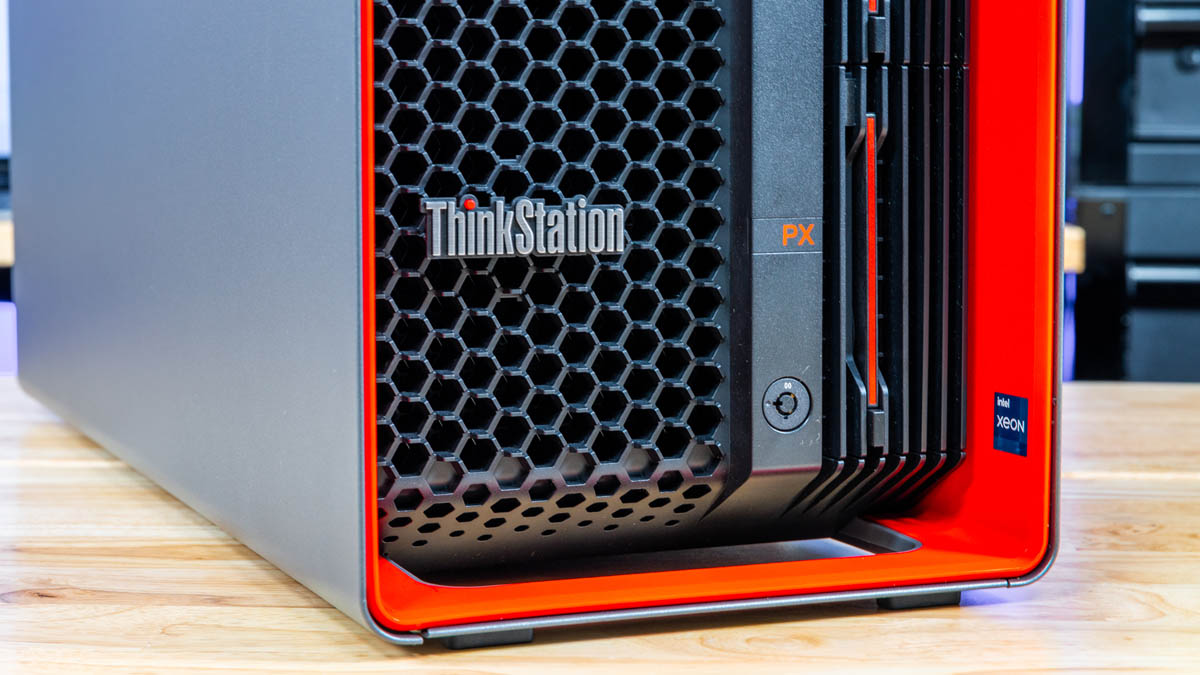
Lenovo is a brand that needs no introduction in the workstation market. The company’s current ThinkStation line of workstations stretches back almost 20 years – and farther back still with its predecessors. In the years the company has made a solid business out of providing powerful and predictable workstations for business users, ranging from SFF PCs all the way up to towering monsters. Today, we are taking a look at one of the latter, with the Lenovo ThinkStation PX.
| Lenovo ThinkStation PX Key Specs (As Reviewed) | |
| Processors | Intel Xeon Gold 5416S (16C/32T, 4.0GHz) |
| Operating System | Windows 11 Pro For Workstations |
| Memory | 128GB ECC RDIMM DDR5-4400 (8x16GB) |
| Storage | 512GB SSD (512GB PCIe 4.0 M.2 2280, TLC) |
| GPU | NVIDIA RTX A6000 |
| PSU | Dual 1850W, Hot Swappable |
| Form Factor | Tower Workstation (54L) |
| Dimensions | 220 x 575 x 440.4 mm (8.7 x 22.6 x 17.3 in) |
| Weight | 35.6 kg (78.5 lbs) |
| Wireless | N/A |
| Color | Red & Black |
| Ports | Front: 2x USB-C 20Gbps, 2x USB-A 10Gbps, 1x Combo Audio Rear: 1x USB-C 20Gbps, 4x USB-A 5Gpbs, 2x USB-A 480Mbps, 1x 10GbE LAN (RJ45, AQC-113C), 1x 1GbE LAN (RJ45, I219-LM), 1x Combo Audio, 4x DisplayPort 1.4a |
In the world of Lenovo workstations, a single-socket tower like the ThinkStation P7 would be a “high-end” configuration. The ThinkStation PX goes beyond that, going all-in on virtually everything. With more CPUs, more PCIe lanes, more memory, and more outright power than any other ThinkStation, the PX is fundamentally an Intel Sapphire Rapids Xeon server platform inside of a large tower computer, and serves as the successor to Lenovo’s previous ThinkStation P920 offering.
With so much power, the ThinkStation PX is, in a nutshell, aimed at the highest of high-end workstation users. While the company offers a massive range of configuration options that start as low as a 12-core processor and 16GB of RAM alongside a single video card, the system is ultimately designed to be able to accommodate up to 120 CPU cores, 2TB of RAM, and four high-end video cards. As a result, the ThinkStation PX’s configuration can be scaled up and down significantly to meet clients’ needs, as well as their budget flexibility.
For today’s review, we are looking at a customized version of the 30EV0011US, a fairly modest configuration with just a single CPU, which we have augmented with 128GB of RAM and a single NVIDIA RTX A6000 video card.
Lenovo ThinkStation PX External Hardware Overview
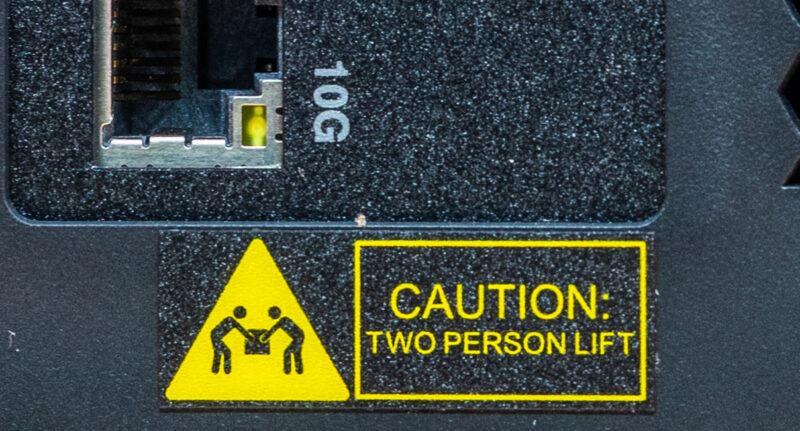
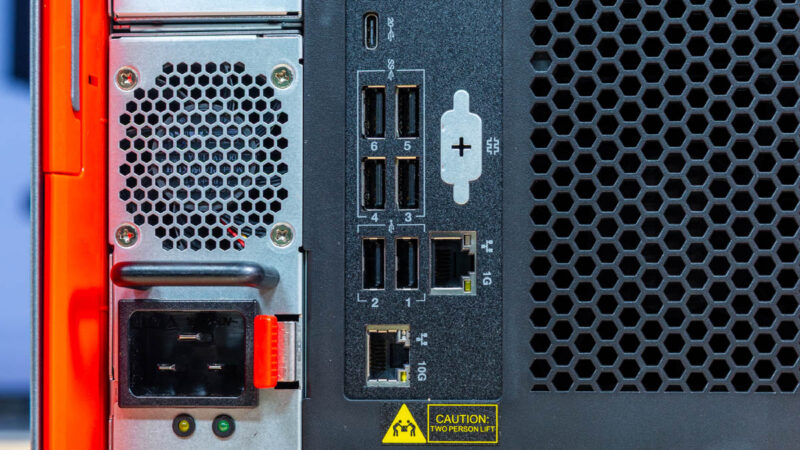
From the outside, it is obvious from the start that the ThinkStation PX is quite literally a big deal, with the 54-liter tower standing almost 18 inches tall. Though even then, this belies what it packs inside, which in its maximum configuration is a large amount of hardware. Such a large amount, in fact, that at a weight of 78 pounds, workplace safety laws in most jurisdictions require two people to lift the system – and Lenovo has attached a caution label to match.
The ThinkStation PX is otherwise a fairly conventional design from the outside. Clad in Lenovo’s trademark black and red color scheme, it very much looks like a Lenovo workstation.

With the bulk of the front of the system taken up by air intakes for the system’s front-to-back cooling, the I/O connectivity at the front of the system is comprised of a few USB ports and an audio combo jack, but nothing exotic. Specifically, Lenovo has equipped the system with a pair of 20Gbps (USB 3.2 Gen 2×2) USB-C ports, as well as a pair of 10Gbps USB-A ports. These are, in fact, the bulk of the high-speed USB ports on the system, as the rear only contains a single USB-C port and slower USB-A ports.
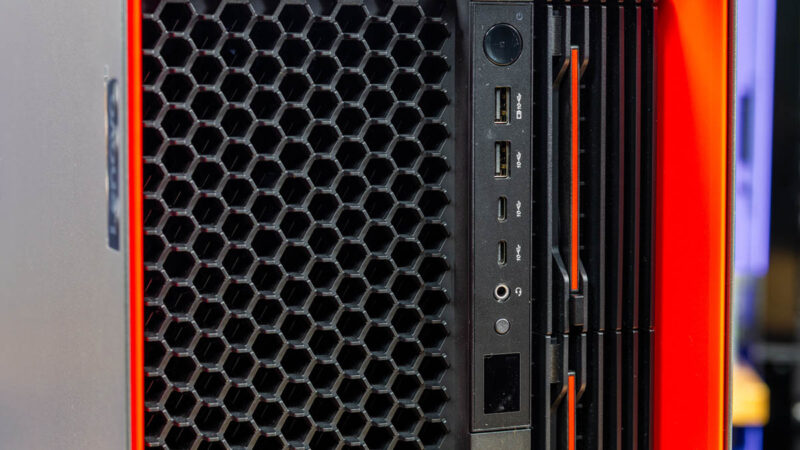
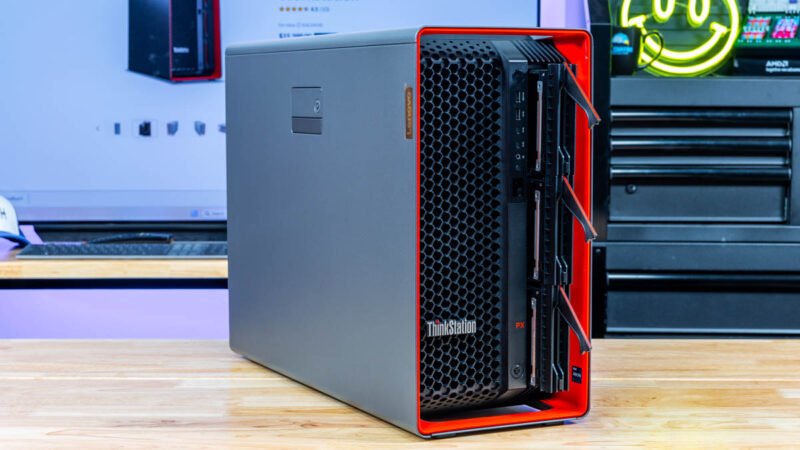
Otherwise, the rest of the front of the system is taken up by hot swap storage bays to allow for storage upgrades without having to open up the system itself. Lenovo offers 3 such bays, which, out of the box, are equipped to handle 3.5-inch hard drives. Alternatively, the company offers optional front-access M.2 bays for solid state storage in bays 2 and 3, though this does require reconfiguring the system to install the alternative bay. Notably, there is no internal option for 3.5-inch drives, so external bays are the only way to add rotating rust to the system.
Separate from the case lock, the drive bays can also be locked from the front to prevent accidental removal or five-finger discounts on storage.
From this angle, we can also see the left side of the case, as well as the lever for removing said side panel from the system.
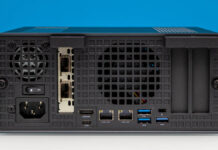
Flipping over to the rear of the system, we once again see plenty of ventilation. But also a hint of all of the hardware packed into the ThinkStation PX. Flanking the top and bottom are PCIe brackets for expansion cards. We will get into this more with the internal hardware, but between the (up to) 2 CPUs, the system can support 9 PCIe cards.
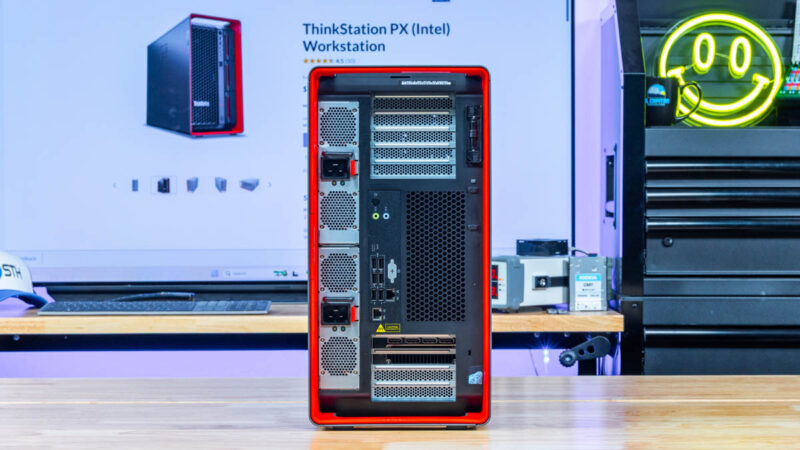
Meanwhile, on the left side is one of the more outlandish aspects of the ThinkStation PX: dual power supplies. Not all PX configurations ship with a second PSU, but for those that do, the power supplies can be configured in either redundant or team modes, with the latter to cover the fact that a fully-laden PX can draw more power than a single power supply (or even US 120V outlet) can supply. These power supplies are serviced by removing them from the system and can be hot-swapped in redundant mode.
Note the use of a C19 connector on the power supplies. These are rated for up to 16 Amps, and the matching cable for them (in the US) is a C19 to NEMA 5-20P cable, meaning that the system requires a less common 20 Amp 5-20R outlet for operating on a single power supply, and Lenovo highly recommends a second circuit for dual power supplies.
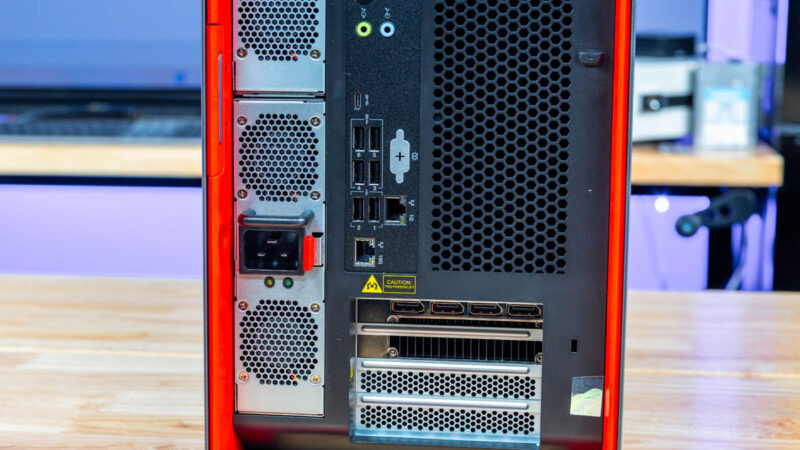
As for rear I/O connectivity, Lenovo supplies a mix of USB ports. There is a single USB-C 20Gbps port (which Lenovo marks as data-only) for peripherals that require the system’s fastest USB speeds. Otherwise, that leaves 4x USB-A 5Gbps ports for more basic USB 3 peripherals, and then a pair of USB-A 480Mbps ports for keyboards, mice, and other low-bandwidth peripherals.
The system also includes two Ethernet controllers. The faster of the two is a Marvell ACQ-113C, driving a single 10GbE RJ45 port on the system. The other controller, a basic Intel I219-LM, provides a second RJ45 Ethernet port that supports 1GbE.
Otherwise, being based on a server platform, the ThinkStation PX does not include any display outputs on the motherboard itself; that duty is left to any installed discrete video cards.
And that is the outside of the ThinkStation PX. For the rest of the story, let us dive into the system’s chassis.

 workstation performs and how it can be expanded)
No IPMI of any kind?
Ddr5 4400 is … terrible, to say the least.
@Codrut
Not by default. A BMC-on-a-card is an optional upgrade for the PX.
This system seems to have similar limitations as Dell’s Precision range; they don’t have much headroom above the PCIe cards for some of these current (non-workstation) videocards. I have a Precision 5820, 7920, and two 5860’s from Dell, and with some of these modern videocard sticking out an inch (or more) above the metal bracket, and then having the power connector ‘on the top’ (so you plug in the connector on the power cable and have to angle the cable itself, adding at least another half inch), you can’t close the lid on the system.
I am building my kid a system and had to specifically shop for an AMD GPU (going to run SteamOS on it, so Nvidia cards aren’t an option, and a 9060XT is about the same price as a 7600XT) that didn’t stick out over the metal bracket (which did significantly limited my choices).
There is an image showing the rear of the system, and it shows decent headroom, but on my 5820, to fit in a 1080GTX, I had to remove some kind of metal bracket from the lid, just to be able to close the lid.
@Ryan/Patrick. Any chance that on workstation reviews, you try some tall videocards to see what would fit in a system like this, as 2nd hand they make great mid-range (by the time they are 2nd hand they wouldn’t really be cutting-edge anymore) gaming systems.