

Lenovo ThinkStation P5 Internal Hardware Overview
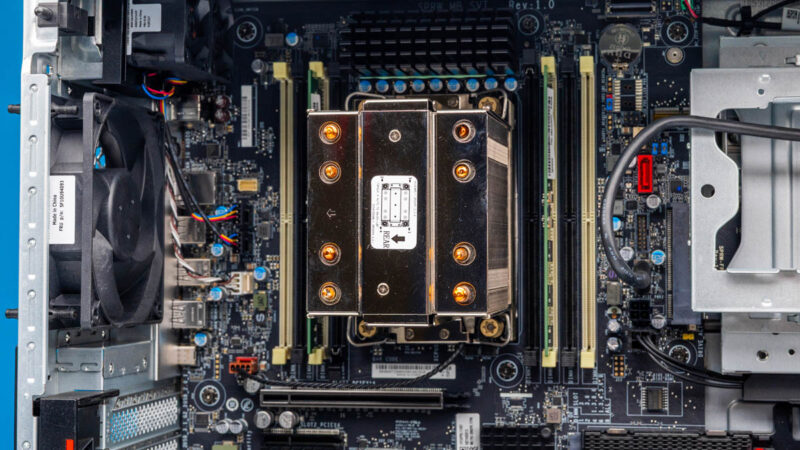
Inside the system, we get our first glimpse of the big components including the custom air cooler Lenovo has for the CPU.
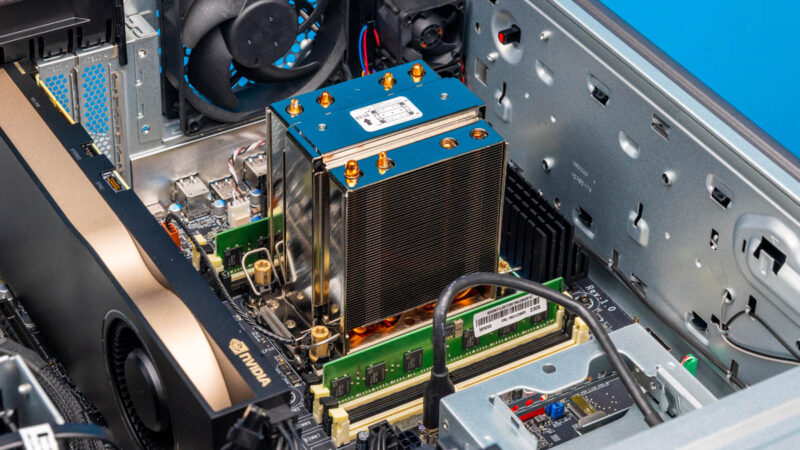
Here we can see our Intel Xeon w7-2495X CPU. With four channel memory, and two DIMMs per channel, this is eight DDR5 RDIMM slots.
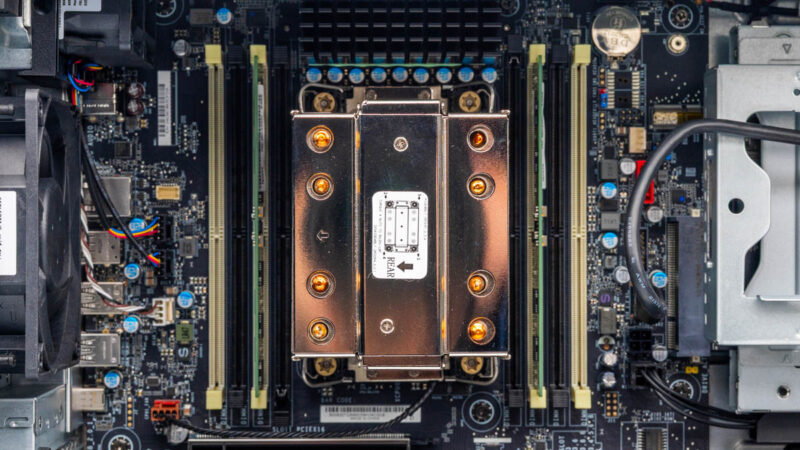
Something a bit odd is that the motherboard has front-to-back airflow, but the memory and CPU socket are up and down like in a consumer case. The airflow guide fixes this mostly, but it is just different.
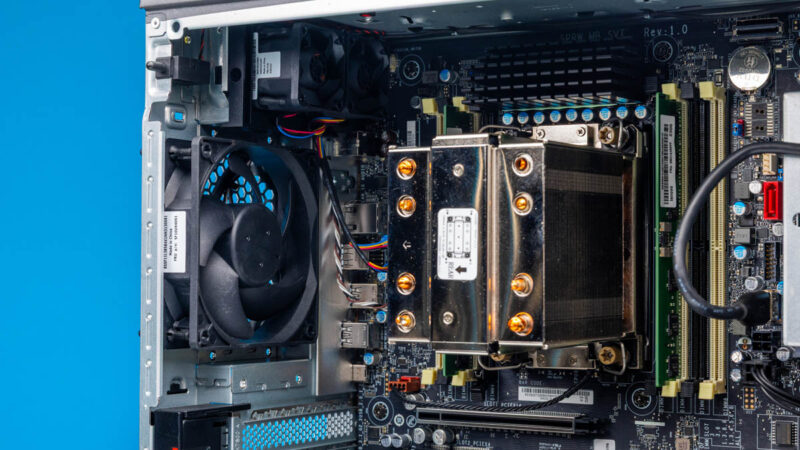
The motherboard also has its front I/O connectivity and even a SATA port on top.
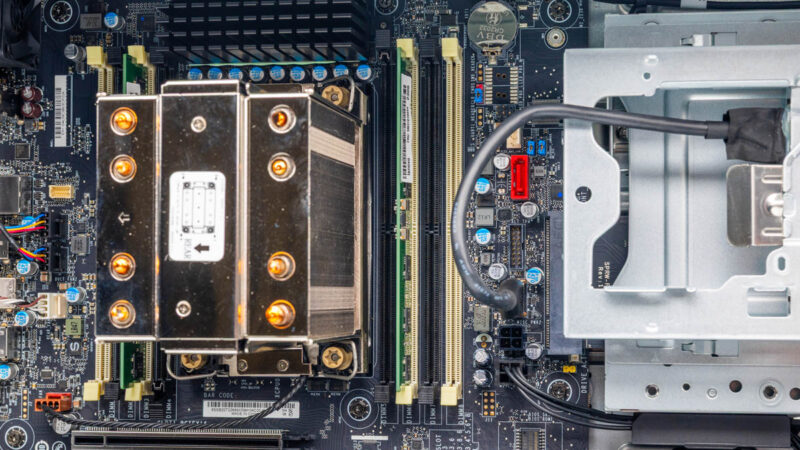
Below the CPU socket, we get PCIe slots as we would on a standard motherboard.
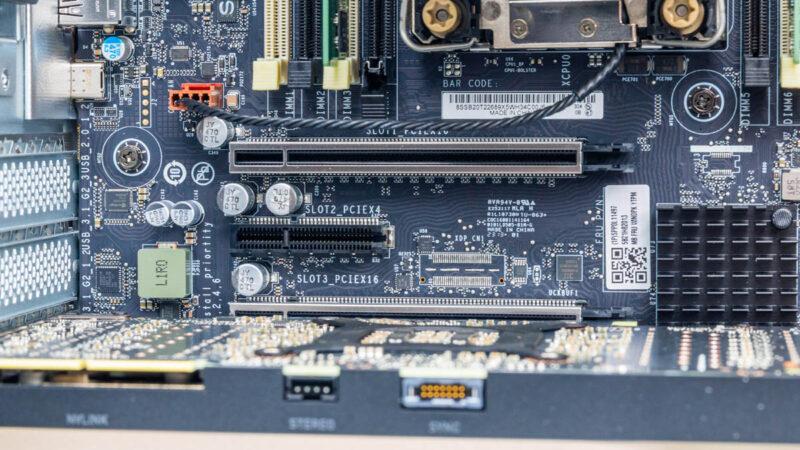
The PCIe slot area has a lot of room. Generally, this is for the professional graphics lines so we see GPUs that are generally full height full length double width coolers.
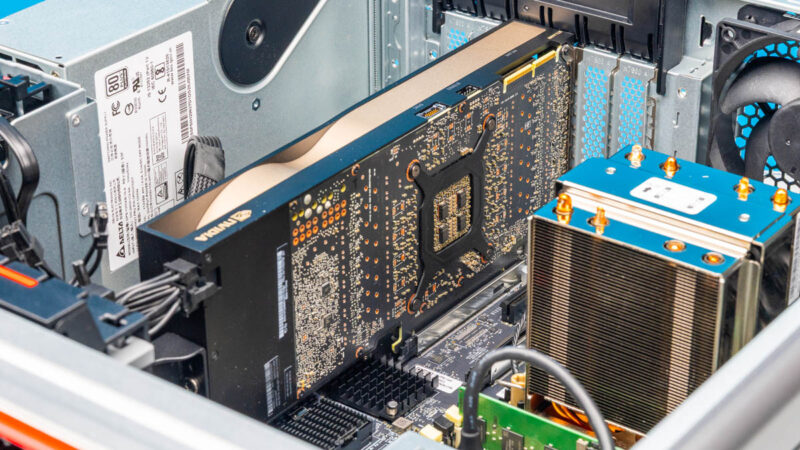
Here is the PCIe slot layout. These are a bit strange. Here is the connectivity by slot:
• PCIe Gen5 x16 CPU
• PCIe Gen4 x4 PCH
• PCIe Gen5 x16 CPU
• PCIe Gen4 x4 PCH
• PCIe Gen4 x8 CPU
• PCIe Gen4 x4 PCH
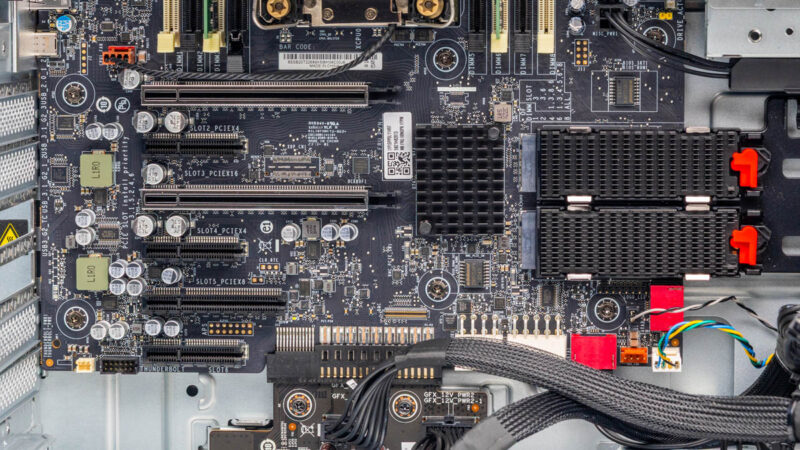
There are also two M.2 slots for storage. These are in a nice tool-less slot configuration with heatsinks.
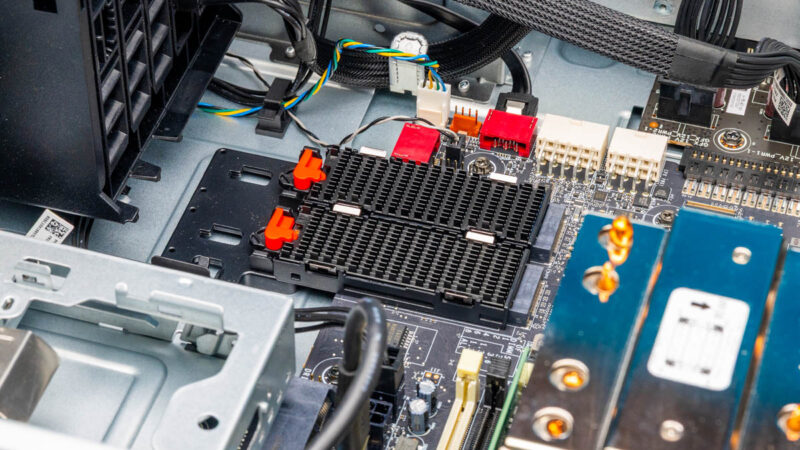
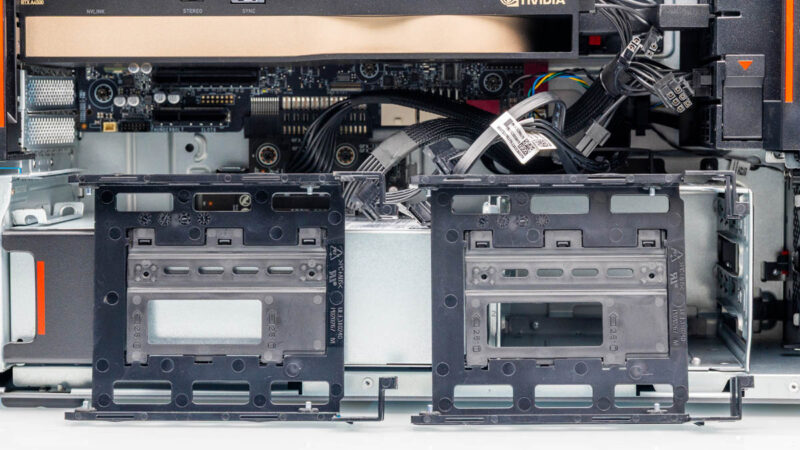
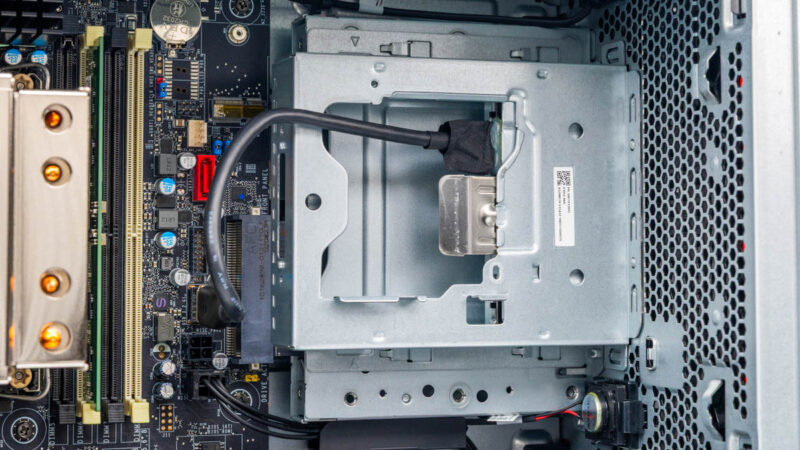
In addition, we get two drive bays at the bottom.
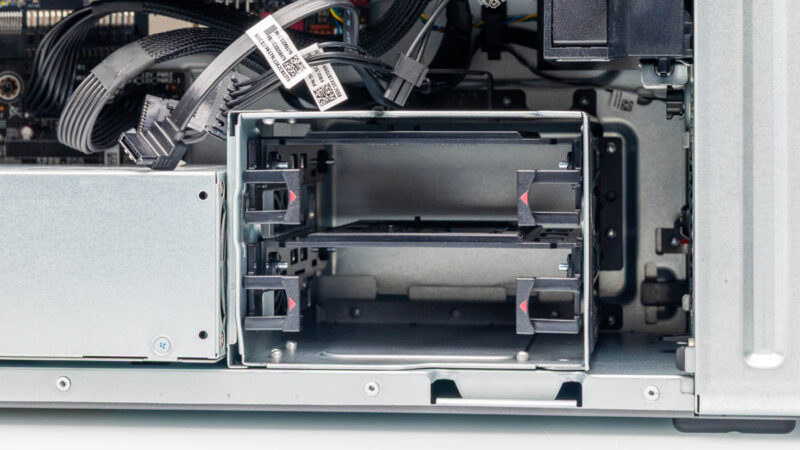
These have two easy mounting trays, but are not in a hot-swappable backplane.
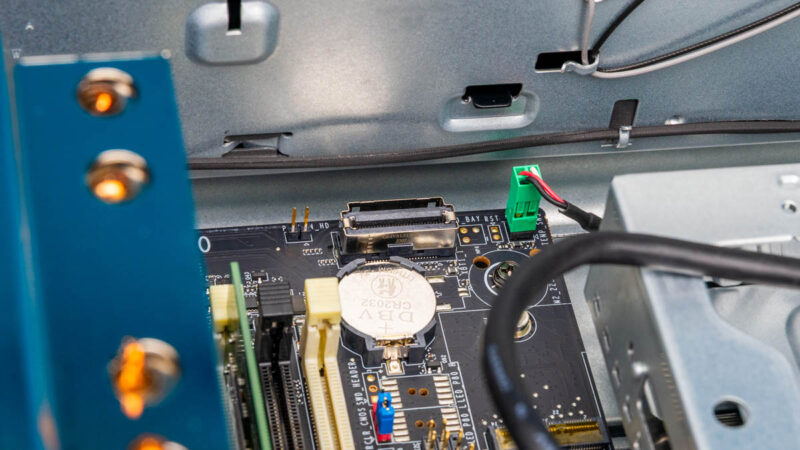
There are even little touches. For example, the CR2032 battery is next to the DIMM slots, so it is easy to service. It may seem small, but when you have to dig under a GPU to get to one of these, this is a nice to have feature.
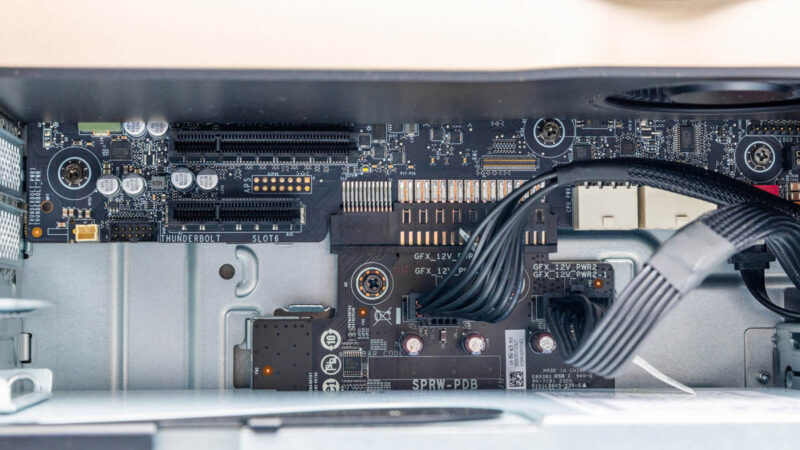
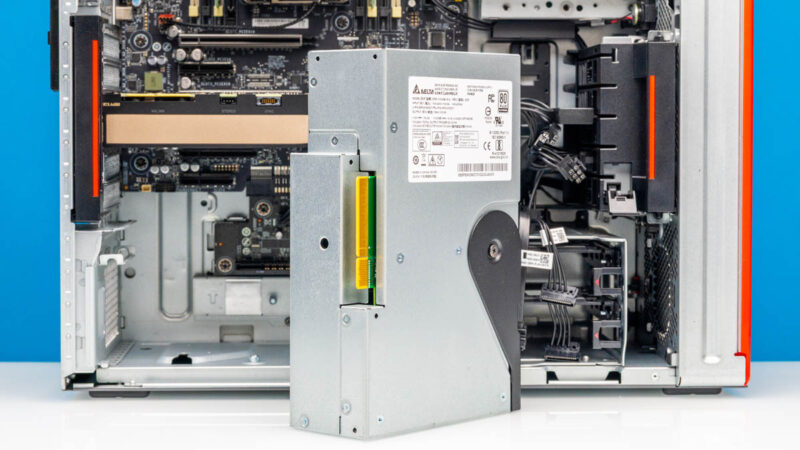
On the bottom, there is a power board, because Lenovo’s workstation power is more like server power with a small power distribution board. This board has one side to the PSU, and another to the motherboard just like on a server. The PDB also has the GPU power connectors hanging off.
The power supply is removable. This may seem small, but it makes replacing power supplies so much easier. It also means we do not have a standard ATX power cable, making this a much cleaner build than many self-built machines.
Here is the little front media card reader. We can also see a WiFi card slot.
Next, let us get to the performance.
Lenovo ThinkStation P5 Performance
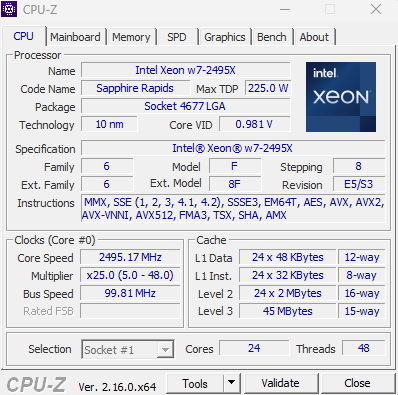
As for the CPU, we have the Intel Xeon w7-2495X. This is a 24-core, 48-thread processor with a microarchitecture based on Sapphire Rapids Xeons. That is different than the modern Xeon 6 P-cores and the Xeon E P-cores.
We also had to do a little bit of augmentation on our system since Lenovo sent it with only two channels of DDR5 filled.
Just taking a look at some of our big workloads on the CPU side:
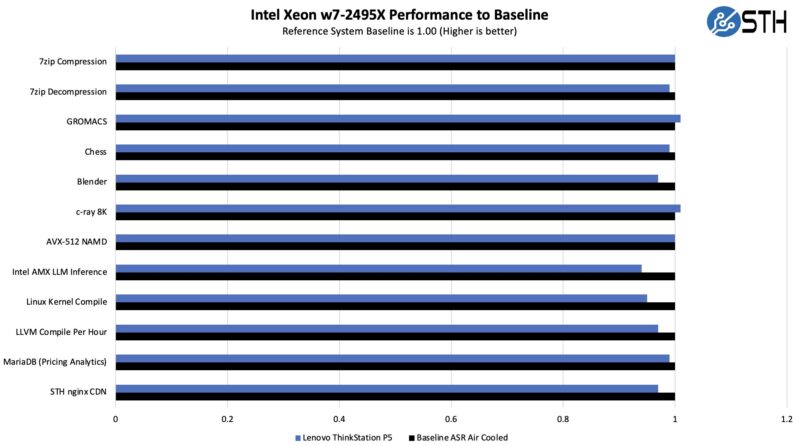
Here, just as a quick note, we had the reference ASRock motherboard platform. Lenovo tends to be more conservative with its power and cooling.
On the NVIDIA A4500 side, here is what we saw when we took the same GPU:
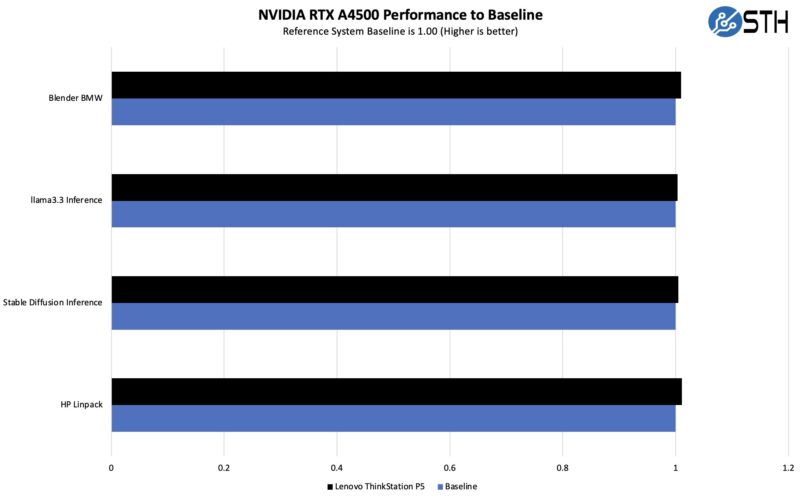
That is exactly what we would expect. The A4500 is not exactly the highest-end GPU out there, but usually, performance is dominated by cooling so we are trying to see if the system can cool this GPU. It can.
Next, let us get to the power consumption and noise.


What’s Wifi card slot?
I feel like they could have easily made the 1gbe NIC a 2.5 or 10gbe NIC but choose not to because it’s a little more expensive but is it that much more expensive? Is it the fear of cutting into their bottom line and we’ve gotten so complacent with 1gbe? Even if it’s an extra $10 I’d be willing to pay $10 more to upgrade the one network port from a 1gb to 10gb to save me from having to buy a pcie 10gb network card
I wonder if the 1GbE port was included for reliability/certification reasons.
Just one thing I’d like to make a comment on around graphs. Something I caught out was that you flip the colours/key between the two different comparison graphs. aka CPU graph Lenovo is blue, but in the GPU graph it is now black.
Can make it easy for misinterpretation of the data.
No BMC included or option? What is the blanked port on the rear?
Workstations that have faster onboard NICs also usually include a 1Gb linkas well for Intel AMT support or AMD DASH.
It’s a shame that Lenovo cheaped out here, but clearly they thought there isn’t a large enough market to warrant a faster onboard card.