

Inside the Dell IR7000 NVIDIA GB200 NVL72 Edition
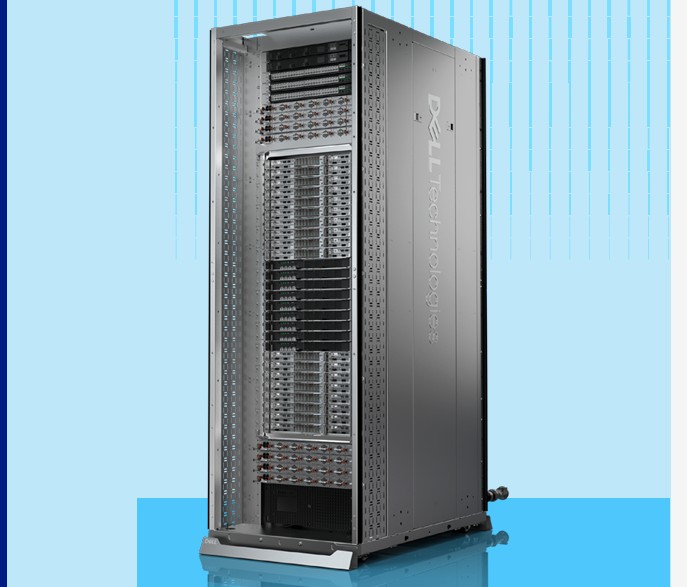
If you look at the Dell Technologies Integrated Rack Scale Solutions brief, you might find the Dell IR7000 and the NVIDIA GB200 NVL72 version of that pictured. Of course, this is a nice picture, but it lacks the cabling and customer requirements that a production system has. Still, this entire rack is designed to operate as a single unit of compute. There is a domain of 72 interconnected NVIDIA Blackwell GPUs using high-speed interconnects to help make them act as a single GPU.
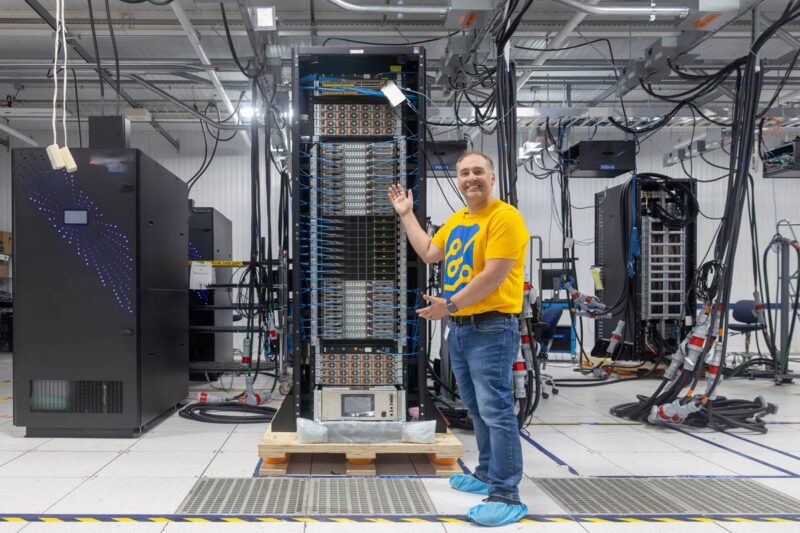
Here is what one looks like assembled and being tested.
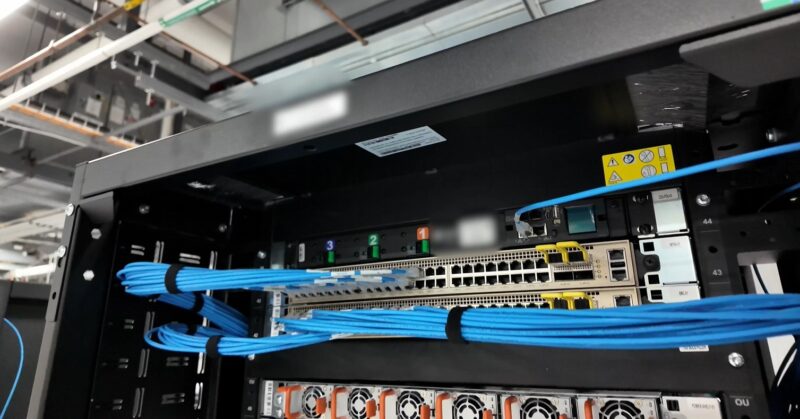
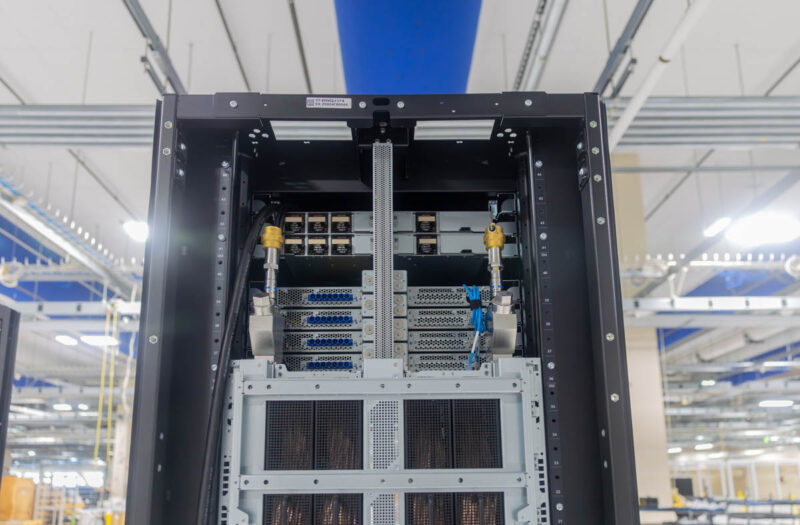
Starting at the top, you will see the management switches. All of the major components, down to even the NVIDIA BlueField-3 DPUs have their own management interfaces.
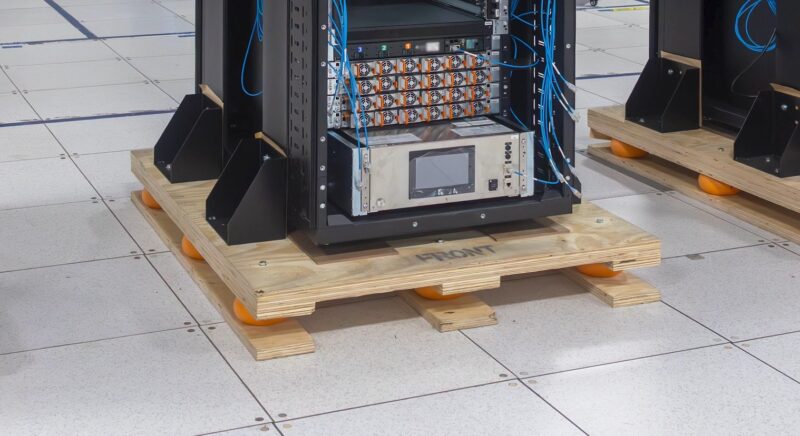
Below that, we have the power shelves. Each 1U shelf has six power supplies that are far larger than standard server power supplies. Each is almost as deep as a standard server.
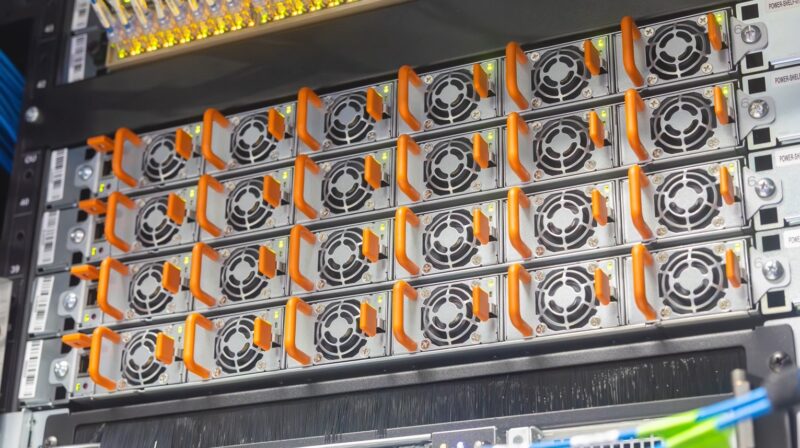
Instead of each compute node and each switch having its own power supply, the power supplies are removed from those high-speed trays and placed into their own power shelves. Power is then fed by a relatively thin bus bar at the rear of the rack.
Here are the NVIDIA GB200 NVL72 compute nodes.
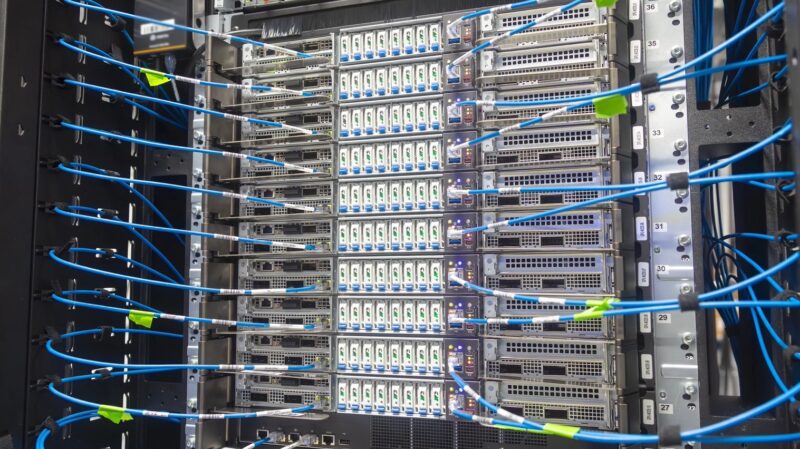
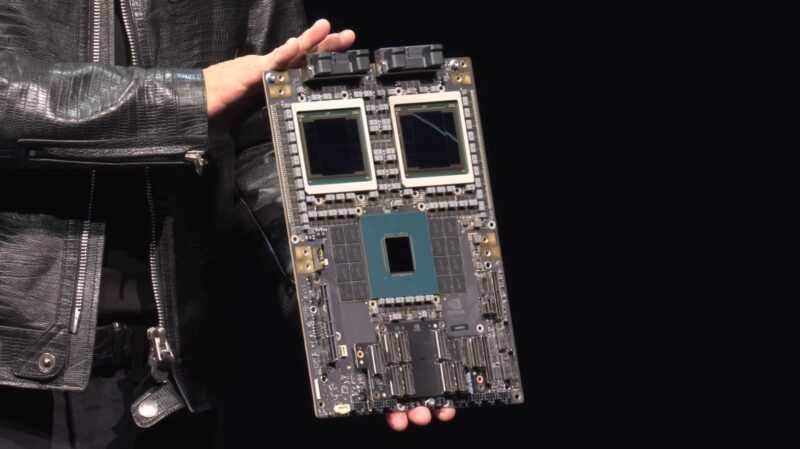
We have gone over the GB200 NVL72 many times before, but each compute tray has two sets of a NVIDIA Grace CPU and two Blackwell GPUs, memory, and connectivity for networking, storage, power, and the NVLink backplane. The high-speed East-West NICs are for communication outside of the rack to other GPUs while the NVIDIA BlueField-3 DPUs are designed for North-South networking.
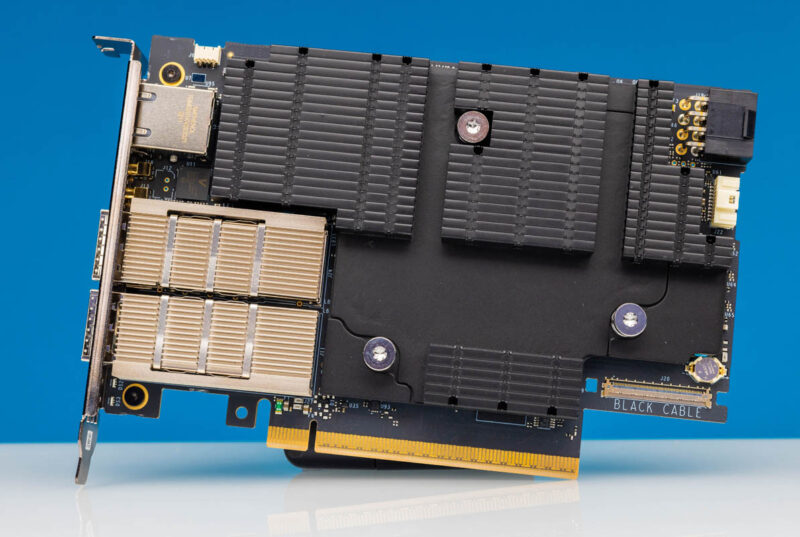
As just an example of how these differ from standard servers, even those NVIDIA BlueField-3 DPUs are running their own operating systems and have their own management interfaces. Or another way to put it, even the network cards that systems like these use are like servers with their own operating systems, CPU cores, memory, storage, data connectivity, and even out-of-band management processors.
In the center is the nine tray array of NVLink Switch trays. These trays are what connect all of the GPUs in a rack to all of the other GPUs in the rack giving us that 72 GPU domain.
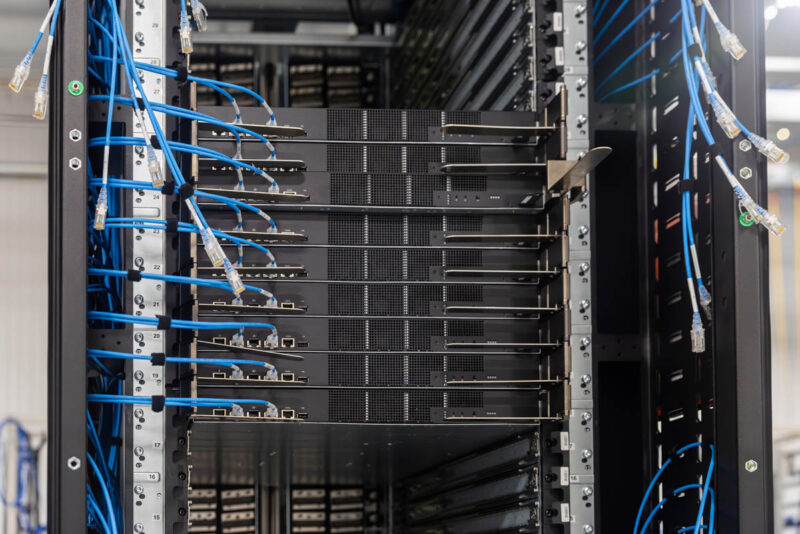
These are extremely high-performance liquid-cooled switches.
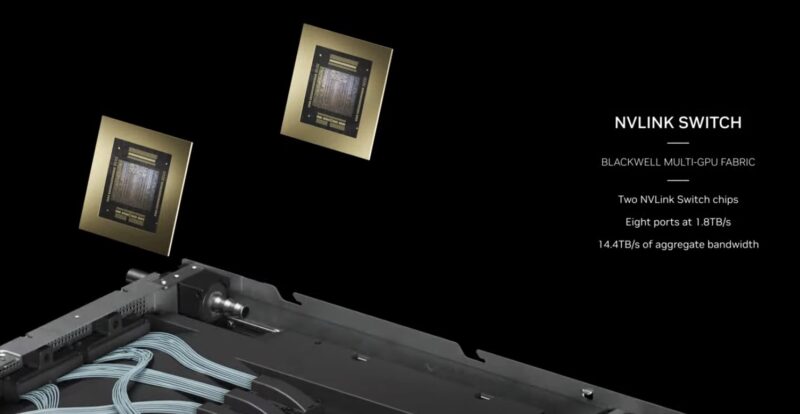
Those switches connect the compute nodes through the NVLink cartridges through the rear of the rack.
At the bottom, we have more power shelves and the liquid cooling CDU. We have covered liquid cooling many times on STH, but the CDU or coolant distribution unit, is what pumps fluid through the rack and then exchanges the warmed in-rack liquid loop with an external facility loop.
In the rear where the nodes and switches mate, we have the blind mating hot and cold side rack manifolds. You can see the rack rails installed along with the blind mate nozzles in this rack. Unlike other designs, instead of having to connect hoses between the rack and a node, these connect as the nodes slide into the rack.
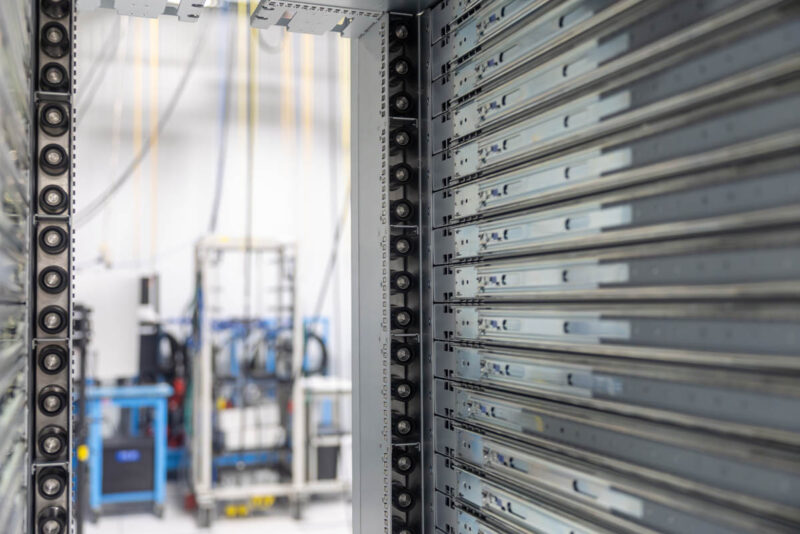
After the rails and liquid cooling rack manifolds are installed, the power bus bar (center) and the NVLink cable cartridges are installed. A fun note here is that all of these connectors have small tolerances built in so many actually wiggle when you touch them. That is because things like rack rails flex or people insert the trays with varying pressures, so the connections need to mate and have tolerances to allow that mating.
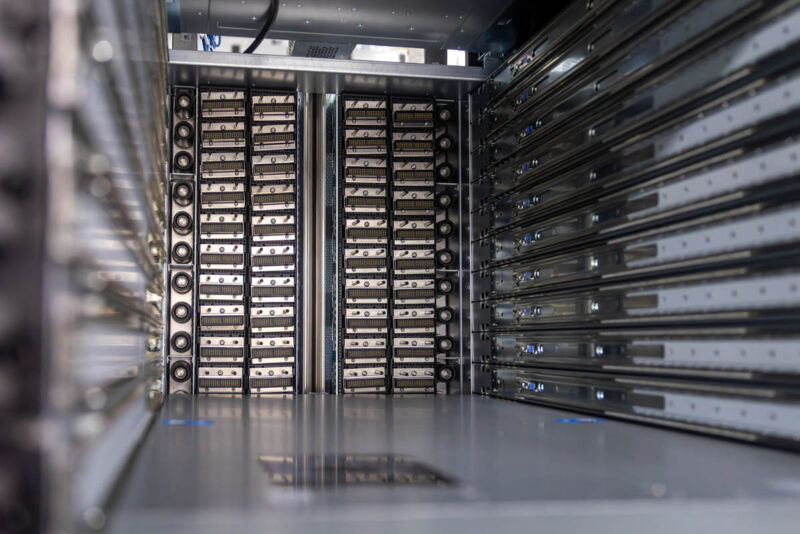
Thousands of wires are assembled into these cartridges with connectors that blind-mate to the compute and NVLink trays and provide that connectivity. This would be a nightmare to wire individually without these cartridges. There are many points of human wiring error that this design avoids.
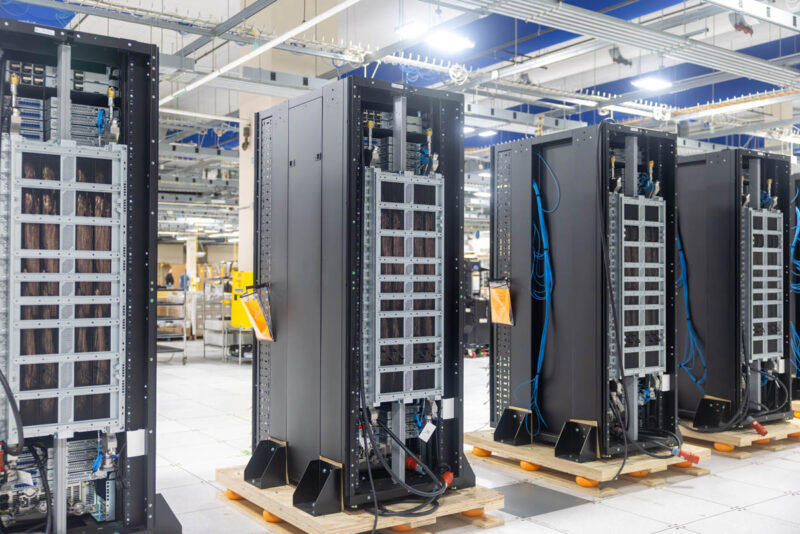
Once these systems are assembled, they need to be powered on. Let us get to that next.


I’m loving your tours. I’m also appreciative that you’re doing the article not just the video
Also really enjoying these tours and the peek behind the curtain. Reminds me of types of journalism that tech sites used to do so well before consolidation hit and they became ad heavy, AI content mills.