

HPE ProLiant Microserver Gen11 Power Consumption
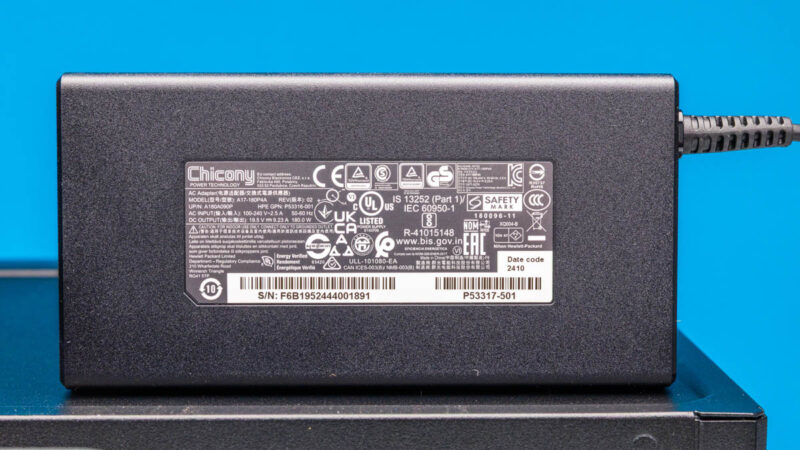
The HPE ProLiant MicroServer Gen11 continues the tradition of using a larger external power brick. At 180W, this is a substantial unit. We have found that when you install a lot of components in systems, the 180W can be lower than you might want. Still, we suspect for 99%+ of deployments, it is fine.
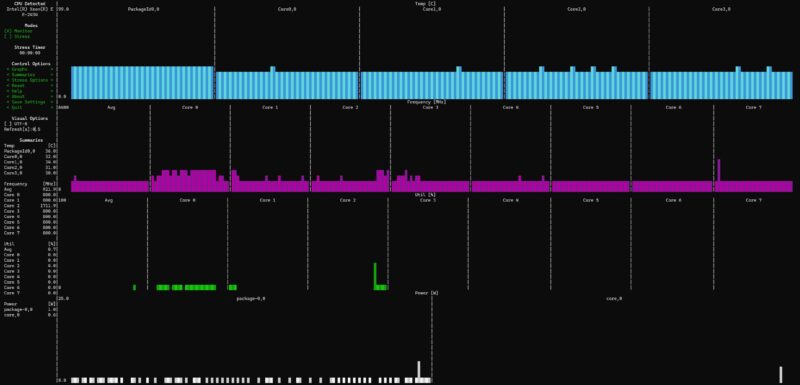
The Intel Xeon E-2434’s package idled at around 4W and the system itself idled around 27W with a single 4TB drive.
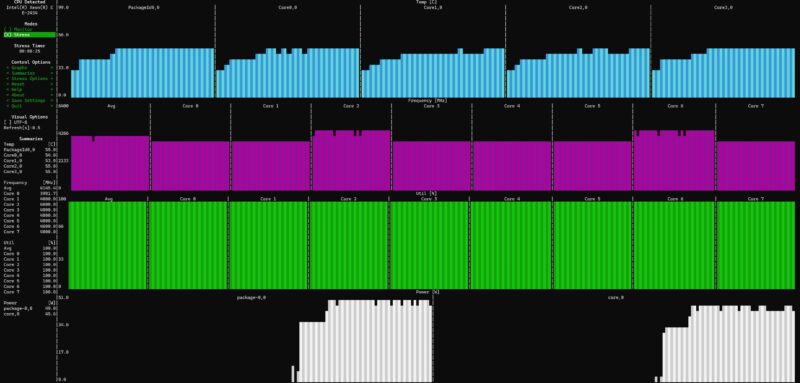
Under load, it was an interesting story. First, we would see the package power jump past 50W and the system power to get to 87-90W.
After a minute or so, we would see the package power lower into the 37-40W range and then the overall system power consumption get into the 71-75W range.
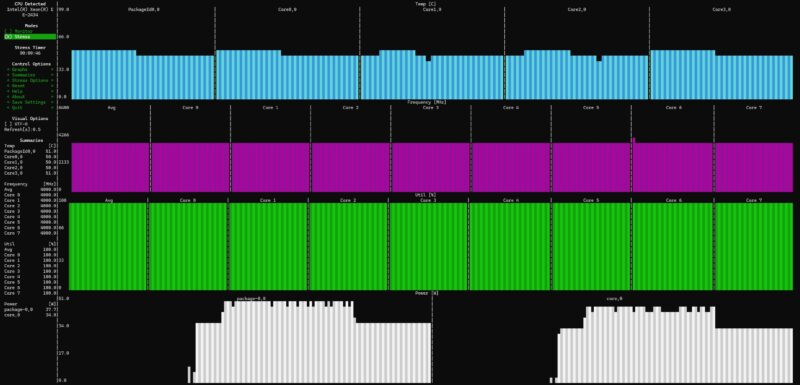
That drop under sustained load is very common in consumer systems. In servers, it is much less common. For example, the HPE ProLiant DL145 Gen11 would let its CPU sit at the TDP and it would not drop to a lower power level. Cooling was still good in the MicroServer Gen11 so it did not seem like a heat related issue.
One item we need to note, however, is that out of the box our system generally ran in the 49-54dba range. It needs to be quieter if you want it next to you in a small office.
STH Server Spider: HPE ProLiant Microserver Gen11
In the second half of 2018, we introduced the STH Server Spider as a quick reference to where a server system’s aptitude lies. Our goal is to start giving a quick visual depiction of the types of parameters that a server is targeted at.
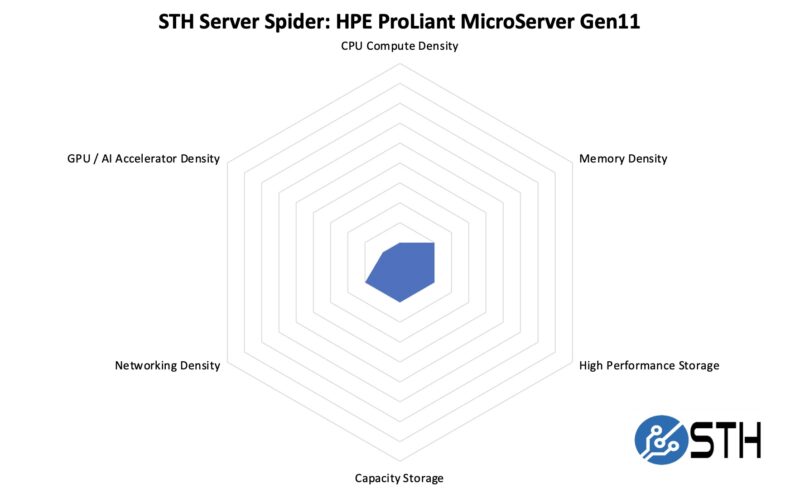
The ProLiant MicroServer Gen11 is not designed to be the densest platform. Instead, it is designed to be a low cost server you can deploy at the edge.
Key Lessons Learned
Most of our server reviews do not have a key lessons learned but there are two sets of feedback I wanted to get to. First, for the existing system. Second, for the system I want HPE to make.
Starting with the existing system, there are five things that would transform this machine into something much better.
- Swap to AMD EPYC 4004/ EPYC 4005. The entry Intel Xeons used in this server are a neglected product line that is not competitive with AMD at this time.
- Change from a cabled to a hot swap hard drive backplane.
- Add a second M.2 slot on the motherboard.
- Lower the noise of the system.
- Update 1GbE networking to 2.5GbE or 10GbE.
I know the above would add some cost, but those four items are the difference between us buying a single system to test and review and buying a cluster of these like we did with previous generations.
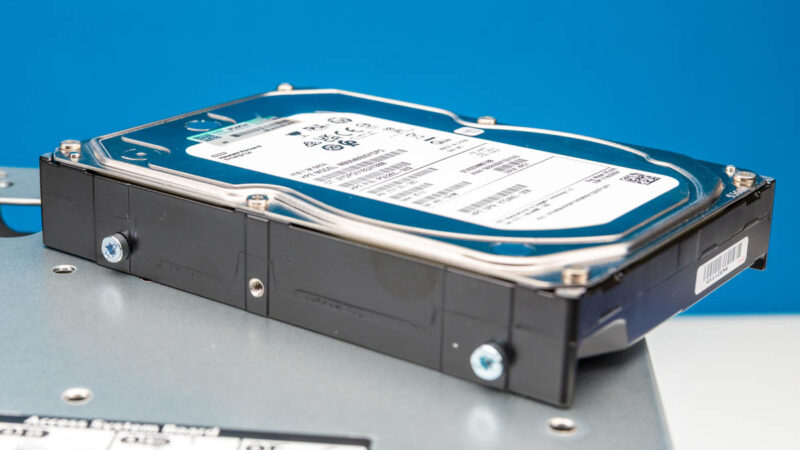
Turning to the system I want HPE to make a new version of this system. Our system came with a 4TB hard drive. These days, a 4TB M.2 SSD is more reliable and is relatively small, inexpensive, uses less power, and does not make the noise and vibration. In other words, it is worth a premium. There are many smaller vendors making 4-8 drive M.2 NAS units even from non-Xeon or EPYC parts. It would be neat for HPE to make an all-flash version of the MicroServer. Either a M.2 only version or a 4-bay U.2 version. For us, the order of magnitude better reliability of SSDs versus HDDs is important. For those deploying edge devices, it costs a lot to roll a truck and service a drive. While you can add SSDs via the PICe expansion slots, we are now at a time where at 4TB of capacity SSDs are going to make a lot more sense for folks. Also, even four U.2 drives would allow for silly configurations like now putting ~1PB in an edge server smaller than the current MicroServer Gen11. That would be silly, but possible. I want to see an all-flash HPE MicroServer in the future.
Final Words
Given how much is in our Key Lessons Learned section, you might think I am not a fan of this system. Actually, I think HPE did a great job. If you do not test dozens of server platforms every year, you would be unlikely to have the same list of feedback points. We just review so many servers that the seemingly small incremental upgrades would turn this into a system we would have already bought several more of.
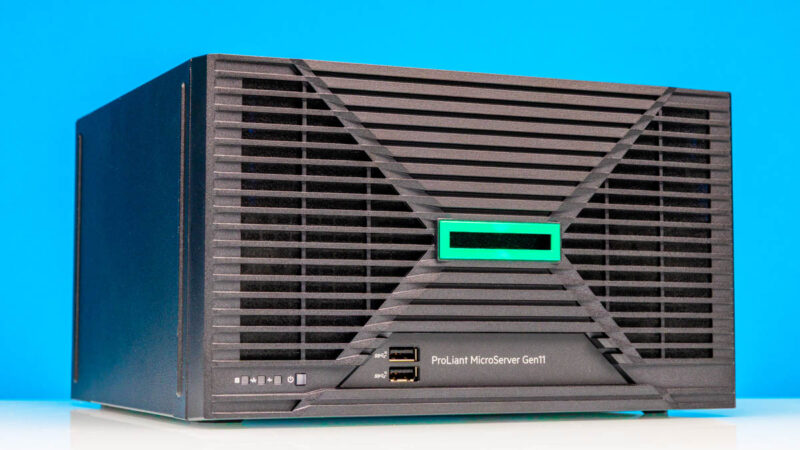
The fact remains that the HPE ProLiant MicroServer line is a class leader in the market. With the new generation having updates with features like PCIe Gen5, a new internal design and more, the HPE ProLiant MicroServer Gen11 is a really neat little server. Our team was very excited when this box arrived at the studio, and for good reason.



Curious, are you aware of any competitor SKUs to this system that exist outside of Chinese “NAS” PCs? I don’t think Dell or Lenovo have direct competitors.
Also how much is the review unit even on SRP?
My disappointment is immeasurable.
And my day is ruined.
4 x 1G port configuration is a joke in 2025 on such systems. 11th gen intel processors (or comparable xeons) are also kind of a joke. Not a fan of AMD, but would it be better if it had AMD epyc inside…
Well, at least ilo seems more fun of a form factor this time.
This stuff is cool, but is going to be far too expensive for the average homelabber. Maybe I’ll pick up a used on in 4 years.
“The main rear I/O block consists of four USB 3 (5Gbps) ports and four 1GbE Broadcom NIC ports.”
Someone tell HP we’re in 2025.
The only thing they got worthwhile, that mini pcs don’t is ILO. Other than that, irrelevant.
Still, Pikvm helps a lot.
i made better with epyc 4004 and Gigabyte MC13-LE3 2 x 25Gb/s LAN ports and 2 x 1Gb/s LAN ports ,
HPE hire engineers from Synology ?
I have this same system, upgraded it to a Xeon E-2436 as that fits right within what the system can do realistically with TDP and power. I’ve upgraded from the Gen10 plus and Gen10 plus v2, as it’s a nice form factor and iLO is a lifesaver.
I’ve noticed these non-labelled MCIO and OCP connectors on the mainboard as well. Is there any way I can validate whether these are operational through schematics, lspci output, whatever, other than plugging something in?
I’m not too fussed with the lack of hotswap bays, as a cheap hotswap backplane tends to flake out and drop disks momentarily in my experience. I’ve switched multiple home hobbyist NAS servers (Rosewill 4u chassis) over from hotswap to direct SATA to eliminate this problem.
After checking the price ($1000 – $1300) I’m also not too fussed about the lack of multi gig ethernet ports. I would just add a mellanox card or maybe even one of those new Intel e610-xt2 NICs if the problems from previous models have been corrected (waiting patiently for the STH review).
Absolutely crap for 2025.
“Hey, I was down at the e-waste center and got a whole truck load of Broadcom 1GbE PHYs for free! What should we do with them?”
Long live the N40 – the all time great for value. That was lightning in a bottle
I’d wager that the issue isn’t one little thing. The engineers making the MicroServer look like they care about their product. What they don’t have is someone to do bean counting to hipness. They’re making tradeoffs like “OK we’ll use the more expensive Xeon because it’s been Xeon” and “We’ll do quad 1G again.” They need to because they’ve got legacy. They need the MSP’s that sold G8 to sell G11 so they need to keep quad NICs. Bean counters then say OK so we’ve got to have this for backwards compatibility.
What they don’t have is someone to advocate making it “cool”. They should just hire Patrick as a consultant to see if he gets excited about a design. These aren’t selling in enough volume to make impactful earnings for HPE. But they’re the perfect boxes to enter into HPE over another ecosystem.
This is a review by someone who has done 100’s of these reviews. Why they wouldn’t just say “Patrick help” is beyond me.
I’m hoping Dell or Lenovo gets wise and just asks STH to make a better MicroServer.
1 GbE makes me SO ANGRY HP :( Will never acquire first, second, or third-hand. Bought N36L and N54L first-hand decade+ ago.
Patrick ,
Obviously you never haven’t had an Gen10 on/in hand.
the diskslot screws were already used there.
My AMD version also has 2 PCIe slots.
and a 200W internal PSU, instead of the dreadful adapters
In my opinion once an edge server gets this much bigger than a Raspberry Pi it should be able to accommodate an AI accelerator such as the Tenstorrent Blackhole. At the same time, new kit with old features can be useful just for the warranty. I wish it came in beige without the green rectangle.
Quite disappointing.
I built a NAS with an Asrock ITX AM4 board with both 10G ethernet and IPMI and added three 4TB U.2 drives while having space for three more.
I know that that is, of course, not a competitor against something like this, but unless someone specifically needs pre-built hardware without the software, there really is no point in buying this. Especially since some Chinese brands like Ugreen have started making some really interesting 4 and 6-bay configurations in that space too.
I had used to specify HP Microservers for my company’s needs for many edge and backline tasks back in the N40L and N54L AMD days, they were a server-grade system at prices cheaper than I could build and undercutting the Dell competition. A few of these systems are still in use! I have given up on using HP Microservers for anything at all since they went with wimpy and naff Intel processors at elevated prices with inadequate performance. The system design has not moved on since 2013 or so.
I have just built for myself a little all-SSD NAS server based on a Topton board which has comparable performance, 10/2.5 GB Ethernet, two (slow) M2 nVme ports and 6 SATA ports with SSD RAID 5, all for a fraction of the price and giving solid 10G ethernet performance. No I don’t get an HP warranty or support, but I’m the warranty and support here. If I was still pre-retirement and spec’ing for my company, HP would still not be on the list. Need to do better.
Maybe aggregate the 3x1Gb NIC ports and add a 10Gb PCI board. Don’t really see the market for sorta standing still user technology and features. OK nice CPU, etc. but still seems backwards.
Oops 4x1Gb
The Gen11 Microserver and the ProLiant ML110 Gen11 appear to share the same system board. In the ML110 the MCIO is labeled as front panel connectors and the rear slot supports a SAS daughterboard.
When buying HP your vendor can do system prep including entering the ILO licenses. I’m all for calling out vendors c-note and grand-ing customers but don’t make it weird.
I recognize the drive screws from Compaq Pentium 4 desktops. I wonder if they are what is left of the Compaq purchase.
From the listing image, I thought the fascia was 3d printed!
I have a Gen8 Microserver, which I’ve upgraded the CPU and RAM, put in a proper HBA, but it’s only 1Gb networking. It was fine when I bought it in 2014. 11 years and three generations later and HP is still putting 1Gb networking on their Microservers.
Interesting system and review for the most part, but:
“This was one area where if HPE used AMD EPYC 4004/ 4005 it would have had a much more robust platform. The Xeon E/ Xeon 6300P CPUs are a weak point of the MicroServer Gen11.”
– This sort of comment makes me wonder if the writer is too invested in their own opinions as opposed to seeing the market the way it really is. Having an Intel CPU is a compelling sales argument, there is a sizeable portion of users for this kind of system who will not buy something running an AMD chip – full stop. I’m certain there are customers on the other side of the fence the same way but I suspect there are less of them. I couldn’t find any statistics on the matter, it would be interesting to see such numbers. I’ve had AMD related experiences like buying a HD2900XT which was so bad I ended up never using it at all, still have it with less than 20hrs of running time. I keep it as my physical reminder to never buy their GPU’s and aside from a few used ones to benchmark I have stuck to my guns on that. I also bought the X2 6400BE something or other that was such a disaster that I sold it almost immediately at a small loss and kept using my old Pentium 4 rather than it – which I think should mean a bit more than any rant I could have against them. Let me just say that my Pentium 4 ate the lunch of the many generations newer X2 6400BE which was the fanciest ‘Black Edition’ chip AMD had to offer then, and it was worse or equal to the architecture handicapped Pentium 4 in so many things I literally laughed out loud when I benched them next to each other again and again trying to work out what I was doing wrong. After loads of digging, my mistake was to do a fair comparison. I found which benches and settings to use to go maximum fanboyism to let the AMD chip win… Noped out really quickly. Ditched that whole PC within a week I think, two maybe. Kept using my trusty P4 – trying to figure out where to go from there heh. I did eventually go core2quad and so on of course. The AMD GPU I kept because it was worth so much less when it was 1 day old than I paid for it that it made no sense to sell it. And I got the rare 1gig model with faster memory – not that it made a difference really, it was still a slow buggy POS but it was at least a relatively rare one…
I could keep going, I kept trying AMD stuff and kept being burned by it until 10yrs ago or so. Then I just tattooed an ‘intel inside’ logo on my forehead and accepted my fate… Joking about the tattoo, although it has crossed my mind primarily because I really *wanted* AMD to do better and I think I kinda wanted to join the “cool kids” instead of being stuck with the pocket protector sporting intel boys – but facts are facts.
— for those who don’t get this kinda thing, this is obviously anecdotal, it’s just my opinions and experiences, and with a sprinkling of humor. Don’t get bent out of shape by it, if you had a great experience with AMD – all the power to ya. Tattoo a little green logo on your bumcheek. Dye your hair green.
Does it support bifurcation on the x16 slot?