

GMKtec EVO-X3 Internal Hardware Overview
After removing the base and the four screws holding the EVO-X3 together, we are able to slide out the tray that holds the system’s internals.
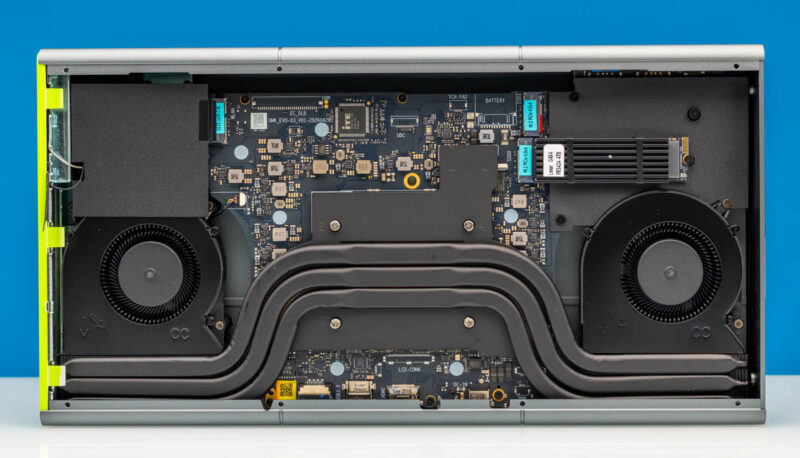
Suffice it to say, it is very different from most mini-PCs. This design allows us to easily access all of the components within the EVO-X3, as the whole motherboard is pulled clear of the chassis.
The tall-yet-thin design of the X3 also means that GMKtec has a lot of 2D floor space to play with. As a result, every user-accessible chip and component of note is on the front side of this tray, making them easily accessible.
From here we also get a good look at the mini-PC’s cooling system. GMKtec has equipped the system with a fairly sizable heatsink and fan assembly, with the Ryzen AI Max (Strix Halo) chip right at the center of the heatpipes. This then feeds to either end of the heatpipe assembly, with both ends relying on 6 Watt blower fans to move air through the heatpipes and their attached heatsinks to eventually exhaust heat out of the rear of the system.
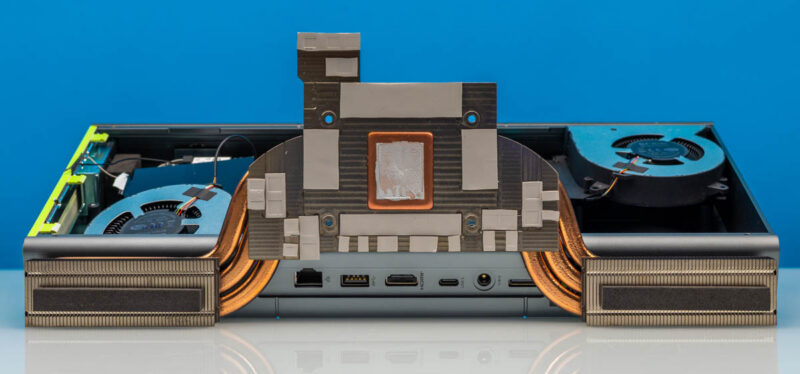
This also explains, in part, why GMKtec has so few ports on the rear of the system, as most of that edge area is taken up by the heatsinks.
Besides the copper heatpipes themselves and a copper baseplate that mates with the AMD SoC, a second baseplate covers all of the high-powered components adjacent to the SoC, including the LPDDR5X memory and various MOSFETs, making this heatpipe assembly the true center of the mini-PC’s cooling system.
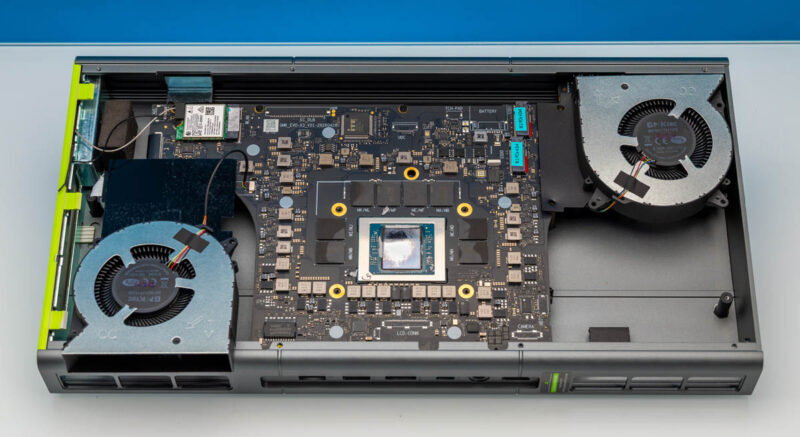
With the heatpipes removed, we can also get a more detailed look at the motherboard and the Strix Halo chip at its center. All told, this is a pretty typical arrangement for the platform, with GMKtec relying on Micron LPDDR5X memory chips here.
As far as user-replaceable components are concerned, there are really only two items of note to speak of here. First and foremost, we have the M.2 SSD slots.
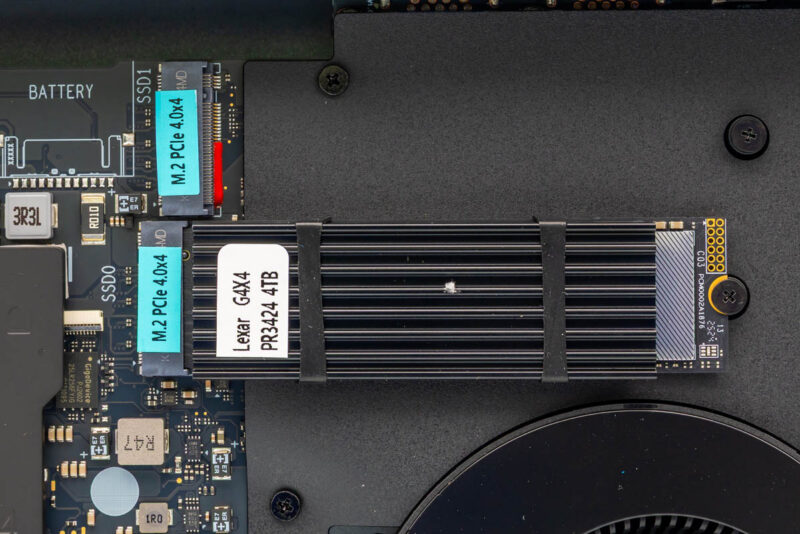
GMKtec has equipped the X3 with a pair of PCIe Gen4 x4 M.2 2280 slots, which is the same configuration we saw in the X2. With the Ryzen SoC only providing 16 lanes of PCIe in total, this represents half of the chip’s PCIe lanes.
Our review sample came with a 4TB Lexar NQ790 SSD, which is a DRAMless QLC SSD. The capacity makes it handy for storing numerous AI models on the system, though it goes without saying that this is not a drive that is optimized for heavy writes.
Notably, GMKtec has not built any kind of cooling for either M.2 slot into the design of their mini-PC. These are essentially free-standing M.2 slots. As a result, SSDs need their own heatsinks, as shown here with our 4TB Lexar drive.
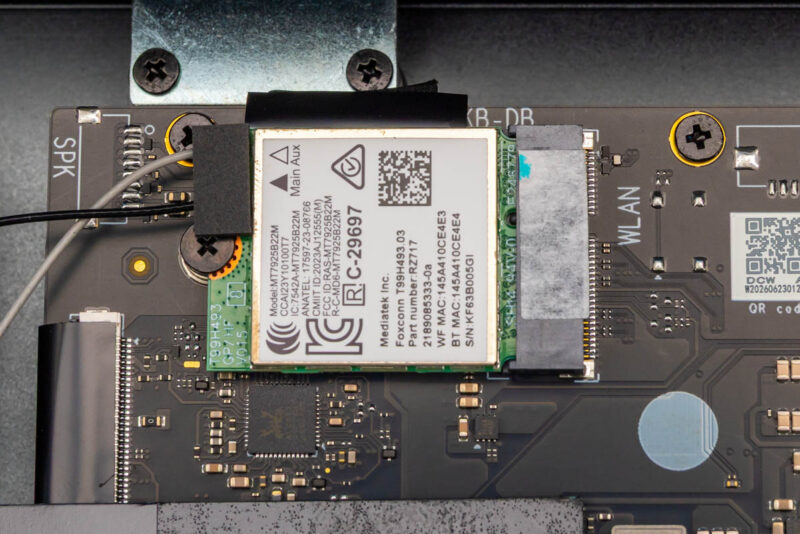
Meanwhile, towards the other corner of the motherboard is the wireless radio. GMKtec is using MediaTek’s MT7925 here (specifically, AMD’s sublicensed RZ717), which is a Wi-Fi 7 2×2 stream plus Bluetooth 5.4 radio. This is a very common pairing with the Ryzen AI Max, and this is the radio we have seen in most of these mini-PCs. The radio is a standard PCIe device in an M.2 socket, so it can be replaced down the line if desired.
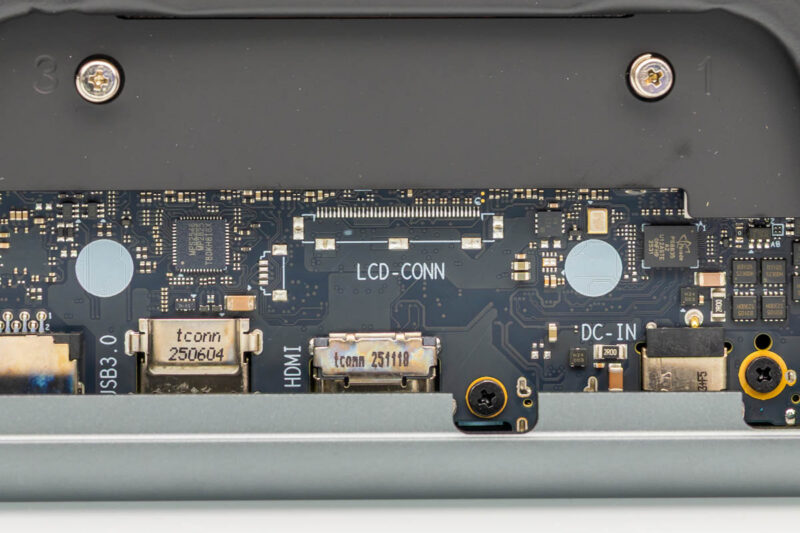
Finally, while we are digging around inside of the EVO-X3, it is interesting to note that there are a significant number of unpopulated connectors silk-screened onto the motherboard, including connectors for an LCD panel, a battery, and a touchpad. It looks like this motherboard was originally designed for a laptop, which, although Ryzen AI Max laptops have been few and far between, is another major market segment the SoC was originally designed for, before being scooped up for use in AI PCs. This also explains the long and thin form factor, and why we have fewer USB ports. In a notebook, you typically get a keyboard and trackpad built-in, a display included, and so forth.
Now, with a look at the hardware out of the way, let us take a look at the system’s performance.



Unfortunate that they did not give y’all the 495 SKU. The 395 is pretty well understood.