

GigaPlus GP-S25-1602 Management
This is an unmanaged switch, so it is not running a management stack. This is simply a switch where you plug in devices to get connectivity type of switch.
GigaPlus GP-S25-1602 Performance
In terms of performance, this is what we saw in what is probably the best configuration for how the switch was constructed.
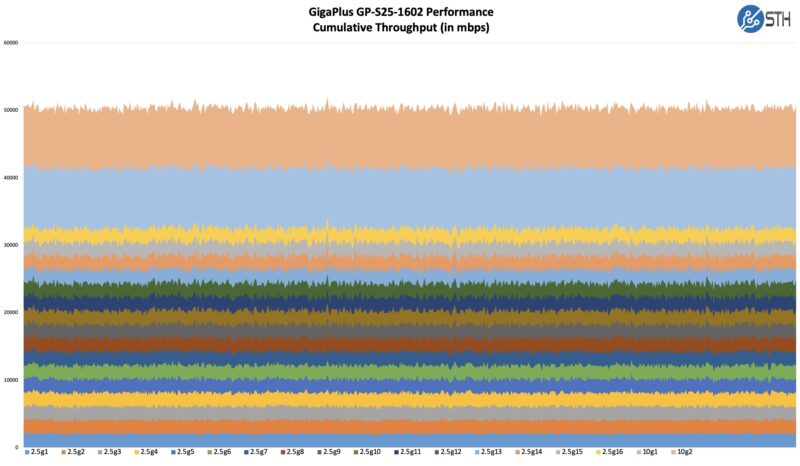
That is not great, but it is probably OK.
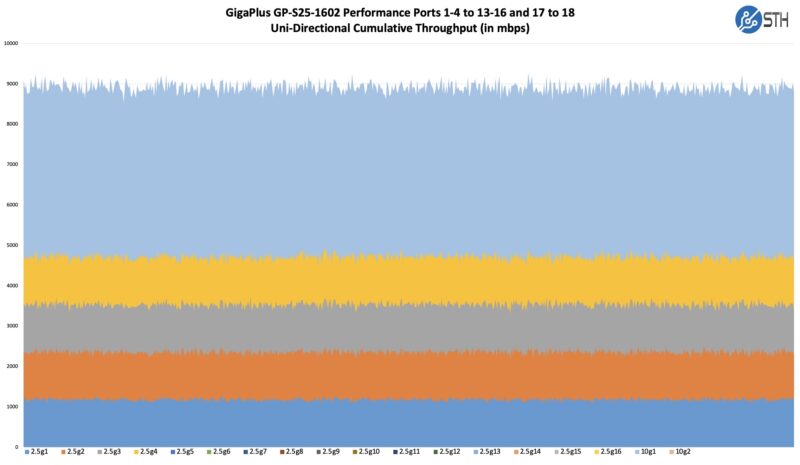
At the same time, we wanted to test our theory that we have a bunch of 30Gbps switch chips daisy chained. As a result, we decided to pass traffic from ports 1-4 and port 17 to ports 13-16 and port 18. If the connectivity was what we thought, then it should give us very subpar performance. Here are the unidirectional flows in that direction.
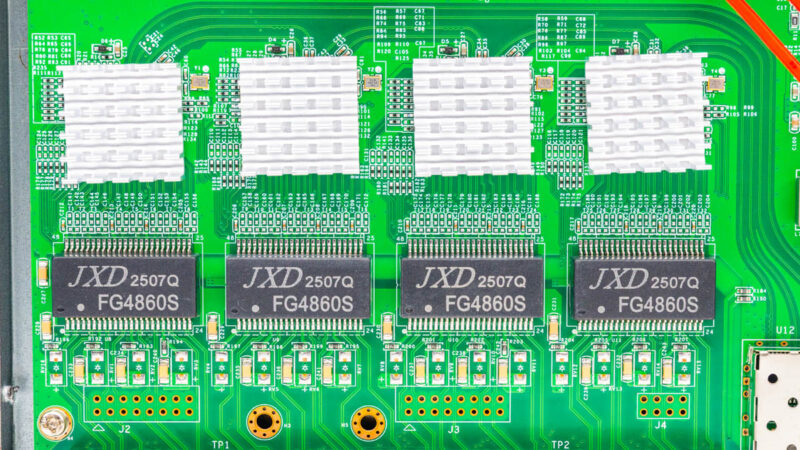
Patrick made a diagram of what is happening internally. Here you can see the four 30Gbps switch chips linked with 10Gbps links to their neighbors in the center. All four also have four ports of 2.5GbE. The side switch chips have 10Gbps links to the SFP+ cages and one neighbor each.
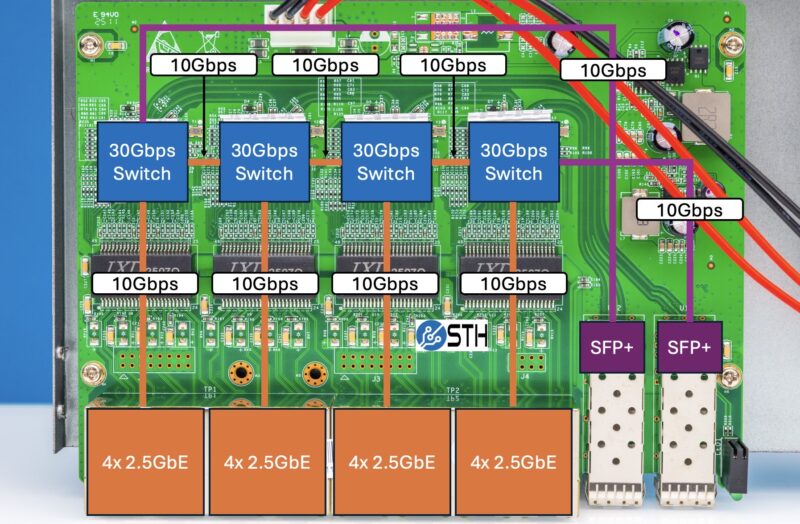
This aligns with the marketing material that it has 120Gbps of switching capacity. At the same time, it also explains why, despite that claim, we can generate scenarios with very poor performance. This is also very different than something like the MikroTik CRS326-4C+20G+2Q+RM where a large single switch chip is used. Let us be clear, that is a major reason that this GigaPlus is a low-power cheap switch, but we can also clearly see the performance impact.
As an aside, this is also a switch that is one of the last set of reviews before our new ultra-high-end traffic generator goes live, so it is still using very simplistic iperf3 traffic flows. More on that 1.4Tbps+ tool soon.
GigaPlus GP-S25-1602 Power Consumption and Noise
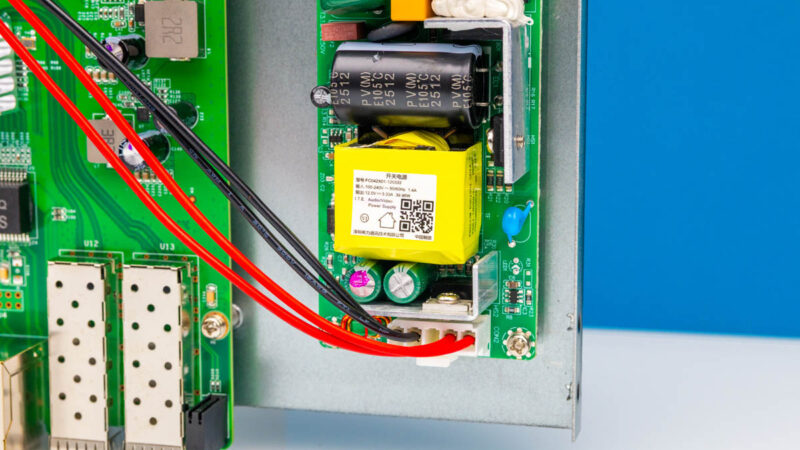
Unlike some of the cheaper 10-port and smaller switches, Gigaplus is using an internal AC to DC power supply here.
At idle, we saw a surprising 3.3W. That is fairly low for this class of device.
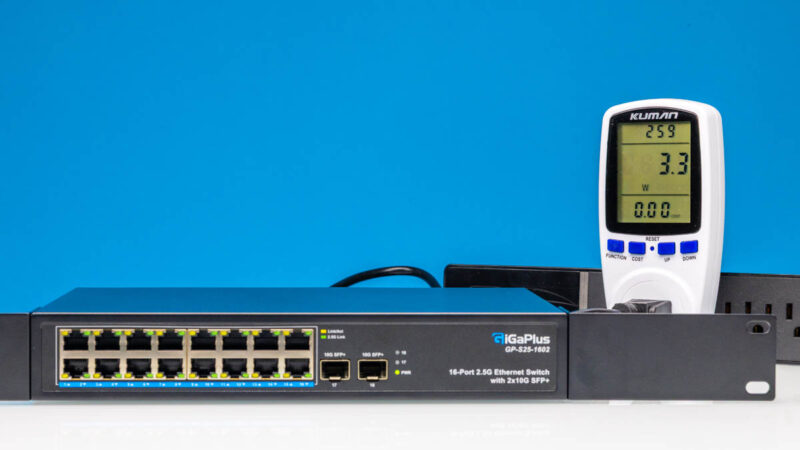
Adding a 2.5GbE link, we got to 4W or roughly 0.7W more. That increment is close to what we see on low-power Realtek-based switches.
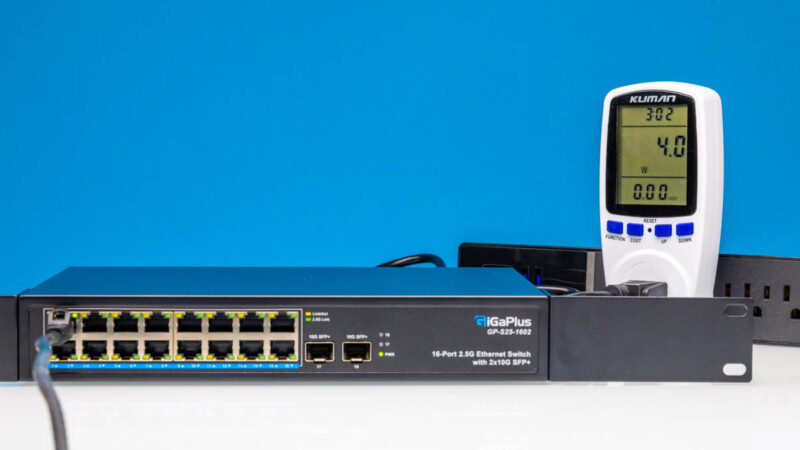
Likewise, adding our SFP+ to 10Gbase-T adapter, we get to 5W for a 1.7W increment. This is also similar to smaller switches based on low-cost Realtek switch chips.
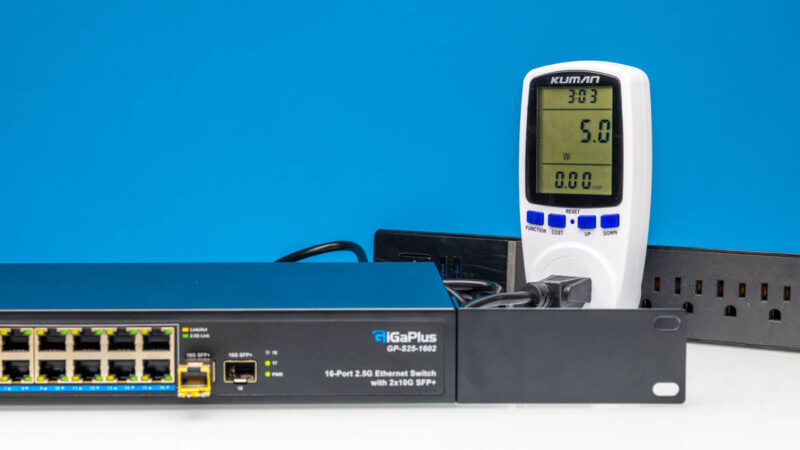
Something surprising is that the power was lower than we would have expected. Perhaps this is an advantage of the four-chip solution.
That lower power has another impact. With the power being spread among four switch chips, there are no fans in this switch, making it a silent unit. Many folks need more than eight ports, but also want a desktop switch, and do not want to hear fans.
Final Words
What an interesting switch! I think our readers will fall into two camps. Some will love the concept of having a simple, unmanaged, and silent switch where you can just plug devices into it and get connectivity. We have those use cases where we have a bunch of systems that we SSH into and transfer files occasionally on a test bench, but are not running full-speed traffic across all ports. Many offices have several PCs and systems and perhaps a NAS, where the usage between a handful of devices may be high at points, but all of the devices are not running at peak at the same time. That is a good environment for this type of switch. At $300 this would be a hard sell. Current pricing is usually $160-170 though making it a reasonable value if this is your use case.
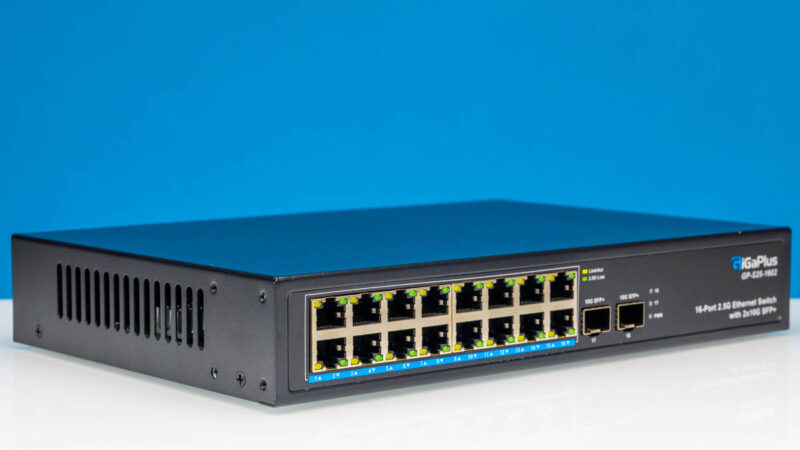
Other readers are going to be fascinated by the construction and simply prefer higher-end switches. This was a neat project just because we were able to go down into the details of the hardware internals, and then prove out what we thought we saw in the construction with performance testing. It is nice sometimes when your hypothesis is correct.
Again, it depends on your budget and goals. There are many folks who will likely purchase this switch and never notice anything strange on the performance side due to low utilization. If you just need ports for connectivity, and want something cheap and silent this is your ticket.
Where to Buy
We purchased our review units on Amazon. Here is an Amazon Affiliate Link to the listing we purchased from.
An Editor’s Note on This
Some folks may have noticed that we lost the original version of this article. A failed backup actually corrupted the STH website’s database. In the interest of getting back online quickly, we restored from a day earlier backup, and then rebuilt this article. That means we lost some comments along the way.
The “funny” part about this is that part of the reason we were in this situation is that instead of deploying the new servers to handle backup, we kept them in the studio for our Deploying AMD Instead of Arm in our Infrastructure 2025 Here is Why video.
We apologize if we lost a few comments along the way. Sometimes you have to make those decisions to get 99.9% of STH back and running quickly. This backup bug is absolutely killer though. It was just bad timing. – Patrick




3×10 does not equal 30 in switching.
The max traffic that can pass is 10G, as one can see in the diagram. That being said, this looks to be fine for the SOHO marketplace. The lack of MGMT though is unacceptable these days.
Hey all – see the Editor’s Note at the end. We had to do a database server restore from backup. It should all be working now. Thank you to Rohit for getting this one back online this morning.
This really just seems like four of those cheap Chinese 4*2.5G + 2*10G SFP+ switched glued together. Which isn’t necessarily a bad thing, because it also makes it very power efficient and silent and I’m sure it won’t be a problem for quite a few people. However, it should be made clear on the packaging that it has some quirks with certain use cases.
This looks like a great option for me at home. I will likely never approach saturating the total capacity of a switch. But when I’m doing point to point transfers, I want the higher speeds of 2.5g. I’m also considering 2.5 for my wireless APs since my ISP is already pushing beyond gigabit speeds.
Curious how the performance of this would compare to having two of the 8×2.5g switches connected via 10g SFP. I’m assuming it would be pretty similar based on my reading of the article, no?
2.5G in 2025, not good enough, we should be on 10G ethernet managed switches now, for home/soho, the industry is just dragging it’s feet.
Honestly the low bandwidth wouldn’t bother me too much in a home context, but I can’t really see spending $150+ on an unmanaged switch without vLAN support. I suspect that most home users interested in dedicated networking gear would have similar concerns.
Does this switch at least pass VLAN-tagged packets through? Some unmanaged switches outright drop all tagged packets.
As an unmanaged switch, is there an equivalent for an equivalent PoE for a home setup for 12x CCTV cameras back to an NVR?