

CWWK X86-P6 NAS Intel N355 and N150 Performance
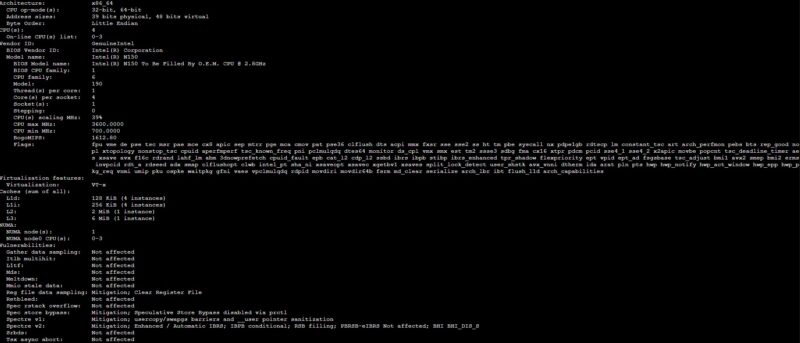
In this we had the four core Intel N150 version:
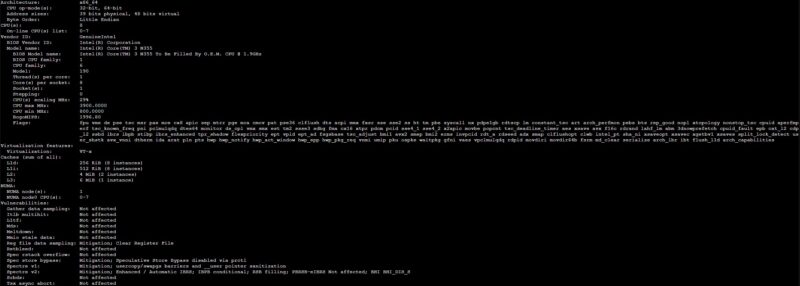
We also had the 8-core Intel N355 version.
When we ran Geekbench 5 and saw our N150 results versus the Qotom 10Gbase-T Mini PC with Intel N355 we saw about the results we would expect with the lower-power N150 with half the cores running at half the speed of the Qotom N355.
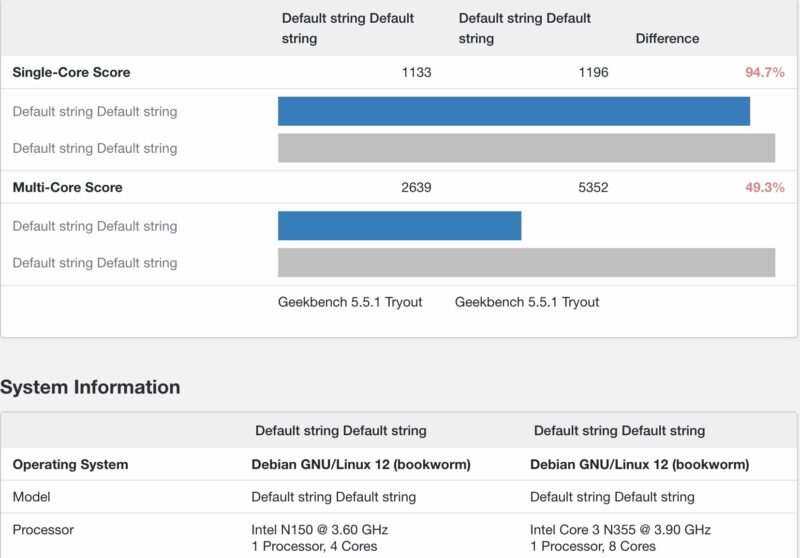
What we did not expect was that the CWWK N355 would underperform the Qotom N355 by such a large margin. The reason for this is that Qotom focused on higher power levels while CWWK focused on a quick burst of performance and higher power, then dropped to a much lower ~9W power level instead of trying to sustain 15W operation.
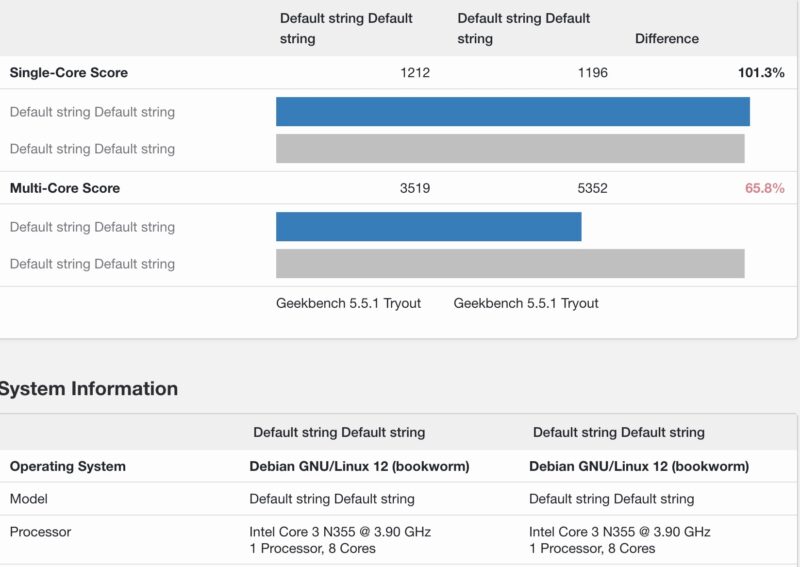
The impact, however, is that the CWWK N355 was nowhere near twice as fast as the CWWK N150, despite having twice as many cores.
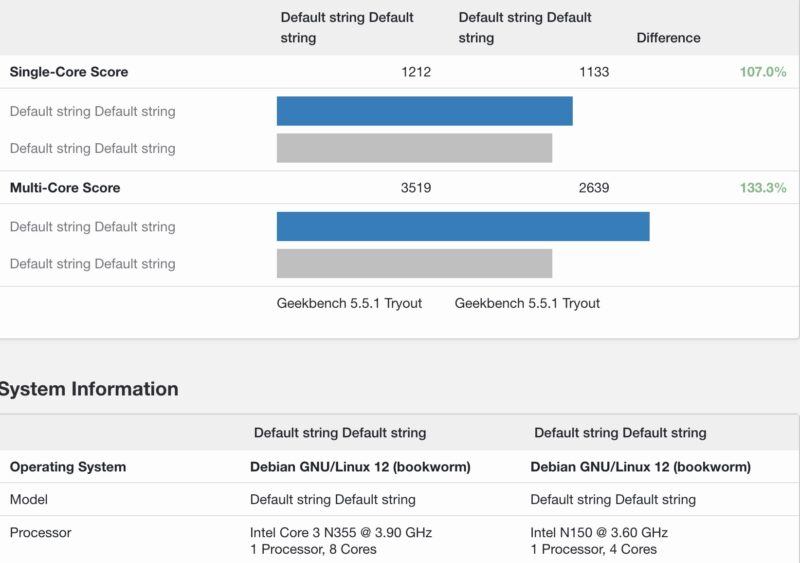
There are BIOS options to change power settings, but since more than 90% of users who buy systems stick to default settings (OEMs have told us it is much higher than that) for the vast majority of users the 8-core N355 is not as big of a jump in performance as the 4-core N150 as you might expect.
A Word on Proxmox VE
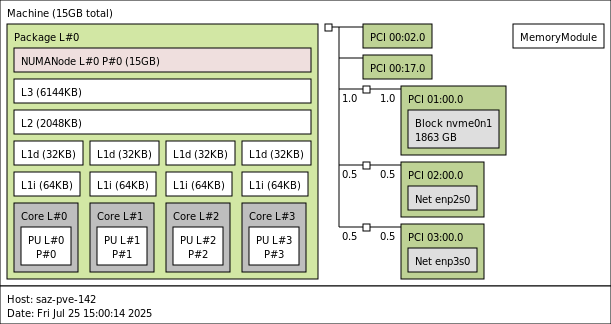
We settled on two different configurations. One with the N150 and a single SSD and 16GB of memory as just a compact low power node.
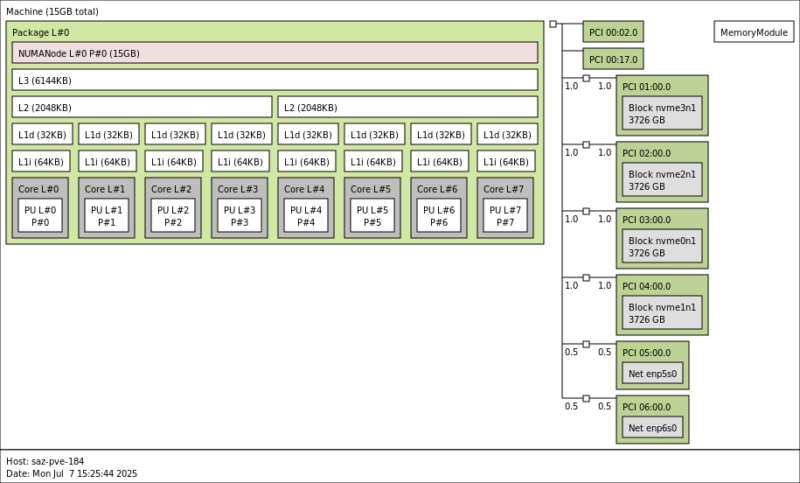
The N355 we used with four SSDs. CWWK sells these with 32GB DDR5 SODIMMs, but for this CPU performance profile, I generally would recommend 16GB. The CPU officially supports 16GB, but this line of Intel CPUs has regularly unofficially supported twice as much memory as the official specs indicate.
We installed Proxmox VE 8.4 on this, but ended up upgrading to Proxmox VE 9 after that was released this week. We just did not get to do that before finishing testing and the video.
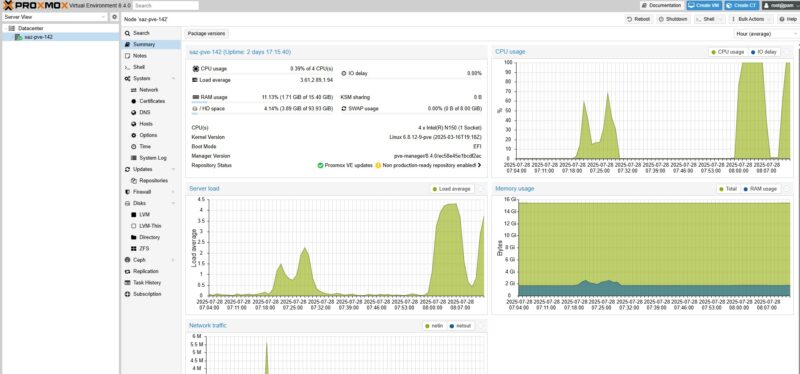
The N355 with Proxmox VE became our primary usage model with Proxmox VE handling ZFS storage.
Next, let us get to the power consumption and noise.


I wish more of these would be built somewhere else than China. I pretty much stopped watching your videos, because all you show is Chinese stuff. Sigh….
Bought the N150 back in February, plopped a 48 GB RAM stick and 4×4 TB SSDs in (2x Samsung 990 EVO Plus & 2x WD Black SN850X). There seems to be some kind of power and/or thermal issue, as a RAID10 configuration kept failing after a few seconds of benchmarking/stress testing. There’s a couple of similar reports from other users on Reddit as well.
I suspect it’s either that the 3.3 V cable powering the NVMe board is too thin to handle the peak current draw, or the PCIe switch (which splits the single PCIe 3.0 x4 into four x1 lanes for each M.2 slot) overheating. The SSDs are not visible in BIOS for several minutes after such failure occurs, so I’m leaning towards the switch chip being the culprit.
The only reasonably stable configuration is with 2 drives (but don’t try pegging the CPU/iGPU too hard…), at which point the 4-slot daughter board is kinda pointless.
Overall, my system running TrueNAS SCALE with two SSDs in a mirror runs pretty warm and idles at 18-27 W, which is suspiciously high.
Like the “Unreliable” commenter said, most of these mini NAS systems don’t supply enough v3.3 power to the m.2 slots. I’ve experienced the same thing on two other brands of mini NAS. It’s frustrating that print and YouTube reviewers neglect to test for this, seemingly only using cheaper non DRAM SSDs in their reviews. Leaving consumers that buy bigger SSDs to have surprise problems after they already bought their gear.
I see a lot of “default string” in your stats and tables, this must be a bug. Thank you very much for all the valuable information on STH!
@Patrick: Please, could you fix your strings? As written on 08/25, some Informations are missing.
@Unrealiable: Your WD Black SN850X pulls 8 Watt each…. So no wondering about failing raid-sets und tests.