

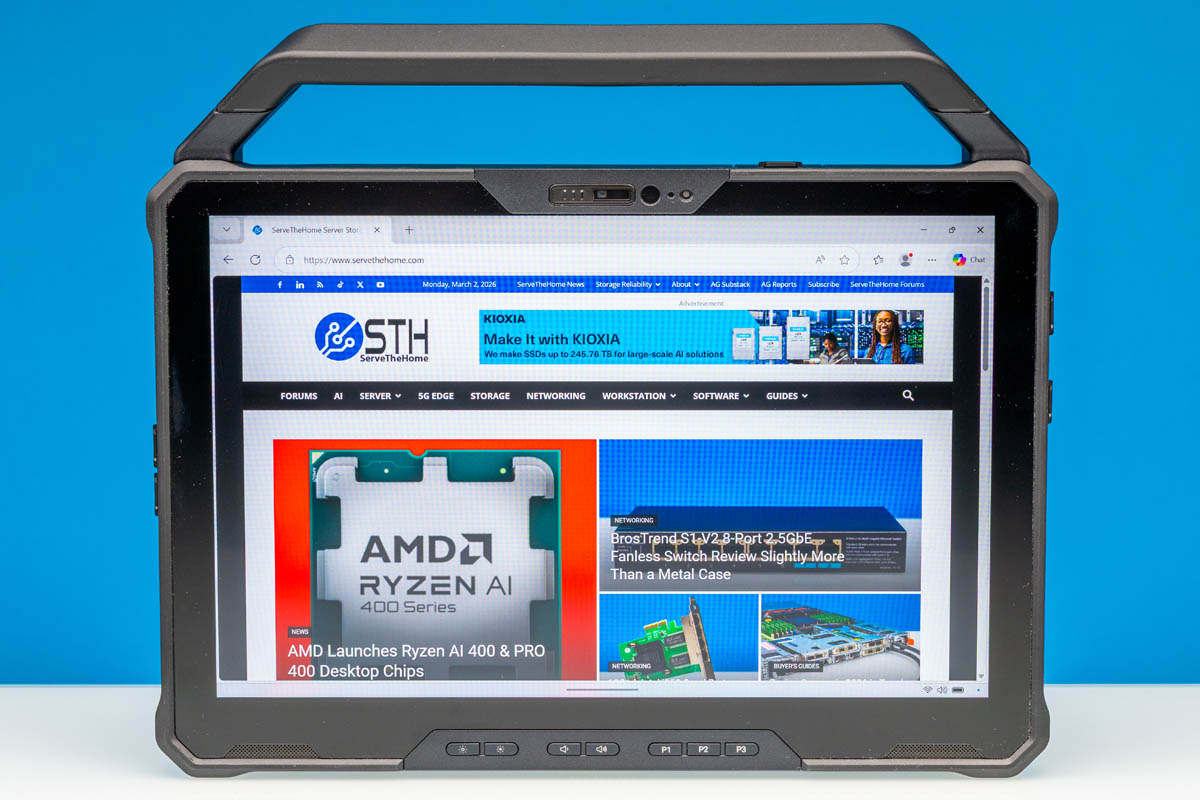
Today we are taking a look at something a little different for ServeTheHome with Dell’s Pro Rugged 12 Tablet. The flagship model of Dell’s ruggedized hardware lineup, Dell’s toughly-armored tablet is aimed at the most extreme segment of road warriors: namely, those who need a Windows tablet or 2-in-1 that can stand up to brutal weather conditions while also taking a physical beating. It is a bit of a niche market relative to even sturdy corporate gear, but it is a notable market none the less due to how much work goes into armoring these devices.
While ruggedized devices are hardly new, within Dell’s hardware lineup the company recently gave their Rugged family a major hardware upgrade, rebuilding the 12-inch tablet around Intel’s Core Ultra 200V (Lunar Lake) hardware. As a result, the Dell Pro Rugged 12 Tablet promises to be the most powerful of Dell’s ruggedized tablets yet, leveraging what has proven to be one of Intel’s best low-power SoCs released in the last several years.
| Dell Pro Rugged 12 Tablet Key Specs (As Configured) | |
| Processors | Intel Core Ultra 268V, 4P + 4LPE (5GHz) |
| Operating System | Windows 11 Pro |
| Memory | 32GB LPDDR5X-8533 Soldered |
| Storage | 1TB SSD (PCIe Gen4 x4, M.2 2230, TLC) |
| GPU | Intel Arc 140V (Xe2-LPG, 8 Xe cores) |
| Display | 12-Inch, 1920x1200px IPS, Touch Screen, 1200 Nits Max Brightness |
| Battery | 35.6Wh x2 (Hot Swappable) |
| Form Factor | Tablet (Detachable 2-in-1 w/Optional Keyboard) |
| Dimensions | 301 x 208 x 29.6 mm (11.85 x 8.19 x 1.17 in) |
| Weight | 1.31kg (2.89 lbs) |
| Durability | IP66, MIL-STD-810H |
| Wireless | Wi-Fi 7 + Bluetooth 5.4 (Intel BE201) |
| Color | Black |
| Ports | Top: 1x 1GbE LAN (RJ45) Left: 2x USB-C/Thunderbolt 4 40Gbps Right: 1x HDMI 2.1, 1x USB-A 5Gbps, 1x 3.5mm Combo Audio Jack, microSD Card Reader |
Protecting the Lunar Lake hardware and the tablet’s 12-inch, 1200 nit IPS display is a rather extensive (and thick) chassis. Dell has designed the tablet to meet IP66 ingress protection requirements, meaning that it is fully sealed against dust and it can resist water to a point just short of being fully immersed – technically, making it able to withstand powerful jets of water. This puts it on the same level as most modern smartphones for dust ingress protection, though with the ability to take far more of a beating.
On which note, the tablet is also MIL-STD-810H rated, which is the most common standard for ruggedized hardware. For better or worse, MID-STD-810 offers a great deal of latitude when it comes to consumer products since there is not an external certification process, so it does not confer much status on its own. None the less, Dell specifically states that they have designed the tablet to withstand drops from as high as 4 feet, as well as operational temperature ranges between -29C and 63C. So the ruggedization of the tablet is not solely for showmanship.
Meanwhile, if you wanted to find the Dell Pro Rugged 12 Tablet online, here is a Dell web store affiliate link.
Dell Pro Rugged 12 Tablet External Hardware Overview
Ruggedized PCs may as well exist in their own little world. And one look at Dell’s ruggedized tablet clearly illustrates why. It is big, it is bulky, and true to its functional purpose, it is designed to take a beating. It is a stark departure from contemporary ultraportable laptops or similar 2-in-1 devices, and in some respects harkens back to the early days of laptops where they were much larger and much heavier. Though in the case of Dell’s ruggedized tablet, it is far better protected.
The ruggedized nature of the tablet’s design means that virtually every aspect of the tablet is armored in some fashion. Besides the hefty chassis of the tablet itself, all of the expansion ports sans the keyboard/dock connector are behind sealing rubberized covers. Even what should be the weakest point of the design, the 12-inch display, is covered with a sheet of Gorilla Glass 5, providing as much protection as can be afforded there.
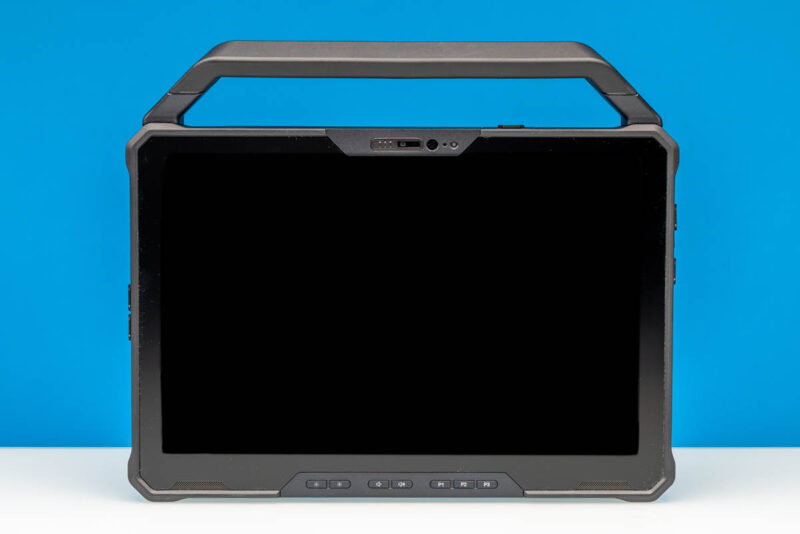
And it is the display where we will start in our tour of Dell’s tablet. Front and center to the device – and certainly the most colorful aspect to the otherwise black slate – Dell has embedded a 12-inch 1920×1200 pixel IPS panel into the tablet. The panel alone will not wow anyone in 2026, but the relatively small size of the display means that the pixel density of the display is higher than one would intuitively expect from the resolution, at 189 PPI.
More importantly, Dell has backed the IPS panel with an incredibly powerful (by x86 tablet standards) backlighting system, which is rated to deliver a maximum brightness of 1200 nits in order to ensure the tablet is highly visible even in bright daylight conditions. With a relatively massive set of batteries in the tablet (more on this in a bit) the hardware can easily afford to drive such a bright display. As a result, the only real trade-off here is that this backlight can only fully cover the sRGB color space, so despite the high overall brightness this is not a wide color or HDR display.
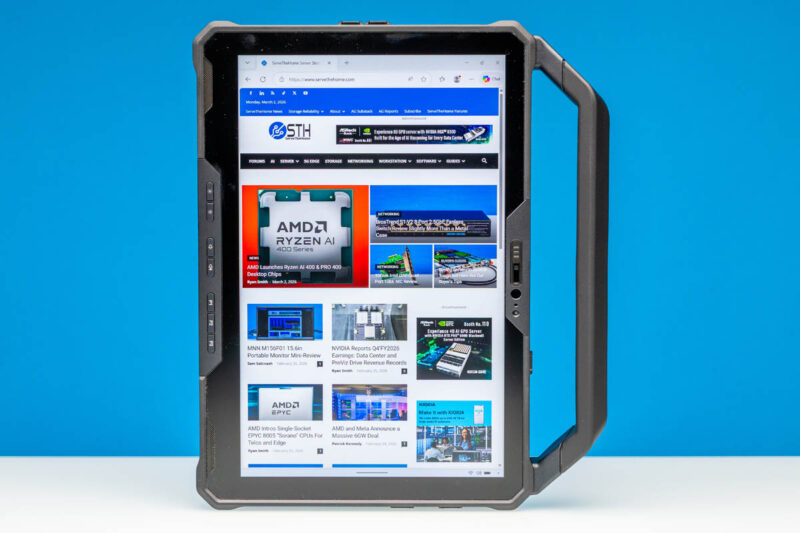
As is typical for 2-in-1s in this day and age, the tablet screen is fully multi-touch capable. On most configurations, Dell also packs in a passive (capacitive) stylus for precision manipulation of the tablet. And an active stylus is a separate accessory option.
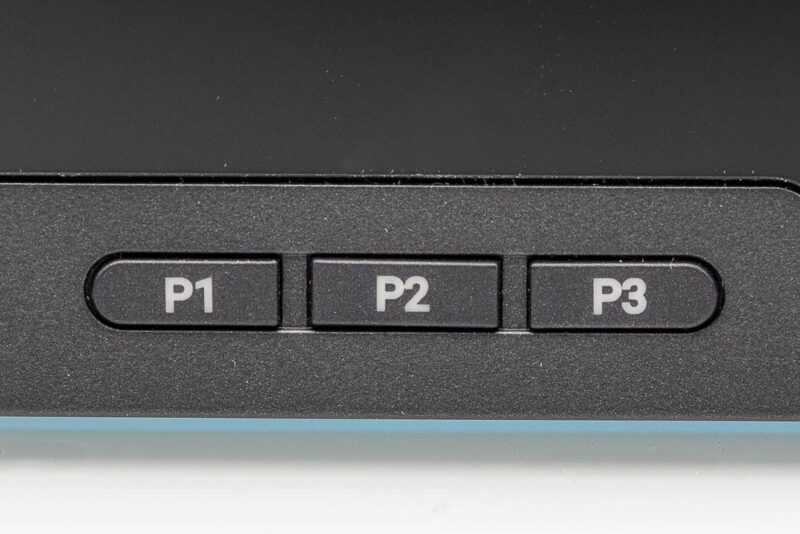
Several buttons also sit along the bottom edge of the tablet’s front bezel. Besides the self-explanatory volume and display adjustment buttons, there are a trio of programmable buttons. These are configured within Dell’s included software and can be set for different actions based on whether they are held for a short period of time or a long period of time, ultimately allowing 6 different actions to be mapped to these buttons.
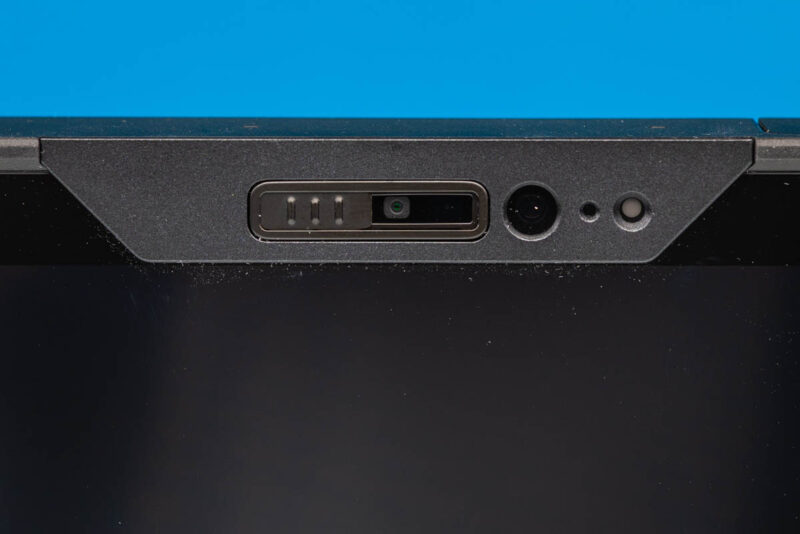
This specific tablet configuration also comes with a few cameras. On the front side of the tablet we have an 8MP front-facing camera, and next to it is an IR camera for Windows Hello and other facial authentication methods. Both of these cameras are covered by a privacy shutter, which serves a dual purpose of blocking the camera from seeing things it should not, and protecting it when it is not in use.
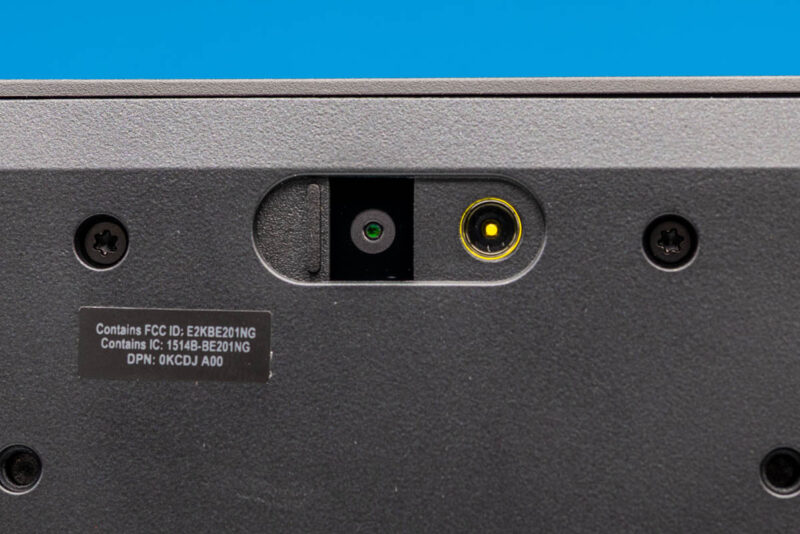
Meanwhile on the back side of the tablet is an even higher resolution 11MP camera; and like the front cameras this features a manual shutter.
Otherwise, while the Rugged 12 Tablet is primarily meant to be used wirelessly – thanks in big part to the inclusion of Intel’s BE201 WiFi 7 + Bluetooth adapter, and the option for including a Snapdragon 5G X72 modem as well – the tablet also includes a surprising amount of wired connectivity that’s spread out among the different edges of the device. And some of these connectors can be customized at build time to meet different needs.
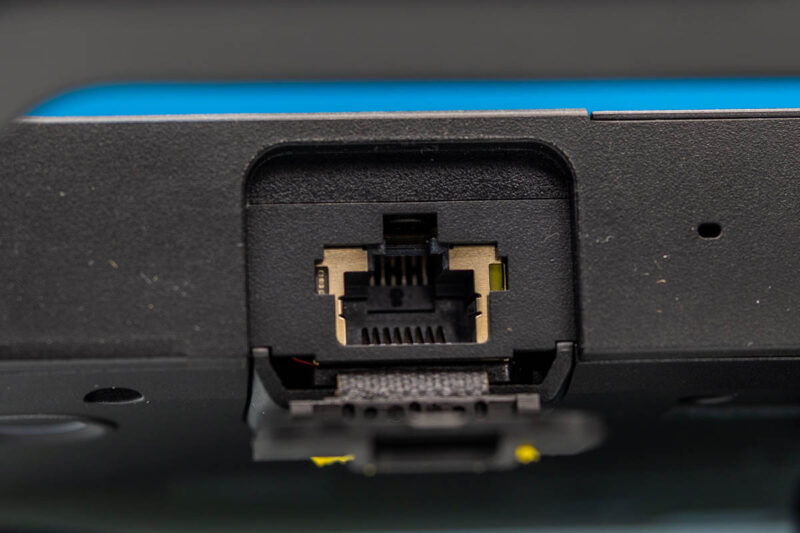
Starting at the top edge of the tablet, our review model came with a 1Gb Ethernet NIC installed, which connects with the rest of the world via an RJ45 jack. If we are being pragmatic, a 1GbE port in 2026 is a bit dated, especially next to the much faster WiFi 7 radio, but sometimes a hard line is simply
unmatchable for reliability. And for users who do not need an Ethernet jack, then Dell also offers a 5Gbps USB-A port, or even more esoteric options such as a barcode scanner or a Fischer-style 5Gbs USB connector. Or for the spartan lifestyle, the top port can be blanked out entirely.
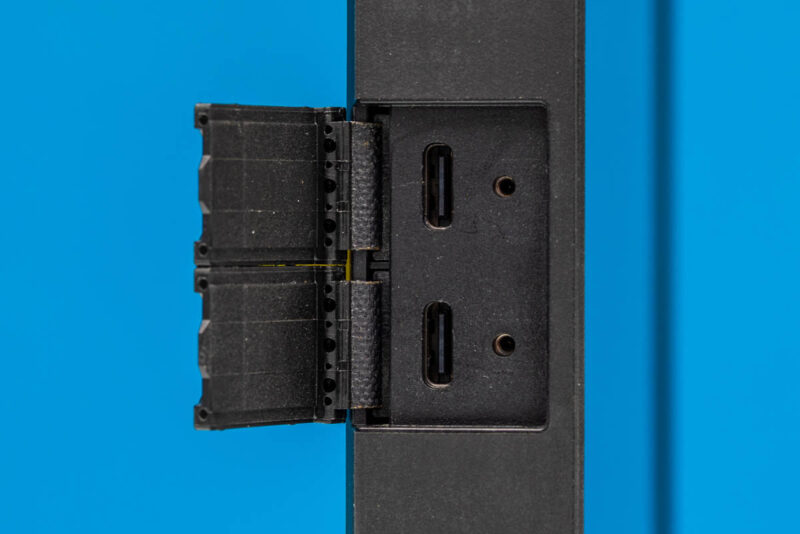
On the left size of the tablet, meanwhile, are the system’s two high speed wired ports. Being driven directly by the Intel Core Ultra 268V (Lunar Lake) SoC, these are a pair of Thunderbolt 4-certified USB-C ports, offering full 40Gbps connectivity for both classic USB and tunneled Thunderbolt data. And since these ports come right off the SoC and its integrated GPU, they support DisplayPort Alt Mode, allowing the tablet to drive a couple of external monitors via DisplayPort. These ports also serve as the charging ports for the tablet, with Dell relying on USB power delivery to charge the tablet at rates up to 100 Watts (5A @ 20V). The default adapter that comes with the tablet is a 65W adapter, though Dell also offers a matching 100W adapter for even faster charging.
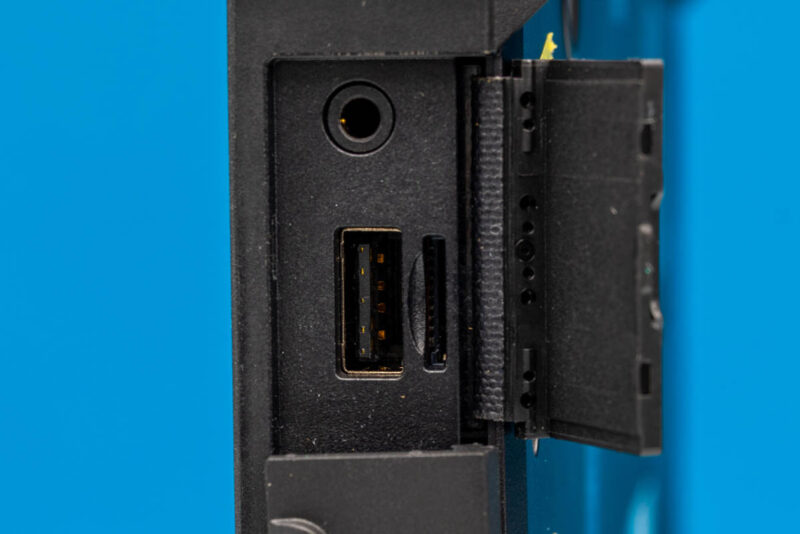
Meanwhile over on the right side of the tablet is another set of ports, with another set of configurable options here. Near the top we have a block of standard ports for all Rugged 12 Tablet configurations that consists of a microSDXC card slot, a 5Gbps USB-A port (which also supports Dell’s charge-from-battery PowerShare feature) and a 3.5mm combo audio jack.
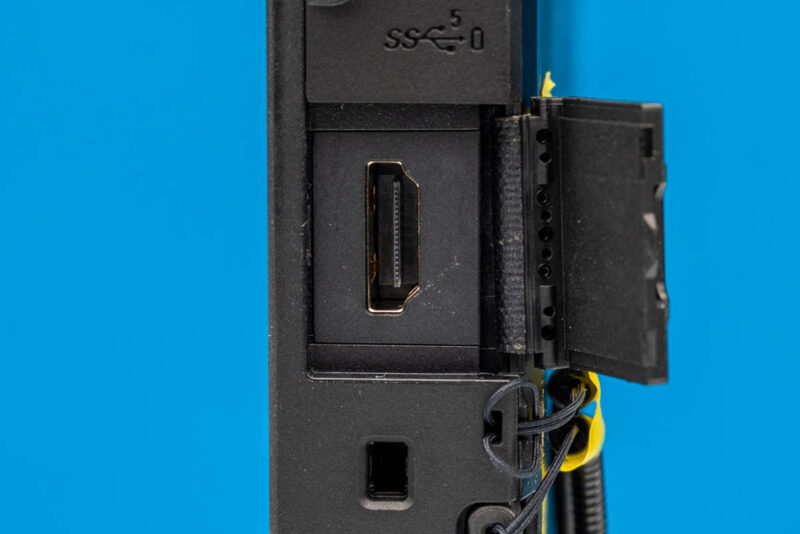
Below that is the cut-out for the second configurable I/O bay; our tablet came with an HDMI 2.1 port for driving yet another monitor (or TV), and alternatively, Dell offers another 5Gbps USB-A port here. Finally, though not really a port, it is on the right side where you will find the resting spot for the stylus when it is not in use. The stylus comes tethered by default, so it will not get very far away on its own.
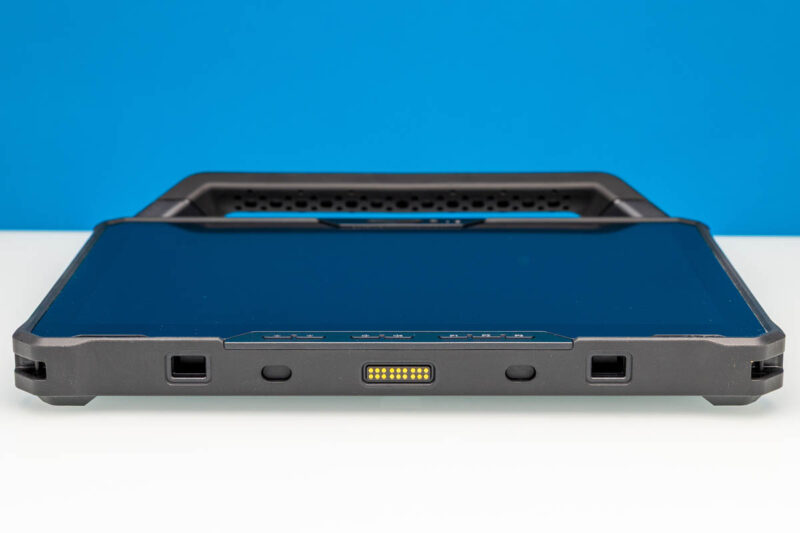
Last but not least, along the bottom is more connector, though it is a proprietary one for interfacing with Dell accessories. Specifically, this is Dell’s docking connector, which is what the tablet uses to communicate with the optional keyboard attachment. There are also docking connectors abutting it, which is what Dell’s keyboard uses to lock the tablet into place.
Finally, on the back side of the tablet, there are not any further connectors exposed here. But we do see the covers for the battery and storage bays, which we will get in to when we look at the internals of the hardware.
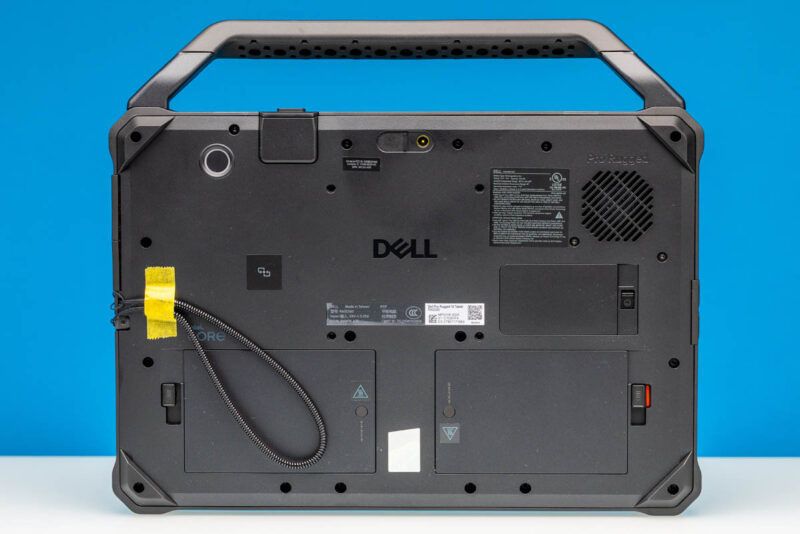
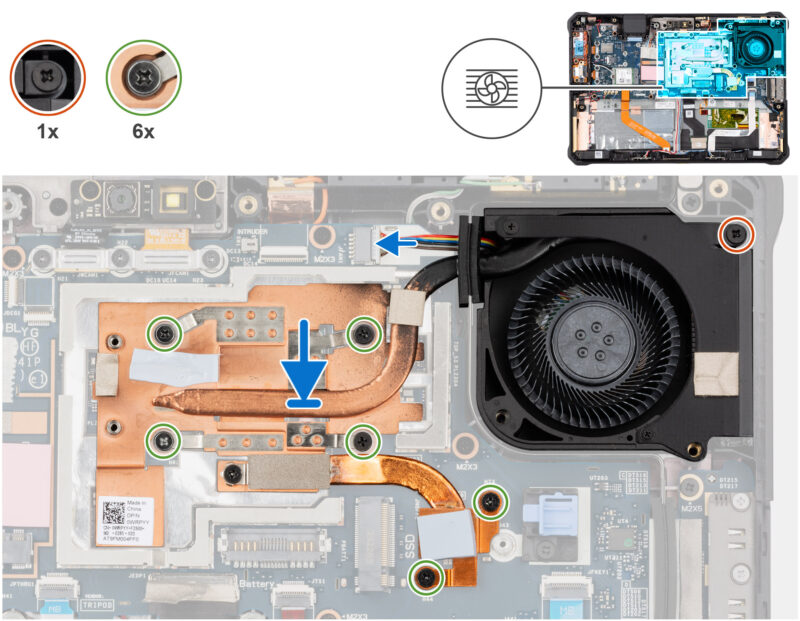
This view also exposes an interesting aspect of the Rugged 12 Tablet’s design, which is that despite its durability and ingress protection ratings, this is not a fanless tablet. There is in fact a blower fan here to help keep the low power Lunar Lake SoC cool. It is an unusual find on such a ruggedized device, especially one that goes to great lengths to prevent water and dust ingress elsewhere, but even the blower is sealed off from the rest of the system, so dust and water cannot get in via that route, either.
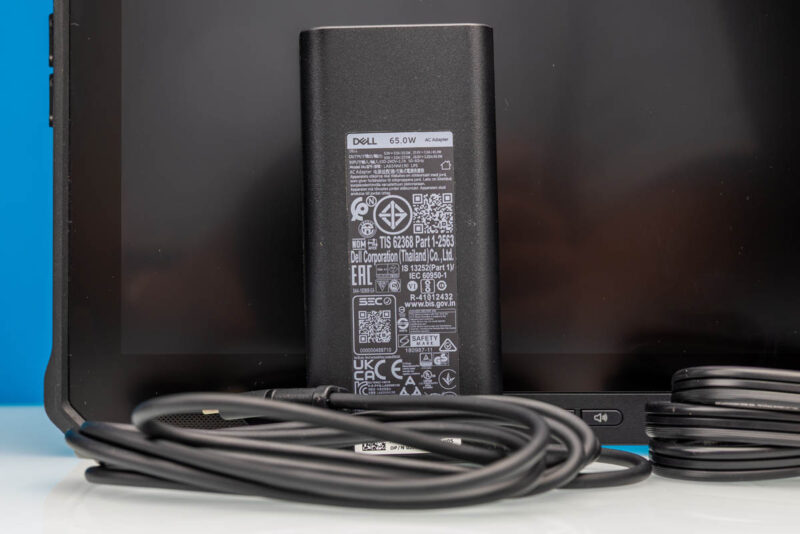
And here is a quick look at the included 65 Watt power adapter. Relative to the tablet itself, it is not as quite as ridiculously ruggedized; but it is not a fragile brick, either. Power output is provided vi a USB-C cable, while power input is provided by a polarized C6 connector.
Now that we have taken a look at the tablet itself, let us take a look at Dell’s keyboard dock, which turns the tablet into a full 2-in-1 Windows PC.


A very neat device. I’ve got one of their leaner devices with the 268V and it’s really nice and incredibly power efficient.
One thing I would like to add is that I would have liked to see the USB-C ports on a separate PCB. That’s something they now do with their Pro laptops, meaning that if the port breaks, you don’t need to replace the entire motherboard. Furthermore, it would have been nice to see a more traditional DC jack to power it, as that would likely to be more dustproof than a USB-C connector.