

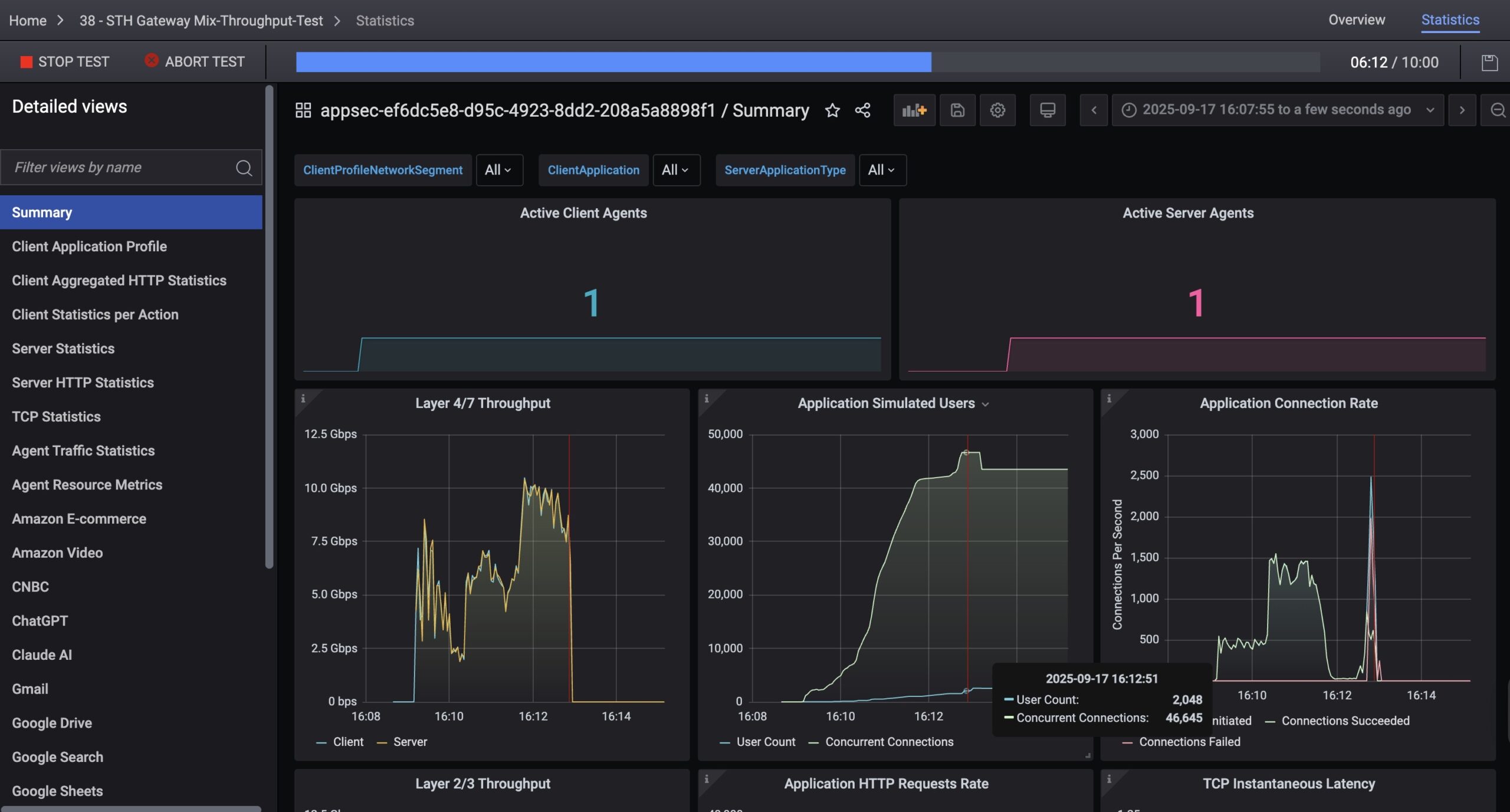
For those who have not seen some of the charts we have been publishing recently, we have a new, and very high-end network testing platform at STH. As such, we will have the capability to test network devices at speeds exceeding 1.6Tbps, covering the vast majority of the market. Even next year’s PCIe Gen6 servers will only sport 800Gbps adapters, and by then, we hope to be over 3.2Tbps of load generation capacity. After three months, we have the tool up and running, and now it is time to lock down on the test methodologies. Perhaps the strange part is that we know better what we are running on the 400GbE/ 800GbE generation of products than we do on the sub-25GbE items. As such, and before we run dozens of products over the next few weeks and months through the process, it seems like a good idea to get feedback.
Next-Gen STH Load Generation is Wild
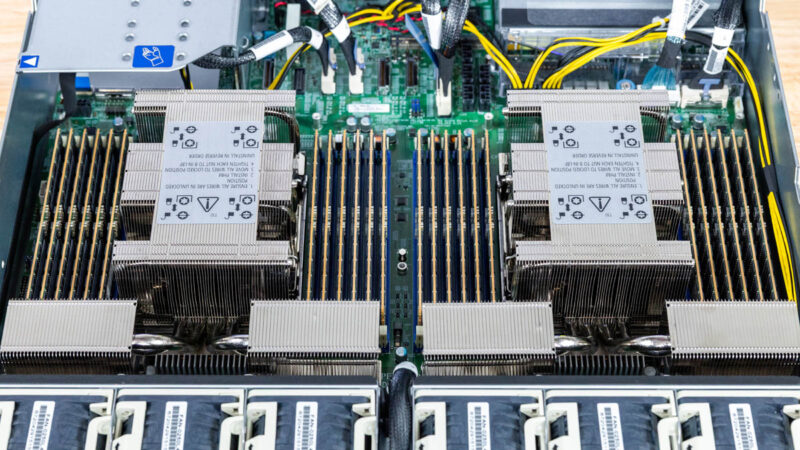
We are going to go into the box in great detail in a future piece, but the short summary is that over the past three months we have been tuning a Keysight CyPerf setup. This is a high-end industry tool that is very different than the iperf3 that most online reviews use. It also costs a lot more. We will end up with roughly a $100K switching stack a $50K box, and a subscription license that will run around $1M/ year just to get this operational. It also has taken careful component selection and testing (we have sent NICs back, recabled the server, and so forth.) The next-setup is likely to even feature a new set of custom cables that do not currently exist on the market. We are using the Supermicro Hyper SuperServer SYS-222HA-TN similar to what we reviwed, but with some modifications. We had to tune not just the physical server, but the entire stack from DPDK to the NVIDIA DOCA setup and more to handle this kind of load.
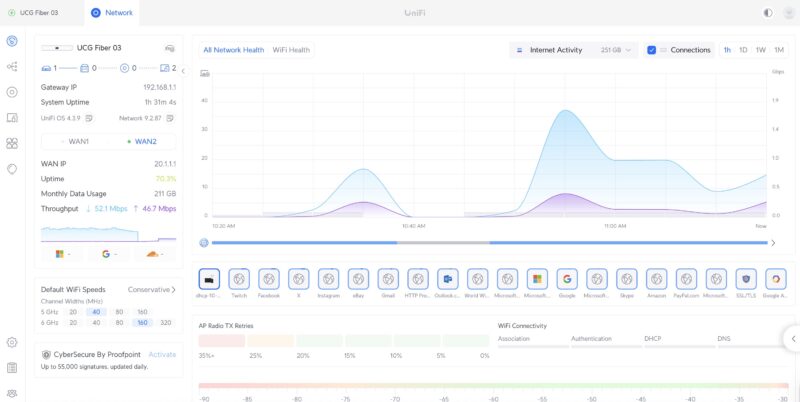
When we say load, we do not mean just the ability to send a stream of packets at a high rate of speed. Instead, we have access to over 500 application profiles. Here is a Ubiquiti UCG-Fiber being tested from earlier today. You can see that we have Twitch streams, Instagram, Outlook, Google, X.com, eBay and more being picked up on the dashboard.
This may seem trivial, but there are huge implications. Since this is not just an iperf3 stream, firewalls and gateways see this traffic and can decide what to do with the streams. We can also simulate a huge array of attacks based on CVEs and see if the firewalls can mitigate them. Today’s testing also had that traffic going to servers from eight different countries, but we can easily scale that as well.
Is this good for a firewall/router/gateway device? On the plus side, well over 1.3% of the attacks are being blocked. 1 attack per second, with a maximum of one happening at any given time. pic.twitter.com/DYFuLzFq4H
— Patrick J Kennedy (@Patrick1Kennedy) September 17, 2025
It turns out that this is another area we can test with the tool, but we have a large library of attacks we can simulate, as well as the rate at which the tool injects them.
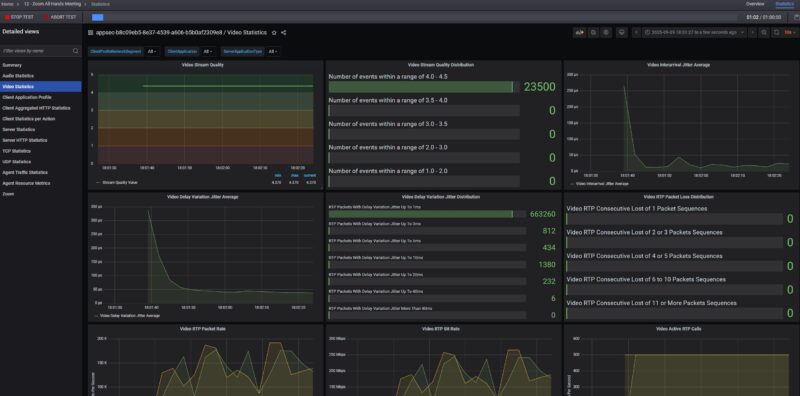
We can also setup applications like all-hands Zoom calls with many users (we have done 500 people so far), and check call quality metrics to see if users experience audio or video cut-outs.
Another cool feature of the tool is that we can simulate many users, and connections. For example, here was a run we had simulating 1500 users, at over 80,000 concurrent connections doing tasks such as checking Gmail, using ChatGPT and Claude.Ai, doing productivity tasks using Google Sheets and Office 365, and more even watching YouTube and Netflix.
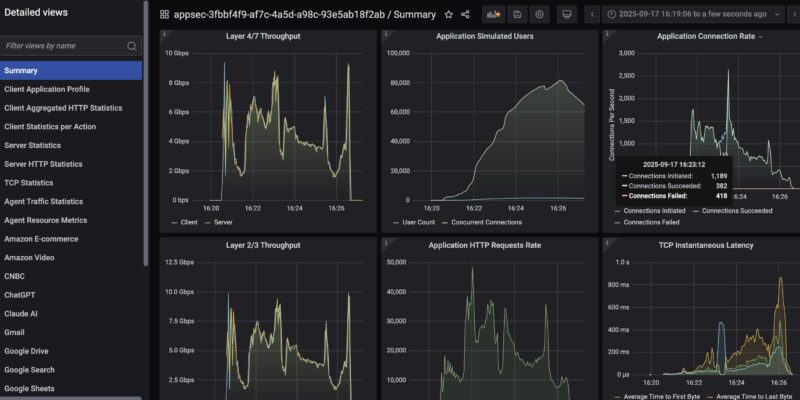
That led to finding some things that we have not seen on other reviews. Using the Ubiquiti UCG-Fiber, we ratcheted up the test to 2048 users, and the device just stopped. You can see it running roughly 10Gbps and then it hits 2048 users and it required a hard reboot of the device to get it to pass traffic again. The cover image to this has another example. We have three of these that we validated the behavior against since we had not heard of this limitation before. One of those three is now in pieces. To be clear, this is an example of why large cloud providers use CyPerf to test their networks since it is a tool to test these limits.
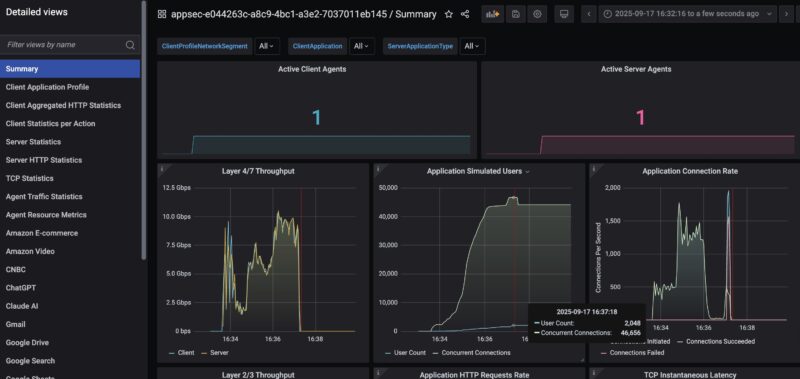
On the left hand side, you can see many different tabs. Each of those is keeping statistics so we can drill down into if a Google Search application is failing or an rsync transaction is stalling.
Hopefully, folks on STH understand that this is a quantum leap over iperf3 testing, and also why we are doing it. At the same time, even our “simple” tests where we are using less than 1% of our capacity are able to take down devices and generate hundreds of thousands of data points. That is why we are making the simple ask of what should we focus on.
Final Words
Perhaps this is best to discuss in the forums, but feel free to tag us on X or elsewhere as well. For now, we are focused on getting the low-end 25GbE and below segment covered. What do you want to see? What level of detail? Are there formats that would be more useful than others? All are fair game. Since it looks like this will end up being 24-48 hours per device, one pitfall I want to avoid is doing a dozen devices, then realizing we need to change the methodology and then cycle through devices again. We also need to achieve a level of abstraction because if we dump millions of data points into reviews, most folks will not be able to process it.
Over the next few weeks, you will still see some basic iperf3 charts, but we also hope to sunset that with a new tool that you can run at home as well. As folks know, there is a production lag at STH, and so we are going to be entering a few weeks here where products have been tested using the old methodology.
In our Letters from the Editor I have mentioned that I wanted to up our game on the networking side. This has been a massive project, and will continue to be one. Of course, there is a lot more to come.

It’s almost incomprehensible how good this is. I don’t have an opinion, but I’m awaiting the outcome.
“[H]igh rate of speed” Speed is a rate! Just joking, your work is exceptional.
I would love to see deeper dives on how consistent latency is going from L2 to L3 featuresets. I hear a lot of people saying online how an L3 switch, or enabling routing, can cut performance in half or more. I certainly understand that a large routing table on a switch could effect performance, but just how much would it be?
This is good news! My next hope would be to give storage this kind of treatment. :)
One area at a time MOSFET.
At present, hight-end switches have reached 51.2T switching capability and beyond, for example, 102.4T. I hope STH can do some deep hardware analysis for the newest swithes from different vendors. Secondly, pizzar box switchs are more popular for small datacenters. Connecting pizzar box switches with servers is easier for system analysis guys. In this way, you can run some AI testbench to check the switching capabilities.
To blow 279USD home segment CPE with 2048 user profile is a little bit cheeky :)
Please do same with other CPEs you have on the sheves:
Mikrotik L009
Mikrotik RB5009
Netgate
For the higher-end switches, remote-block-device type workloads seem interesting: users want to compare them against locally-connected disks which have a ton of bandwidth and very low latency. You can “translate” high-end NIC/switch results into results we’re familiar with from benchmarking storage, e.g. adding 10µs latency leads to such-and-such read speed at 4KB QD1 (under certain assumptions about the response time of the box on the other end).
There are other exotic-seeming things like RoCE that I suspect have some of the same dynamic, that is, a fast network is supposed to stand in for an even faster local subsystem (memory, the PCIe connection to the GPU). Not as familiar to me (or most folks?) as storage, but maybe interesting to some folks who might use the fancier gear.
This tester seems amazing. However, are there any open-source tools providing similar real-world-ish network load testing? I work in a small university lab and would also love to have something more robust than “just” iperf.
That Keysight license is spendy! Is their hardware very specialized? Assuming you had a server (or two) which could support a 100G NIC and accurately generate and capture the packets, could you do some similar testing without the KS software and license?
@Nathan
Cisco Trex
@Nathan https://otg.dev/ has several resources including the above mentioned TRex.
Thank you both Mandarinas and TLON for the great reference.
Comments are closed.