

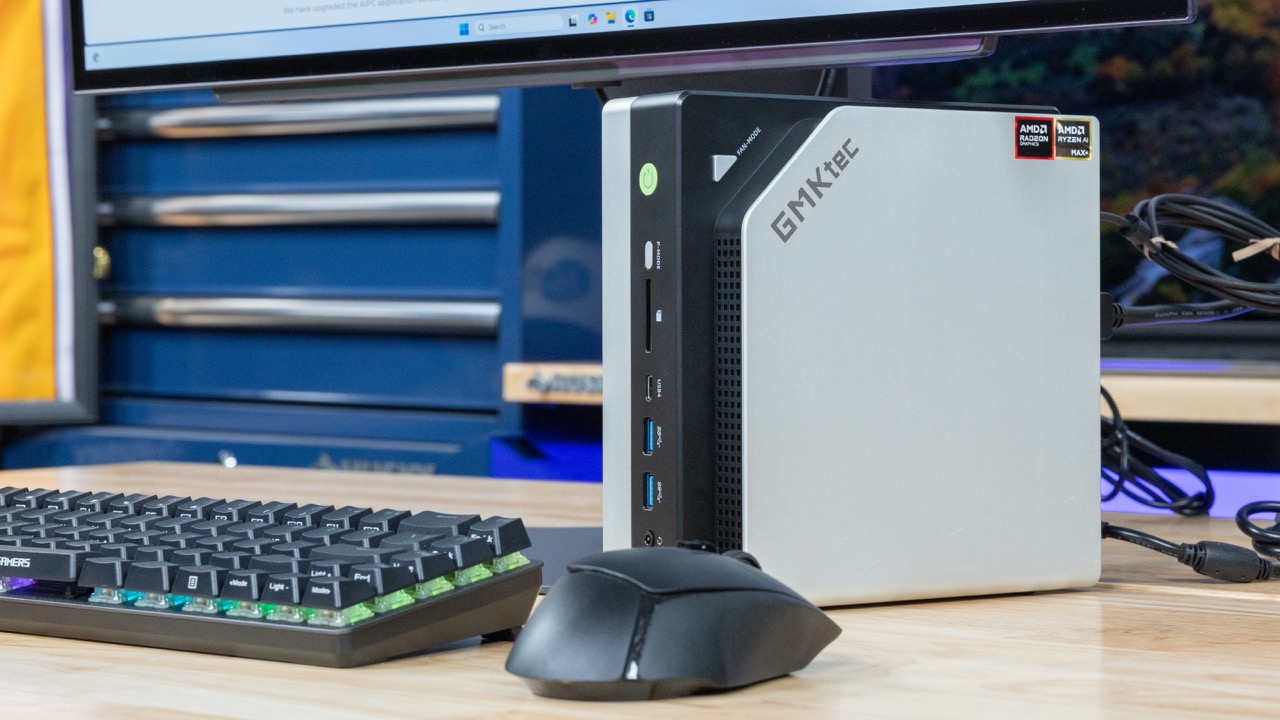
Today, we have something really neat, the GMKtec EVO-X2. This is the first system we are reviewing with the AMD Ryzen AI Max+ 395. That processor is a big deal because we get 16 CPU cores and the massive 40-core RDNA 3.5 GPU integrated with 128GB of LPDDR5X memory.
Of course, for this one we have a video:
We always suggest watching this in its own tab, browser, or app for the best viewing experience.
If you just want to do a current price check, here is the Amazon affiliate link. Here is another to the WD Black 8TB that we put in it.
Let us get to the hardware.
GMKtec EVO-X2 External Hardware Overview
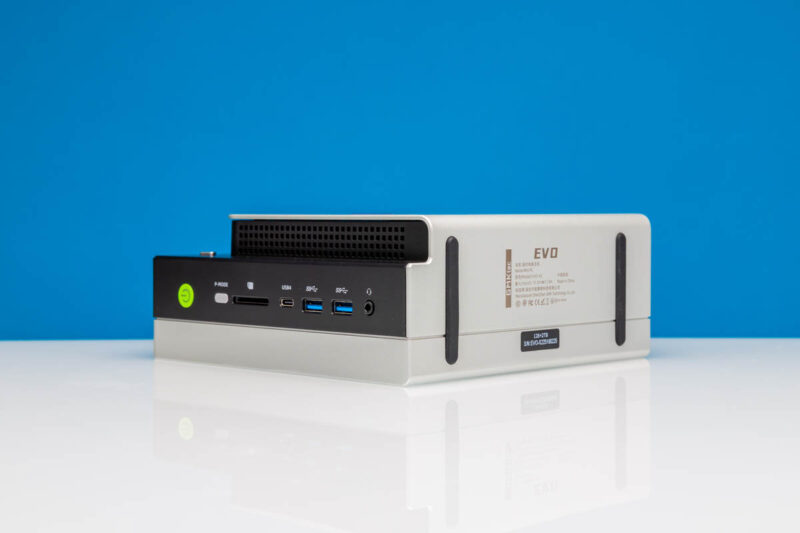
First off, something that I wanted to point out is that we are going to show this system set horizontally, but it is actually supposed to be vertical.
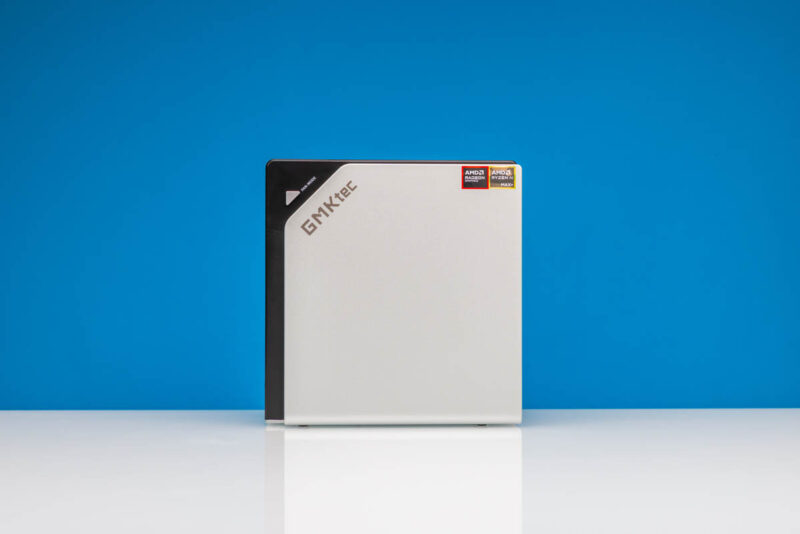
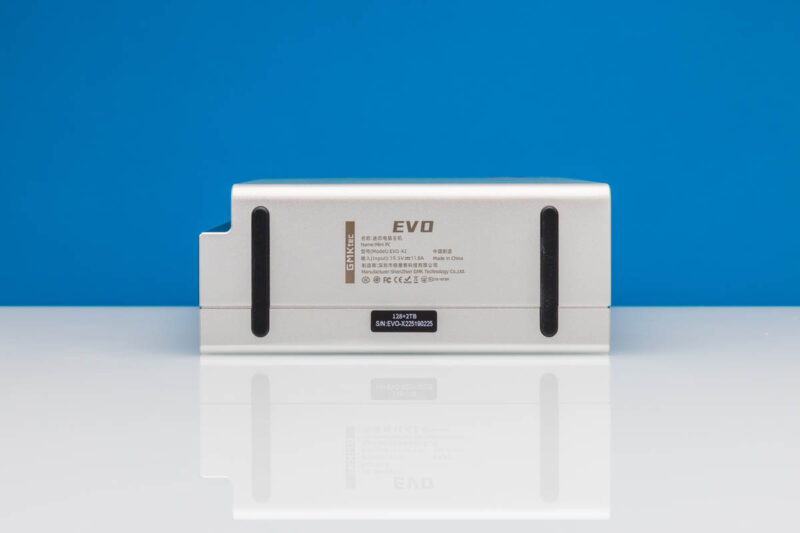
The rubber feet are only at the bottom of the system. Still, we take horizontal photos, and the ports are labeled for horizontal reading, so that is how we are going to show the system.
On the front, we get a power button that lights up. There is also a P-mode button (quiet, balanced, and performance modes) which perhaps some might use. We never used this other than to see what it did.
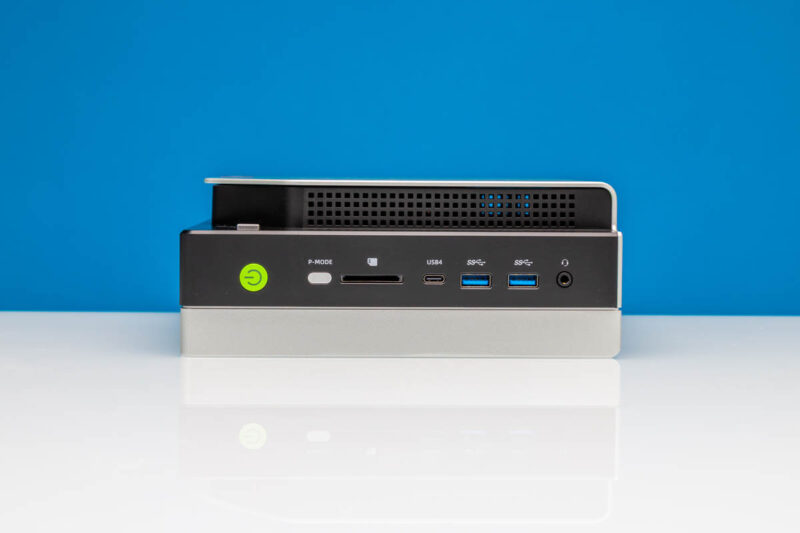
Next to that we get a SD card reader, then a USB4 port. That is important for a mini PC to add expandability. The two other USB ports are Type-A USB 3.2 Gen2 ports.
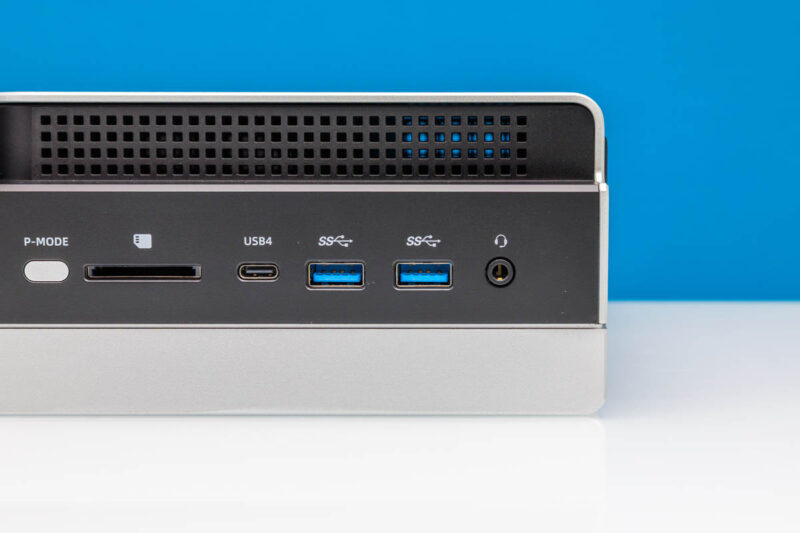
There is also a headset jack on the front.
On the rear, we get a lock point and a DC power input. There is also a headset jack. Networking is provided via a 2.5GbE port and a Realtek RTL8125BG. In a system at this price point, I wish this had 10GbE if not at least 5GbE.
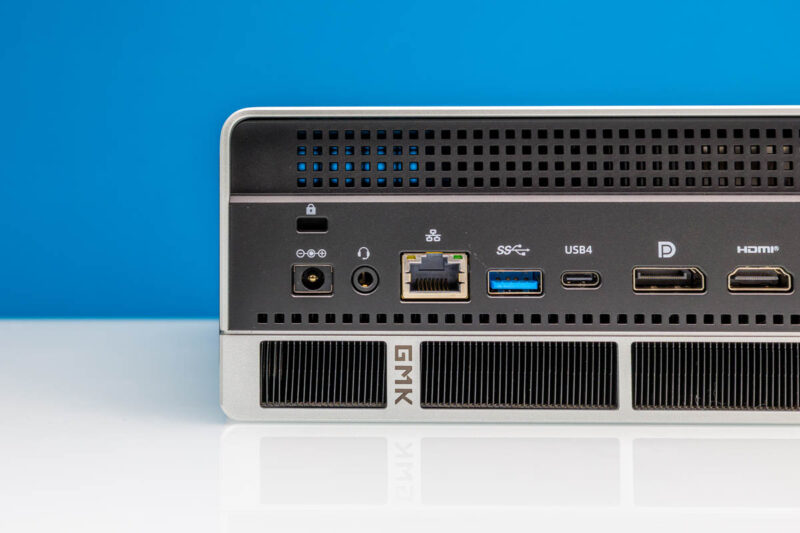
Next to that we get a USB 3.2 Gen2 port, then another USB4 port. There are then DisplayPort and HDMI 2.1 ports. Next to those are the USB 2 ports.
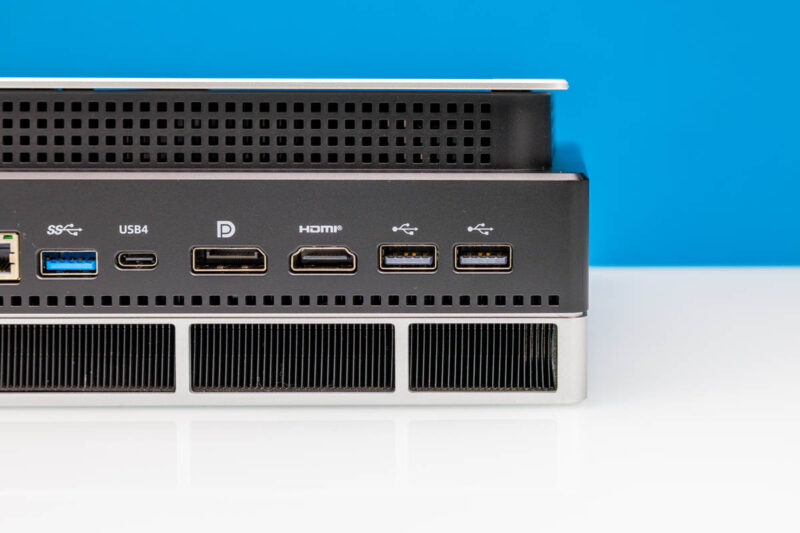
The rear also has a lot of space dedicated to cooling. This is far from the old mini PCs that used 60-70W of yesteryear, so it needs space dedicated to cooling.
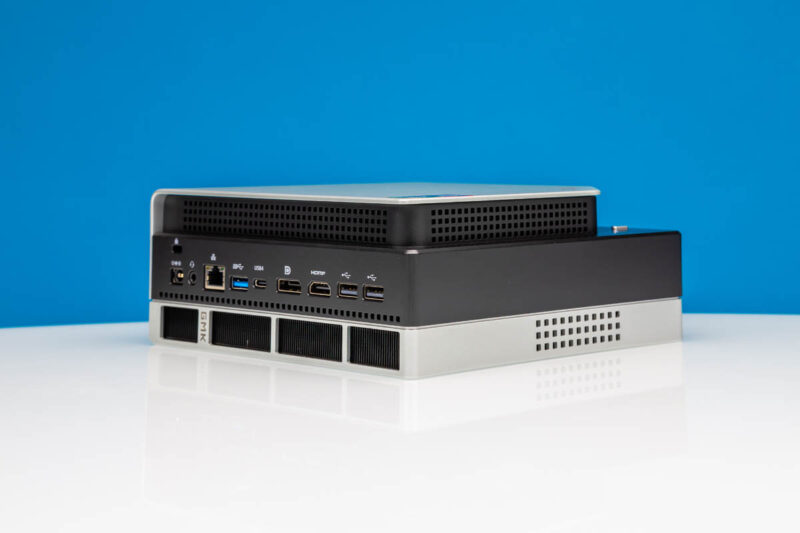
Something that is probably underappreciated with this system is that it tapers off. Every time I see this top part, I think something along the lines of “I think I would rather that be an even edge.” To each your own, but for our readers sensitive to those things, it is very noticeable.
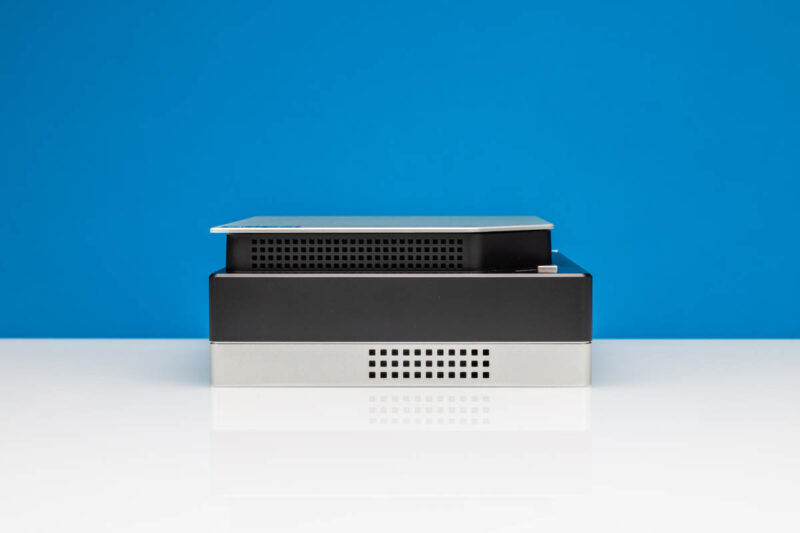
To understand why that protrusion is there, we should get inside the system, which we will do next.


It is a great system, but it’s been a while since I’ve seen such an ugly enclosure on a modern computer.
Pls inform me cost of evo x2
Make it 10GbE, quieter, and not an ugly AF box and it’ll sell like sno cones in Hawaii
what makes it ugly compared to a square black box?
I’d agree with others this is a horror show on the eyes. At least a square black box is easy to hide. This doesn’t have clean lines and 2 tone with RGB
In my opinion the Ryzen processor is very nice. At the same time, I’m not interested in a weird looking mini PC that is difficult to service. On the other hand, if there were a mini ITX motherboard with this processor, I could see placing four in a suitable 2U rack-mount case.
I like it aesthetic much more than a box, give me interesting asymmetrical every time over “it’s a box.
I differ on the claim “it’s meant to be vertical” , the feet were thought after naming ports, if you want to read it the way it’s meant to be read, this is a horizontal box.
They probably decided it’d have smaller footprint on desk or against a wall while vertical aaaand, “lets add feet on edge”
Where did the get the designer for this thing from? Such a great machine in such a poor housing! Looks like a 1987 clone pc!
Ugly?!? It’s a dam computer it’s a new platform . Why is there always something to bitch about. Couldn’t complain about it performance so this is you complaint???
WOW
Great review, thanks a lot! But what about image and video gen? Is that possible with 96GB RAM dedicated for the GPU?
(a) Typo on this page (bargin, rather than bargain)
(b) You mention Windows on GB10. Is that actually confirmed or conjecture?
So much hate on the design of the case. I mean, yeah, it’s a little weird looking, but I’m fairly certain I’ve seen worse. I’m indifferent to case aesthetics, myself. Form follows function, as I see it. If the thing works as the manufacturers intended, that’s all that matters. RGB, funky stepped housing design, all that’s secondary to the actual functioning of the unit. Yeah, there’s a few places where they could have done better, but if it works and does what its designers set out to accomplish, is the visual aesthetic really THAT big an issue?
The box is meant to stay vertical. If you let it stay horizontal, you are going to clog the cpu ventilation holes. I have been working on the evo-x2 for about two weeks and I am quite happy with it.
The FA-EX9 looks a bit more promising as a workstation, no 10gbe but 128GB 8000mhz RAM like the X2 and it has oculink (seems it’s shared with the second nvme port?). It’s starting to popup on aliexpress but I haven’t found a full review yet.
Oculink seems like a great choice until you realize how much an additional gpu enclosure and gpu costs. You might end up with another 2k.
Frame.work has an mITX board with 128Gb of RAM for 2000$, shipping end of the year if ordered now. Jeff Geerling has a video where he put them in a miniRack. An miniPC with triple fans isn’t really what I want on my desk. As an enthusiast I’d rather put it in a jonsbo N5 with lots of storage as an all-in-one NAS/compute server.
On Linux you can have up to 120Gb dedicated to the GPU via GTT. Great to run big models locally.
Whoever designed the SSD cooling system must have serious problems. They managed to install a completely useless 120mm fan. It’s blocked at the top where it’s supposed to draw air, and it’s blocked at the sides by the fan mount itself. In a complete aerodynamic stall, it just moves a little hot air onto the motherboard backplate and onto the mesh and SSD.
Comments are closed.