

Sometimes you may want to uninstall a drive that you have connected to your Windows Home Server. WHS makes this easy and this guide and video tutorial will take you through the necessary steps to remove a drive without losing data. I had a colleague ask me how to do this so I figured that I would update the guide for others seeking help.
Please note: If you are passing disks through to a Hyper-V virtual machine or a RAID controller, this guide only covers the WHS portion, not extracting the drive from the virtual machine or RAID array.
The video:
httpvh://www.youtube.com/watch?v=CCtMVzh3mr0
Steps:
- Login to your Windows Home Server using the Windows Home Server Console
- Go to Server Storage
- Select the drive that you want to remove/ uninstall
- Ensure that there is enough free space on the server so that the drive being removed can have its data transferred to the remaining storage pool
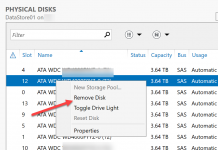
- Either click “Remove” from the menu or right click the drive and select the “Remove” option
- Click Next
- Click Next
- Click Finish
- Go do something as the data is transferred off of the drive to be removed, it will likely take a few hours. Just let the WHS be during this process and realize that the share folders and backup service will be unavailable while the data is being copied.
- Remove the drive
That’s it! Enjoy.
Good info. Would be better if you talked in the video, unless you’re shy
That is definitely a thought. My goal was to make something text based so people could do it at their own pace. I may try narrated ones someday soon.
I don’t know I actually feel like when someone is talking and you’re seeing it getting done, you can process the info quicker than trying to see two things at once. What I mean by that is that I have to keep watching two things – the text what you’re doing and the thing that you are clicking which makes it just harder to look at. Just a thought….
Point taken. It may not make the next 3-4 (already recorded and I need to find a better mic) but after that, I will work on audio too. Thanks Paul.
My HP Homeserver has died and I’m wanting to know if I can remove the drives and recover my files by connecting the drive to another computer.
Problem is that under “server storage” all the drives have the same name (atleast in my server since i bought 4 similar drives. So, server storage is useless when trying to find out which drive is which.
Disk management is much better, but disk management doesn’t seem to do the job properly.