

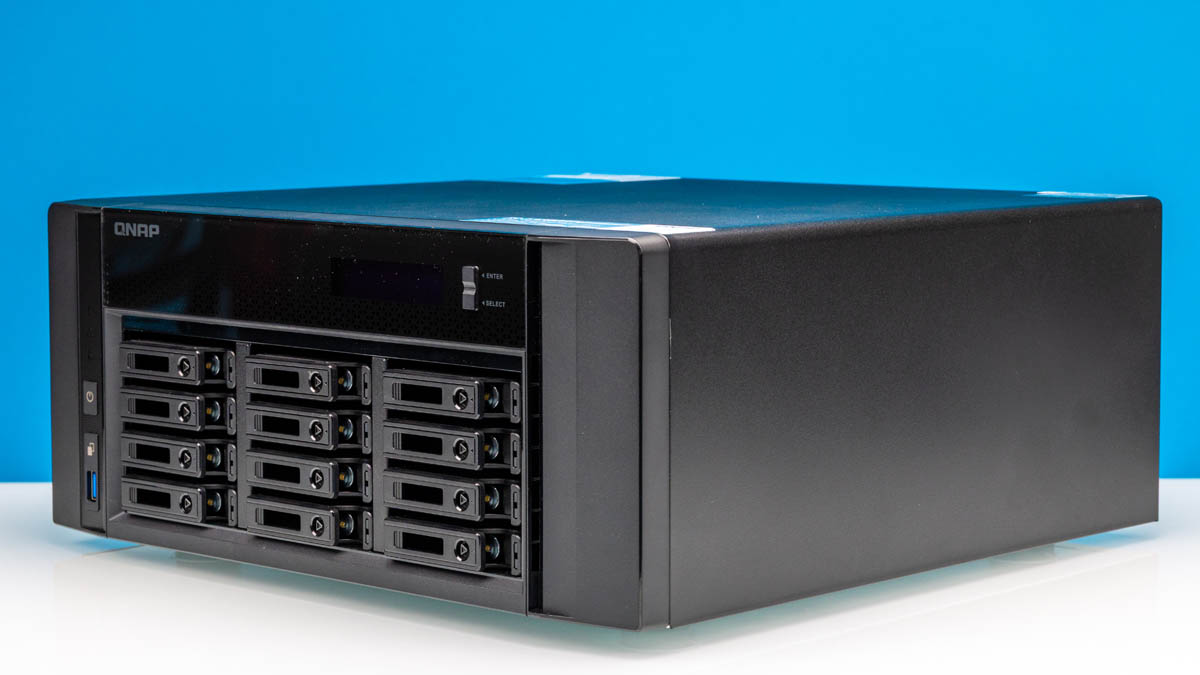
Late last year, we showed how we were Building New STH Studio Storage NAS around the QNAP TS-h1290FX. The reason we picked this platform versus building our own was simple: it is a 12-bay U.2 NAS based on AMD EPYC with built-in 25GbE and multiple PCIe Gen4 slots. With a relatively expandable system that is very quiet, there is a lot to like in this NAS. Make no mistake, however: it is a high-end NAS in the truest sense of the word, and as a result, it is not a NAS for everyone.
| QNAP TS-h1290FX NAS Key Specs (As Reviewed) | |
| Processors | AMD EPYC 7232P (8C/16T, 3.2GHz) |
| Operating System | QuTS or QuTS Hero |
| Memory | 64GB ECC RDIMM DDR4-3200 (8x8GB) |
| Storage | 5GB Flash Memory (for OS) |
| Drive Bays | 12x 2.5-inch U.2 PCIe Gen4 x4 / SATA |
| PSU | 750W SFX PSU |
| Form Factor | NAS (Tower) |
| Dimensions | 150 x 368 x 362 mm (5.9 x 14.48 x 14.25 in) |
| Weight | 8.99 kg (19.82 lbs) |
| Networking | 2x 2.5Gb Ethernet (RJ45) 2x 25Gb Ethernet (SFP28) |
| Color | Black |
| Ports | Front: 1x USB-A 5Gbps Rear: 2x USB-A 5Gbps, 2x 2.5GbE LAN (RJ45), 2x 25GbE LAN (SFP28) |
While QNAP offers a large array of NASes, few of them rival the TS-h1290FX in either storage performance or capacity. This is because QNAP has opted to build an outright storage server in a tower design, wiring up 12 PCIe Gen4 slots to a full-fledged AMD EPYC system. Thanks to the high storage density and high bandwidth afforded by U.2 SSDs, the box can accommodate 737TB of flash storage with upwards of 14GB/second of aggregate read performance, taking full advantage of the plethora of PCIe lanes offered by the server platform.
As a result of its high-end hardware heritage, the TS-h1290FX is primarily aimed at enterprise customers who need access to large amounts of high-speed storage in something other than a data center environment. The biggest use case here being dealing with raw video and video editing, which is a big part of the reason we chose to build our studio NAS around it in the first place. It turned into a system that we also host AI models feeding various systems around the studio.
If you wanted to find the QNAP TS-h1290FX online, here is an Amazon Affiliate link.
QNAP TS-h1290FX External Hardware Overview
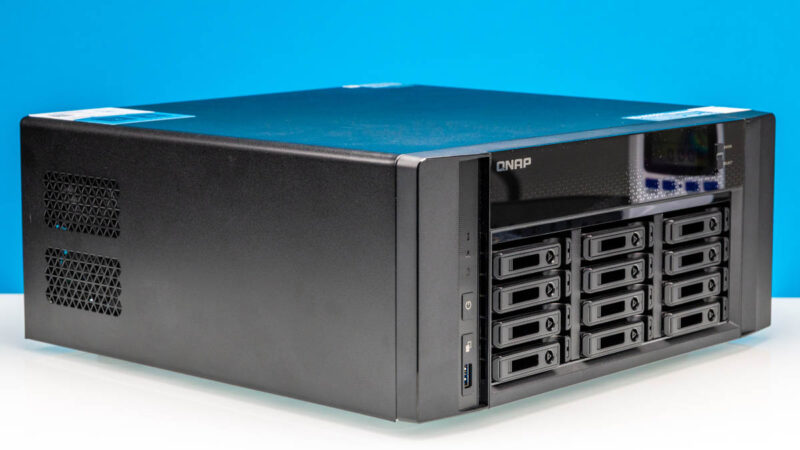
With 12 drive bays, space for multiple PCIe cards, and a complete server-grade platform inside, the QNAP TS-h1290FX is a rather bulky box. QNAP needed to not only provide space for storage devices and I/O, but also ample cooling capacity to keep everything at an appropriate temperature. A modern U.2 SSD alone can draw 24W alone when active, so a full 12-drive array is a significant amount of heat. The end result is a very muted design focused on function first and foremost – meaning you will not mistake the fact that this is a NAS when first looking at it.
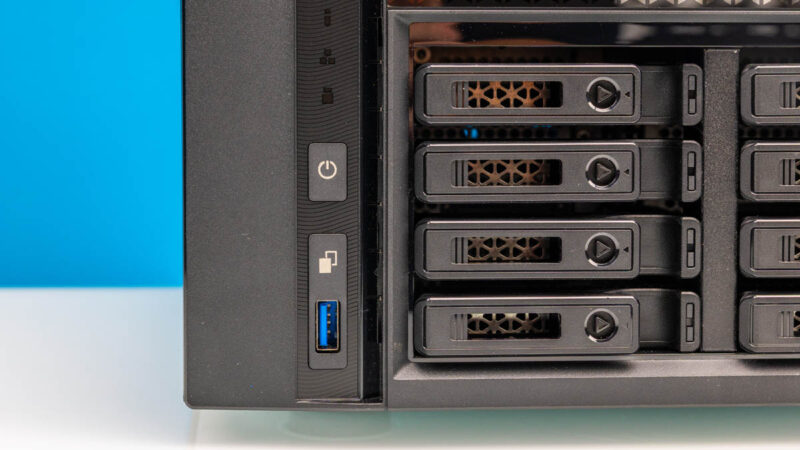
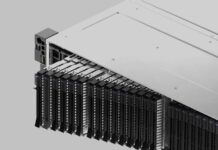
Consequently, most of the front side of the TS-h1290fx is made up of those 2.5-inch drive bays. Besides acting as hot-swappable storage bays, this is also where the front air intake is for the system.
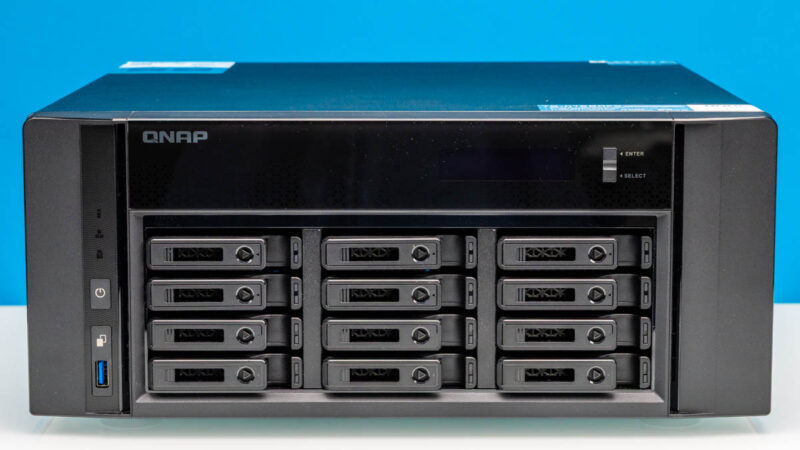
Each removable tray allows for a 2.5-inch SATA or U.2 drive to be toollessly mounted into the tray. Each tray can also be individually locked or unlocked, allowing for a single tray to be unlocked without needing to free (and potentially accidentally remove) any of the rest of the drives.
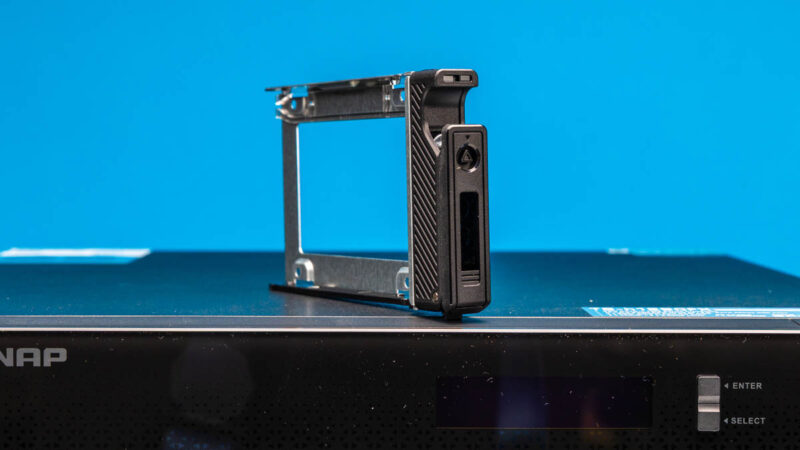
Each bay can accept a drive up to 15mm in height. And when filled with such a drive, it is a tight fit.

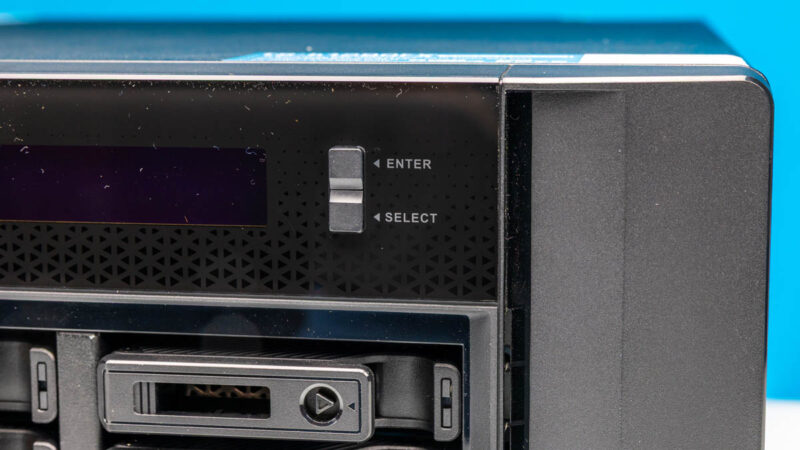
Sitting above the drive trays is a small LCD panel and a pair of buttons for basic status messages and configuration options. Ultimately, the TS-h1290FX wants to be networked to be fully configured – or failing that, installing a video card to give it local display functionality – but there needs to be a basic level of configuration abilities built-in if only to help get the box up and running on the local network. In a pinch, limited system and drive information is also accessible from the LCD panel.
Finally, the rest of the front buttons and the sole USB port can be found towards the bottom-left side of the NAS. The USB ports on the system are all relatively basic, offering 5Gbps (USB 3.2 Gen 1) transfer speeds. Directly above the USB port is the One Touch button, which can be used to trigger the NAS to copy backups between the NAS and a USB device (though where you will find a USB drive big enough to backup a 12-bay NAS is an exercise left to the reader).
Further above that is the power button, which, depending on how long it is held, allows for both soft power-off or forced power-off.
Rotating the box counter-clockwise, the left side of the NAS is notable for hosting an air intake. Because the NAS utilizes an internal SFX form factor 750W power supply, this is where the air intake for that PSU resides.
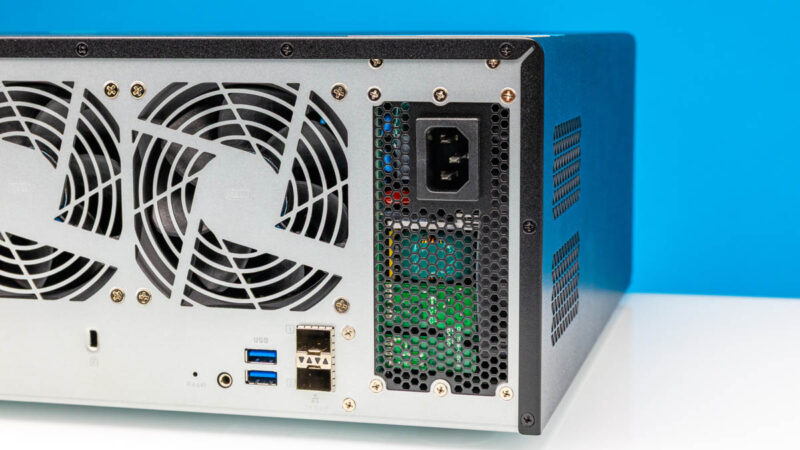
Flipping over to the rear of the NAS, we find several more ports, quite a bit of ventilation, and some additional PCIe expansion slots.
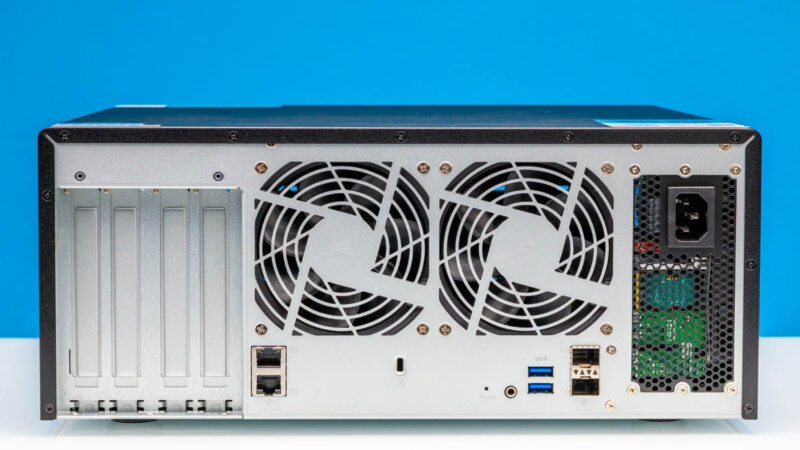
Starting at the left, the first set of networking options with the h1290fx are a pair of 2.5Gbps RJ45 Ethernet jacks for plugging into conventional networks. With 10Gbps Ethernet now getting cheap, this is arguably the most dated aspect of this circa-2022 design, but it still does the job.
Meanwhile, we have plates covering 4 PCIe expansion slots, which we will get to on our tour of the internals.
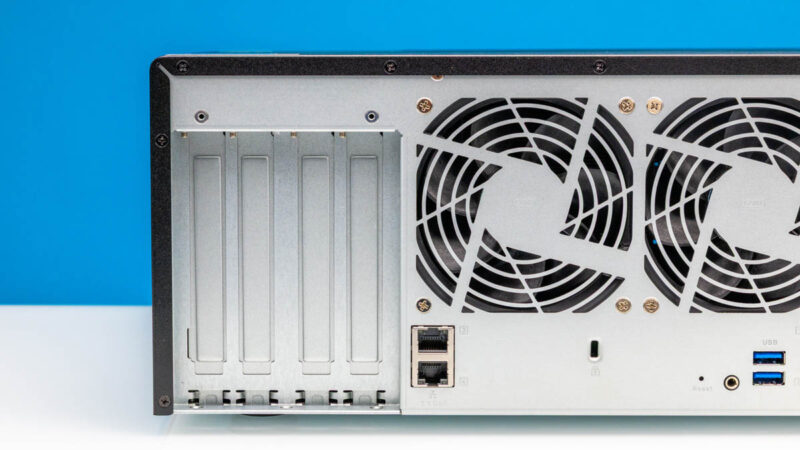
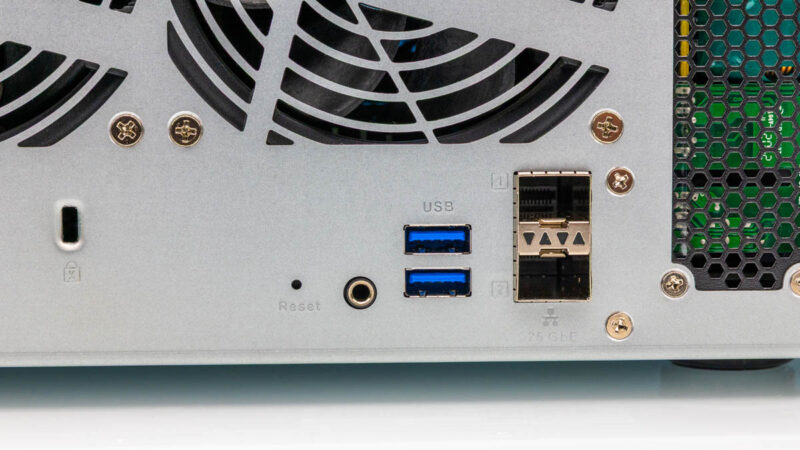
On the right side, things start with two more USB-A ports. Like the front port, these are both 5Gbps ports, so while there are some mid-speed connection options for local data transfer, the NAS really wants to be on a network.
Meanwhile, the odd jack to the left of that is actually a COM port – though officially it is solely for QNAP’s own engineering use.
Finally, towards the right, we have the higher speed networking option for the TS-h1290FX with its dual 25Gbps SFP28 Ethernet ports. Backed by a Mellanox ConnectX-6 controller, the 25Gbps ports are designed to connect the NAS to more exotic and higher-performing Ethernet networks – and tapping into the 25Gbps Ethernet ports is practically a necessity to reap the full performance of the NAS. Even then, QNAP has measured I/O throughput at over 100Gbps, so you may want to add some more ports.
Behind the PSU cut-out, we find the system’s 750W SFX power supply.
Now, let us go down a level by opening up the TS-h1290FX and taking a look inside.

Was the ~46Gbps throughput in the file server test achieved with RDMA?
What storage protocol was used in that test – SMB, ISCSI or NFS?
My experience is that performance characteristics of iSCSI, SMB and NSF are different and further depend on protocol version and encryption settings. I would find it useful if someone published results with enough details to be reproducible.
While the hardware seems nice, in lesser models I didn’t see how the QNAP software would support Kerberized NFS or SMB with an existing Active Directory service. Before claiming something is “high-end NAS in the truest sense of the word” it would be nice to verify important enterprise-use test cases.
I’m confident that you mean SFX rather than ATX, and given that you repeatedly mention the P/S standard, it’s probably worh fixing, if it’s incorrect.
I have the 32-core version w/256GB RAM. I installed TrueNAS Scale on it and it works great. I fly it with me to setup fast shared storage for a few editors / DIT on film shoots. Small and hardy enough to put through checked luggage if you get a good thick hard case for it. Hasn’t failed me yet on many, many flights and shoots.
THIRTEEN FU**ING THOUSAND USD – FOR THIS ?!?
Why would one go for this instead assembling it by himself ?
Any chance that you test Real-time SnapSync performance one day ?
(looking for easy realtime replications solutions, there is no test of these anywhere, Synology has another replication setup but no test of this one nowhere either)
Back at the TS-h1290FX, it really lacks some features for the price, especially redundant psu..
@Goose
I have it specifically in my notes that the PSU here is an ATX power supply. But double-checking the QNAP manual, I’m not seeing it mentioned. I recall this info being hard to track down to begin with, so I’m going to have to double-check some other things and get back to you.
More on the QNAP TS-h1290FX Power Supply
Part No. PWR-PSU-750W-CW01
No info on Qnap.com about the PSU Form factor. The only web site listing the PSU as ATX Form factor is Amazon.com
However as usual with Amazon the specs are not always accurate.
As an example, the PSU is listed as QNAP 7500W, Redundant Power Supply…
Amazon.Com: https://www.amazon.com/QNAP-Systems-PWR-PSU-750W-CW01-Hot-pluggable-Plug/dp/B0FC7SQ72Q
Qnap Online Store: https://store.qnap.com/pwr-psu-750w-cw01.html
We’ve finally been able to confirm that it is indeed a SFX power supply, not an ATX power supply. Thank you for pointing that out, Goose. The article has been updated accordingly.