

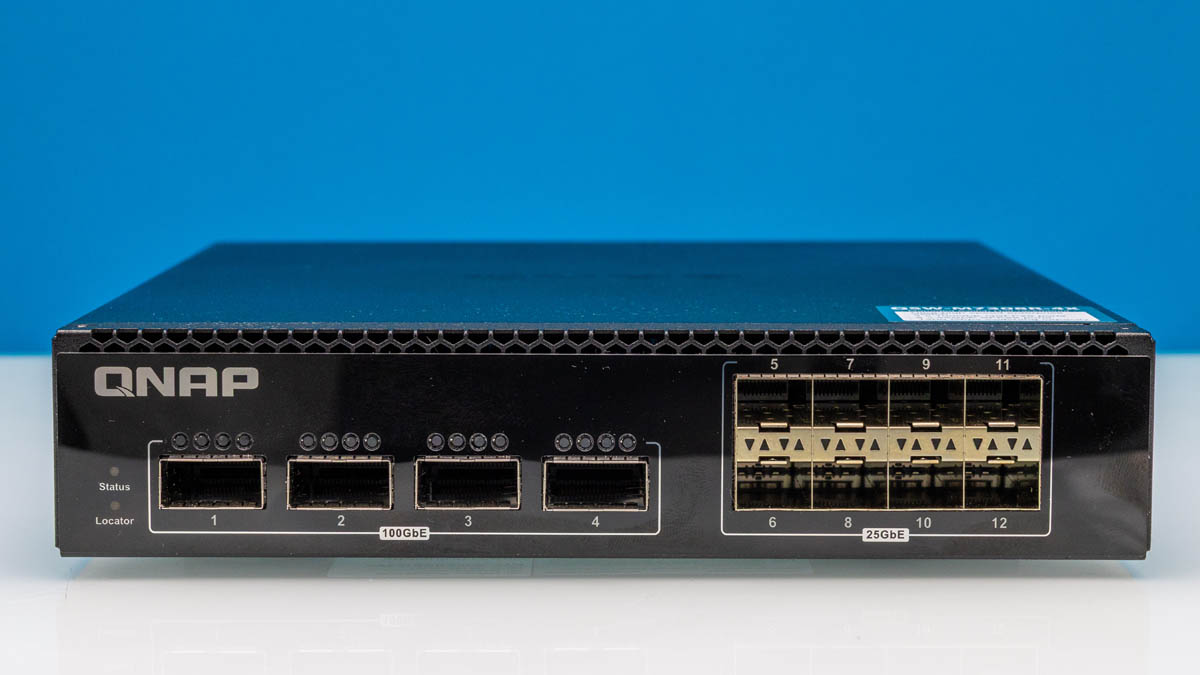
The QNAP QSW-M7308R-4X is the company’s 4-port 100GbE and 8-port 25GbE switch. It features a Marvell switch chip and a different management interface. At the same time, it retains a half-width form factor that can be mounted at a desk or side-by-side in a rack making it surprisingly versatile. With newer servers, NAS units like the one we built for STH Studio storage, and even mini PCs like the Minisforum MS-02 Ultra, including 25GbE SFP28 ports, 25GbE/ 100GbE networking is becoming more widespread even outside of the traditional data center. Let us get to our review.
If you just want to find these online, here is an Amazon affiliate link and a B&H Photo affiliate link. Note we bought this one to use in the lab, and finally decided to review it so affiliate links help us buy more for independent reviews.
QNAP QSW-M7308R-4X External Hardware Overview
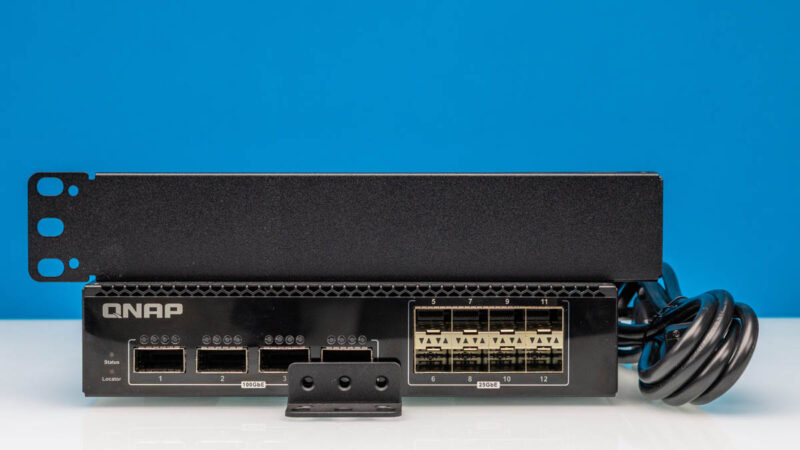
The switch itself is only 43.3 x 207 x 248.8mm, making it relatively compact. More importantly, it is a half-width switch so you can put two side-by-side in 1U of rack space. There is a kit the SP-EAR-QSW2FOR1-01 (affiliate link) to mount two side-by-side QNAP switches in 1U. I wish it came in the package since for a few dollars it is more of a pain to remember to order than if the metal just came in each box.
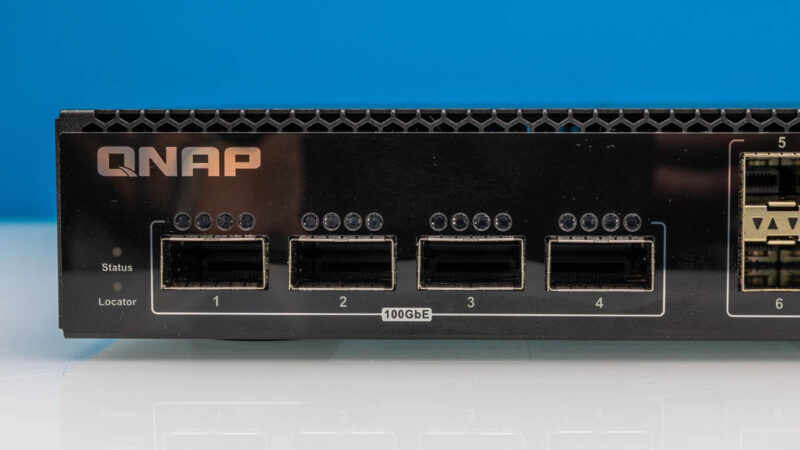
On the front, we get four QSFP28 100GbE ports. These support breakout mode into 4x 25GbE links.
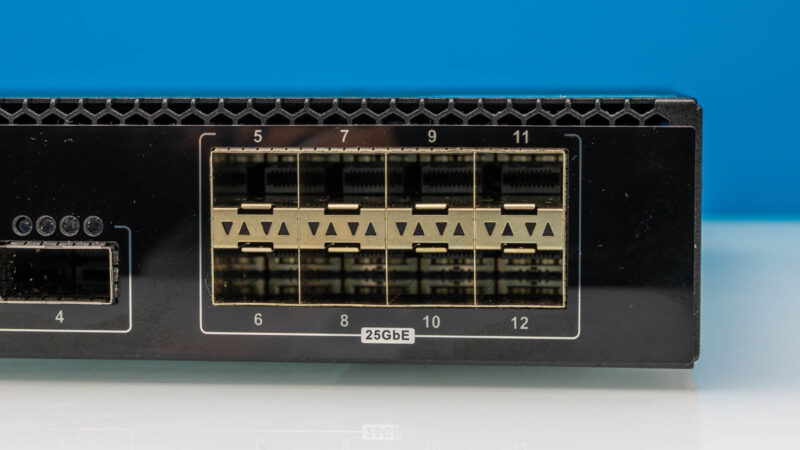
There are also eight SFP28 25GbE ports.
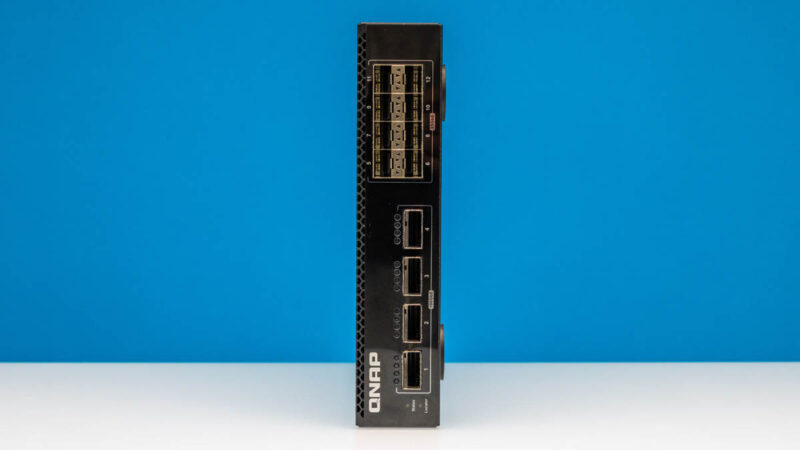
On the side, there is not much going on.

Make that on both sides.

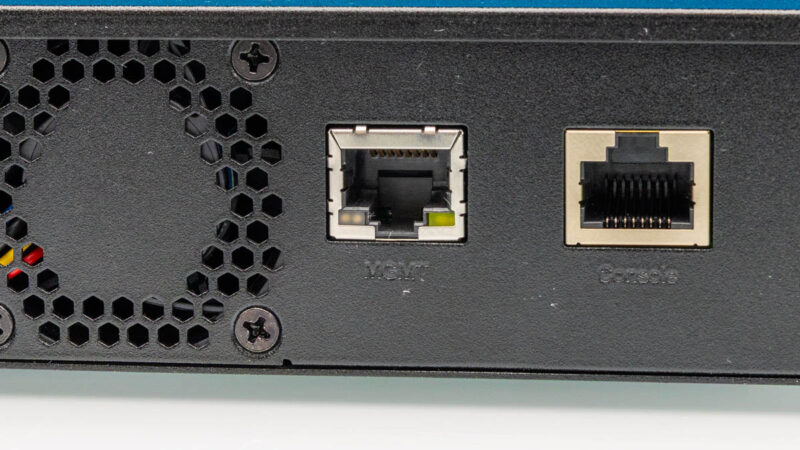
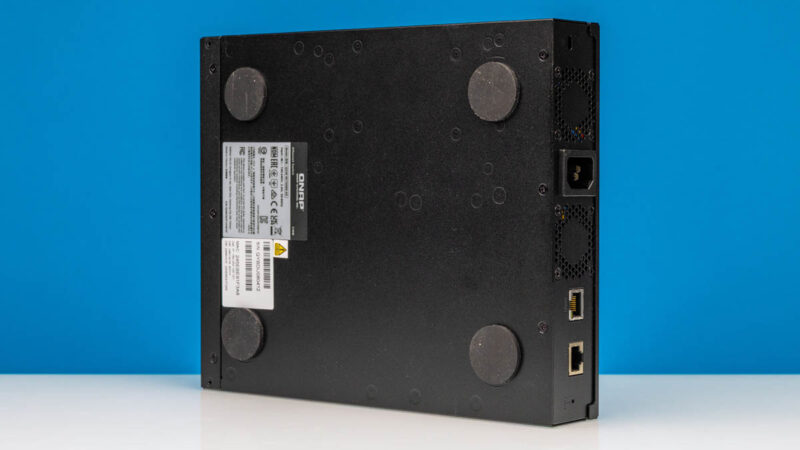
On the rear, we get an AC input, two fan vents, and then a 1GbE management and console port.

For a lot of folks, it is going to be easier to do the initial setup on the higher-speed network ports, but these are here. Since this has a web management interface, we actually just set it up using a 25GbE port.
Included in the box is the hardware for mounting one of these units into 1U of rack space.
Realistically, the switch does not use that much power, and is quiet enough that you can put it on a desk. That is why this switch gets rubber feet on the bottom.
Next, let us get inside to see how this works, including the Marvell switch chip.

So does it have CLI at all?
Manual does not tell…
It should have something, since it has serial console; but it could be only a very limited CLI to stand up Web UI :-(
I tend to avoid Web-only switches, since all Web UIs usually get obsolete way before switch itself. I’ve a few switches which are impossible to manage via Web anymore due to need for IE6 ;-) or for pre-TLS1.3 crypto etc. They still can be managed via SSH.
Qnap is the absolute worst switch I have ever purchased as a “managed” device. I bought a QSW-M408-2C, which was sold for “parts” on ebay because it was missing a screw on the heatsink internally, like someone forgot to attach one, and the second got loose and rattling around inside. I added a screw, fixed it, but that should have told me what to expect. I bought it *cheap* for $75usd, but it was a 4-port 10g switch with 8 ports 1g poe.
Next I get into it, set it up, and realize I can’t move the management ip to any other vlan than vlan 1, which is NOT my management vlan like any sane network engineer would do. Finally I logged into the serial console port, and it dropped me in as root, which better or worse – cool! I could tinker with linux, but the management interface is still lame as hell, and I note the version shipped is rather old. So I update it…
After update, the console changes to some lame non-root shell cli that is absolutely worthless – the only thing I can do is see the management ip from it. Literally nothing else. What?!
I email support to ask wtf, and they tell me this is normal, and when asked about the silly management vlan only working on vlan1, they tell me yes they’ve had complaints (go figure), and tell me new versions of the switch would be fixed, but this *might* not get the update. It was only about 1.5yr old at the time – might?
Long story long, it never got the update, my switch is still about useless, lacp doesn’t even work right in a channel, and it’s literally abandonware less than 2 years out of box. Thanks for the fish.
I’ll NEVER buy anything QNAP again.
The MikroTik CRS812 DDQ 400GbE is absolutely perfect in terms of both price and functionality. The only downside is that it generates more noise than the QSW-M7308R-4X. I wonder if anyone has tested its exact noise level.
@michael: ServeTheHome article clocked 39-41dba idle and 48-49 dbA loaded:
https://www.servethehome.com/mikrotik-achieves-400gbe-in-our-mikrotik-crs812-8ds-2dq-2ddq-rm-review-keysight-cyperf-arm-marvell/3/
Looks like with the separate management board and the Prestera ASIC this could be driven with standard switchdev modules from standard Linux, provided the topology is somewhat normal. DentOS (if that is still a thing) would probably support this natively.
I bought this switch approx. this summer and now I’m thinking how I can get rid of it without too much of a loss.
WebUI is weird, it resembles more of a home router UI rather than a switch. You can’t see what ports has something plugged in but down and which just empty, you can’t get stats from the sfp module from the ui (other than temperature, which is also hidden somewhere in the menus), you can’t say if you have a fibre or dac plugged in from any of the main pages (it is hardcoded to return “fibre”), only way to tell them apart is to find if it reports temperature.
Module compatibility is not great. None of mine 10G or 25G fibre modules worked (I have smf from three different vendors, but not from qnap compat list), with 100G modules – qnap-coded works, but my default finisar cwdm4 doesn’t. And it’s worse as you can’t get any diagnostic information and support said they have explicit directive not to take cases about unsupported modules.
About CLI – answer is “yesn’t” – there is serial port (Cisco style rs232 over rj45) that can’t do anything unless you search for password generator for qnap qsw4.x – then you will get stock Marvell lua cli and then you can get a shell too.
And that is a shame as I liked hardware a lot, I’d replace my mikrotik crs504 with this one, if it won’t be about software. In theory it should be possible to port ONiE to it, but that probably would take too much effort.
@John:
DENT is still around; but i can’t find support for the Marvel Prestera 98DX7324.
I also can’t confirm it’s supported by mainlilne switchdev.
Is it compatible with one of similar models listed at
https://dent.dev/ecosystem/hardware-compatibility/
No experience with DENT, but it’s a CLI ;-)
@is39, Prestera 98DX73xx is Aldrin3. It seems that DENT supports only Aldrin2 according to your link.
I don’t know about mainline switchdev, but marvell’s github repo for switchdev got archived before Aldrin3 support was added (and that I think it want dent is using)
Civiloid, Thanks!
This platform is also not really cheap for what it offers.
It’s cheap enough if it would work well and have CLI.
If i need to work to get CLI for it, I’d rather start with cheaper Chinese models; or with Mikrotik (which is also not too cheap).
I’d also prefer Broadcom to Prestera, but i doubt we’d see cheap consumer/SOHO Broadcom switches anytime soon.