

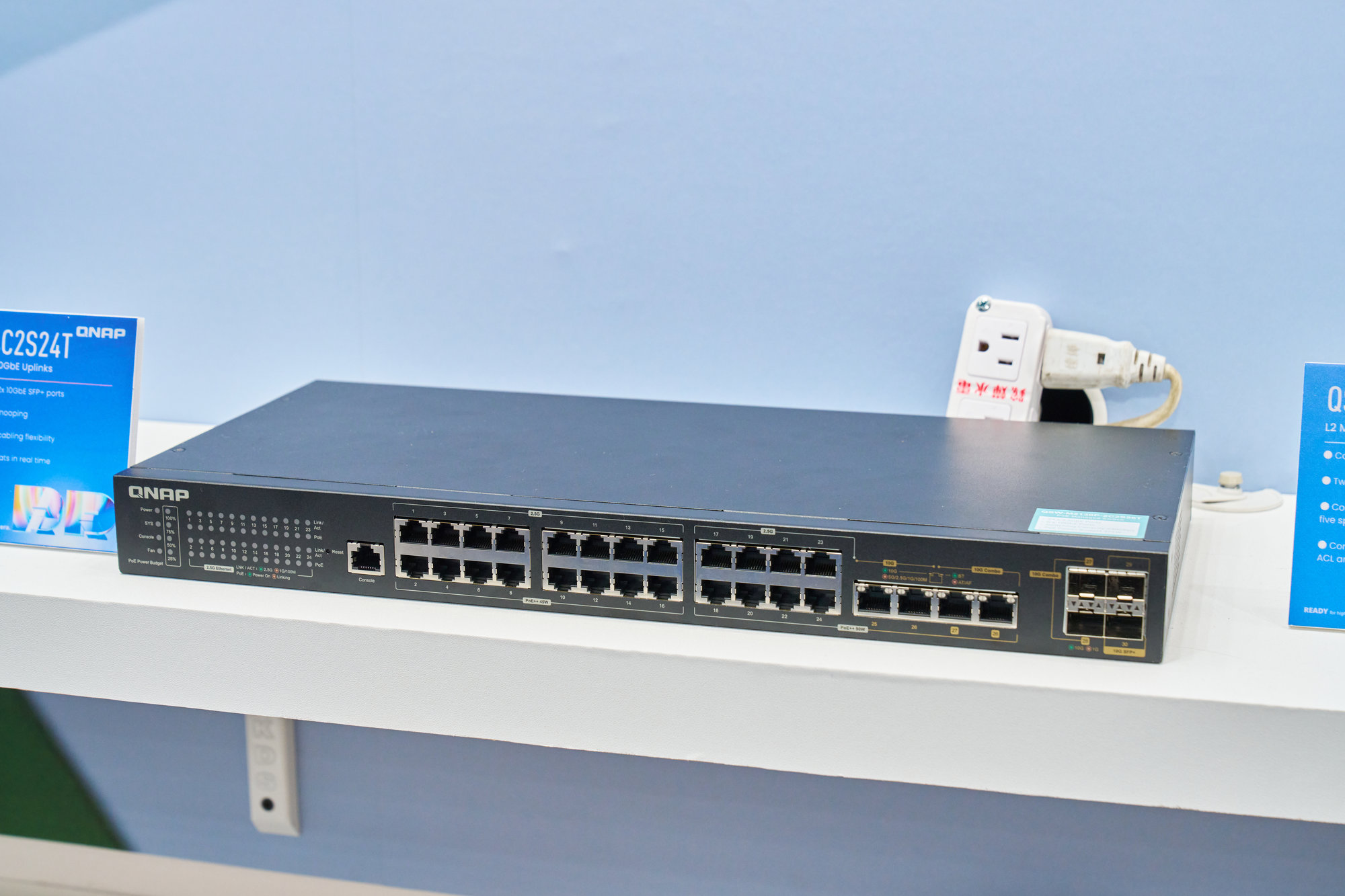
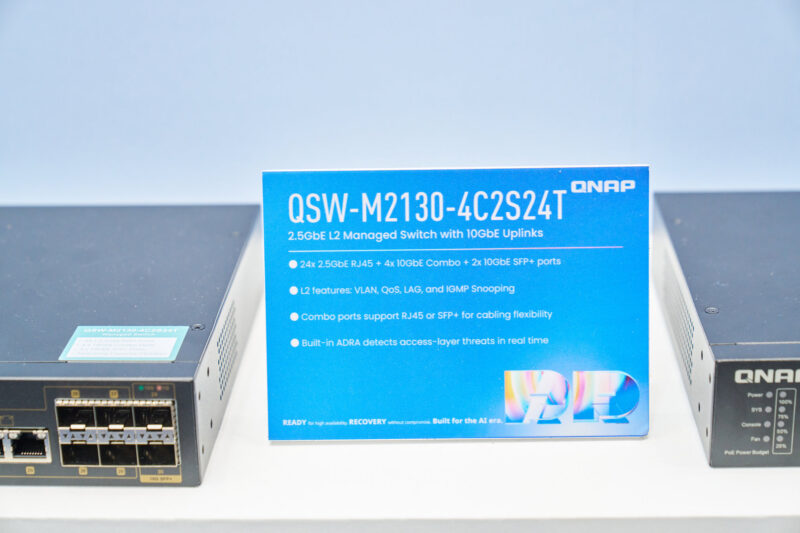
With all of the focus on AI servers and supporting hardware, you had to do a bit more digging than most years to find more mainstream components, but they were there. Out at the QNAP booth the storage and networking vendor had several new switches out and on display, including their new QSW-M2130 series of managed switches. With 24 2.5GbE ports for clients and another eight 10GbE ports for uplink capabilities, this switch lineup is aimed at businesses who need a capable (but not too flashy) switch for wiring up offices.
QNAP QSW-M2130-4C2S24T Switch
Brand-new for Computex, the M2130 family contains two switches. The QSW-M2130-2C2S26T (or just M2130 for short) is a straightforward managed switch. Meanwhile, QNAP also has a PoE counterpart, the QNAP QSW-M2130P-2C2S26T, which we will look at here in a bit.
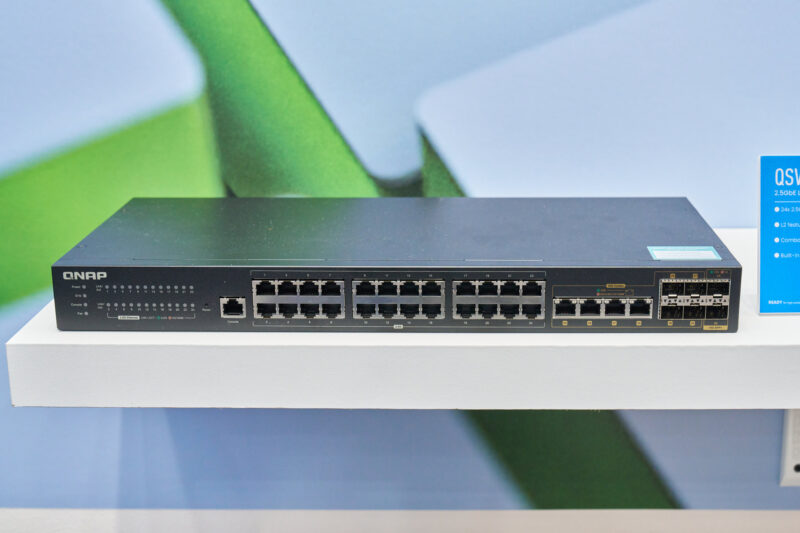
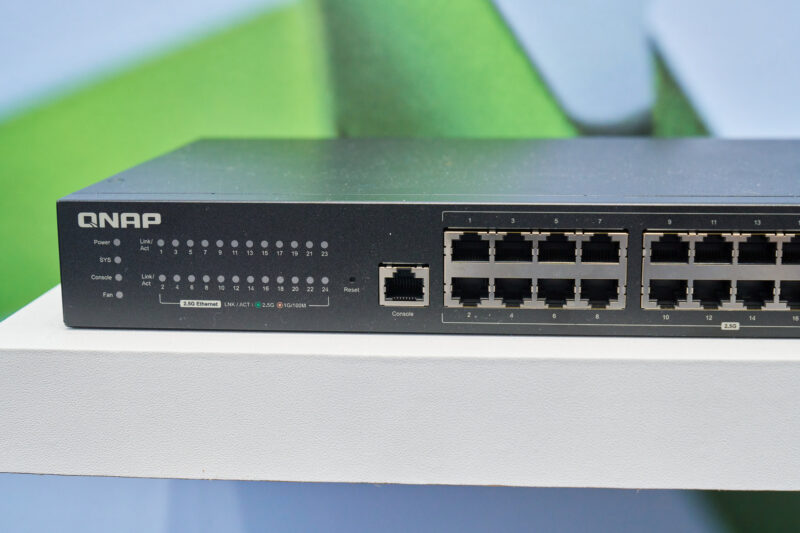
First up, here is the non-PoE M2130. The 1U switch is divided into 3 banks of 8 RJ45 Ethernet ports each, as is typical for enterprise distribution switches. The client ports support speeds up to 2.5Gb, which, thanks to falling controller prices and the ability to reliably use existing Cat5e runs, is quickly establishing itself as the new baseline for bread & butter client connectivity.
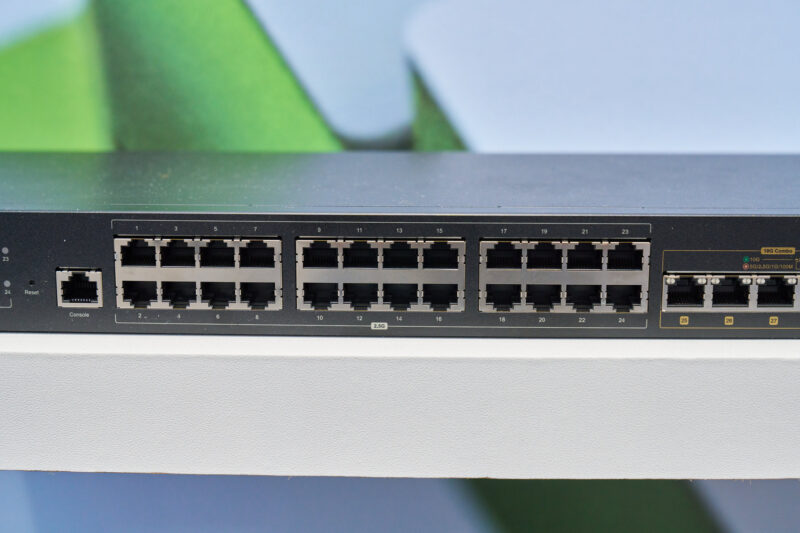
While the switch is fully manageable via a web browser, the M2130 also features a dedicated RJ45 console port for traditional out-of-band configuration.
What is arguably more interesting from a hardware standpoint is the collection of 10GbE ports on the right side of the switch. QNAP is positioning the M2130 series as both an access and aggregation switch, offering a limited number of higher-speed 10GbE ports to provide a faster connection for a limited number of clients, or a faster uplink/backhaul to other switches and the core layer of an enterprise network.
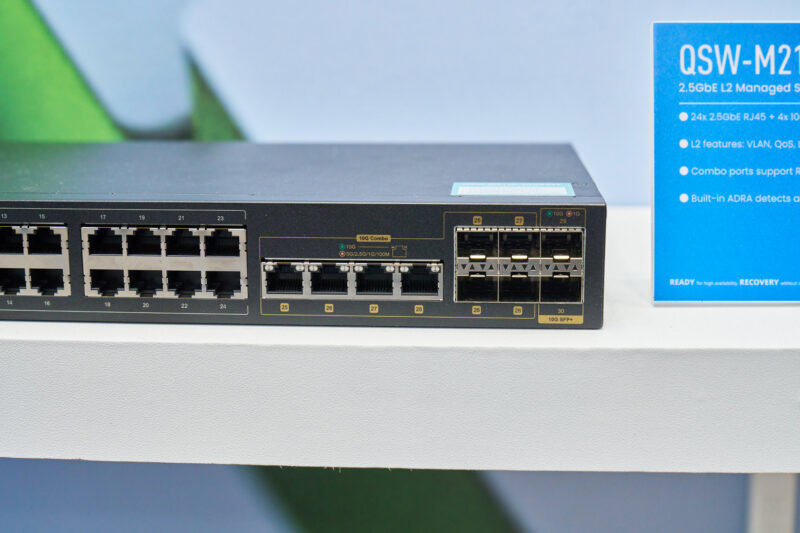
With both fiber and copper cabling being widely used for 10Gb Ethernet backhaul, QNAP has taken an interesting route here and gone with the “why not both?” approach for 10GbE ports, providing both SFP+ ports and RJ45 jacks for the M2130’s 10GbE links. The four RJ45 ports and four of the SFP+ ports are what QNAP is classifying as combo ports, meaning that they are shared ports. For any given port (e.g. port 26) administrators can setup the switch to use either a RJ45 port or a SFP+ port – they just can’t use both at once.
Ultimately, the purpose of the dual-port setup is to simplify the setup process for network admins. While an SFP+ port already brings significant flexibility by allowing for all kinds of transceivers to be plugged in to a system (including RJ45 transceivers), integrating RJ45 ports directly into the switch simplifies the process by making the transceivers unnecessary for copper cabling. That leaves the SFP+ ports in place primarily for running fiber links, be it because it is existing infrastructure or as longer runs than what copper cabling would allow.
And the M2130 has no shortage of SFP+ ports here. Along with the four combo ports, there are another two dedicated 10GbE SFP+ ports, bringing the grand total of usable ports on the switch to 30. With link aggregation in use, this gives the switch as much as 60Gbps of bandwidth for backhaul connections.
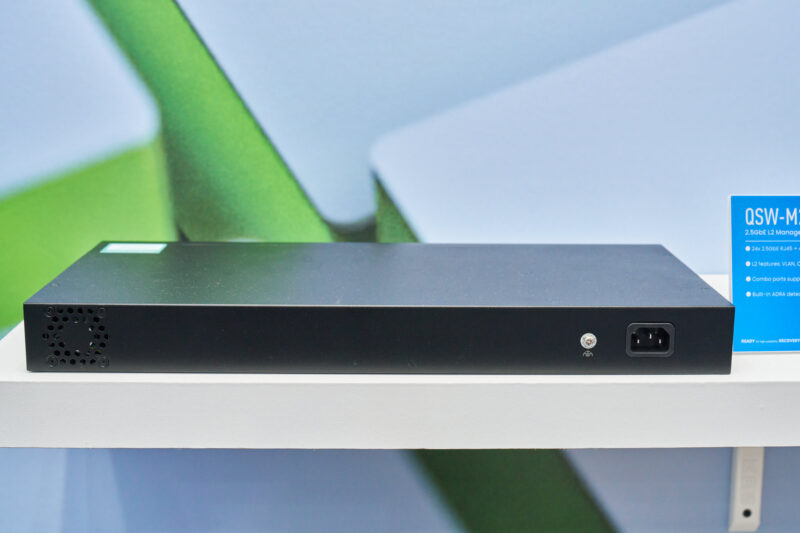
Meanwhile, here is a quick shot of the reverse side of the M2130, showing the power socket and single fan exhaust.
Internally, the switch is controlled by a Realtek RTL9313 controller paired with 1GB of RAM. This is a MIPS CPU-based controller with 12 10GbE MACs built in, which gives us a bit of a hint as to how QNAP has organized the switch internally. With 6 MACs consumed by the 10GbE combo ports and dedicated SFP+ ports, that leaves the other 6 MACs to be shared by the 2.5GbE RJ45 ports, exactly matching the 60Gbps that 24 ports would need.
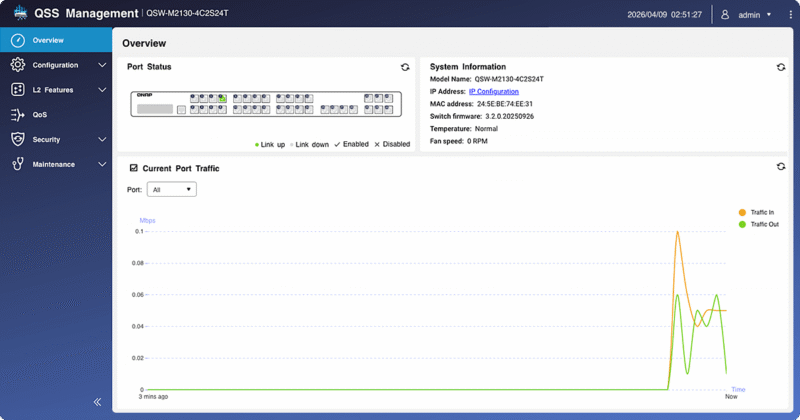
Hardware aside, this is a managed switch, and that functionality is the other major feature set of the switch. QNAP is using its QSS web management software, which allows for the switch to be completely managed via a web interface. QNAP is offering the full suite of network management features you would expect here, including VLANing, access control lists, and QoS prioritization.
We saw another switch for those who need PoE.
QNAP QSW-M2130P-2C2S26T Switch
Alongside the standard M2130P switch, QNAP has also released the QSW-M2130P-2C2S26T, a Power over Ethernet++ version of the base switch.
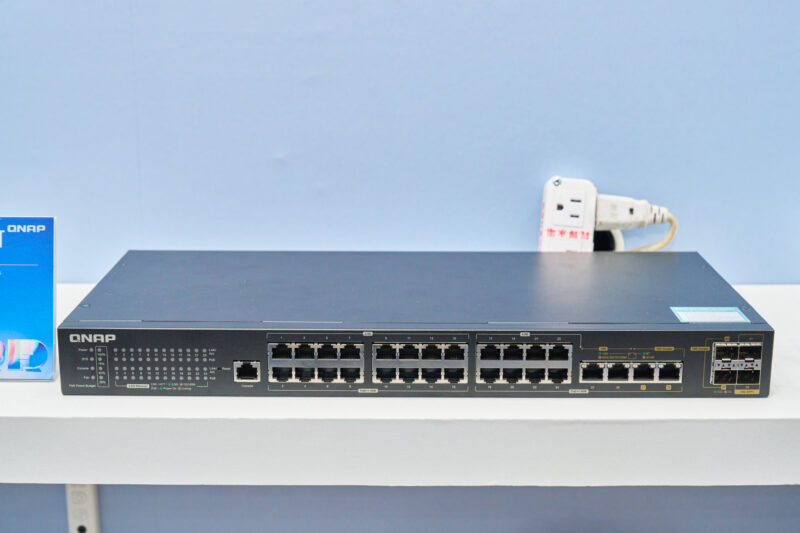
The PoE version of the switch is very similar to the M2130, but it is not exactly the same switch with PoE.
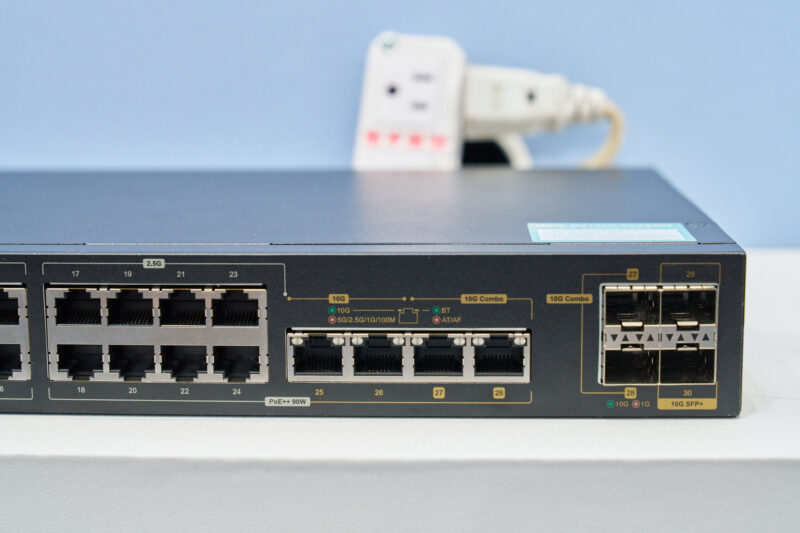
Specifically, it loses some of the combo port functionality of the base switch. Instead of four combo ports, there are just two of them. There are still 6 usable 10GbE ports in total, but the allocations are more fixed: 2x 10GbE RJ45 ports, 2x 10GbE combo ports, and then 2x 10GbE SFP+ ports.
The impetus for this appears to be QNAP’s PoE functionality – you can’t use PoE with fiber connections – though beyond that, the company hasn’t outlined the precise reason for the difference in 10GbE ports.
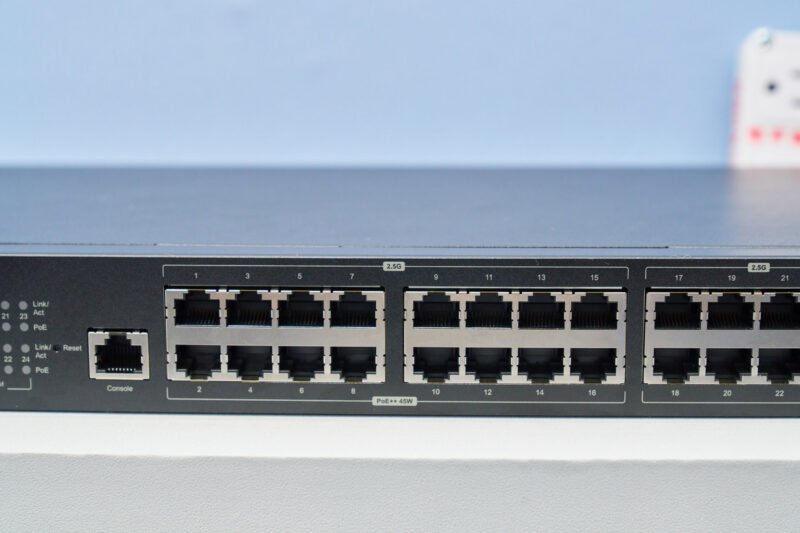
In any case, the M2130P has a total PoE power delivery capacity of 375 Watts. Interestingly, QNAP has given different segments of the switch different power limits. The first 16 2.5GbE RJ45 ports have a 45 Watt limit, while the final 8 2.5GbE ports and the four 10GbE RJ45 ports have 90W limits – the maximum for PoE++. This means that admins will need to plan their port allocations around their power needs, since this isn’t a homogenous design.
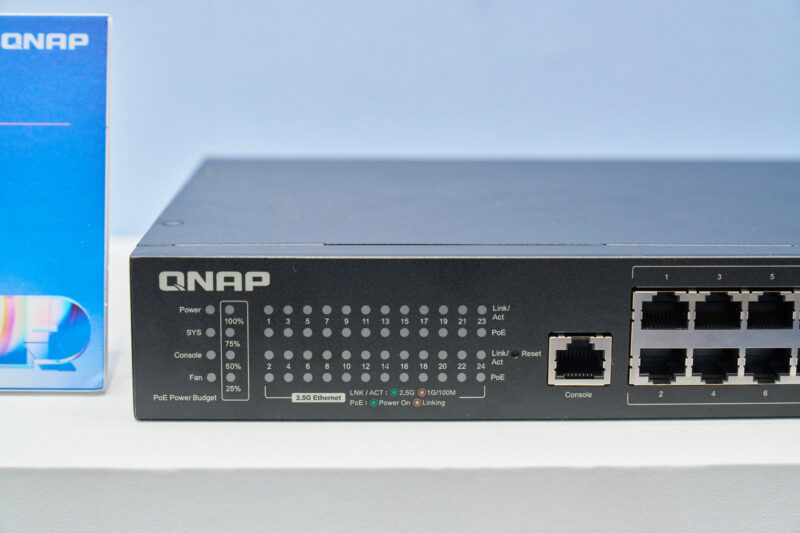
Meanwhile, the M2130P gets a more advanced LED panel to outline the status of and load on its PoE capabilities.
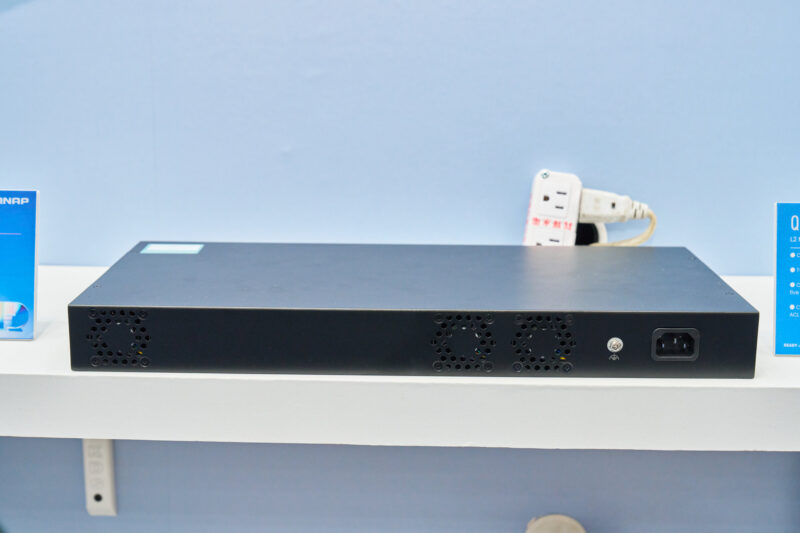
Alongside the back, we can also see how the higher power needs of the PoE switch call for more cooling. Instead of the base M2130’s single fan, there are two additional fans on the M2130P to keep the 455W integrated power supply cooled.
Power and 10GbE port changes aside, the M2130P is otherwise identical to the M2130. This includes the same 240Gbps switching capacity and the same support for QNAP’s web-based switch management features – including PoE-specific management functionality.
Final Words
With 2.5GbE increasingly standard on new consumer and business PCs, it is good to see that the switches needed to make full use of these ports are becoming more widely available and cheaper. QNAP’s M2130 series is well-positioned to serve as the backbone of future network buildouts and upgrades, offering network admins an affordable managed switch that provides a large number of 2.5GbE ports and the flexibility to use either copper (RJ45) or fiber (SFP+) cabling for their backhaul. Coupled with the PoE-capable M2130P, QNAP should be able to cover a good chunk of an enterprise’s networking needs with just these two switches.


QNAP had by far the worst managed switch configuration I have ever used as a network engineer, and I regretted buying one since. I’ll never buy another QNAP product.
From a port and PoE layout design, the second switch featured here would have been perfect for my needs about two months ago, when I had to buy two switches for less functionality. That was at a higher cost too, but considering I went UnFi, I did likely get the nicer management functionality, but outside of initial setup, that doesn’t really do anything for my use case.
I love how you broke down the features of the QNAP switches! I recently upgraded my home network and found that speed really matters—especially when gaming. Have you tested these with anything like FNAF? The smoother connection could really change the game dynamics! What do you think?
Does STH have any bandwidth for doing this with higher end enterprise switches?
Arista/HPE/Cisco?
or the mid-tier Aruba/Meraki/Cisco SB/SG series…Ubiquiti I feel is mid at this point depending on product line, and I like seeing those. I remember a Dell switch teardown that was great back in the day.
Qnap as a company is decent enough quality I’ve had their NAS’s, but switching is not what I’d think of as core product for them.
I know these are all expensive switches I’m asking about – fair to say no one is made of money these days. Went thru a PoC with Arista recently and I liked what I saw but not enough time with their stuff. Meraki hardware is basically disappearing, becoming Catalyst with a license for Meraki management. Having to buy C9xxx AP’s now…kinda bugs. Even FiberStore switches look interesting, though I hear horrors of software support on them.
Anyway just looking for more enteprise looks than SMB gear. I have one foot in each realm with my work.
Yes, we have plenty of load-generation capacity.
Here they could/should also have offered 5 10g ports in SFP28 25gb fiber, as its almost the same costs as SFP+.
And if you are not using say 4x 2.5g portss, they could be one more 10gb port.