

QNAP QSW-L3208-2C6T Performance
For this, we are using a Keysight XGS2 chassis with the NOVUS10/1GE16DP card, and we are using half of the card for this. We are using an RFC2544 Quick Test for throughput with a few changes, for example, we extended the run times per iteration to 30 seconds and started at 10% of the full line rate, searching for frame loss up to 100% of the line rate. We also test the RFC2544 64, 128, 256, 512, 1024, 1280, and 1518 byte frame sizes, and then add the standard IMIX, the Cisco IMIX, and an IPSec IMIX, which introduces mixed frame sizes into the testing.
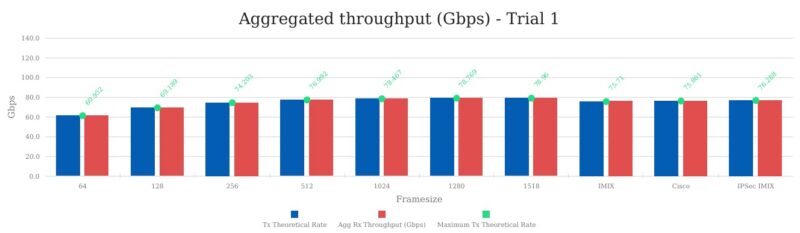
Here you can see the throughput by the frame size, which for this switch was right at the theoretical limit. Here is a look at the frames-per-second.
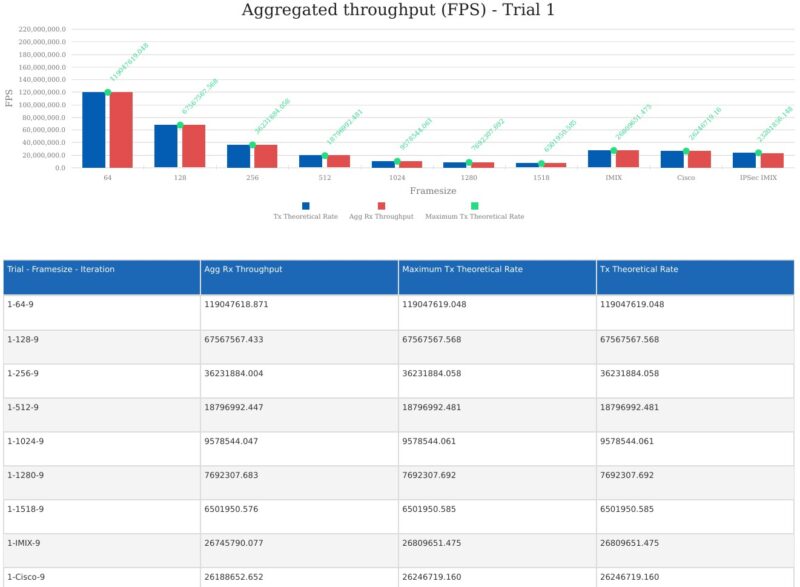
Above, you can see that even at 64B frame sizes, we are hitting the maximum theoretical frame rate of the link of just under 120M frames per second. If you look at the first chart, at 64B we are just over 60Gbps of throughput, but we are still hitting what is considered maximum throughput. That is because with smaller packets functions like preambles, inter-packet gaps, and so forth consume more of the wire speed. It is also why you often see maximum throughput testing done at 1518B or larger sizes.
We can also take a look at the latency across our tests:
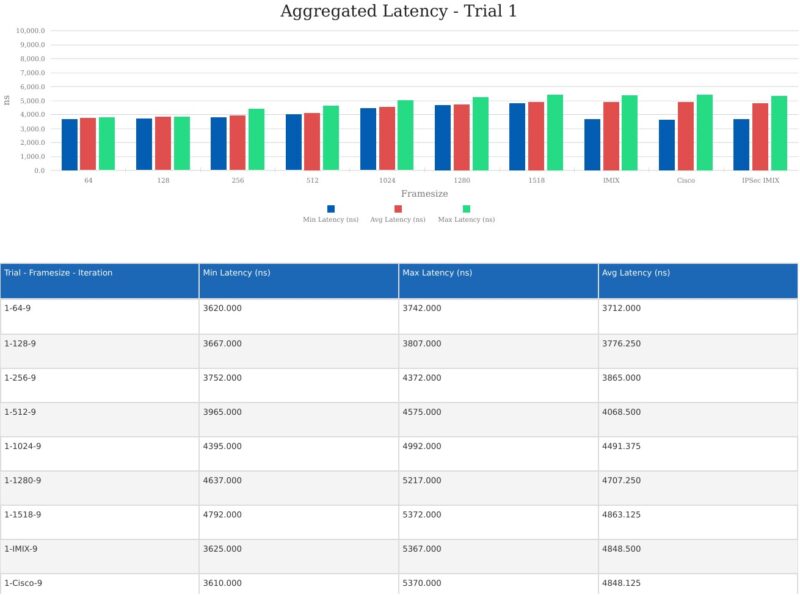
Overall for a low-cost switch this is fairly decent performance.
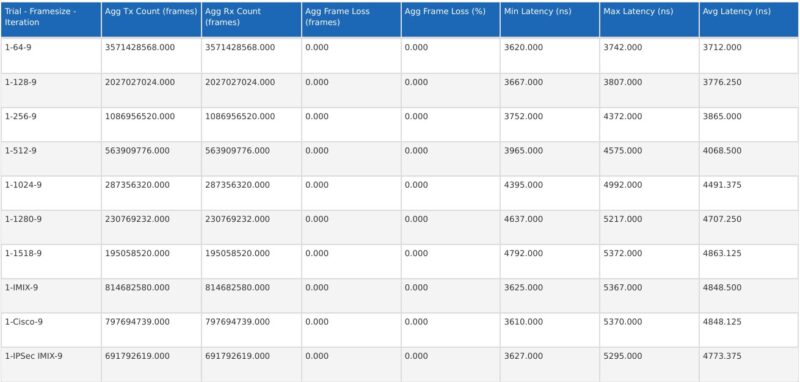
We are still working a bit on how to present all of this data, and what data to show. Still, we hope folks find this level of testing exciting. As you might imagine, like our CyPerf testing, we are spending a lot of time profiling different switches for our testing. There are also a few switches that are still using iperf3 testing, but this is where we are going in 2026 and beyond.
QNAP QSW-L3208-2C6T Power Consumption and Noise
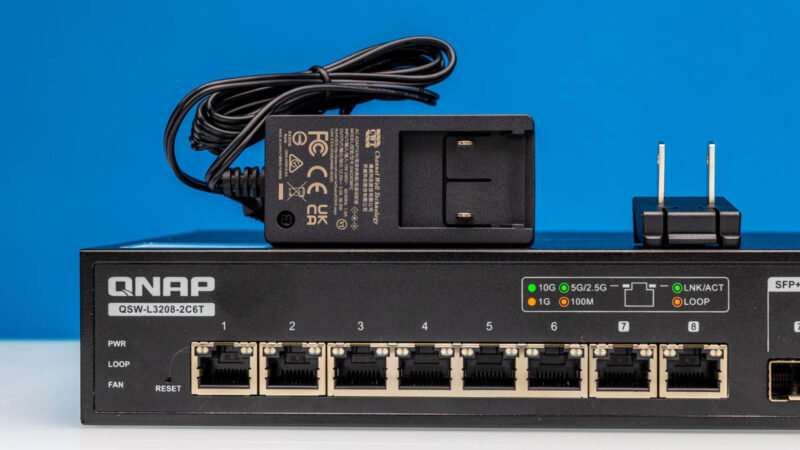
In terms of power, the unit comes with a 12V 3A power supply. QNAP says the maximum power consumption is 36W, so this matches.
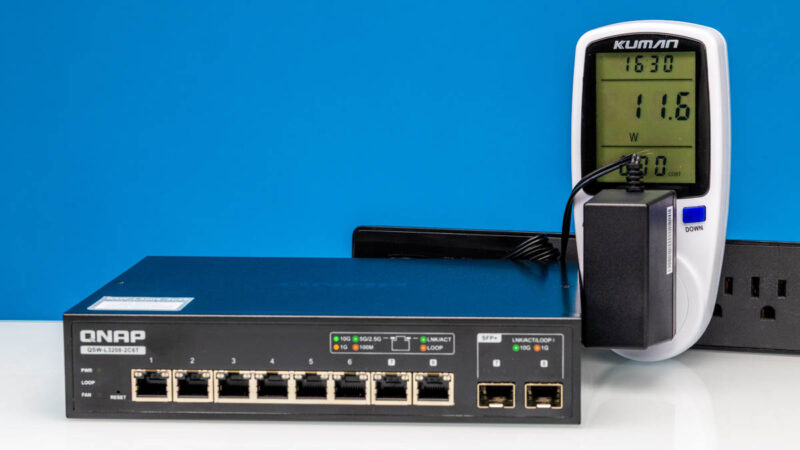
At idle, it draws around 11.6W, which is notably more than a 2.5GbE switch, but reasonable for a 10Gbase-T switch.
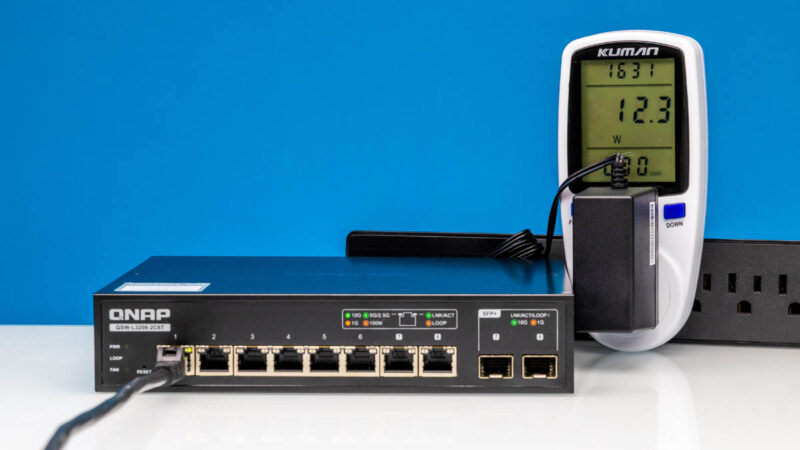
Adding a port linked up gets us to 12.3W.
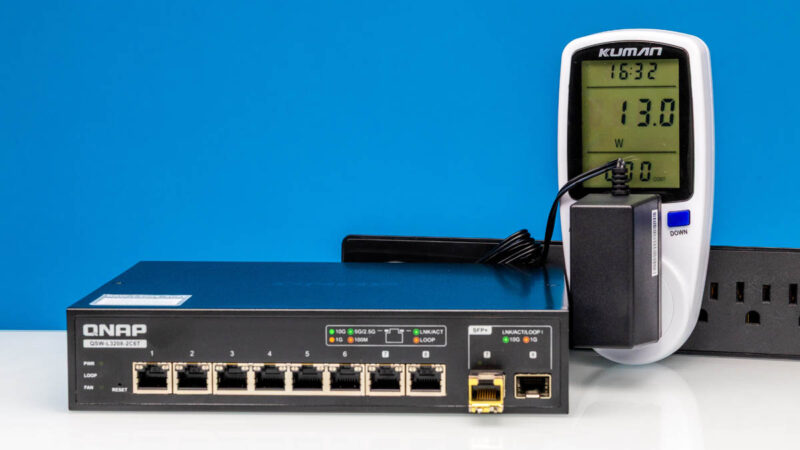
Using a SFP+ to 10Gbase-T adapter is not realistic on a combo port like this, but we still went up to 13.0W.
Noise-wise, we could not pick up the fan noise at 1m in our 34dba noise floor studio under normal operation. We recorded a 38dba blip, but overall, this was not bad. We do wonder what it would be in a warmer environment, such as a 75-78F room temperature, but overall, this was not too bad by any means.
Final Words
This switch is designed for lower-complexity networks. Really, this is the switch you get if you just need eight 10GbE ports and perhaps want the options to set some VLANs.
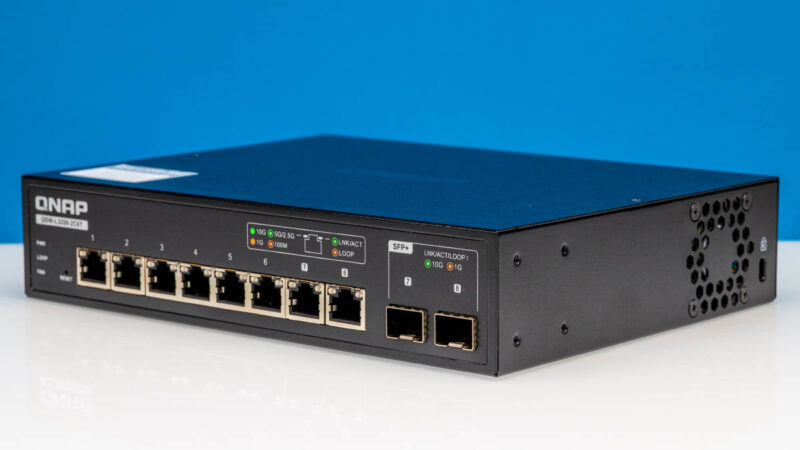
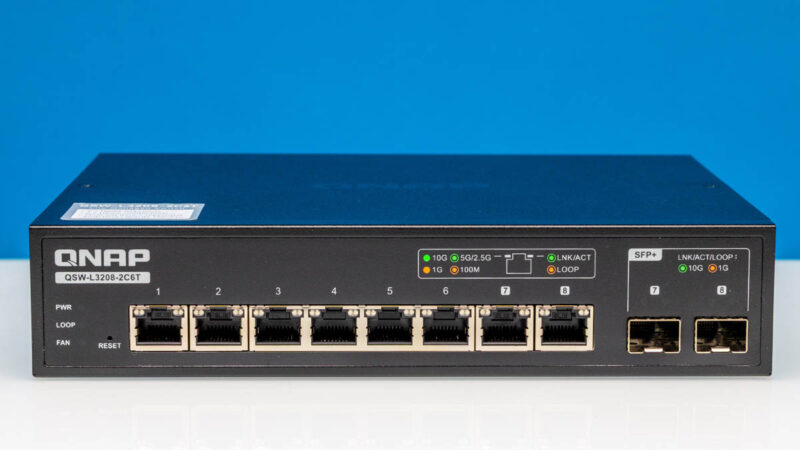
The eight 10Gbase-T ports, with two of them being combo ports, are ones that we really like since they provide a lot of flexibility. We have many readers who end up with a mix of SFP+ and 10Gbase-T devices, and this addresses both types. It also supports 2.5GbE and 5GbE. While there are cheaper 2.5GbE and 5GbE switches out there, the pricing for a 10GbE switch is not bad. If you just need a simple switch, and this is selling in the lower end of its $350-450 street price range, it becomes a big upgrade at a low cost compared to something like the Ubiquiti Flex 10 GbE USW-Flex-XG (also assuming you do not want/ need the UniFi management suite.)
Overall, it was neat to also give you a view into our new testing. In 2025, we made the decision to get higher-end network testing running at STH. Now we have some high-end testing tools where we can show you views of devices that are not available elsewhere. Even against that backdrop, this QNAP QSW-L3208-2C6T performed really well.
Where to Buy
Here is an Amazon Affiliate link to what we purchased.

 performs using high-end IxNetwork testing)
About what data to show: There’s no point in showing us bps and pps charts or tables is it’s perfect line rate. Just say that.
Oops. “*if* it’s perfect line rate”.
I’d like to see an estimated BOM, as I still feel they are over priced, for the components.
I just wanted to point out that this switch is introducing 5.37 microseconds of latency, or 0.00537 milliseconds. That is such a ridiculously low number! I have seen some online that say a switch can add 1ms or more, and we see here that you would need about 200 of these switches chained together to get to 1ms of latency. The extra cabling would add some delay to that end-to-end packet transmission time as well.
Just a fun observation that the new testing hardware is letting us see!
I have been trying to get more answers about this switch so here is a short update and summary of the specs:
Manufacturer: QNAP Systems, Inc. is a Taiwanese corporation with Headquarter in New Taipei. The switch is made in Taiwan.
Switch Chip: I tried to figure out what switch chip is used. The user guide says CPU Realtek RTL9303-CG and Ethernet PHY Realtek RTL8261BE.
Management: It uses lite-management for Layer2/3. You can use the nice web GUI for management or the RJ45 console port on the backside for management with CLI.
The Console port/CLI can be used with an RS-232C or RJ45-to-USB console cable from the switch to a PC. Connect with terminal software like PuTTY.
QNAP QSW switches internally have a full blown Cisco-style management CLI hidden behind the dumbed down web interface. More at Github (https://github.com/marcan/qsw-tools) which has a useful guide on how to use the built-in CLI.
Ports: 6 ports are 10GbE BASE-T (RJ45). 2 ports are 10GbE SFP+/RJ45 Combo Ports. All ports supporting 10G/5G/2.5G/1G/100M.
It’s Broadcom based, I asked at Computex.
So how does this compare to the mikrotik 12 port switch with 4 combo for €550?
The Amazon price is jumping around a bit, currently it’s at $439 which removes some of the appeal this switch had at $350. At $439 it is close in price to USW-Pro-XG-8-Po ($499) but with 2 fewer ports and no poe++
That’s insane
I’ve bought a switch on the same platform (also 8port 10G), based on the reference design from realtek, with the same software – for 90£ (120$) and you say that this one is cheap?
@Val what switch manufacturer and model is that ?