

Noctua NH-U14S DX4677 Installed
The first thing you need is the correct carrier for the Xeon you are installing. Instead of installing the CPU into the socket and motherboard, then installing a heatsink on top, with Intel’s Xeons of the past few years, you install the CPU into a carrier. That CPU and carrier then get installed on the heatsink. That entire assembly gets installed onto a motherboard. For the Xeon 6 workstation processors, we need the LGA4710-2 “E2B” bracket. This usually comes with your motherboard but oftentimes motherboards will come with more than one bracket, so you need to use the correct one.
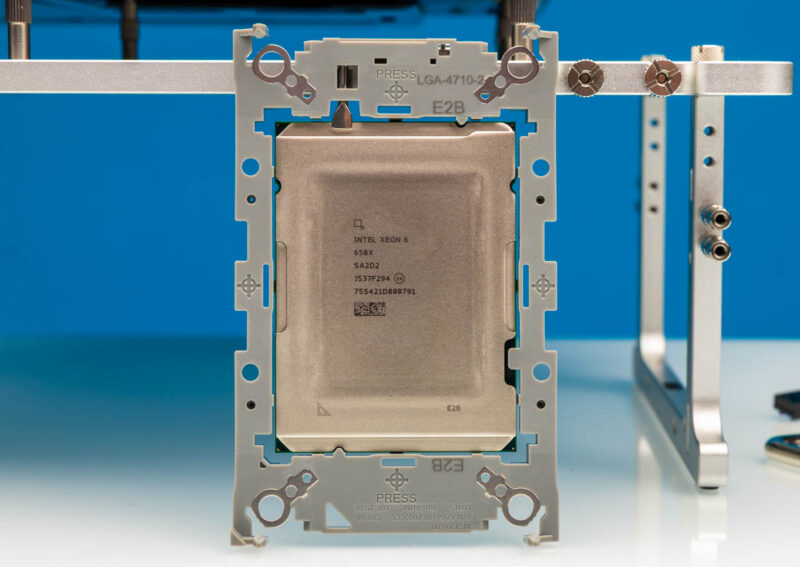
Once you install the CPU into the carrier, clip the carrier onto the heatsink. Note that during disassembly, a metal TIM breaker arm is installed in the carrier.
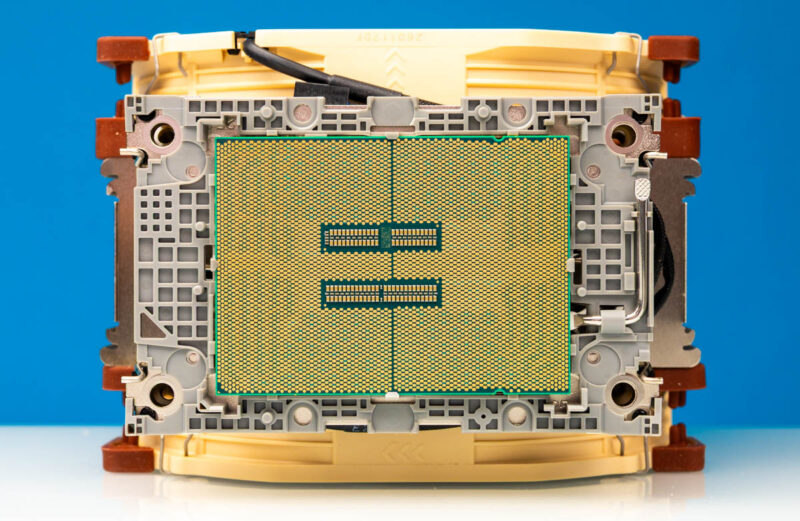
The entire assembly is then locked in place via four wires and then the corner screws are screwed down to the motherboard.
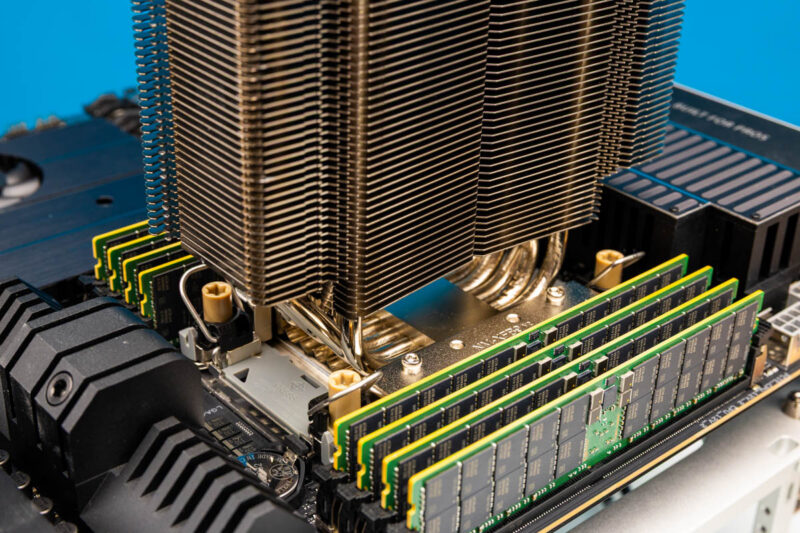
This may seem like a small point, but in the ASUS Pro WS W890E SAGE SE motherboard we have, Noctua’s design points up and down as you see in many consumer workstations. Most professional workstations and servers use front-to-back airflow, so that is a big point depending on the case you are using.
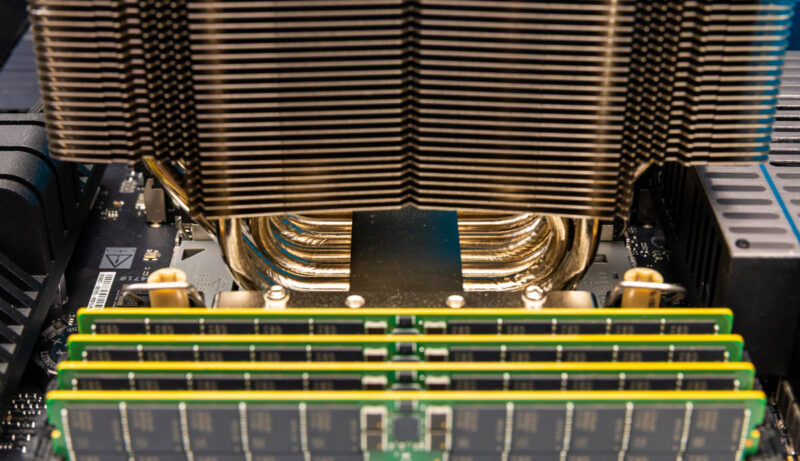
Once the fans are clipped into place, you can see a practical challenge with this, and frankly, any actively cooled tower cooler for the platform. The large fans extend over the DDR5 DIMM slots, which makes it challenging to service at least 50-75% of the installed memory.
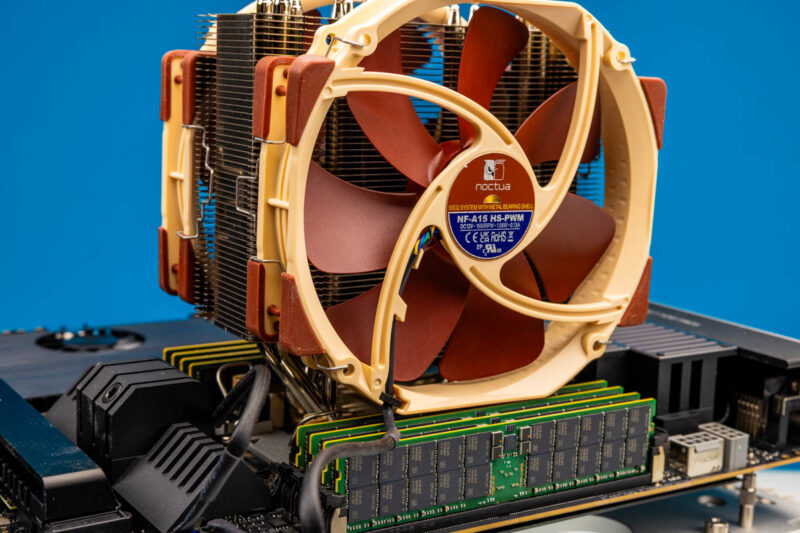
Just to give you some sense of how far these extend, the fans cover a lot of the DIMM slots. Here we also have ASUS’s memory cooler installed.
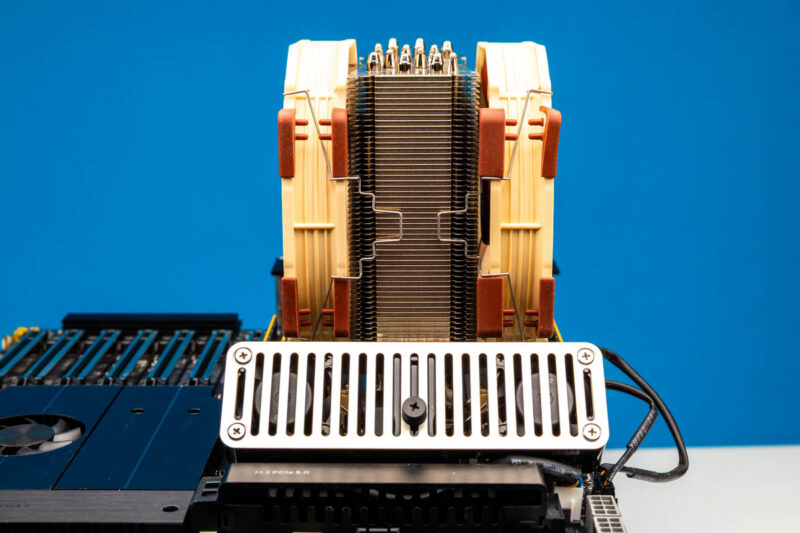
Perhaps the most important thing to remember is that at roughly 165mm tall and with the consumer-style airflow, the chassis you use with this needs to accommodate the cooler.
Noctua NH-U14S DX4677 Cooling
We only had the Intel Xeon 658X in the newest generation to test with. The Intel Xeon 658X package used ~38W at idle, so it was relatively easy for the Noctua to cool.
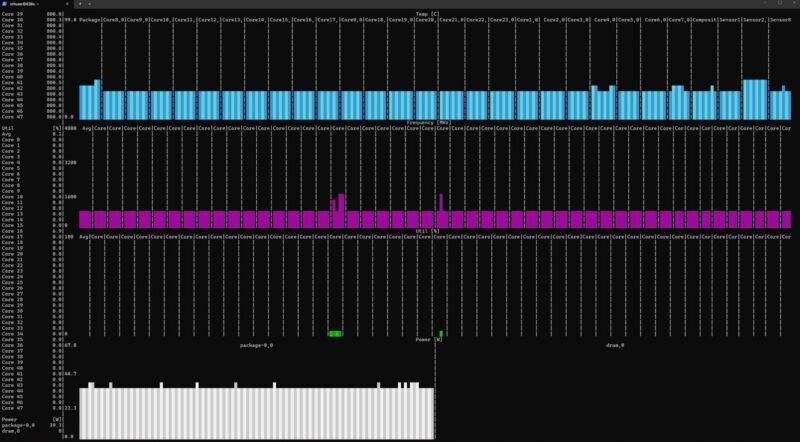
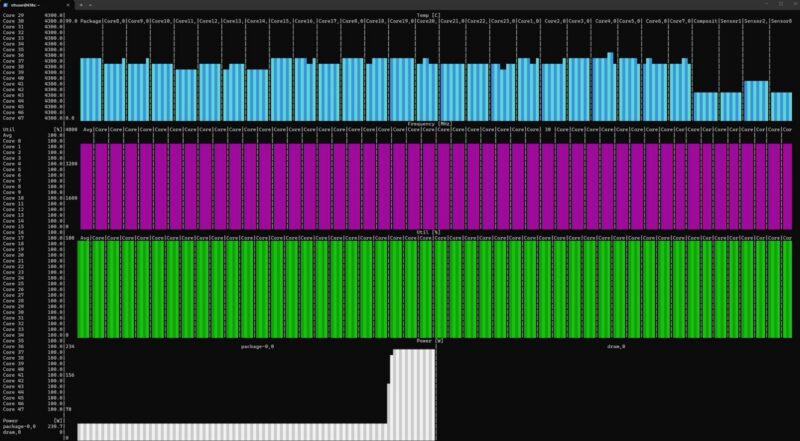
It is only a 250W TDP CPU, so we fired up stress-ng, which is a stress tool, not a realistic workload, and we jumped to around 230W immediately, later reaching around 240W at the package sensor. the Noctua handled this without any issue, and the 24 cores just sat at maximum boost frequency for 30 minutes.
Noise was minimal. Even in an open-frame chassis, we were around 37dba in a 34dba noise-floor studio. To be completely fair, you can find higher-core-count and higher-wattage CPUs, so this was really testing with a fairly midrange-to-lower-end option. Still, it performed well.
Final Words
To us, there are four main drawbacks to this unit. First, the $139 price tag is far from cheap, but with memory and storage prices, it is a smaller part of the overall BOM. The 5U height and airflow direction are not as big a deal for consumer chassis, but are not ideal for traditional workstations and servers. Finally, if you do have to reseat the processor or memory modules upon installation, it requires removing the fan(s), which is more difficult than removing a liquid cooling block, which is commonly used on these systems. The trade-off is that you get solid performance and relatively low noise.
Overall, though, the LGA4677 and LGA4710 cooler market does not have as many options as with smaller sockets. Having something that was easy to install and works well out of the box is certainly worthwhile for many people, and this is one we would buy again, so long as the system can support it.
Where to Buy
We purchased ours on Amazon. Here is an Amazon affiliate link to what we purchased.

amazing review. thank you for posting this. I have a server somewhere with low profile noctua cooler (only cooler to fit 2U and perform good at that time) that’s still going strong.
As a high-performance extended-fin heat-exchanger designer, I’m amazed that such low thermal efficiency fins are used on the heat-pipes. The heat-pipe arrangement is also sub-optimal.
With a bit more thinking, the size of the total package can be substantially reduced – possibly by around 50%.