

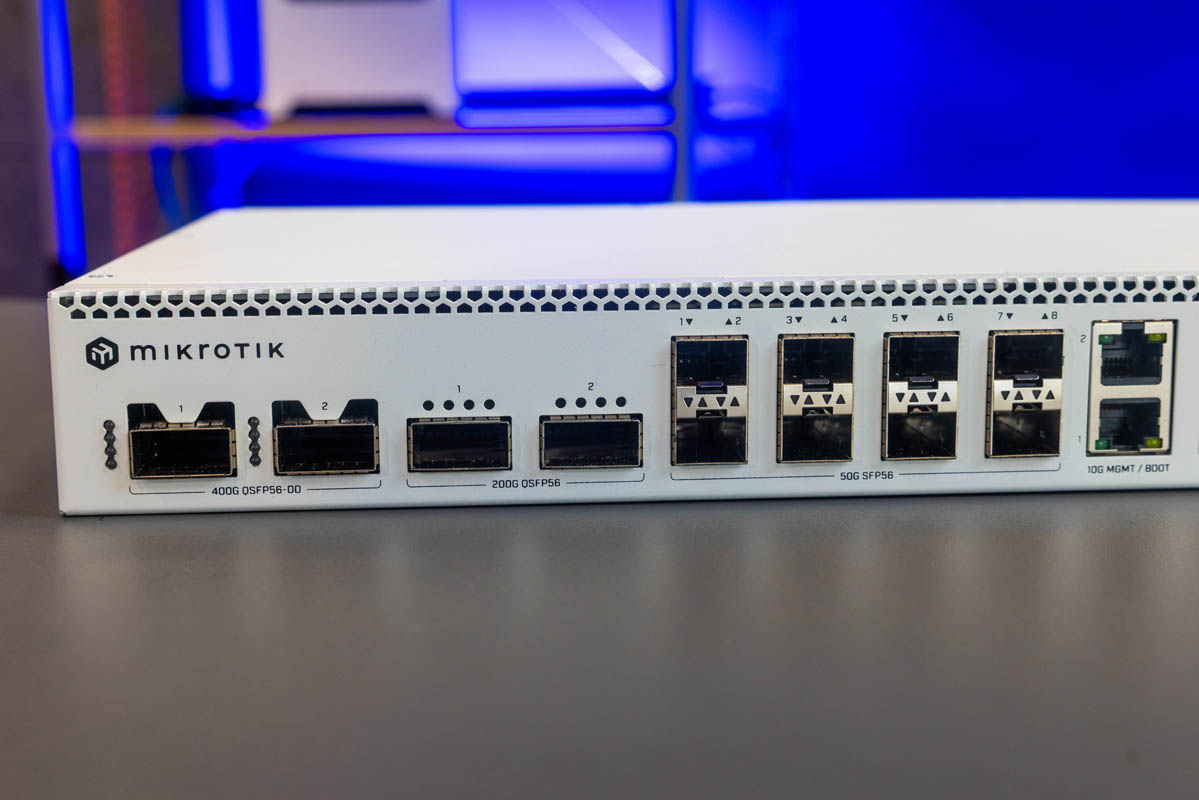
Hot on the heels of our MikroTik tour, MikroTik has unveiled its newest switch line. The company is not just jumping to 200GbE, but adding both 400GbE and 50GbE ports on its newest switch. This is the MikroTik CRS812-8DS-2DQ-2DDQ-RM, also known as the “CRS812 DDQ,” a next-generation connectivity solution we saw in Latvia in July and are now sharing.
The 400GbE MikroTik CRS812-8DS-2DQ-2DDQ-RM or CRS812 DDQ Looks Great
The switch itself is a 1U design with all of its networking ports on the front.
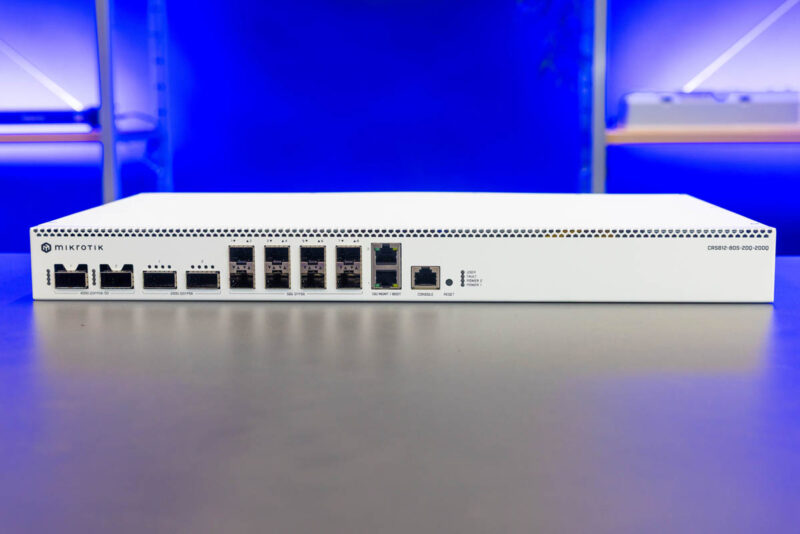
Perhaps the headline feature here is the two port 400G QSFP56-DD arrangement, followed by two ports of QSFP56 200GbE.
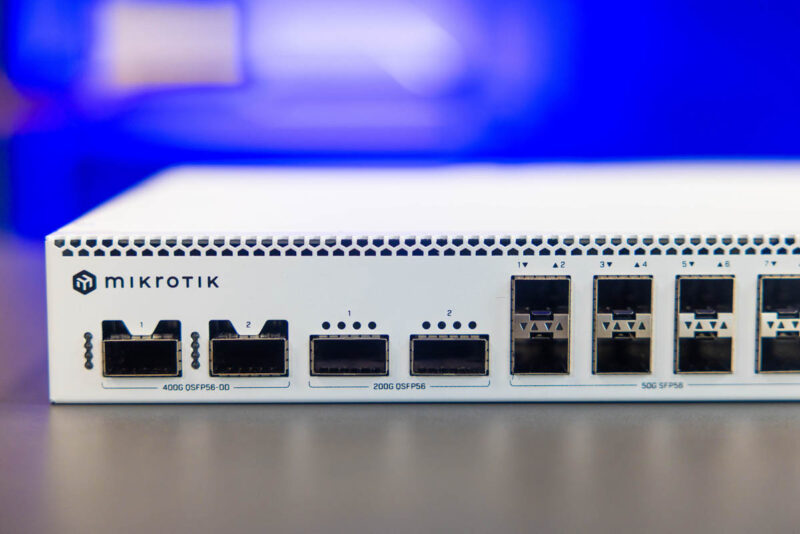
Then, there are eight SFP56 50GbE ports. If you are keeping track, that means that electrically, MikroTik is using the Marvell 98DX7335 with PAM4 56Gs signaling which is why the lanes going to these ports are 50G each. Many of our readers have not had to care about details like that before, but in the 400G/800G generation this is becoming a big deal.
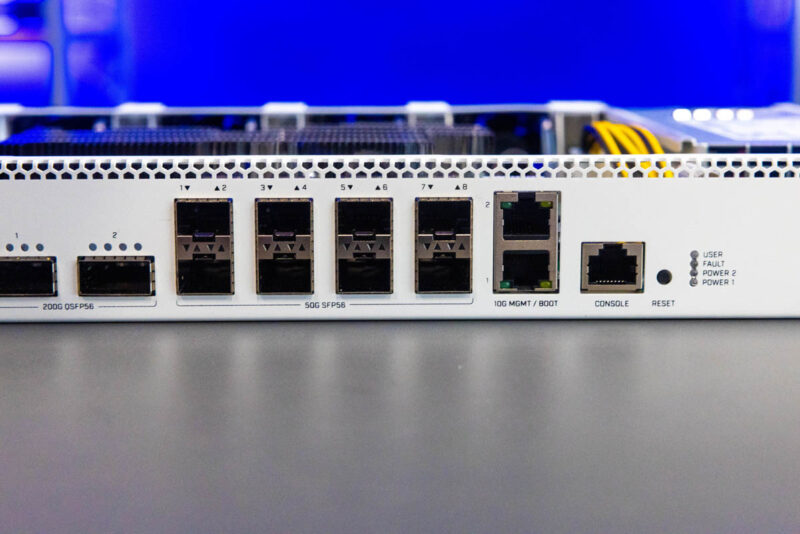
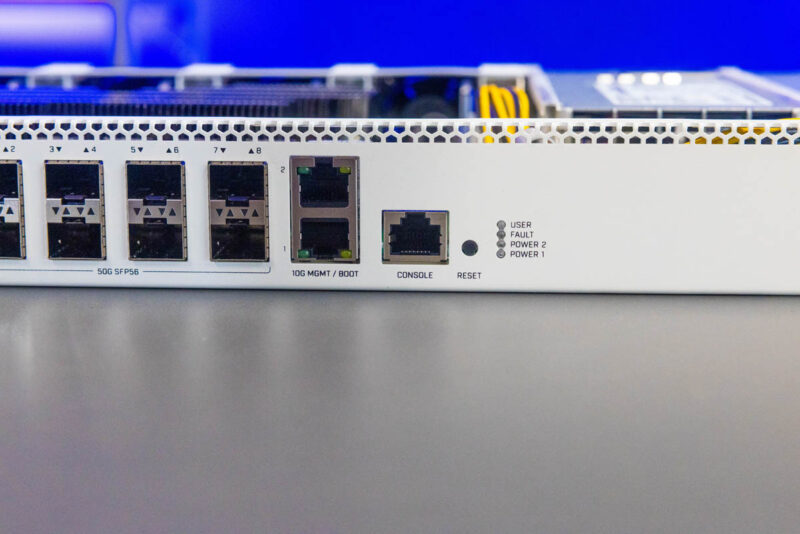
Then we have the 10G management port and boot ports and the console port.
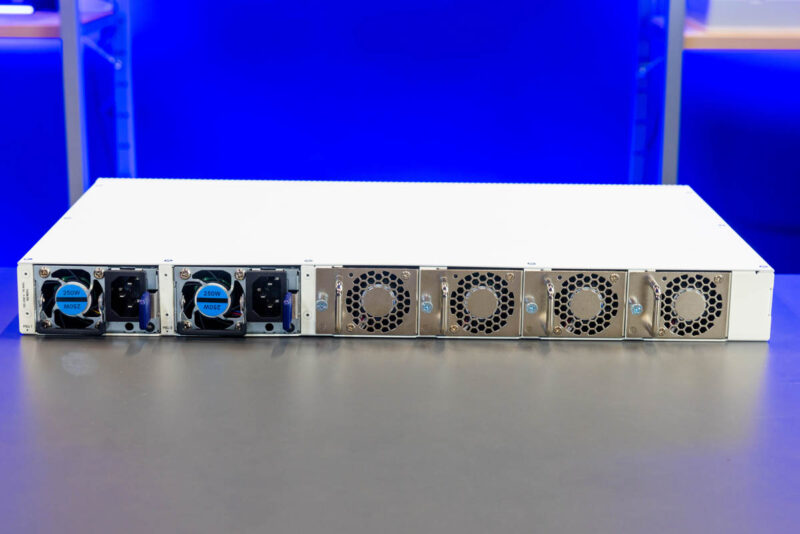
On the rear, we get dual power supplies and four fan modules.
Inside, we get the 98DX7335 as well as the Annapurna Labs AL52400 quad core Arm CPU.
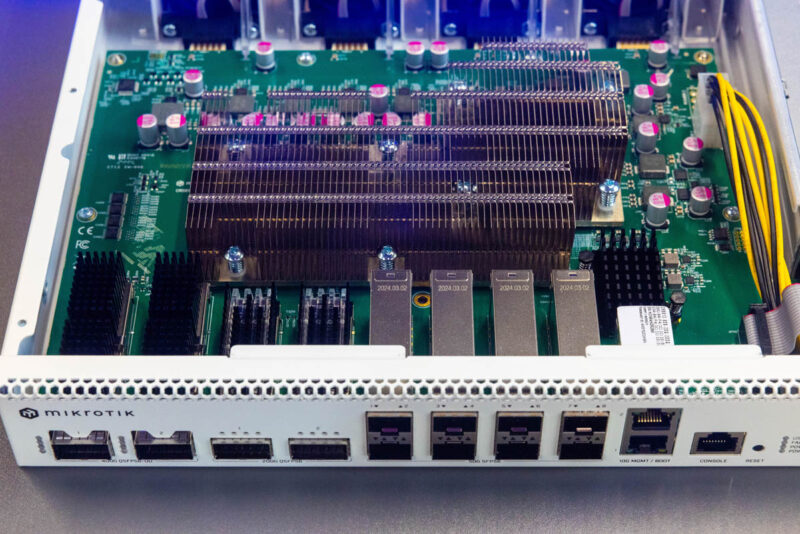
The maximum power consumption is between 130-140W with optics installed which is not too bad. I gave the feedback while I was there that a bigger heatsink and lower noise would be appreciated by folks not just on this switch, but on future MikroTik models.
Final Words
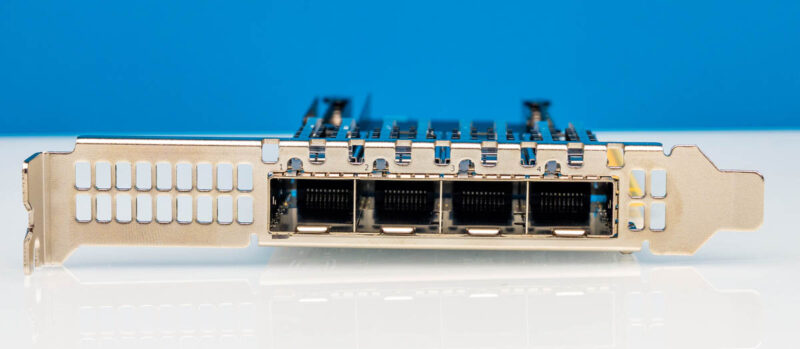
An original idea was to do a review in Latvia on an early switch. Instead, we will do our normal full review now that it is in the studio. Still, items like seeing the SFP56 ports on this is why you saw the NVIDIA ConnectX-7 Quad Port 50GbE SFP56 Adapter Review on STH recently, and we have added SFP56 to our massive network testing box.
While I was in Latvia, I told John Tully, MikroTik’s CEO that this could be an awesome switch for the upcoming NVIDIA DGX Spark and other NVIDIA GB10 boxes. NVIDIA is enabling NCCL, so if MikroTik gets this to work with that ecosystem, this is going to be a hot product for scaling out low-power AI clusters.
This is only a $1295 list price part which is awesome for a 400GbE capable switch. Importantly, MikroTik is also releasing 400Gbps QSFP-DD optics at a $159 list price which is also at an awesome discount to many of the current options in that form factor.
What I can tell our STH community is that this is a super cool piece of hardware, but also one where the knowledge level is going to need to be well above something like a MikroTik CRS304-4XG-IN if you want to use its capabilities.




Patrick, you mentioned “PAM4 56Gs signaling” being important to consider. Will you elaborate on why in your full review?
Also, will you test the backwards compatibility with (q)sfp28?
Personally, while 400/200 is out of reach for me right now, using these with breakout DACs could be very interesting.
ALMOST a great product.
The port layout they chose makes this quite useless imo. They should’ve ditched the 8 SFP56 ports and used 2 QSFP56 instead (you can breakout a QSFP56, but you can’t easily reverse breakout 4 SFP56 ports).
With 2 400G QSFP-DD ports and 4 200G / 100G, this would have made an AMAZING border router.
It could also be useful for Metro transport, but still: I have a strong preference for 2x QSFP56 ports over 8x SFP56. There are very few situations where the QSFP56 ports would have and disadvantage compared to SFP56…
It seems Moldovans have done totally shitty job with FW.
Or maybe chip is a power pig.
80+ W power consumption with IDLE switch and nothing plugged in.
Yikes.
I’d much rather they come up with a router that has like 12×100 Gb/s.
Given their architecture (that doesn’t utilize custom made ASIC’s or TCAM) I can imagine that being quite the challenge. But it would be good to have this. Right now, I think Mikrotik is lacking in this department, for datacenter 100 Gb/s deployments.
@Freeaqingme
Their CRS520-4XS-16XQ-RM has 4x 25G and 16x 100G.
@Kyle; yes you’re right. But I’m hesitant to use those as (edge/core) router, given how they’re advertised as switches, not routers.
Just to avoid misinformation via @NotReally Me the idle nothing plugged in is sub 30W. We double checked this and it is generally sitting in the 27-28W range, so nowhere even close to 80W.
@Freeaqingme
That particular CRS can do 1.6 tbps routing of 512 to 1514 byte packets with IP filtering. Some features of RotuerOS can’t be offloaded to L3HW acceleration and will bring down those numbers, so reading the documentation if key for evaluation. In general, for most common use cases it will do just fine as a VLAN router or even a firewall if care is taken with proper rule design.
MADE IN LATIVA
This is an upgraded version of the QNAP QSW-M7308R-4X.
I’m glad it has a decent number of 400G/200G ports as well as SFP56 ports for connecting to slower devices or the router.
It was a mistake for the prior gen CRS5** switches to have too few QSFP28 (2 QSFP28 + 8/16 SFP28, or 4 QSFP28 + 0 SFP28) or too many QSFP28 (16) with nothing in between.
@Robin C, it’s primarily a switch with limited routing capabilities, since it doesn’t have the CPU power that dedicated MikroTik routers like the CCR2216 CCR2216/CCR2216 do.
Yes, but where are sanely priced NICs for this thing ?
What’s the point of having 400GbE switch when a single ConnectX-7 NIC for it cost more than a whole switch at the present ?
For that matter, where are cheap 50GbE NICs with PCIe5 that wouldn’t waste precious PCIe5 lanes on modern consumer MoBos ?
@NotReally Me – very strange comments from you. You tried commenting on the (wrong) power usage numbers, got called out on it, then switched to commenting about… NICs?!
1. NICs are not really something Mikrotik offers, AFAIK. And the fact that a single NIC from another company costs more than the entire Mikrotik switch is not really a negative comment on Mikrotik :)
2. How exactly do you see a solution that connects over PCIe5, yet does not use “precious PCIe5 lanes”??
3. What the … do Moldovans have to do with anything???
Can the 10G ports be used as uplink ports to connect higher speed hosts on the switch to my main 10g home network?
@Bogd:
I was commenting the figure that has been made available by Mikrotik itself – 81W idle power.
AD1. I was questioning the usability of the switch, not pinning the blame. Point was – what good is having the switch if there are no NICs to use with it. Last time I checked, business runs on sales, not moral superiority or lack of blame.
AD2. I expect NIC to use PCIe5 lanes frugally and not waste precious PCIe5 lanes on the host by supporting only PCIe4 or less.
AD3. Close enough. And BTW, these days Moldovans have to do with everything. Just ask VonDerWhatever. To her and other EUgenicists, one vassal state is like another.
https://www.reddit.com/r/conspiracy/comments/1085rr0/black_organ_trade_harvesting_across_new_eugenic/