

MikroTik CRS418-8P-8G-2S+RM Block Diagram
Something cool that MikroTik does is to publish the block diagrams. Frankly, we wish all switch vendors did this. Here is the one for the CRS418-8P-8G-2S+RM.
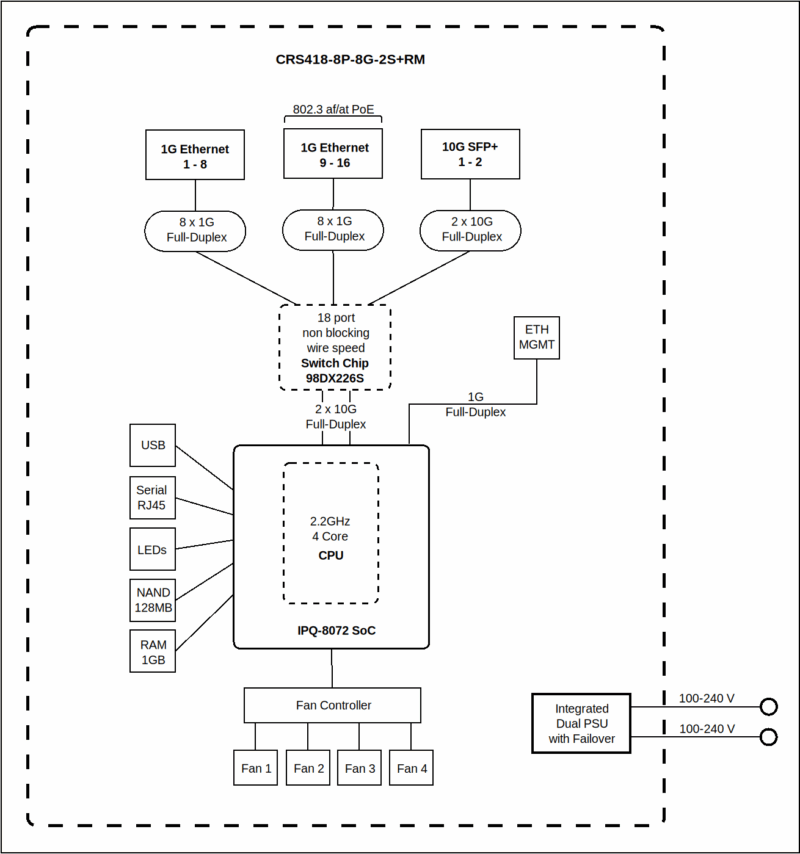
This design is really interesting. You can see the Marvell Prestera 98DX226S, where all of the data ports are connected to. This is the same chip we saw in the MikroTik CRS310-8G+2S+IN, an 8-port 2.5GbE and 2-port 10GbE switch.
There are then two 10Gbps links back to the Qualcomm IPQ-8072. Instead of just using the lower-performance Arm CPU in the Marvell Prestera, MikroTik’s addition of the Qualcomm SoC means that there are four decently speedy Arm cores. It also provides a path for the management 1GbE NIC and in the WiFi version, WiFi connectivity.
MikroTik CRS418-8P-8G-2S+RM Management
On the management side, these devices run MikroTik RouterOS. That means you get CLI access, a Web GUI in WebFig, and also access via WinBox. Some prefer one model over the other. Perhaps the more important aspect is that there are all three management methods so administrators can pick which one they want to use.
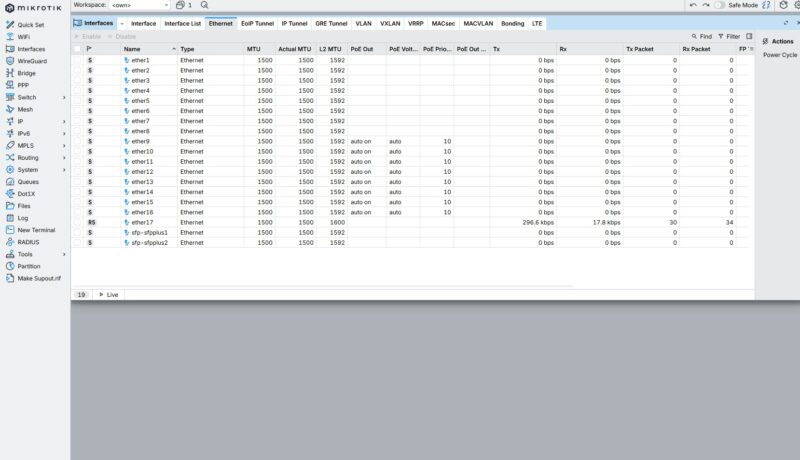
Setting up this unit is just like other MikroTiks, with standard features like VLANs.
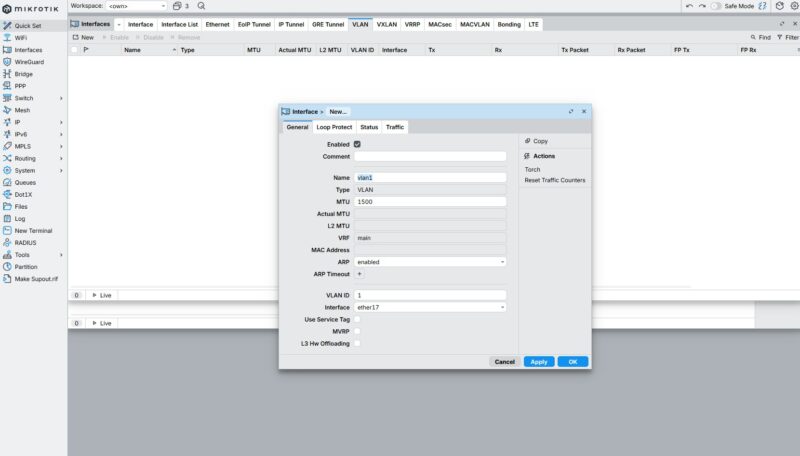
There is a QoS page which might be useful in a device like this, and is frankly much more useful than one that we saw in a recent unit we tested (review of that one coming.)
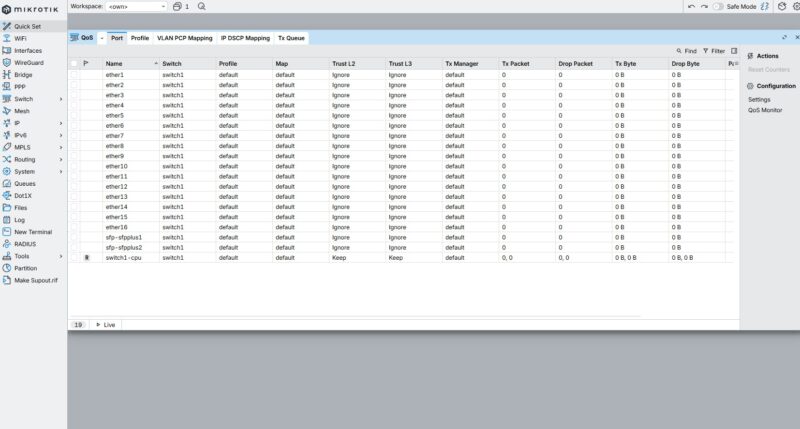
Since this can also be a router, there are features like being able to setup WireGuard or other VPNs, albeit remember that there are modest compute resourcs onboard.
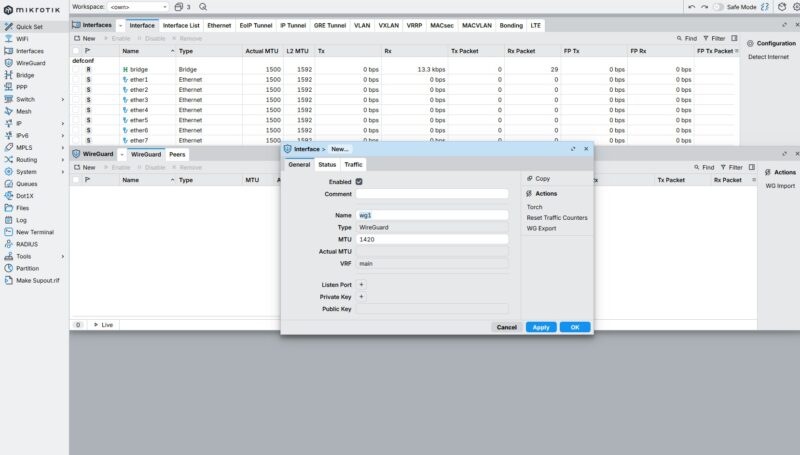
To us, the one item we came away with, especially configuring this as a router, is that if you were a new user and not very technical, this would be daunting. The reason many like MikroTik is that you get access to so many features. At the same time, for someone coming from a cheap ASUS or TP-Link router or switch, this will offer much more functionality. For MikroTik fans, that is exactly what they want.
Next, let us get to the performance since we certainly found something.

A few comments about the packet loss:
When testing with an IXIA you need to make sure that you have turned off any features that could cause the switch to generate its own traffic. This means disabling protocols like LLDP, spanning tree, router announcements, etc.
Management packets like LLDP and route announcements are typically sent with highest priority. If traffic is traversing the switch at line rate, then there’s no “idle” time on the egress port. If the switch sends an LLDP packet, then it has to drop (or queue) one of the IXIA-generated packets. This isn’t a failure, it’s the nature of a switched network.
Second, packet loss can also be caused by clock skew (also called “clock offset”). In an asynchronous network like Ethernet, one of the oscillators will always be a few “Parts per Million” (PPM) faster then the other.
The Ethernet standards allow +/- 100ppm of clock offset. This means each piece of equipment has a different view of “line rate”. One again, dropping packets due to PPM differences is not a “failure”, it’s an inherent behavior of an Asynchronous network.
Queuing can mitigate some of these effects, but too much queueing is undesirable.
I’ve made some complaints recently about various reviews, so, it’s only fair to speak up with praise where deserved.
This is “mostly” a switch. You reviewed it as a switch. And it’s also a bit of a router. You did enough of a review of that to tell us what we could expect there (NOT line rate, but not pathetic either, + everything Mikrotik). I think you hit a very good balance given your constraints.
Nice job.
Hi, is the testing being done with L3 HW Offloading enabled?
Thanks
.
“Franta February 19, 2026 At 8:52 am
Hi, is the testing being done with L3 HW Offloading enabled?
Thanks”
This is a very good question! was it conducted with Hardware Offloading enabled?