

MikroTik CRS812-8DS-2DQ-2DDQ-RM Internal Hardware Overview
Inside the switch, we have the ports up front, fans at the rear, with the switch PCB on the left and power on the right.
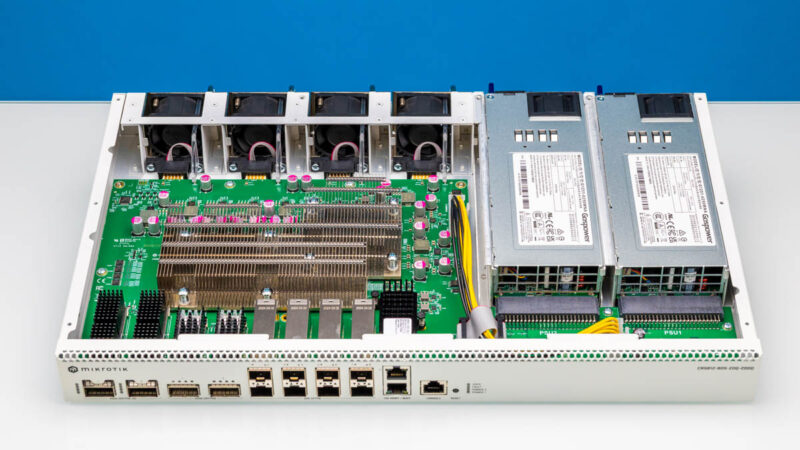
Worth noting is that the QSFP56-DD optics can use a lot of power. We have a Cisco-branded QSFP56-DD 400GbE DR4 500m optic that has a 12W power limit. In low power switches, the power and cooling for optics is a big deal.
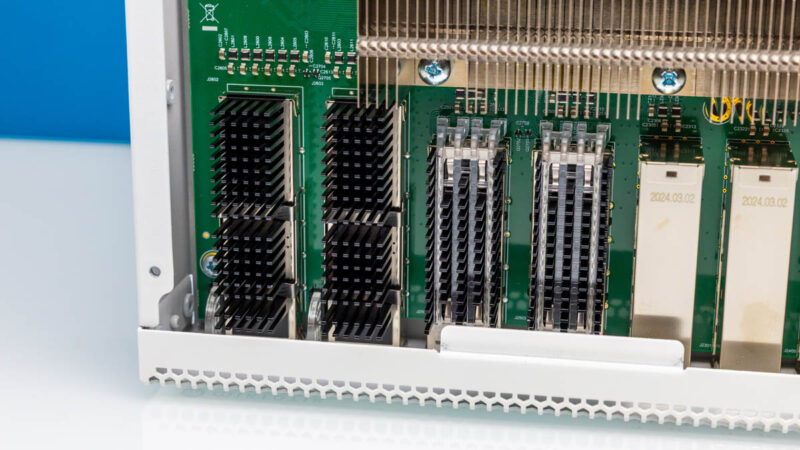
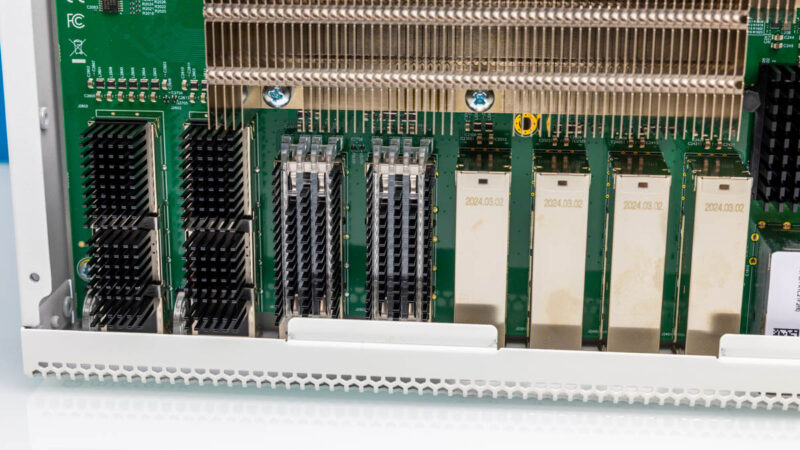
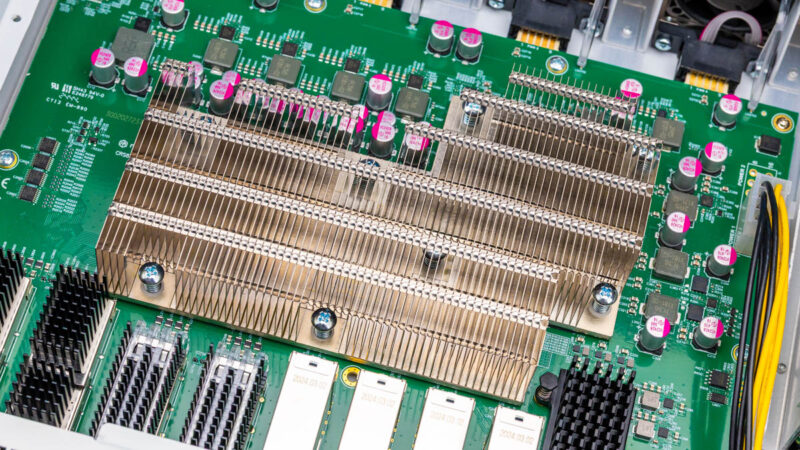
You can see that the QSFP56 200GbE ports have smaller heatsinks while the SFP56 optics do not have cooling fins. Woth noting is that higher-end OSFP switches usually have finned optics where the cooling fins are part of the pluggable optic module itself.
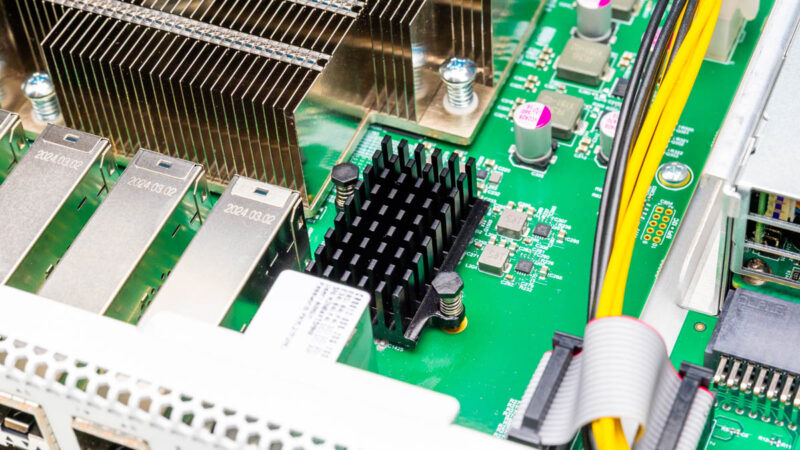
For the 10Gbase-T side we also need a PHY to be cooled.
In the middle, we have a Marvell 98DX7335 switch chip and an Annapurna Labs AL52400. Marvell has a good size network switching business ranging from small switches to 51.2Tbps Teralynx 10 switches for hyper-scalers and future CPO designs. Annapurna Labs was purchased years ago by Amazon to make chips for AWS. If you have used AWS Graviton, that is an Annapurna Labs chip. Here the AL52400 is a quad core Arm CPU with the 10GbE interfaces onboard.
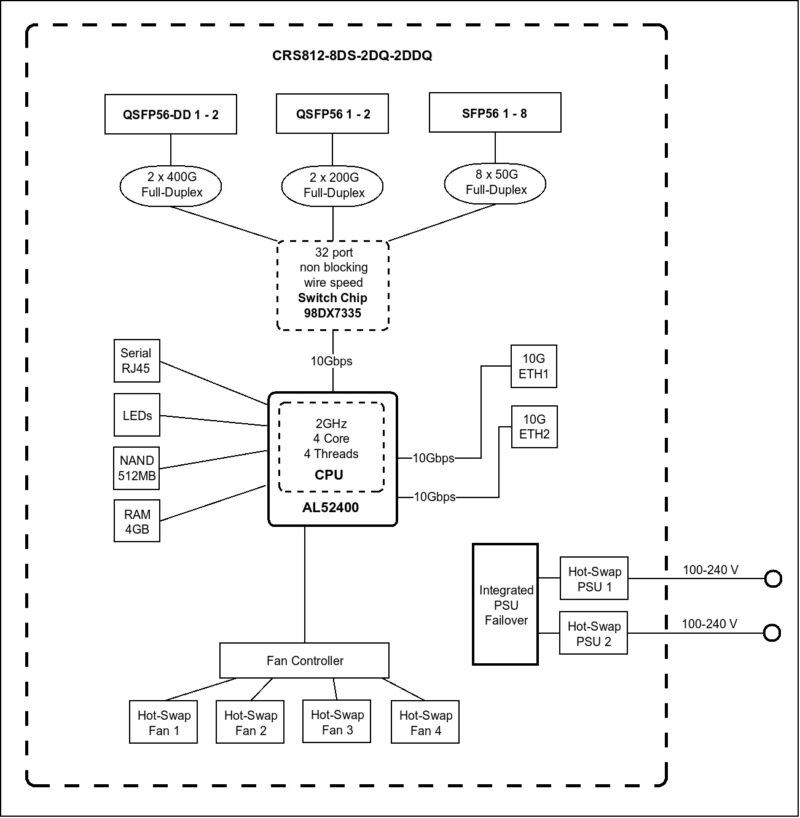
Here is the block diagram. Of note is that the AL52400 only has a single 10Gbps link ot the Marvell 98DX7335 switch chip, so you cannot expect to get dual 10GbE to the 400GbE ports. Those are labeled management/ boot on the faceplate, but this is the other big reason why. They are not directly connected to the Marvell switch so they have to go through the Arm chip and then over a 10Gbps link to the switch chip.
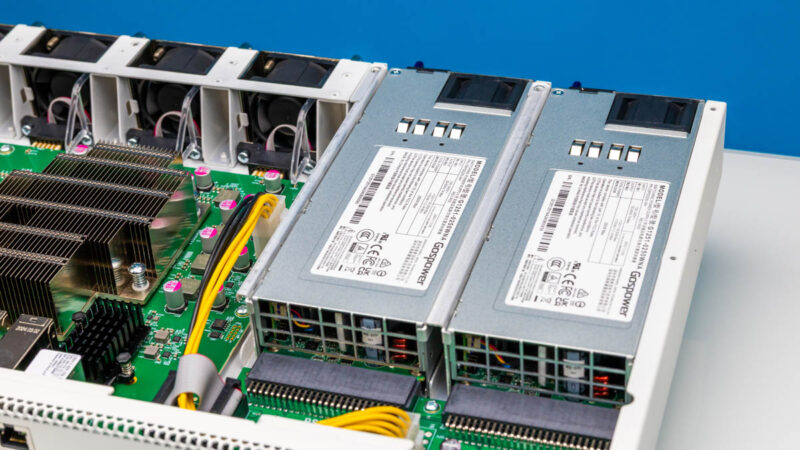
Powering the switch we have our redundant 250W power supplies.
THere is a little power distribution board here that outputs a single power feed.
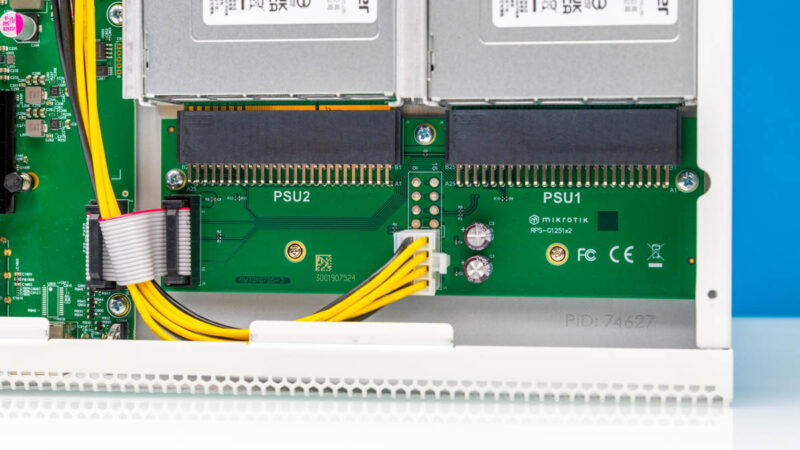
Here is also a little ribbon cable likely to bring sensor data back to the switch.
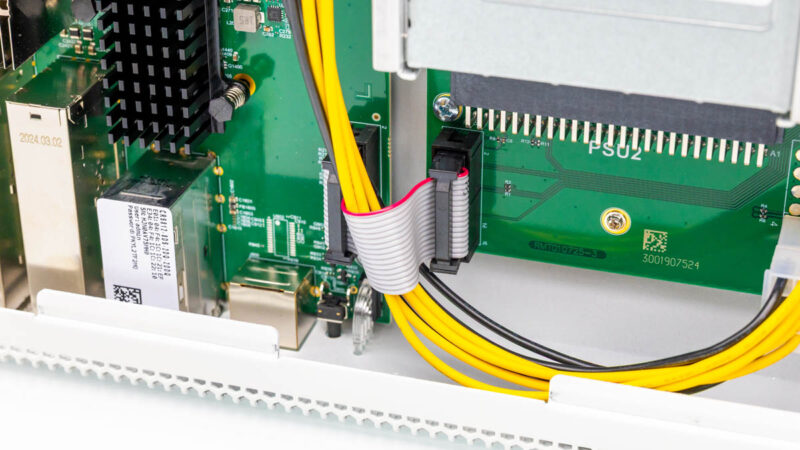
Power is brought via wires to the main switch PCB.
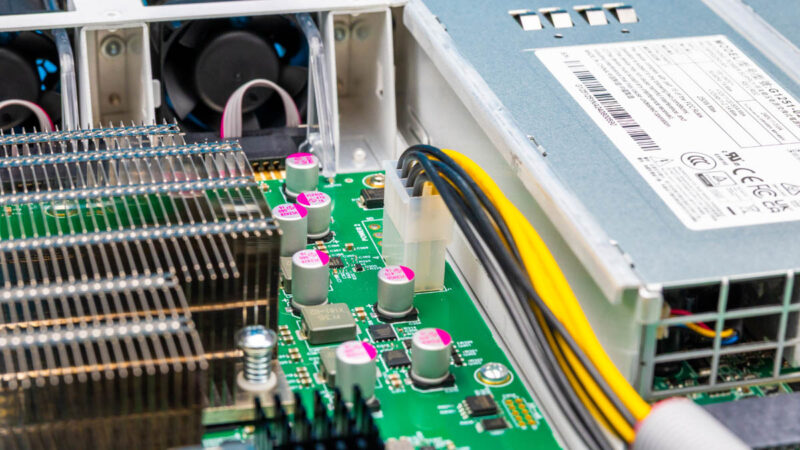
It almost feels like MikroTik had another design in mind without the power distribution board since you can see pads for a second power input.
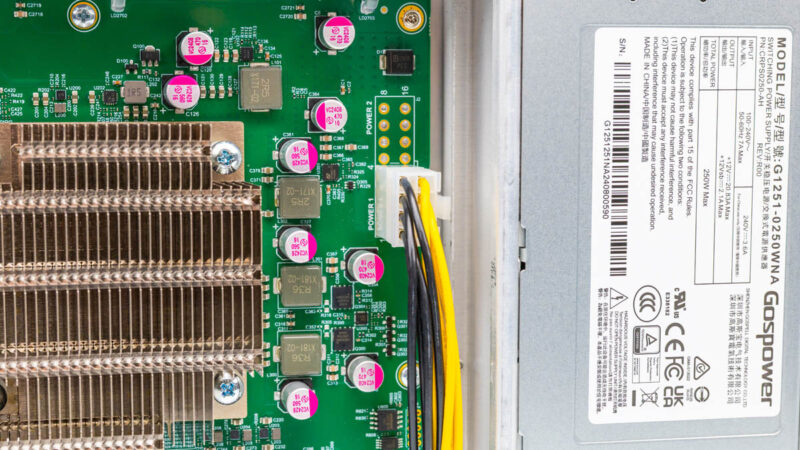
Behind the switch chip and management processor, we get components like capacitors.
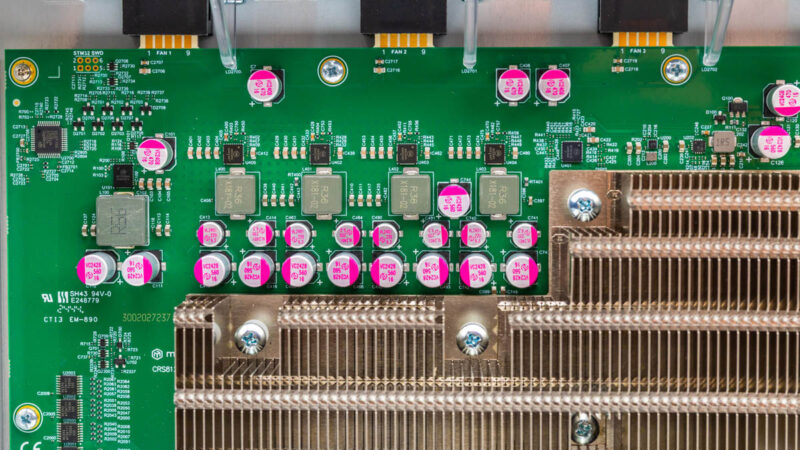
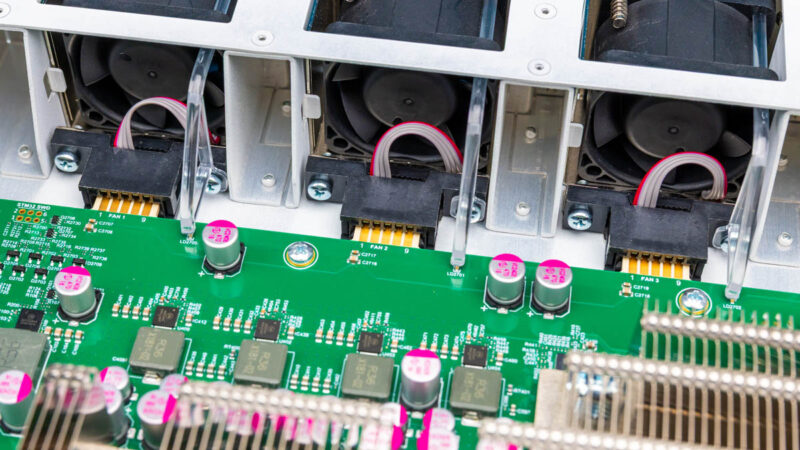
The hot swap fan modules have mating connectors to the switch.
MikroTik CRS812 DDQ Management
In terms of management, we get the MikroTik Webfig, Winbox, and CLI trio. You have to use a newer version of Winbox to connect to this switch however.
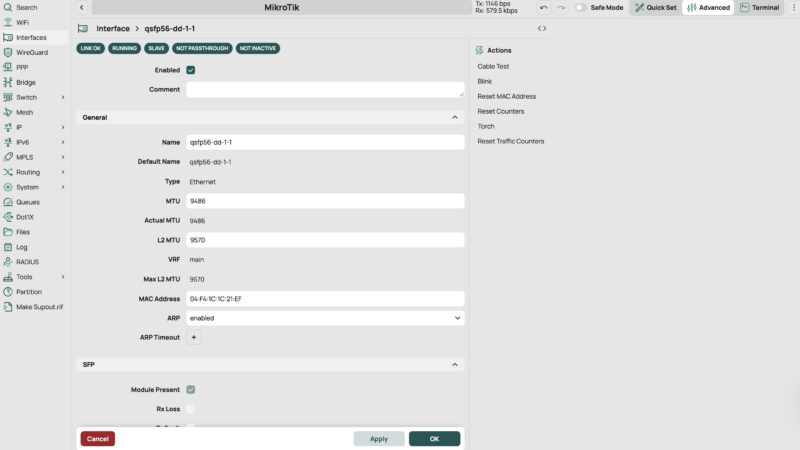
We are not going to go into these in great detail, but having a CLI for those more experienced in networking, along with both a web management and a desktop appliction for management is great. It makes the entire switch more accessible to users who may not be experienced with CLI setups in higher-end switches. There are many folks who will never venture to CLIs, and in general, this makes things easy to manage for a broader audience.
Next, let us get to the performance.




That’s insane testing. 800Gbps in n out of each NIC. WTF.
I’m not current on pricing, but that’s prolly a cool half-million to generate that load on this switch
Hi!
Is it possible to connect 10Gbe sfp+ and 25Gbe sfp28 nics to the sfp56 ports using an sfp+/28 dac? (Do the sfp56 ports support NZR encoding?)
Thank you
sirca, according to Mikrotik’s brochure is looks like it does but would be good to verify.
So that would give you 8 x 10G or 8 x 25G from the SFP56 ports if you don’t have any 50G SFP56 needs. You could also potentially get another 4-8 25G ports utilizing a QSFP28 to 4 x 25G DAC from the QSFP56 ports. That should also be verified but shows the potential flexibility of this switch and somewhat future proofing. Pretty amazing flexibility of this switch.
CRS812 interface speed support:
2x 10M/100M/1G/10G Ethernet ports
8x 1G/2.5G/5G/10G/25G/50G SFP56 ports
2x 40G/50G/100G/200G QSFP56 ports
2x 40G/50G/100G/200G/400G QSFP-DD ports
* QSFP56/QSFP-DD ports also support breakout modes to 1G/2.5G/5G/10G/25G/50G
THAT’S 1.6Tbps TRAFFIC UNIDIRECTIONAL for $1150!
Lead with that. You’re welcome.
I’m salivating to see you review firewalls with that suite
Sirca, yes, that works well enough. I have that switch at my homelab since the week it became available to purchase.
There are some hikkups in firmware with autoneg but overall it works
And same with qsfp28 to 4xsfp28 breakouts. You can even force some of them to work at 10G speeds (but autoneg works on breakout 1 and assumes all other are same speed)
Very interesting product. Any sellers in USA?
Could you post the output of /interface/ethernet/switch/qos/monitor? I’m curious about the chip capabilities.
Ideally with latest RouterOS beta. There are some fixes for the switch in the Changelog.
@Civiloid @jpmomo
thank you for exhaustive response! :)
@sts,
[admin@CRS812] > /interface/ethernet/switch/qos/monitor
total-byte-cap: 8.0MiB
multicast-byte-cap: 819.1KiB
shared-pool0-byte-cap: 3276.8KiB
shared-pool1-byte-cap: 0
That is with 7.21beta3.
Thanks! 8MB is not a lot for a 400gig switch..
I guess that’s a compromize for being relatively budget friendly
I think that is standard for Marvell prestera switching chips.
That is awesome! Looking forward to some real testing for firewalls using the new CyPerf tool
Any DAC (active I assume) breakout cables recommendations for
1) QSFP56-DD to 4 x QSFP28 and/or
2) QSFP56 to 2 x QSFP28 ?
I need to connect some existing older devices with QSFP28 100GbE ports.