

Lenovo ThinkStation PX Internal Hardware Overview
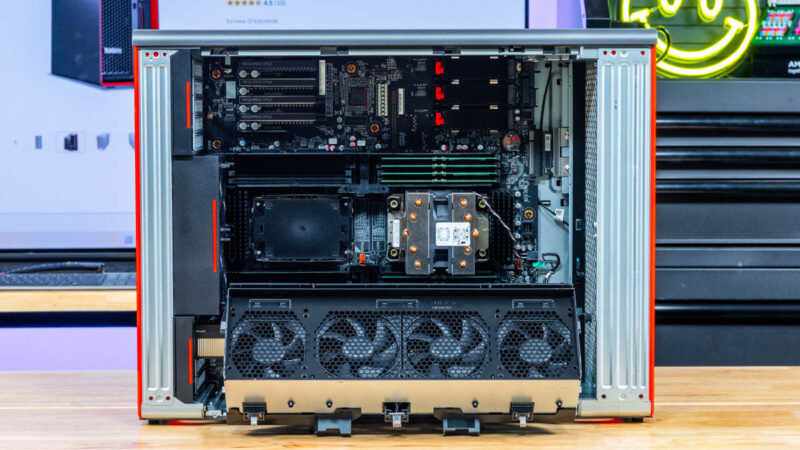
Lenovo’s high-end workstations have a reputation for being cleanly designed and well laid out, and the ThinkStation PX is no exception. Lenovo has designed the system to be relatively easy to service, with removable ports and baffles to ensure air flows through the system as required. The end result is that most commonly replaced parts are easily accessible, but a bit more digging is required to get to the motherboard.
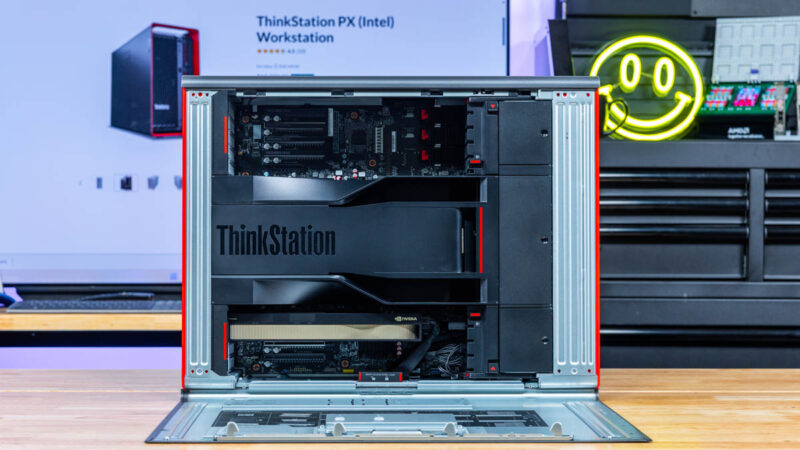
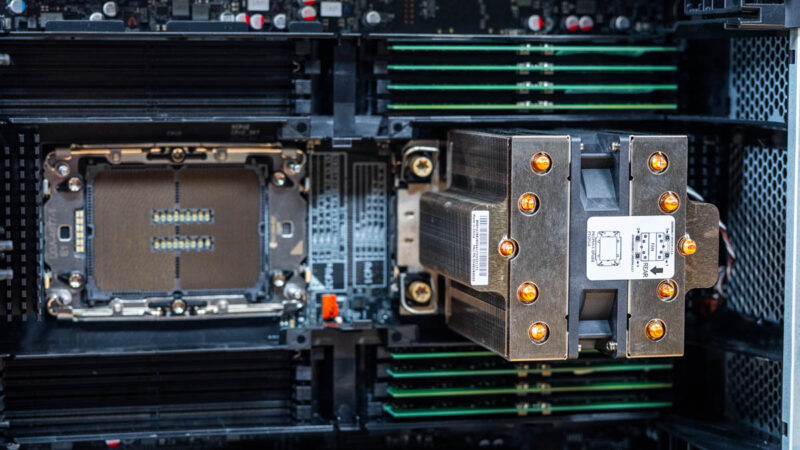
Removing the airflow baffles, we can see the system’s CPU and memory bay. This configuration comes with a single CPU installed – an Intel 4th Gen Xeon Scalable processor, the Xeon Gold 5416S. Part of the Sapphire Rapids family, this is ostensibly a server chip, but as Intel’s W-series workstation chips do not allow for dual socket configurations, server chips are the order of the day. With just 16 CPU cores, the Xeon Gold 5416S is not particularly remarkable compared to some of the other Xeons that this system can support, but it offers all of the PCIe lanes and memory channels needed to give the system access to ample amounts of I/O bandwidth and memory.
And since this is a dual socket system, it does mean that two CPUs are needed to get the most out of it in terms of both PCIe lanes and memory bandwidth. CPU socket 1 (right) drives the lower PCIe chamber, as well as all of the peripherals such as the M.2 storage slots and C741 chipset. CPU socket 2, in turn, drives the upper PCIe bay, allowing it to dedicate all PCIe lanes to that bay rather than splitting them with system I/O. As a result, there is more total PCIe bandwidth available to the upper PCIe bay than the lower bay.
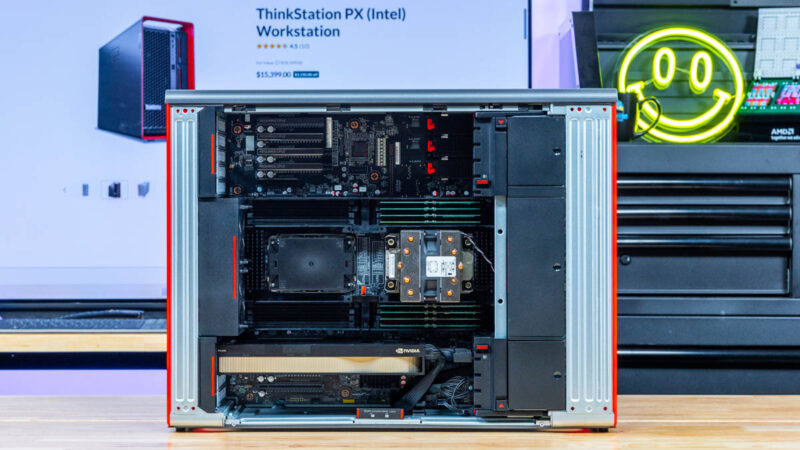
The default configuration for this SKU is just 32GB of RAM, in the form of two 16GB ECC DDR5 RDIMMs – unfortunately, a common occurrence with lower-end Lenovo workstation SKUs. To get the most from the Sapphire Rapids platform, all 8 DIMM channels must be populated, which requires at least 128GB of RAM to reach full performance (and hence our customization of this system for exactly that). This specific CPU only supports memory speeds up to DDR5-4400, though the motherboard itself is validated to work with DIMMs up to DDR5-5600 when using a suitable processor.
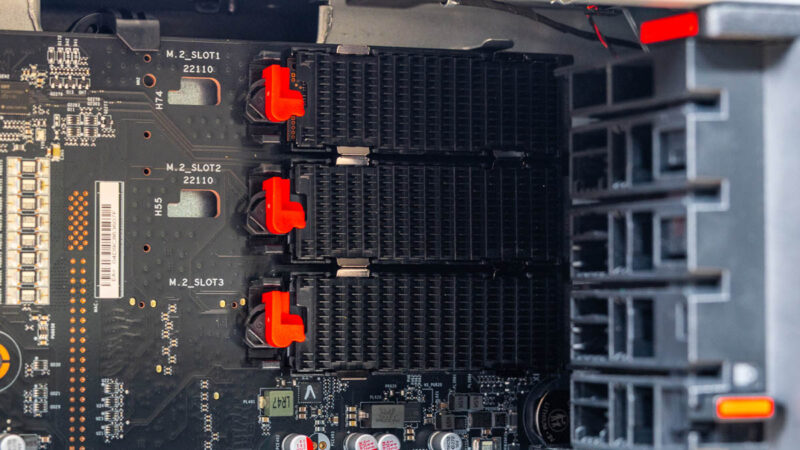
Elsewhere in the system, we find the internal storage for the ThinkStation PX: a trio of M.2 slots with heatsinks. The top two slots can accommodate up to an oversized M.2 22100 drive, while the bottom slot can go up to M.2 2280. All three slots run at PCIe Gen4 x4, and are connected to CPU 1. The system can be rigged to accommodate another 4 M.2 SSDs, but this requires swapping out the front hard drive bays for M.2 bays.
For our configuration, Lenovo includes a PCIe Gen4 x4 M.2 drive by default. Notably, it is a TLC drive, and Lenovo does not list any (current) configuration options with QLC drives.
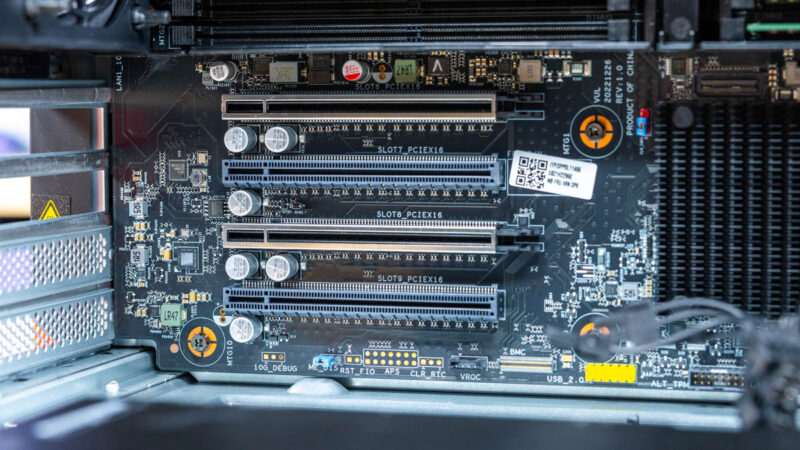
Meanwhile, in the bottom PCIe bay, we have a mix of PCIe Gen4 and Gen5 slots. The armored slots (6 & 8) are intended to house video cards, and are full PCIe Gen5 x16 slots both physically and electrically. Meanwhile, the remaining two slots are PCIe Gen4 x16 slots. All of them can accommodate full-height, full-length cards.
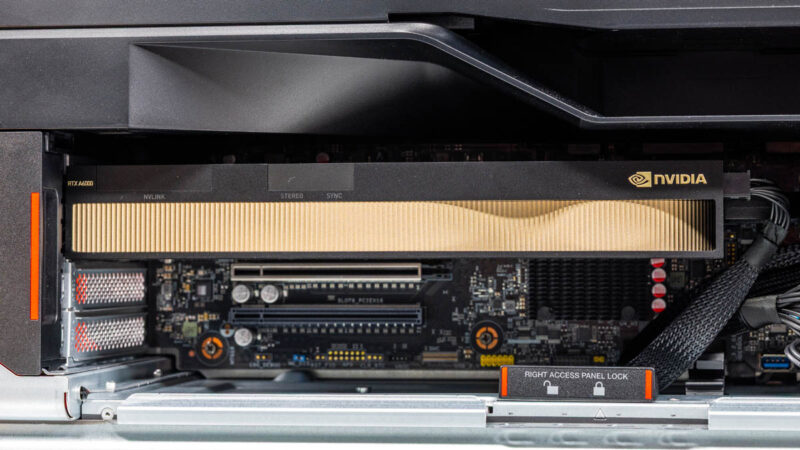
This is also where the NVIDIA RTX A6000 video card is typically installed. With the card requiring external power, this is about the only place you will find any kind of bulky cables on the ThinkStation PX, as most everywhere else, everything is run over PCBs or smaller cables that have been tucked away.
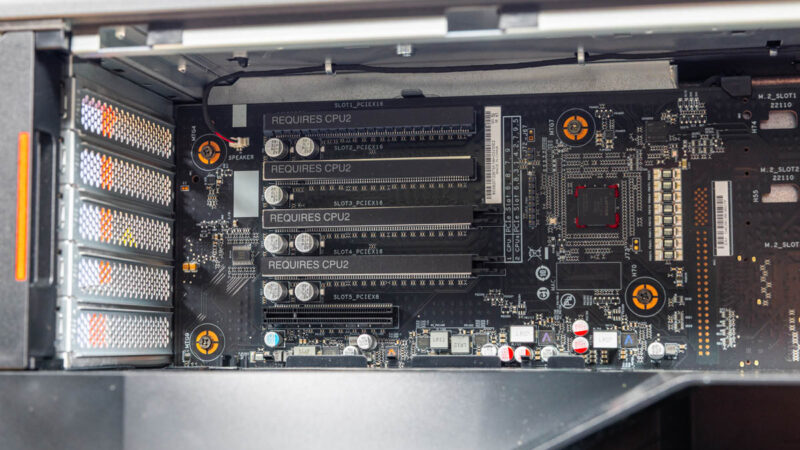
In the top PCIe bay, there are 5 additional PCIe slots. These are again a mix of Gen4 and Gen5 slots, all connected to CPU 2. Curiously, both of the top two slots are PCIe Gen4 x16 slots, whereas slots 3 and 4 are the PCIe Gen5 x16 slots. As a result, it is not possible to populate the top PCIe bay with two dual-slot PCIe 5.0 cards and have them run at their full bandwidth. Finally, slot 5 is an open back PCIe Gen4 x8 slot. Like the bottom bay, all of these slots can accommodate full-sized cards.
On a side note, while both bays do receive direct air flow from fans towards the front of the case, this is by no means a server. Which is to say that actively cooled cards are still the order of the day – and in the case of video cards, blower designs that fully exhaust their own heat.
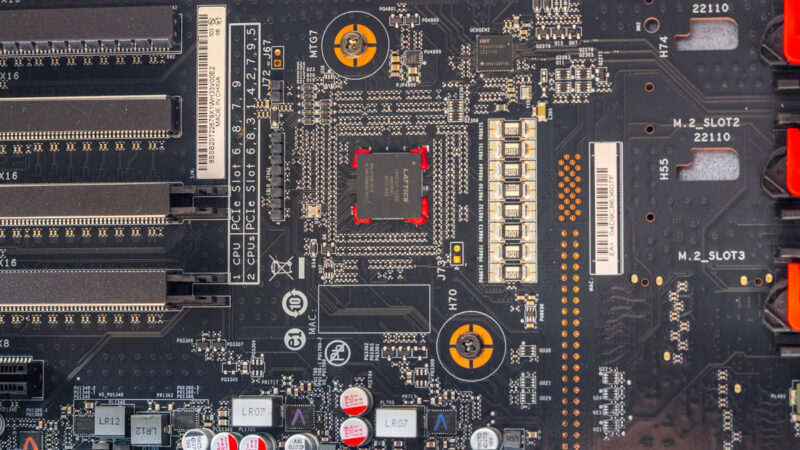
Sharp eyes may also notice a Lattice chip here, secured with red epoxy. This is a Lattice MachXO3 FPGA.
Finally, while we are digging around the ThinkStation PX, let us also take a look at those power supplies.
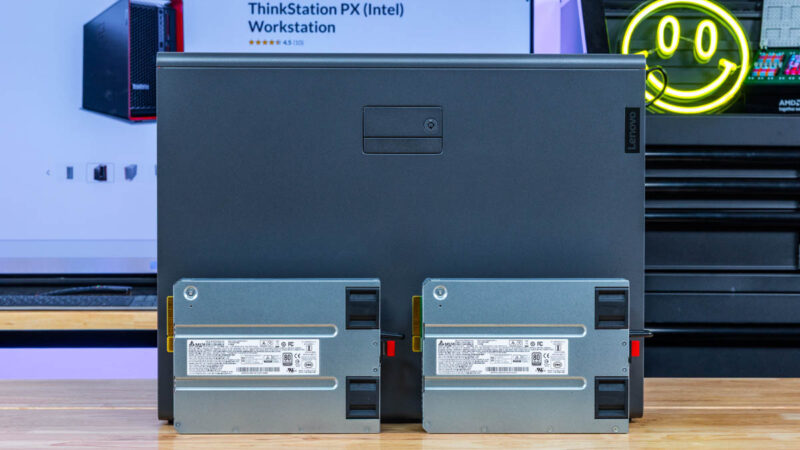
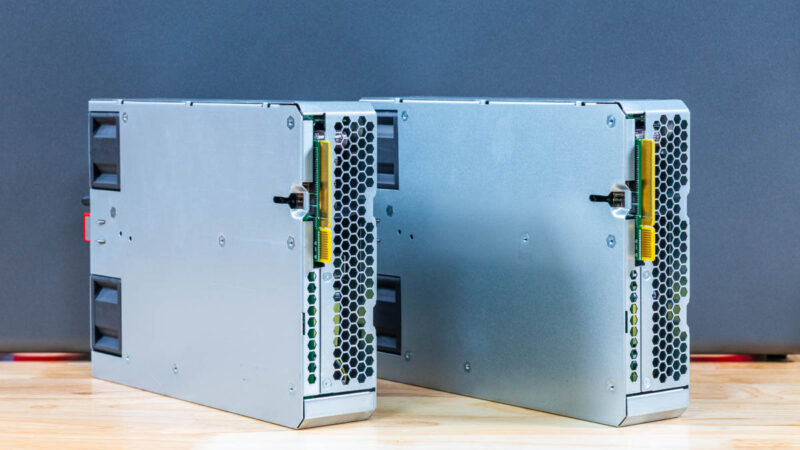
The identical PSUs are Delta-manufactured 1850W units with a 92% (Titanium) efficiency rating. This specific ThinkStation PX configuration does not require two PSUs, as just one is more than plenty to drive a single 150W CPU and a single video card, but both are available. The default configuration is for team mode, which has both power supplies sharing the workload, providing both redundancy and a total power limit of 2350 Watts – the latter needed to actually power a fully-laden system.
The power supplies can be hot-swapped in both redundancy and team modes. Though in the case of the latter, the total system power consumption needs to be low enough for the system to get by on a single PSU.
And that is the hardware tour of the ThinkStation PX. Now let us take a look at performance.

 workstation performs and how it can be expanded)
No IPMI of any kind?
Ddr5 4400 is … terrible, to say the least.
@Codrut
Not by default. A BMC-on-a-card is an optional upgrade for the PX.
This system seems to have similar limitations as Dell’s Precision range; they don’t have much headroom above the PCIe cards for some of these current (non-workstation) videocards. I have a Precision 5820, 7920, and two 5860’s from Dell, and with some of these modern videocard sticking out an inch (or more) above the metal bracket, and then having the power connector ‘on the top’ (so you plug in the connector on the power cable and have to angle the cable itself, adding at least another half inch), you can’t close the lid on the system.
I am building my kid a system and had to specifically shop for an AMD GPU (going to run SteamOS on it, so Nvidia cards aren’t an option, and a 9060XT is about the same price as a 7600XT) that didn’t stick out over the metal bracket (which did significantly limited my choices).
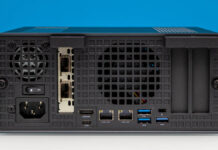
There is an image showing the rear of the system, and it shows decent headroom, but on my 5820, to fit in a 1080GTX, I had to remove some kind of metal bracket from the lid, just to be able to close the lid.
@Ryan/Patrick. Any chance that on workstation reviews, you try some tall videocards to see what would fit in a system like this, as 2nd hand they make great mid-range (by the time they are 2nd hand they wouldn’t really be cutting-edge anymore) gaming systems.