

Lenovo ThinkStation P3 Tiny Gen 2 Max Power Consumption and Noise
With its small size, the P3 Tiny is somewhat deceptive about its power usage. Unless you were to take a look at its included 330-Watt power supply, you would likely never guess that the system could pull so much power. Lenovo has put a fairly powerful selection of hardware in this system, but it comes at a cost of power consumption – and to a lesser extent noise.
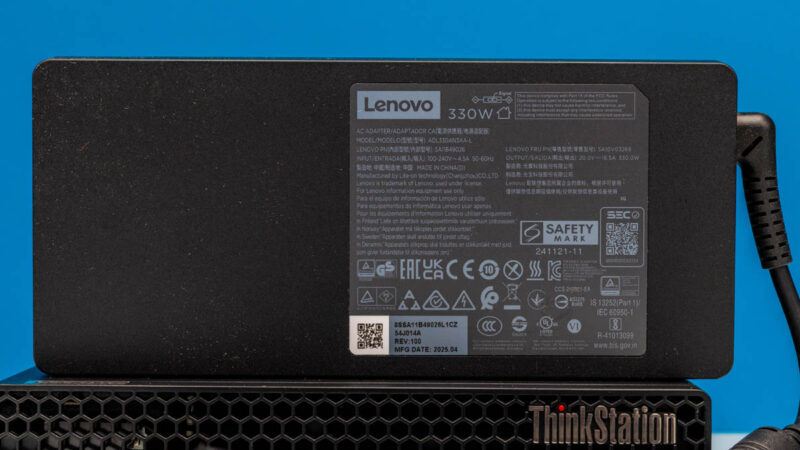
At idle, we measured power consumption in the range of 29 Watts, with some bobbles as high as 46 Watts while Windows was bouncing around. Unlike systems based on laptop hardware, a desktop-based system does not get to fully power down the video card, so we are seeing desktop-like idle power consumption here. Meanwhile, under a full load with CPU-Z’s stress test, we saw power consumption peak at around 240 Watts before dropping to a steady-state around 185 Watts – much higher than your typical 1L SFF PC, but still respectable for a desktop hardware system.
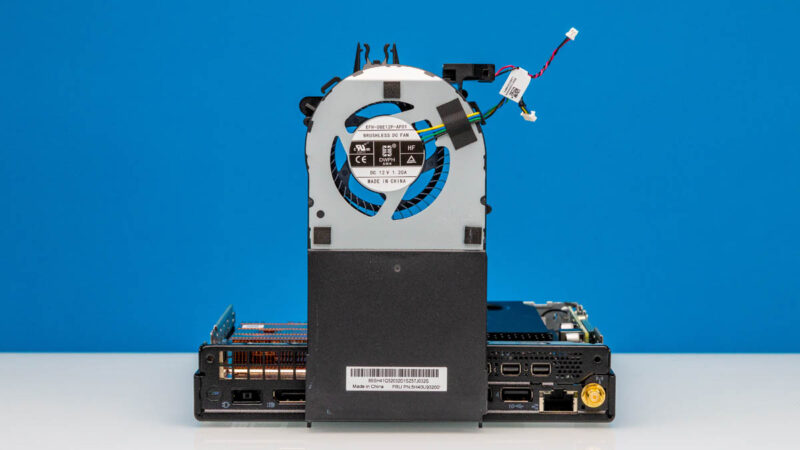
In practice, we suspect that peak load power is actually even higher – we have not pushed the discrete RTX A1000 video card as high as it can go – underscoring why Lenovo needed to include such a high-capacity power supply with the system. Conversely, however, even with 90% energy efficiency, this is likely impacting the idle power load as it is moving so far to the left side of the PSU’s efficiency curve.
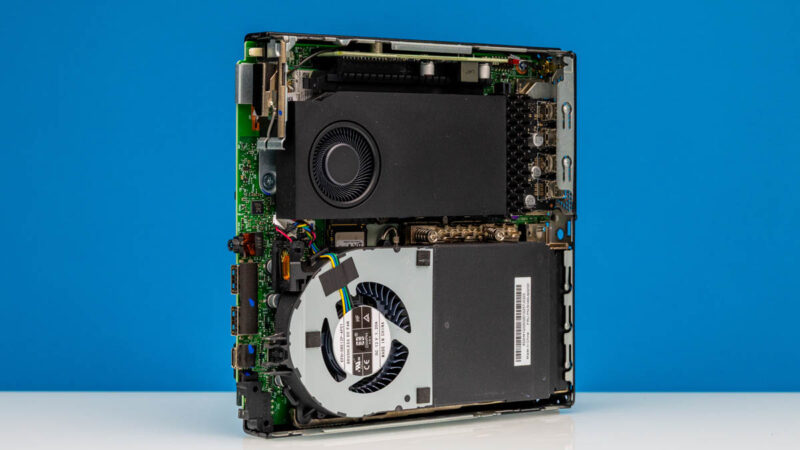
As for acoustics, the amount of noise generated is rather low even with the desktop-like idle power consumption. We measured it at 37 to 38dBA in our 34dBA noise floor studio, which, although not dead silent, was silent enough that when needed elsewhere, Patrick forgot the system was even on his desk. You will not forget about the system under load, however. We measured a peak noise level of 45dBA 1 meter from the system. Between the blower for the CPU and the blower integrated into the included video card, the system can and will move a substantial amount of air to keep itself cool under heavy load.
Key Lessons Learned
We have looked at over a dozen 1-liter systems as part of our Project TinyMiniMicro at this point, and even now we are still finding some new and interesting things as we continue to dive through the world of these ultra-compact PCs.
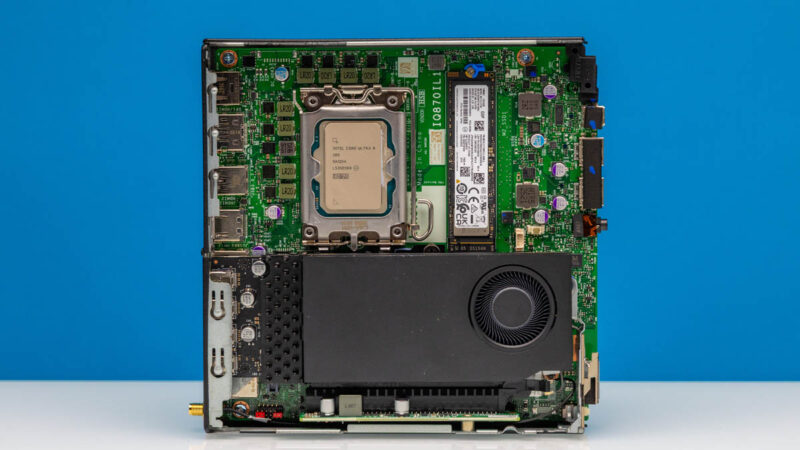
Since we started Project TinyMiniMicro in 2020, we have found these 1L PCs getting better and better in terms of features and performance. These improvements have not come for free. The P3 Tiny Gen 2, in particular, is really pushing what can be packed into such a small volume of space. Still, it provides a wider range of system offerings in a similar form factor. Lenovo, in particular, is taking advantage of that with the P3 Tiny Gen 2 by offering so much performance in a 1L package.
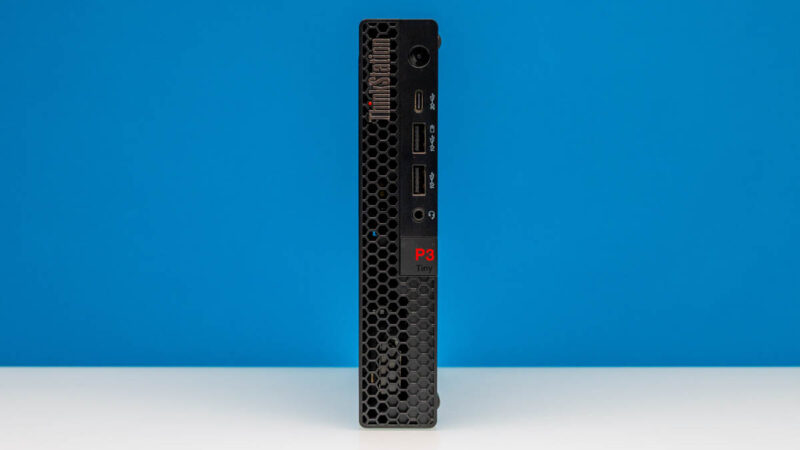
Besides being an accomplishment just in terms of performance density, putting a desktop-grade system into such a tiny PC also opens the door to some fun project possibilities. These styles of systems are incredibly easy to mount in small or hard-to-reach places – Lenovo even offers a VESA mount as an option with this system – so the P3 Tiny can easily be stuffed behind a TV or monitor. Which is admittedly unremarkable for a 1L system, but rather remarkable for such a powerful system.
And finally, while not a feature that we look at as part of our reviews, the P3 Tiny is in rare company with its support options. Lenovo offers optional next-day on-site support, which is something that the smaller boutique SFF PC vendors cannot offer.
Final Words
By packing a full desktop’s worth of hardware inside a 1-liter case – including a discrete video card – Lenovo’s ThinkStation P3 Tiny Gen 2 is a machine with few peers. There are more powerful SFF PCs, and more power-efficient 1L PCs, but the P3 Tiny occupies a very interesting niche on the performance/size curve that packs a surprising amount of performance into such a small system.
Lenovo is, of course, no stranger to 1L PCs, but the Tiny P3 stands apart from them thanks to its workstation lineage. This is not a box assembled out of laptop parts and put in a PC chassis, but instead it is a full-fledged and fully-upgradable workstation that has been made to work inside the same tiny space. Particularly with the inclusion of a PCIe slot – even one that can only accept half-height, half-length cards – really helps to set it apart from the competition by giving the P3 Tiny access to a wide array of upgrade options (assuming you do not go with a video card).
If you need all the performance and flexibility that comes with a workstation, but in the fraction of the size of a normal tower or more spacious mini-PC, then Lenovo’s ThinkStation P3 Tiny Gen 2 is well-suited for serving that role.
Where to Buy
If you wanted to find the Lenovo ThinkStation P3 Tiny Gen 2 online, here is an affiliate link for the family over at Lenovo’s web store or another for B&H Photo. Here is an Amazon affiliate link to a model Lenovo has there as well.


Can I populate all nvme slots at the same time? Could I fit double sided nvme? With PLP?
@Florian
Yes, all of the M.2 slots can be populated at the same time. As for double-sided drives, I’m afraid I don’t have a well-informed answer for you. Lenovo provides no official guidance in their manuals; they don’t explicitly list DS drives as supposed, but they don’t list them as unsupported, either. Thermal pads are pretty squishy, though, so I would be surprised if you couldn’t make it work.
It really is a shame they didn’t opt for a bigger GPU, it might have needed a custom heatsink but the b2000 would be a huge upgrade and should fit inside the systems power profile
I don’t disagree in regards to a more performant video card. But heatsink size aside, the RTX Pro 2000 Blackwell is not a drop-in replacement. NVIDIA specs it as a 70 Watt card, which is much higher TDP than the 50 Watt A1000. It’s only a difference of 20 Watts, but that’s a significant difference for such a small PC. At the moment NVIDIA does not have another 50 Watt video card; they’ve yet to release a newer 1000-tier card for the desktop market.
Oh I’m not pretending the 20 watts doesn’t matter although I’m sure that power supply can keep up with it, I would imagine that they would need to use the lower profile he’s thinking probably make it out of copper possibly out of vapor chamber it’s not it insurmountable wattage when laptops have cards in that power range although they do have the advantage of more integrated cooling solutions than what would have to be used here. I’m sure that the unfortunate reality is that it’s not a high enough volume product to invest the engineering resources required into anything more than the custom I/O bracket for what’s probably otherwise a standard 1000 class card.
Ugh that should say lower profile heatsink, autocorrect strikes again. (We need a better comment system that we can edit)
The computer actually supports up to 8 displays if you use daisychaining or a MST-hub on the onboard Displayport.
But the benefit of the nvidia card is of course only available through the four Mini displayports.
Gjetting bigger GPUs in this chassis is usually prohibited by the length of the card (or the heatsink arrangement on the card).
New on this model is the third nvme slot.
It’s a sturdy powerpack actually tested and certified for Maritime use.
The little computer that could
Why, in 2026, are these still being shipped with a single 1Gbps ethernet port? Sure, you could throw a faster NIC in the PCIe slot, but I’d rather use that for other purposes. Would love to see a 10GbE port, but even 2.5GbE would be a big improvement.
Really happy to see new TinyMiniMicro content … I’d also love to see links to new articles & videos posted on Mastodon, if you can spare the time. Lots of engagement from a strong homelabber crowd there. Great work as always!
I have been looking for something like this. I like it. It could be glued to the back of a 4K TV and used as a media machine. No extra box sitting around, out of sight.
Agh, 1GBe ethernet port…. why oh why is this a thing still! 20 years ago I can understand, but now? Integrating 10GBe onto motherboards will drive down the cost, and increase rate of adoption.
Also, why oh why is it DP1.4. DP2.1 is superior, offers higher resolution and display rate.
With 10GBe this could rival the Minisforum MS-01 and MS-A2, which are great machines but have drawbacks with remore management and heat dissipitation (and perhaps warranty replacement…), and are not 1U in height.
@Alan
The DP1.4 outputs are a function of the video card. The A1000 is an Ampere architecture product; Ampere doesn’t support DP2.x. That didn’t come until the Blackwell architecture (RTX 5000 series/RTX PRO Blackwell).
In fact, there simply isn’t an RTX PRO video card available that would fit into the P3 Tiny that offers DP 2.1. This is the best card available in the single-wide HHHL form factor.
Just an FYI – while it’s nothing even remotely approximating cost effective, there are a small handful of potential GPU upgrade options for these machines, most pertinently the RTX 2000E Ada Generation (note the “e”). Priced at around a frankly absurd $750 US, it performs roughly on par with (if not a few percentage points better than) the previous gen RTX A2000 in most cases.
It’s essentially, the same card as the RTX 2000 Ada Generation, except with a single-slot cooler, and BIOS Throttled to pull only 50w. Given that the 2000E costs the same as its beefier twin brother, it’s not a very compelling purchase…but it is a pretty substantial upgrade over the A1000. Worth mentioning that the gulf in performance between the 2000E ada and the 2000 ada is about the same as the gulf between the A1000 and the A2000.
@CantankerousRex
That’s a great find! Thank you for that.
When I was putting together this article, I was looking solely at NVIDIA’s official listings. I never thought to look at PNY’s listings.
As best as I can tell, the 2000E is a PNY-exclusive card. So I won’t hazard a guess as to what OEM availability is like. But if nothing else, that is a very interesting option as an end-user upgrade. Ada has a huge performance advantage at iso-power, to say the least.