

Gigabyte NVIDIA HGX Vera
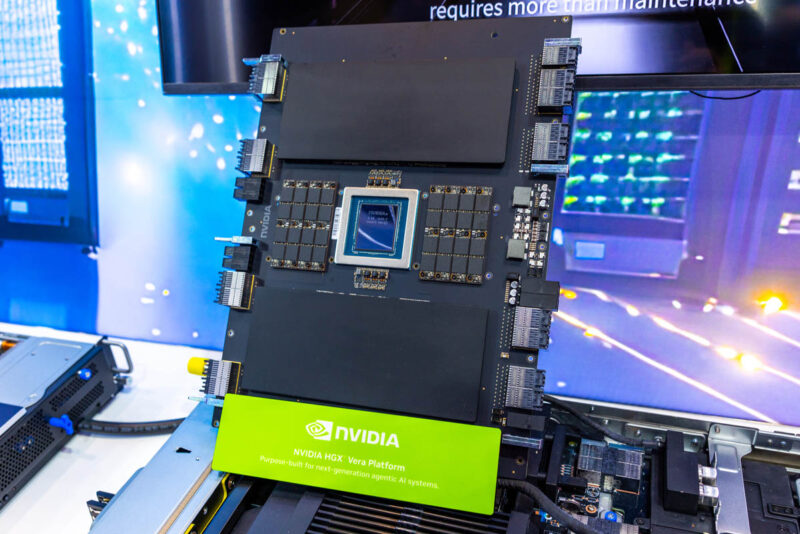
On the Vera side, Gigabyte also showed off the HGX Vera platform. You can see the Vera CPU with the SOCAMM form factor memory instead of DDR5 RDIMMs or SODIMMs.
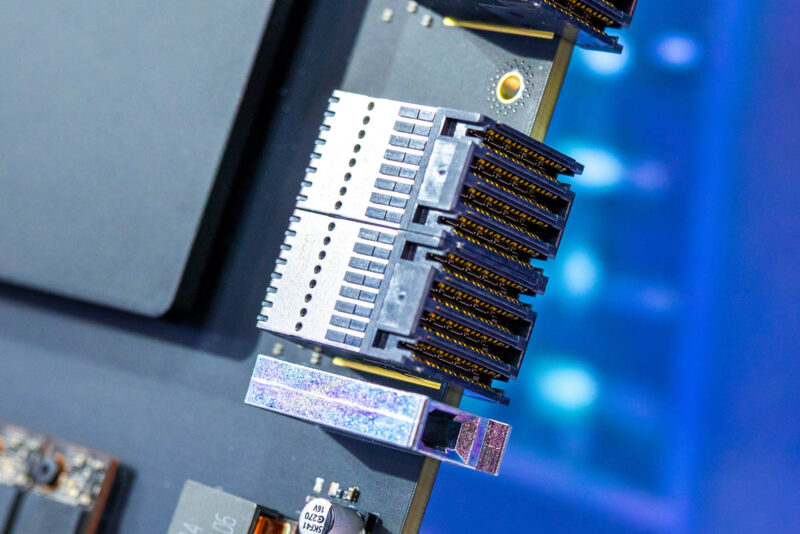
This uses the high-density connectors common on many NVIDIA HGX 8-GPU Platforms for easier integration.
On the subject of the HGX platform, Gigabyte had one on display.
Gigabyte Liquid-Cooled NVIDIA HGX Rubin NVL8 Server
The next server is really neat. The Gigabyte liquid-cooled NVIDIA HGX Rubin NVL8 server is only 2U in height yet fits a complete 8 GPU system, 6.4Tbps of GPU networking, NVLink switches, and the host system all into a 2U chassis thanks to the liquid cooling.
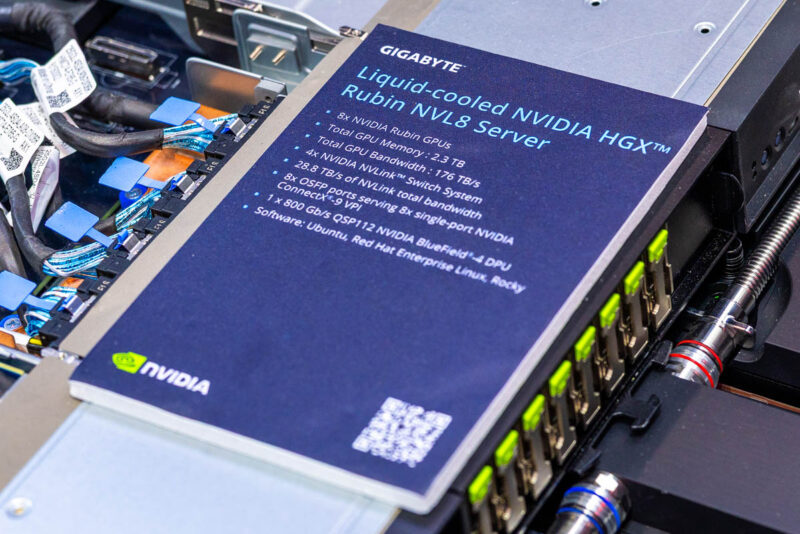
Underneath, there is a tray with the new HGX Rubin NVL8 baseboard. Instead of a two-row, four-column arrangement, the new generation is four rows and two columns to accommodate an internal liquid-cooling manifold down the middle.
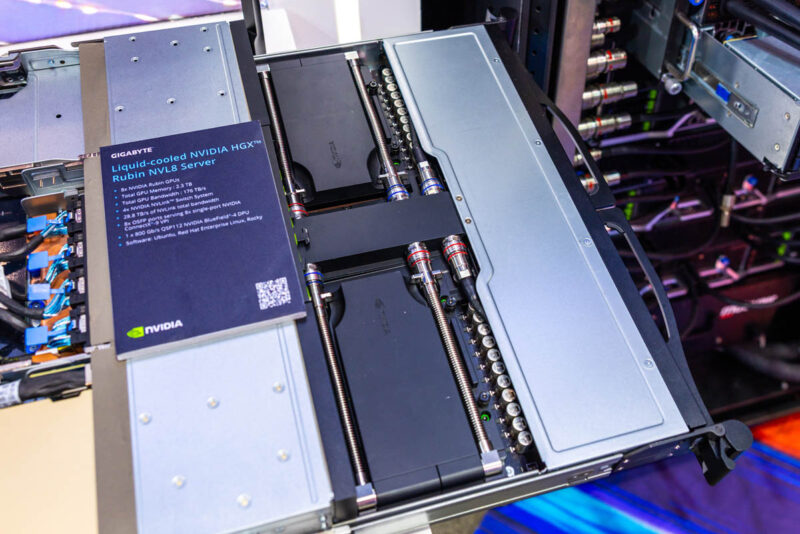
The new system uses the BlueField-4 DPUs.
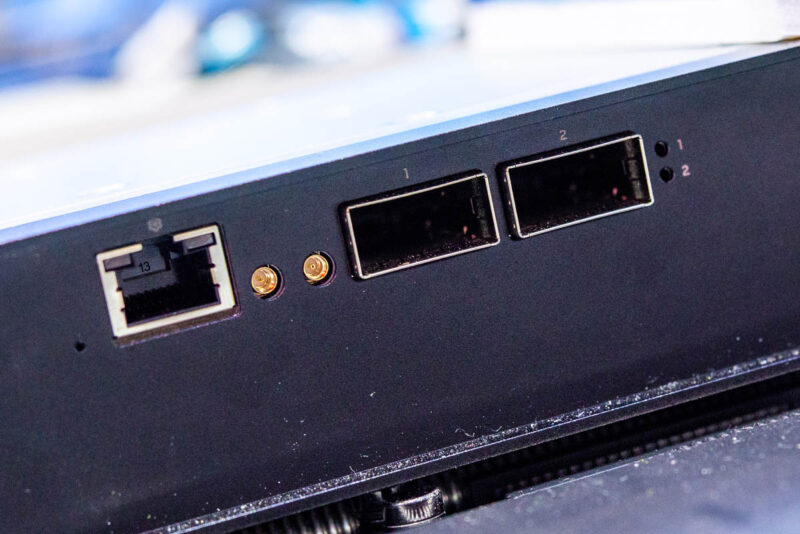
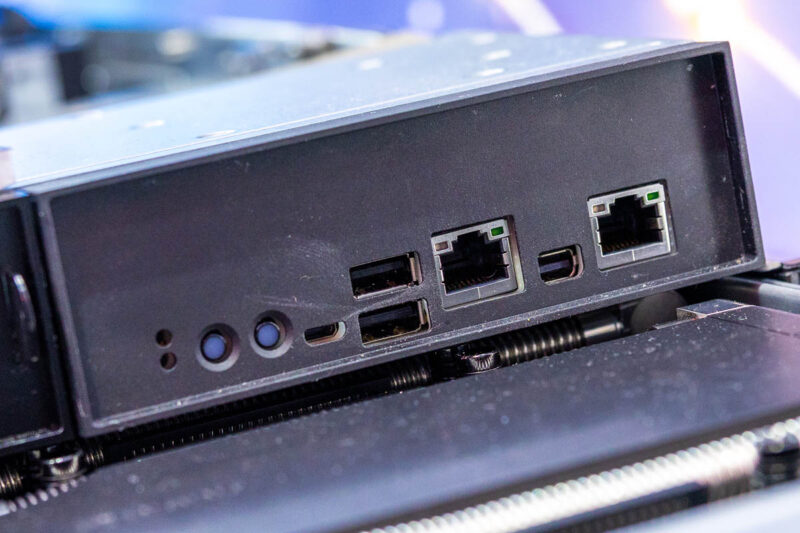
Here is additional host management I/O.
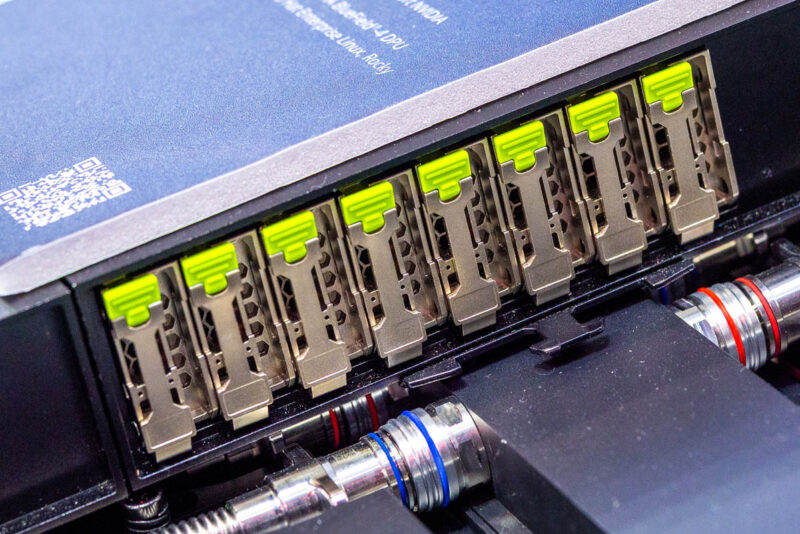
There are eight E1.S SSD slts on the front of Gigabyte’s server.
Those are cabled to the rest of the system.
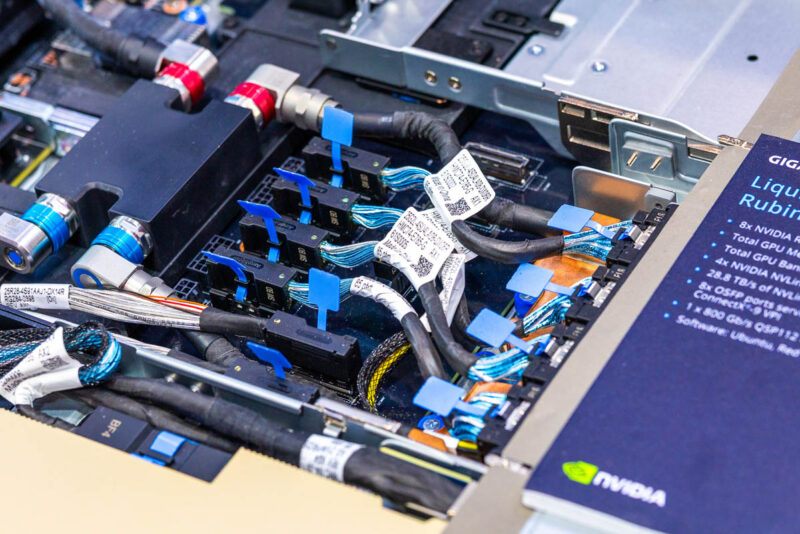
Here is a liquid-cooled PCIe card for the NVIDIA BlueField-4 DPU.
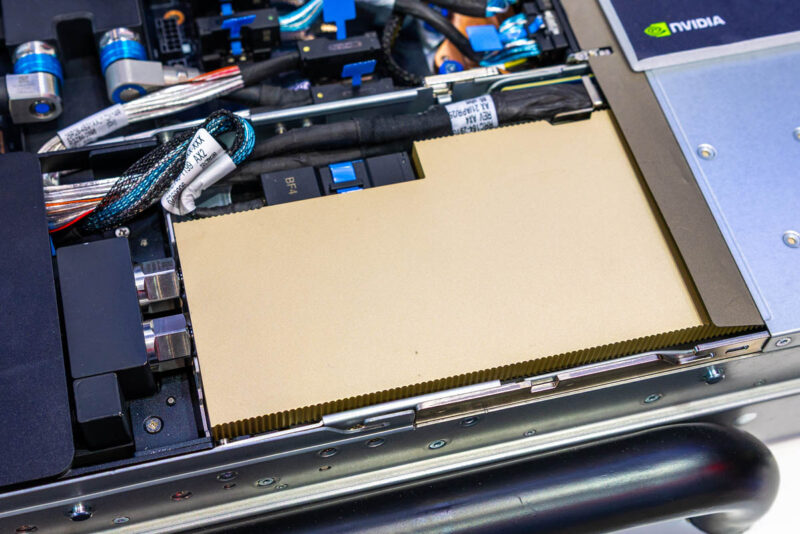
Here is an empty slot in the display server so you can see where the BlueField-4 DPU is connecting. In the chassis, there are dedicated nozzle points to connect to the liquid-cooled add-in card.
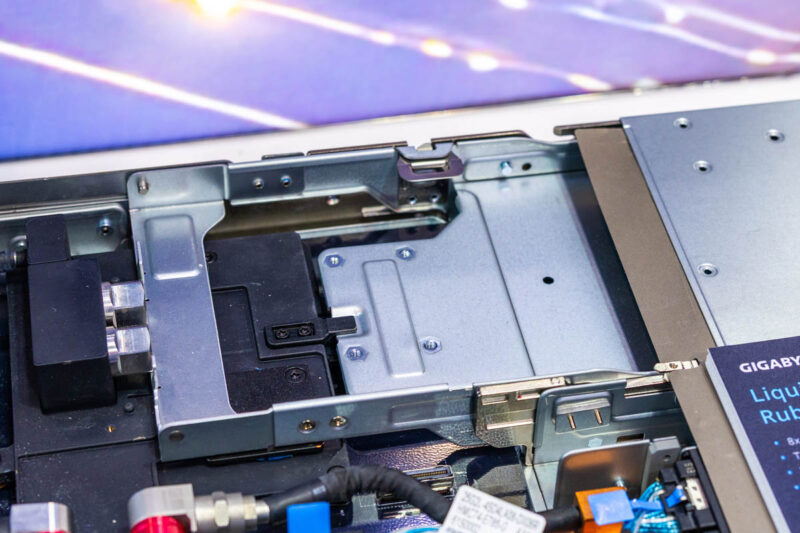
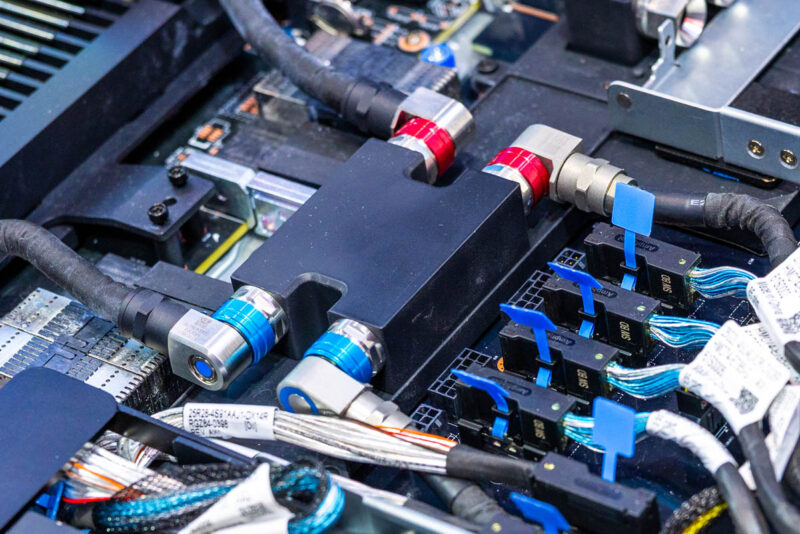
Inside, we have a liquid cooling manifold.
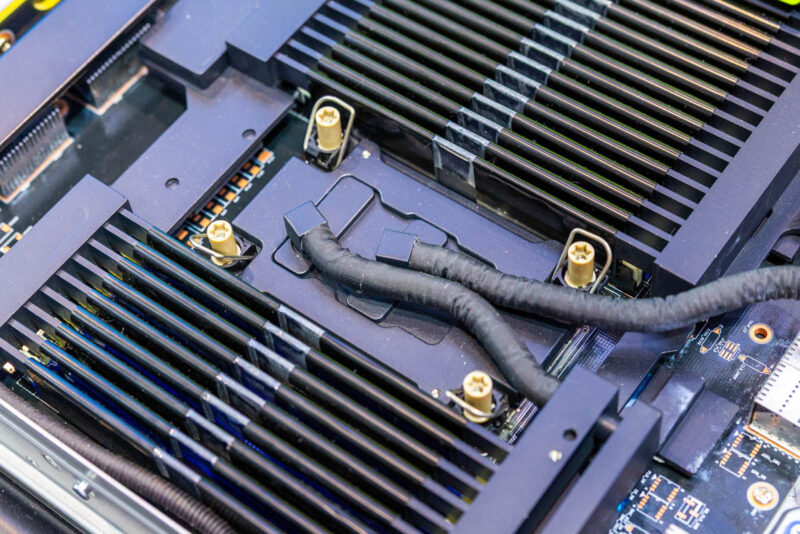
The Intel Xeon processors are also liquid-cooled since this is all happening in a 1U tray. This may seem like a small detail, but it also means the memory needs to be liquid-cooled. If you are not a fan of installing standard DDR5 RDIMMs, then just know that very few people I speak to think the liquid-cooled versions are easier.
Next, let us get to some of the PCIe Blackwell servers.



On the last system, what is that “USB” port, really? Displayport? But it looks too small. It’s clearly not USB-C.
@justsomeguy
The W775-V10-L01 Block Diagram does not mention the “USB” port.
https://www.gigabyte.com/Enterprise/Tower-Server/W775-V10-L01#Overview
But the Specifications page mentions 1 x Micro USB port (USB-to-UART) on the Rear I/O panel
https://www.gigabyte.com/Enterprise/Tower-Server/W775-V10-L01#Specifications
MiniDP
@justsomeguy
The W775-V10-L01 Block Diagram does not mention the “USB” port.
https://www.gigabyte.com/Enterprise/Tower-Server/W775-V10-L01#Overview
But the Specifications page mentions 1 x Micro USB port (USB-to-UART) on the Rear I/O panel
https://www.gigabyte.com/Enterprise/Tower-Server/W775-V10-L01#Specifications
Rear I/O
4 x USB 3.2 Gen2 ports (Type-A)
1 x Micro USB port (USB-to-UART)
1 x Mini-DP
2 x QSFP ports
1 x RJ45 port
1 x MLAN port
2 x Wi-Fi antenna ports
3 x Audio jacks (Audio in/Audio out/Mic)
@Jerry
justsomeguy was referring to the “USB” port, not the MiniDP.
Both are used by the BMC. “In addition, there is a BMC USB port and display output”.
@justsomeguy
The W775-V10-L01 Block Diagram does not mention the “USB” port.
https://www.gigabyte.com/Enterprise/Tower-Server/W775-V10-L01#Overview
But the Specifications page mentions 1 x Micro USB port (USB-to-UART) on the Rear I/O panel
https://www.gigabyte.com/Enterprise/Tower-Server/W775-V10-L01#Specifications
Rear I/O
4 x USB 3.2 Gen2 ports (Type-A)
1 x Micro USB port (USB-to-UART)
1 x Mini-DP
2 x QSFP ports
1 x RJ45 port
1 x MLAN port
2 x Wi-Fi antenna ports
3 x Audio jacks (Audio in/Audio out/Mic)
@Jerry
justsomeguy was referring to the “USB” port, not the MiniDP.
Both are used by the BMC. Text on Page 5: “In addition, there is a BMC USB port and display output”
The only thing I’m excited for is hot swappable cx9 cards and end of row cdus.