

Powering the Dell Pro Thunderbolt 5 Smart Dock
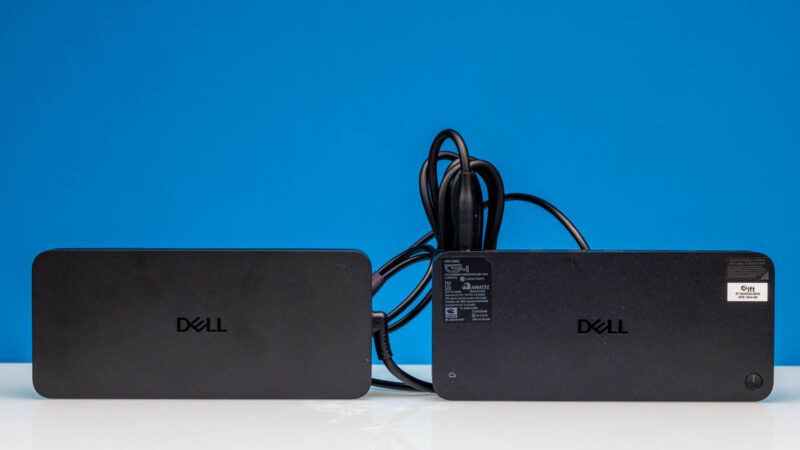
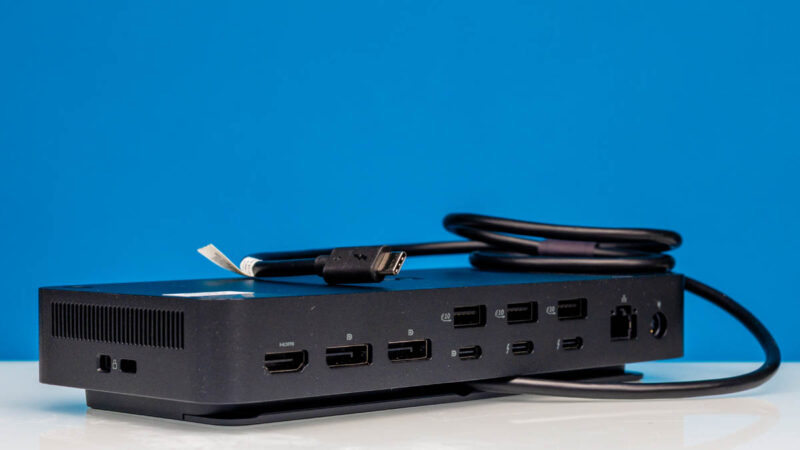
At some point, it is worth talking about power. The power adapter for this looks to be about the size of the dock itself.
Also interesting is that the adapter has a barrel jack output not a USB Type-C output.
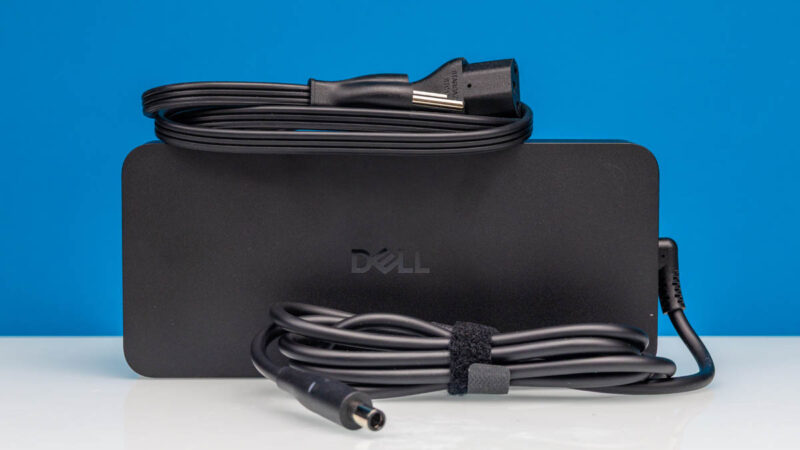
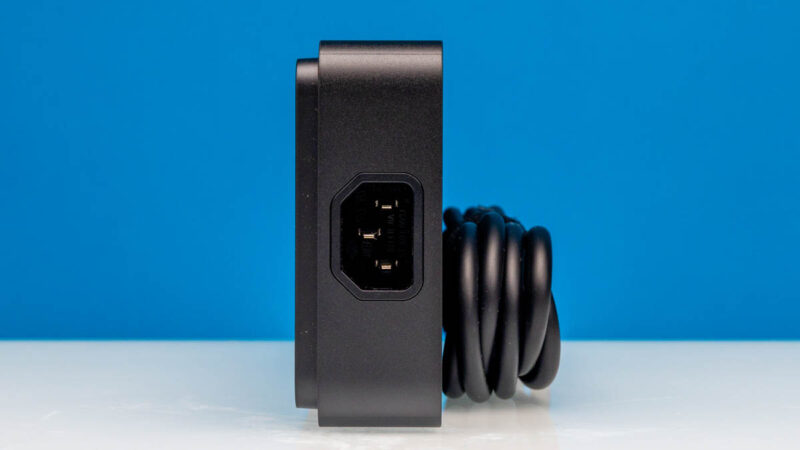
The standard AC input allows Dell to regionalize this adapter by just switching the wall cable.
As a 330W unit with its own mounting screw points, this is certainly a substantial power adapter. Part of that is for the special power feature that Dell has for its laptops.
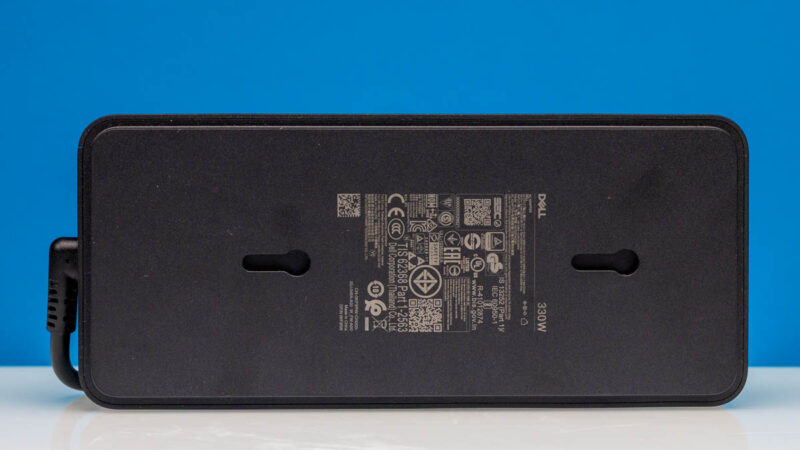
This is certainly big enough that it makes the overall unit feel more like it should be mounted to a desk rather than being something that is lugged around in a briefcase.
Plugging in the Dell Pro Thunderbolt 5 Smart Dock on a Dell Pro Max 18 Plus and Apple MacBook Pro M4 Max
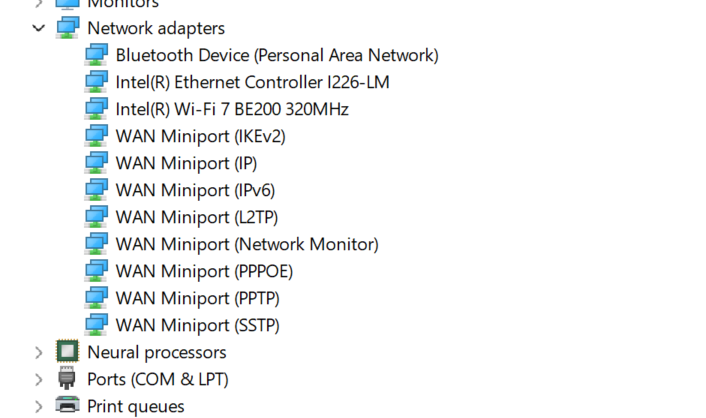
Since we have now showed our industry-leading $1M+ Keysight CyPerf network testing tool in our Ubiquiti UniFi Cloud Gateway Fiber UCG-Fiber Review, 400GbE MikroTik CRS812-8DS-2DQ-2DDQ-RM Review, and more, we are consuming a lot of network ports. We also want to know what kind of network port is on this Thunderbolt 5 dock, so we plugged it in. Here is the Dell Pro Max 18 Plus Windows Device Manager without the dock:
Here it is after being plugged in and with the Reltek 2.5GbE port listed:
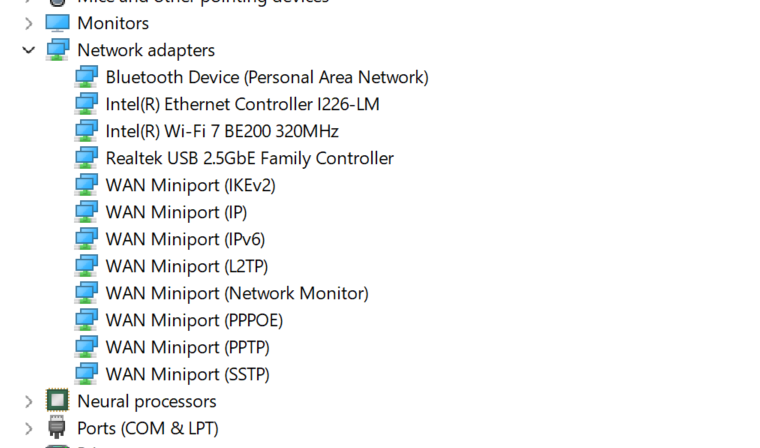
Something worth noting here is that the Dell Pro Max 18 Plus uses a USB Type-C power input from a 280W power brick. Onboard, it has an Intel Core Ultra processor and an NVIDIA RTX Pro 5000 Blackwell Edition laptop GPU. That matters because Thunderbolt 5 is only supposed to power 240W. Dell has a special note on the power for this one that it can actually power 300W for Dell devices. The additional headroom is for the various USB accessories. Still, that is a neat little trick of this dock versus some of the others out there.
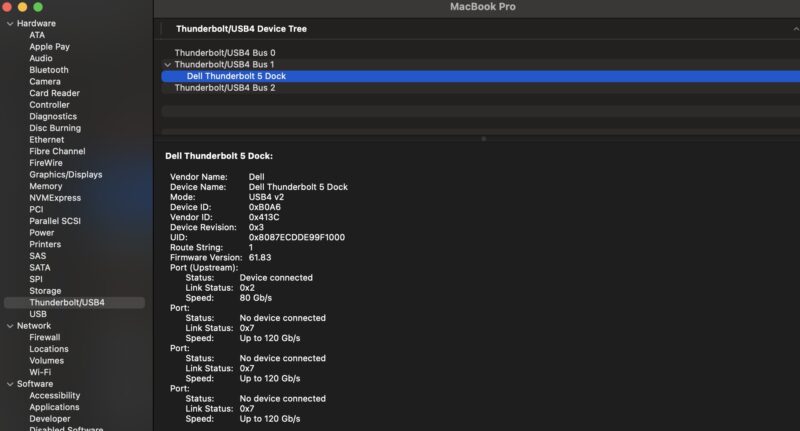
We also tried it with an Apple MacBook Pro 14″ M4 Max, which gave us an interesting request to allow the connection to a Fresco Logic, Inc. USB2.0 Hub:

Once it was plugged in, we could see it in the System Information Thunderbolt section:
We could also see devices like the Ethernet controller populate:
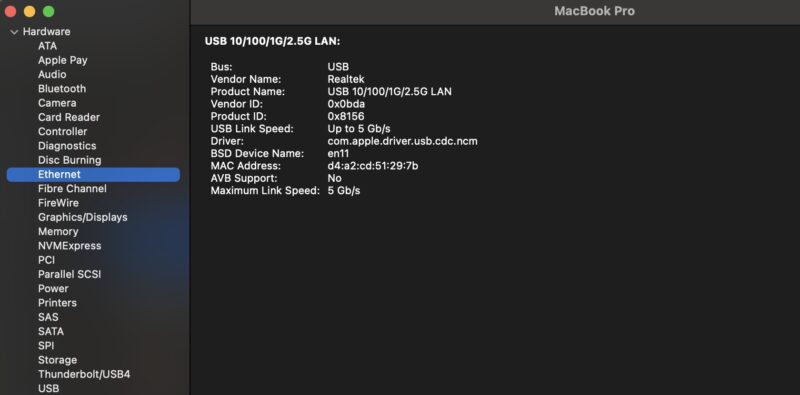
The additional USB Type-A ports, display outputs, and the wired 2.5GbE NIC connection are appreciated, and the notebook was charging.
Final Words
With the Dell Pro Max 18 Plus connected, this worked well and offered the extra power needed by that big GPU notebook. That might be its superpower aside from the WiFi update management. Being able to add displays to that “portable” workstation (it is huge), as well as more USB ports, is always useful.
This Dell Pro Thunderbolt 5 Smart Dock feels quite refined. It is usually not the least expensive out there, but if we are being fair, the inclusion of the higher power mode and remote management are some of the cost drivers.

What is the point of having a dock with a huge power adapter? Why not combine them into a single unit?
The last Dell dock I had with a built-in usb-c cable died after a couple of years because apparently no one can make a usb cable to last anymore. Had to pitch the entire dock vs replace the cable, which made me swear to myself to NEVER buy another dock with a built-in cable. Seems Dell doesn’t learn, or prefers the planned obsolescence…
I’ve been using the Dell TB3 and TB4 docks for a few years and they’ve been great. One thing I noticed is that the new TB5 docks are no longer modular, but that’s no biggie.
To answer someone else’s question as to why the Power supply isn’t built into the unit and uses an AC adapter brick. It’s to keep the dock itself relatively small on the desk, with the power cord going behind your desk to the brick on the floor, hidden out of site. That’s the main advantage I can see.
@Mike_Butash the Dell WDDTB3 and TB4 docks were modular and the built in cable is hardwired to the smallish removable module. It’s not as ideal as a completely removable cable, as you noticed. But it means if that cable dies on the previous gen TB4 docks you would replace with a new module, not replace the whole dock. A new module is about $30-$60 which is a rip off perhaps, but less than an entire dock.
The new TB5 dock though is not even modular like the TB4 and TB3 docks and we’d have to replace the entire dock if the hardwired cable dies, which would suck.
If I connect a MacBook Pro, how many displays can it support? Can it break the external display limitations of the MacBook Air?
A shame it’s 2.5Gb ethernet and not 10Gb. Any regular reader of StH knows how cheap 10Gb switches have got.
Does it have a built-in fan?
I know that every single dock that Dell has ever made and the perforations on either side make me think that this is no exception, which would probably make me look for another alternative, as I simply don’t want yet another potential point of failure.
@Korev this is made for corporate enviornments which a majority are still on 1gb links and a small amount may have moved to 2.5. If you’re looking for a 10GB dock there are others out there like Cal-Digit that have docks with 10gb
You call Dell’s boosted proprietary power delivery a “neat little trick” but in my experience it’s actually a hassle.
First you essentially are tied to using Dell hubs with Dell laptops else you get warnings in Windows.
And second, it doesnt always negotiate the proper power delivery for non Dell chargers. When booted My XPS 17 will fall back to 5W charging with a 60W Jackery charger. Only when the laptop is off does it negotiate the proper charging rate.
A hassle and a gimmick if you ask me.
How many 4k displays can it handle and what’s the proposed rrp plus all the other useful information … might as well have just chatgpt’d the specs page in the dell website and got a better article!!!
I’m With Andy Rossi, Dell have a bad habit of bandwidth limiting the USB-C, so you can’t hook up multiple 2K+ screens.
I would have liked some external monitor testing. A single DP 2.1 stream muxed in would have 80 Gbit of bandwidth which is enough for four 4k displays at 60 Hz and the this dock has the connectivity to split a DP 2.1 MST feed into such.
Conceptually a fifth and sixth display is possible using both DP 2.1 and DP 2.0 to saturate the 120 Gbit TB5 uplink bandwidth. However, that would require some complex DP demux in the hub itself and the host system providing two MST feeds into the TB5 controller.
As for the power brick, it is annoying that Dell uses proprietary voltages to reach 300 W (likely 5 amp at 60V where the official USB-PD spec tops out at 48V). Dell laptops are annoying in that they do throw an error with a non-Dell USB-C power supply but they’ll still work at standard USB-PD values.
I owned one of these briefly and ended up sending it back due to two problems, one minor and one major. The minor issue was that it would sometimes cut out for a moment, interrupting network traffic and resetting the screens. It didn’t happen regularly but did happen, on average, once every 5-10 minutes.
The major problem was that Dell absolutely refused to offer any tech support whatsoever because I was connecting it to an Alienware laptop (a Dell product!), but they had a list of compatible laptops for each dock and no Alienware laptop was to be found on that list.
This is after I had been advised by Dell Pre-sales that the SD25TB5 was compatible. So at Dell, the right hand doesn’t know what the left hand is doing. It was almost comical how the tech support person ran in circles. “It’s not compatible.” “What IS compatible?” “Contact Dell Sales for that information.” “I did that, they advised me to buy THIS.” “It’s not compatible.” and on and on.
I eventually, since the laptop was still within its return period, returned both it and the dock and purchased a different brand of laptop entirely.
The sad thing is: I really liked that laptop. I like the dock, too. Just returning the dock under warranty for a replacement probably would have solved everything. But Dell themselves convinced me that what otherwise would have been my 3rd Dell laptop would be my last.
I don’t write this to rant about Dell or the bad experience I had, but to warn others that you will not get any support at all from Dell for this relatively new product except under very limited, specific circumstances. Caveat Emptor.
“Also interesting is that the adapter has a barrel jack output not a USB Type-C output.”
Not interesting. Author is ill-informed.