

Dell PowerEdge R670 Topology
Here is the topology of the system:

A small item to note here is that Intel got serious with its cache in this generation with 336MB of L3 cache and 2MB of L2 cache per core in the Xeon 6767P processors. Previously, Intel used much smaller caches which is why Granite Rapids is a notable step forward. Typically we see the 64-core AMD EPYC Turin CPUs with only 256MB of L3 cache per CPU, albeit those have 12-channel memory.
Next, let us get to the management.
Dell PowerEdge R670 iDRAC Management
Dell uses iDRAC for its management and instead of using an industry-standard ASPEED AST2600 BMC, it has its own chip. Also, just something interesting is that instead of going directly to a major manufacturer, Dell is using Kingston eMMC on its module. Usually from a large server vendor we would expect Micron, Samsung, SK hynix, or Kioxia here like we see with the Micron DRAM package.

If you have been using iDRAC for years, you will be at home in the iDRAC 10 management interface. Of course, like all of these remote management suites, we are going to look at the GUI version, but the real goal is to use the APIs to orchestrate the management of fleets of servers.
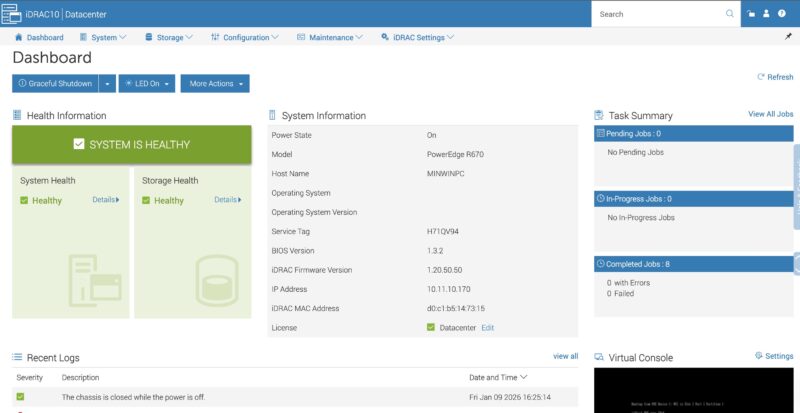
Dell has standard features like being able to drill down into the components.
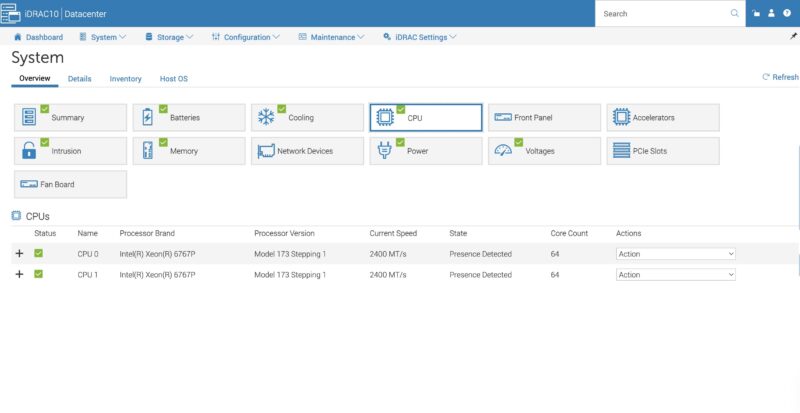
You also have all of the telemetry data that is needed to spot potential issues occurring in systems as Dell has lots of sensors onboard that iDRAC can pull data on.

We wanted to take a moment to look a bit more at the Dell PERC H975i that is mounted in the front of the server. You can see it in the Storage -> Controllers screen here.
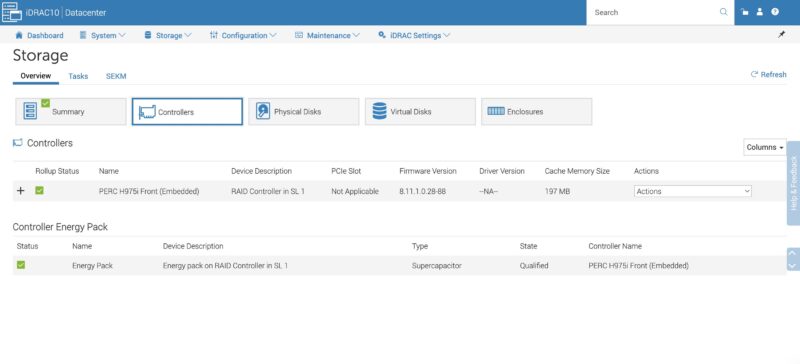
By default, we did not see disks in the system behind the PERC H975i, so we had to configure virtual disks Luckily, iDRAC makes this very easy.
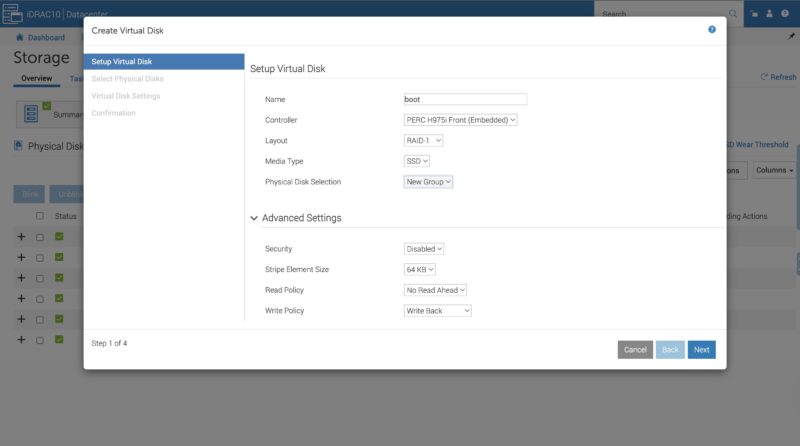
You select the disks and the array parameters. Then you are set.
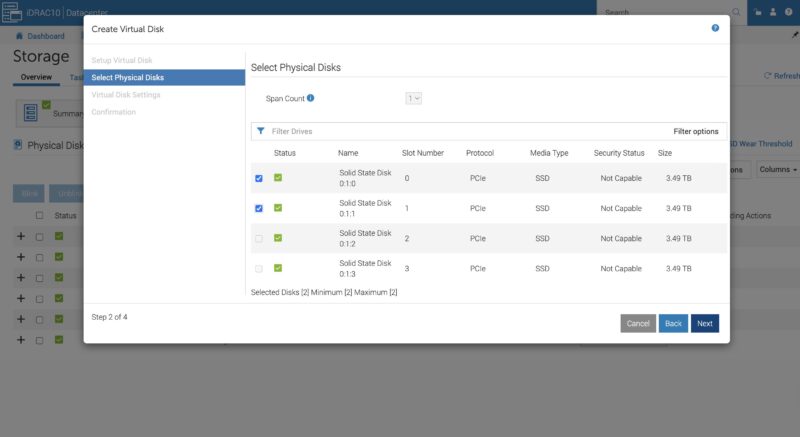
The task executes in the background quickly once you set apply. If you remember the old days of hitting function keys or key combinations to get into a RAID controller interface so that you could setup a virtual disk, this is the exact opposite experience.
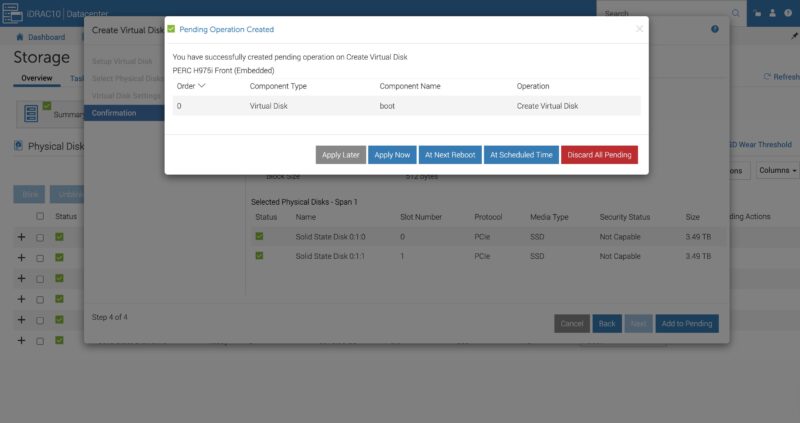
Once we were done setting up the disk, we could head into the remote media and remote console and setup Ubuntu on that array.

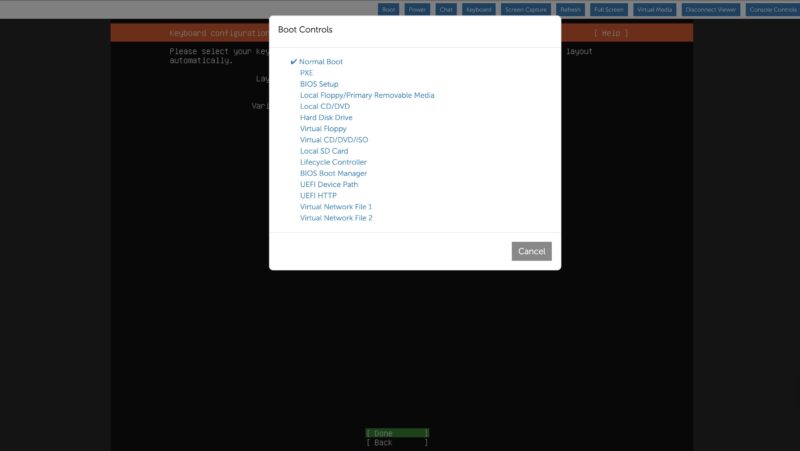
As a quick note, one great quality of life feature is this Boot Controls screen. You can pick where you want the system to boot to including the BIOS, or a virtual disk before the reboot is initiated. Like on the RAID controller side, if you remember hitting keys at boot to get into the BIOS, this makes that process obsolete. Not all vendors have this feature, but it is a great one.
Next, let us get to the performance of the system.
Dell PowerEdge R670 Performance
In terms of the performance, we have tested the Intel Xeon 6767P a number of times now given its popularity.

Just a fun aside, Dell’s CPU enumeration is very different from almost every other vendor in the industry. Dell does the first core on CPU 0, then the first on CPU 1, then continues to alternate between the two. To Dell shops, this makes sense. If you are accustomed to using other servers, it makes pinning cores in scripts a bit different. Luckily, we have Dell versions, so we can run our standard suite against these CPUs.
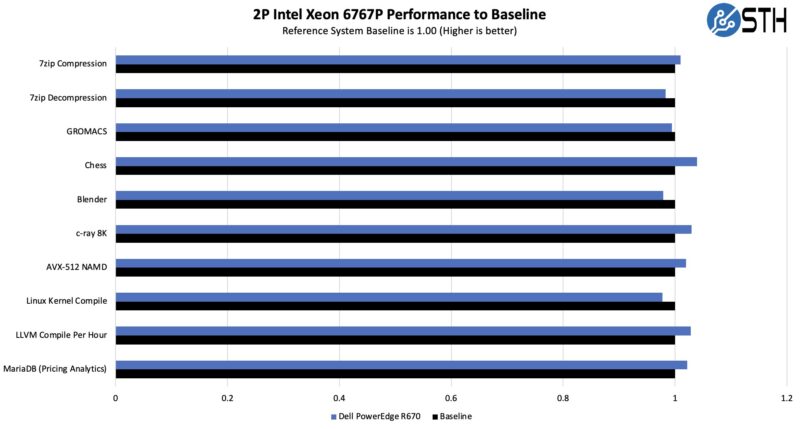
Our big question was whether the Intel Xeon 6767P with a 350W TDP could be cooled effectively in the PowerEdge R670. Here, the answer is a resounding yes. This is great performance, especially in a 1U server. Then again, this is a mainstream Dell PowerEdge so we would not expect anything less.
As a quick note, the dual Intel Xeon 6767P PowerEdge R670 configuration is on SPEC.org so if you use that in your RFPs, there is an official number.
Next, let us get to the power consumption.
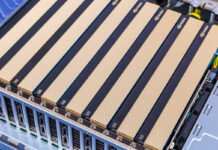
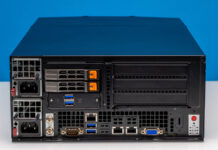

The Dell honeycomb faceplate looks more photogenic to me than HP and any post-IBM Lenovo design.
In my opinion air-cooled dual-socket 1U servers never made much sense, because the fans are just too small. Now that power consumption has gone up, the sensible choice for 1U is liquid cooling.
Surprised to see it score so low in the spider chart for Capacity since you mention more than once that it can hit over 1PB in a single U. Seems with flash, High capacity and performance are one and the same in 2026.
I’m noticing more & more super basic typos & mistakes in articles lately.
>Each block of eight drives with 61.44TB SSDs gives us just under 1PB of storage
This should read ‘just under 0.5PB’.
>On the other side, we get 16x drives as well.
This should read ‘we get 8x drives as well’.
This review is really starting to read like it’s AI generated :/
>Looking ahead to PCIe Gen6 servers, the U.2 connector will no longer be supported, and the EDSFF connector.
And the EDSFF connector… what? Will replace U.2? Or will also no longer be supported?
>Riser 4 is the low-profile riser slot.
Riser 2 is also low profile.
>In the center we get our man x16 riser connectors.
Main?
>external/ internal
>cable/ airflow
>GPUs/ AI acceleratiors
>cable organizer/ airflow guide
>1PB/ U (or more)
What’s with these extra spaces?
>management of fleets fo servers
This should have been picked up by a spell check.
>as dell has lots of sensors onboard
‘Dell’
>You can pick where you want the system to boot too
‘boot to’
>we also get DRAM power consumption that we can see here is 17-19W per socket
‘per DIMM’
Can STH do a better job of proofreading ? Yeah definitely. Is it a proof that the content is AI generated ? I’d say no, AI does different mistakes and unnecessary fluff. The articles here are very obviously following a template, but that’s a different thing, for better or worse. Given the type of content I’d say better.
This late trend of angry commenters “proofreading” the article, only to add as many mistakes than they correct is funny. I won’t comment on styling (spaces), it is language, medium and time dependent, and what is officially right is not always the most readable.
2 * 8 * 61.44 TB = 983.04 TB
18 W a DIMM would mean very hot memory, without heatsinks ! And 16 * 18W = 288 W, or 65% of the total system idle power. That’s nonsense. Plus you can read the screenshot.
I mean your comments on grammar, spelling and incomplete or unclear sentences are correct, but the math and physics of the article is sound, your corrections are not.
Better proofreading and phrasing wouldn’t hurt for sure, but in my own case, I am here for a reason, and it is not for literature, there’s better sources for that. At least the articles here do not need an AI summary of the AI generated fluffy hollow article, circling back more or less to the original prompt that generated the article in the first place…
@CJ:
Was just about to type up the same comment. Incomplete sentence is incomplete.
What is the cheapest Dell server available with iDrac10?
It’s like 2-3w per DIMM so 18w per socket is right. There’s no way it’s 18 per DIMM.
Your proofreads aren’t even accurate in all cases. Spacing is based on the style guide they’re using. You might be using a different one. I’ve been reading STH since 2018 and last summer I noticed they don’t use contractions.
I like the mistakes. It lets us know that there’s people making these, and it’s not AI slop.
On the content, I’d say this is a great review. You’ve gotta love Dell’s
For those commenting on the grammar: this is the same site that posted article after article referencing “a Nvidia [sic]” GPU and “a Nvidia [sic]” accelerator.
While Patrick was clearly saying “an Nvidia” in all his YouTube videos. One has to wonder if the articles are content-farmed out to non-English speakers.
I just bought one R670 at the end of November, before the terrible jump in memory prices.
I used to buy only the minimum amount of memory and disk with the server because DELL’s markup is like wine’s price in restaurants…
Three years ago, I bought a couple of R650 and the third-party DDR4 cost only 2000 euros for 768 GB. In Novembre, I spent 4000 euros with DELL for only 512 GB of DDR5 and third-party suppliers were much more expensive at this time. I cannot imagine how much it is now in February !
I have choosen the NVME U2 backplane and I’m happy with that because I already have plenty of Kingston DC1500M and DC3000M bought from Amazon for cheap two years ago.
DDR5 is a great improvement for perfomances and latency but I cannot use the Gen5 capability with U2 or U3 SSDs, it works only on PCIe slots or E3S.
My use case is not Ai but kust hosting hundred VMs with the excellent XenServer fork called XCP-NG.