

Dell PowerEdge R670 Internal Hardware Overview
Of course, the first step is removing the lid which is done with one latch. Sometimes manufacturers struggle with the structural rigidity of servers, so you see many screws added to 1U servers. Here, it is just a latch which is good.
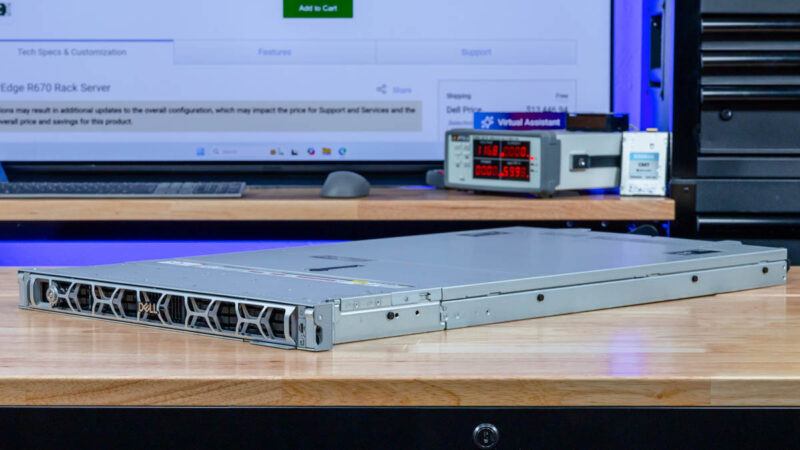
Also, Dell has its service guide inside the lid. These are becoming more standard in the industry these days, but they are nice features that Dell has been including for many generations.
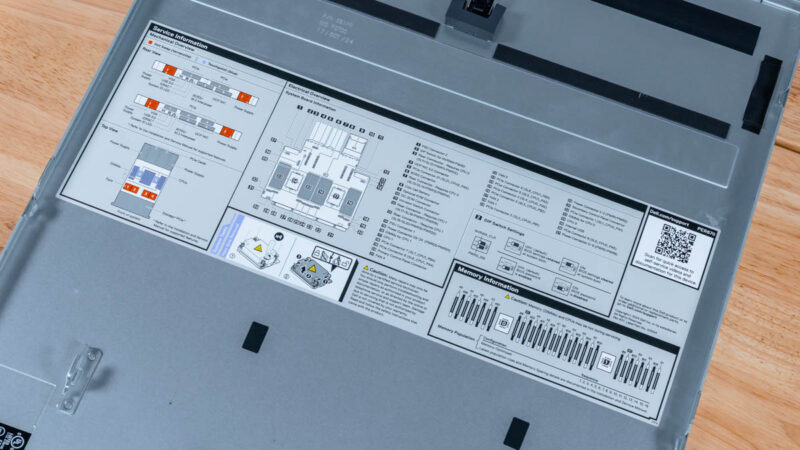
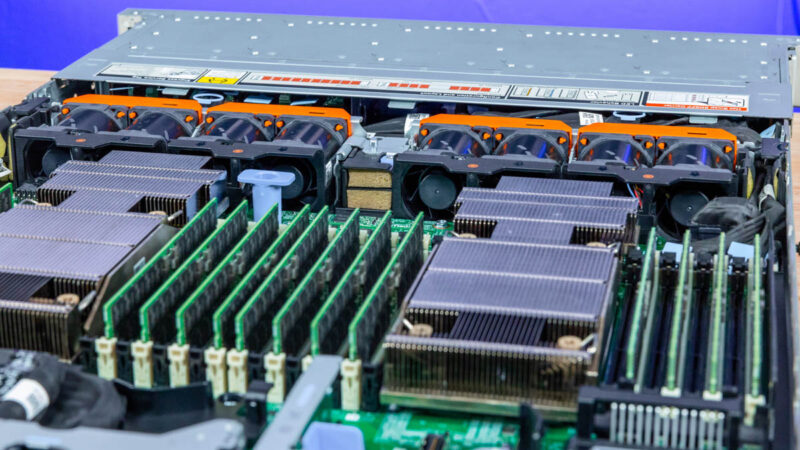
As you can see, the front is the storage section, then we have the fans, followed by the CPUs and memory, then the rear I/O.
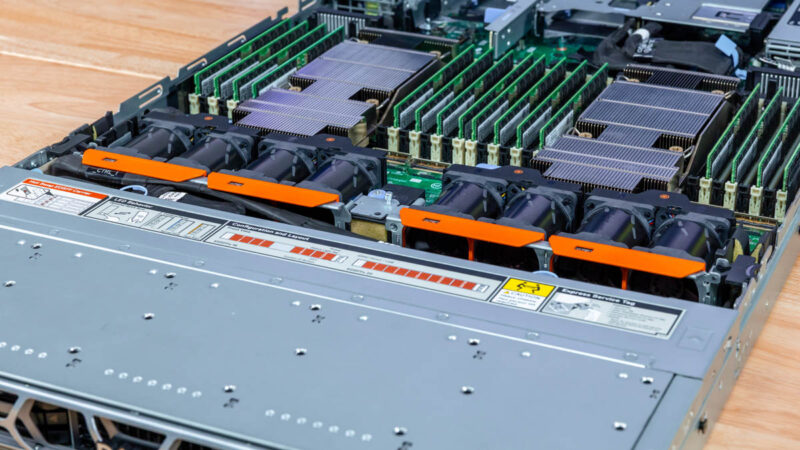
Dell has hot-swap 1U fan modules. These are great, and a class-leading design as they are easy to service. Hot-swap 1U fans are notoriously more difficult than in 2U servers, so many vendors still expect service to happen with someone pulling out a fan cable/ connector.
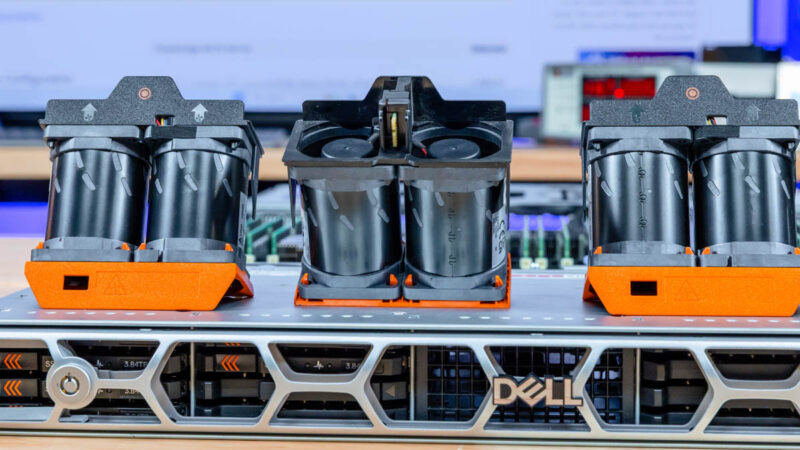
Here is another look from the other side.
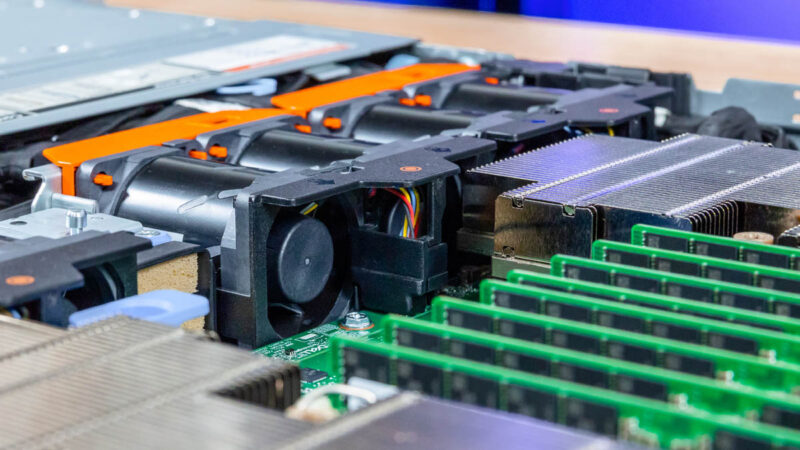
Those fans are charged with cooling the entire system. A small feature you may have noticed is that the fans are positioned so that one fan from two different modules is directed at each CPU heatsink. This helps provide redundancy in the event a fan module fails.
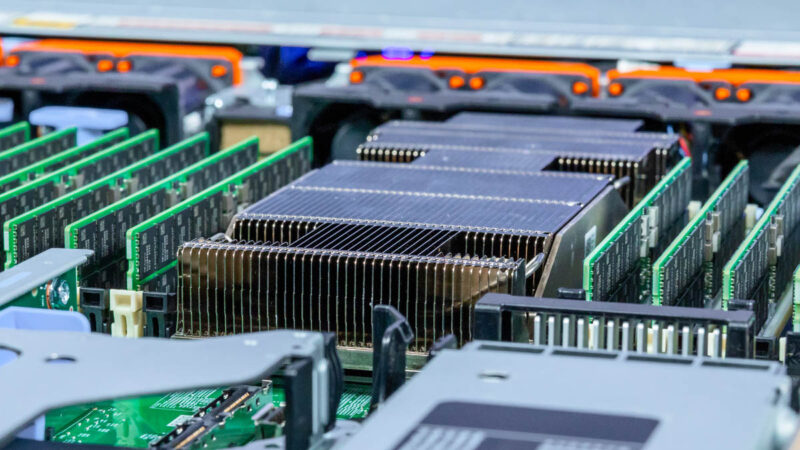
The server takes two Intel Xeon 6700E, 6700P, or 6500P CPUs. In our system we have dual Intel Xeon 6767P processors which are very in-demand SKUs. We have tested multiple AI servers with these exact 64-core SKUs because they provide a balance of cores and clock speeds along with memory in a socket.
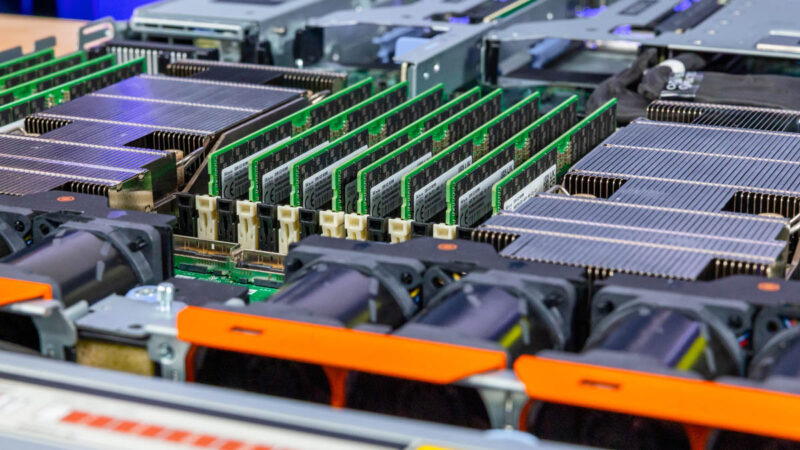
Here we have a full set of 16x DDR5 RDIMMs per CPU for 32 total. The higher-end Intel Xeon 6900P series sockets have 12-channel memory but are practically limited to 24 DIMMs per system due to the physical width of fitting that many DIMMs. It may seem counterintuitive, but you can plug in more memory capacity on Intel’s 8-channel Xeon 6700 series platforms than you can on the company’s higher-end 12-channel Xeon 6900 series platforms.
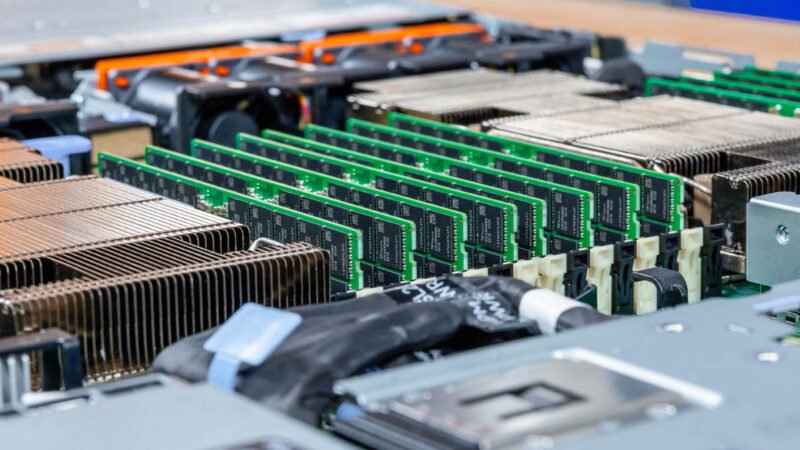
This is a small one, but Dell is able to accomplish this with relatively tame looking heatsinks. In this generation, we have seen Massive Microsoft Azure HBv4 AMD EPYC Genoa Heatsinks as an example, but here Dell has relatively little overhang past the socket.
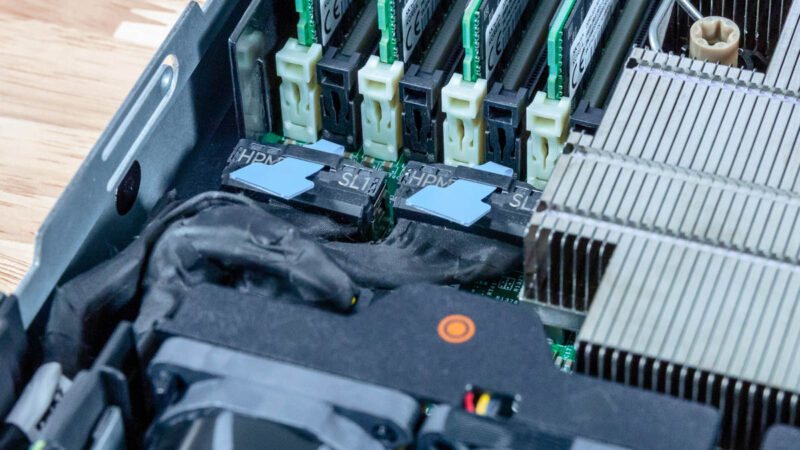
Also around the socket, you can see a number of PCIe cabled connectors.

These can be used for functions like providing the front storage with PCIe lanes.
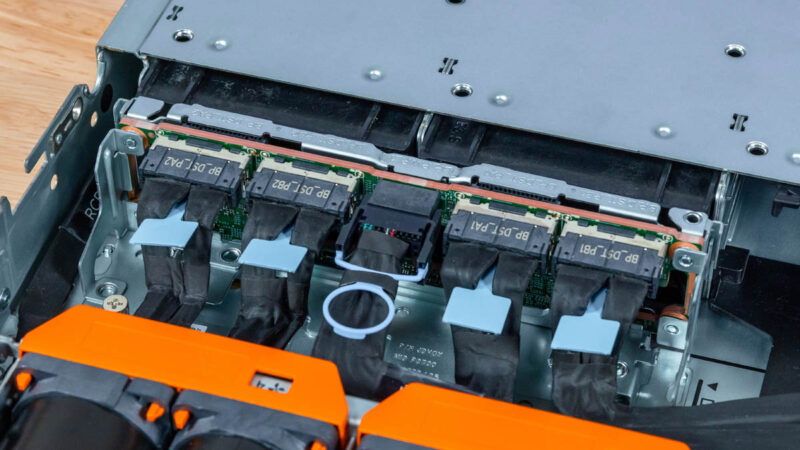
Here is an example of the storage backplane with a cabled connection. Something that Dell offers here is a front PERC H975i that we will discuss more of in our management section.
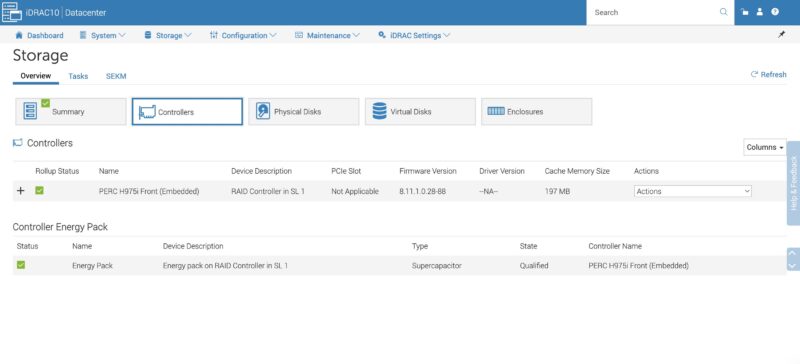
In our management section, we will go into more about how this works, but having the PERC H975i in the front of the server means that it is not taking up PCIe slots in the rear. This is a very useful setup with limited numbers of slots in a 1U server.
Dell also has a nod to the serviceability of systems with this locking latch. That is more akin to what hyper-scalers used to do.

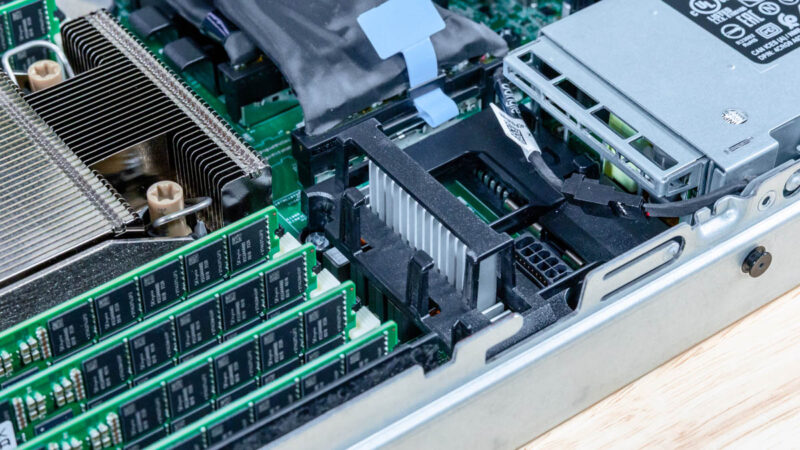
Between the memory and the power supplies we can see power connectors for if you have a higher power NIC or GPU.
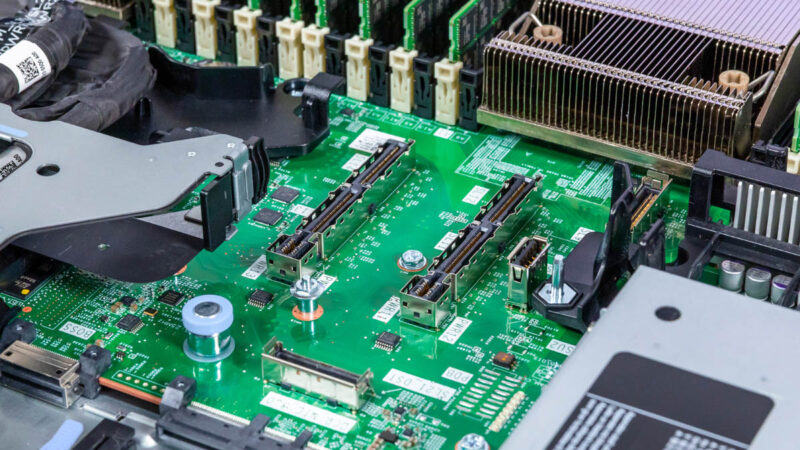
In the center, we get our main x16 riser connectors. These used to be called “GENZ” connectors, but that created a lot of confusion in the industry.
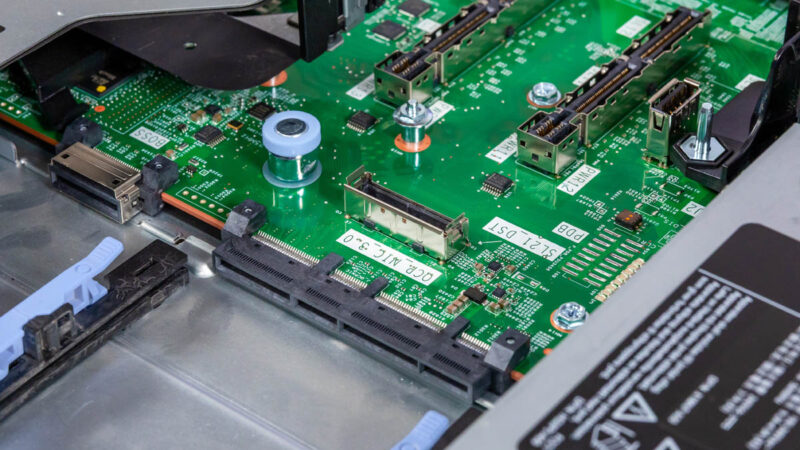
One other small feature is that there is an additional cabled connector for the OCP NIC 3.0 in the event you wanted to get more PCIe bandwidth to the slot. This has become a very common design element in new servers.
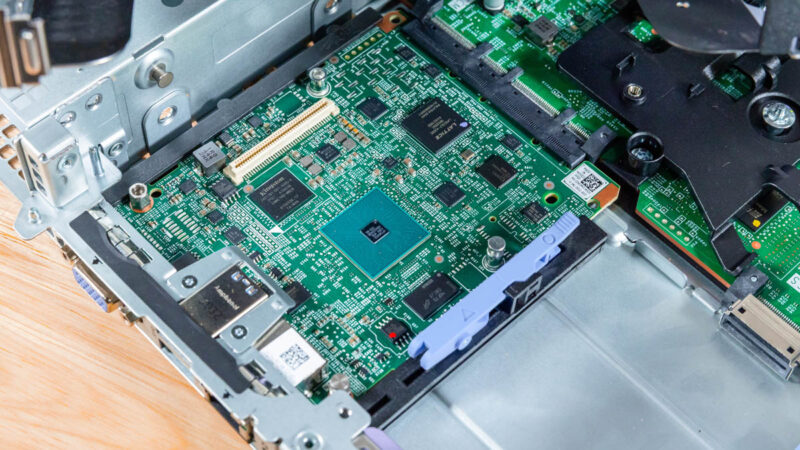
Here is the Dell iDRAC management card. This is what provides the rear I/O functionality and the BMC features.
This is a small piece, but one that we thought we would show. Dell has a cable/ airflow guide in the middle of its chassis. That may sound like a small feature, but it is fairly uncommon to see these in hyper-scale servers. Remember, someone had to design this thinking about all of the cabling possibilities, check the airflow with it, then get it into the system.

Finally, Dell offers a number of rear I/O options including OCP NIC 3.0 slots. We have the OCP NIC 3.0 Form Factors The Quick Guide and having the internal lock means that Dell gets a bit more space on the rear, but servicing a NIC takes much longer. You will also notice that while it may look like we have two OCP NIC 3.0 slots here, one is labeled for a Dell BOSS card that we do not have in the system, but that we had in the Dell PowerEdge R6715 we reviewed.
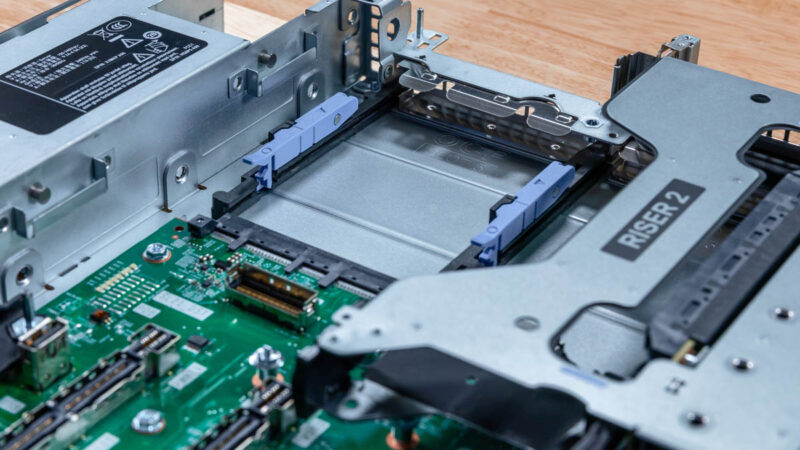
As a fun aside, our system did not come with any NICs installed. Luckily, since we have perhaps the best network test setup for a review site, even able to get 800Gbps bi-directional traffic though a NVIDIA ConnectX-8 C8240 800G Dual 400G NIC even in a PCIe Gen5 server, we have stacks of NICs to install.
Next, let us get to the system topology.

The Dell honeycomb faceplate looks more photogenic to me than HP and any post-IBM Lenovo design.
In my opinion air-cooled dual-socket 1U servers never made much sense, because the fans are just too small. Now that power consumption has gone up, the sensible choice for 1U is liquid cooling.
Surprised to see it score so low in the spider chart for Capacity since you mention more than once that it can hit over 1PB in a single U. Seems with flash, High capacity and performance are one and the same in 2026.
I’m noticing more & more super basic typos & mistakes in articles lately.
>Each block of eight drives with 61.44TB SSDs gives us just under 1PB of storage
This should read ‘just under 0.5PB’.
>On the other side, we get 16x drives as well.
This should read ‘we get 8x drives as well’.
This review is really starting to read like it’s AI generated :/
>Looking ahead to PCIe Gen6 servers, the U.2 connector will no longer be supported, and the EDSFF connector.
And the EDSFF connector… what? Will replace U.2? Or will also no longer be supported?
>Riser 4 is the low-profile riser slot.
Riser 2 is also low profile.
>In the center we get our man x16 riser connectors.
Main?
>external/ internal
>cable/ airflow
>GPUs/ AI acceleratiors
>cable organizer/ airflow guide
>1PB/ U (or more)
What’s with these extra spaces?
>management of fleets fo servers
This should have been picked up by a spell check.
>as dell has lots of sensors onboard
‘Dell’
>You can pick where you want the system to boot too
‘boot to’
>we also get DRAM power consumption that we can see here is 17-19W per socket
‘per DIMM’
Can STH do a better job of proofreading ? Yeah definitely. Is it a proof that the content is AI generated ? I’d say no, AI does different mistakes and unnecessary fluff. The articles here are very obviously following a template, but that’s a different thing, for better or worse. Given the type of content I’d say better.
This late trend of angry commenters “proofreading” the article, only to add as many mistakes than they correct is funny. I won’t comment on styling (spaces), it is language, medium and time dependent, and what is officially right is not always the most readable.
2 * 8 * 61.44 TB = 983.04 TB
18 W a DIMM would mean very hot memory, without heatsinks ! And 16 * 18W = 288 W, or 65% of the total system idle power. That’s nonsense. Plus you can read the screenshot.
I mean your comments on grammar, spelling and incomplete or unclear sentences are correct, but the math and physics of the article is sound, your corrections are not.
Better proofreading and phrasing wouldn’t hurt for sure, but in my own case, I am here for a reason, and it is not for literature, there’s better sources for that. At least the articles here do not need an AI summary of the AI generated fluffy hollow article, circling back more or less to the original prompt that generated the article in the first place…
@CJ:
Was just about to type up the same comment. Incomplete sentence is incomplete.
What is the cheapest Dell server available with iDrac10?
It’s like 2-3w per DIMM so 18w per socket is right. There’s no way it’s 18 per DIMM.
Your proofreads aren’t even accurate in all cases. Spacing is based on the style guide they’re using. You might be using a different one. I’ve been reading STH since 2018 and last summer I noticed they don’t use contractions.
I like the mistakes. It lets us know that there’s people making these, and it’s not AI slop.
On the content, I’d say this is a great review. You’ve gotta love Dell’s
For those commenting on the grammar: this is the same site that posted article after article referencing “a Nvidia [sic]” GPU and “a Nvidia [sic]” accelerator.
While Patrick was clearly saying “an Nvidia” in all his YouTube videos. One has to wonder if the articles are content-farmed out to non-English speakers.
I just bought one R670 at the end of November, before the terrible jump in memory prices.
I used to buy only the minimum amount of memory and disk with the server because DELL’s markup is like wine’s price in restaurants…
Three years ago, I bought a couple of R650 and the third-party DDR4 cost only 2000 euros for 768 GB. In Novembre, I spent 4000 euros with DELL for only 512 GB of DDR5 and third-party suppliers were much more expensive at this time. I cannot imagine how much it is now in February !
I have choosen the NVME U2 backplane and I’m happy with that because I already have plenty of Kingston DC1500M and DC3000M bought from Amazon for cheap two years ago.
DDR5 is a great improvement for perfomances and latency but I cannot use the Gen5 capability with U2 or U3 SSDs, it works only on PCIe slots or E3S.
My use case is not Ai but kust hosting hundred VMs with the excellent XenServer fork called XCP-NG.