

Power Consumption and Noise
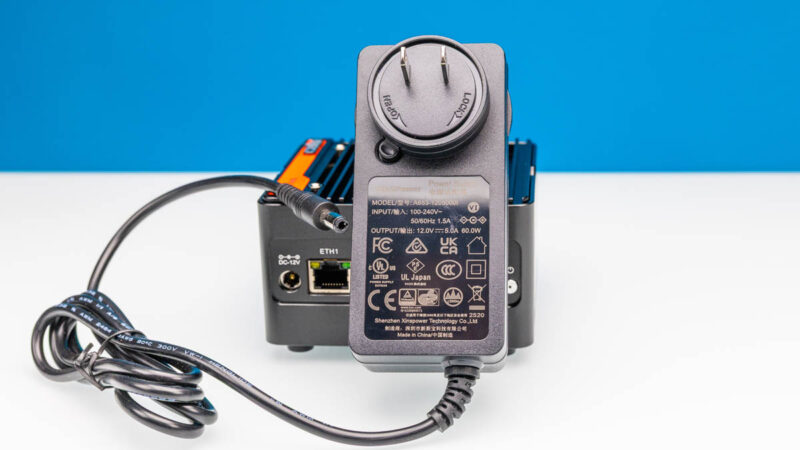
In terms of poewr, we got a 60W adapter with this one, which was both overkill, and different from the N355 model.
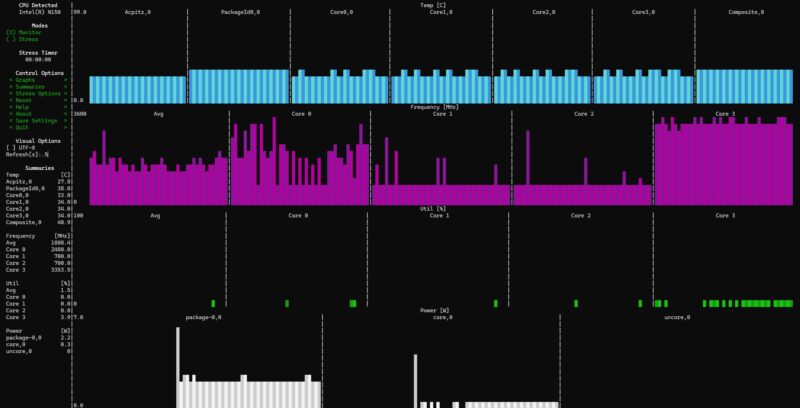
At idle, the N150 used around 2.2W for the SoC power.
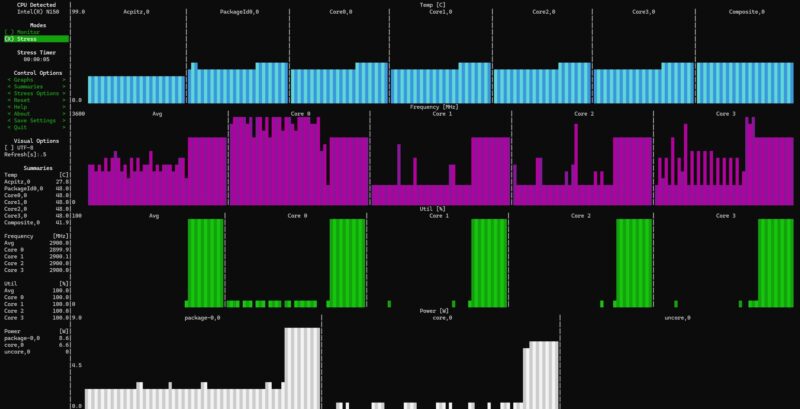
Under load, we would see that jump to 8.6W.
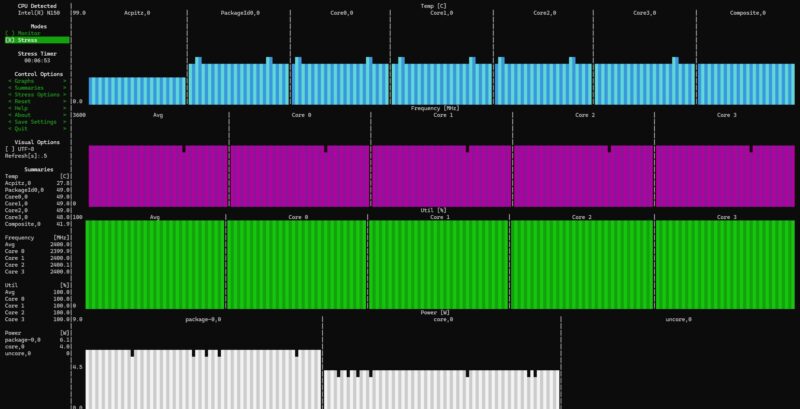
After around 30 seconds, we would see the SoC power down to around 6.1W.
We wanted to show a more minimum versus maximum view, so we configured the N150 with only a single SSD and without the USB fan that used around 0.5-1W. At the wall, the N150 unit was giving us 10-11W at idle, 22-23W for the burst load, and 17-18W under a sustained load.
Noise was usually 36-37dba for both the N150 and N355 units in our 34dba floor studio, but the USB fan added 2dba so we got to 38-39dba with that installed. Overall, this was a quiet solution.
Key Lessons Learned
To us, the thing that stands out was the performance. These are the same core architecture generations, and so perhaps the biggest difference is the core count (there are some GPU differences as well, but those are less exciting in a NAS like this.) Here is the Ark comparison for reference.
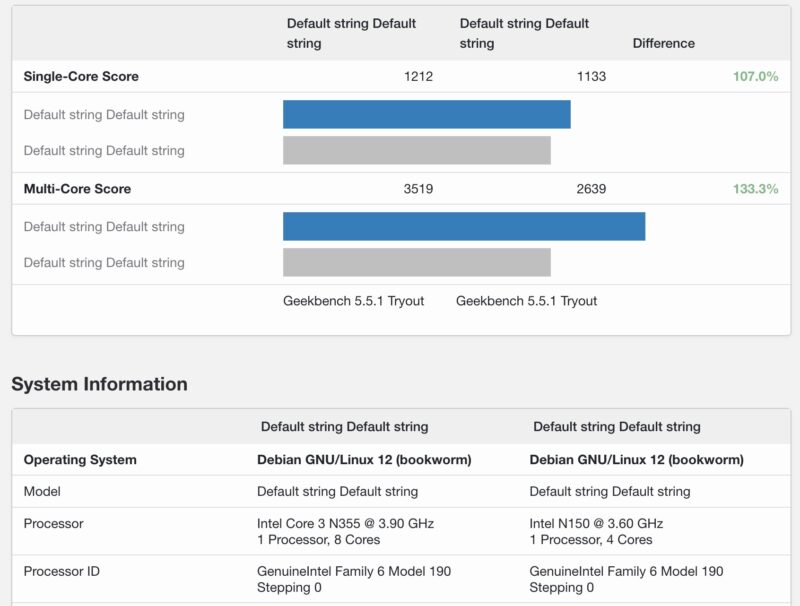
Given the price difference of the machines can often be in the $70-100 range, and the fact that the N150 sees lower power consumption, one can make a case that the N150 is going to be the better option for many. Also, we have to recognize that we have many US readers who see significant tariffs now making that $70-100 difference a lot more.
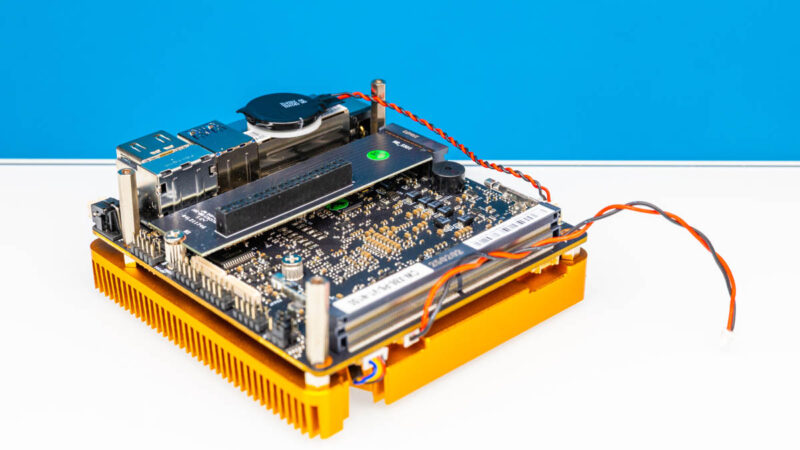
Usually we prefer getting the higher-core count versions because it is often worth it to be able to run a bit more or just not be constrained in the future. Here, it feels wise to get the barebones N150 unit over the N355 and install your own components to save money. That is not universal across all N355 platforms, but in this one, the power constraints are notable.
Final Words
Overall, these are neat little boxes that can sell for under $180 depending on the discounts of the day. The tariff situation really can change that pricing a lot. At $500, this would be a no-go as there are other options from companies like TerraMaster and many others that are better. As a sub $200 device, it is really neat.
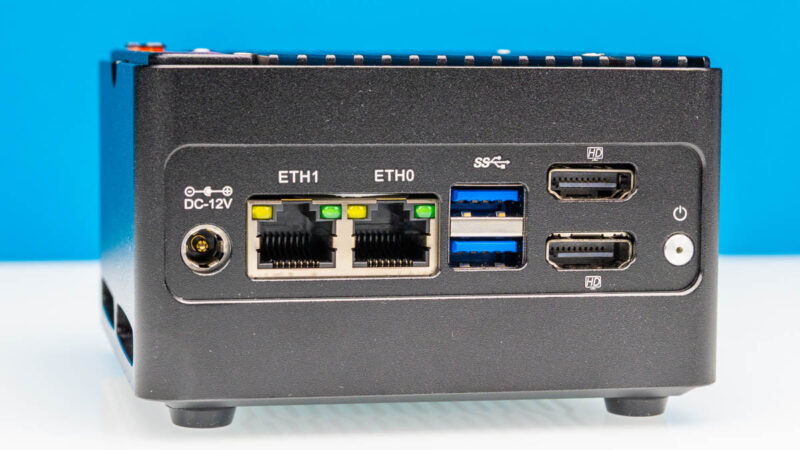
Overall, this is a neat device if you just need a travel NAS, or just need a small cheap NAS to put old M.2 drives to use in. Ours have worked well so far.
Where to Buy
If you want to check for these, you can find them on CWWK’s site or on normal reseller sites like AliExpress (affiliate link.) Here is an Amazon Affiliate link to a seller we found there. As always, check with the seller if you want some of the accessories, like the USB fan, and if they are included.


Your Geek bench results just say “DefaultString DefaultString” for the labels.