

CWWK Intel N150 Pocket NAS Internal Hardware Overview
Taking off the top, there is a place for four M.2 2280 (80mm) SSDs. This is the big feature of the system. You only get a PCIe Gen3 x1 link to each SSD, so you do not need fast ones.
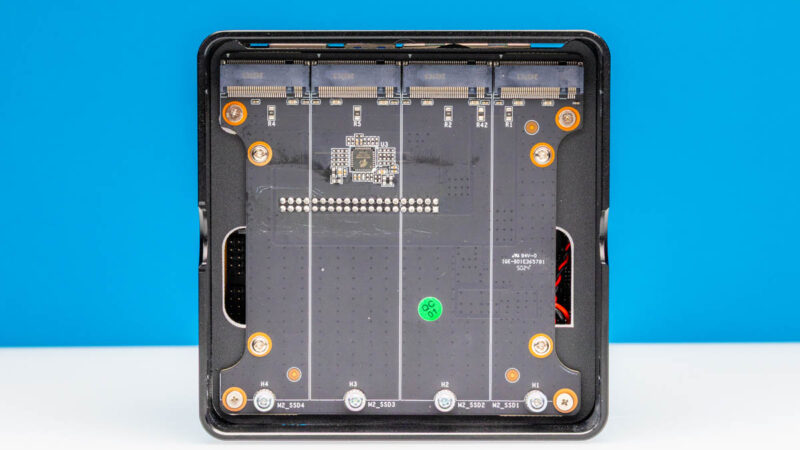
We typically use the 4TB Crucial P3 Plus SSDs since they are often the same price as Gen3 drives. Here is an Amazon Affiliate link to them. It would be unwise to get fast and expensive drives for a system like this.
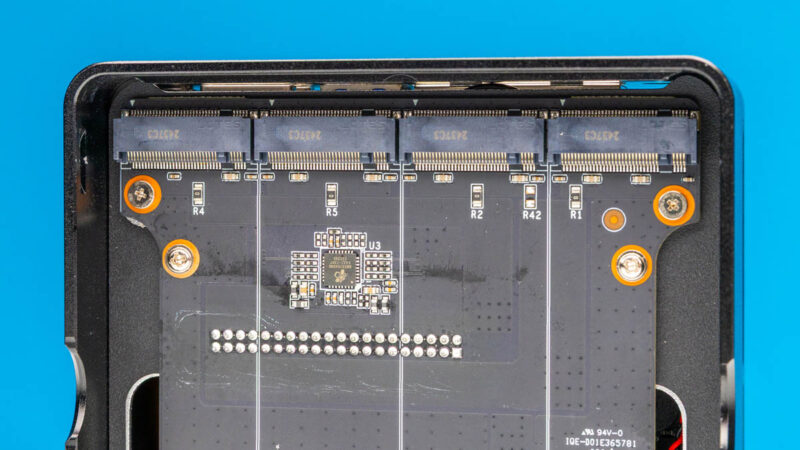
The riser board connects to the rest of the system via an array of bare pins.
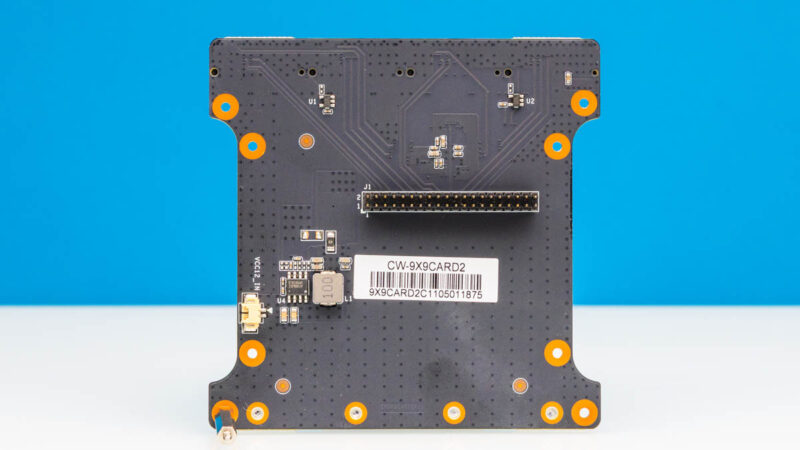
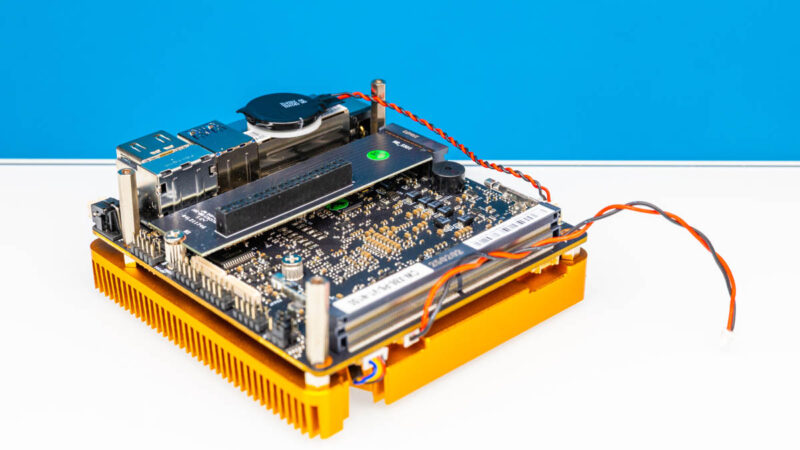
Taking off the 4x M.2 riser leaves us with the base board. In the M.2 slot, we get the board that takes four PCIe Gen3 lanes and allows the pins from the 4x M.2 riser to connect.
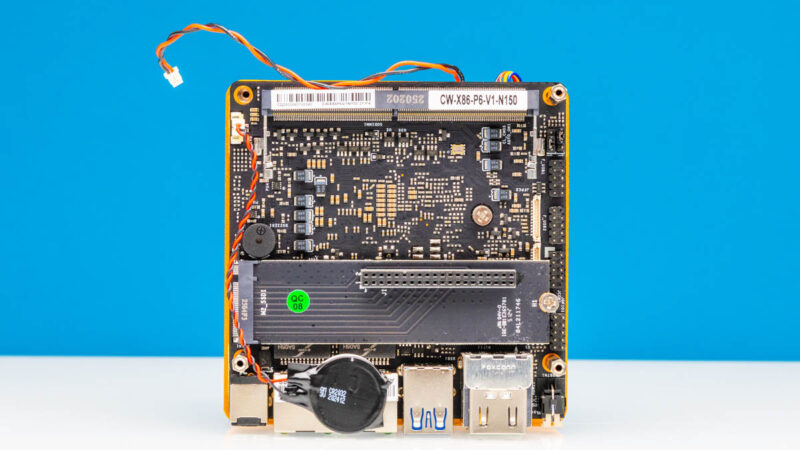
One item that needs to be improved in this is getting to this bottom board. With all of the standoffs, it is something that works, but it is far from elegant. The impact is that it is easy to swap the M.2 drives, but getting to the memory is a pain.
On the DDR5 SODIMM slot we get the CW-X86-P6-V1-N150 platform name.
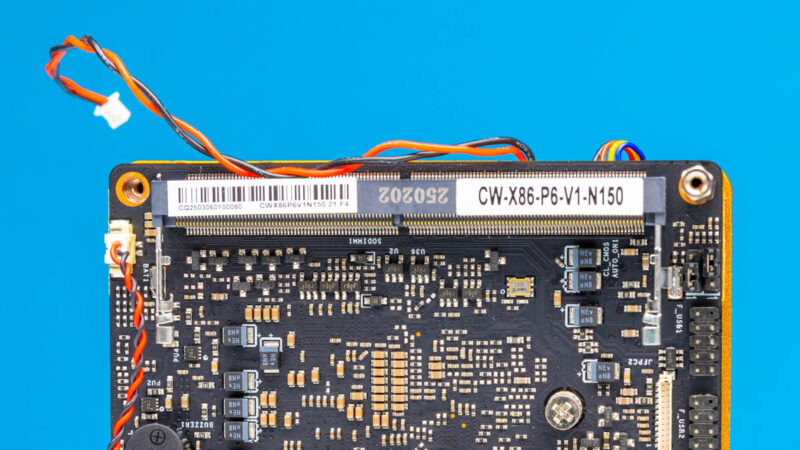
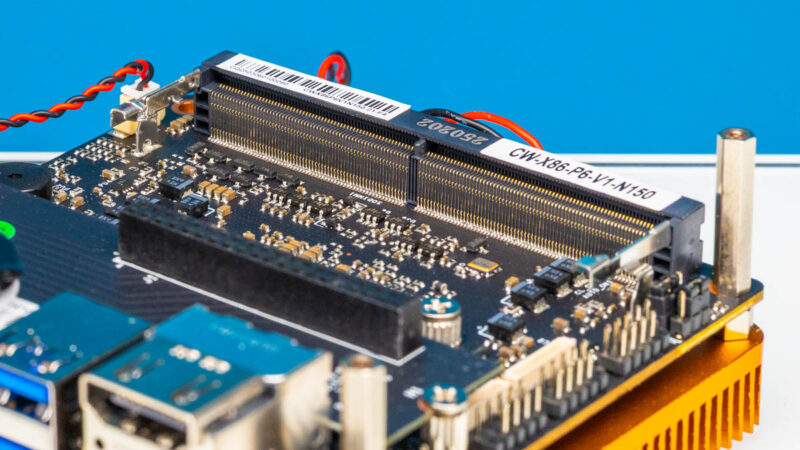
In the DDR5 SODIMM slot, you use non-ECC DDR5 SODIMMs. For this type of system, 8GB feels light, but 16GB feels like a great option. There are options to get 32GB. Our advice would be to just buy your own memory, especially if you are in the US with uncertain tariffs, and to get a 16GB DDR5 SODIMM like the DDR5-4800 one from Crucial. (Amazon Affiliate link.) 16GB of memory and 4 cores is a good mix here.
The N150 is on the other side of the motherboard and is covered by a big heatsink.
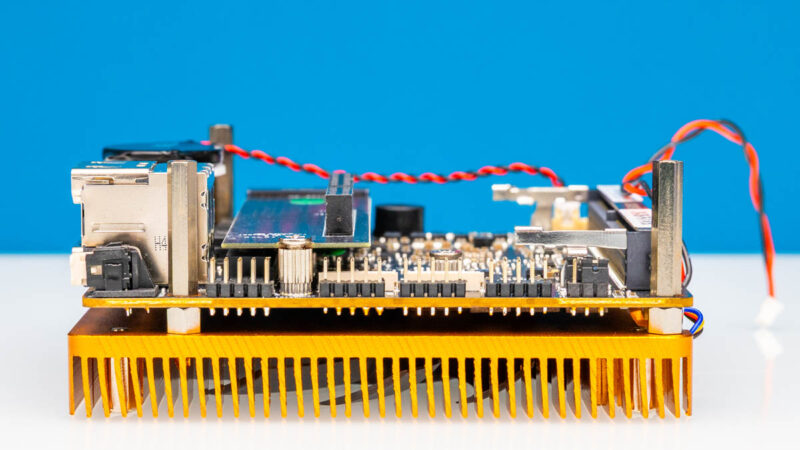
Still, the base board is actually great and is somewhat like an upgraded version of a Raspberry Pi, just x86 based with expandable memory, better networking, and an easy M.2 drive slot with bifurcation.
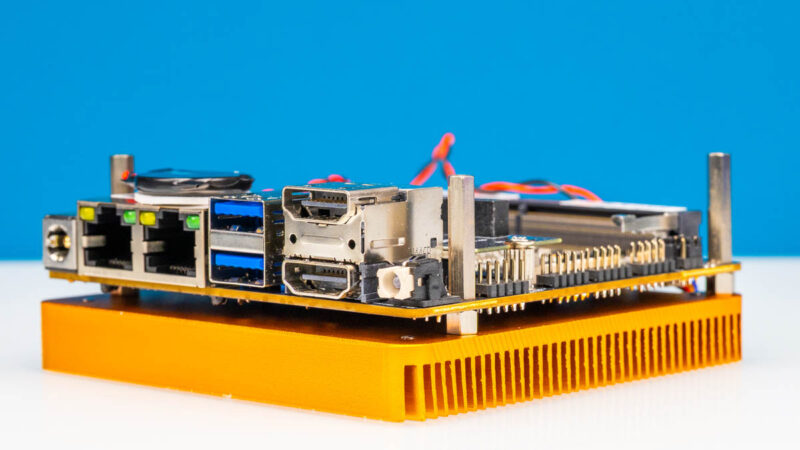
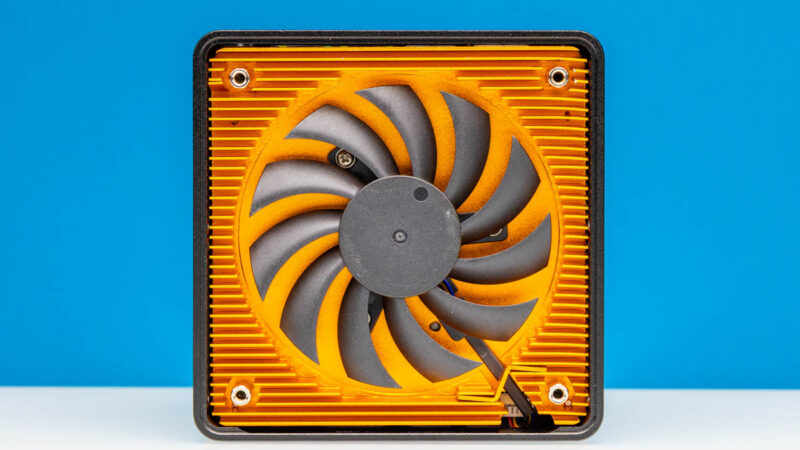
On the bottom we get a fan. Something worth noting is that the heatsink might look like it is copper, but it feels way too light to be copper. Our guess is that it is aluminum made to look orange.
Next, let us discuss the performance of the N150.
Intel N150 Performance
The Intel N150 is a 4-core 4-thread CPU, so there is no hyper-threading.
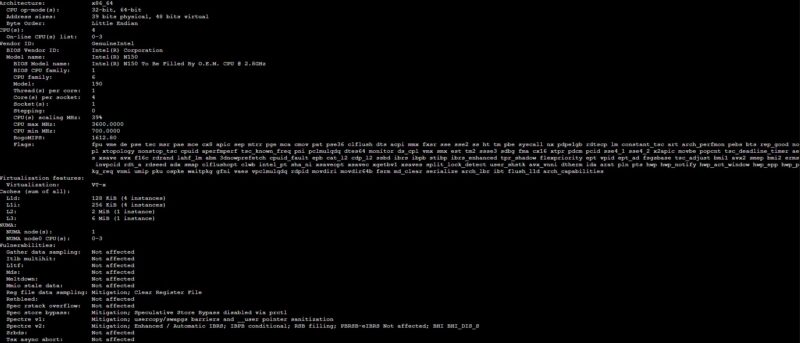
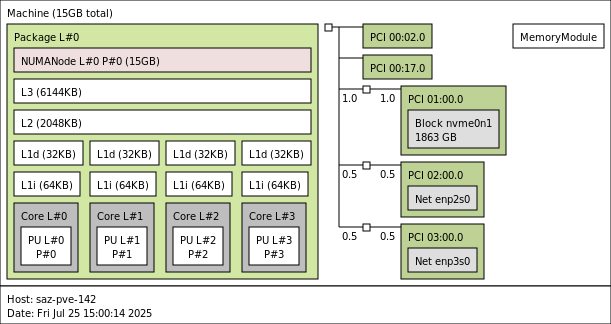
Here is a quick look at the base device with a single SSD and 16GB. In the N355 review we showed a version of this with the four drives, but this is a simple topology and everything other than the cores is shared between them.
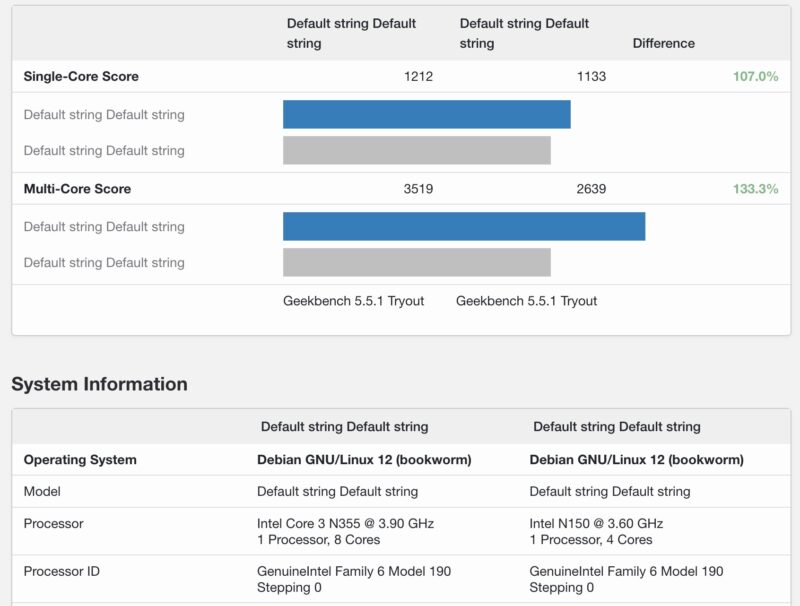
In terms of performance, we covered that in the previous review. Perhaps the key figure though is the Intel N150 versus N355 in these platforms. Here is a look at Geekbench 5 which shows a roughly 33% performance improvement from a 100% increase in core counts.
On the Geekbench 6 side, we saw only a bit over 10% on multi-threaded performance by doubling the core count. That is also not huge.
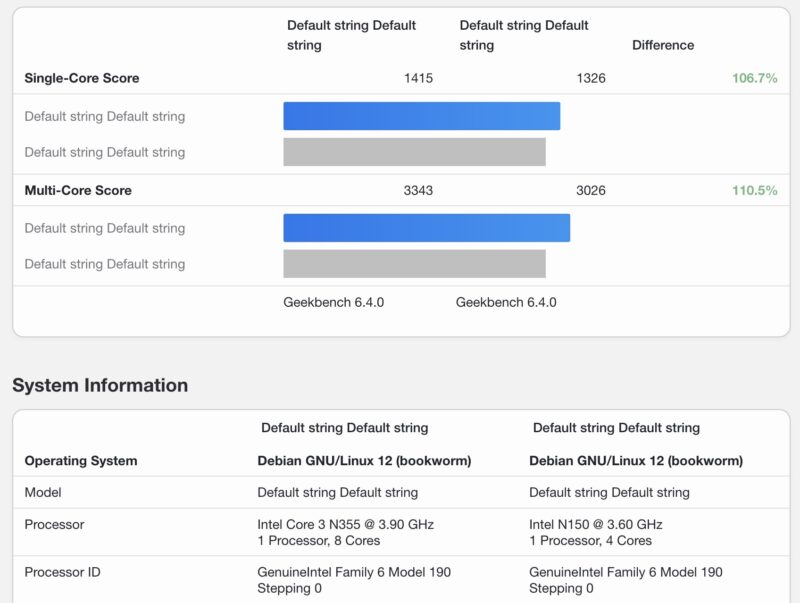
Overall, our big finding was that the N355 in this platform was slower than some of the other N355 platforms we have seen. This was due to running at lower power levels. As a result, despite having twice the cores, the N355 was not a huge performance jump.
Next, let us get to the power consumption and noise.


Your Geek bench results just say “DefaultString DefaultString” for the labels.