

Crucial X10 2TB SSD Performance
For this, we wanted to run through our standard benchmarks.
CrystalDiskMark Benchmark
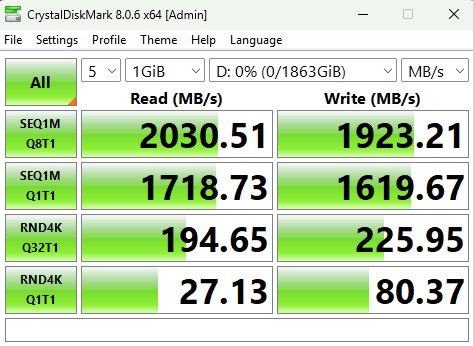
CrystalDiskMark is used as a basic starting point for benchmarks as it is something commonly run by end-users as a sanity check. We use both 1GB and 8GB test sizes.
Here is the 1GB test size.
Here is the 8GB test size.
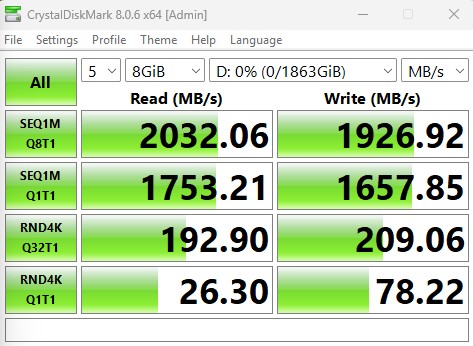
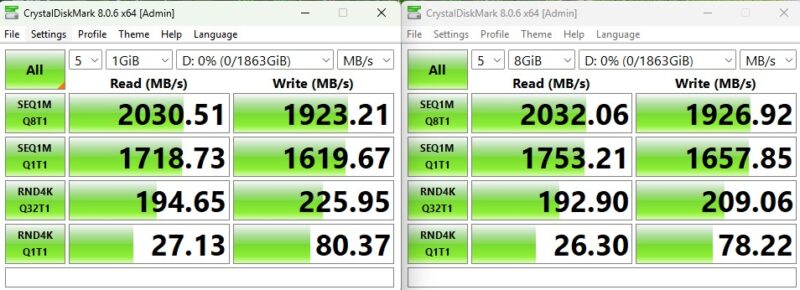
We were very worried that the write speeds would be terrible given that it was absent in specs. Still, the write speeds are good. Here is the X10 Pro 4TB for comparison.
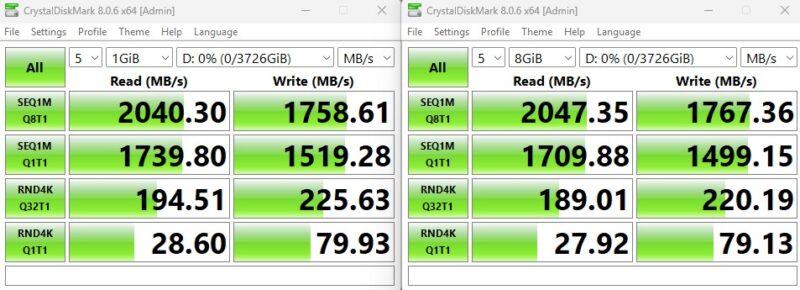
This was a bit shocking with how close these drives were. We ordered the 2TB Crucial X10 just to do a same capacity comparison.
ATTO Disk Benchmark
The ATTO Disk Benchmark has been a staple of drive sequential performance testing for years. ATTO was tested at both 256MB and 8GB file sizes. Here is the side-by-side:
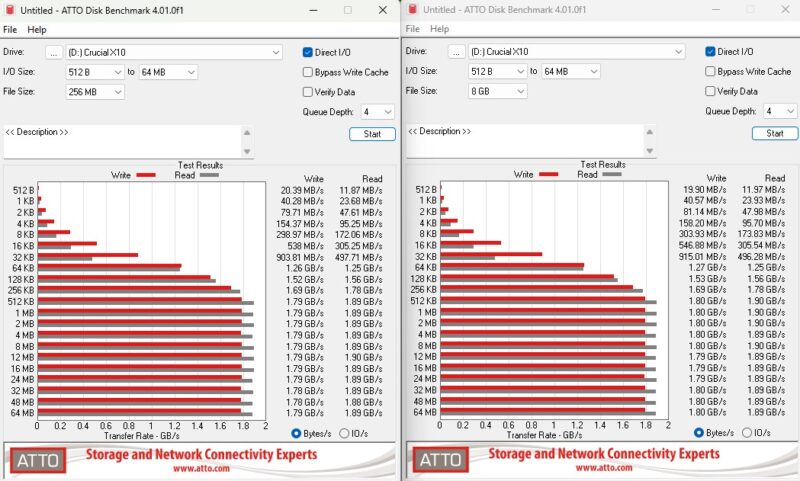
Again, we get very solid sequential read and write speeds. Here is the Samsung T9 for comparison:

Overall, the X10 is very competitive.
Anvil’s Storage Utilities
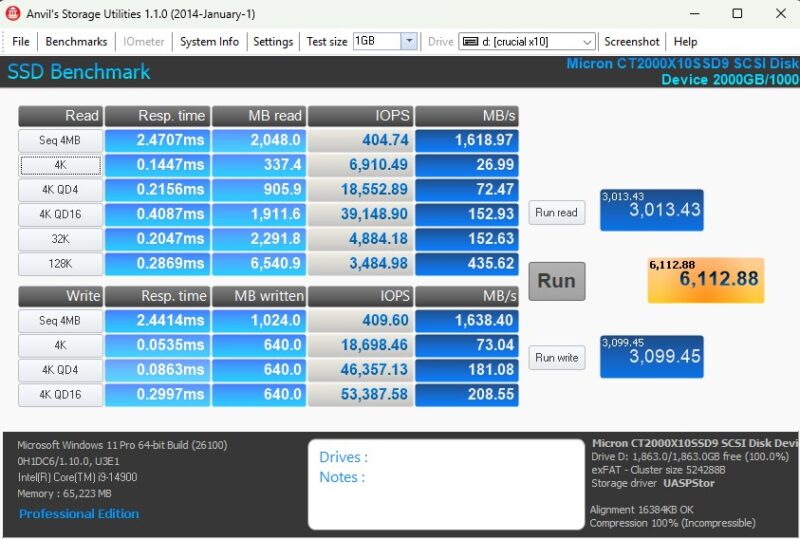
Anvil’s Storage Utilities is a comprehensive benchmark that gives us a very in-depth look at the performance of the drives tested. This benchmark was run with both a 1GB and 8GB test size.
Here is the 8GB result:
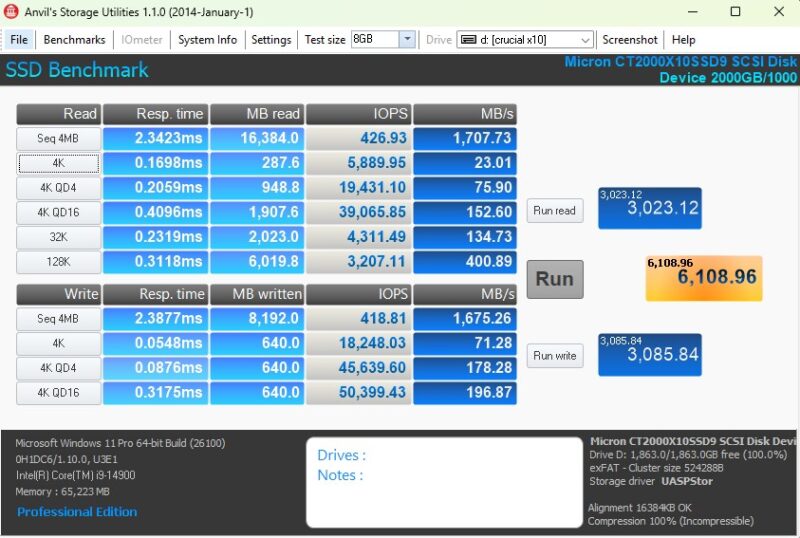
Anvil shows slower performance, but still quite good.
AS SSD Benchmark
AS SSD Benchmark is another good benchmark for testing SSDs. We run all three tests for our series. Like other utilities, it was run with both the default 1GB as well as a larger 10GB test set.
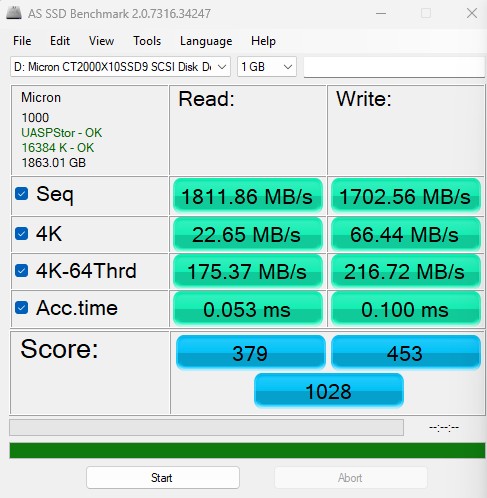
Here is the 10GB result:
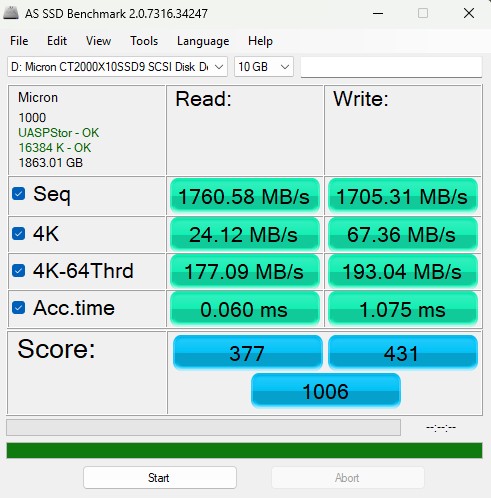
Here is the side-by-side:

Again, these are very solid results from the drive. We were expecting the non-Pro version to be much slower, but it is actually a very fast drive.
BlackMagic Disk Speed Test
BlackMagic Disk Speed Test is focused on testing storage for use in video workflows.
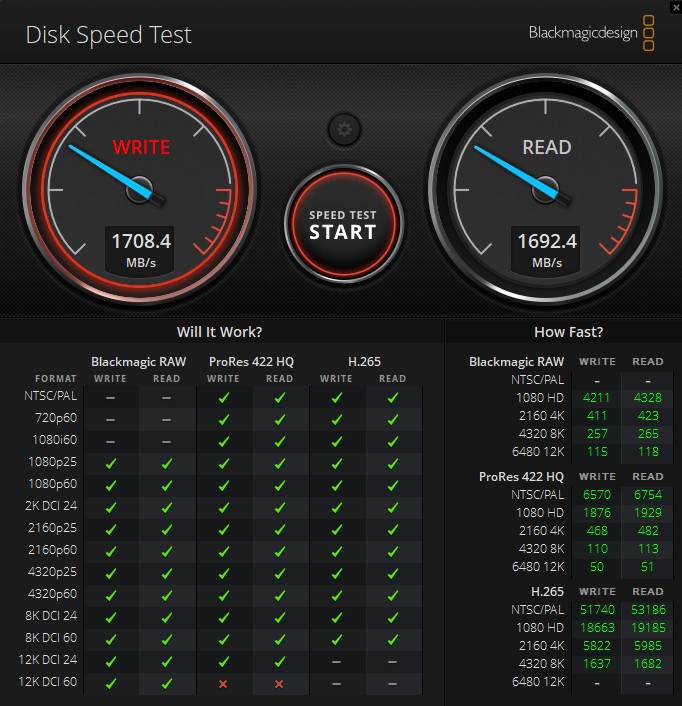
Just for some reference point, here is the Crucial X9 Pro in the same test:
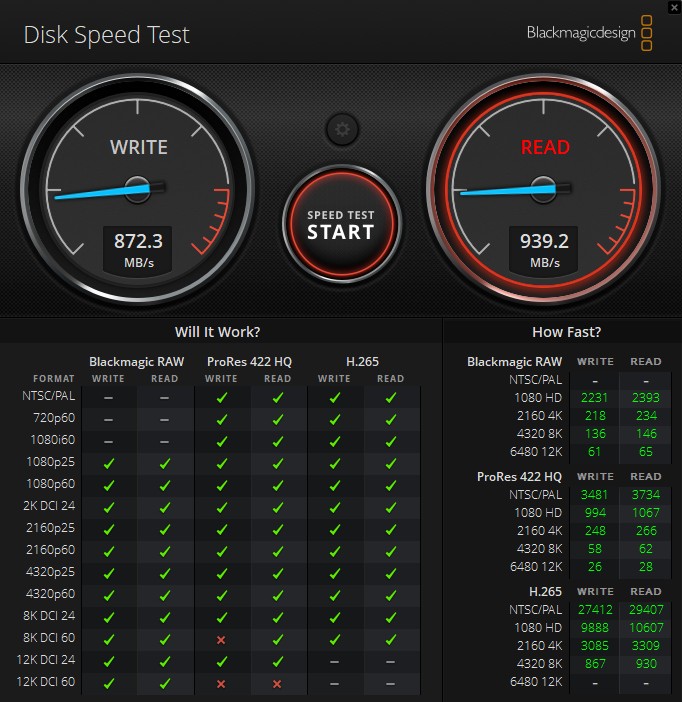
Here is the X10 Pro:
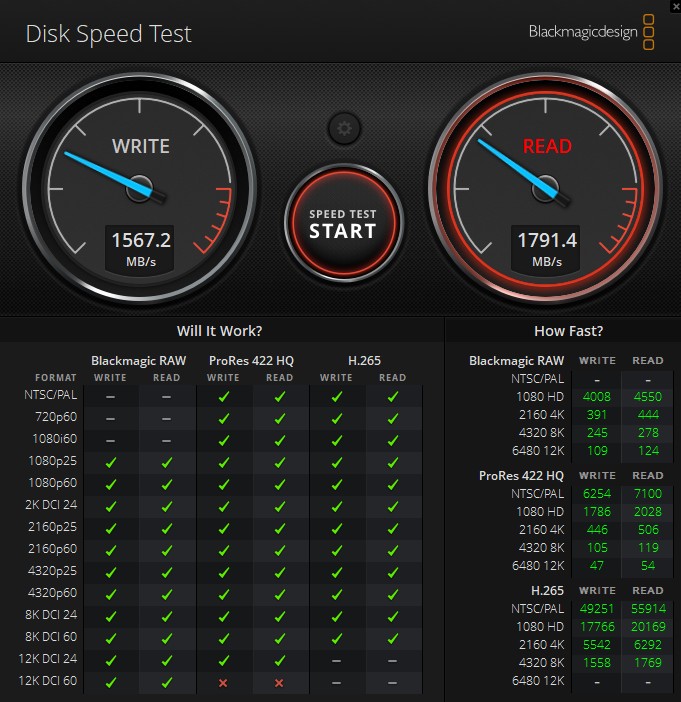
There is a notable X9 Pro to X10 bump in speed which is great to see. The X10 is surprisingly competitive with the X10 Pro 4TB. Again, we purchased a X10 Pro 2TB to check that drive out to see if it is a capacity delta driving such similar performance.
Final Words
The Crucial X10 we mentally slotted as a drive we thought would be significantly slower than the X10 Pro. From what we saw, the drives were much closer than we would have expected.
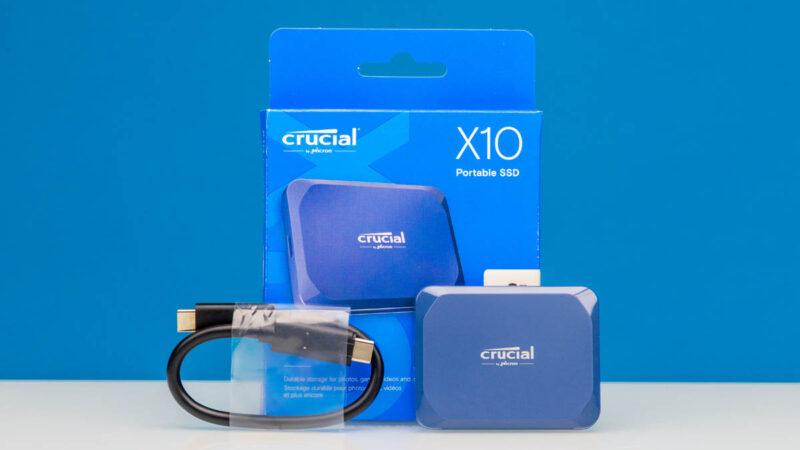
If the price difference is $10-15 over the X9 Pro, it feels like that is a worthwhile upgrade, assuming you can use the speed. The $10 or so difference to the X10 Pro might be worth skipping just because the X10 performs very well.
Where to Buy
We purchased our unit on Amazon. If you want to get a Crucial X10 2TB SSD, here is the Amazon Affiliate Link.



We’ve unfortunately come to the point where USB 3.2 doesn’t really mean anything. (Thanks, USB IF!) That this unit is Gen2x2 20 Gbps is all I needed to know, and since Apple for some reason does not support this I’ll pass this one and stick to my 10 Gbps SSDs while contemplating getting the Bee-link Mate Mini TB5 80 Gbps enclosure.