Cisco Catalyst C1300-12XS Performance
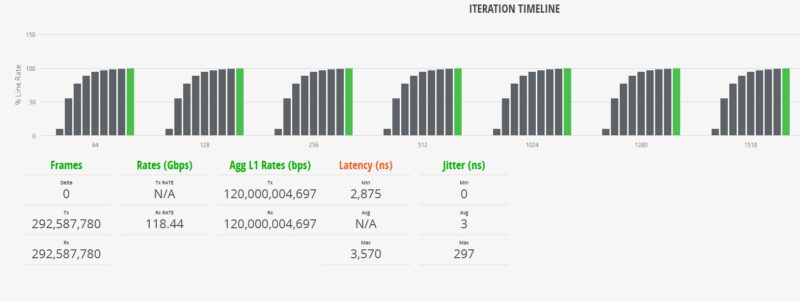
For this, we are using a Keysight XGS2 chassis with the NOVUS10/1GE16DP card. We are using an RFC2544 Quick Test for throughput with a few changes. For example, we increased the per-iteration run time to 30 seconds and started at 10% of the full line rate, searching for frame loss up to 100% of the line rate. We also test the RFC2544 64, 128, 256, 512, 1024, 1280, and 1518 byte frame sizes, and then add the standard IMIX, the Cisco IMIX, and an IPSec IMIX, which introduces mixed frame sizes into the testing. Let us start with 64B frame sizes.
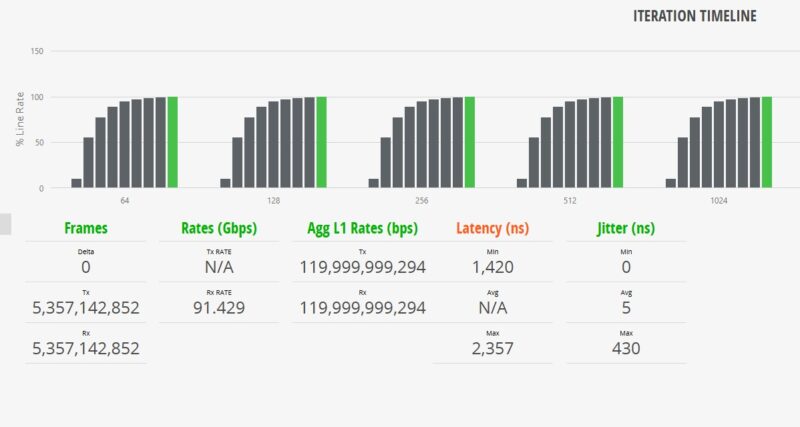
The above may seem strange to some, so let us start with some of the key numbers. First, we observed no frame loss. We see almost 91.5Gbps of throughput, but at L1 it is almost 120Gbps. The delta is the overhead for the link, including headers and such. Still, we are showing line rate 12 ports of 10GbE even at 64B frame sizes.
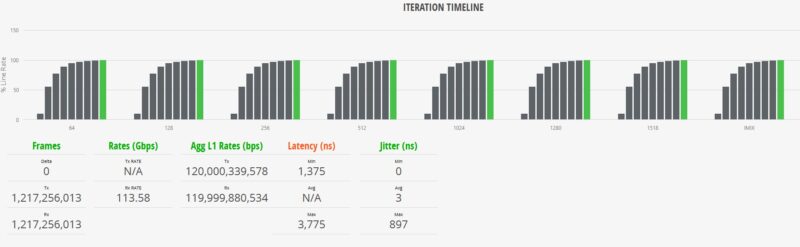
Moving up to the 1518B frame sizes, these are in many ways much easier on hardware and we can see closer to 118.5Gbps while the L1 rate is at 120Gbps. Again, bigger packets mean less relative overhead traffic in the pipe.
We add various IMIX tests, including the standard IMIX and Cisco IMIX profiles from Keysight. This sends different-sized packets through the switch.
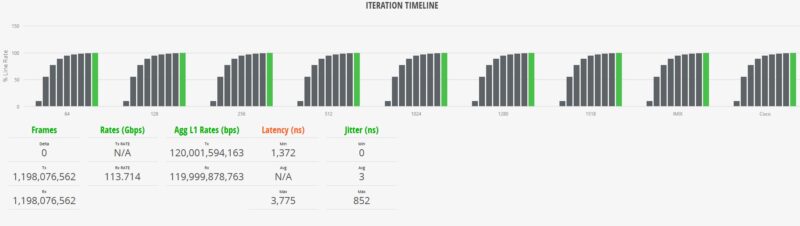
Something that we wanted to show was the jitter on this switch is very good. Just to give you some context, here is the Realtek RTL9313-based 10-port Ubiquiti UniFi USW-Pro-XG-8-PoE as a comparison point:
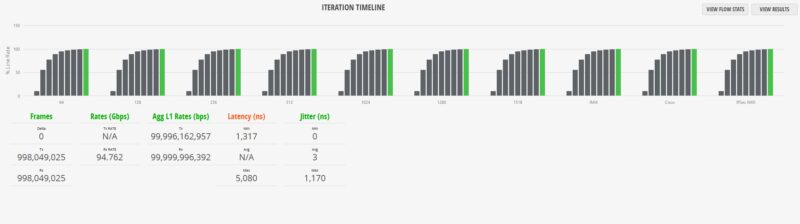
While the minimum latency between Cisco and Ubiquiti is similar, the maximum latency and jitter figures are significantly better on the Cisco switch. Those are maximum figures, but that is an insight that is very hard to generate unless you are using these high-end FPGA-based traffic generators.
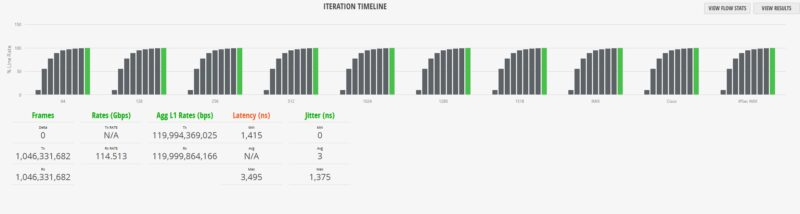
We also have the IPSec IMIX test, which uses slightly larger average frame sizes in the mix. One item to note is that the green bar is all the way to the right on these charts on the ninth test iteration. That means that all ten test profiles hit 100% line rate during testing. Our gear and test methodology look for any frame loss during the testing and we did not see any here.
Cisco Catalyst C1300-12XS Power Consumption and Noise
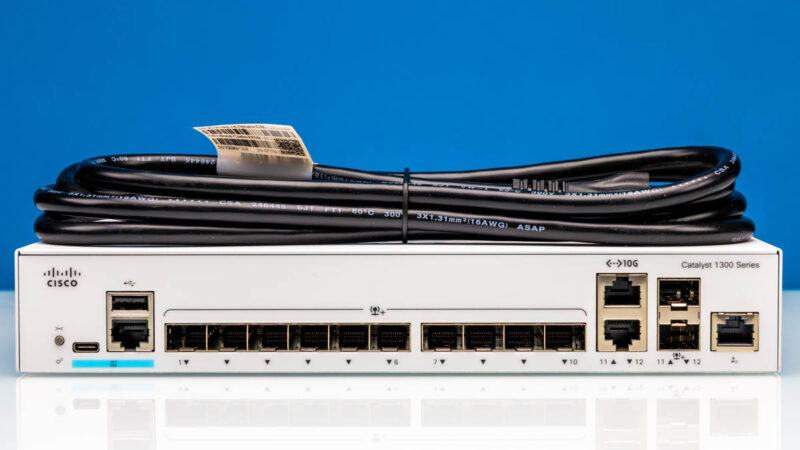
At this point, you might see a 1U Cisco switch with 10Gbps ports and assume that we are going to see some big power figures from the switch and its internal power supply.
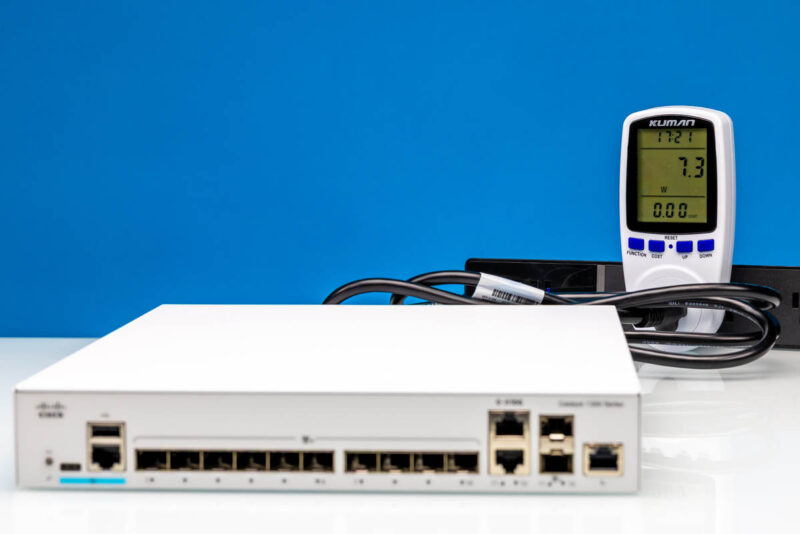
At idle, we saw only 7.3W, which is stellar. We were almost shocked by how good this is.
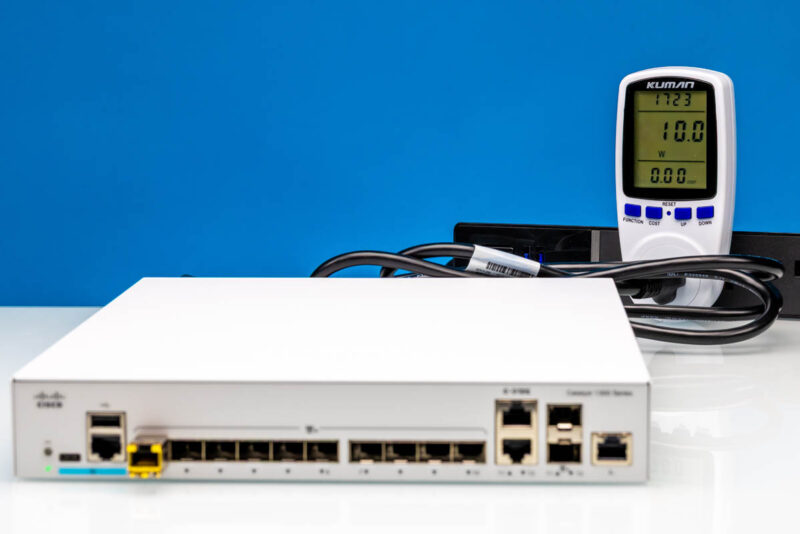
Adding a SFP+ to 10Gbase-T adapter, we got up to 10W, which is a 2.7W jump. That is a lot for a switch as we often see closer to a 1.7-2W delta. Still, we see this is rated at 26.1W of power consumption with a maximum of around 34.1W. This is very reasonable.
In terms of noise, this switch was generally very quiet at around 36-38dba in our 34dba noise floor studio. It is not silent, but it is one that you could easily put on a desktop in an office, and it would be acceptable.
Final Words
Overall, the Cisco Catalyst C1300-12XS is great. These days, cheap generic 12-port switches powered by the Realtek RTL9313 can be purchased for around $200. At over $1200, these certainly cost more. On the other hand, at every level, this is more refined. The management is better, easier to use, and more robust. The performance is better. The hardware has a better build quality. Finally, it is backed by Cisco, which has been the top dog in networking for over a quarter of a century.
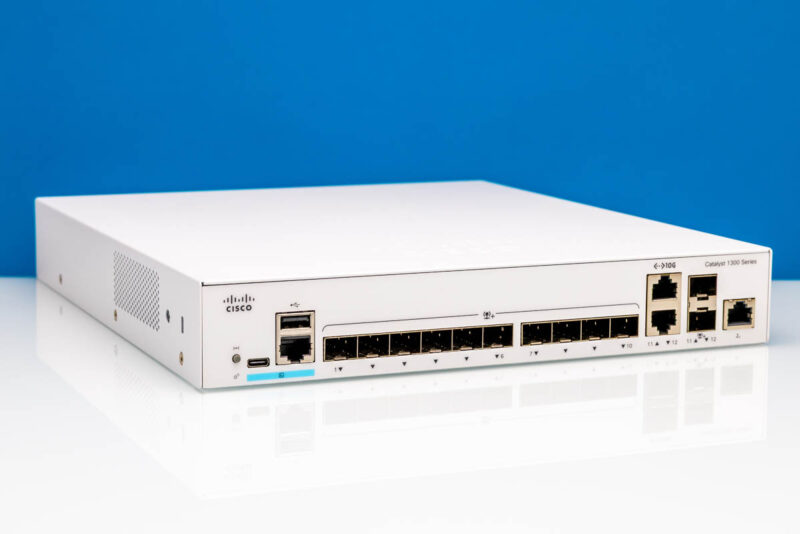
Having reviewed over 100 switches to date, I can say this is a great option. It may not be “cheap”, but if you want a good 12-port SFP+ switch, with two combo ports for 10Gbase-T optionality, then this is a great option. Hopefully, one day we get to also review the 10Gbase-T option.
Where to Buy
If you want to purchase one of these, here is an Amazon Affiliate link. We also found them on B&H (affiliate link.)