

Beelink GTi15 Ultra Internal Hardware Overview
Cracking open the GTi15 Ultra, we find a hardware arrangement that, much like a proper bean dip, is setup in layers. With a few layers of hardware between the top (or rather, bottom) of the PC and the motherboard, this style of Beelink mini-PC can be more challenging to disassemble. Though far from insurmountable.

At the top of the mini-PC is a dust filter, which covers virtually the entire internal chamber of the PC with the exception of the PCIe slot for the dock, and the built-in speakers. The pair of stereo speakers piggyback off the holey base plate in order to have a relatively clear path to push out sounds.
Removing the dust filter (and several screws in the process), we can more clearly see the first layer of hardware, including the speakers, CMOS battery, and the internal PSU.
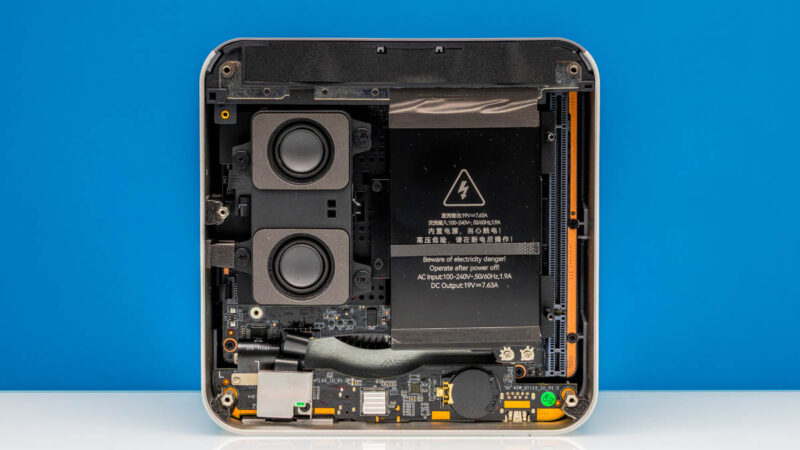
The internal PSU is rated for 145 Watts of power, providing that entirely in the form of 19V DC power. Given that this mini-PC is essentially built from laptop hardware, it is not too surprising to see a laptop-like power delivery system here.
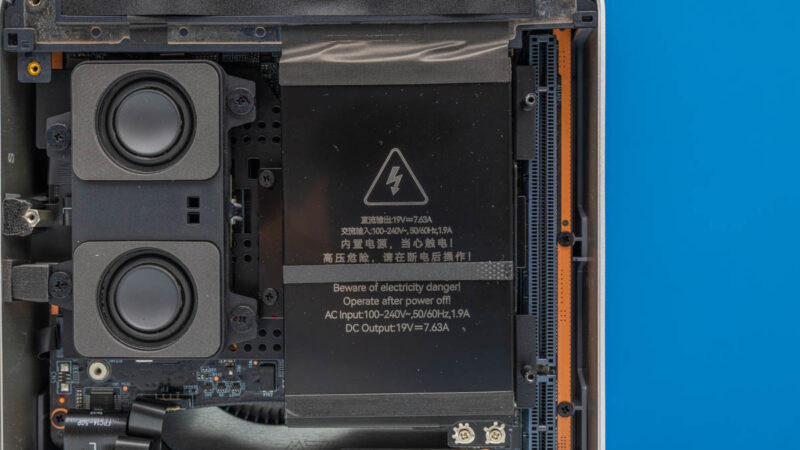
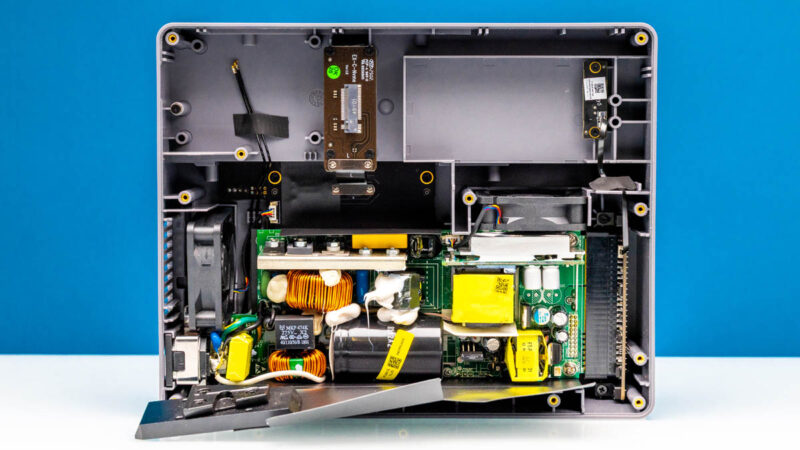
Pulling out the speaker module and the PSU, we finally gain access to the user-upgradable/user-replaceable portions of the hardware.
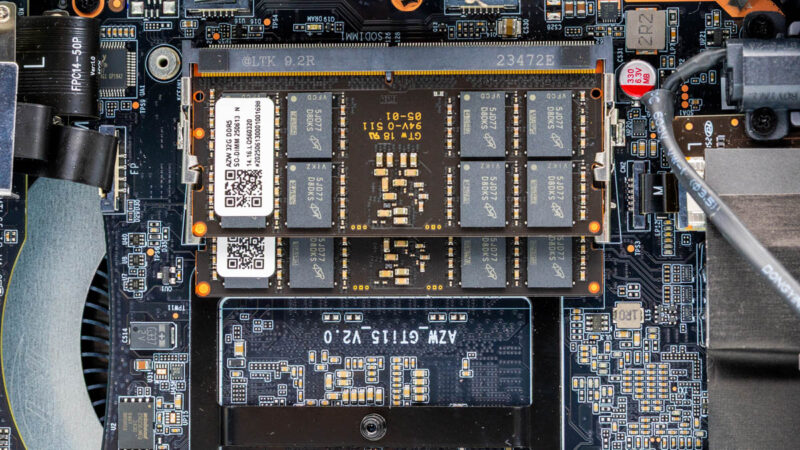
Up top is a pair of DDR5 SO-DIMM slots. Beelink’s default configuration for the GTi15 Ultra is to ship it with a pair of 32GB DDR5-5600 SO-DIMMs, however the company also sells a 96GB (2x48GB) configuration – and while nigh unaffordable at current memory prices, 64GB SO-DIMMs are also available that can push the GTi15 Ultra to 128GB of DRAM.
In the case of our review sample, the SO-DIMMs are equipped with Micron memory chips.
And towards the bottom of the PC, we find the other major replaceable components: M.2 slots, which house the SSD(s) and Wi-Fi radio. The GTi15 Ultra sports two PCIe 4.0 x4 M.2 2280 slots for storage. Beelink’s default configuration is to ship with a single 1TB Crucial SSD – what looks to be a Crucial P3 Plus QLC NAND SSD – leaving the second slot open for user upgrades. Alternatively, the high-tier configuration on the GTi15 Ultra, which includes 96GB of DRAM, also fills out the second M.2 slot with another Crucial SSD.
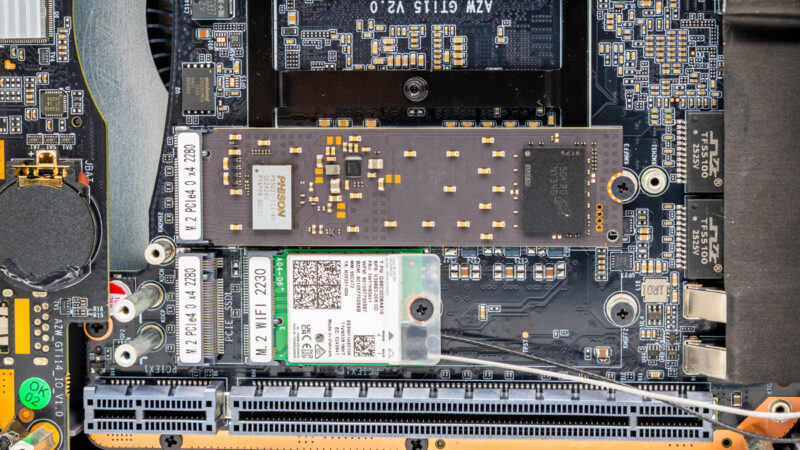
Sitting directly beneath is the final M.2 2230 slot, which is where the included Wi-Fi radio is installed. Being that this is an all-Intel PC, from the CPU to the Ethernet controller, it is only fitting that it is an Intel radio as well, with Beelink tapping Intel’s BE200 Wi-Fi 7 + BT 5.4 radio. This is Intel’s highest-end offering, supporting all 3 frequency bands with a maximum channel width of 320MHz.
Finally, at the very bottom of the PC, we have Beelink’s augmented PCIe slot for use with their EX GPU dock. While the slot is physically a PCIe x16 slot, electrically it is wired as an x8 slot. Beelink explicitly warns users from trying to use it as anything but a connector for their external dock. Given the system’s design, I would wager the biggest risk is that the integrated PSU is not sized large enough to drive a full-power 75 Watt PCIe card, since Beelink’s dock provides its own power.
And while you cannot directly see the system’s primary SoC from the back of the device, you can just make out the back of it.

Beelink has opted for a high-end design for the GTi15 Ultra, and that starts with (and ends with) the use of Intel’s latest-generation Core Ultra 9 285H processor. This is Intel’s top H-series mobile/laptop-class Arrow Lake processor, offering 6 performance cores (Lion Cove), 8 efficiency cores (Skymont), and a further 2 low-power efficiency cores (Skymont again), for a total of 16 CPU cores. The performance cores can boost as high as 5.4GHz, and depending on how exactly Beelink has configured the system, the SoC has a maximum turbo power as high as 115 Watts, which is a big part of the reason we see a 145 Watt power supply in the PC.
For graphics, the 285H offers Intel’s Arc 140T integrated GPU, an 8 core configuration of Intel’s Xe-LPG+ architecture. This brings support for everything required for DirectX12 Ultimate, and while Beelink promotes the GTi15 Ultra as a gaming machine as well, do keep your performance expectations in check for an integrated GPU.
For faster graphics performance, you would want to use Beelink’s external dock. So let us take a quick look at that.


“To the right of that is the PC’s sole 40Gbps USB4 port, offering the fastest I/O connectivity for the box. Note that this is not a Thunderbolt port – users wanting external PCIe connectivity will need to resort to Beelink’s GPU dock (more on that in a bit).”
What? PCIe tunneling is a mandatory feature of USB4, so of course it would work with Thunderbolt-based GPU boxes.
The full reason why is a bit above my pay grade. What I do know is that the GTi15 is not Thunderbolt certified, Beelink does not advertise it as such, and PCIe tunneling is not a supported feature.
It is officially a 40Gbps USB-C port that is capable of USB Power Delivery and DisplayPort 1.4 alt mode.
@Robert
No, PCIe tunneling is an optional feature for USB4 hosts. Thunderbolt 3 compatibility is also optional for USB4 hosts including extended data rates of 10.3125G and 20.625G and extended power delivery (TB3 provides different voltages and more power than base USB4).
Both features are mandatory for USB4 hubs and docks.
Can you provide a picture of the idle power draw you mentioned? I do see more than 27W on my unit which is consistent with all other reviews published so far. It will be interesting to see how you achieved those numbers (e.g. bios and firmwares).
I understand that. However, it is labelled as a 40Gbps USB4 port. That is only possible if it supports PCIe tunneling, otherwise it would need to be a 10 or 20Gbps port, which is USB3.2 gen1/2 or gen1/2×2.
I’m not trying to fault the article or anyone here, I am just genuinely surprised, because I’ve never seen a USB4 implementation on any device that advertised the full 40Gbps speeds without PCIe tunneling and I’m not entirely sure how that’s possible. Without PCIe, it should just be a USB 3.x port with DP alt mode support.
And in any case, the CPU itself technically has four built-in Thunderbolt 4 controllers and even if they didn’t use any of those and opted for an external USB4 controller, that must connect via PCIe, so the option should be there. Which makes it seem like a software limitation. But again, I don’t know what they did there, it just doesn’t make much sense to me.
Pcie x8 slot, not 16
@Robert
No, 40 Gbit/s does not mandate PCIe tunneling either. USB4 defines its own third generation of USB tunneling capable of 20 Gbit/s (USB4 Gen 3×1) and 40 Gbit/s (USB4 Gen 3×2). USB4 v2.0 goes further with Gen 4 up to 80 Gbit/s.
Having Thunderbolt 4 controllers isn’t enough since TB itself requires periphery elements on the motherboard, especially around power delivery, tighter integration with the rest of the system, and of course paid certification. Those all cost money which Beelink doesn’t think is worth the potential benefits.
Have you tried to install pfsense or TNSR on it? It looks like it could be a fine router for 10Gbit