

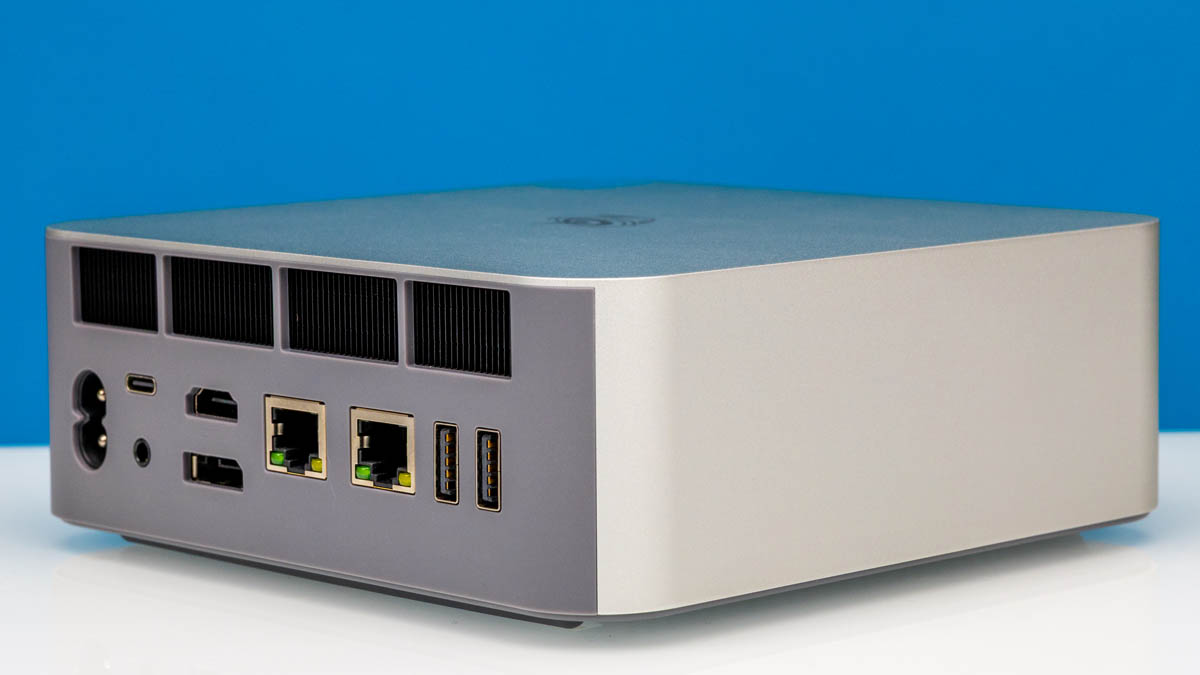
The Beelink GTi15 Ultra is an update to the Beelink GTi12 Ultra Mini PC Review we did some time ago. It combines a fast Intel processor and a great dual 10Gbase-T NIC with more integration than we saw in older Beelink designs. What is more, there is a GPU expansion dock option that is updated for this generation as well. As you might imagine, we have a video for this one:
We always suggest opening this in its own tab, browser, or app for the best viewing experience. Beelink sent us this unit to review.
If you just want to do a price check, you can find the unit on Amazon here: Affiliate link.
Beelink GTi15 Ultra External Hardware Overview
Like many of Beelink’s other mini-PCs, the GTi15 Ultra comes in a metal case with more than a passing resemblance to Apple’s own mini-PCs. But originality aside, it makes for an effective and fairly eye-catching design.
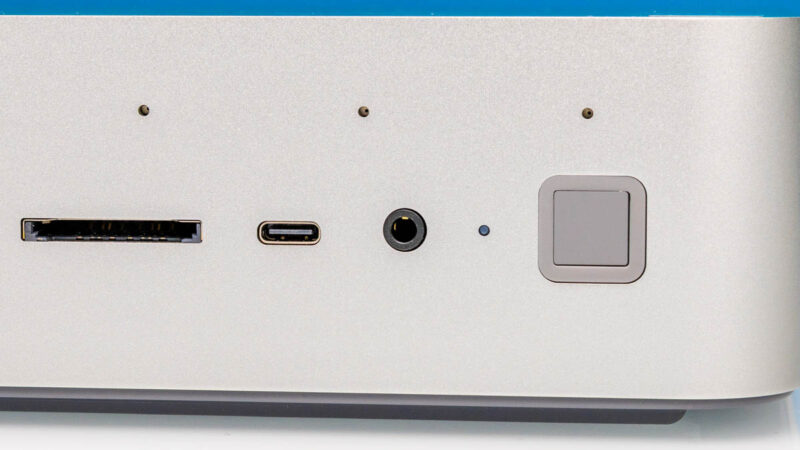
On the front we find a basic set of ports and buttons for easy connectivity and reach. A set of USB-A and USB-C ports provide connections for USB devices new and old. Both ports run at 10Gbps (USB 3.2 Gen2), which is fine for the USB-A port, but it does make the most easily accessible USB-C port on the GTi15 Ultra also the slower of the USB-C ports (the faster USB4 port is on the rear of the PC). Also found on the front of the GTi15 is a SD card reader for using the PC with removable flash storage.
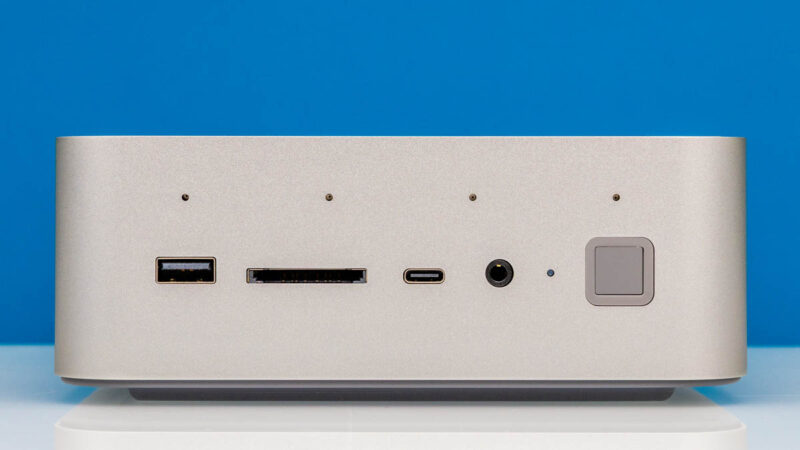
For audio, the GTi15 Ultra offers an interesting mix of options. A 3.5mm audio jack is present on the front of the mini-PC for attaching a headset, but like several other recent Beelink mini-PCs, the company has also outfit the front side of the machine with an array of 4 microphones. As in past cases, the array is to allow for voice isolation, separating a user’s voice from the background noise.
Finally, towards the right side of the PC we find another Beelink hallmark feature: the squared-off combination fingerprint reader and power button. Next to that is a small white LED, which lights up when the PC is turned on.
Meanwhile the sides of the mini-PC are fairly unremarkable, with the metal casing running around (and on top of) the PC.
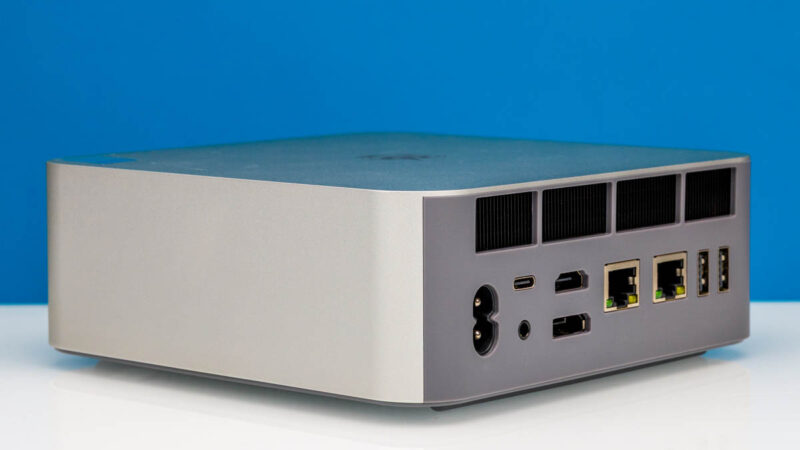
On the back side of the GTi15 Ultra we find the rest of the PC’s regular connectivity. And Beelink has managed to pack in a fair number of ports into what is otherwise a fairly small PC, while the bulk of the remaining space in the PC’s aft section is used for some very open cooling vents.
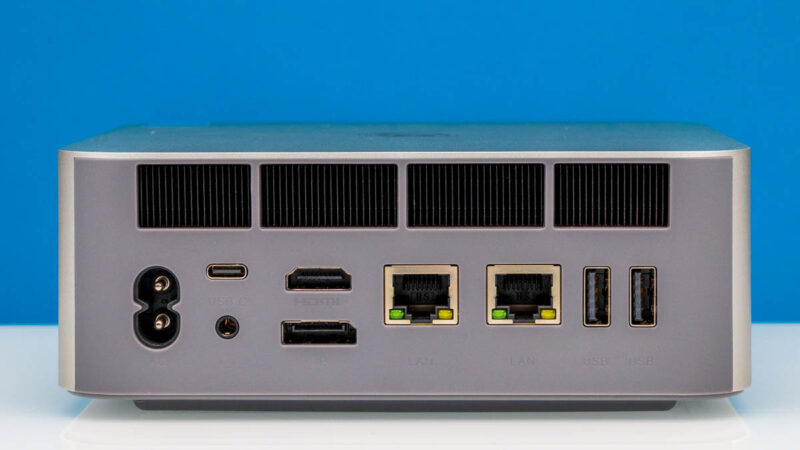
Starting from the left, we have a two-prong AC power connector. Because Beelink has a PSU integrated into the mini-PC, a simple AC power cable is all that is needed outside.
To the right of that is the PC’s sole 40Gbps USB4 port, offering the fastest I/O connectivity for the box. Note that this is not a Thunderbolt port – users wanting external PCIe connectivity will need to resort to Beelink’s GPU dock (more on that in a bit). Finally, a second 3.5mm audio jack is also found back here, for more permanent audio connections.
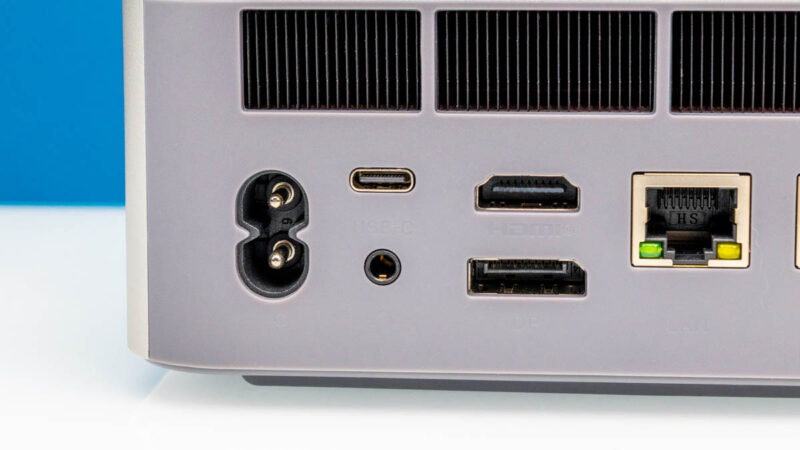
As for display outputs, both an HDMI port and a DisplayPort are provided. Both are driven by the PC’s integrated Arc 140T GPU, offering HDMI 2.0b and DisplayPort 1.4 support, respectively.
Moving over to the right side, we have two 10Gbps Ethernet ports. Beelink’s mini-PCs lean a bit harder into productivity/workstation usage than typical consumer boxes, so the company often opts for multiple Ethernet ports. In this case, both ports can run at up to 10Gbps each, thanks to the use of Intel’s FUE610XAT2 controller. This is normally more of a data center part, but it makes for a good multi-port controller in mini-PCs as well. And unlike some issues we have encountered with it on some Beelink devices we looked at earlier this year, Beelink’s implementation in the GTI15 Ultra is far more solid, as we have not run into any issues with the Intel-powered Ethernet ports in our testing.
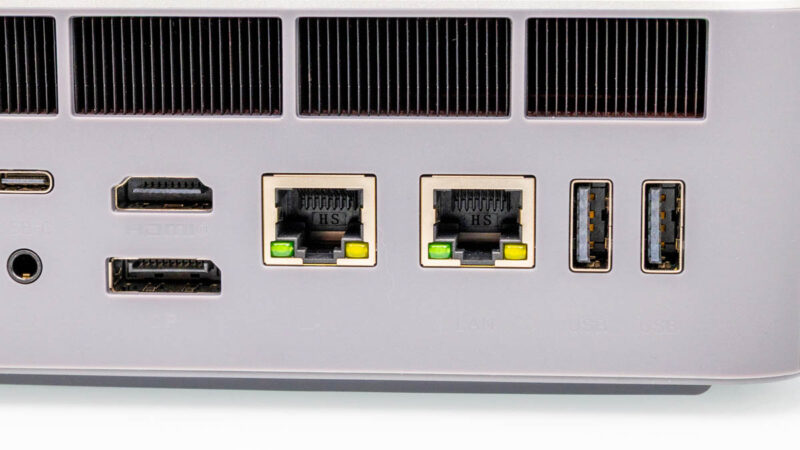
Finally, all the way to the right is a pair of USB-A ports. Like the front port, these ports both run at 10Gbps speeds. With 3 Type-A ports versus 2 Type-C ports, you will still find more of the older port types on this PC despite being 2025 – though PC mice and keyboards have been equally slow to make the transition as well.
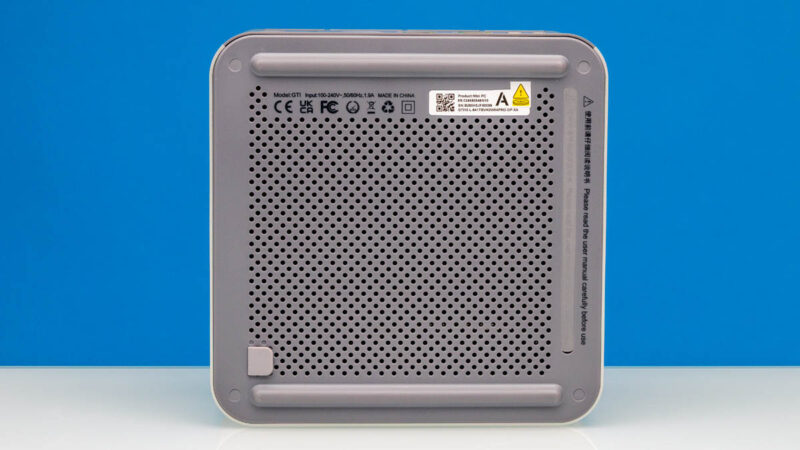
Flipping the GTi15 Ultra on its back, we can see the bottom of the PC. This is where the air intake for the machine lies, as well as two rubber feet. Finally, concealed under a rubber strip to the right is a tweaked PCIe slot, which is meant for use with Beelink’s EX GPU dock. It is also from the bottom that the GTi15 Ultra can be disassembled for servicing and upgrades.
Next, let us get inside the system.


“To the right of that is the PC’s sole 40Gbps USB4 port, offering the fastest I/O connectivity for the box. Note that this is not a Thunderbolt port – users wanting external PCIe connectivity will need to resort to Beelink’s GPU dock (more on that in a bit).”
What? PCIe tunneling is a mandatory feature of USB4, so of course it would work with Thunderbolt-based GPU boxes.
The full reason why is a bit above my pay grade. What I do know is that the GTi15 is not Thunderbolt certified, Beelink does not advertise it as such, and PCIe tunneling is not a supported feature.
It is officially a 40Gbps USB-C port that is capable of USB Power Delivery and DisplayPort 1.4 alt mode.
@Robert
No, PCIe tunneling is an optional feature for USB4 hosts. Thunderbolt 3 compatibility is also optional for USB4 hosts including extended data rates of 10.3125G and 20.625G and extended power delivery (TB3 provides different voltages and more power than base USB4).
Both features are mandatory for USB4 hubs and docks.
Can you provide a picture of the idle power draw you mentioned? I do see more than 27W on my unit which is consistent with all other reviews published so far. It will be interesting to see how you achieved those numbers (e.g. bios and firmwares).
I understand that. However, it is labelled as a 40Gbps USB4 port. That is only possible if it supports PCIe tunneling, otherwise it would need to be a 10 or 20Gbps port, which is USB3.2 gen1/2 or gen1/2×2.
I’m not trying to fault the article or anyone here, I am just genuinely surprised, because I’ve never seen a USB4 implementation on any device that advertised the full 40Gbps speeds without PCIe tunneling and I’m not entirely sure how that’s possible. Without PCIe, it should just be a USB 3.x port with DP alt mode support.
And in any case, the CPU itself technically has four built-in Thunderbolt 4 controllers and even if they didn’t use any of those and opted for an external USB4 controller, that must connect via PCIe, so the option should be there. Which makes it seem like a software limitation. But again, I don’t know what they did there, it just doesn’t make much sense to me.
Pcie x8 slot, not 16
@Robert
No, 40 Gbit/s does not mandate PCIe tunneling either. USB4 defines its own third generation of USB tunneling capable of 20 Gbit/s (USB4 Gen 3×1) and 40 Gbit/s (USB4 Gen 3×2). USB4 v2.0 goes further with Gen 4 up to 80 Gbit/s.
Having Thunderbolt 4 controllers isn’t enough since TB itself requires periphery elements on the motherboard, especially around power delivery, tighter integration with the rest of the system, and of course paid certification. Those all cost money which Beelink doesn’t think is worth the potential benefits.
Have you tried to install pfsense or TNSR on it? It looks like it could be a fine router for 10Gbit