

ASRock Rack 4UXGM-GNR2 CX8 Topology
Here is the block diagram of the motherboard. This shows how the various MCIO cables are connected to the system.
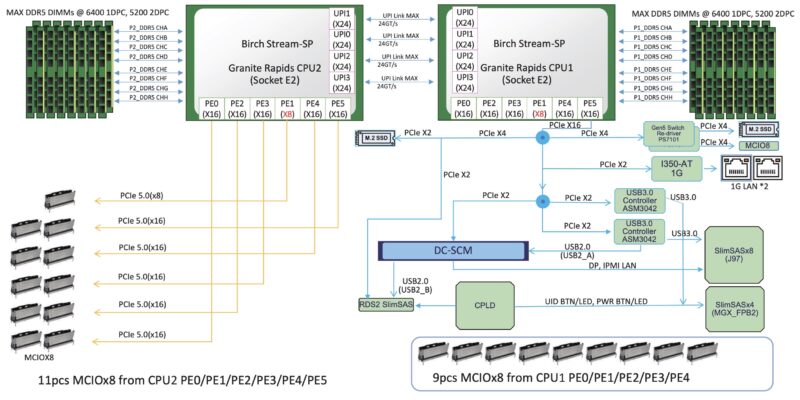
Also new in this generation is that there is not a PCH in the Intel motherboard design, so that generally makes the topology simple. We can see the four UPI links between the CPUs, and then the 88 lanes of PCIe from each CPU.
Still, we have shown the MGX switch board before, and thought you might like to see it. The board itself was hard to remove, and we did not trust ourselves putting the system back together, so we used some stock photos from the early samples we saw in 2025.
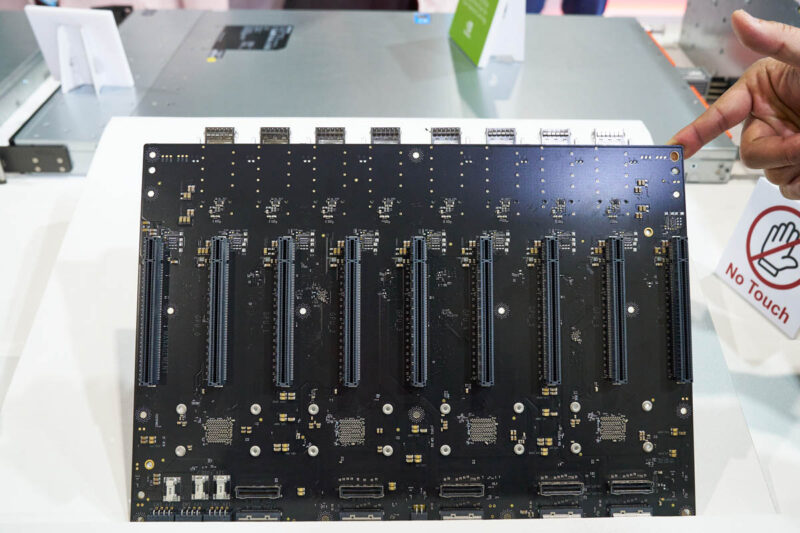
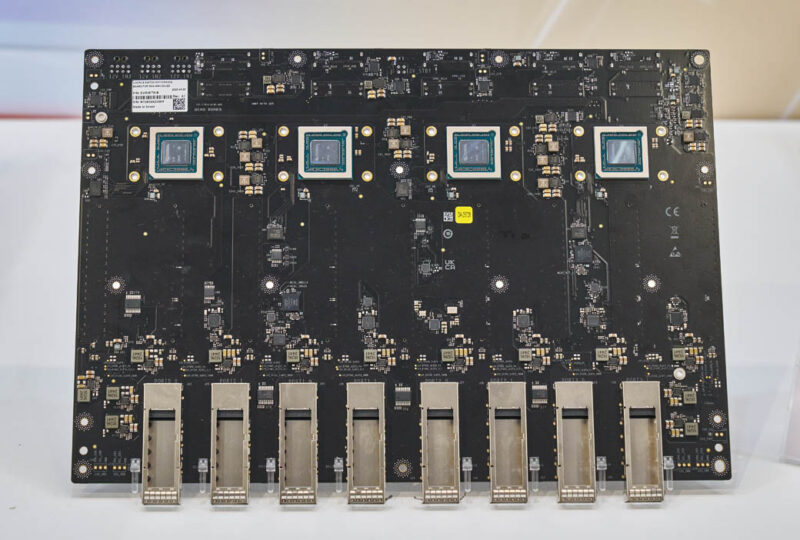
As you can see, there is a slot for the BlueField-3 DPU and then eight slots for the GPUs on the same side as the MCIO connectors. Then, on the other side, we get the four NVIDIA ConnectX-8 NIC chips that integrate the PCIe switches. We can also see the QSFP112 cages, which allow for better cooling of the optics in the rear of the system.
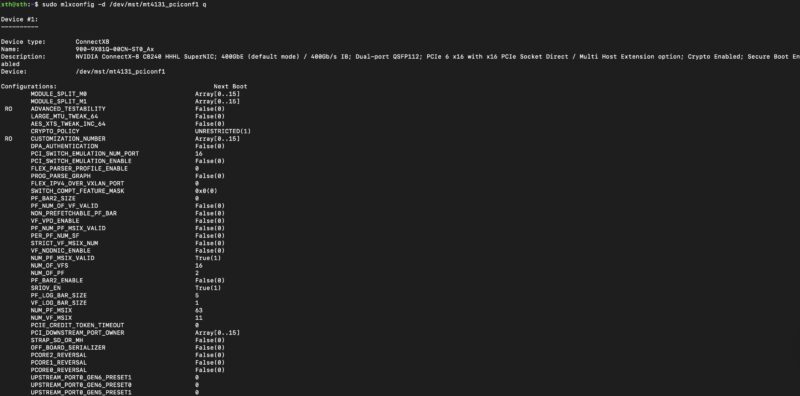
Many may overlook the feature, but the NVIDIA ConnectX-8 has a lot going on in its mlxconfig. In a standard card, you can set up the x16 connector and the NIC ports fairly easily, but there are other options. One of the important ones here is how to configure the onboard PCIe switch.
We were about to create this diagram, but remembered that NVIDIA already released one showing the difference in the system topologies. The PCIe switches can be two big or more smaller switches, but with the ConnectX-8’s the change is that you do not need to add the switches, and you get more effective bandwidth per GPU. In previous systems, we might see four 400GbE NICs, for 1.6Tbps of GPU bandwidth. In this system, we now have eight 400Gbps links for 3.2Tbps total. That also does not include the 400Gbps for the BlueField-3 DPU handling North-South traffic.
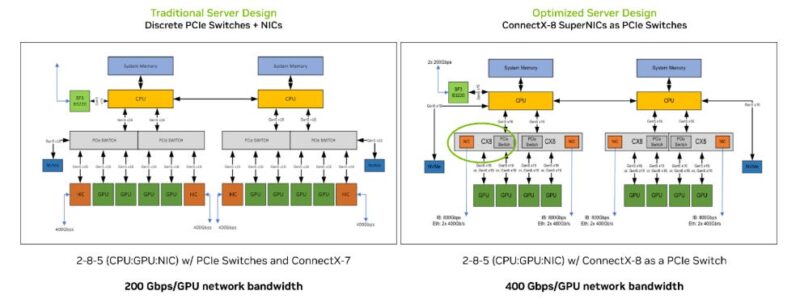
If you want to read more detail on why this change is such a big deal, you can check out our Substack post on this:
Really, the rest of the server is evolutionary compared to what we have seen previously, but this is the big revolutionary feature. In 2015 we did our first ASRock Rack 3U8G-C612 8-Way GPU Server Review when the PCIe switch architecture was becoming common. Now, NVIDIA has changed the architecture to remove two expensive components and provide more bandwidth to each GPU.
Management
Since we just went into the ASRock Rack AMPONED8-2T BCM Motherboard Review and the management there, we are not going to go into detail again here. You can check that one out for more detail on ASRock Rack’s management.

The key item here is that the system has industry-standard remote management capabilities. One small item we should add is that the NVIDIA BlueField-3 DPU actually has its own management interface. Some will use this, for example, to provision network encryption and security, and to present network storage to the host system.
Performance
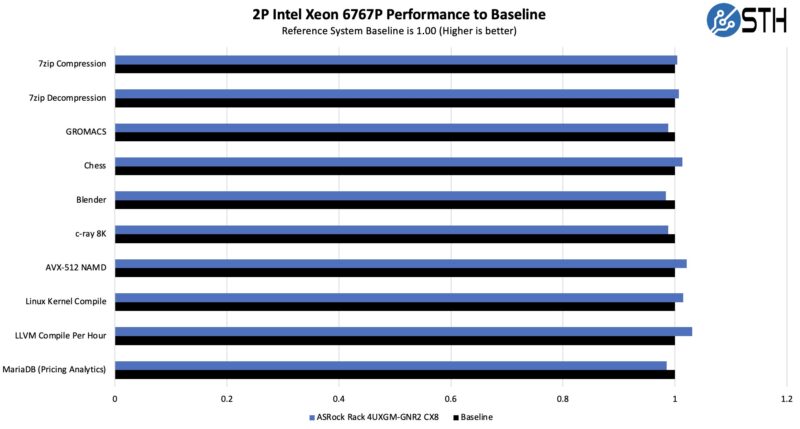
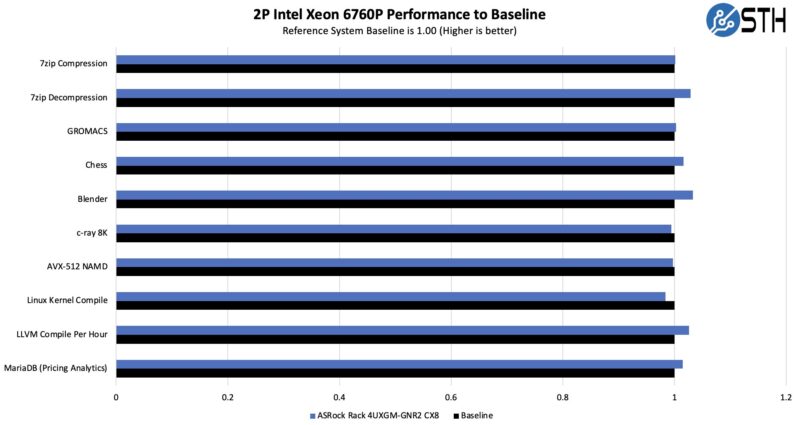
On the performance side, realistically, the benefit of this type of setup is that you can scale out to many GPUs, not just having a single system like we had to test. Still, we wanted to focus on four performance areas and compare them with other systems we tested. Those are CPU, GPU, and NIC performance. The NVIDIA subsystems are designed to operate at specific performance levels so long as they have the power and cooling to do so. As a result, we wanted to validate that the ASRock Rack platform was able to keep everything powered and cooled.
On the CPU side, we used the Intel Xeon 6767P CPUs just so that we could test against another reference system.
We also wanted to test the Xeon 6760P’s we have used before:
We could then test the NVIDIA RTX Pro 6000 Blackwell Server Edition GPUs to ensure they were getting proper cooling.
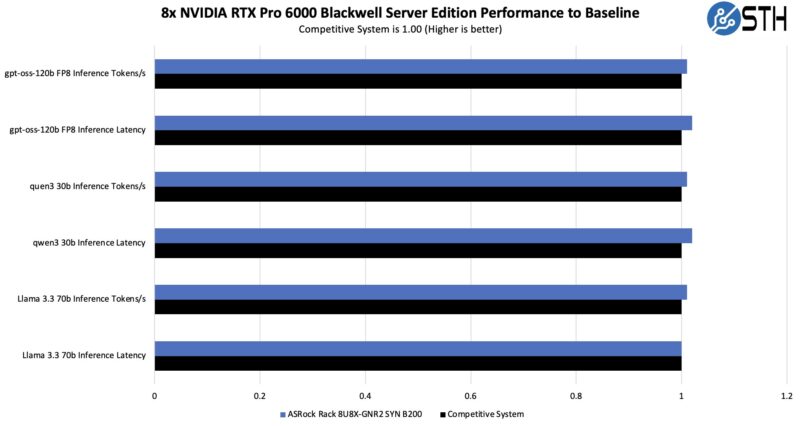
We ran these GPU-by-GPU and found that there were no major variances in the GPU performance depending on where they are. In some systems, we have tested some GPUs that get better cooling than others.
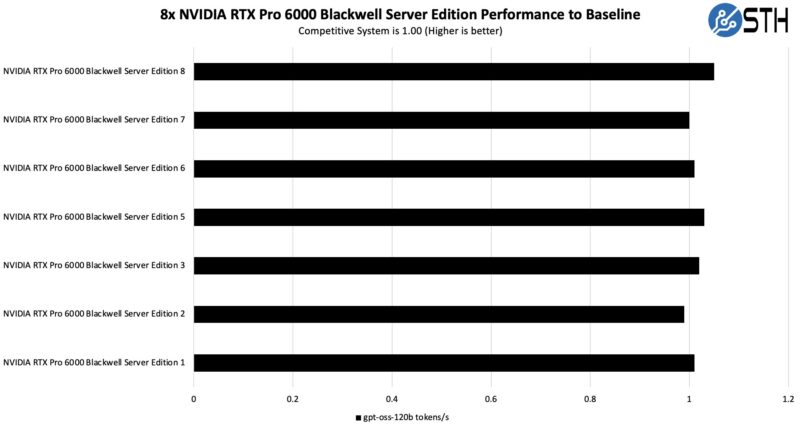
After 10 runs we still had some variation, but the GPU temperatures were within 2C so this seems to confirm we have good cooling here.
We did not get to test the MiG support, but the GPUs can support MiG which is really interesting since it would give up to 4x 8 = 32 GPU partitions with 24GB each.
+-----------------------------------------------------------------------------------------+

| MIG devices:                                                                            |

+------------------+----------------------------------+-----------+-----------------------+

| GPU  GI  CI  MIG |                     Memory-Usage |        Vol|        Shared         |

|      ID  ID  Dev |                       BAR1-Usage | SM     Unc| CE ENC  DEC  OFA  JPG |

|                  |                                  |        ECC|                       |

|==================+==================================+===========+=======================|

|  0    0   0   0  |           32942MiB / 97251MiB    |188      0 |  4   4    4    1    4 |

|                  |                 4MiB / 131072MiB |           |                       |

+------------------+----------------------------------+-----------+-----------------------+
We also now have reference data to test against the NVIDIA ConnectX-8 NICs.
A key difference between this implementation and what we used for our NVIDIA ConnectX-8 C8240 800G Dual 400G NIC Review is that we used two PCIe Gen5 x16 links to the NIC there, while these systems only have a single link. Instead, the additional bandwidth is intended for use on the GPU side. We at least wanted to test the 400G network connections versus what we got on our Keysight CyPerf and IxNetwork setups.
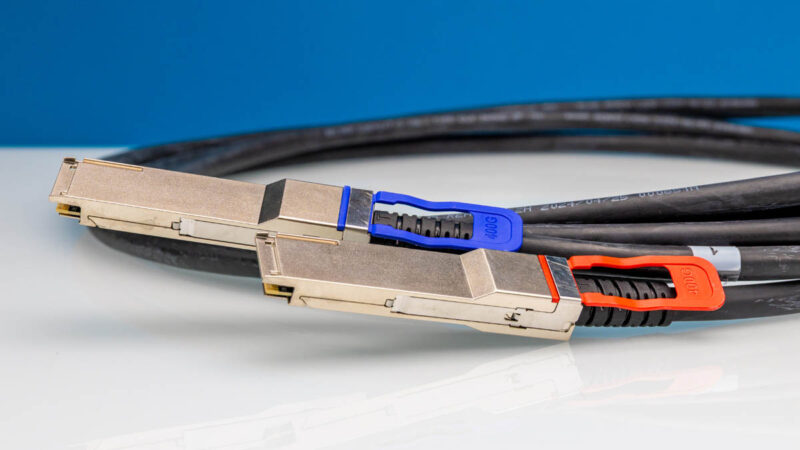
It turns out that we saw just about the same 400Gbps of performance on these NICs. This is similar to what we would see with a single PCIe Gen5 x16 link to a ConnectX-8 NIC.
Overall, this was a great performance from the system.




It looks like the storage backplane blocks airflow. If this is true, how are the SSDs cooled?
I think not anyone will connect 32 monitors to the 32 display ports in this system. So what is the purpose of so many display ports?
None of the DP outputs may be used if the cards are utilized for virtualization or AI workloads.
The cards have DP outputs because they could also be used in desktops or workstations and they also share the same PCB as their actively cooled variants, NV just did away with the fans, but decided to keep the same ports as the other versions.
You could, of course, also hook up a giant video wall, but I don’t think this is the right system for that purpose.
If I’m understanding this correctly, the GPUs are not directly used by the server? They’re just powered by the chassis and goes through the 400Gb link to the switch, which then goes back to the server? So you could have a rack full of these, and expose ~80x GPUs to a single 1U system? (Or more likely, a SLURM setup?)