

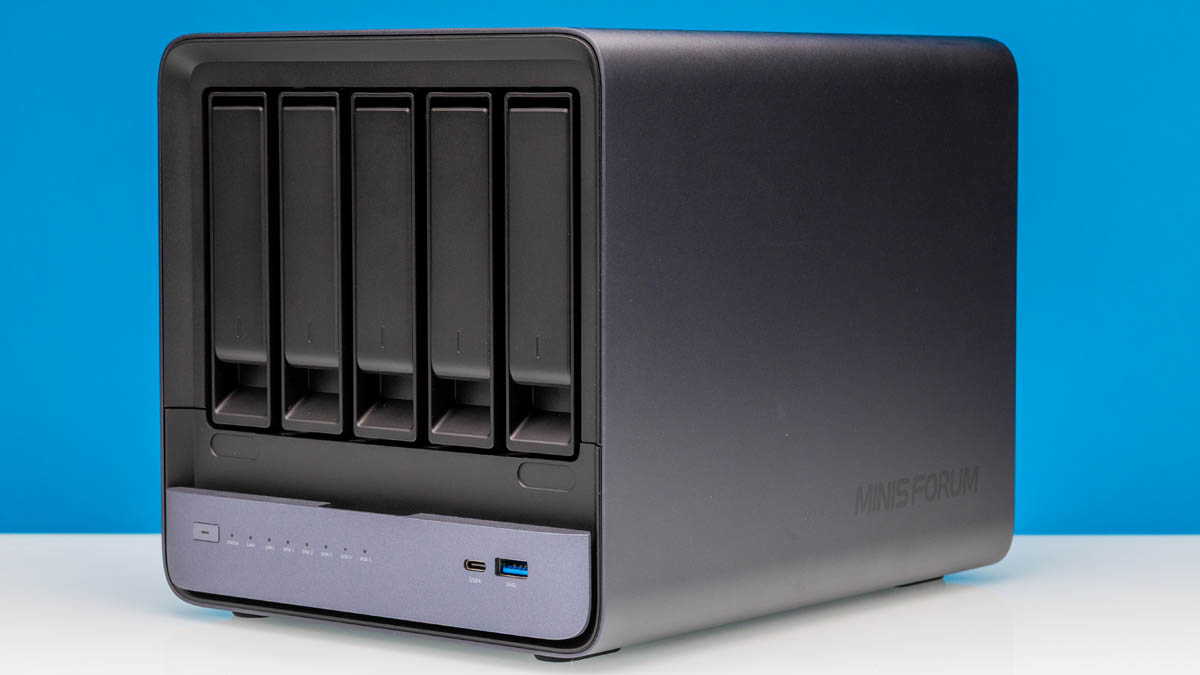
There have been few platforms I have been more excited about recently than the Minisforum N5 Pro. This is a 5-bay 3.5″ NAS platform, which may not sound exciting. On the other hand, Minisforum added 10GbE, M.2/U.2 storage support, a PCIe slot, and an awesome CPU. Instead of using a lower-performance part, this system uses a fast AMD Ryzen AI processor with a decent integrated GPU, NPU, and, of course, Zen 5 cores. This is a winning combination. Of course, for this one we have a video.
This is also the reason we did the Seagate Expansion 28TB External HAMR HDD Mini-Review. (Amazon affiliate link to those 28TB external hard drives.) If you want to check current pricing, we found a few configurations of these on Amazon – N5 Pro no memory: (Amazon Affiliate) – N5 Pro 16GB (Amazon Affiliate) – N5 Pro 96GB ECC (Amazon Affiliate)
Minisforum N5 Pro External Hardware Overview
The front of the Minisforum N5 Pro is quite stylish as these things go. At 199mm x 202mm x 252mm it is also a reasonable size for a 5-bay NAS. We have reviewed many smaller NAS units focused more on SSDs, but having 5x 3.5″ drives immediately adds significant volume to the NAS.
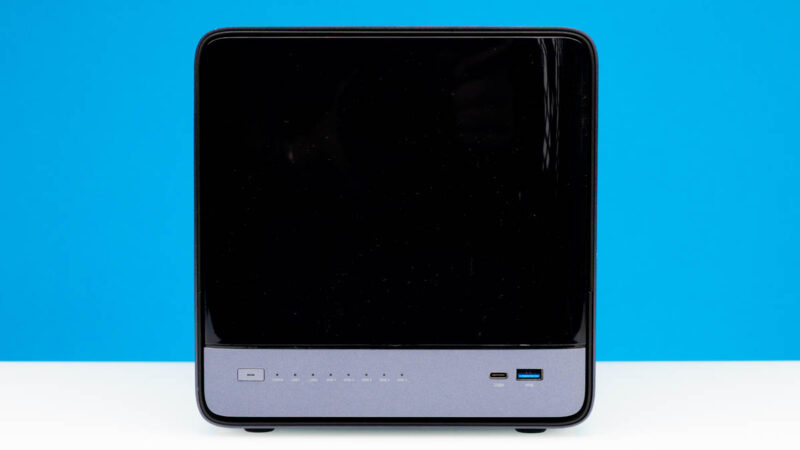
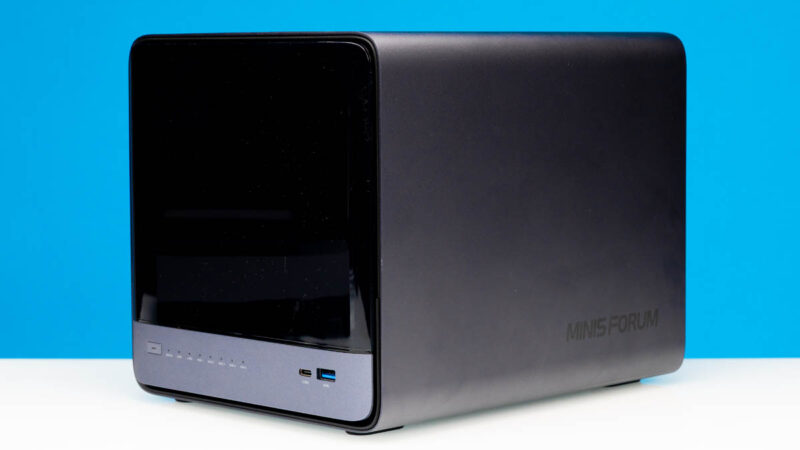
Something that should be noted is that the front cover is a glossy piece of plastic that magnetically attaches. There is no locking mechanism on the drive bays or the front cover, but this is at least some protection against accidential removal.
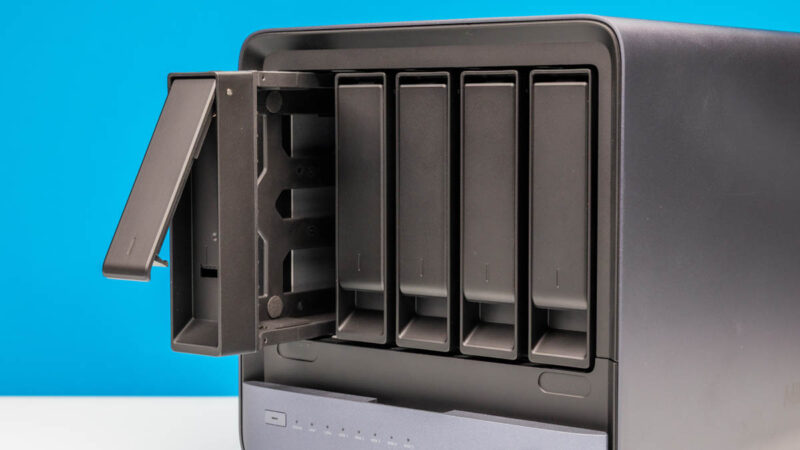
The drive trays are tool-less for 3.5″ drives and have screw mounting points for 2.5″ drives.
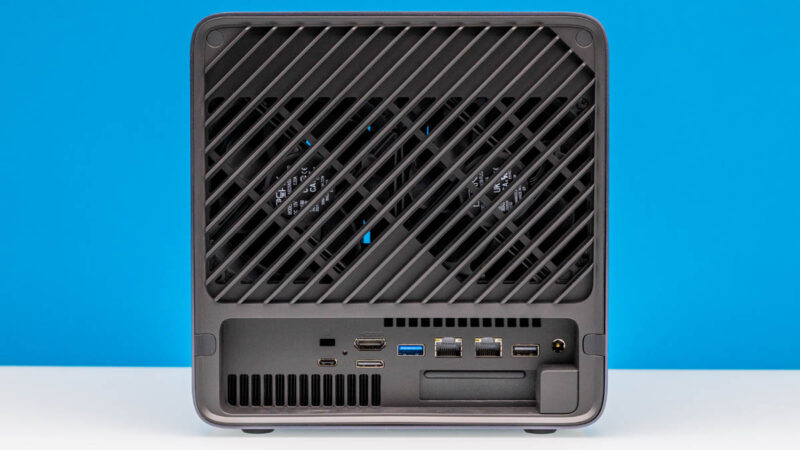
At the rear, you can see we have a lot of room for airflow.
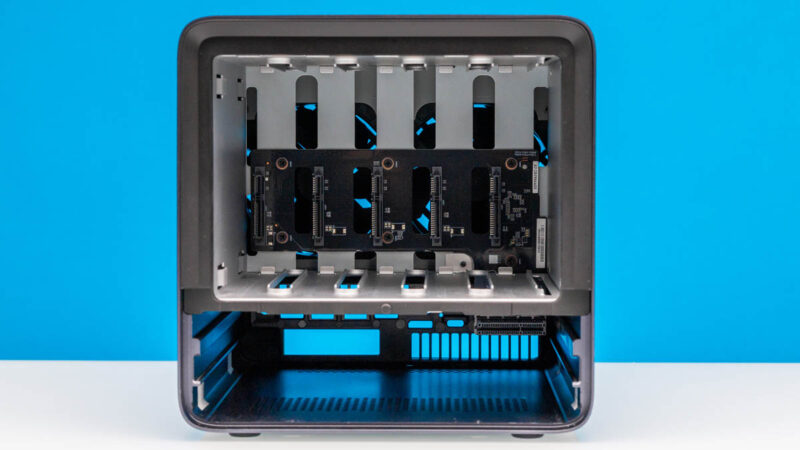
The front also has a wide array of status LEDs for the system and the network/ disks.
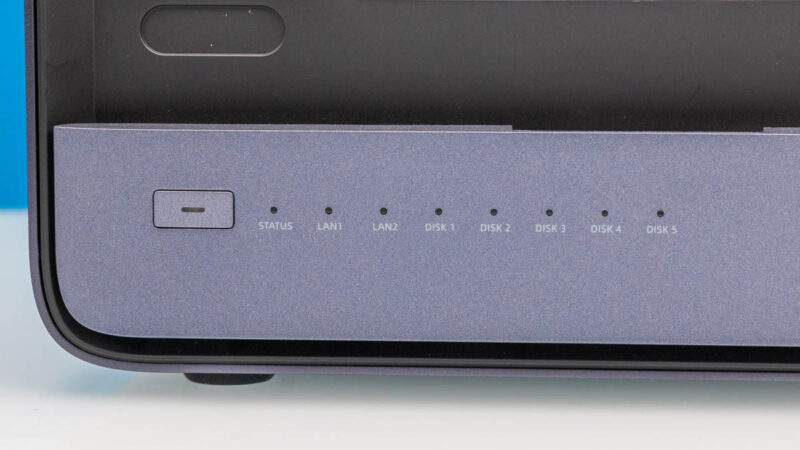
We also get a USB4 port and a USB 3.2 Type-A port. USB4 is still not overly common on NAS devices, but we get it here as this is perhaps more of a hybrid device.
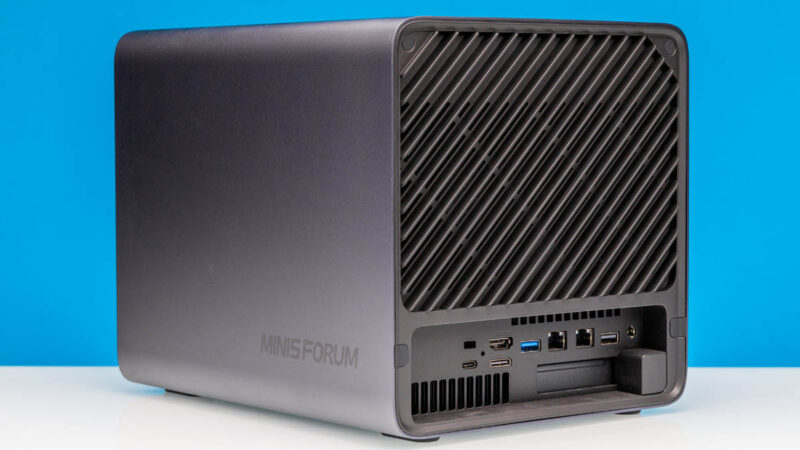
The branding is actually quite nice on the side of the unit.
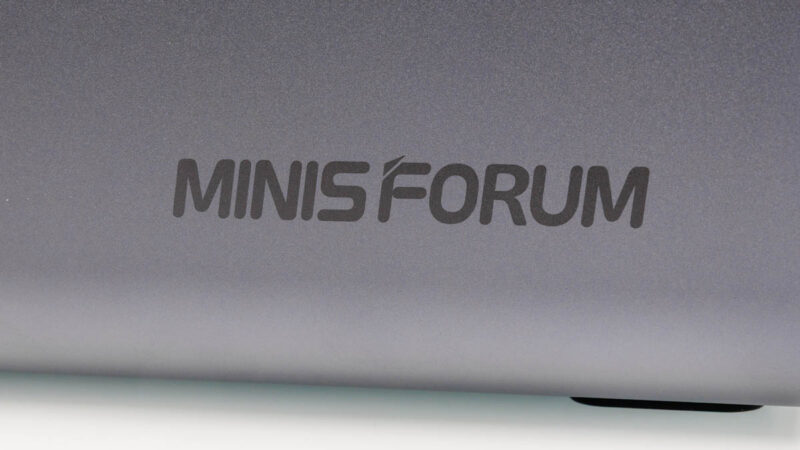
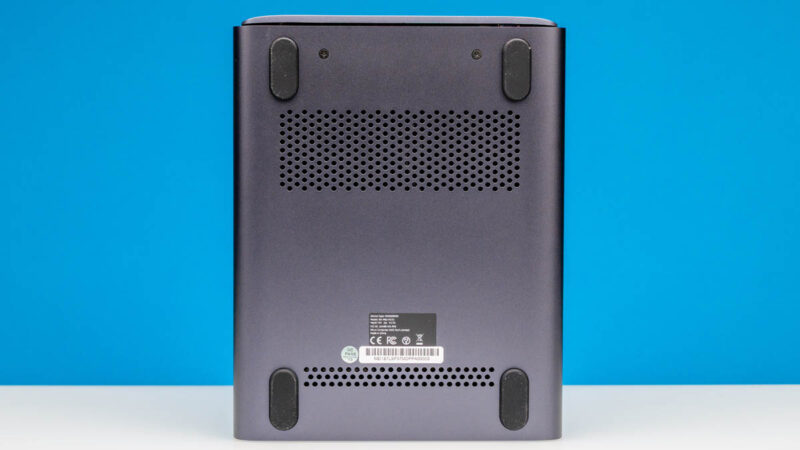
On the bottom we get vents, and substantial rubber feet. The two screws are there to hold in the compute tray that we will get into as part of our internal overview. For now, just know those are what keeps the compute tray secure in the NAS unit.
On the back, we get a lot of vents including the main secton for two large fans. These cool the hard drive area while the bottom is cooled by different fans that also use the lower vents at the rear.
One way to think of this is as a MS-A2 style compute tray at the bottom with 3.5″ hard drives on top. That is not a perfect description, but it is a decent mental model to use.
For I/O on the rear we get another USB4 port, a HDMI port, an OCulink port, then two USB Type-A ports. One is a USB 3.2 port and other other is a USB 2 port.
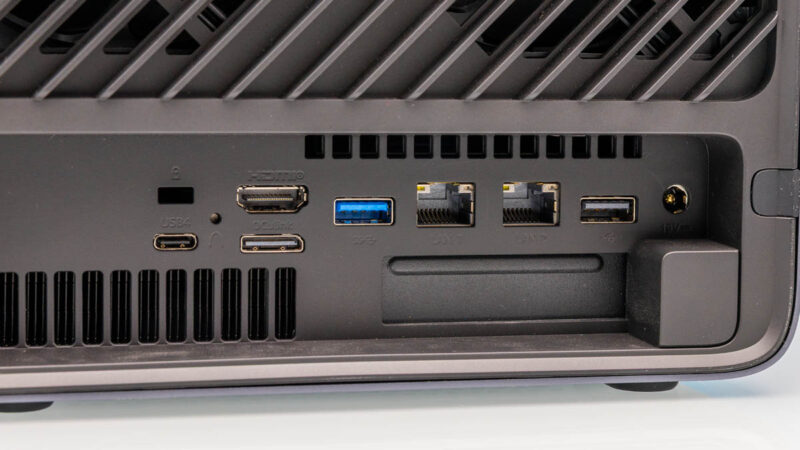
Networking is interesting. We have both Realtek RTL8126 5GbE and Marvell AQC113 10Gbase-T networking. The ports may look the same, but they are different network speeds and use different network vendors.
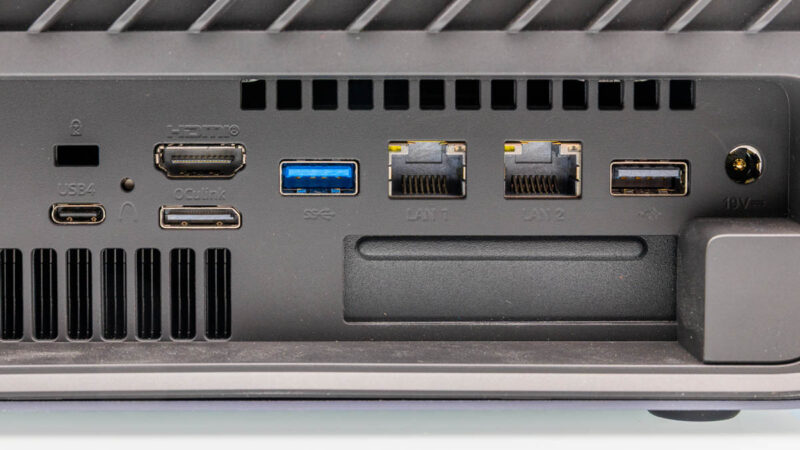
Two other features are the 19V DC input and the low profile card slot. The 19V input means we have a large external 280W power brick. It also means we have not the most secure power to the NAS. We would prefer a screw on DC power input at least to ensure the power is not bumped out of the NAS. Power events on a NAS are a big deal so not having an internal power supply, and simply having this DC jack is probably not our favorite design element.
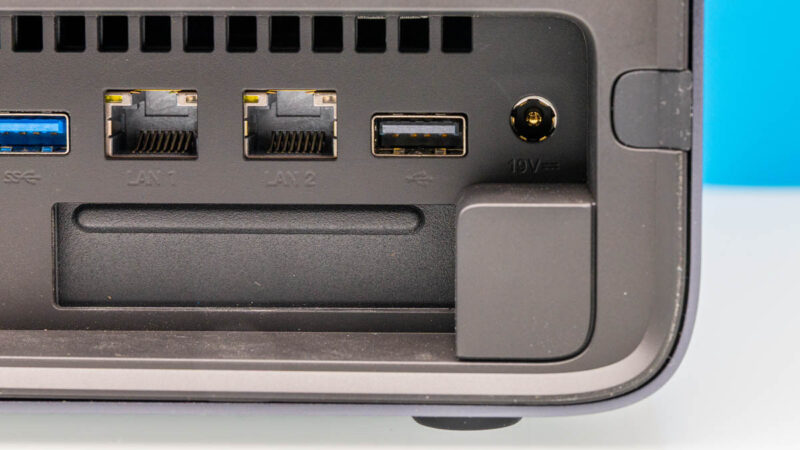
The low profile card slot we will get into more as we get inside the system next.


I’ve only got 3 complaints
1. Please ship without your OS. TrueNAS is fine
2. SFP+ instead of Base-T even if it’s just for 1 port
3. Make me believe you’re gonna help if there’s a problem
Honestly, my only complaint with my experiences with Minisforums is their garbage BIOS support/updates/breakages for their platforms.
My last minisforums was the AMD 7945 based box. Literally had to stay on the launch BIOS because all of the fix BIOS they released after the fact made things worse. Stability, memory support, all of it.
That being said, wanted to point out there is no link back to this article on the youtube video.
Once again, can’t even label the performance charts? Come on, do better. Also, under Power Use, you state eight 28TB drives? In a 5 bay NAS? Magic.
A few slightly curious decisions; but I’m pleasantly reminded of the older HP microservers, NL54-era, from before they decided to switch away from situationally appropriate mobile-focused CPUs and toward basically the most depressing xeons intel bothers to sell(along with things like typing boot m.2 to the ILO kit).
Please, please, please, please mention in the first page of the article if the system can run TrueNAS or boot an alternative OS. It saves a lot of time.
Thanks for the very nice review! I’ve put this on my “would be nice to have but hard to justify over my old self-built TrueNAS box” list. Looking at the specs, the price is actually very competitive. Not much more expensive than mini PCs with the same CPU:
999 EUR Minisforum AI X1 Pro (including 32GB RAM and 1TB SSD)
1050 USD GMKtec EVO-X1 (including 32GB RAM and 1TB SSD)
Did anyone else also think that it’s very unusual to see support for 110 mm m.2 (22110)? In fact geizhals.eu only lists 14 models with this size, compared to 1324 models with 2280.
I just bought one of these. I fail to be impressed with the OS that comes pre-installed. When booting up into it there is a label describing it as “beta”. I’d not expect something sold for $1000 to be “beta”. I wish it were easier to add and remove NVME/M2 drives cause doing so requires opening up the machine. Adding/removing hard drives in any of the 5 bays is very easy. It’s a tad pricey but I do appreciate that it can hold all kinds of storage devices.
Did you try the QNAP 25G NIC card in the PCIe slot?
I bought one of these on Amazon, and I love it. It was just under $1600 for the model with 96GB of LPDDR5 ECC memory.
I’ve been looking for a capable mini-server to act as a secondary host for virtual machines (so I can do updates on the main VM server) and also to act as a server for regular backups. This thing is perfect.
It has a very-capable processor and space for up to 3 NVME M2 SSDs and 5 full-size hard drives. I bought the version that includes 96GB of ECC memory, and I installed 3 Adlink D60 2TB SSDs. These are high-endurance (3,800 TBW) PCIE 4 SSDs with Power Loss Protection for a great price.
I removed the built-in NAS software it comes with and instead installed Proxmox VE and Proxmox Backup Server. The former gives a powerful and flexible environment for hosting virtual machines that can operate as part of a cluster with my other Proxmox server.
I use the SATA hard drives to create a separate ZFS pool for Proxmox Backup Server. This allows rapid, incremental backups of all my VMs and incorporated deduplication to greatly reduce storage needs.
All this gives me the power of a commercial small server for a lot less money and in a much smaller and quieter space.
So far it has performed perfectly and is cool and nearly silent.
What about remote management? Are there any headers for the power of reset buttons, for piKVM-style addons, or even PICe boards?
Would the BIOS even recognize the Asrock PAUL impi card?
Can anyone confirm if this motherboard and CPU support a memory configuration with a single SO-DIMM?
With the increase in RAM prices, one could think about getting a smaller amount of memory with one single SO-DIMM, and then double it up in due time, when (and if!) prices become more affordable…
The idea is awesome, but I’ve heard some downfalls regarding Minisforums support and software stability which is a big no with any NAS.
But, I would love an 8 bay version; the additional space (beside the original motherboard) can be used for both a built in PSU and a dual slot, full height PCIe slot, so just a GPU slot to say.