When AMD first announced its high-end Ryzen AI Max (Ryzen Halo) chips at the start of last year, the company aimed to use them across a wide range of computing markets, including laptops and desktop PCs. The product ecosystem built around AMD’s powerful integrated chips has turned out far wilder than the company expected, largely because demand for local AI inference systems has exploded. We have not seen as many laptops, but the desktop mini-PC space with these has grown like crazy since these make great local AI boxes to run agents and models in an always-on fashion.
As a result, when one of AMD’s partners does something with the Ryzen AI Max that isn’t just a small black box, it can turn some heads. That is exactly what we are seeing today with the latest Ryzen AI Max+ 395 mini-PC to cross our labs, this time coming from ASRock Industrial. The Taiwanese vendor’s industrial arm, ASRock Industrial, has a reputation for building no-nonsense machines with a few extra features for the industrial market. This gives us a chance to see what they think a no-nonsense Ryzen AI Max box should look like.
| ASRock Industrial AI Box-A395 Key Specs (As Configured) | |
| Processors | AMD Ryzen AI Max+ 395, 16C/32T (5.1GHz) |
| Operating System | None: Barebones (As Tested: Ubuntu Linux 26.04) |
| Memory | 128GB LPDDR5X-8000, Soldered |
| Drive Bays | 1x M.2 2280 PCIe Gen4 x4 (Empty) 1x M.2 2280 PCIe Gen4 x4 (Empty) |
| GPU | Radeon 8060S Graphics (40 CUs) |
| PSU | 400W Internal PSU |
| Form Factor | Small Tower PC |
| Dimensions | 200 x 100 x 232 mm (7.87 x 3.94 x 9.13 in) |
| Weight | 2.8kg (6.2 lbs) |
| Wireless | Wi-Fi 7 (2×2) + Bluetooth 5.4 (MT7925) |
| Color | Aluminum |
| Ports | Top: 2x USB-A 480Mbps Rear: 2x USB-C 40Gbps, 1x USB-C 10Gbps, 2x USB-A 10Gbps, 2x HDMI 2.1, 1x 10GbE (RJ45, AQC113), 1x 2.5GbE LAN (RJ45, RTL8125BG), 1x 3.5mm Line-Out, 1x 3.5mm Mic-In |
Officially, ASRock Industrial promotes the barebones AI BOX-A395 as an AI workstation PC. While it can certainly be used as one, as we will see when we talk about its build and configuration, that marketing spin is probably a bit too optimistic. Instead, the AI BOX-A395 is best framed as a portable Ryzen AI Max system for industrial environments. It is a Ryzen mini-PC meant for on-the-go use or environments where it can run on its own without babysitting.
If you wanted to find the ASRock Industrial AI Box-A395 online, here is a Newegg affiliate link.
ASRock Industrial AI Box-A395 External Hardware Overview
Starting with a look at ASRock Industrial’s Ryzen AI Max+ 395 mini-PC from the outside, you will immediately notice this is not the usual low-profile, wide-and-low mini-PC design. Instead, ASRock has opted for a more micro-tower style configuration, with the system’s motherboard sitting vertically. This makes it very space-efficient in terms of 2D floor space.
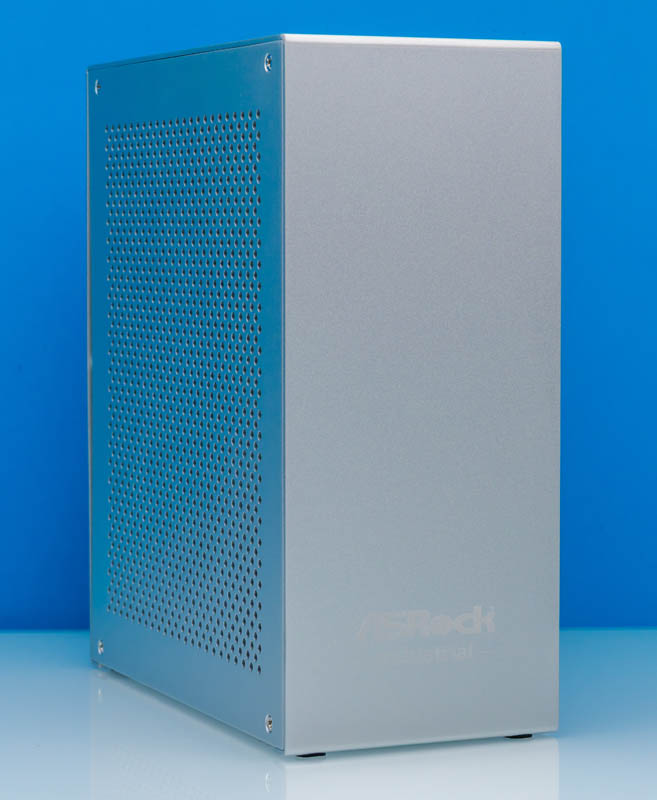
The other thing you will notice is the system’s aluminum body. There is also a large collection of vent holes on the left side of the system. Now install the optional carrying handle along the top side of the system, and it bears more than a passing resemblance to Apple’s 2003 Power Mac G5, otherwise (lovingly) known as the cheese grater. Between the unpainted metallic case and the small vertical vent holes, you cannot escape the comparison. If nothing else, it is a very distinctive design in a market flooded with a mix of colorful gaming-adjacent designs or minimalistic corporate designs. The one design that we looked at which is roughly a similar size and orientation is the Framework desktop, which we went over a bit in the video.
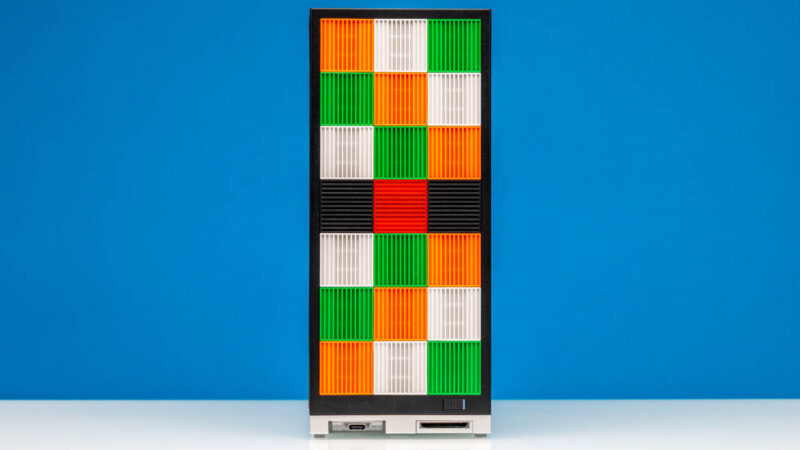
Even with this tower design, ASRock Industrial has taken the interesting route of not bothering to use the system’s front at all. Not for I/O ports or cooling. The only thing on the front is the company’s logo. Once we take a look at the internals, the whys of this will become a bit clearer, but for now it serves to underscore how this is not a traditional mini-PC in terms of design, cooling, or how it is meant to be used.
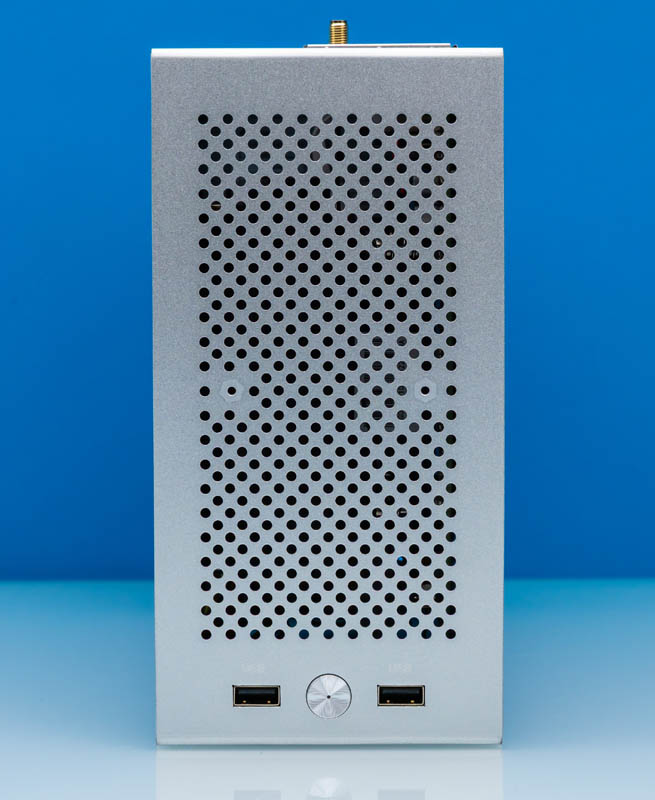
So if there are no I/O ports or buttons on the front of the system, where are they? As it turns out, it is all on top. In front of another large collection of vent holes (and mounting points for the handle), ASRock Industrial placed the system’s power button and a pair of USB-A ports at the top, as far forward as possible.
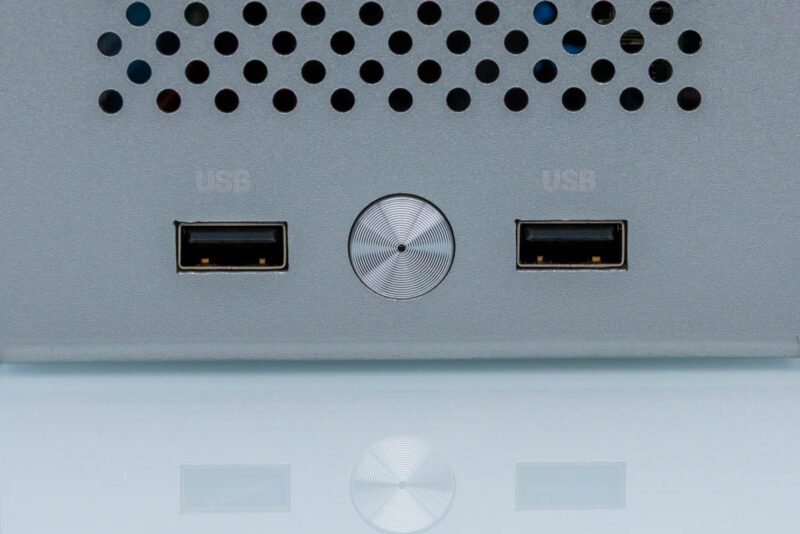
The USB ports here are one of a few different surprises with this mini-PC. The black ports are not (just) a design choice. These are not SuperSpeed USB 3.x ports. Instead, these are classic 480Mbps USB 2.x ports. As the only two ports not on the rear of the system, this means there are no high-speed I/O ports on the front. This system assumes you will plug in basic peripherals at the top, and that is it. This is one of a few reasons why, despite ASRock Industrial’s “workstation” marketing, this is much closer to the kind of industrial PC design the group is better known for.
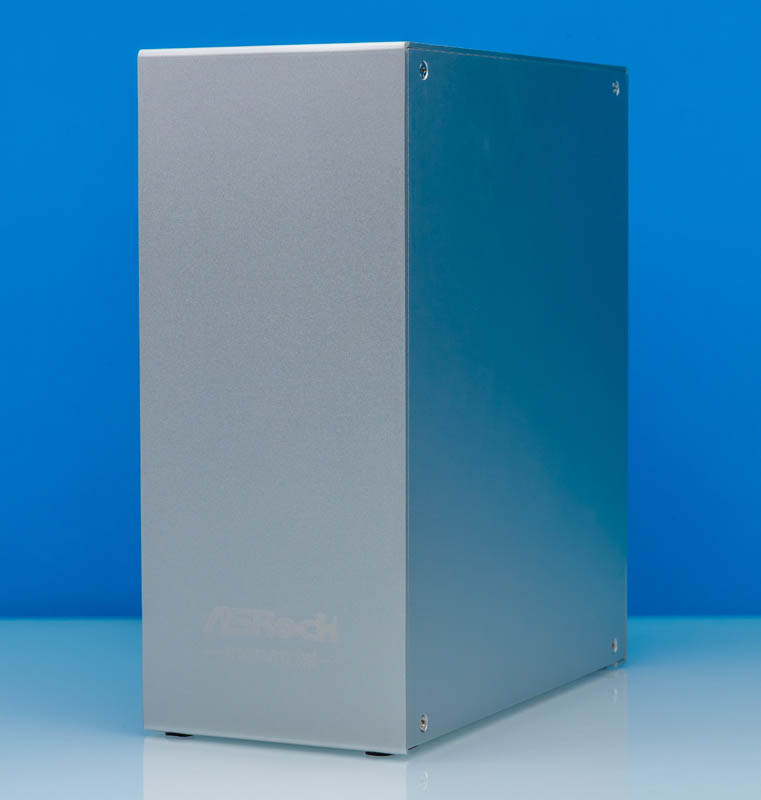
Moving on, if we stand the system up again and rotate it slightly to the left, we can see the right side. Like the front face, this side is blank. There are no vent holes or other notable features. Some screws hold the panel on and let you remove it to access the back side of the motherboard.
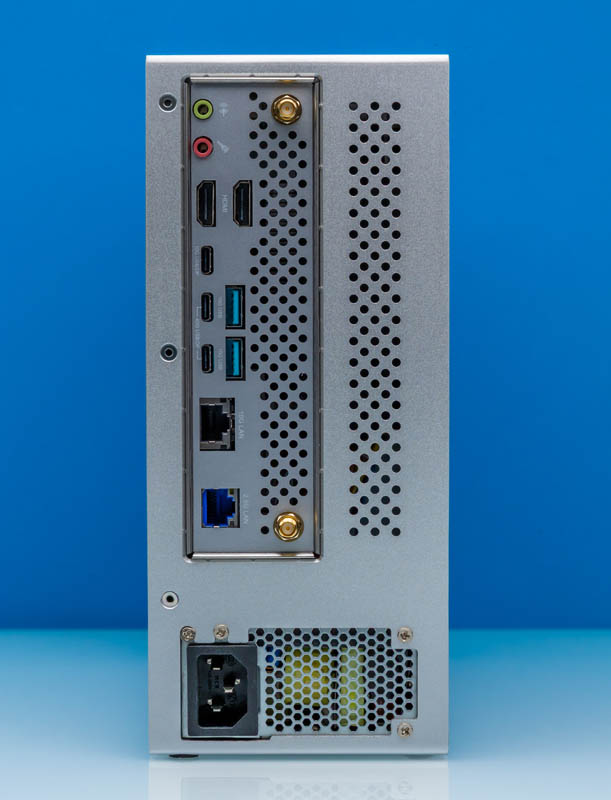
For the rest of the story on the A395’s chassis, we need to turn to the rear side of the system, which immediately illustrates just what kind of a system we are looking at.
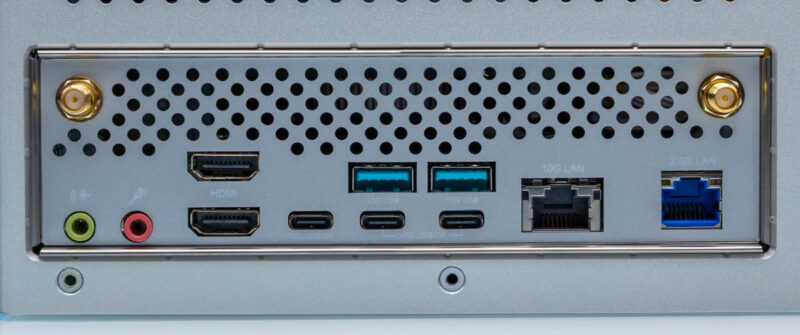
Right off the bat, we see the familiar rim of an ATX I/O shield. The A395 is sold as a barebones PC, and it certainly lives up to those expectations. ASRock has not designed a highly custom case just to fit the Ryzen AI Max+ processor, but instead we are looking at AMD’s high-end AI chip placed inside of a standing mini-ITX form factor case. An integrated power supply, no less.
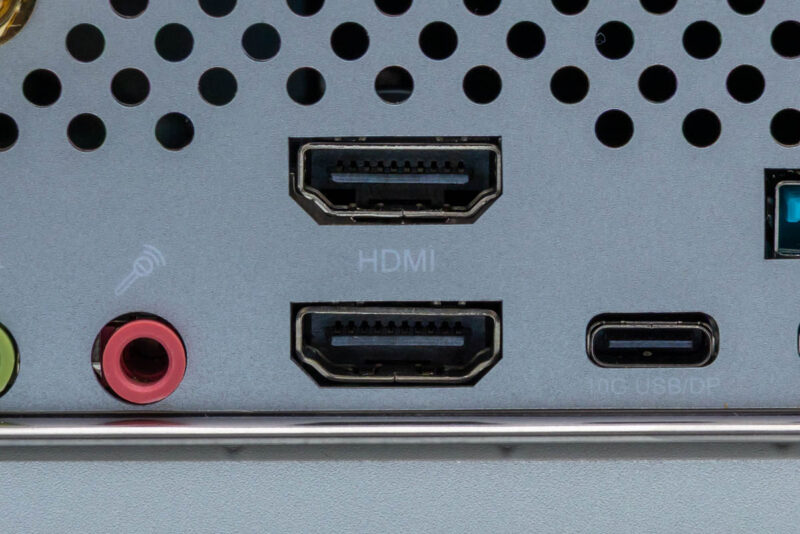
Looking at the port configuration of the system, to the right of the obligatory mic-in/line-out 3.5mm audio ports, we have a pair of HDMI 2.1 ports driven by the Ryzen AI Max+ 395’s integrated Radeon 8060S iGPU. That iGPU can drive up to two HDMI-style ports, and many PC vendors have opted to implement both, including ASRock Industrial.
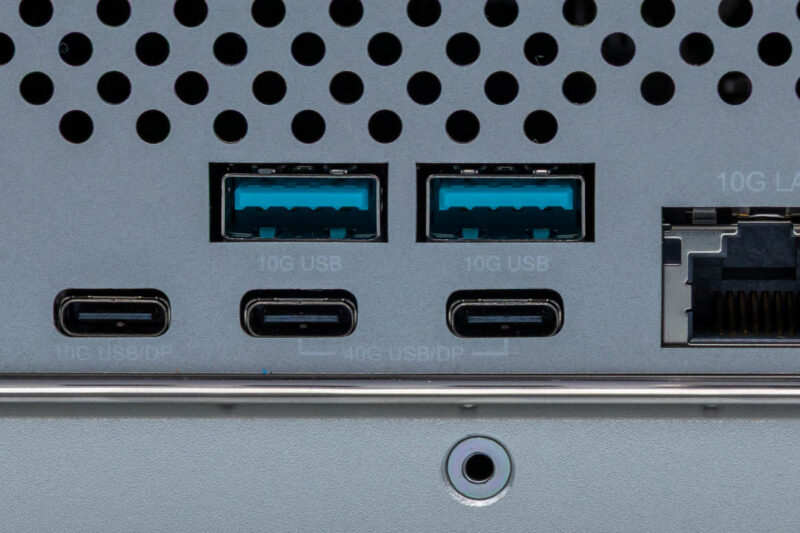
If you need a DisplayPort-type output, ASRock Industrial also covers this via DP Alt Mode. There are three USB-C ports on the system, and all of them can be used for display outputs, taking advantage of the chip’s ability to drive up to four monitors at once.
Otherwise, we are looking at a mix of USB 3 and USB4 ports. The left-most USB-C port is a 10Gbps USB 3.x port, while the right two USB-C ports are the two blazing 40Gbps USB-C ports that the Strix Halo silicon natively supports. These are likely to be the last ports you use for display outputs unless necessary, as doing so will eat up one (or both) of the system’s fastest USB I/O ports.
For older peripherals and drives, ASRock Industrial also added a pair of USB-A ports on the rear of this system. Both of these are 10Gbps ports, using the industry-standard cyan coloring. And while ASRock Industrial did not use the USB-IF’s official logos here, the fact that they have otherwise clearly labeled the performance and capabilities of each USB port is greatly appreciated as it is something that other vendors have struggled with.
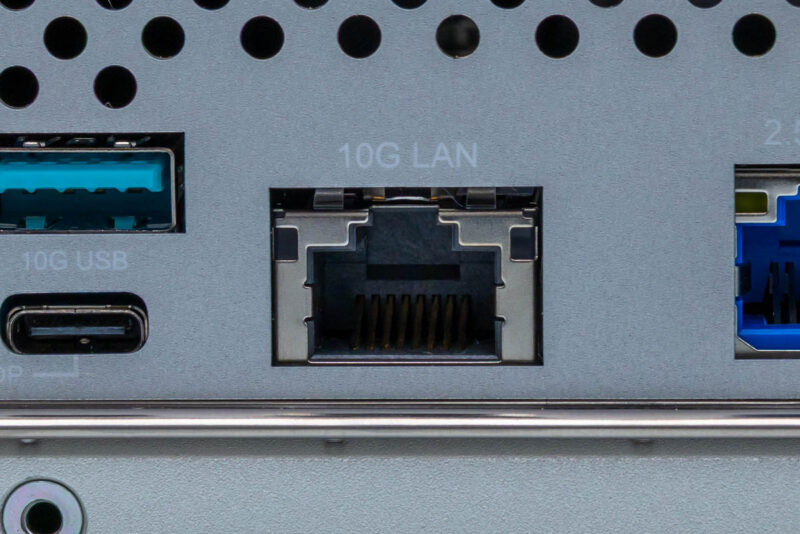
As for non-USB I/O, ASRock Industrial has equipped the A395 with a pair of Ethernet ports. First up, we have a 10GbE port with an RJ45 jack, driven by Marvell’s nearly ubiquitous AQC113 controller. For the price and performance capabilities of Ryzen AI Max+ 395 systems, 10Gb Ethernet ports have been rarer than we would like to see. So it is good to see that one is included here.
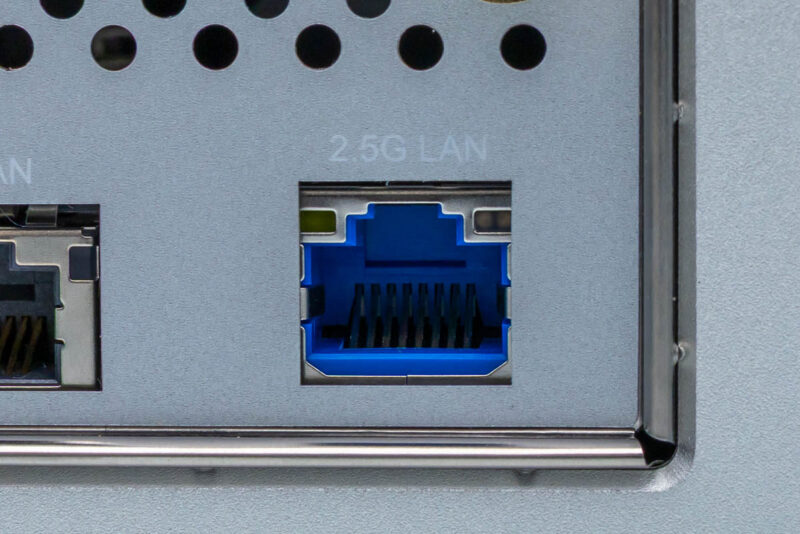
To the right of that is the second Ethernet port, a 2.5GbE port driven by Realtek’s RTL8125BG controller. Some Strix Halo systems ship with two 10GbE ports. We have also seen many, including the previously mentioned Framework Desktop, ship with only a single 5GbE or 2.5GbE port. Having 10Gb + 2.5GbE is a solid compromise here. Besides labeling each port with its max speed, ASRock has also used blue plastic with the 2.5GbE port to further distinguish the system’s two Ethernet jacks.
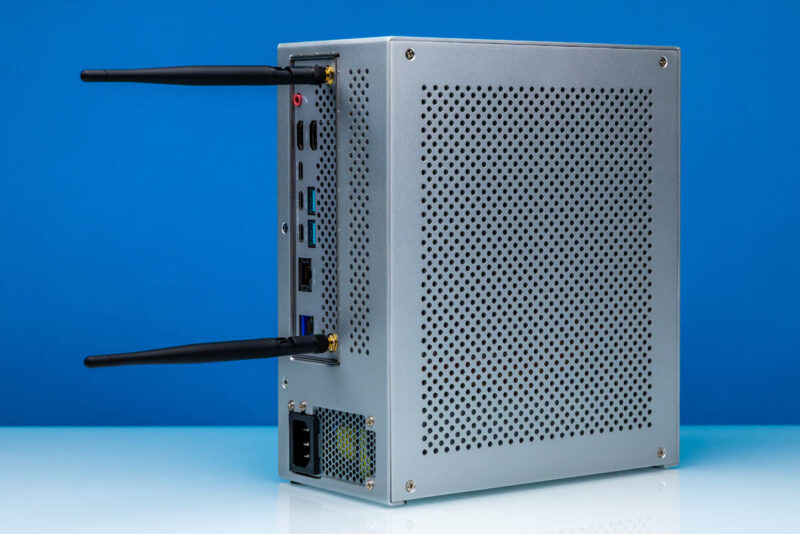
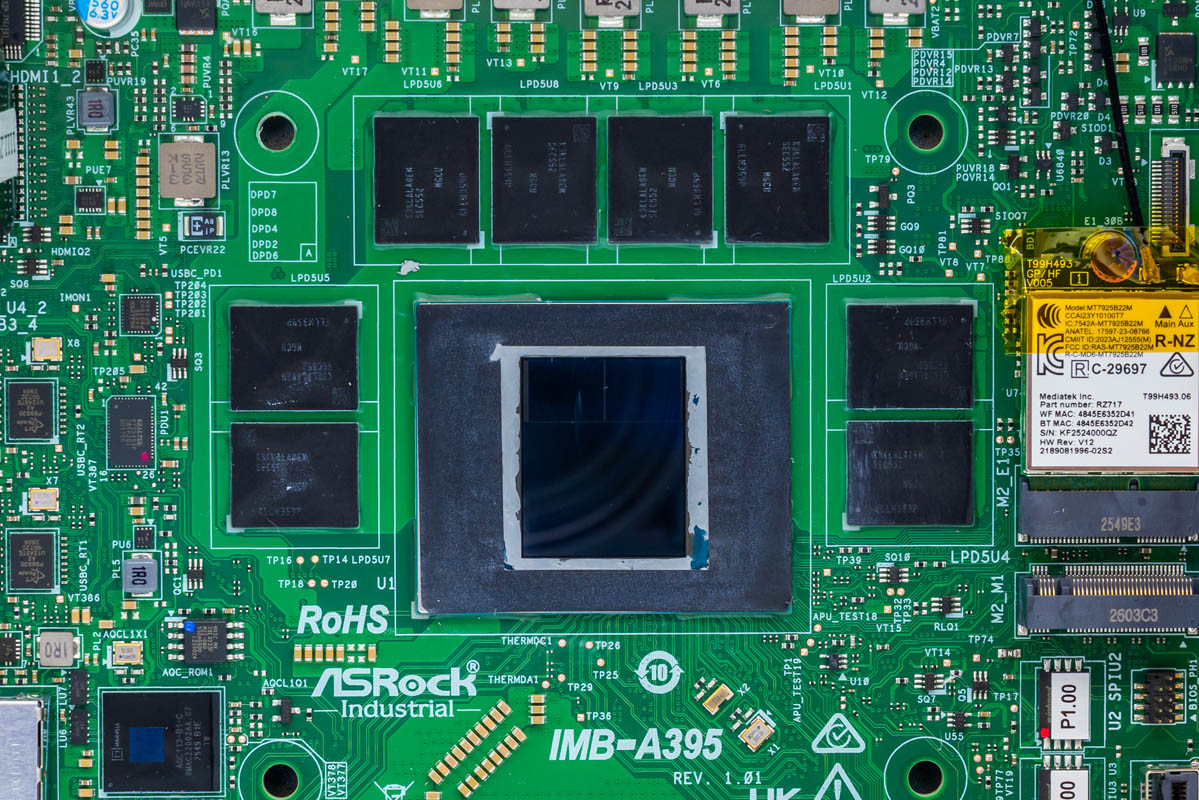
Meanwhile, if you instead need wireless networking, ASRock Industrial has that covered as well. The metal case makes internal antennas impractical, so the company added a pair of antenna connectors on the rear of the system that lead back to the Wi-Fi 7 radio. The antennas are included, of course.
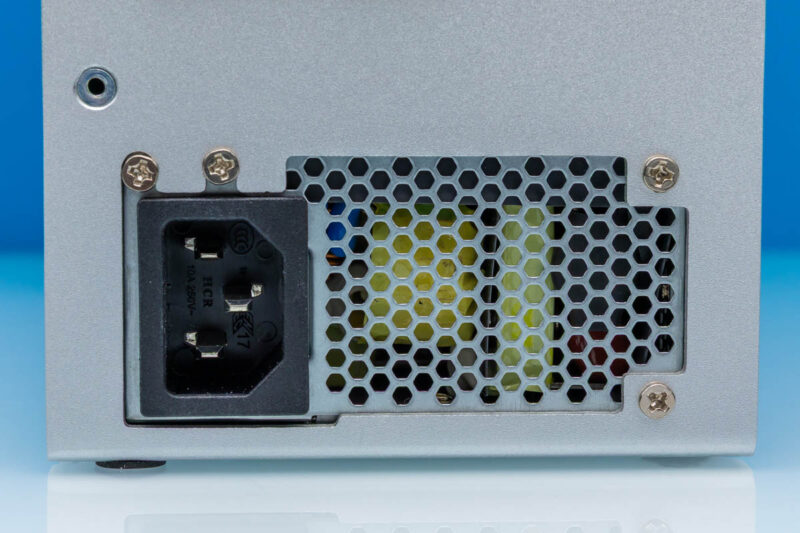
Meanwhile, here is a quick look at the system’s internal power supply from the outside. With the extra volume afforded by the standing system, and to keep it portable, ASRock Industrial opted for an internal power supply. So there is no need to haul around an external power brick here. The A395 can be powered with any standard C13 power cable. Assuming the system will run in headless mode (common for industrial PCs), this makes the A395 entirely self-contained.
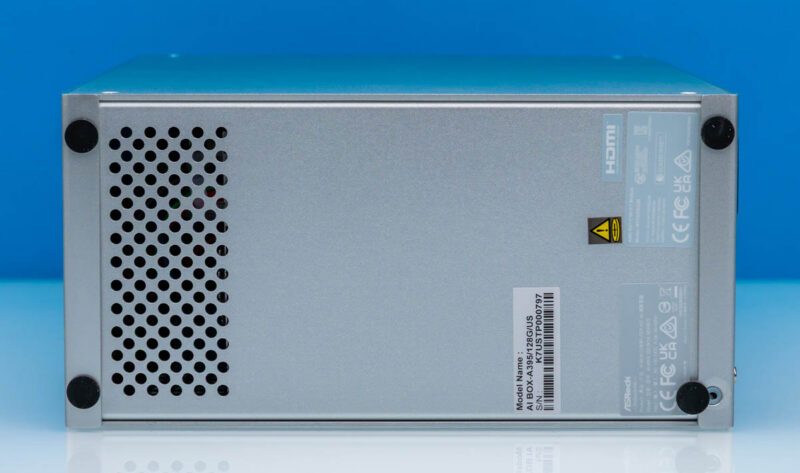
Finally, we will take a quick look at the bottom of the system. Although it lacks ventilation on its right side, the A395 is designed to be operated in a standing position, and the case design reinforces this. The included rubber feet keep the system elevated to keep the power supply intake clear and avoid scratching any surfaces. This is also where ASRock Industrial has placed the required stickers, including the model info, serial number, HDMI logo, and regulatory information.
Now that we have taken a look at the outside of the AI Box-A395, let us dig into the guts of the system.